First run
This walkthrough takes you from a freshly installed aasm to a running
governance gateway that is ready for an agent to connect. Every command and its
output below was captured from a real v0.0.1-beta.4 build.
The flow
flowchart LR
    A["aasm gateway start<br/>--policy low-risk.yaml"] --> B["gRPC gateway<br/>127.0.0.1:50051"]
    B --> C["aasm gateway status<br/>→ running"]
    C --> D{"Connect an<br/>interception layer"}
    D -->|SDK shim| E["Agent registers<br/>via gRPC"]
    D -->|Sidecar proxy| E
    D -->|eBPF on Linux| E
    E --> F["aasm status / topology<br/>view the fleet"]
    F --> G["aasm gateway stop"]
Two endpoints, one gateway. The gateway speaks gRPC on
127.0.0.1:50051— this is what SDK shims and the sidecar proxy connect to. The operator commandsaasm status,aasm agent, andaasm topologytalk to the gateway’s HTTP API onhttp://localhost:8080. In the OSS alpha the gRPC listener is whataasm gateway startbrings up; until an HTTP API server is also serving on8080, the HTTP-backed commands reportunreachable. That is expected and called out at each step below.
1. Start the gateway
Point the gateway at one of the bundled reference policies. policy-examples/
ships low-risk.yaml, medium-risk.yaml, and high-risk.yaml; low-risk
allows and audits everything, which is the easiest starting point.
$ aasm gateway start --policy policy-examples/low-risk.yaml
Gateway started on grpc://127.0.0.1:50051  (pid 74472)
Logs: /Users/you/.aasm/logs/gateway.log
This spawns aa-gateway as a detached background process listening for gRPC on
127.0.0.1:50051. (If you built from source, ensure aa-gateway is reachable —
aasm gateway start looks in $PATH, ~/.cargo/bin, and ./target/{debug,release}.)
Alternative — from a source checkout without installing: the gateway can be run directly with Cargo, which is the form the rest of the book uses:
cargo run -p aa-gateway -- --policy policy-examples/low-risk.yamlIt listens on the same
127.0.0.1:50051.
2. Confirm it is running
$ aasm gateway status
Gateway: running  pid=74472  listen=127.0.0.1:50051  uptime=5s
If nothing is running you get a non-zero exit and:
$ aasm gateway status
Gateway: not running
Tail the gateway log at any time with aasm gateway logs.
3. Check overall status
aasm status gives the fleet-wide picture — gateway health, registered agents,
pending approvals, and budget. It queries the HTTP API at http://localhost:8080:
$ aasm status
Agent Assembly Status
─────────────────────────────────────
  Gateway:   http://localhost:8080
  Health:    ✗ unreachable
─────────────────────────────────────

RUNTIME HEALTH
──────────────
  API:         ✗ unreachable
  Uptime:      0s
  Connections: 0
  Lag:         0 ms

ACTIVE AGENTS
─────────────
  (no agents registered)

PENDING APPROVALS
─────────────────
  Count:  0

BUDGET STATUS
─────────────
  Daily spend : $-- (no limit set)
  Date:           --
  (no per-agent data)

Error: gateway is not running. Start it with: aasm start
The unreachable health here reflects the gRPC-vs-HTTP split described above:
the gRPC gateway from step 1 is up, but the HTTP API on 8080 is not being
served in this OSS-only setup. Once an API server is serving on 8080 (for
example through the hosted control plane, or a future OSS API server), Health
flips to reachable and registered agents appear in ACTIVE AGENTS.
Add --watch to auto-refresh the display every 5 seconds, or --json for a
machine-readable header suitable for scripting and CI.
4. Observe an agent
Agents register with the gateway through an interception layer — they are not created from the CLI. Wire one of the SDKs into your agent, or front it with the sidecar proxy, and point it at the gateway:
- SDK shim (in-process): install python-sdk, node-sdk, or go-sdk and follow that SDK’s quickstart. The shim reports the calls it wraps to the gateway over gRPC.
- Sidecar proxy (no agent code changes): run
aasm proxy startto intercept the agent’s outbound HTTPS and forward governance decisions to the gateway. The agent process must route through the proxy and trust its CA. - eBPF (Linux only): kernel hooks observe OpenSSL TLS plaintext and
exec/file syscalls. They report what the layers above missed; they do not block it.
A quick way to exercise the sidecar path end-to-end is the bundled Docker
Compose stack, which runs aa-runtime as a sidecar against a stub agent:
cd examples/docker-compose
AA_API_KEY=dev-local-key docker compose up
The sidecar exposes the agent IPC socket at
/tmp/aa-runtime-my-agent-001.sock and a readiness probe at
http://localhost:8080/ready.
Once an agent is registered and the HTTP API is reachable, list the fleet:
aasm agent list          # all registered agents
aasm agent inspect <id>  # detail for one agent
Until then these commands report the API as unreachable:
$ aasm agent list
error: API request failed: error sending request for url (http://localhost:8080/api/v1/agents)
5. View the topology
aasm topology visualizes the agent fleet — trees, lineage, teams, and
aggregate stats. Like aasm status, it reads the HTTP API:
aasm topology overview   # fleet-wide overview
aasm topology tree <id>  # subtree rooted at an agent
aasm topology stats      # aggregate statistics
With no reachable API it reports:
$ aasm topology overview
error: registry unreachable — check --api-url
6. Open a dashboard
For a live, interactive view there are two consoles:
- Web dashboard —
aasm dashboard startserves the embedded SPA athttp://127.0.0.1:3000(port configurable; see Configuration). It blocks untilCtrl-C; useaasm dashboard opento launch your browser against an already-running server. - Terminal (TUI) dashboard —
aasm dashboardopens an interactive in-terminal dashboard for real-time monitoring, no browser required.
The web dashboard’s app shell looks like this after you sign in — the full governance navigation (Monitor / Control / Manage) down the left, with the approvals indicator, theme toggle, Settings, and Log out across the top:
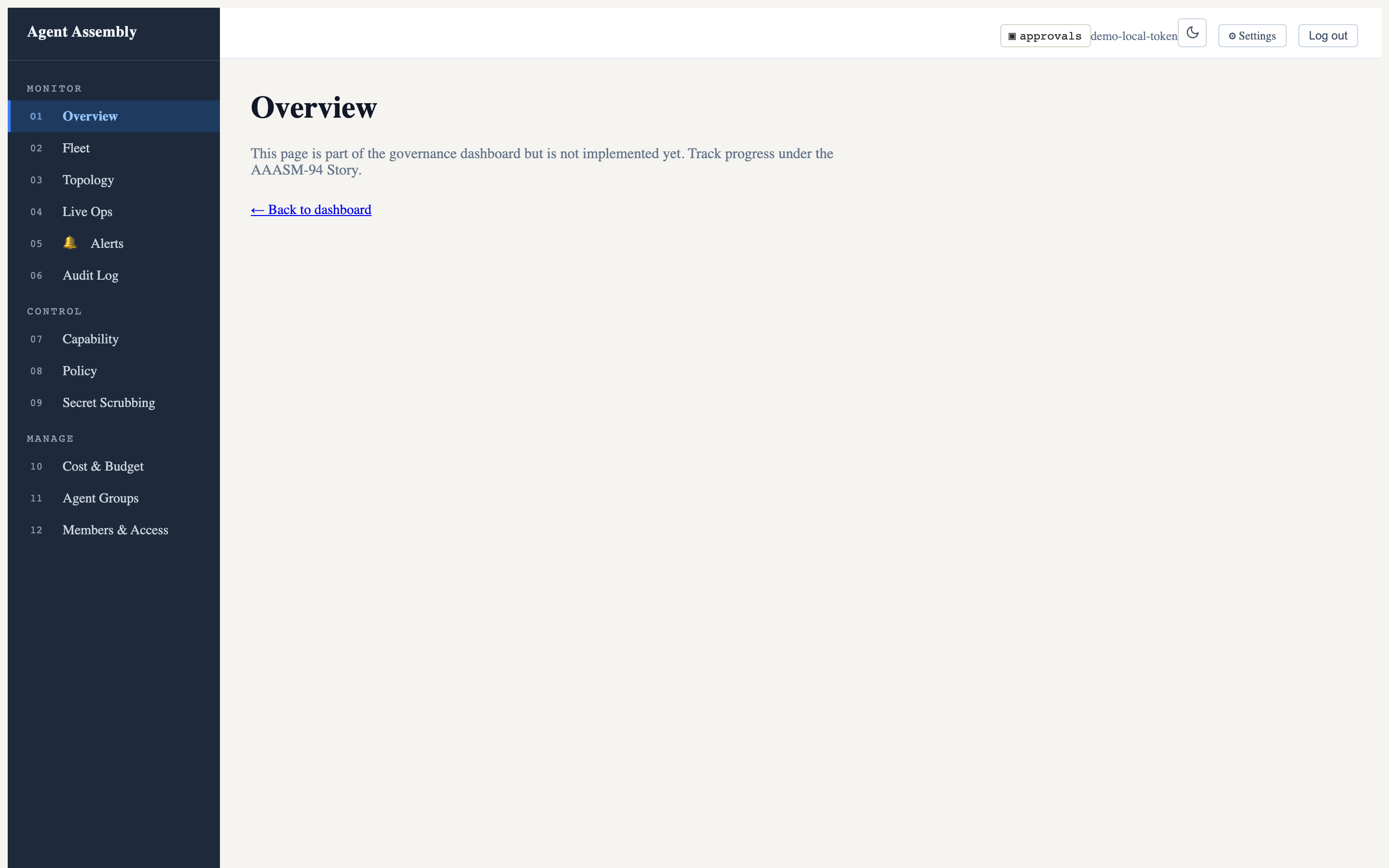
The data panels are empty here because this is the open-source local-mode gateway, which serves the SPA but not the populated data API (that lives in the hosted control plane). See Observe in the dashboard for the full picture, including the live-operations and dark-mode views.
7. Stop the gateway
When you are done, shut the gateway down cleanly (SIGTERM, escalating to SIGKILL after the timeout):
aasm gateway stop
Where to go next
- CLI Reference — every
aasmcommand and flag. - Usage Guide — govern an agent end-to-end, author policies, and set budgets.
- Security Model — the threat model and the three-layer defense-in-depth rationale.
Last updated: 2026-08-06 by Chisanan232